
A 24-inch curved gaming monitor fills your peripheral vision without dominating your desk — offering the immersion of a bend without the sprawl of a 32-inch panel. Serious FPS and esports players know that a tighter footprint means less head-turning and faster target acquisition, making this size a smart sweet spot for competitive setups.
I’m Min — the co-founder and writer behind Gadgets Feed. My buying guides are built on dozens of hours comparing refresh rate curves, panel technologies, adaptive sync implementation, and real-world motion clarity across the most popular models on the market.
After digging through the data on latency, contrast, and color coverage, I’ve narrowed the field to the strongest performers in the 24 inch curved gaming monitor category that actually deliver on their specs at a reasonable price.
How To Choose The Best 24 Inch Curved Gaming Monitor
Choosing a curved gaming monitor at 24 inches requires a different lens than a larger panel. The curvature radius, refresh rate ceiling, and panel type directly affect how a smaller display wraps into your field of view and how smoothly fast motion appears. Understanding these three factors will separate a legit upgrade from a waste of desk space.
Curvature Radius: 1500R vs 1800R
The curvature radius measures how tight the bend is — a 1500R curve forms a circle with a 1500mm radius, wrapping closer around your face than an 1800R screen. On a 24-inch panel, 1500R creates a noticeable cocoon effect that pulls your eyes toward the center without forcing you to sit at an unnatural distance. An 1800R curve is subtler and may feel almost flat at this size; it works better if you share your screen or prefer a less aggressive bend.
Refresh Rate: 144Hz, 180Hz, or 240Hz
Refresh rate determines how many frames your monitor displays per second, and on a 24-inch panel the difference between 144Hz and 240Hz is perceptible in fast-twitch shooters. 180Hz has become the new baseline for mid-range curved monitors — enough headroom to smooth out frame-time variances without requiring a top-tier GPU to drive. If your graphics card routinely pushes above 144 fps at 1080p, a 180Hz or 240Hz screen will reward you with visibly cleaner motion in esports titles.
Panel Technology: VA vs Fast IPS
Curved monitors at this size overwhelmingly use VA panels because VA technology bends more reliably and delivers native contrast ratios around 3000:1 — meaning deeper blacks and better shadow detail in dark game scenes. Fast IPS panels are rarer in curved 24-inch designs but offer faster pixel transitions and wider viewing angles at the cost of contrast. VA’s superior contrast matters more for immersive single-player gaming, while IPS edges ahead for competitive play where every millisecond of pixel response counts.
Quick Comparison
On smaller screens, swipe sideways to see the full table.
| Model | Category | Best For | Key Spec | Amazon |
|---|---|---|---|---|
| ASUS TUF Gaming VG24VQER | Premium | Bright room gaming, console 120fps | 180Hz, 1ms MPRT, 3000:1 contrast | Amazon |
| Sceptre C248B-FWT168 | Mid-Range | Budget competitive gaming | 180Hz, 1500R, 99% sRGB | Amazon |
| Westinghouse 24″ 240Hz | Premium | Competitive FPS, 240Hz esports | 240Hz, 1ms, 3000:1 contrast | Amazon |
| Pixio PXC248 Wave Pink | Mid-Range | Aesthetic builds, colorful gaming | 200Hz, 1ms GTG, 1500R curve | Amazon |
| KTC H24T7 | Mid-Range | Sharp text, productivity + gaming | QHD 2560×1440, 185Hz (OC), Fast IPS | Amazon |
| Samsung LC24F390FHNXZA | Entry-Level | Casual gaming, media consumption | 60Hz, 1800R, slim design | Amazon |
| Kado C24X-168-DUAL | Mid-Range | Dual-monitor curved setup | 2-Pack, 180Hz, 1500R | Amazon |
| LG 34G630A-B | Premium | Ultrawide immersive gaming | 34″ 21:9, 240Hz, WQHD | Amazon |
| Dell S2725HSM | Mid-Range | Work + casual gaming | 27″ FHD, 144Hz, integrated speakers | Amazon |
In‑Depth Reviews
1. ASUS TUF Gaming VG24VQER

The ASUS TUF Gaming VG24VQER combines a 23.6-inch 1500R curved VA panel with a native 180Hz refresh rate and 1ms MPRT response time, creating a fluid experience that esports players will appreciate. The VA panel delivers a 3000:1 contrast ratio, so blacks in dark game scenes remain deep rather than washing to gray — a clear advantage over IPS panels in this price bracket. ASUS includes Extreme Low Motion Blur Sync technology, which reduces ghosting without sacrificing brightness, and the monitor supports variable refresh rate out of the box through FreeSync.
Shadow Boost is a standout feature: it brightens dark areas without over-exposing highlights, giving you better visibility in shadow-heavy environments like caves or night maps. The connectivity includes two HDMI 2.0 ports and one DisplayPort 1.2, and the display is VESA mount compatible if the included tilt-only stand isn’t enough. The on-screen menu is controlled by a rear joystick, which takes some adjustment but gives quick access to blue light filters and game presets.
PS5 players report flawless 120fps output with this monitor, and the out-of-box color presets make enemy outlines pop without calibration. The stand only offers tilt adjustment and minimal height control, so a monitor arm may be necessary for ergonomic setups. At its price point, the VG24VQER offers the highest contrast and most polished motion handling of any 24-inch curved monitor tested.
Why it’s great
- 180Hz native refresh with ELMB Sync for minimal motion blur
- 3000:1 VA contrast ratio for deep blacks in dark game scenes
- Shadow Boost reveals detail in shadows without washing out bright areas
Good to know
- Stand offers tilt only — plan for VESA mount if height adjustment is needed
- Rear joystick menu navigation takes some getting used to
2. Sceptre C248B-FWT168

The Sceptre C248B-FWT168 is a 24-inch 1500R curved monitor with a 180Hz refresh rate and 99% sRGB coverage, hitting a price point that makes it the strongest value proposition in this category. The VA panel produces a 1,000,000:1 dynamic contrast ratio, and while the 280 cd/m² brightness is below some competitors, the black levels remain impressive for a monitor under . AMD FreeSync Premium is supported, synchronizing the refresh rate with your GPU to eliminate tearing in fast-paced shooters like Valorant and Apex Legends.
The 24-inch 1080p resolution hits the pixel density sweet spot — text looks sharp without requiring GPU horsepower to drive high frame rates. Built-in speakers are included, though as with most integrated audio, they lack bass and volume; a dedicated headset or external speakers are recommended for serious gaming sessions. The stand has a small footprint and includes both tilt and basic height adjustment, though some users report mild wobble at max extension.
Blue Light Shift mode reduces eye fatigue during long sessions, and the monitor includes two HDMI ports plus one DisplayPort input. The 180Hz refresh rate is stable in most scenarios, though a few units have shown instability at the advertised 180Hz ceiling. For gamers who want a curved esports monitor with strong color reproduction and the best price-to-performance ratio, the C248B-FWT168 is hard to beat.
Why it’s great
- 180Hz refresh rate with FreeSync Premium for smooth tear-free gaming
- 99% sRGB coverage delivers vibrant color out of the box
- Aggressive price point with strong contrast from the VA panel
Good to know
- Stand can feel wobbly at full height — VESA mount recommended for stability
- Built-in speakers lack volume and clarity for immersive audio
3. Westinghouse 24″ 240Hz Curved Gaming Monitor
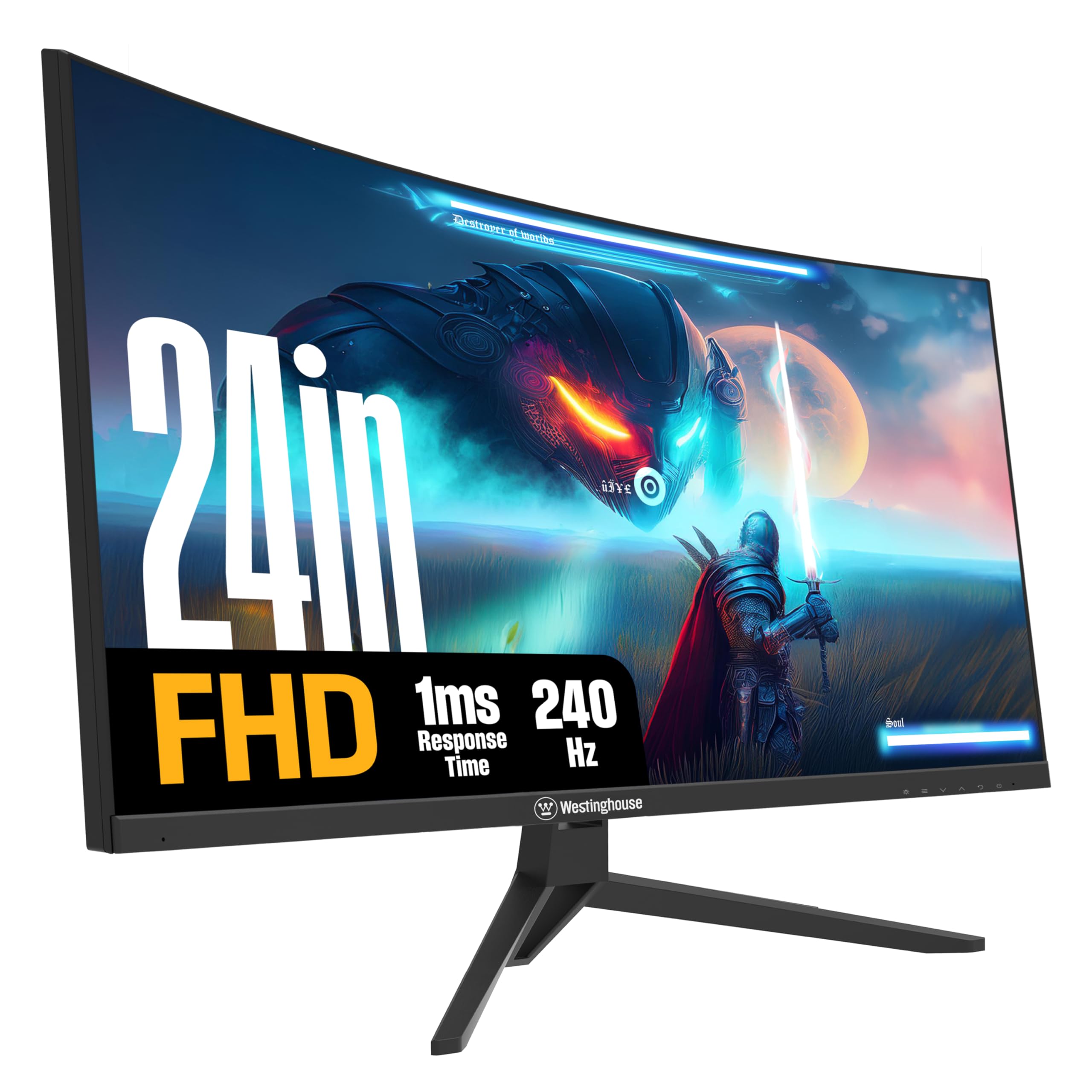
The Westinghouse 24-inch curved gaming monitor pushes the refresh rate ceiling to 240Hz with a 1ms response time, making it one of the fastest 1080p curved panels available at this size. The 1500R VA panel delivers a 3000:1 static contrast ratio and 118% sRGB color gamut, producing deep blacks and vivid colors that work well for both competitive shooters and cinematic single-player games. AMD FreeSync is supported, and the monitor is also G-Sync compatible, giving you adaptive sync flexibility regardless of your GPU brand.
Multiple gaming modes — including dedicated FPS and RTS presets — adjust the gamma and sharpness to enhance visibility in specific genres. The FPS mode brightens dark corners without blowing out highlights, a feature that helps in games like Rainbow Six Siege where spotting an enemy pixel can decide a round. The monitor includes built-in speakers and an audio-out jack, plus EyeRest technology that combines flicker-free operation, anti-glare coating, and low blue light modes for comfort during extended sessions.
The included DisplayPort cable supports the full 240Hz bandwidth out of the box, and the HDMI ports accommodate console gaming at lower refresh rates. A small number of user reports mention flickering or intermittent black screens, though these cases appear to be isolated and may relate to cable quality or GPU driver conflicts. For players with the graphics horsepower to drive 240 fps consistently, this Westinghouse model offers a legitimate competitive advantage at a mid-range price.
Why it’s great
- 240Hz refresh rate with 1ms response for ultra-smooth competitive play
- 3000:1 contrast ratio from VA panel with 118% sRGB gamut
- Supports both FreeSync and G-Sync for wide GPU compatibility
Good to know
- Some units have reported flickering — test immediately upon arrival
- Built-in speakers are serviceable but not suitable as primary audio
4. Pixio PXC248 Wave Pink

The Pixio PXC248 Wave Pink is a 24-inch 1500R curved gaming monitor with a 200Hz refresh rate and 1ms GTG response time, wrapped in a distinctive pink chassis that stands out in any setup. The Fast VA panel produces a 300 cd/m² brightness and 1000:1 static contrast ratio, with HDR support that expands the visible range in supported titles. Adaptive Sync technology is built in, keeping the 200Hz refresh rate in sync with your GPU to prevent tearing during intense firefights.
The 200Hz refresh rate is ahead of the 180Hz standard, giving a slight edge in smoothness for fast-paced games where fluidity matters. The 1500R curve wraps tightly around a 24-inch field of view, creating an immersive bubble effect especially noticeable in racing and flight sim games. The monitor includes built-in speakers and an adjustable stand with tilt and pivot options, plus VESA 100x100mm mounting for aftermarket arms.
Color accuracy out of the box is solid, with the Fast VA panel offering better viewing angles than traditional VA while maintaining deep black levels. The pink design is uniform across the stand and bezel, making this a rare option for themed builds that don’t want to sacrifice performance for aesthetics. The built-in speakers lack low-end frequency response, and the 1000:1 contrast ratio is lower than the 3000:1 seen on some VA competitors, but for users prioritizing both visual design and high frame rates, the PXC248 delivers a unique package.
Why it’s great
- 200Hz refresh rate exceeds the 180Hz standard for smoother motion
- Distinctive pink design with uniform color across bezel and stand
- Fast VA panel with improved viewing angles over traditional VA
Good to know
- 1000:1 contrast ratio is lower than premium curved VA alternatives
- Built-in speakers lack depth — external audio recommended
5. KTC H24T7
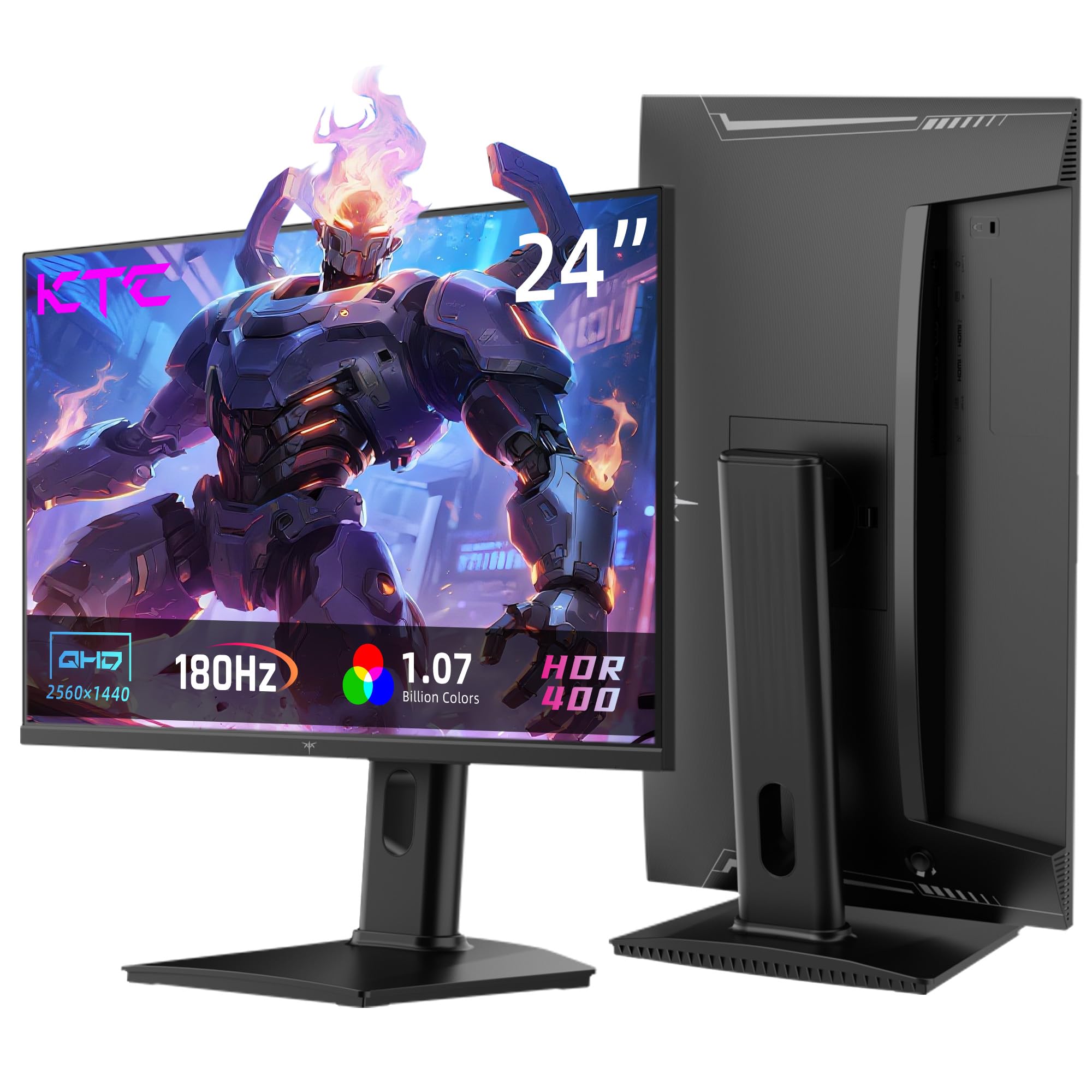
The KTC H24T7 breaks from the curved panel trend by offering a flat 24-inch Fast IPS display with QHD 2560×1440 resolution — the only monitor in this roundup that delivers higher pixel density than standard 1080p. The 180Hz refresh rate can be overclocked to 185Hz via DisplayPort 1.4, and the monitor supports both FreeSync and G-Sync for adaptive sync across any GPU. With 99% sRGB coverage, 1.07 billion colors, and HDR400 certification, the H24T7 produces sharper text and finer image detail than any 1080p curved competitor, making it ideal for users who split their time between gaming and productivity work.
The Fast IPS panel offers superior pixel response and viewing angles compared to VA alternatives, though the 1000:1 contrast ratio means blacks appear grayish in dark room environments. The stand provides full ergonomic adjustment — tilt, pivot, swivel, and 110mm of height adjustment — which is rare in this price bracket. VESA 100x100mm mounting is also supported, and the monitor includes two HDMI 2.0 ports and a single DisplayPort 1.4 input.
At QHD resolution on a 24-inch screen, the pixel density reaches approximately 123 PPI, which makes text rendering noticeably sharper than 1080p and lets you see finer details in game textures. The trade-off is that driving 1440p at 180Hz requires a more powerful GPU — a mid-range card like an RTX 3060 or RX 6600 is the practical entry point. For users who value resolution and pixel response over curved immersion, the KTC H24T7 is a compelling alternative that fills a niche no other monitor in this category addresses.
Why it’s great
- QHD 2560×1440 resolution delivers sharp text and fine image detail
- Full ergonomic stand with height, pivot, tilt, and swivel adjustment
- Fast IPS panel with 180Hz native and G-Sync/FreeSync compatibility
Good to know
- Flat panel — no curvature for immersive wrap-around effect
- Driving 1440p at high refresh rates requires a mid-range or better GPU
6. Samsung LC24F390FHNXZA

The Samsung LC24F390FHNXZA is a 24-inch 1800R curved monitor with a 60Hz refresh rate and FHD 1080p resolution, targeting casual users and media consumers rather than competitive esports players. The VA panel delivers a native 3000:1 contrast ratio and 350 cd/m² brightness — higher brightness than most monitors in this guide — producing vivid colors and deep blacks for movie watching and single-player gaming. AMD FreeSync and Game Mode are built in, reducing screen tearing and optimizing the picture for fast-moving content, though the 60Hz ceiling means you won’t see the fluidity of higher refresh rate panels.
The 1800R curve is subtler than the 1500R used on most gaming-focused monitors, creating a gentle wrap that reduces glare without feeling aggressive. The super-slim design is one of the thinnest profiles in this category, and the glossy black finish looks clean on a desk. Connectivity is limited to two HDMI ports and a VGA input — there is no DisplayPort and no built-in speakers, so you’ll need external audio and an adapter if your GPU uses DisplayPort exclusively.
The stand is non-adjustable with no height, tilt, or swivel, which is a limitation for ergonomic setups — plan for a VESA 75x75mm mount if you need positioning flexibility. The Samsung LC24F390 is a solid entry-level curved monitor for users who prioritize picture quality and an ultra-slim design over high refresh rates, but it is not suitable for competitive gaming where frame smoothness matters.
Why it’s great
- 3000:1 VA contrast with 350 cd/m² brightness for vivid image quality
- Ultra-slim 1800R design with a clean, professional aesthetic
- FreeSync and Game Mode reduce tearing in casual gaming
Good to know
- 60Hz refresh rate caps performance — not for competitive esports
- No DisplayPort input and no built-in speakers
- Stand lacks any ergonomic adjustment — VESA mount recommended
7. Kado C24X-168-DUAL
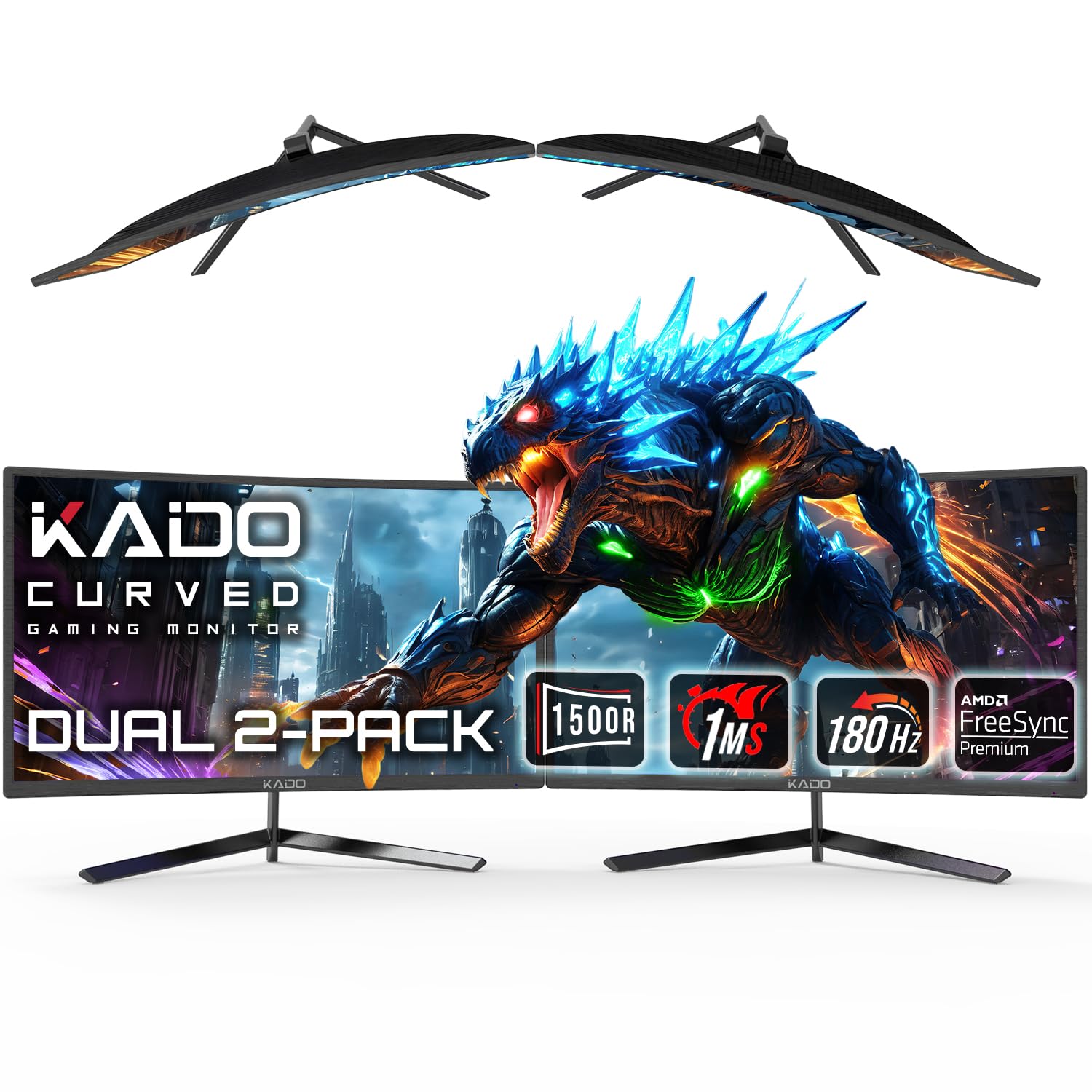
The Kado C24X-168-DUAL is a two-pack of 24-inch curved monitors, each featuring a 1500R curvature, 180Hz refresh rate, and 1ms response time, designed for users who want a synchronized dual-monitor setup without buying two separate units. Each panel uses an IPS-type display with 1000:1 contrast ratio and 1920×1080 resolution, delivering consistent colors and viewing angles across both screens — critical for panoramic gaming where color shift between two monitors would be distracting. AMD FreeSync Premium is supported on each display, and the connections include HDMI and DisplayPort inputs.
The 1500R curve on each 24-inch panel creates a continuous arc when placed side by side, wrapping around your field of view for an immersive multi-monitor experience that flat panels cannot match. This configuration works well for racing sims, flight simulators, and productivity workflows where you want a seamless panoramic workspace. The monitors include built-in speakers for basic audio output, though sound quality is thin and external speakers or headphones will give a better experience.
Kado’s customer support has received positive feedback for responsive service in cases of damaged units during shipping. The monitor stand is basic with tilt adjustment only, but each screen supports VESA 75x100mm mounting for aftermarket arms — which is recommended for the dual setup to align the screens properly. For users building a curved dual-monitor battle station at the entry-to-mid level price, the Kado two-pack delivers a cohesive experience that is difficult to replicate with two mismatched single purchases.
Why it’s great
- Two matched monitors with 180Hz and 1500R curve for panoramic gaming
- IPS-type panels ensure consistent colors and viewing angles side by side
- Responsive customer support with quick replacement for shipping issues
Good to know
- Basic stands lack height and swivel adjustment — aftermarket arms recommended
- Shipping damage reported on some units — inspect carefully on arrival
8. LG 34G630A-B

The LG 34G630A-B is a 34-inch 21:9 ultrawide curved gaming monitor with WQHD 3440×1440 resolution and a 240Hz refresh rate, representing the premium tier of this buying guide. The 1ms GTG response time and VA panel with 95% DCI-P3 color gamut deliver vibrant, low-latency visuals that work equally well for competitive shooters and cinematic RPGs. VESA DisplayHDR 400 certification means the monitor can produce 400 cd/m² peak brightness with acceptable local dimming, adding punch to explosion effects and bright environments.
The 21:9 aspect ratio provides roughly 33% more horizontal space than a 16:9 27-inch monitor, allowing you to see more of the game world without moving your head — a real advantage in racing sims, flight sims, and open-world exploration. Connectivity is generous with HDMI, DisplayPort, and USB Type-C inputs, with the Type-C port supporting both display output and data transfer at up to 15W of power delivery for a single-cable laptop connection. The stand offers full ergonomic adjustment including height, tilt, and swivel, and the slim base frees up desk space for keyboard and mouse movement.
The Dynamic Action Sync feature reduces input lag, and the Black Stabilizer brightens dark scenes to reveal hidden enemies without washing out the image. The built-in speakers are acceptable for casual movie watching but lack the clarity and bass needed for immersive gaming. The 34-inch size requires significant desk depth — at least 24 inches from your face — so measure your space before purchasing. For users ready to step up from a standard 24-inch curved display to a premium ultrawide experience, the LG 34G630A-B delivers exceptional motion clarity and color fidelity.
Why it’s great
- 34-inch 21:9 WQHD with 240Hz for immersive, fluid gaming
- 95% DCI-P3 color gamut with DisplayHDR 400 certification
- USB Type-C with 15W PD for single-cable laptop connection
Good to know
- Requires at least 24 inches of desk depth for comfortable viewing
- Built-in speakers are mediocre — plan for dedicated external audio
9. Dell S2725HSM
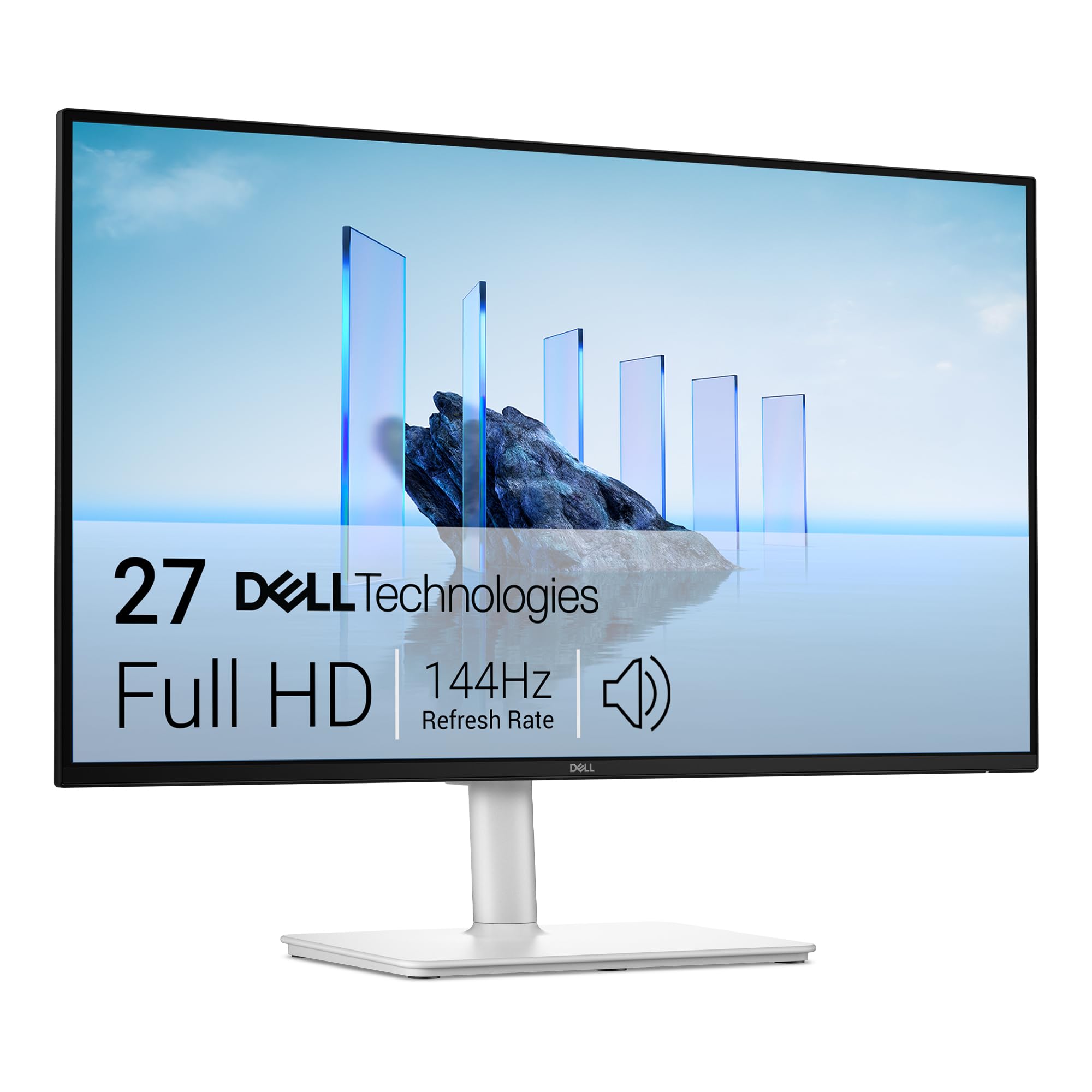
The Dell S2725HSM is a 27-inch flat FHD monitor with a 144Hz refresh rate and 1ms MPRT response time, positioned for users who need a versatile display for both work and casual gaming. The IPS panel delivers 300 cd/m² brightness, 1500:1 contrast ratio, and 99% color gamut coverage, producing consistent colors from any viewing angle. Unlike dedicated gaming monitors, the S2725HSM prioritizes color accuracy and ergonomic comfort, with a full adjustment stand that includes height, tilt, pivot, and swivel — features often missing from curved gaming panels.
The integrated dual 3W speakers are among the best built-in audio solutions tested, providing clear mid-range and acceptable volume for video calls, streaming, and casual gaming without external speakers. The 4-star TÜV-certified eye comfort reduces blue light emissions without a noticeable orange tint, making this a strong choice for users who spend eight hours working and then game in the evenings. FreeSync support is included to reduce tearing in supported titles, though the 144Hz refresh rate is below the 180Hz standard seen on dedicated gaming monitors.
The 27-inch size at 1080p results in a pixel density of roughly 81 PPI, which is lower than a 24-inch 1080p panel — text appears slightly less sharp, and individual pixels are more visible at close viewing distances. The flat IPS panel lacks the immersive curve that dedicated gamers seek, but the excellent ergonomic adjustment and built-in audio make it the most versatile all-purpose monitor in this guide. For users who want one monitor that handles work spreadsheets and weekend gaming with equal competence, the Dell S2725HSM delivers a polished, hassle-free experience.
Why it’s great
- Full ergonomic stand with height, tilt, pivot, and swivel adjustment
- Best built-in speakers in this category for clear audio without extras
- TÜV-certified blue light reduction maintains color accuracy
Good to know
- 1080p on a 27-inch panel has lower pixel density than 24-inch alternatives
- Flat IPS panel — no curvature for immersive gaming wraparound effect
FAQ
Is a 1500R curve too aggressive for a 24-inch monitor?
Can I use a 24-inch curved gaming monitor for console gaming?
Does a curved monitor cause distortion for productivity work like coding or spreadsheets?
Should I choose a VA or IPS panel for a 24-inch curved gaming monitor?
Final Thoughts: The Verdict
For most users, the best 24 inch curved gaming monitor is the ASUS TUF Gaming VG24VQER because it combines a 180Hz refresh rate, 1500R curve, and 3000:1 VA contrast at a price that undercuts rivals with similar specs. If you want the smoothest motion for competitive esports, grab the Westinghouse 24″ 240Hz for its class-leading refresh rate. And for a premium ultrawide upgrade that transforms your entire gaming experience, nothing beats the LG 34G630A-B with its 21:9 WQHD canvas and 240Hz fluidity.