
Our readers keep the lights on and my morning glass full of iced black tea. As an Amazon Associate, I earn from qualifying purchases.
A 32-inch, 2560×1440 display walks a tightrope between immersive screen real estate and pixel density. At this size, every sub-pixel matters — the difference between a sharp, crisp desktop and a soft, grainy one comes down to the panel technology and the quality of the anti-glare coating. Gamers want high refresh rates without ghosting, while productivity users need text clarity that doesn’t cause eye fatigue over an eight-hour shift.
I’m Min — the co-founder and writer behind Gadgets Feed. I’ve spent countless hours analyzing QHD panel specifications, comparing response time overdrive implementations, and studying the real-world impact of contrast ratios and color gamut coverage on 32-inch monitors. This guide is built entirely from deep market research and technical specification analysis specific to the 1440p 32-inch segment.
Whether you’re after lightning-fast 280Hz motion clarity for competitive gaming or IPS color accuracy for creative work, finding the right 2k 32 inch monitor requires balancing refresh rate, pixel response, and ergonomic adjustability against your specific daily use case.
How To Choose The Best 2K 32 Inch Monitor
Selecting the right 32-inch QHD monitor means prioritizing the specifications that match your primary use case. Gaming demands high refresh rates and low response times, while design work requires color accuracy and wide viewing angles. The following parameters are where most buyers make their decision.
Panel Technology — IPS vs VA at 32 Inches
IPS panels deliver superior color consistency and wide 178-degree viewing angles, making them ideal for shared screens and color-sensitive work. VA panels offer significantly higher native contrast ratios — typically 3000:1 to 4000:1 versus 1000:1 on IPS — which produces deeper blacks and better shadow detail in dark scenes. The trade-off on VA is potential color shift when viewed off-angle, which is more noticeable on a 32-inch panel than on a smaller screen. Fast VA variants found on premium models largely eliminate the dark-smear artifacts that plagued older VA monitors.
Refresh Rate — Is Higher Always Better?
A 165Hz or 180Hz refresh rate already provides a massive improvement over standard 60Hz monitors, with visibly smoother cursor movement and reduced motion blur in fast-paced games. The jump from 165Hz to 240Hz or 280Hz is less perceptible to the average user but offers a genuine competitive edge in esports titles where split-second reactions matter. For general use and single-player gaming, a 165Hz or 180Hz panel delivers the best value balance between cost and performance.
Ergonomics and Connectivity
Height-adjustable stands are a premium feature on 32-inch QHD monitors — many mid-range models offer only tilt adjustment, which can be a pain point for achieving proper viewing posture on a large display. VESA 100x100mm compatibility is standard across this category, allowing for aftermarket monitor arms. For connectivity, DisplayPort 1.4 is essential for driving full refresh rates at 1440p, while HDMI 2.0 typically caps at lower refresh rates. USB-C with power delivery is rare in this segment but valuable for single-cable laptop setups.
Quick Comparison
On smaller screens, swipe sideways to see the full table.
| Model | Category | Best For | Key Spec | Amazon |
|---|---|---|---|---|
| ASUS ROG Strix XG32WCMS | Premium Gaming | Competitive 280Hz | 280Hz / Fast VA / 1ms | $382.90Amazon |
| LG 32GP750-B Ultragear | Premium Gaming | Balanced 165Hz IPS | 165Hz / IPS / G-Sync | $369.99Amazon |
| Samsung Odyssey G50D | Mid-Range Gaming | Adjustable Ergo IPS | 180Hz / Fast IPS / HDR 400 | $319.99$429.99Amazon |
| LG 32QN600-B | Productivity IPS | Color Accuracy | 75Hz / IPS / 99% sRGB | $368.99Amazon |
| KTC H32S25E | Value Gaming | 240Hz Curve | 240Hz / VA / 4000:1 | $299.99Amazon |
| ViewSonic VX3228C-2K | Entry Curve | 180Hz Entry Gaming | 180Hz / VA Curved / 1ms | $219.99Amazon |
| KOORUI Curved 32 Inch | Budget Gaming | 170Hz Value | 170Hz / VA / 1500R | $215.99$254.99Amazon |
In‑Depth Reviews
1. ASUS ROG Strix 32” 1440P USB-C Curved HDR400 Gaming Monitor (XG32WCMS)

The ASUS ROG Strix XG32WCMS pushes refresh rate boundaries with a native 280Hz Fast VA panel, delivering the highest frame rate in this roundup. The 4000:1 native contrast ratio produces deep, inky blacks that IPS panels simply cannot match, making dark game environments feel substantially more immersive. At 92 PPI, text clarity is acceptable at normal viewing distance, and the 1ms GTG response time eliminates visible ghosting even during rapid camera sweeps.
ASUS Extreme Low Motion Blur Sync (ELMB SYNC) operates simultaneously with variable refresh rate — a feature rarely implemented correctly on VA panels — which eliminates both ghosting and tearing without the brightness penalty typical of backlight strobing. The 95% DCI-P3 color gamut ensures vibrant, well-saturated colors, and the bundled DisplayWidget Center software allows mouse-based OSD adjustments. The included tripod socket is a niche but welcome addition for streamers who mount a webcam or microphone above the display.
Connectivity includes DisplayPort 1.4, which is required to drive the full 280Hz refresh rate, plus HDMI and a USB-C port for single-cable laptop connectivity. The curved 1500R design wraps gently around your field of view without introducing noticeable distortion in productivity apps. The stand offers tilt and height adjustment, though swivel is missing — a monitor arm is recommended for multi-monitor setups.
Why it’s great
- 280Hz native refresh is class-leading at 1440p
- 4000:1 VA contrast ratio for deep blacks
- USB-C input expands laptop compatibility
- ELMB SYNC works cleanly with FreeSync
Good to know
- 92 PPI means slightly soft text vs smaller QHD displays
- Stand lacks swivel adjustment out of the box
- HDR400 implementation is subtle, not transformative
2. LG 32GP750-B 32 Inch QHD Ultragear Gaming Monitor

The LG 32GP750-B represents the sweet spot of the IPS gaming monitor category at 32 inches, combining a 165Hz refresh rate with native NVIDIA G-SYNC compatibility. The IPS panel delivers consistent color across the entire 32-inch surface, with no color shift at the edges — a critical advantage over VA panels for competitive players who sit close to the screen. VESA DisplayHDR 400 certification provides a measurable boost in brightness range over standard SDR panels.
The ergonomic stand is the most fully featured in this price tier, offering height, tilt, swivel, and pivot adjustments. This flexibility is essential at 32 inches, where even small height mismatches cause noticeable neck strain over long sessions. Dual FPS modes and a built-in crosshair overlay are genuinely useful in competitive shooters, and the joystick-based OSD is intuitive compared to the button-based menus on cheaper alternatives. The 1ms GTG response time holds up well with minimal inverse ghosting when the overdrive is set to its Fast preset.
Input lag is negligible at this refresh rate, and the matte anti-glare coating handles overhead lighting without washing out dark scenes. The 99% sRGB coverage is sufficient for photo editing and design work, though the HDR implementation is limited by the IPS panel’s native 1000:1 contrast ratio — dark room scenes won’t match the depth of a VA or OLED panel. The power brick is external, which is a minor cable management consideration.
Why it’s great
- Full ergonomic stand with height, swivel, pivot
- Native G-SYNC works flawlessly with Nvidia GPUs
- Excellent color consistency across the entire 32-inch panel
- Low input lag with clean overdrive implementation
Good to know
- IPS contrast ratio limits HDR effectiveness in dark scenes
- External power brick adds desk clutter
- Pixel density at 92 PPI is noticeable after using 4K panels
3. Samsung 32-Inch Odyssey G50D Series QHD Fast IPS Gaming Monitor

The Samsung Odyssey G50D brings a Fast IPS panel with a 180Hz refresh rate that runs smoothly with both AMD FreeSync and G-Sync Compatibility, ensuring tear-free gameplay regardless of your graphics card brand. The VESA DisplayHDR 400 certification is meaningful here — the panel reaches a measured 400-nit brightness peak, which enhances highlight details in HDR-enabled titles without the aggressive blooming seen on edge-lit VA panels. The 178-degree viewing angles are genuinely usable for side-by-side co-op viewing or sharing a screen during presentations.
The adjustable stand provides height, swivel, and tilt adjustments — a rare combination in the mid-range segment. Eye Saver Mode reduces blue light output without the severe yellow tint that plagues budget flicker-free implementations, making this a viable option for eight-hour workdays that transition into evening gaming sessions. The clean, minimal bezel design works well in dual-monitor arrangements, and the OSD is controlled by a single directional button located on the rear-right edge.
Color accuracy out of the box requires some tuning — the default gamma is slightly too cool, and the contrast slider benefits from a small reduction. The 99% sRGB coverage is standard for this tier, and the 1000:1 contrast ratio is typical for IPS but lacks the depth that gamers coming from VA panels may expect. A DisplayPort cable is included, but the HDMI cable is absent from the box.
Why it’s great
- Fully adjustable stand with height, swivel, and tilt
- 180Hz refresh with dual sync compatibility (FreeSync + G-Sync)
- HDR 400 provides genuine brightness boost
- Thin bezels ideal for multi-monitor setups
Good to know
- Default color calibration requires manual adjustment
- No HDMI cable included in the box
- IPS contrast ratio limits shadow detail in dark games
4. LG QHD 32-Inch Computer Monitor 32QN600-B

The LG 32QN600-B is designed for productivity-first users who need accurate color reproduction and wide viewing angles rather than high refresh rates. The IPS panel covers 99% of the sRGB spectrum, making it a strong choice for photographers, graphic designers, and video editors who work in standard color spaces. HDR 10 compatibility allows the monitor to accept and tone-map HDR signals, which improves highlight detail in SDR content even if the peak brightness doesn’t push into true HDR territory.
AMD FreeSync operates in the 48-75Hz range, reducing screen tearing in less demanding games while keeping input lag low. Dynamic Action Sync and Black Stabilizer are carried over from LG’s gaming lineup and provide usable frame insertion and shadow lifting for casual gaming sessions. The dual HDMI and single DisplayPort inputs support a multi-device setup, and the headphone output works cleanly with desktop speakers. The on-screen display is controlled by a rear-mounted joystick with clear menu labeling.
The ergonomic limitations are the primary compromise here — the stand only offers tilt adjustment, and the height cannot be changed without an aftermarket VESA arm. The 75Hz refresh rate will feel sluggish to users transitioning from a 144Hz+ gaming monitor, and the 1000:1 IPS contrast ratio produces grayish blacks in a dark room. The external power supply is bulky and uses a non-standard barrel connector, which complicates cable management.
Why it’s great
- Excellent IPS color accuracy at 99% sRGB coverage
- Sharp QHD resolution ideal for productivity workflows
- Low input lag for a 75Hz panel
- Wide viewing angles for sharing content
Good to know
- Stand lacks height and swivel adjustment
- 75Hz refresh rate is limiting for competitive gaming
- External power supply is bulky
5. KTC 32 Inch 240Hz Curved Gaming Monitor (H32S25E)
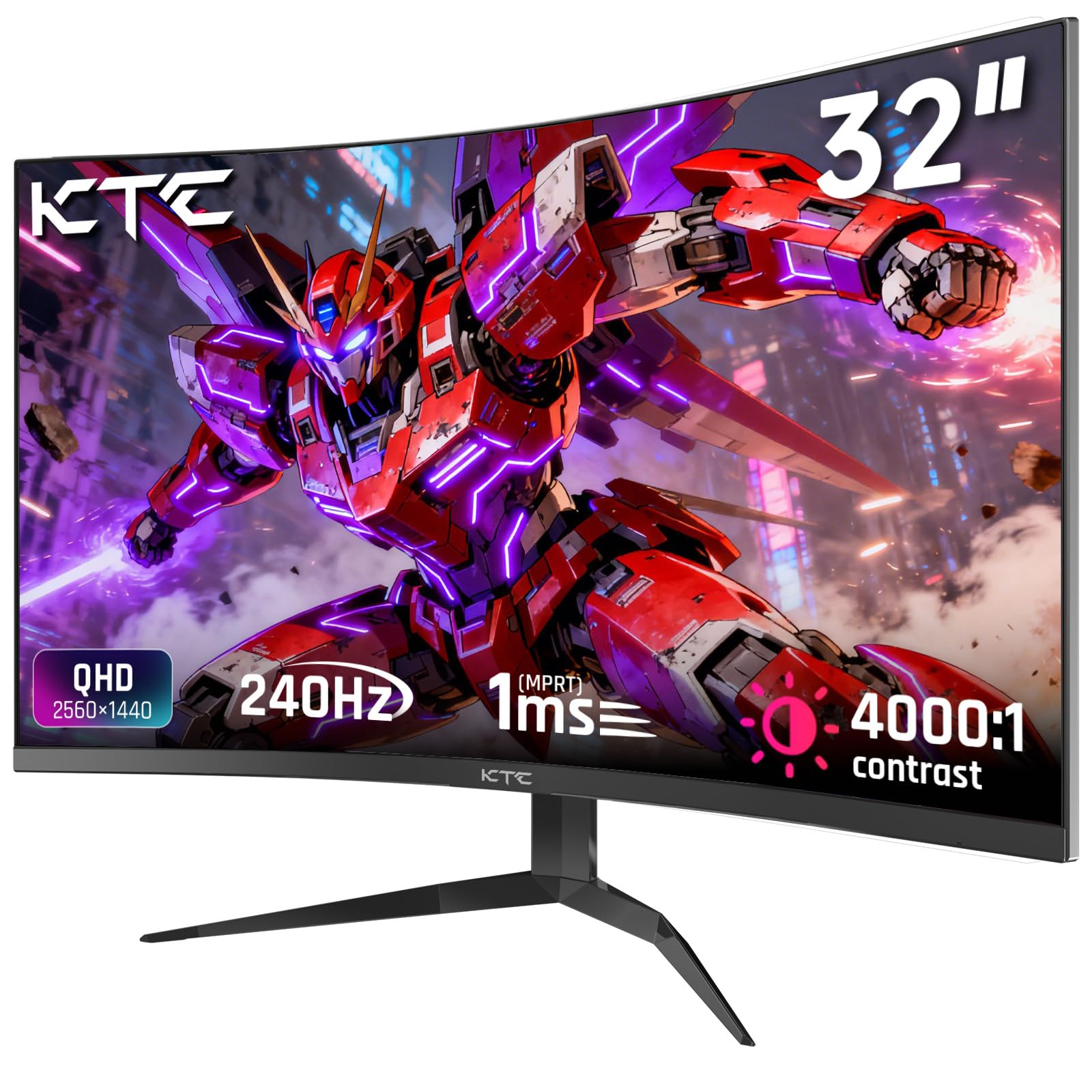
The KTC H32S25E delivers a 240Hz refresh rate on a VA panel with a tight 1000R curvature, matching the natural focal distance of the human eye more closely than the standard 1500R curve. The 4000:1 native contrast ratio is the standout spec here — dark scenes in games like Cyberpunk 2077 or Starfield retain visible shadow detail without the washed-out gray appearance common to IPS panels. The 122% sRGB color gamut volume produces punchy, saturated colors that look vibrant straight out of the box.
Adaptive sync supports both FreeSync and G-Sync, and the monitor maintains a clean, tear-free image up to the full 240Hz via DisplayPort 1.4. The 1ms MPRT response time, when combined with the VA panel’s inherent black depth, creates a compelling experience for story-driven single-player games where atmosphere matters as much as frame rate. The bezel is nearly frameless on three sides, making this monitor suitable for multi-display racing or flight simulator setups where screen bezels need to be minimal.
The stand is tilt-only and feels light compared to the premium options, which is expected at this price point. VESA 100x100mm mounting is supported and strongly recommended for proper ergonomics. Two HDMI 2.0 ports run at 144Hz, while the two DisplayPort 1.4 ports enable the full 240Hz refresh rate. A headphone jack is present, but there are no built-in speakers — plan for external audio.
Why it’s great
- 240Hz refresh rate with VA contrast for immersive dark scenes
- 1000R curvature closely matches natural eye focus
- High 122% sRGB color gamut for vibrant visuals
- Dual DP 1.4 ports support full refresh rate
Good to know
- Stand is tilt-only and feels budget-grade
- No built-in speakers
- VA color shift visible at extreme off-angles
6. ViewSonic VX3228C-2K 32 Inch 1440p Curved Gaming Monitor
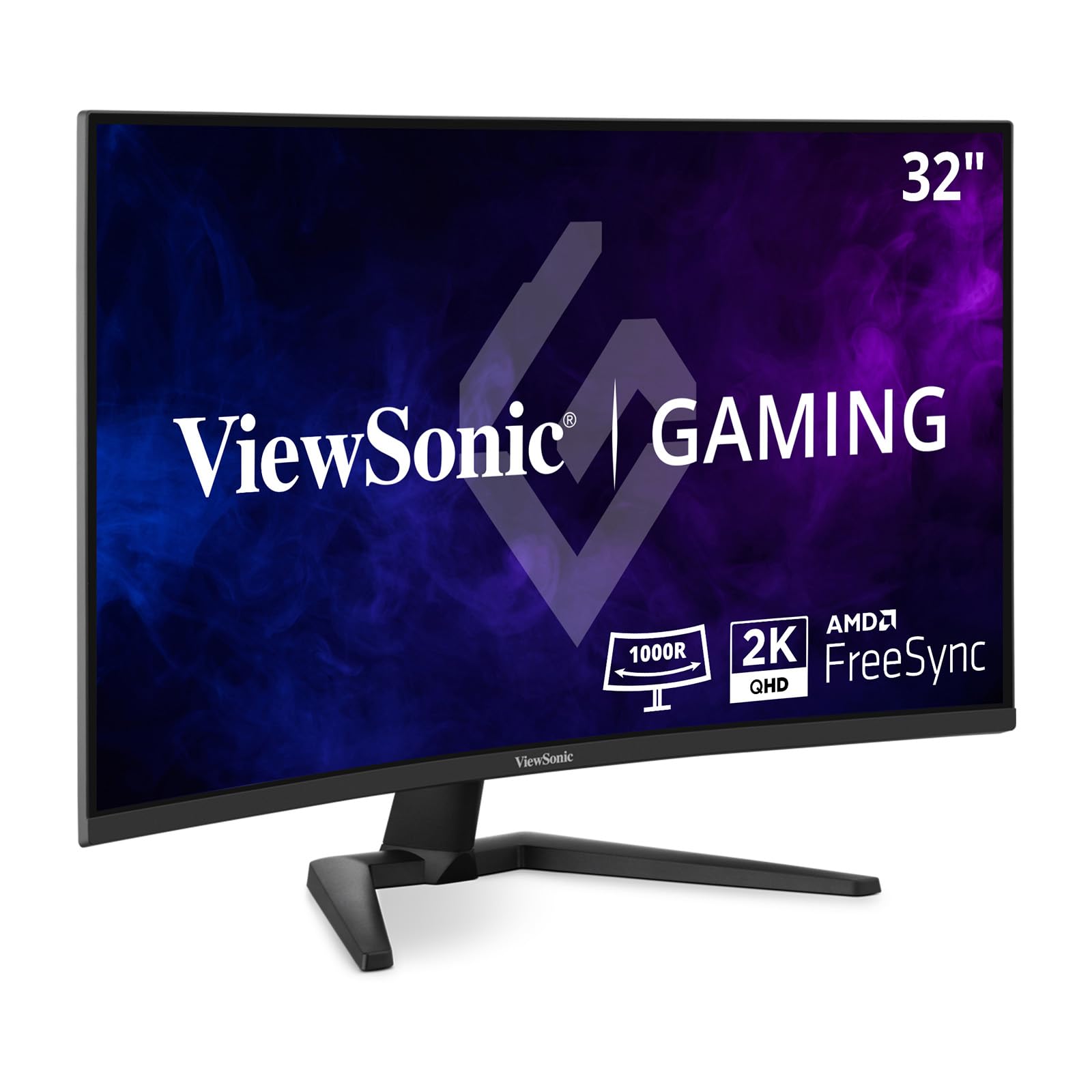
The ViewSonic VX3228C-2K enters the 32-inch 1440p space with a VA panel curved at 1500R, offering a 180Hz refresh rate and 1ms MPRT response time that keeps motion clear in fast-paced shooters. The 3000:1 contrast ratio delivers noticeably deeper blacks than any IPS panel in this segment, which translates to better immersion in horror titles and night-time racing games. AMD FreeSync support works reliably in the 48-180Hz range, and the anti-glare coating effectively diffuses overhead reflections without adding a grainy texture to the image.
The ergonomic stand provides tilt adjustment only, but the 100x100mm VESA mounting pattern allows for easy upgrade to a monitor arm. Connectivity includes dual HDMI 2.0 and DisplayPort 1.2 inputs — note that the DisplayPort 1.2 spec is sufficient for 1440p at 180Hz but leaves no headroom for higher refresh rates. The OSD is controlled by physical buttons on the bottom bezel, which is less convenient than a joystick but offers tactile feedback. HDR10 support is listed, but the 300-nit peak brightness limits its practical impact — HDR content looks flat compared to the Odyssey G50D or LG 32GP750-B.
Color accuracy out of the box is respectable for the price point, with 99% sRGB coverage after a minor contrast and gamma adjustment. The VA panel shows slight color shift when viewed from extreme horizontal angles, but straight-on clarity and black uniformity are excellent. No built-in speakers are included, so buyers should factor in desktop speaker or headphone costs. The included DisplayPort cable is a welcome addition that reduces setup friction.
Why it’s great
- 180Hz VA panel with deep 3000:1 contrast
- 1ms MPRT keeps motion blur minimal
- FreeSync works reliably across the full refresh range
- Includes DisplayPort cable in the box
Good to know
- Stand is tilt-only with no height or swivel adjustment
- DisplayPort 1.2 limits future upgrade headroom
- HDR10 implementation is underwhelming at 300 nits
7. KOORUI 32 Inch Curved Gaming Monitor
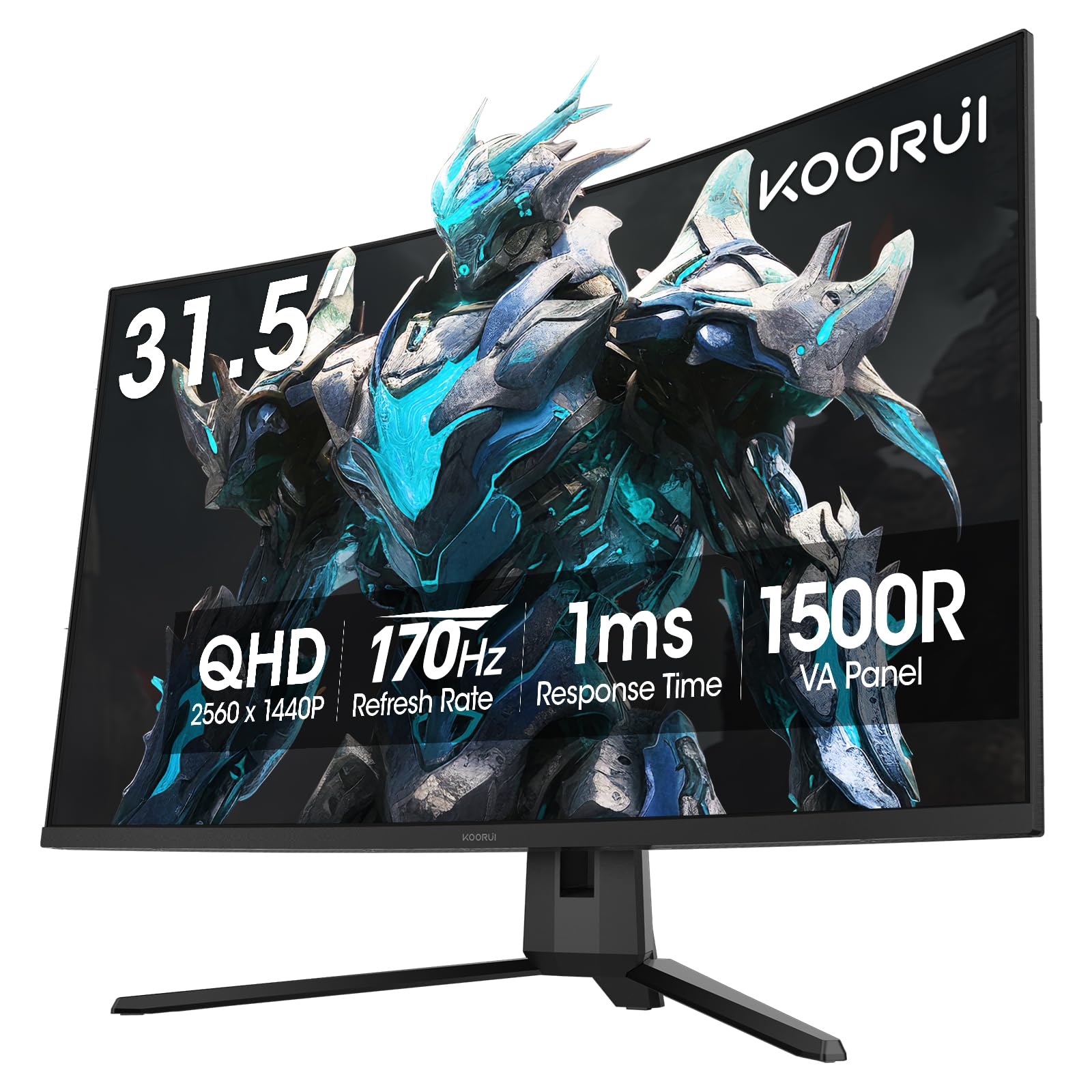
The KOORUI 32-inch Curved Gaming Monitor provides a 170Hz VA panel with a 1500R curvature at an entry-level price point, making high-refresh-rate 1440p gaming accessible to budget-conscious buyers. The 3000:1 contrast ratio gives dark scenes genuine depth that budget IPS panels cannot deliver, and the 1ms response time (MPRT) keeps motion blur under control in games like Valorant and Apex Legends. Adaptive Sync supports both FreeSync and G-Sync Compatibility, which is generous at this price tier.
The 90% DCI-P3 color gamut coverage translates to rich, saturated colors that look vibrant in games and streaming video, though the default calibration runs slightly cool and benefits from manual white balance adjustment. The 300-nit maximum brightness is adequate for indoor use but struggles against direct window glare — a matte panel treatment helps but doesn’t eliminate reflections entirely. Connectivity includes dual HDMI 2.0 and a DisplayPort 1.2 input, which is sufficient for 170Hz operation at 1440p.
The stand offers only tilt adjustment, but VESA 100x100mm compatibility is present for monitor arm mounting. There are no built-in speakers, and the OSD is controlled by a single joystick located on the rear — decent but requires memorization for quick adjustments. The plastic build feels less dense than premium options, but the panel itself is well-packed and durable. The one-year warranty on the display is standard for the price tier, with three-year coverage on accessories.
Why it’s great
- 170Hz VA panel with strong 3000:1 contrast for the price
- 90% DCI-P3 color coverage punches above its weight
- FreeSync and G-Sync dual compatibility
- 1500R curve enhances immersion without distortion
Good to know
- Plastic build quality feels budget-grade
- Default color temperature runs too cool
- No built-in speakers and no headphone jack on some units
FAQ
Is 92 PPI on a 32-inch QHD monitor sharp enough for reading text?
What refresh rate should I target for competitive gaming on a 2K 32-inch monitor?
Does a curved 32-inch monitor cause distortion in productivity apps?
Can I use a 32-inch 1440p monitor with a console like PS5 or Xbox Series X?
Final Thoughts: The Verdict
For most users, the 2k 32 inch monitor winner is the ASUS ROG Strix XG32WCMS because it delivers the highest native 280Hz refresh rate with deep VA contrast and clean ELMB SYNC motion blur reduction. If you want superior ergonomic adjustability and consistent IPS color, grab the LG 32GP750-B Ultragear. And for high-refresh-rate gaming on a tighter budget, nothing beats the KTC H32S25E with its 240Hz VA panel and tight 1000R curve.
Product prices and availability are accurate as of the date/time indicated and are subject to change. Any price and availability information displayed on Amazon at the time of purchase will apply to the purchase of this product. As an Amazon Associate I earn from qualifying purchases.
CERTAIN CONTENT THAT APPEARS ON THIS SITE COMES FROM AMAZON. THIS CONTENT IS PROVIDED "AS IS" AND IS SUBJECT TO CHANGE OR REMOVAL AT ANY TIME.
Amazon and the Amazon logo are trademarks of Amazon.com, Inc. or its affiliates.