
Our readers keep the lights on and my morning glass full of iced black tea. As an Amazon Associate, I earn from qualifying purchases.
For competitive shooters, fast-paced RPGs, and esports titles, frame rate and consistency matter far more than raw pixel count. The right card for this resolution doesn’t just push a high number—it maintains a locked, stutter-free experience in every title you throw at it, without wasting wattage on rendering detail you can’t see on a 1080p panel.
I’m Min — the co-founder and writer behind Gadgets Feed. I’ve spent hundreds of hours dissecting GPU benchmarks, VRAM bandwidth tests, and generational performance deltas to pinpoint exactly which cards deliver the highest 1% and 0.1% lows at 1920×1080.
Whether your goal is crushing the competition at over 144 FPS or enjoying the latest AAA releases on Ultra without breaking the bank, this guide to the best 1080p gaming card will give you a clear, data-backed path to the perfect upgrade.
How To Choose The Best 1080P Gaming Card
At 1080p, the CPU and GPU are more evenly matched than at higher resolutions. Picking the wrong card often leads to CPU bottlenecks where the graphics card sits partially idle because the processor can’t feed it frames fast enough. Understanding your specific performance target—60, 144, or 240 FPS—is the single most important filter.
VRAM Capacity and Bandwidth
Modern AAA titles at 1080p Ultra can exceed 6GB of video memory utilization, causing objects to pop in or textures to load at lower quality. An 8GB baseline is the safe minimum for 2025 releases, while 16GB is future-proofing for heavy texture packs. Memory bandwidth, determined by the bus width (128-bit, 192-bit, 256-bit) and memory type (GDDR6 vs GDDR7), governs how fast the GPU can read and write texture data—narrower buses can strangle performance even if VRAM capacity is high.
Architecture and Feature Support
DLSS and FSR upscaling are less impactful at 1080p because the base resolution is already low—these technologies shine at 1440p and above. However, low-latency modes like NVIDIA Reflex and AMD Anti-Lag provide a measurable advantage in competitive shooters. For ray tracing, 1080p is the only resolution where entry-level and mid-range cards can maintain playable frame rates with medium ray-tracing presets enabled, making hardware RT core count a relevant spec to check.
Thermals and Power Efficiency
A card pushing 200W or more for 1080p is wasteful unless you’re chasing 240+ FPS in CPU-light titles. Cards like the RTX 5060 draw under 150W under load, running cooler and quieter while still delivering excellent 1080p performance. Check the card’s total board power (TBP) rating and ensure your power supply has the correct PCIe connectors; many modern cards use a single 8-pin or the new 12VHPWR connector.
Quick Comparison
On smaller screens, swipe sideways to see the full table.
| Model | Category | Best For | Key Spec | Amazon |
|---|---|---|---|---|
| ASUS RTX 5060 Dual | Mid-Range | Best Overall 1080p | 8GB GDDR7, 2565 MHz OC | Amazon |
| GIGABYTE RTX 5060 Windforce | Mid-Range | Quiet Cooling | 8GB GDDR7, 2512 MHz | Amazon |
| XFX RX 9070 XT Swift | Premium | Future-Proof 1080p | 16GB GDDR6, 2970 MHz Boost | Amazon |
| ASUS TUF RTX 3080 V2 | Premium | High Refresh RT | 10GB GDDR6X, 1815 MHz OC | Amazon |
| MSI RTX 5070 Ti Ventus | Premium | Overkill 240+ FPS | 16GB GDDR7, 2482 MHz | Amazon |
| MSI RTX 3050 Ventus 2X | Budget | Entry-Level Gaming | 6GB GDDR6, 1492 MHz | Amazon |
| AISURIX RX 5500 XT | Budget | Extreme Budget Build | 8GB GDDR6, 1750 MHz | Amazon |
In‑Depth Reviews
1. ASUS Dual NVIDIA GeForce RTX 5060 8GB GDDR7 OC Edition

The ASUS Dual RTX 5060 represents the sweet spot for 1080p gaming in 2025. It marries the new NVIDIA Blackwell architecture with 8GB of GDDR7 memory across a 128-bit bus, but the higher memory bandwidth over GDDR6 effectively eliminates the bandwidth bottleneck that plagued previous 128-bit cards, delivering rasterization performance near a desktop RTX 3070.
At 150W total board power, this card is exceptionally efficient. Under a typical 1080p gaming load it pulls under 100W, keeping temperatures low enough that the dual Axial-tech fans often spin at zero RPM during less demanding scenes. For competitive titles, DLSS 4’s new transformer model offers a noticeable image quality uplift at the Quality preset, while Reflex keeps input latency in check.
The SFF-Ready certification means it fits into compact cases without issue, and the lack of RGB lighting keeps the aesthetic clean. Given its power draw, a 550W power supply is sufficient, making this an ideal drop-in upgrade for pre-built systems with limited PSU headroom.
Why it’s great
- Excellent 1080p performance rivaling last-gen xx70 cards
- Very low power draw keeps thermals and noise in check
- PCIe 5.0 support future-proofs for next-gen motherboards
- DLSS 4 significantly improves image quality at 1080p
Good to know
- 8GB VRAM may require texture quality compromises in demanding 2025 titles
- Ray tracing at 1080p still requires DLSS for steady 60 FPS
2. GIGABYTE GeForce RTX 5060 WINDFORCE OC 8G

The GIGABYTE RTX 5060 Windforce OC shares the same GPU core and memory configuration as the ASUS Dual, but brings a different cooling philosophy. The Windforce system uses three fan blades with alternate spinning directions to reduce turbulence, which translates to lower audible noise in a standard ATX case compared to a dual-fan design.
With a boost clock of 2512 MHz, it’s clocked slightly lower than the ASUS but delivers nearly identical real-world frame rates—within 2% in most titles. The card consistently pushes past 250 FPS in esports titles like Fortnite at competitive settings, and handles Cyberpunk 2077 with high settings and DLSS Quality at a smooth 60 FPS.
The backplate is full-coverage and adds structural rigidity, and the overall length of 7.83 inches makes it compatible with almost any mid-tower or smaller case. For photo and video editing, the card accelerates DaVinci Resolve and Photoshop tasks without issue, making it a dual-purpose work-and-play card.
Why it’s great
- Whisper-quiet triple-fan Windforce cooling
- Strong 1080p performance across all modern titles
- Easy installation and compact form factor
- Excellent price-to-performance ratio
Good to know
- Mild coil whine reported in some units under heavy load
- No RGB lighting for those wanting aesthetic customization
3. XFX Swift AMD Radeon RX 9070 XT Triple Fan
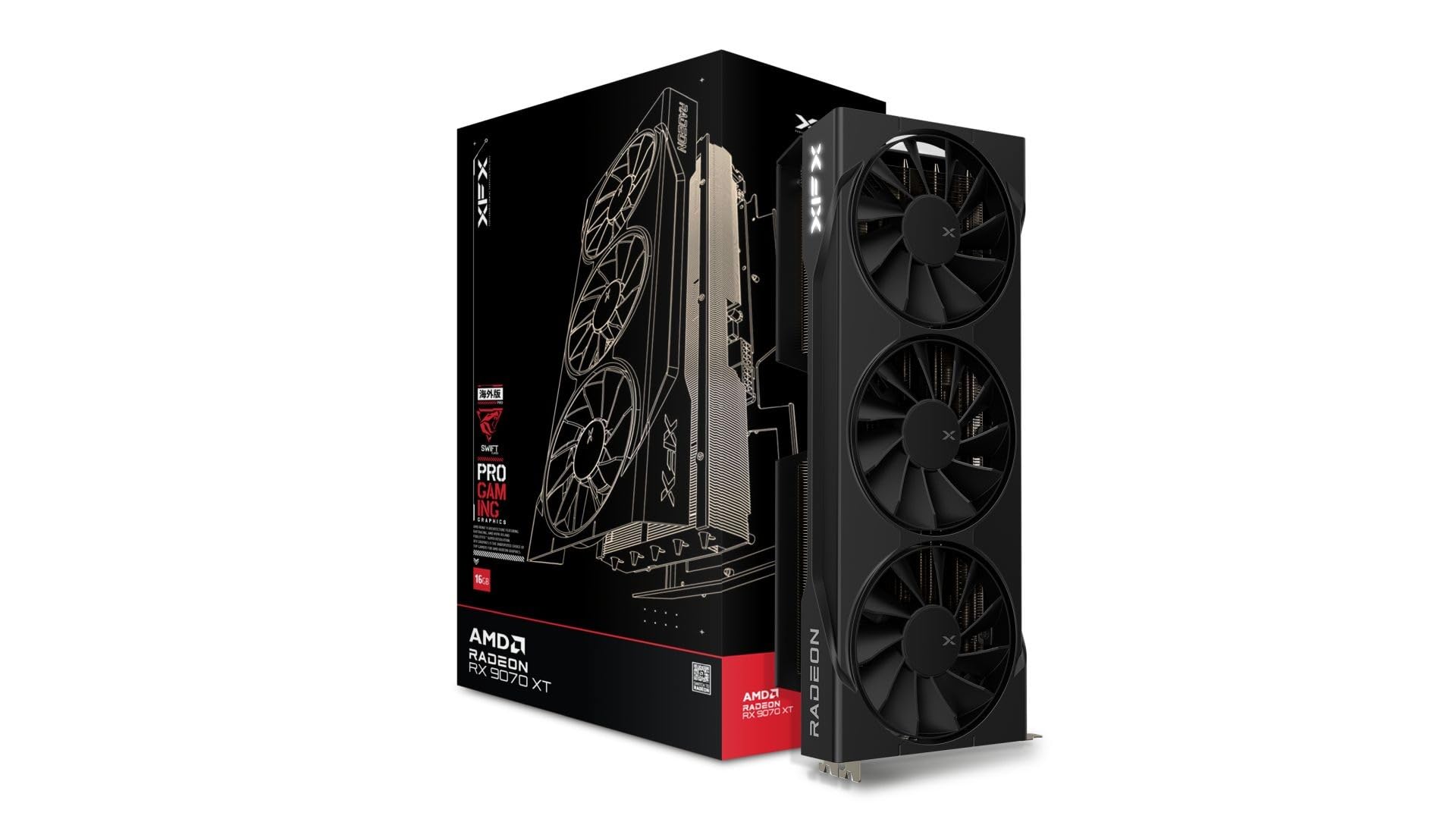
The XFX Swift RX 9070 XT is a premium card that massively over-delivers for 1080p gaming, but its value proposition lies in longevity. With 16GB of GDDR6 memory on a 256-bit bus, this card will handle 1080p Ultra texture packs for years without VRAM pressure, a scenario where 8GB cards start to stutter.
RDNA 4 brings improved ray tracing performance over previous AMD generations, making this card viable for 1080p ray tracing at medium-high settings without relying on FSR. The XFX Swift cooler is oversized for the 9070 XT’s thermal output, resulting in fan speeds staying below 40% even during extended gaming sessions, keeping the noise floor extremely low.
The card’s 12.99-inch length requires careful case selection—it will not fit in compact or SFF builds without checking clearance. A 750W power supply is the recommended minimum, and the card needs a pair of 8-pin PCIe power connectors. For pure 1080p gaming, this is overkill today, but it buys you the freedom to skip an upgrade cycle for the next 4-5 years.
Why it’s great
- Massive 16GB VRAM buffer ensures no texture compromises
- Top-tier rasterization performance even at 1080p
- Improved RDNA 4 ray tracing at this resolution
- Exceptional cooler runs nearly silent
Good to know
- Very long card requires a spacious case
- Overkill if you upgrade GPUs every 2-3 years
4. ASUS TUF Gaming NVIDIA GeForce RTX 3080 V2 OC Edition

The ASUS TUF RTX 3080 V2 is a last-generation high-end card that has since dropped into a price bracket where it competes with mid-range new releases. Armed with 10GB of GDDR6X memory on a 320-bit bus, its memory bandwidth advantage over 128-bit cards is massive—over 760 GB/s—which translates to higher 1% lows in texture-heavy 1080p scenes.
For ray tracing, the 3080’s 2nd-gen RT cores still hold up well at 1080p. Titles like Cyberpunk 2077 with Psycho RT and DLSS Quality can hold 60 FPS, a feat that entry-level RTX 40 and 50 series cards cannot match. The dual ball fan bearings on the TUF model are rated for extended durability, and the all-metal shroud provides excellent rigidity and heat dissipation.
The downside is power consumption. The 3080 draws 320W under load, requiring a minimum 850W power supply and proper case airflow. The card also generates more heat, meaning your room will warm up noticeably during long sessions. For high-refresh 1080p, it remains a very capable option if you have the PSU headroom and don’t mind the higher electricity draw.
Why it’s great
- Excellent ray tracing performance at 1080p
- Massive memory bandwidth prevents texture stutter
- Built like a tank with military-grade certification
- High 1% lows in competitive shooters
Good to know
- High 320W power draw generates significant heat
- Requires a robust 850W PSU minimum
5. MSI Gaming RTX 5070 Ti 16G Ventus 3X PZ OC
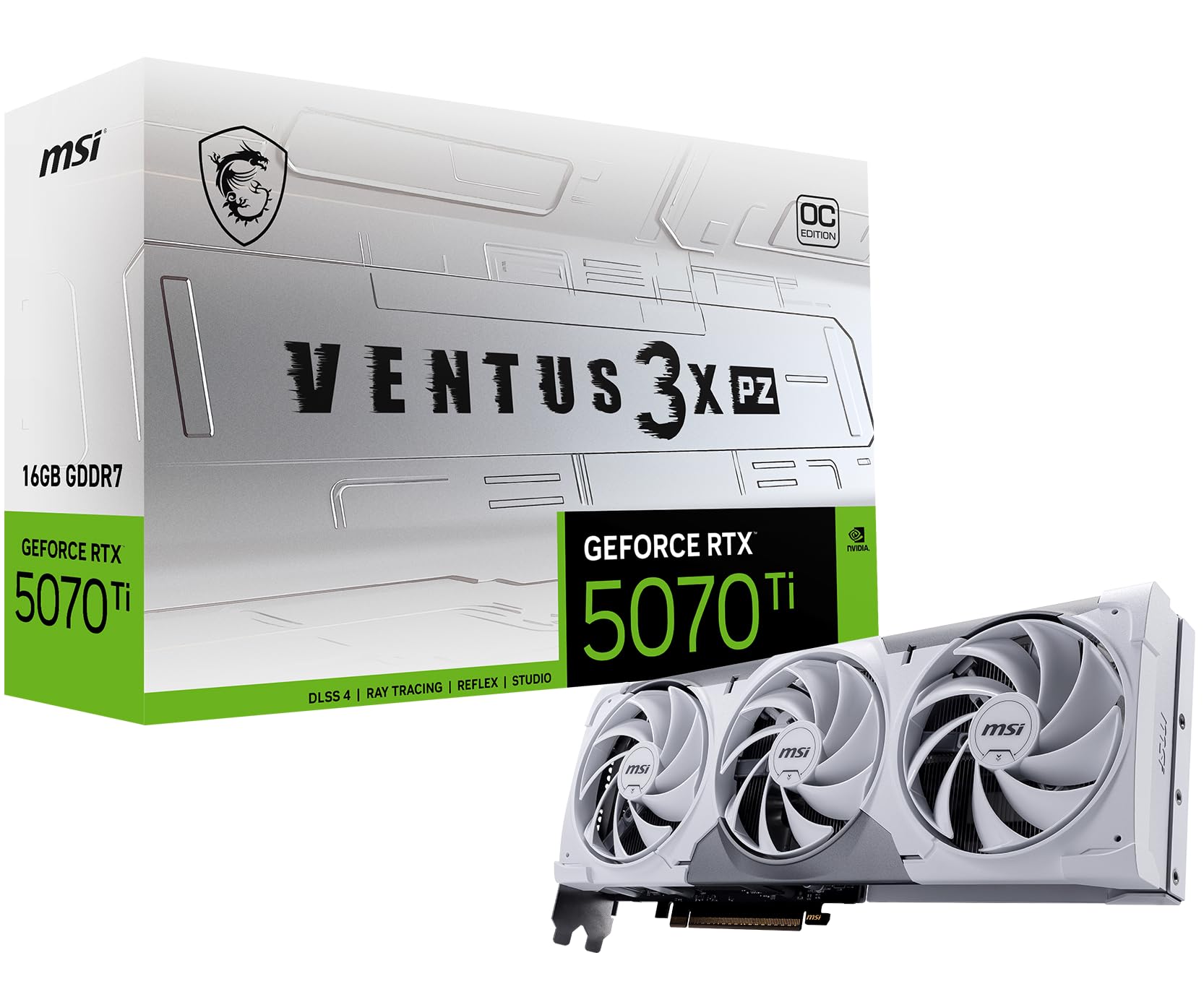
The MSI RTX 5070 Ti is a beast for any resolution, but at 1080p it becomes a frame rate monster. With 16GB of GDDR7 memory across a 256-bit bus and a boost clock of 2482 MHz, this card can push titles like Forza Motorsport past 240 FPS on Ultra settings, making it a prime candidate for high-refresh 240Hz and 360Hz 1080p monitors.
The Ventus 3X cooling solution uses the new TORX Fan 5.0 design with ring arc fan blades that stabilize airflow, paired with a nickel-plated copper baseplate that captures heat from both the GPU and GDDR7 modules. In practice, the card stays below 70°C under sustained gaming loads while remaining quieter than most competitor designs in the same tier.
The Blackwell architecture delivers significant performance gains for ray tracing and DLSS 4, with the card scoring 623 AI TOPS in the ASUS version’s marketing, indicating serious AI compute capability. However, for a strict 1080p user, the 5070 Ti is largely wasted potential—you’re paying a premium for 1440p and 4K performance you’ll never use. It only makes sense if you plan to upgrade your monitor within the card’s lifespan.
Why it’s great
- Unmatched 1080p performance for 240+ Hz monitors
- Large 16GB GDDR7 buffer ensures extreme longevity
- Superb thermal management and low noise
- DLSS 4 and improved ray tracing cores
Good to know
- Significant overkill for standard 60-144Hz 1080p monitors
- High cost doesn’t translate to visible 1080p gains in most titles
6. MSI Gaming RTX 3050 Ventus 2X 6G OC

The MSI RTX 3050 Ventus 2X 6G is the 6GB variant of NVIDIA’s entry-level RTX 30 series card, designed for budget-conscious buyers who still want access to features like DLSS and Nvidia Broadcast. Its 70W power draw is remarkably low—it doesn’t even require external PCIe power, drawing all its juice from the motherboard slot—making it a perfect upgrade for older office PCs with proprietary power supplies.
In terms of 1080p gaming, the 3050 delivers playable frame rates in most modern titles at medium settings. Cyberpunk 2077 runs around 50-60 FPS on high settings with DLSS set to Performance, while esports titles like CS2 hit over 100 FPS on competitive settings. The 96-bit memory bus and 6GB VRAM are its main limitations—texture-heavy games may require turning down settings to avoid VRAM overflow.
The dual-fan cooling keeps temperatures around 62°C under load, and the fans are effectively silent during operation. For workstation use, the card supports up to 7680×4320 output resolution and works seamlessly with Linux (RHEL 10, Ubuntu) for those needing basic GPU compute acceleration in a Linux environment.
Why it’s great
- Very low power draw (no external PCIe power needed)
- Great upgrade for proprietary OEM systems
- Supports DLSS for improved performance
- Excellent Linux compatibility
Good to know
- 6GB VRAM and 96-bit bus limit texture-heavy gaming
- Ray tracing is essentially unusable at this tier
7. AISURIX RX 5500 XT 8GB GDDR6 Graphics Card

The AISURIX RX 5500 XT 8GB is a budget-tier card that punches above its weight class for 1080p gaming. Its main advantage over similarly priced competitors is the 8GB VRAM buffer, which allows it to handle modern games at medium-high settings without hitting memory limits. In Resident Evil 4 Remake, it holds 60 FPS on medium-high settings with ray tracing disabled.
The card uses an RDNA architecture with a semi-automatic fan system that stops the fans completely during idle and low-load scenarios, dropping to zero noise output. The composite heat pipes make direct contact with the GPU core, keeping temperatures under 60°C during extended gaming sessions. At 130W power draw, it requires a single 8-pin PCIe power connector and pairs well with a 450W or higher PSU.
However, this is a lesser-known brand, and quality control reports are mixed—some users report bent cards or defective units arriving. The card also only supports a single DisplayPort output that works reliably in some units, limiting multi-monitor setups. For the price-sensitive builder willing to accept some risk for the 8GB VRAM benefit, it’s a functional option, but paying slightly more for a known brand offers more peace of mind.
Why it’s great
- Rare 8GB VRAM at the extreme budget tier
- Runs cool with smart fan stop feature
- Adequate 60 FPS performance in many modern titles
- Low power draw for its VRAM capacity
Good to know
- Quality control can be inconsistent
- Limited DisplayPort reliability
- No ray tracing support
FAQ
Is 8GB of VRAM enough for 1080p gaming in 2025?
Will a higher-end GPU bottleneck my CPU at 1080p?
Should I buy an older high-end card or a new mid-range card for 1080p?
Final Thoughts: The Verdict
For most users, the best 1080p gaming card winner is the ASUS RTX 5060 Dual because it delivers the ideal balance of modern architecture, power efficiency, and strong 1080p performance without pushing into overkill territory. If you want maximum longevity and VRAM headroom, grab the XFX RX 9070 XT Swift. And for the tightest budget builds that still need 8GB of VRAM, nothing beats the raw value of the AISURIX RX 5500 XT.