
The AM5 socket’s chiplet-based design pushes heat into a concentrated hotspot, making waterblock fin geometry and mounting pressure the deciding factors between a stable overclock and a throttling mess. A subpar block leaves your Ryzen 7000 or 9000 series processor fighting itself, robbing you of the multi-core performance you paid for.
I’m Min — the co-founder and writer behind Gadgets Feed. I’ve spent hundreds of hours cross-referencing micro-channel depths, cold plate flatness specs, and real-world thermal deltas across AM5-compatible waterblocks to separate marketing claims from measurable cooling performance.
The guides and recommendations that follow are built on that spec-level research, helping you confidently pick the best am5 waterblock for your custom loop build.
How To Choose The Best AM5 Waterblock
Selecting a waterblock for the AM5 platform requires attention to a few specific design elements that directly impact how well your Ryzen processor sheds heat. The chiplet layout concentrates thermal load in a small area, so generic blocks designed for older monolithic dies often underperform.
Cold Plate Material and Micro-Channel Density
Nickel-plated copper cold plates resist corrosion better than bare copper, which is critical in mixed-metal loops. The micro-channel fin pitch — typically 0.2mm on high-performance blocks — increases surface area for coolant contact directly under the hotspot. Blocks with coarser or irregular channel spacing can leave 3–5°C of cooling performance on the table.
Mounting Mechanism and Backplate Compatibility
AM5’s socket retention requires a specific mounting bracket that clears the motherboard’s backplate protrusions. Some blocks ship with a universal kit that works, while others demand additional hardware. A precise, even mounting pressure is non-negotiable — uneven torque causes the cold plate to tilt, reducing contact and spiking temps.
Port Orientation and Loop Planning
Block height and port location affect tubing routing. Blocks with swappable or rotatable inlet/outlet ports simplify complex loop designs, while fixed-port blocks may force awkward bends. Also check whether the block supports bidirectional flow — some units restrict flow direction, which can impact performance if you reverse the loop path.
Quick Comparison
On smaller screens, swipe sideways to see the full table.
| Model | Category | Best For | Key Spec | Amazon |
|---|---|---|---|---|
| Alphacool Core 1 | Mid-Range | Value Performance | Brass/Copper 72mm Base | Amazon |
| EK-Quantum Velocity 3 | Premium | Thermal Efficiency | Nickel-Plated Copper Cold Plate | Amazon |
| EK-Quantum Velocity 2 | Premium | Pure Copper Build | 99.99% Electrolytic Copper | Amazon |
| Corsair XC7 RGB Elite LCD | Premium | LCD Screen & Aesthetics | 480×480 IPS LCD Display | Amazon |
| Thermaltake Pacific W9 | Mid-Range | Complete Kit | 0.2mm Micro-Channel | Amazon |
| Bykski CPU-XPR-C-M | Budget | Entry-Level Custom Loop | 0.2mm Spray-Type Micro-Channel | Amazon |
In‑Depth Reviews
1. Alphacool Core 1 CPU Water Block, Black

The Alphacool Core 1 delivers mid-range pricing with premium-ish build quality. Its 72x72mm base provides generous coverage over AM5’s IHS, and the brass/copper cold plate offers excellent thermal conductivity without nickel plating. Users report sub-30°C idle temps on Ryzen 7000 chips and load temps in the mid-70s under Cinebench, which puts it neck-and-neck with blocks costing 40% more.
The block’s fixed inlet/outlet ports mean you need to plan your loop orientation carefully — rotating the block rotates the logo, which may bother builders with strict alignment preferences. The lack of RGB keeps things clean for minimalists, and the included mounting hardware covers both AM4 and AM5 out of the box without needing extra brackets.
Heat dissipation is consistent even under sustained all-core loads like video encoding. The chamfered edges and smooth acrylic top give it a tactile quality that feels more expensive than the price tag suggests. For builders who prioritize raw cooling per dollar, this is the baseline to beat.
Why it’s great
- Excellent thermal performance rivaling premium blocks
- Clean, no-RGB aesthetic with quality machining
- Complete mounting hardware for AM5 included
Good to know
- Non-swappable inlet/outlet ports limit routing flexibility
- Logo rotates with block orientation, may not suit all builds
2. EKWB EK-Quantum Velocity 3 CPU Water Block, 1700/1851/AM5, Plexi
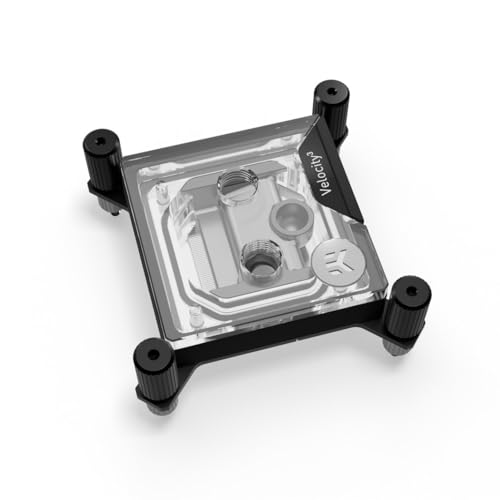
The Velocity 3 is EK’s latest refinement, featuring an updated internal jet plate and precisely calibrated mounting pressure that shaves up to 2°C off the Velocity 2’s already strong numbers. On a 7950X3D, idle temps settle in the mid-40s, while all-core workloads peak well below thermal throttle limits even with aggressive PBO curves.
One of the block’s standout features is the transparent plexi top that lets you visually inspect the cold plate fins for debris — a practical advantage when maintaining a long-term loop. However, the installation manual defaults to Intel mounting and the AM5 instructions are notoriously unclear, requiring a careful read of online guides before applying thermal paste.
The nickel-plated copper cold plate resists galvanic corrosion in mixed-metal loops better than bare copper, making it a safer pick for setups with aluminum radiators or brass fittings. The 69x69mm footprint is compact enough to clear most VRM heatsinks, and the clean aesthetic fits well in both minimalist and RGB-heavy builds.
Why it’s great
- Top-tier thermal performance with precise mounting
- Transparent top enables visual fin inspection
- Compact footprint avoids VRM clearance issues
Good to know
- Confusing AM5 installation instructions
- Allen key screws can strip under heavy torque
3. EK EKWB Quantum Velocity 2 CPU Water Block, AM5, D-RGB, Nickel + Plexi

The Velocity 2 uses a 99.99% pure electrolytic copper cold plate, which offers marginally better thermal conductivity than nickel-plated alternatives. Users report a ~1°C improvement over competing blocks on the same 7950X3D test bench, and the D-RGB implementation syncs seamlessly with ASUS Aura and Corsair iCUE ecosystems without extra adapters.
Mounting uses EK’s Exact Mount system with a torx wrench that fastens from the motherboard back, which keeps the top of the block clean but requires open access to the CPU socket backplate — a potential headache if your case has a solid PSU shroud. The included thermal pads for VRM MOSFETs on AM5 boards are a thoughtful addition that helps lower motherboard temperatures under sustained load.
The acrylic top’s D-RGB diffusion is even and bright, with 4-pin addressable RGB headers that work with all major motherboard brands. Some users note the screws can cross-thread easily if not aligned perfectly, so take extra care during installation. For builders wanting copper’s raw conductivity with RGB flexibility, this is a well-balanced choice.
Why it’s great
- Ultra-pure copper cold plate for peak conductivity
- Even D-RGB diffusion with broad motherboard sync
- Includes VRM MOSFET thermal pads
Good to know
- Requires motherboard backplate access for mounting
- Screws prone to cross-threading
4. CORSAIR XC7 RGB Elite LCD CPU Water Block

The XC7 RGB Elite LCD is the only block on this list with a full 480×480 IPS display capable of showing CPU temperature, system vitals, or animated GIFs at 30 FPS. The 600cd/m² backlight is bright enough to remain readable in any case lighting condition, and the 31 individually addressable RGB LEDs provide deep customization through Corsair’s iCUE ecosystem.
The Hexa-Flow cooling engine uses a six-entry port design that reduces laminar flow, ensuring even coolant distribution across the cold plate’s 120+ micro-fins. On a 7800X3D, load temps hover in the mid-40s under full gaming load — results that match premium blocks without screens. The USB-C interface simplifies wiring by eliminating the need for a separate controller hub, though the display requires iCUE to be running to retain custom settings.
The nickel-plated copper cold plate and compact 3.4×3.1 inch footprint fit comfortably in mid-tower cases. The included mounting hardware covers both AM5 and LGA 1700, and the installation process is straightforward for anyone who has mounted a waterblock before. If you want real-time temperature telemetry visible at a glance, this block delivers it without compromising cooling performance.
Why it’s great
- Built-in 480×480 IPS display for system monitoring
- Hexa-Flow design ensures even core cooling
- USB-C connectivity simplifies wiring
Good to know
- Requires iCUE running for persistent display
- Higher price point for the screen feature
5. Thermaltake Pacific W9 CPU Water Block, AM5/LGA1700
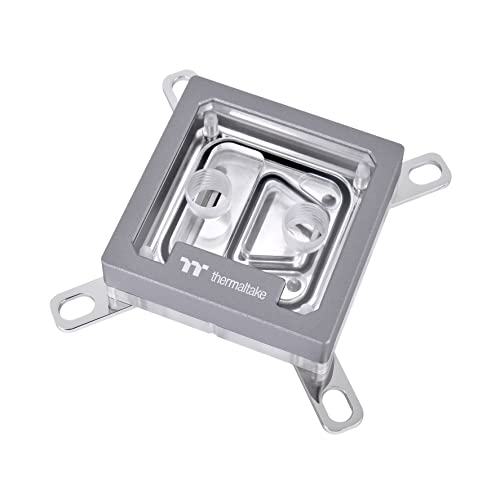
The Pacific W9 includes a tube of Thermaltake’s TG-60 liquid metal thermal grease, which offers 52 W/mK thermal conductivity — substantially higher than standard pastes. With proper application, users see ~10°C lower load temps compared to stock thermal compound, though liquid metal requires careful handling to avoid shorting nearby motherboard components.
The central inlet design with 0.2mm micro-channels provides good heat dissipation across the nickel-plated copper base, and the crystal-clear PMMA top shows off the coolant flow. However, several customers reported missing AM5 mounting screws in the package, requiring a separate purchase of Thermaltake’s “R” hardware bag or improvised machine screws — a compatibility oversight that undermines the out-of-box experience.
The block’s 3-pin ARGB integration is functional, but some users experienced controller sync issues where the software requires multiple restarts to recognize the block. For the price, you get strong cooling potential if the liquid metal is applied correctly and the mounting hardware is present — just verify the contents before starting your build.
Why it’s great
- Includes high-performance liquid metal thermal grease
- 0.2mm micro-channel design for efficient heat exchange
- Central inlet improves flow distribution
Good to know
- AM5 mounting hardware may be missing from package
- ARGB controller firmware can cause sync issues
6. Bykski CPU-XPR-C-M High-Efficiency CPU Water Cooling Block
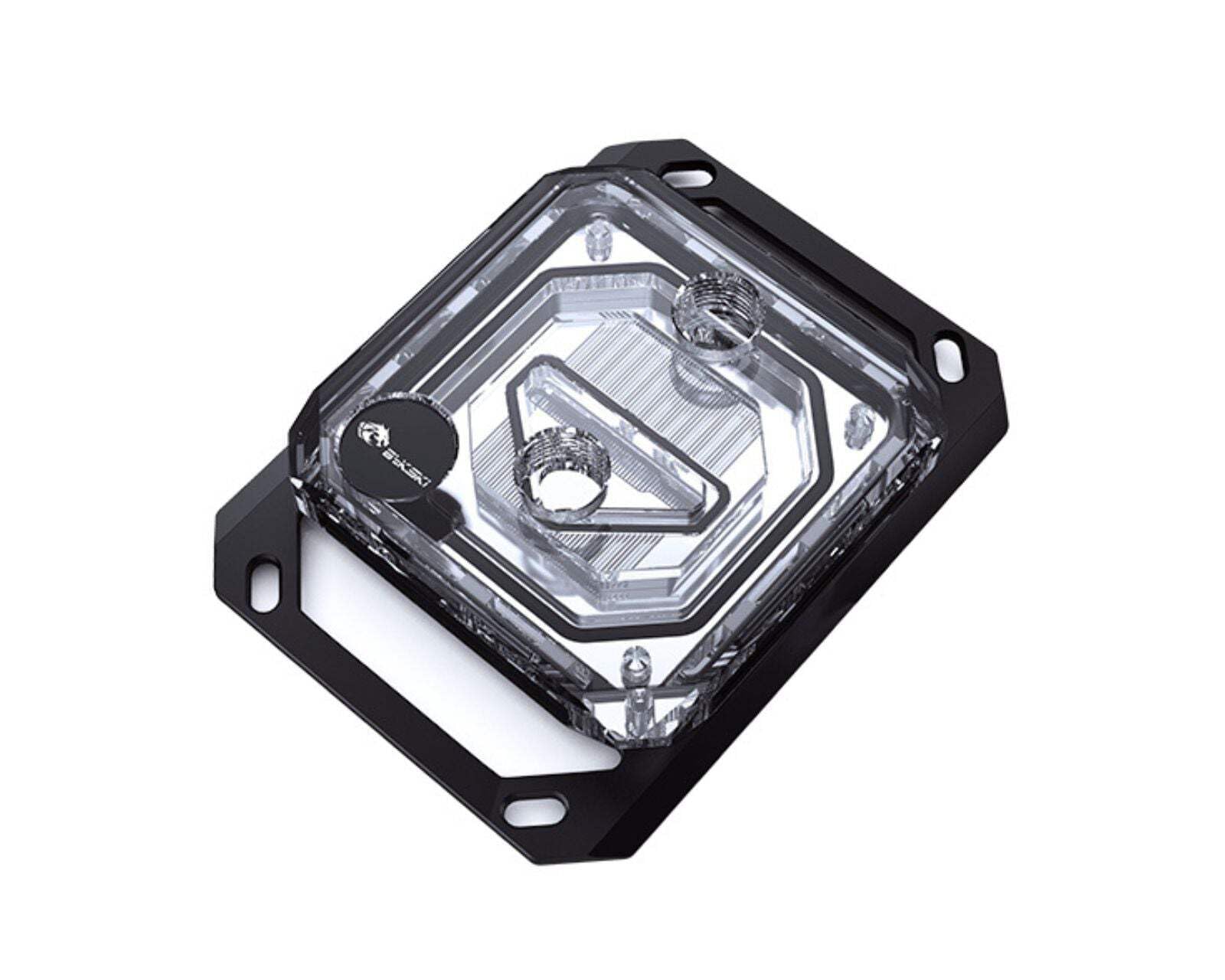
The Bykski CPU-XPR-C-M proves that sub-premium pricing can still deliver competitive cooling. Its 0.2mm spray-type micro-channel design increases surface area for heat absorption, and users report idle temps as low as 20°C and gaming loads around 45°C on a 9950X — numbers that rival blocks costing twice as much. The nickel-plated copper base resists corrosion well in mixed-metal loops.
At 64 ounces, this block is heavier than most competitors, which adds strain on the motherboard socket if the tubing isn’t supported properly. The included thermal paste and mounting hardware cover both AM4 and AM5, and the 4-pin connector works with standard motherboard headers for basic pump control. The design is utilitarian — no RGB, no screen — just functional cooling.
One customer ran a 9600X overclocked to 5.5GHz with a chiller loop and saw idle temps of 4-7°C, proving the block’s thermal transfer capacity at extreme deltas. For budget-minded builders or first-time custom loop users, this block offers an accessible entry point without making thermal compromises on even high-TDP Ryzen chips.
Why it’s great
- Impressive thermal performance for the price point
- Nickel-plated copper resists corrosion effectively
- Includes thermal paste and full mounting kit
Good to know
- Heavy construction adds stress to socket
- No RGB or display features
FAQ
Can I use an AM4 waterblock on an AM5 socket?
Why do some AM5 waterblocks skip the jet plate design?
Does the waterblock orientation affect cooling performance?
Final Thoughts: The Verdict
For most users, the best am5 waterblock winner is the Alphacool Core 1 because it delivers premium-level thermal performance at a mid-range price point with straightforward installation. If you want a built-in LCD for real-time CPU telemetry, grab the CORSAIR XC7 RGB Elite LCD. And for raw thermal efficiency without RGB distractions, nothing beats the EK-Quantum Velocity 3.