
Upgrading your desktop’s memory is one of the most impactful moves you can make for smoother multitasking and higher frame rates. Sifting through speed ratings, latencies, and kit configurations to find the perfect match for your motherboard and CPU can quickly become a rabbit hole. The right 16 GB DDR4 RAM kit delivers the stability and low latency essential for modern gaming and productivity without breaking your budget.
I’m Min — the co-founder and writer behind Gadgets Feed. I’ve spent hundreds of hours analyzing memory module specifications, reading real user benchmarks, and cross-referencing kit compatibility across the most popular Intel and AMD platforms to bring you this guide.
After weighing everything from JEDEC compliance and XMP profiles to physical heatsink design, these are the top contenders for your next system build. This is my curated list of the best 16 gb ddr4 ram kits available right now.
How To Choose The Best 16 GB DDR4 RAM
Jumping straight to the lowest price or highest MHz number is a common misstep. The sweet spot for DDR4 involves balancing clock speed against CAS latency, matching the kit to your motherboard’s supported speed, and deciding between a single stick or a dual-channel kit. Here’s how to make the right call.
Frequency and CAS Latency (CL)
Frequency (measured in MHz) determines how many data transfers happen per second, while CAS latency (CL) dictates the delay before a memory access begins. The real-world performance metric is the true latency in nanoseconds, which is calculated as (CL / Frequency) × 2000. A 3200MHz CL16 kit (10ns latency) will generally feel faster than a 3600MHz CL22 kit (12.2ns latency) in games, even though the number is lower.
Kit Configuration: Single vs. Dual Channel
Processors access memory through multiple channels. A dual-channel kit (two sticks of 8GB) effectively doubles the memory bandwidth your CPU can use compared to a single 16GB stick. For DDR4 platforms, this can yield a noticeable performance uplift in gaming and content creation. Always confirm your motherboard has two matching DIMM slots for a dual-channel kit.
XMP and DOCP Profiles
DDR4 modules default to JEDEC standard speeds like 2133MHz or 2400MHz to ensure compatibility. To reach the advertised 3200MHz or 3600MHz, you need to enable an Intel XMP or AMD DOCP profile in the BIOS. These profiles are pre-set overclocking configurations that adjust voltage, frequency, and timings. Not all motherboards support high-speed XMP profiles, so checking the manufacturer’s Qualified Vendor List (QVL) before buying is wise.
Quick Comparison
On smaller screens, swipe sideways to see the full table.
| Model | Category | Best For | Key Spec | Amazon |
|---|---|---|---|---|
| G.SKILL RipjawsV 16GB (2x8GB) | Premium | Gaming with tight CL16 timings | 3200MHz CL16-18-18-38 | Amazon |
| CORSAIR Vengeance LPX 16GB (2x8GB) | Premium | Small form factor builds | 3200MHz CL16, 34mm height | Amazon |
| Kingston FURY Beast 16GB Single | Premium | Simple single-stick upgrade | 3200MHz CL16, Intel XMP | Amazon |
| Crucial 16GB DDR4 Single | Mid-Range | Reliable Micron build quality | 3200MHz CL22, 1.2V | Amazon |
| TEAMGROUP Elite 16GB (2x8GB) | Mid-Range | Dual-channel value kit | 3200MHz CL22, 1.2V | Amazon |
| Silicon Power 16GB (2x8GB) | Mid-Range | Budget JEDEC-compliant kit | 3200MHz CL22, 1.2V | Amazon |
| Timetec 16GB Single | Mid-Range | Lowest cost single module | 3200MHz CL22, dual-rank | Amazon |
In‑Depth Reviews
1. G.SKILL RipjawsV Series 16GB (2x8GB)

The G.SKILL RipjawsV kit is the benchmark for affordable high-performance DDR4. Its 3200MT/s speed paired with a tight CL16-18-18-38 timing set gives you a true latency of just 10 nanoseconds. This makes it an ideal match for Ryzen 5000 and Intel 10th/11th-gen CPUs where low latency directly translates to higher frame rates in CPU-bound scenarios.
The kit uses Intel XMP 2.0 for a one-click overclock in BIOS. You need to enable the profile to reach 3200MT/s, as the default JEDEC speed is much lower. The 1.35V operating voltage is standard for these performance modules, and the black aluminum heatspreader does a decent job dissipating heat without interfering with large CPU coolers.
Buyers frequently report flawless compatibility with B550 and Z490 boards. Reliability is solid, with G.SKILL backing it with a limited lifetime warranty. If you want maximum gaming performance from an affordable 16GB dual-channel DDR4 kit, this is your ticket.
Why it’s great
- Aggressive CL16 timings for high performance
- XMP 2.0 enables easy overclocking
- Proven compatibility with AMD and Intel platforms
Good to know
- Requires XMP enabled to reach advertised speed
- Heatsink is moderately tall; check clearance
2. CORSAIR Vengeance LPX 16GB (2x8GB)

CORSAIR’s Vengeance LPX line is legendary for its low-profile design. Standing just 34mm tall, this dual-channel kit fits comfortably under massive air coolers and in tightly packed ITX cases. It runs at 3200MHz with CL16-20-20-38 timings at 1.35V, which gives it a slight secondary timing edge over many JEDEC-standard CL22 kits.
The aluminum heatspreader is hand-sorted, meaning the chips inside are binned for overclocking headroom. Many users report hitting stable 3600MHz speeds on capable motherboards. It uses Intel XMP 2.0 profiles, so you’ll need to enable it in BIOS to get the rated 3200MHz instead of the default 2133MHz.
Works flawlessly with both Intel and AMD platforms. A common complaint is that the black PCB shows dust easily, but that’s a cosmetic nitpick. For builders who need clearance above their DIMM slots, the LPX is the surest fit.
Why it’s great
- Ultra-low 34mm profile fits any cooler
- Hand-sorted chips for overclocking potential
- Reliable XMP 2.0 performance
Good to know
- Secondary timings are looser than the RipjawsV
- No RGB lighting option in this kit
3. Kingston FURY Beast 16GB Single
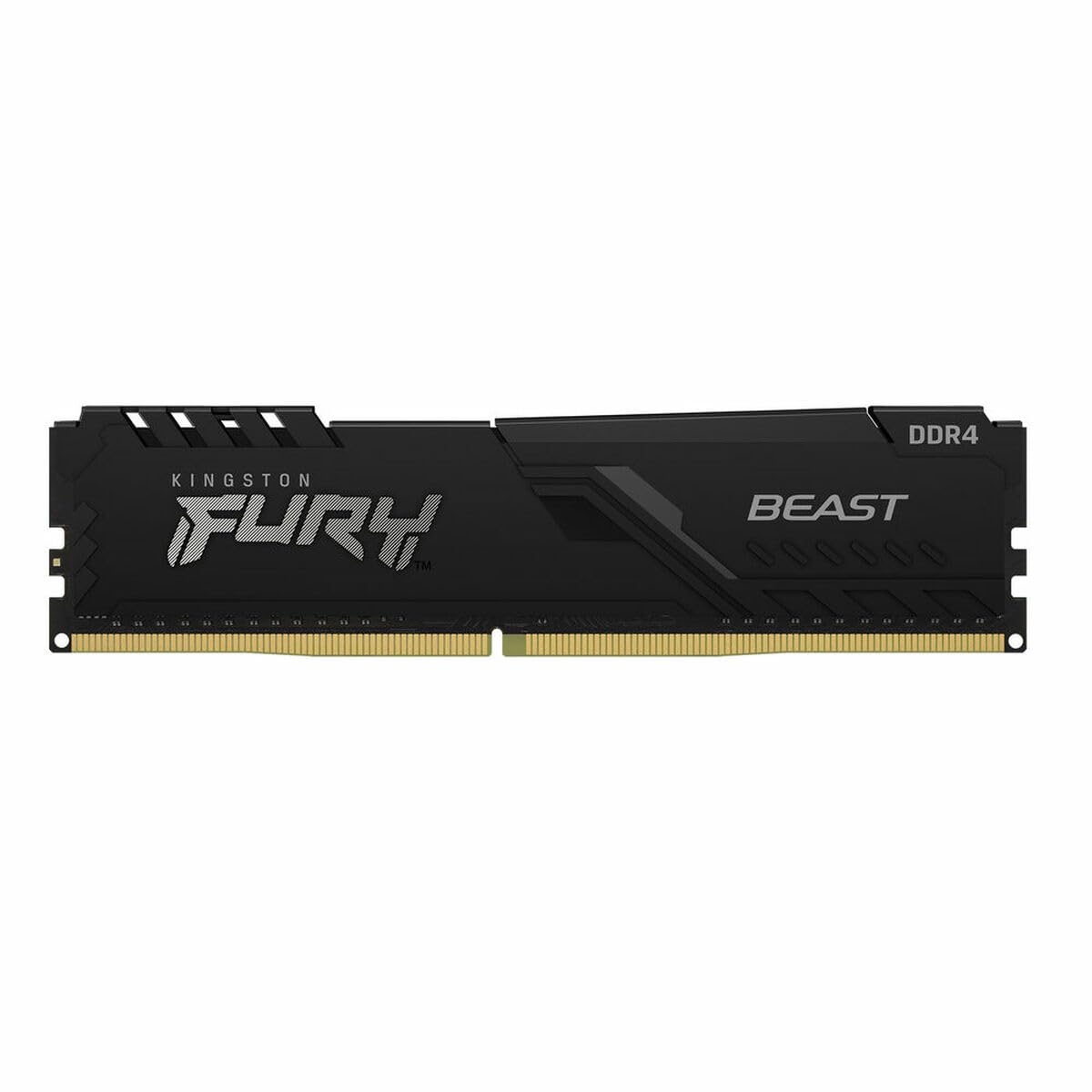
The Kingston FURY Beast is an ideal pick for users who need a single 16GB stick. It’s rated for 3200MHz with CL16 timings and supports both Intel XMP and AMD Ryzen out of the box. The low-profile heat spreader design means it can slot into pre-built systems like an HP Omen or Dell XPS without worrying about clearance.
One advantage of a single stick like this is the ability to start with 16GB and later add a second identical module to upgrade to 32GB without discarding existing RAM. The Plug N Play functionality defaults to 2666MHz without any BIOS tweaking, but enabling XMP pushes it to the full 3200MHz. Kingston uses high-quality Micron chips in these modules.
Some users report that speed may drop to 2933MHz when paired with specific pre-built motherboards, especially Alienware and older Dell systems. However, this is a nuance of the motherboard’s BIOS limitation, not the RAM itself. A reliable, well-built single-stick DDR4 solution for hassle-free upgrades.
Why it’s great
- CL16 timings in a single-stick format
- Plug N Play at 2666MHz out of the box
- Low-profile heatsink fits most pre-builts
Good to know
- May run at 2933MHz on some OEM motherboards
- Single stick has less bandwidth than a kit
4. Crucial 16GB DDR4 Single

Crucial is the retail brand of Micron, one of the world’s three DRAM manufacturers. This direct vertical integration means you get chips from the source, rigorously tested at component and module levels. The single 16GB stick runs at 3200MHz with CL22 timings at just 1.2V, which is lower voltage than performance kits that require 1.35V.
Because of its 1.2V JEDEC design, this module runs cooler and draws less power, making it an excellent choice for workstations or office PCs where stability is paramount. It automatically downclocks to 2933MHz or 2666MHz if your system doesn’t support the higher frequency. The Crucial System Scanner tool ensures precise compatibility.
The CL22 latency is higher than CL16 kits, so gamers might see a small performance penalty in memory-sensitive titles. But for general productivity, video editing, and reliable everyday use, this module is rock solid. Backed by Crucial’s limited lifetime warranty, it’s a worry-free choice.
Why it’s great
- Micron-manufactured DRAM for reliability
- Low voltage (1.2V) runs cool
- Automatic downclocking for broad compatibility
Good to know
- CL22 timings lag behind CL16 kits
- No XMP profile for manual tuning
5. TEAMGROUP Elite 16GB (2x8GB)

TEAMGROUP’s Elite kit provides a tried-and-true 2x8GB dual-channel configuration at 3200MHz with CL22 timings. It adheres strictly to JEDEC standards, meaning it runs at 1.2V and can reach 3200MHz without needing to enable XMP on compatible systems. For users with older motherboards that lack XMP support, this is a significant advantage.
The dual-channel design proves beneficial for memory-intensive tasks like video transcoding and heavy multitasking. The modules are unbuffered and non-ECC, making them a direct fit for mainstream desktop platforms. TEAMGROUP backs these sticks with a lifetime warranty and free technical support.
Some users have noted that the modules can feel hesitant under sustained load due to the looser CL22 timings. This is where faster kits with CL16-18 stand out. Still, for its price point, the Elite kit delivers stable dual-channel performance that can keep an older system running smoothly.
Why it’s great
- JEDEC compliant, no XMP needed for 3200MHz
- Dual-channel kit improves bandwidth
- Low 1.2V operating voltage
Good to know
- CL22 timings less ideal for gaming
- No heatsink on these modules
6. Silicon Power 16GB (2x8GB)

The Silicon Power 16GB kit is all about delivering solid JEDEC-compliant performance at the lowest possible cost. Running at 3200MHz with CL22-22-22-52 timings and 1.2V, this pair of 8GB sticks provides a dual-channel setup that works out of the box on any compatible motherboard without BIOS tweaks.
Silicon Power claims strict testing and verification for every module. The kit lacks metal heatsinks, which keeps the weight down and the price low, but means heat dissipation is less effective than competing models. In a well-ventilated case, this rarely causes issues at 1.2V. The lifetime warranty adds peace of mind.
Some units have been reported as physically warped upon arrival, suggesting quality control can be inconsistent. However, for users on a very tight budget who need a functional dual-channel kit, the Silicon Power RAM consistently performs as advertised. You might occasionally need to exchange a faulty set, but the savings are substantial.
Why it’s great
- Extremely budget-friendly dual-channel kit
- JEDEC compliant, plug-and-play at 3200MHz
- Low 1.2V for reduced power draw
Good to know
- No heatsinks on modules
- Potential quality control inconsistencies
7. Timetec 16GB DDR4 Single

Timetec’s 16GB DDR4 module is a single stick of JEDEC-standard 3200MHz RAM with CL22 timings at 1.2V. A notable feature is that it’s dual-rank (2Rx8), which can provide a small performance advantage over single-rank sticks in memory bandwidth-intensive tasks. This makes it an interesting option for server or workstation builds where every bit of bandwidth counts.
The module is designed for desktop DIMM slots and is not compatible with laptop SODIMM slots. It automatically downclocks to 2933MHz or 2666MHz based on system limitations. Buyers report reliable compatibility with older Intel i7-10700 systems and HP/Dell office PCs. Timetec offers a lifetime warranty and US-based technical support.
The module lacks a heatsink, and some users have noted that it gets warm under sustained load, but within safe limits. It’s best suited for cost-conscious users who want a basic, single-stick 16GB upgrade for a secondary PC or a simple work machine. If you need low latency or XMP features, look elsewhere.
Why it’s great
- Dual-rank configuration for extra bandwidth
- JEDEC standard, no tuning required
- Lifetime warranty with US support
Good to know
- No heatsink on the module
- CL22 timings are entry-level
FAQ
What is the difference between 3200MHz CL16 and 3200MHz CL22 RAM?
Can I use a single 16GB stick instead of a 2x8GB kit?
Do I need to enable XMP for my DDR4 RAM to run at 3200MHz?
Final Thoughts: The Verdict
For most users, the best 16 gb ddr4 ram winner is the G.SKILL RipjawsV 16GB (2x8GB) because it couples an aggressive CL16 timing with a dual-channel configuration that offers the best gaming performance per dollar. If you need a low-profile kit that fits under massive CPU coolers, grab the CORSAIR Vengeance LPX. And for a budget-friendly dual-channel build where every penny counts, the TEAMGROUP Elite 16GB kit gets the job done reliably.