
Moving from a standard 16:9 display to a 34-inch ultrawide isn’t just about gaining horizontal pixels; it’s about fundamentally restructuring your digital workspace. The IPS panel in this category delivers the consistent color and wide viewing angles essential for tasks where color fidelity and off-axis clarity matter, from reviewing spreadsheets with a colleague to editing timelines in a video suite. That real estate translates directly into fewer tab switches and a more immersive, focused workflow.
I’m Min — the co-founder and writer behind Gadgets Feed. For this guide, I’ve analyzed the technical specifications, real-world user feedback, and market positioning of the leading 34-inch IPS monitors to identify the models that deliver on their performance promises without forcing unnecessary compromises.
Whether you’re building a productivity command center or a color-accurate creative hub, finding the right 34 inch ips monitor means balancing resolution, refresh rate, connectivity, and ergonomic flexibility against your specific daily tasks.
How To Choose The Best 34 Inch IPS Monitor
Selecting an ultrawide monitor is a multi-year decision. Beyond just the size, you need to evaluate the panel’s color performance, the connectivity hub, and how the physical design fits your desk and workflow.
Resolution and Pixel Density
A 34-inch diagonal with a 21:9 aspect ratio demands a minimum of 3440×1440 (WQHD) for sharp text and detailed visuals. This resolution offers 109 pixels per inch (PPI), which is a noticeable upgrade over standard 1080p on a screen this size, preventing a grainy or blurry appearance in documents and UI elements.
Connectivity: The Single-Cable Promise
Look for a monitor that includes USB-C with Power Delivery (PD). This single cable can transmit video, data from connected peripherals (mouse, keyboard, external drive), and deliver power to your laptop — often between 90W and 100W, which is sufficient to charge demanding workstations or MacBook Pros. An integrated Ethernet (RJ45) port is also a pro feature for stable wired networking without needing a separate dongle.
Quick Comparison
On smaller screens, swipe sideways to see the full table.
| Model | Category | Best For | Key Spec | Amazon |
|---|---|---|---|---|
| ASUS ProArt PA34VCNV | Premium | Color-critical creative work | Delta E < 2, 100% sRGB/Rec. 709 | Amazon |
| Dell UltraSharp U3425WE | Premium | Professional office & productivity | Thunderbolt 4, 2000:1 contrast | Amazon |
| ViewSonic VG3456CA | Mid-Range | Built-in docking station | RJ45, 100W USB-C, 1500R curve | Amazon |
| LG 34WQ73A-B | Mid-Range | Dual computer workflow | Built-in KVM, 90W USB-C | Amazon |
| LG 34U650A-B | Mid-Range | Value-focused multitasker | 96W USB-C PD, built-in speakers | Amazon |
In‑Depth Reviews
1. ASUS ProArt Display PA34VCNV

The ASUS ProArt PA34VCNV is built for professionals who cannot compromise on color accuracy. It is Calman Verified and factory calibrated to a Delta E < 2, ensuring that what you see on the 34-inch 21:9 IPS panel is a true representation of your work. With 100% sRGB and 100% Rec. 709 coverage, this monitor handles consistent color grading for video editing and precise print proofing without needing immediate recalibration.
Connectivity is a strong suit here. The USB-C port delivers up to 96W Power Delivery, enough to charge a 16-inch MacBook Pro at full speed, and includes an RJ45 LAN port for a reliable wired network connection. You also get DisplayPort daisy-chaining, which allows you to run a multi-monitor setup with less cable clutter from your primary machine.
The 3800R curve is subtle, wrapping gently around your field of vision without distorting straight lines in design software. The ergonomic stand offers full tilt, swivel, and height adjustments. The main drawbacks are its built-in speakers, which are only suitable for utility or system sounds, and the bulkier back design that may not suit all desk configurations.
Why it’s great
- Factory-calibrated Delta E < 2 color accuracy out of the box
- USB-C with 96W PD paired with RJ45 Ethernet for a true single-cable docking experience
- Support for DisplayPort daisy-chaining in a multi-monitor setup
Good to know
- Built-in speakers are tinny and not useful for media consumption
- The monitor back is physically large and heavy, requiring a sturdy desk
2. Dell UltraSharp 34 U3425WE
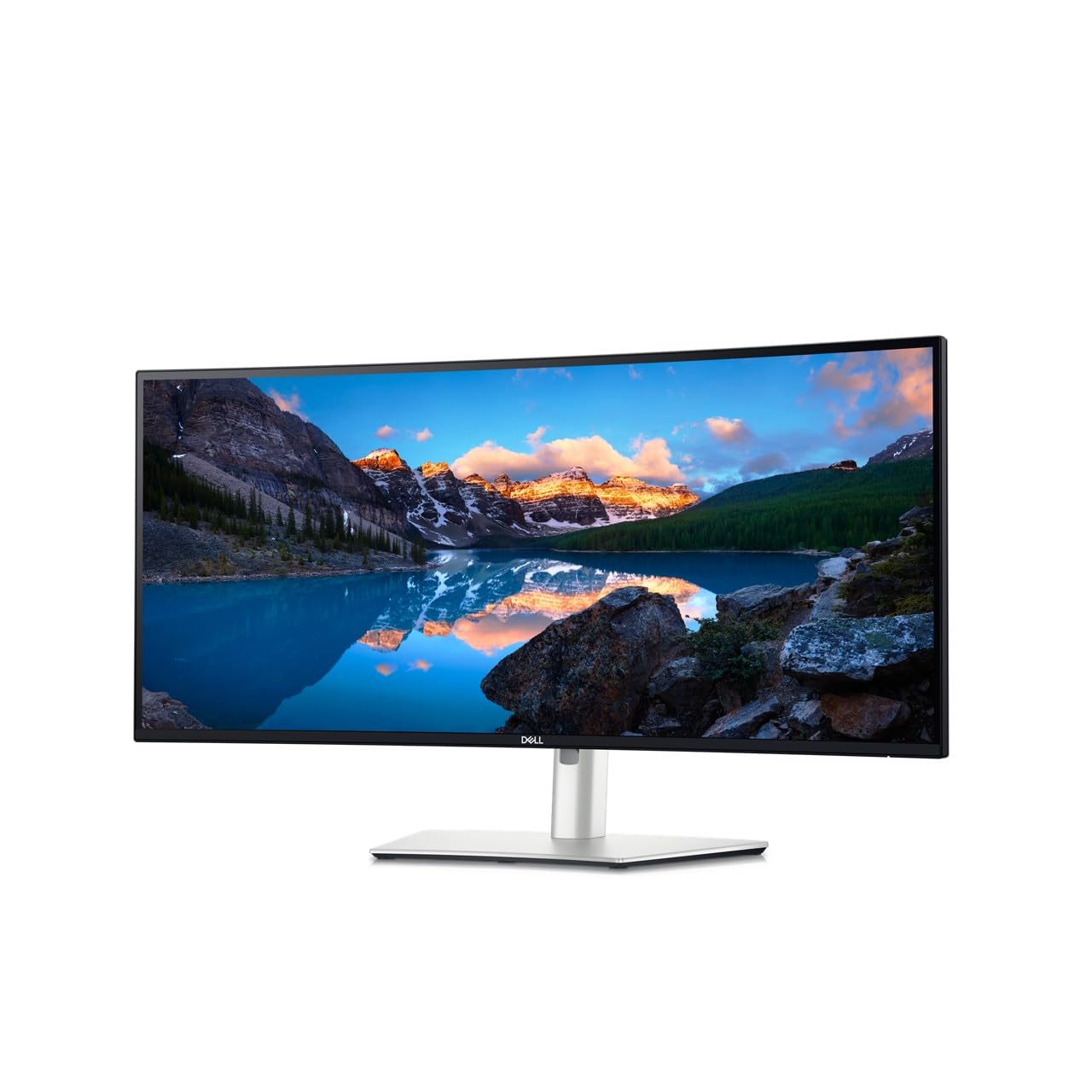
The Dell UltraSharp U3425WE targets productivity and professional office environments with its emphasis on connection flexibility and eye comfort. It features an IPS panel with a 2000:1 contrast ratio, which delivers deeper blacks than typical 1000:1 IPS screens, enhancing the sense of depth for reading code or viewing documents. The 3440×1440 resolution provides crisp text at roughly 109 PPI, ideal for long writing and data analysis sessions.
The standout connectivity feature is the inclusion of a Thunderbolt 4 port, which offers 40Gbps bandwidth and can daisy-chain multiple 4K displays or connect high-speed peripherals. The monitor also includes a built-in Ethernet port and multiple USB-A 3.2 Gen 2 ports that are easily accessible on the bottom bezel. The ambient light sensor automatically adjusts brightness to match your room, reducing eye strain over a full workday.
Build quality is rock-solid, with an ergonomic stand that offers height, tilt, and swivel. The built-in speakers are decent for calls but not for media. The on-screen display (OSD) menu can be a bit unintuitive, and the single Thunderbolt port limits how many high-bandwidth devices you can use simultaneously without an external hub.
Why it’s great
- Thunderbolt 4 provides 40Gbps bandwidth and daisy-chaining capabilities
- Higher 2000:1 contrast ratio improves readability and visual depth
- Ambient light sensor automates brightness for long-term eye comfort
Good to know
- Only one Thunderbolt port, limiting high-bandwidth device connections
- The OSD navigation is not the most user-friendly
3. ViewSonic VG3456CA
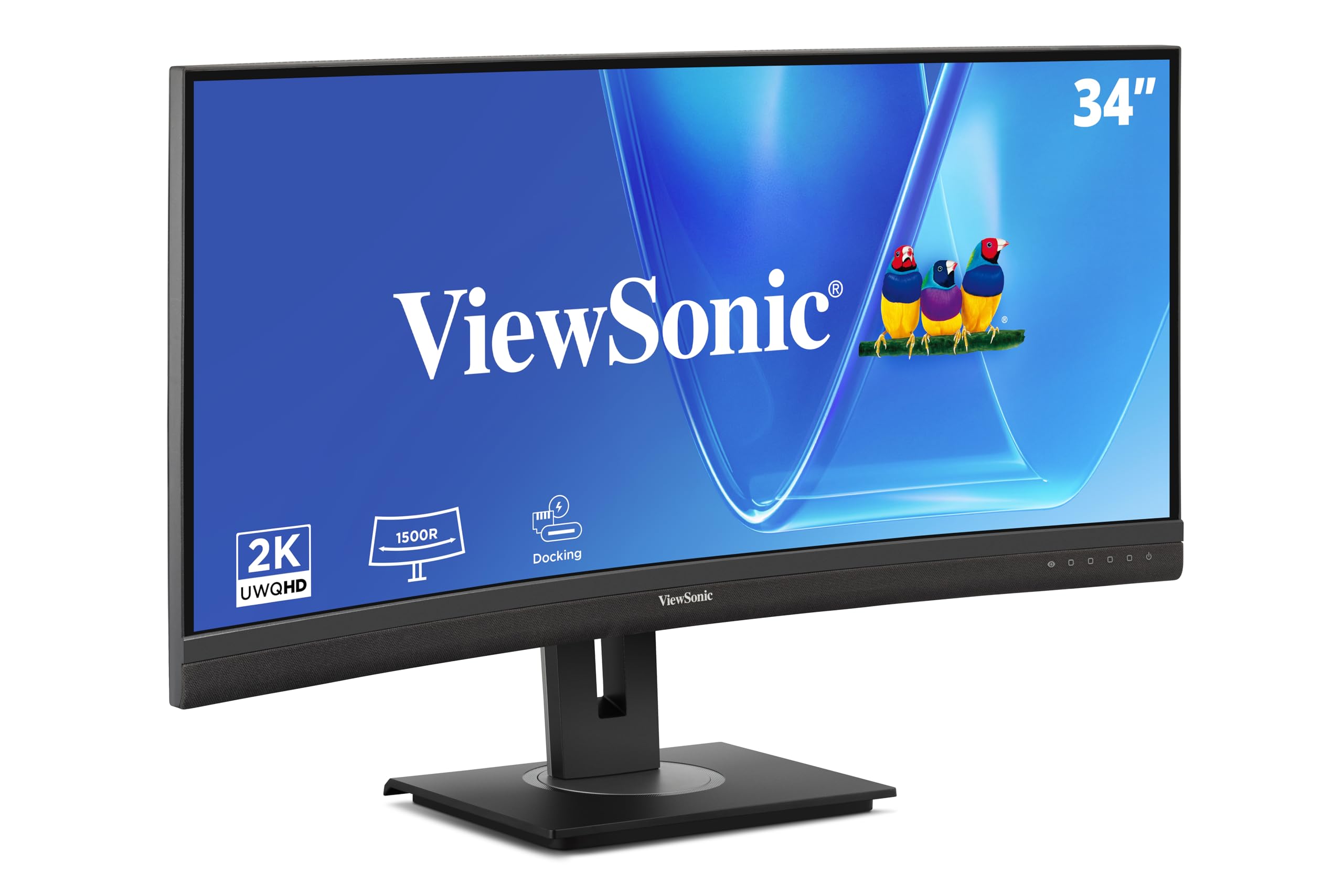
The ViewSonic VG3456CA is designed as an all-in-one docking solution, eliminating the need for a separate USB-C hub on your desk. Its 1500R curve is the most aggressive among these options, wrapping significantly around your field of vision to create a more immersive feel for multitasking across spreadsheets, web browsers, and chat applications. The IPS panel delivers a 350 cd/m² brightness, providing ample clarity in a well-lit office.
The core value is the integrated dock: a single USB-C cable provides up to 100W Power Delivery to your laptop, while also connecting to an RJ45 Gigabit Ethernet port and multiple USB-A ports on the side. It also supports DisplayPort daisy-chaining, allowing you to add a second monitor without running extra cables to your laptop. The quick-release stand includes a carrying handle, which makes it easier to reposition this large 34-inch monitor.
The main limitation is the extremely weak built-in speakers, which are barely useful for system beeps and cannot serve as a primary audio solution. Additionally, the dock’s Ethernet connection may not remain active when the monitor is in standby mode, which can be a minor inconvenience for IT-managed laptops that rely on a constant wired connection.
Why it’s great
- Integrated USB-C docking with 100W PD and RJ45 eliminates a separate hub
- Deep 1500R curve provides a highly immersive ultrawide experience
- Quick-release stand with carrying handle for easy repositioning
Good to know
- Internal speakers are extremely quiet and low-quality
- Ethernet may disconnect when the monitor enters standby
4. LG UltraWide 34WQ73A-B

The LG 34WQ73A-B is a smart choice for professionals managing both a desktop PC and a work laptop. Its primary differentiator is the built-in KVM switch, which allows you to control both computers using a single set of a keyboard and mouse. Paired with 90W USB-C Power Delivery, connecting your laptop via one cable gives it power, video, and peripheral access instantly.
The 3440×1440 IPS panel is factory-calibrated for 99% sRGB coverage, providing good color accuracy for tasks like photography editing or graphic design. The 21:9 aspect ratio is especially useful for developers, who can have their IDE open on one side and a browser or terminal on the other without needing a second monitor. LG’s Dual Controller software simplifies dragging files between the connected computers.
LG’s Dynamic Action Sync reduces input lag, but this is a 60Hz panel designed for productivity, not gaming. Some users report backlight bleed in dark scenes, which is typical for IPS technology but more noticeable on a large curved panel. The stand is robust, offering height, tilt, and swivel, though inexperienced users may find the on-screen menu system clunky for initial setup.
Why it’s great
- Integrated KVM switch lets you seamlessly share peripherals between two computers
- 90W USB-C PD provides solid charging for most ultrabooks
- 99% sRGB coverage ensures good color fidelity out of the box
Good to know
- The panel is limited to a 60Hz refresh rate, less suitable for fast-paced gaming
- Some units may exhibit backlight bleed in dark or black scenes
5. LG 34U650A-B
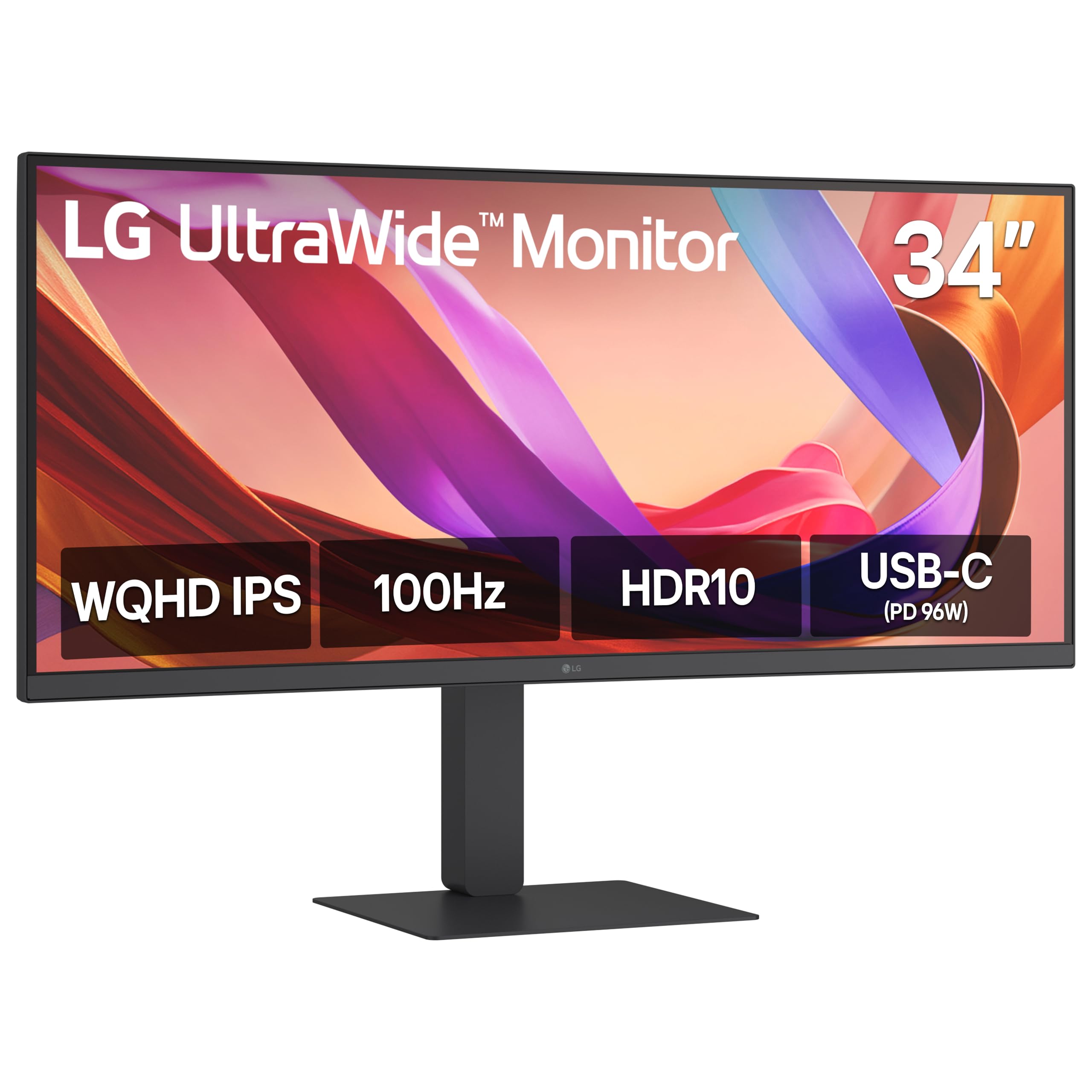
The LG 34U650A-B is a compelling entry-level ultrawide that brings high-end features like 96W USB-C Power Delivery to a more accessible price point. This 34-inch IPS monitor offers a 100Hz refresh rate, which is a step up from standard 60Hz panels, providing smoother motion when scrolling through dense web pages or managing windows. The 3800R curve is gentle, designed for comfort during long sessions.
The 3440×1440 resolution is crisp, and with up to 99% sRGB coverage, it handles color-accurate work decently for its class. The built-in speakers with LG’s DepthSound technology provide fuller audio than most monitor speakers, making them actually usable for video calls and casual media playback without external speakers. The included USB-C cable handles display, data, and charging through a single connection, which is rare at this level.
The adjustable stand offers tilt, swivel, and height, providing good ergonomic flexibility. The main trade-offs are the lower 300 cd/m² brightness and a 1000:1 contrast ratio, which can feel a bit washed out in a very bright room. Some users have also reported minor pixel defects or backlight bleed, which is more common in budget-tier panels but generally does not affect overall workflow.
Why it’s great
- 96W USB-C PD is a flagship feature at an entry-level price
- 100Hz refresh rate makes scrolling and window management feel fluid
- DepthSound speakers are actually usable for video calls and streaming
Good to know
- 300 cd/m² brightness may be underwhelming in very bright environments
- Standard 1000:1 contrast ratio means blacks appear more gray
FAQ
Can a 34-inch IPS monitor run at 144Hz for gaming?
Do I need a Thunderbolt monitor or is USB-C enough?
Final Thoughts: The Verdict
For most users, the 34 inch ips monitor winner is the ASUS ProArt PA34VCNV because it combines professional-grade color accuracy (Delta E < 2) with a full-featured USB-C dock that includes 96W PD and Ethernet. If you want a productivity-first monitor with Thunderbolt 4 and easy multi-PC peripheral sharing, grab the Dell UltraSharp U3425WE. And for the best value with premium features like 96W USB-C and a 100Hz panel, nothing beats the LG 34U650A-B.