
Choosing the right 3.5-inch internal hard drive for your desktop or home server isn’t about finding the shiniest box on the shelf—it’s about matching rotational speed, cache size, and platter density to your exact workload, whether that’s compiling a media library, loading game maps, or running a 24/7 backup target. A single wrong spec choice can leave you with a drive that vibrates through your case or runs too slow for video scrubbing.
I’m Min — the co-founder and writer behind Gadgets Feed. I’ve spent hundreds of hours cross-referencing SATA interface benchmarks, real-world user reliability reports, and cache performance data from dozens of 3.5-inch models to understand exactly which drive architecture delivers the best sustained throughput for each budget tier.
This guide cuts through the marketing noise to compare the most important metrics for any desktop storage buyer, helping you identify the best 3.5 disk drive for your specific performance and capacity needs without wasting money on specs you don’t need.
How To Choose The Best 3.5 Disk Drive
Picking the right internal hard drive means deciding what you value more: raw sequential speed, absolute storage density per dollar, or long-term reliability in a continuously spinning environment. Each choice—from spindle speed to the recording technology—changes how the drive behaves under pressure.
Understanding Spindle Speed: 7200 RPM vs 5400 RPM
7200 RPM drives deliver roughly 30–40% faster sequential reads than their 5400 RPM counterparts, making them ideal for boot drives (when paired with an SSD) or for storing active game libraries where loading screens matter. The trade-off is slightly higher operating noise and heat output. 5400 RPM drives trade speed for lower power consumption and quieter operation, best suited for media archives, automated backups, or secondary data vaults where access frequency is low.
Cache Memory: Why the Spec Sheet Matters More Than You Think
The onboard cache (32 MB, 64 MB, 128 MB, or 256 MB) acts as a high-speed buffer between the spinning platters and the SATA interface. A larger cache reduces write latency when handling bursts of small files—the kind you encounter when installing a game or copying a photo folder. For pure sequential large-file transfers (4K video, ISO images), cache size matters less than the raw platter density and spindle speed.
Recording Technology: CMR vs SMR
This is the hidden spec that determines whether your drive works well in a RAID array or sustained write environment. Conventional Magnetic Recording (CMR) writes data in standard tracks without overlap, maintaining consistent write speeds even under heavy load. Shingled Magnetic Recording (SMR) overlaps tracks to increase density—great for archival use but devastating for write-heavy workloads, as performance can collapse to single-digit MB/s during background maintenance. Always check the recording technology if you plan to use the drive in a NAS or server configuration.
Quick Comparison
On smaller screens, swipe sideways to see the full table.
| Model | Category | Best For | Key Spec | Amazon |
|---|---|---|---|---|
| WD Black 4TB | Performance | Gaming & heavy workloads | 7200 RPM / 64 MB cache | Amazon |
| Seagate BarraCuda 8TB | Mass Storage | Media archives & backups | 5400 RPM / 256 MB cache | Amazon |
| WD Blue 4TB | Everyday | General desktop storage | 5400 RPM / 128 MB cache | Amazon |
| Seagate BarraCuda 2TB | Mid-Range | Gaming + productivity mix | 7200 RPM / 256 MB cache | Amazon |
| WD Blue 1TB | Value | Budget OS drive or secondary | 7200 RPM / 64 MB cache | Amazon |
| WD Blue 500GB | Entry | Low-cost backup drive | 7200 RPM / 32 MB cache | Amazon |
In‑Depth Reviews
1. WD Black 4TB Performance Desktop Hard Disk Drive – WD4003FZEX

The WD Black 4TB is the top-tier choice for anyone who needs high sustained transfer rates for gaming, video editing, or running multiple VMs from a single spinning drive. Its dual-core processor and StableTrac technology (which secures the motor shaft at both ends to reduce vibration) let it hit burst reads around 250 MB/s and sustained writes near 150 MB/s—figures that comfortably outpace the rest of the 7200 RPM desktop class.
Real owners report that this drive handles a 2.4 TB game library without hiccups, though some note the seek arm can produce a distinct clanking sound under heavy random access. This is the price of the Black series’ aggressive performance tuning. The 5-year manufacturer warranty is the longest in this roundup, giving you confidence for a half-decade of 24/7 operation.
One important caveat: the package contains only the drive itself—no SATA cables, screws, or mounting brackets, so budget for those separately. For a primary desktop drive that blends high capacity with consistently fast access, the WD Black remains the benchmark.
Why it’s great
- Sustained transfer speeds near 250 MB/s burst, ideal for gaming and pro workloads
- 5-year limited warranty, doubling most consumer drive coverage
- StableTrac and dual-core processor reduce vibration and improve IO consistency
Good to know
- Audibly louder seek noise compared to Blue or BarraCuda lines
- No mounting hardware, screws, or SATA cables included in the box
2. Seagate BarraCuda 8TB Internal Hard Drive – ST8000DMZ04

With 8 TB of storage spread across a 5400 RPM spindle, this BarraCuda is the ultimate destination for a media server, video archive, or Steam library where sequential reads matter more than random access latency. The 256 MB cache helps compensate for the slower rotational speed, keeping burst transfers snappy during multi-file copies. Sustained read rates hover around 190 MB/s, which is respectable for the capacity tier.
Buyers consistently note that the drive runs very quietly during idle and lightly loaded periods, making it a strong candidate for a home office or living-room PC where noise matters. Under sustained writes of 100+ GB, you may hear the actuator arm working, but it’s far from the aggressive clatter of a performance-focused Black drive.
It arrives in Frustration-Free Packaging—basically an anti-static bag and nothing else. No cables or screws. Also note that 5400 RPM means slower application load times than a 7200 RPM drive, so this isn’t the right pick for a primary OS disk. For pure bulk storage density per dollar, this model leads the list.
Why it’s great
- 8 TB capacity delivers industry-leading storage density for the form factor
- 256 MB cache buffers small-file write bursts effectively
- Very quiet under idle and low-load conditions
Good to know
- 5400 RPM limits random access speeds and application load times
- Comes in Frustration-Free Packaging with no cables or mounting hardware
3. Western Digital 4TB WD Blue PC Internal Hard Drive – WD40EZZX
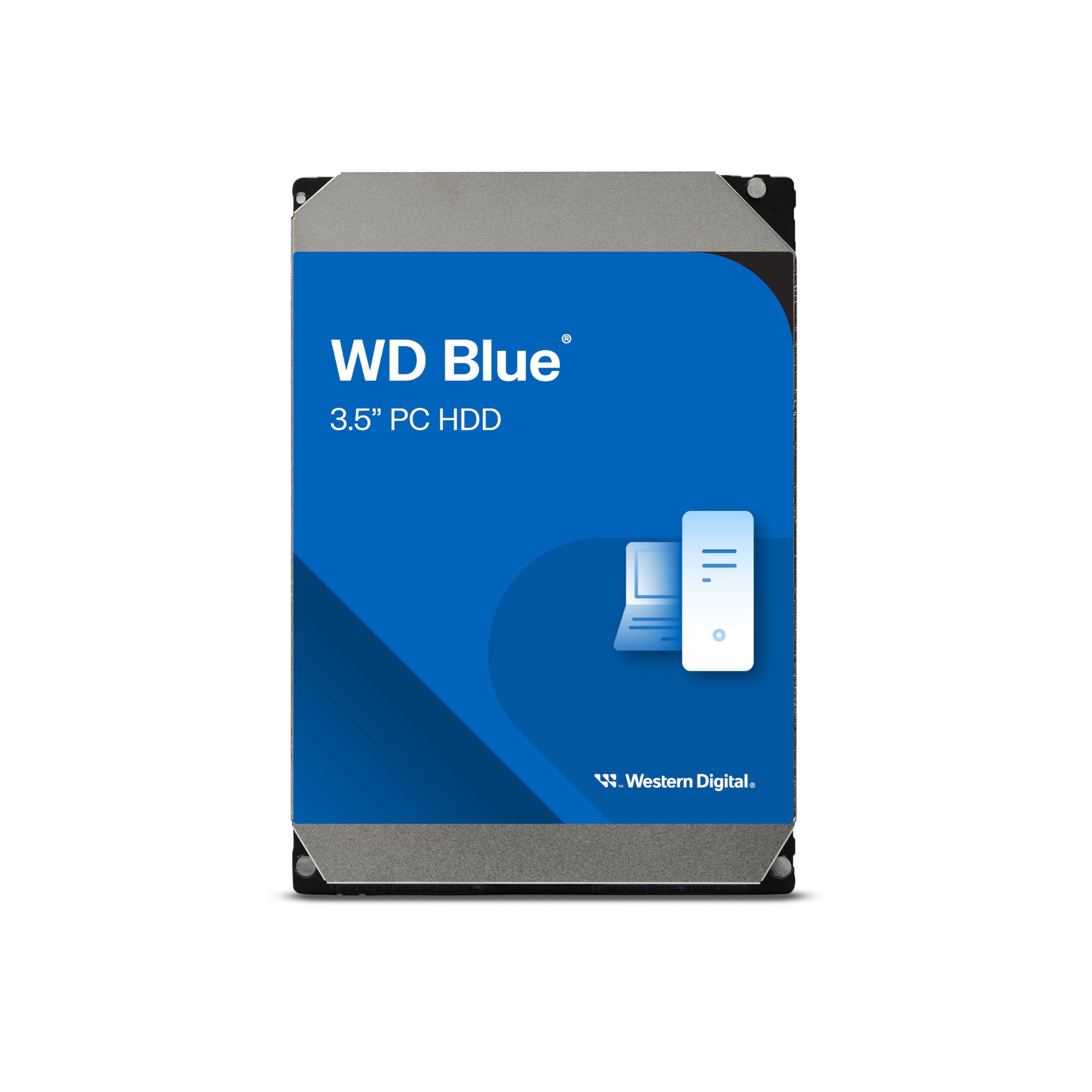
The 4TB WD Blue sits in the sweet spot of the catalog: a 5400 RPM drive with 128 MB cache that balances cost, capacity, and reasonable speed for a secondary storage volume. It includes NoTouch Ramp Load Technology, which parks the recording head off the platter during spin-up/down to reduce wear, and the free Acronis True Image WD Edition software simplifies cloning your existing OS to a new larger drive.
User reports consistently highlight stable long-term operation, with several owners using it as a DVR storage device or media library spanning thousands of files. The 2-year warranty is standard for the Blue line, but the real-world reliability track record of WD’s 3.5-inch desktop family remains strong through years of continuous use.
If you need faster random access for active gaming, the 5400 RPM speed will be noticeable compared to a 7200 RPM drive. Pair it with an SSD for your OS and use this Blue for the bulk storage tier in your system. It is also compatible with some NAS devices, though not optimized for RAID due to its eSATA connectivity note in the specs.
Why it’s great
- 4 TB capacity at a mid-range price point offers strong value per gigabyte
- NoTouch Ramp Load extends head and platter lifespan
- Includes Acronis True Image WD Edition cloning software for easy migration
Good to know
- 5400 RPM limits random access performance for gaming or OS tasks
- Spec sheet lists eSATA connectivity, verify your motherboard’s SATA port compatibility
4. Seagate BarraCuda 2TB Internal Hard Drive – ST2000DM008

This 2TB BarraCuda is the value sweet spot for a desktop gaming or productivity build. It runs at 7200 RPM and packs a 256 MB cache—the largest cache in its class—which significantly cuts down on write latency when installing updates or copying project files. Sequential read speeds reliably hit 220 MB/s, which is competitive with drives costing more per gigabyte.
Owners report it as a near-silent performer in typical desktop enclosures, with one buyer noting that it replaced a 12-year-old WD 1TB and felt dramatically faster in both access and file writing. The free Seagate DiscWizard software makes cloning and migrating from an old drive straightforward, even if you’re not a power user.
At 2 TB, it’s a middle-ground capacity—enough for a large game library or a media collection, but not the density leader. If you need more than 2 TB and still want 7200 RPM performance, you’ll need to step up to the 4TB WD Black. But for the money, the 256 MB cache and proven BarraCuda reliability make this a smart mid-range pick.
Why it’s great
- 7200 RPM with a class-leading 256 MB cache for low write latency
- Includes Seagate DiscWizard free cloning software
- Quiet operation that fits well in living-room or office builds
Good to know
- 2 TB capacity may feel limiting for users with large 4K video or game libraries
- No mounting screws or SATA cable included in the package
5. Western Digital 1TB WD Blue PC Internal Hard Drive – WD10EZEX

The WD10EZEX is arguably the most popular 3.5-inch desktop drive ever made, and for good reason. It uses a single 1 TB platter spinning at 7200 RPM with a 64 MB cache, delivering linear read speeds of 153–178 MB/s and average random access around 15.7 ms. That kind of performance used to be reserved for the Black series just a few years ago, now available at a budget-tier price.
Buyers consistently praise its reliability, with one user citing a record of zero failures since the 1990s across dozens of WD drives. The 1 TB capacity works well as a dedicated OS drive when paired with a larger secondary, or as a drop-in upgrade for an older Xbox or PlayStation console that supports 3.5-inch SATA drives.
One recurring complaint is Amazon’s packaging—some units arrive in a single bubble-wrap layer with the drive sliding loose inside a box, increasing the risk of shipping damage. Also, Amazon does not accept returns on 1 TB capacity drives, so inspect the SATA connector and run a full surface scan immediately upon arrival.
Why it’s great
- Single 1TB platter design reduces seek times and keeps performance consistent
- 7200 RPM delivers near-premium speeds at a value price point
- Long track record of reliability across the WD Blue family
Good to know
- Amazon often ships this drive with insufficient packaging—inspect immediately
- Amazon enforces a no-return policy on 1 TB internal drives, check terms before buying
6. WD Blue 500GB Desktop Hard Disk Drive – WD5000AZLX

At 500 GB and 7200 RPM with a 32 MB cache, the WD5000AZLX is the entry-level workhorse for someone building a budget desktop or resurrecting an old PC with a fresh storage drive. It still runs at the faster 7200 RPM spindle speed, so it feels noticeably snappier than any 5400 RPM economy drive when loading applications or booting the OS. Sequential reads remain solid for the capacity class.
Users report that this drive works fine as a straightforward backup target or an additional storage slot for a system that only needs a modest volume of installed software. Several buyers noted the drive was quiet and detected immediately via a USB-to-SATA adapter, formatted with no issues across both NTFS and FAT32.
The 32 MB cache is the smallest here, meaning multi-file write operations will feel slower compared to the 64 MB or 256 MB models above. One owner reported UltraDMA CRC Errors within three weeks, so a full scan with CrystalDiskInfo is recommended right after installation. If your budget allows, the 1 TB Blue offers double the capacity with a bigger cache for a small step up in spend.
Why it’s great
- 7200 RPM in an entry-level price bracket for better boot and load times
- Quiet operation out of the box, suitable for noise-sensitive builds
- Works reliably with third-party USB-to-SATA adapters for external use
Good to know
- 32 MB cache limits small-file write performance compared to larger-cache drives
- Some units have reported UItraDMA CRC errors; run a full surface scan on arrival
FAQ
Can I use a 3.5-inch hard drive in a laptop?
What is CMR vs SMR recording technology and which should I choose?
How do I check if a 3.5-inch drive is CMR before buying?
Final Thoughts: The Verdict
For most users, the best 3.5 disk drive winner is the WD Black 4TB (WD4003FZEX) because it blends high-capacity storage with true 7200 RPM performance and the longest 5-year warranty in the category. If you need maximum capacity for a media archive, grab the Seagate BarraCuda 8TB (ST8000DMZ04). And for the best value-per-gigabyte in a 7200 RPM drive suitable for everyday desktop storage, nothing beats the Western Digital 1TB WD Blue (WD10EZEX).