
A dead zone in the backyard, a barn that can’t stream security camera feeds, or a garage where video calls drop every minute—the solution isn’t a consumer mesh router with a weak extender. The only way to deliver reliable, full-speed wireless where your main router can’t reach is with a dedicated 802.11ac access point wired directly to your network via Ethernet. These units trade the complexity of a router for pure, unadulterated signal distribution, often handling 50 to 60 concurrent devices without breaking a sweat.
I’m Min — the co-founder and writer behind Gadgets Feed. After analyzing hundreds of spec sheets and customer reports across AC1200 to Wave 2 AC1750 tiers, I’ve vetted the key metrics that separate a true professional-grade AP from a repurposed router that will overheat and drop packets in a week.
This guide cuts through the noise to help you pick the best 802.11ac access point for your specific home, farm, or small business layout based on throughput, client capacity, and environmental toughness.
How To Choose The Best 802.11ac Access Point
Not all AC access points are the same. A unit designed for a dry office ceiling will fail outdoors, and a budget AC1200 AP may choke under the load of 40+ clients. Focus on four pillars: throughput tier (AC1200 vs. AC1750), power delivery (PoE standard vs. passive), environmental rating (indoor-only vs. IP65+), and management interface (standalone web GUI vs. software controller).
Throughput and MIMO Streams
The “AC” number (1200, 1300, 1750) is the combined theoretical max of both bands. Real-world throughput is driven by the number of spatial streams—2×2 MU-MIMO is the minimum for an 802.11ac Wave 2 AP. A 3×3 MIMO AP like the TP-Link EAP245 can push higher per-client throughput under load because it has a third spatial stream to allocate.
Power over Ethernet (PoE) Standards
802.3af (15.4W) is the most common standard for AC APs. 802.3at PoE+ (30W) is required for units with more radios or USB pass-through. “Passive PoE” (24V) is proprietary—plugging a passive AP into an 802.3af switch can damage either device. Always verify compatibility before wiring.
Environmental Hardening and Mounting
Outdoor APs need an IP65 rating at minimum for dust and rain resistance. Check the operating temperature range—some units struggle above 122°F in direct sun. For indoor units, a ceiling-mount form factor with flush-mount brackets provides the cleanest coverage pattern and avoids furniture interference.
Quick Comparison
On smaller screens, swipe sideways to see the full table.
| Model | Category | Best For | Key Spec | Amazon |
|---|---|---|---|---|
| TP-Link EAP245 V1 | Indoor Premium | Home office / high-density | 3×3 MIMO, AC1750, 802.3at PoE+ | Amazon |
| Ubiquiti UAP-AC-M | Outdoor Mesh | Large-yard mesh | 1167 Mbps, dual-band, mesh multi-hop | Amazon |
| Ubiquiti UAP-IW-HD | In-Wall Premium | Media center / hotel rooms | Wave 2, 4-port Gigabit switch | Amazon |
| EnGenius ENH1350EXT | Outdoor Premium | Long-range outdoor | IP67, 4x 5dBi SMA antennas | Amazon |
| MikroTik cAP ac | Enthusiast | Advanced routing / VLAN | RouterOS, 2x Gigabit ports | Amazon |
| BrosTrend AC1200 Outdoor | Outdoor Value | Yard / farm / RV | IP65, 656ft range, 2x 5dBi antennas | Amazon |
| Cudy AP1300 Outdoor | Outdoor Value | Campsite / sailboat | 5-in-1 modes, RP-SMA antennas | Amazon |
In‑Depth Reviews
1. TP-Link AC1750 Wireless Wi-Fi Access Point (EAP245 V1)

The TP-Link EAP245 delivers AC1750 throughput through a 3×3 MIMO radio array, giving it a genuine per-client performance advantage over 2×2 APs when streaming 4K video or running large file transfers on multiple devices simultaneously. Its six internal omni antennas (4 dBi each) produce a clean, 360-degree ceiling-mount radiation pattern without external protrusions—ideal for offices, retail spaces, or a smart home hub.
It supports both 802.3at PoE+ (30W) and a 12VDC power supply, so you can deploy it on existing PoE switches without a dedicated injector. The free Omada controller software handles central management for up to hundreds of units, while the standalone web GUI offers captive portal authentication and VLAN tagging without requiring a cloud subscription. Band steering pushes dual-band clients to 5 GHz automatically.
Some users report quirkiness with Facebook Check-in portal on iOS and Android, but the core routing and throughput are rock-solid; one reviewer noted no reboots in over a year after a firmware update. For a mid-range indoor AP with professional-grade features and a lifetime warranty, the EAP245 sets the benchmark.
Why it’s great
- 3×3 MIMO delivers real throughput advantage over 2×2 units
- Supports 802.3at PoE+ and 12VDC for flexible installation
- Free Omada controller software with captive portal
Good to know
- No Ethernet cable included in the box
- Captive portal has known issues with some mobile browsers
2. Ubiquiti Networks UniFi AC Mesh (UAP-AC-M)

The UAP-AC-M is Ubiquiti’s AC1200 outdoor workhorse that scales via mesh multi-hop, allowing you to cover a large yard, farm perimeter, or event space with minimal cabling. Its dual-band 2×2 radio handles 1167 Mbps aggregate throughput and includes adjustable omni antennas that can be swapped for directional spot-beam antennas in high-density outdoor deployments.
Power options are unusually flexible: it accepts 802.3af PoE Alternative A, 24V passive PoE, or the included Gigabit PoE adapter. The UniFi controller platform provides deep analytics, guest portal, and seamless roaming between multiple UniFi APs. One user reported strong signal up to 100 yards from a chimney-mount installation, while another noted 2.5 years of continuous Florida outdoor exposure with only cosmetic antenna fading.
The plastic housing does discolor under constant UV exposure, but the internal electronics remain water-resistant and fully functional. While its range is slightly less than bulkier outdoor APs, the mesh topology advantage makes it the best choice for multi-unit outdoor coverage zones.
Why it’s great
- Mesh multi-hop covers large outdoor areas with minimal wiring
- Swappable antennas for directional deployment
- Flexible power input (802.3af and passive 24V)
Good to know
- Plastic discolors in direct sunlight over months
- Less raw range than larger outdoor dedicated units
3. Ubiquiti Networks UniFi In-Wall HD (UAP-IW-HD)

The UAP-IW-HD fits directly into a standard single-gang wall box and doubles as both an 802.11ac Wave 2 access point and a 4-port Gigabit switch with PoE passthrough on one port. This makes it the ideal solution for rooms where you need to hardwire a TV, game console, or work PC while simultaneously blanketing the space in Wi-Fi—one reviewer reported over 500 Mbps download from their gigabit line.
Its compact form factor (1 x 3.4 x 5.5 inches) fits flush against the wall and blends into any decor. The downstream switch ports are perfect for home offices and media centers: one user used it to run a five-person LAN party with 400 GB transferred without a single hiccup, while another paired it with a nano-HD to cover a 3600 sqft house including a detached garage.
Management requires the UniFi mobile app or controller software (no direct IP browser setup), and it ships with a proprietary 48V PoE injector instead of standard 802.3af. Range through obstacles is moderate compared to ceiling-mounted APs, but the combination of wired ports and Wave 2 wireless (up to 1.99 Gbps aggregate) is unmatched for a single-room deployment.
Why it’s great
- Integrates 4-port Gigabit switch and AP in one wall-mounted unit
- Wave 2 802.11ac delivers near-2 Gbps aggregate throughput
- PoE passthrough powers additional devices
Good to know
- Requires UniFi app for management, not direct IP
- Uses proprietary 48V PoE, not standard 802.3af
4. EnGenius ENH1350EXT Wi-Fi 5 AC1300 Outdoor Access Point

The EnGenius ENH1350EXT brings military-grade IP67 weatherproofing to the AC1300 outdoor segment, meaning it can survive direct rain, snow, and dust exposure indefinitely. Its four external SMA antennas (two for 2.4 GHz, two for 5 GHz, each 5 dBi) provide 360-degree coverage, and beamforming technology focuses the signal toward connected clients rather than blasting it indiscriminately.
Throughput reaches 867 Mbps on 5 GHz and 400 Mbps on 2.4 GHz, supported by MU-MIMO for simultaneous data streams to multiple devices. One user reported a solid 200-yard line-of-sight signal, and another covered over 600 feet through a tree line—though concrete and stucco walls still attenuate heavily. The unit ships with a mounting kit and PoE injector, and it supports AP, Client Bridge, and WDS modes for flexible topology.
The main drawback is a lack of intuitive setup wizards: the web interface is business-focused and assumes networking knowledge. A few customers reported difficulty setting passwords due to confusing menu layouts. If you have basic VLAN and IP addressing experience, the ENH1350EXT offers the highest outdoor build quality in this price tier.
Why it’s great
- IP67 rating withstands rain, snow, and dust
- Four external high-gain SMA antennas for long range
- Versatile operation modes (AP, Client Bridge, WDS)
Good to know
- Setup interface is not beginner-friendly
- Poor penetration through concrete and steel structures
5. MikroTik cAP ac Dual-band 802.11ac Wireless Access Point (RBcAPGi-5acD2nD-US)

The MikroTik cAP ac is not a plug-and-play appliance; it’s a RouterOS-powered dual-band AP that gives you VLAN segmentation, OSPF, BGP, and advanced firewall rules typically found in enterprise routers. With two Gigabit Ethernet ports (one with PoE output), it can serve as a ceiling-mount AP for a MikroTik network or a standalone router with a surprisingly small footprint.
Performance is excellent for the hardware: real-world 5 GHz throughput consistently exceeds 200 Mbps, and 2.4 GHz holds 30–70 Mbps even through obstacles. The “Quick Sets” wizard simplifies initial configuration for basic setups, but unlocking features like per-client VLAN assignment or inter-VPN routing requires reading the MikroTik wiki. One user called it “bulletproof reliable” after extensive use, while another joked that you need a computer science degree to configure it.
This unit is factory-locked to US frequencies (2412–2462 MHz and 5725–5835 MHz) and is not intended for users who want a zero-config experience. If you enjoy tinkering and want carrier-grade control without a subscription, the cAP ac is a uniquely powerful value.
Why it’s great
- Full RouterOS with enterprise routing and VLAN support
- Two Gigabit ports with PoE output on one
- Consistent 200+ Mbps on 5 GHz in real-world use
Good to know
- Extremely steep learning curve
- Best results only within a MikroTik network
6. BrosTrend AC1200 Outdoor Access Point
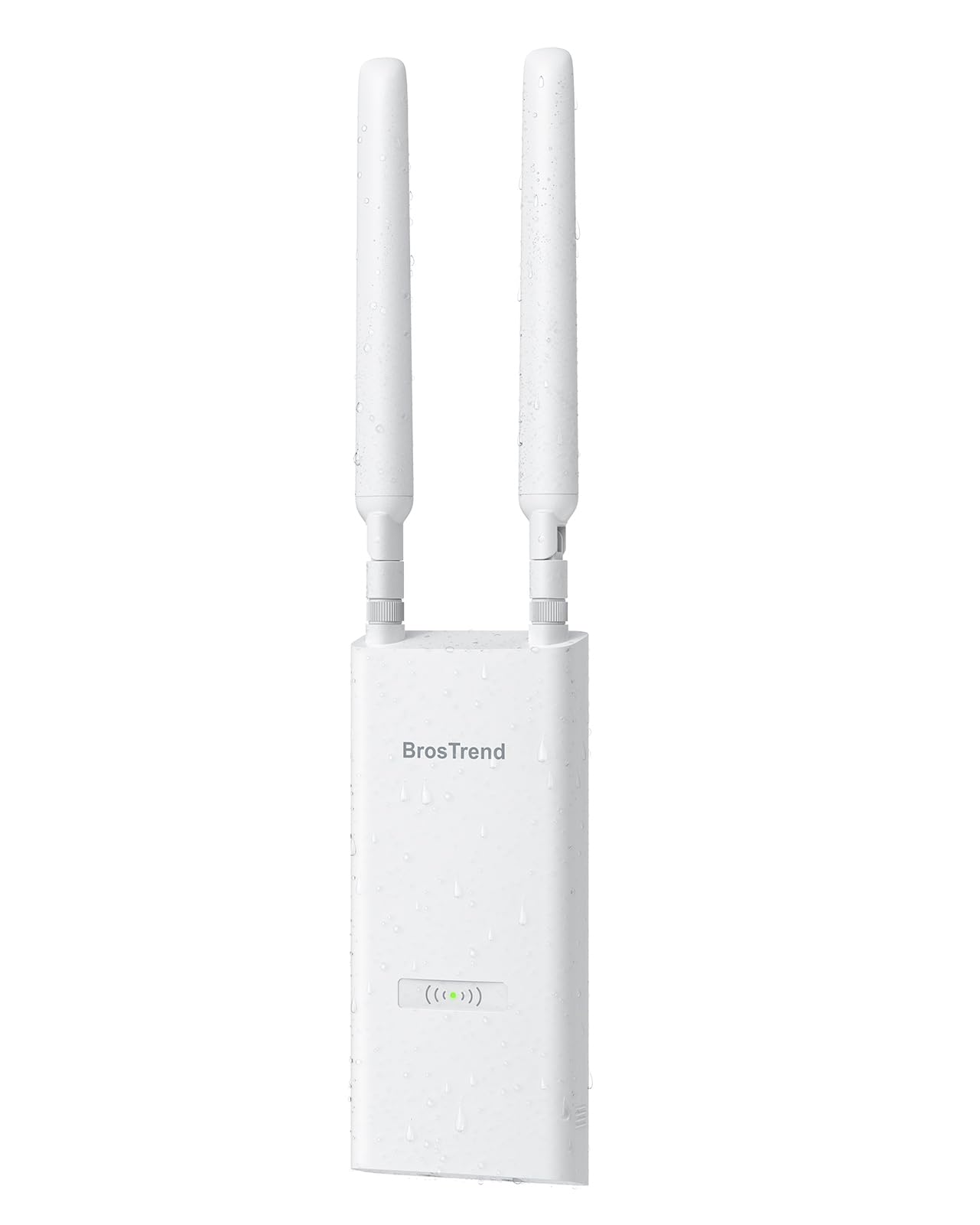
The BrosTrend AC1200 Outdoor delivers an IP65 weatherproof housing, dual 5 dBi omni antennas with Beamforming, and a stated range of up to 656 feet at a price that rivals indoor-only APs. Its AC1200 dual-band radio (867 Mbps on 5 GHz, 300 Mbps on 2.4 GHz) handles up to 60 devices with Wave 2 MU-MIMO, and the included Passive PoE injector lets you run power and data over a single Ethernet cable up to 164 feet.
Setup is straightforward via the PC-based web UI for a static IP configuration—users reported replacing failed TP-Link units and having coverage strong enough to reach a metal barn 100 feet away, supporting multiple security cameras. The included mounting bracket, grounding screw, and anti-theft screw indicate this unit was designed for semi-permanent outdoor installation, not just a porch shelf.
The 6kV lightning protection and 8kV ESD shielding add durability for exposed roof or pole mounts. One user noted that their steel siding blocked the signal, which is a universal issue with 5 GHz through metal—but after moving the AP under an eave, coverage was excellent. For the price, it’s the cheapest truly outdoor-ready AC1200 AP with a full accessory kit.
Why it’s great
- IP65 housing with lightning/surge protection
- Includes Passive PoE injector and mounting hardware
- Supports up to 60 devices with MU-MIMO
Good to know
- Passive PoE only, not compatible with standard 802.3af switches
- Steel siding and concrete still block signal significantly
7. Cudy Outdoor AC1200 Gigabit Wireless Access Point (AP1300-Outdoor)

The Cudy AP1300 Outdoor is a Swiss Army knife of wireless networking: it can operate as an access point, WiFi extender, router, WISP router, or mesh node, giving you deployment flexibility that no other AC1200 outdoor unit offers. Its detachable RP-SMA antennas allow you to swap in higher-gain antennas for extreme-range scenarios, and the 5dBi included units already provide solid coverage in typical yard or campsite setups.
Throughput is competitive for the AC1200 class: one user measured ~480 Mbps in a noisy urban environment with 50+ visible networks, and a sailor installed it on a sailboat to maintain 25 Mbps connections at 100 yards for remote battery monitoring. The unit supports 802.3at/af PoE and 24–50V passive PoE, preventing compatibility headaches with existing switch infrastructure.
Setup is handled through a wizard interface, though the manual is thin for Extender mode. The unit lacks DFS channels, 160 MHz bandwidth, and WPA3, which are common limitations for budget AC1200 chipsets. If you need a flexible outdoor AP that can adapt to changing network topologies (from a rental cabin to a permanent pole mount), the Cudy AP1300 delivers unmatched mode versatility.
Why it’s great
- Five operation modes (AP, extender, router, WISP, mesh)
- Detachable RP-SMA antennas for customization
- Supports both 802.3af/at and passive PoE
Good to know
- Lacks DFS, 160 MHz, and WPA3 support
- Setup manual is thin for advanced modes
FAQ
Can I use an 802.11ac access point with my existing Wi-Fi 5 router?
What is the real-world range difference between an AC1200 and AC1750 AP?
Do I need a PoE switch, or can I use the included injector?
Will an outdoor AP get worse performance if I mount it inside?
Final Thoughts: The Verdict
For most users, the best 802.11ac access point winner is the TP-Link EAP245 V1 because its 3×3 MIMO, 802.3at PoE+ support, and free Omada controller make it the most future-proof indoor AP for the money. If you need rugged outdoor coverage with mesh flexibility, grab the Ubiquiti UAP-AC-M. And for a home office or media center where wired ports are as important as Wi-Fi, nothing beats the Ubiquiti UAP-IW-HD.