
Setting up a network of IP cameras or wireless access points quickly exposes the bottleneck: a switch that can’t keep all your devices powered and moving data at the same time. A 24-port PoE switch solves that by delivering both network connectivity and electrical power over a single Ethernet cable, eliminating messy power adapters and outlet constraints. The challenge is choosing a model that actually delivers its rated power budget without overheating or dropping ports under load.
I’m Min — the co-founder and writer behind Gadgets Feed. I spend my time digging through technical datasheets and real-user stress tests to isolate which specs separate a reliable backbone switch from a frustrating network bottleneck.
Whether you’re building out a surveillance system or wiring a small office, the best 24v poe switch must combine sufficient per-port wattage, a stable power supply, and the right management features to match your specific deployment needs.
How To Choose The Best 24V PoE Switch
A 24-port PoE switch looks similar on the outside, but internal power delivery, cooling strategy, and software features vary enormously. Focusing on three key areas will filter out the models that can’t handle your actual load.
PoE Power Budget and Per-Port Wattage
The total power budget — measured in watts — determines how many devices you can run simultaneously. A switch with a 250W budget can power eight 30W PoE+ cameras, but a 360W budget can handle twelve of them. Also check the per-port limit: 802.3af delivers up to 15.4W, while 802.3at (PoE+) delivers up to 30W. If you are powering pan-tilt-zoom cameras or high-performance access points, aim for PoE+ across the board.
Management Features: Managed vs Unmanaged
Unmanaged switches are pure plug-and-play — they forward traffic with zero configuration. Managed switches add VLAN segmentation, Quality of Service (QoS) for prioritizing voice or video, port mirroring for diagnostics, and loop prevention. If you are running a single flat network for cameras, an unmanaged switch is fine. If you need to isolate guest traffic from your corporate network, invest in a managed or smart-managed model.
Cooling and Form Factor
A 24-port PoE switch generates significant heat, especially under full load. Fanless models run silently but may throttle performance in warm environments. Switches with built-in fans are louder but maintain consistent throughput. Consider where you plan to mount the switch: a rackmount metal chassis works best in a structured wiring closet, while a desktop unit with rubber feet suits an office shelf or lab bench.
Quick Comparison
On smaller screens, swipe sideways to see the full table.
| Model | Category | Best For | Key Spec | Amazon |
|---|---|---|---|---|
| STEAMEMO 24-Port Managed | Managed | Surveillance with VLAN isolation | 360W total budget / 30W per port | Amazon |
| TP-Link Omada ES228GMP | Smart Managed | Omada ecosystem integration | 384W total budget / Fanless | Amazon |
| TP-Link Omada SG2428P | Smart Managed | Advanced VLAN & L2 routing | 250W budget / 4 SFP slots | Amazon |
| TRENDnet TPE-TG240g | Unmanaged | Government/NDAA compliance | 370W budget / 48Gbps switching | Amazon |
| MokerLink 26-Port Unmanaged | Unmanaged | Budget-friendly silent deployment | 300W budget / Fanless | Amazon |
| AUMOX PRO SG528P | Unmanaged | High-power 400W budget | 400W budget / One-Key VLAN | Amazon |
In‑Depth Reviews
1. STEAMEMO 24-Port Managed Gigabit PoE+ Switch
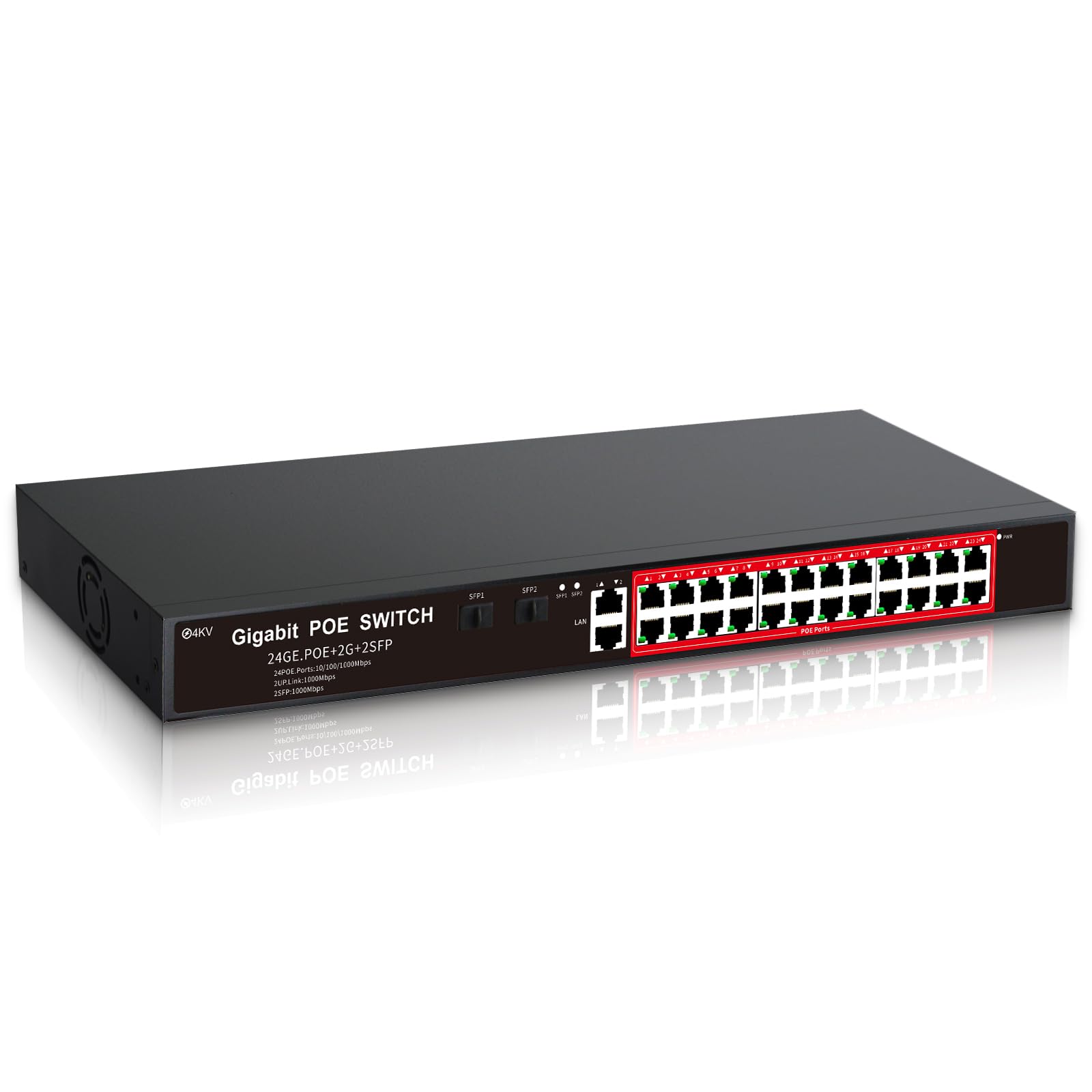
The STEAMEMO delivers a compelling blend of managed features and a substantial 360W total PoE budget at a price that undercuts most competitors. Each of the 24 PoE+ ports can deliver up to 30W, which is enough to drive modern PTZ cameras or Wi-Fi 6 access points. The 2 Gigabit uplink ports and 2 SFP slots provide flexible trunking options without bottlenecking traffic.
Management is handled through a web interface or a dedicated app, giving you granular control over VLAN segmentation, QoS priority queuing, and port mirroring for diagnostics. The built-in surge protection rated at 4KV adds peace of mind for outdoor camera runs. One customer noted a minor issue with a noisy fan, but the metal chassis and rackmount kit make this a solid fit for a structured wiring closet.
Be aware that this switch does not support 24V passive PoE, so it will only work with 802.3af/at compliant devices. One user reported damage to a dual-voltage access point that was mistakenly connected. For the price, the feature set makes this the smartest pick for a mid-size network that needs traffic segmentation without breaking the bank.
Why it’s great
- Managed VLAN and QoS at an entry-level managed price
- 360W total power budget supports high-density camera deployments
- 4KV surge protection for outdoor device reliability
Good to know
- No 24V passive PoE support — check device compatibility
- Internal fan can be audible in quiet environments
2. TP-Link Omada ES228GMP
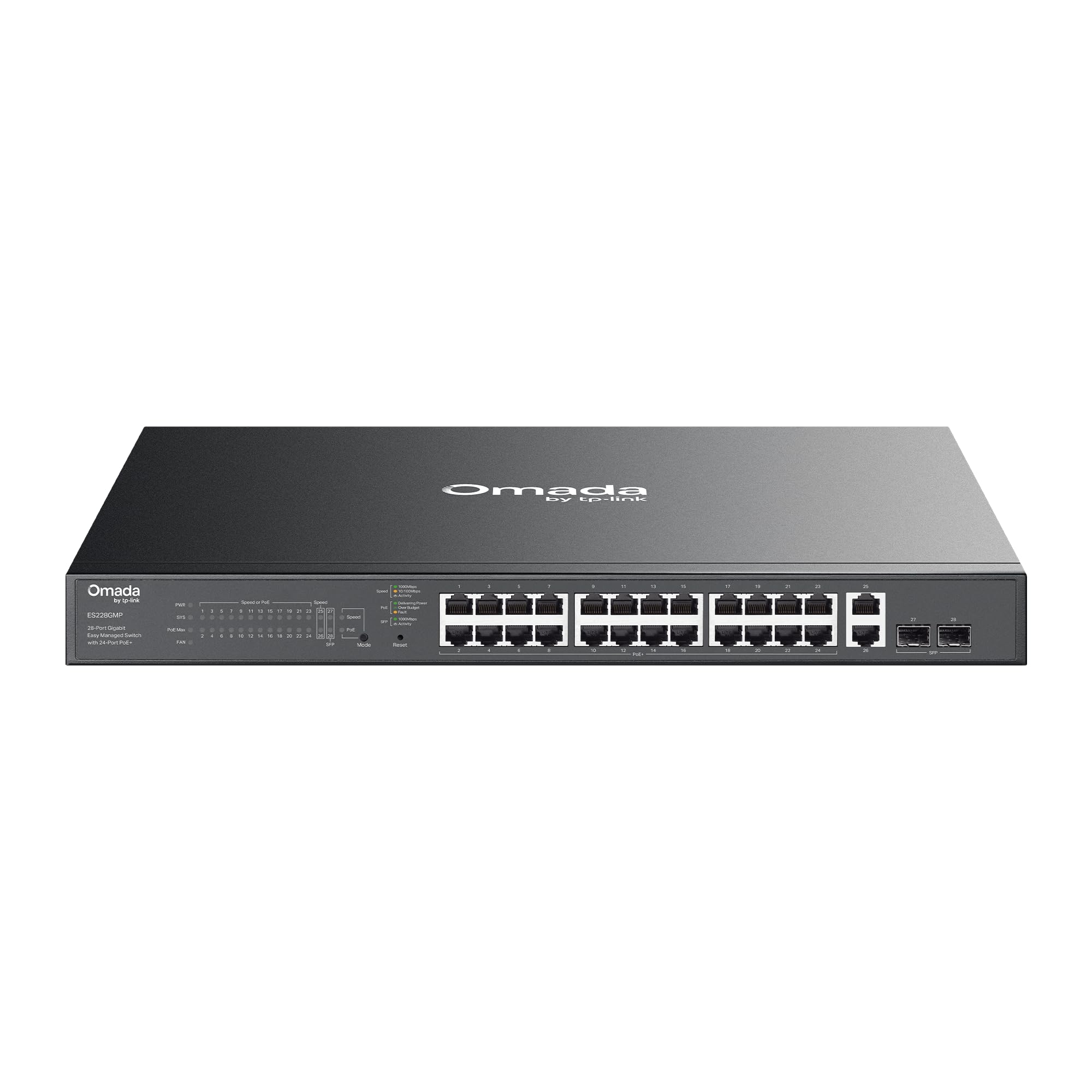
The TP-Link Omada ES228GMP is the latest easy-managed switch in the Omada ecosystem, packing a massive 384W total PoE budget into a fanless metal chassis. That power is enough to run twelve 30W PoE+ cameras or access points simultaneously. The 24 PoE+ ports are all 802.3af/at compliant, and the switch includes 2 additional uplink ports for a total of 26 Gigabit RJ45 connections.
Centralized cloud management through the Omada app or web controller is the primary draw, with features like automatic loop prevention, IGMP snooping for multicast traffic, and per-port VLAN tagging. Customer reports confirm it powers EAP610 access points and multiple Raspberry Pis without issues. One user noted the absence of spanning tree protocol and detailed logging, but for most small-to-mid-size networks the core features cover all needs.
The fanless design is genuinely silent, making it ideal for open-plan offices or home offices where noise matters. Rackmount brackets are included, and the metal casing dissipates heat effectively through passive convection. If you are already invested in the Omada ecosystem — or planning to build one — this switch integrates seamlessly.
Why it’s great
- 384W total budget in a fanless, silent chassis
- Cloud-managed through Omada SDN with zero monthly fees
- Automatic loop prevention and VLAN tagging
Good to know
- Lacks spanning tree protocol and logging features
- No SFP ports for fiber uplinks
3. TP-Link Omada SG2428P
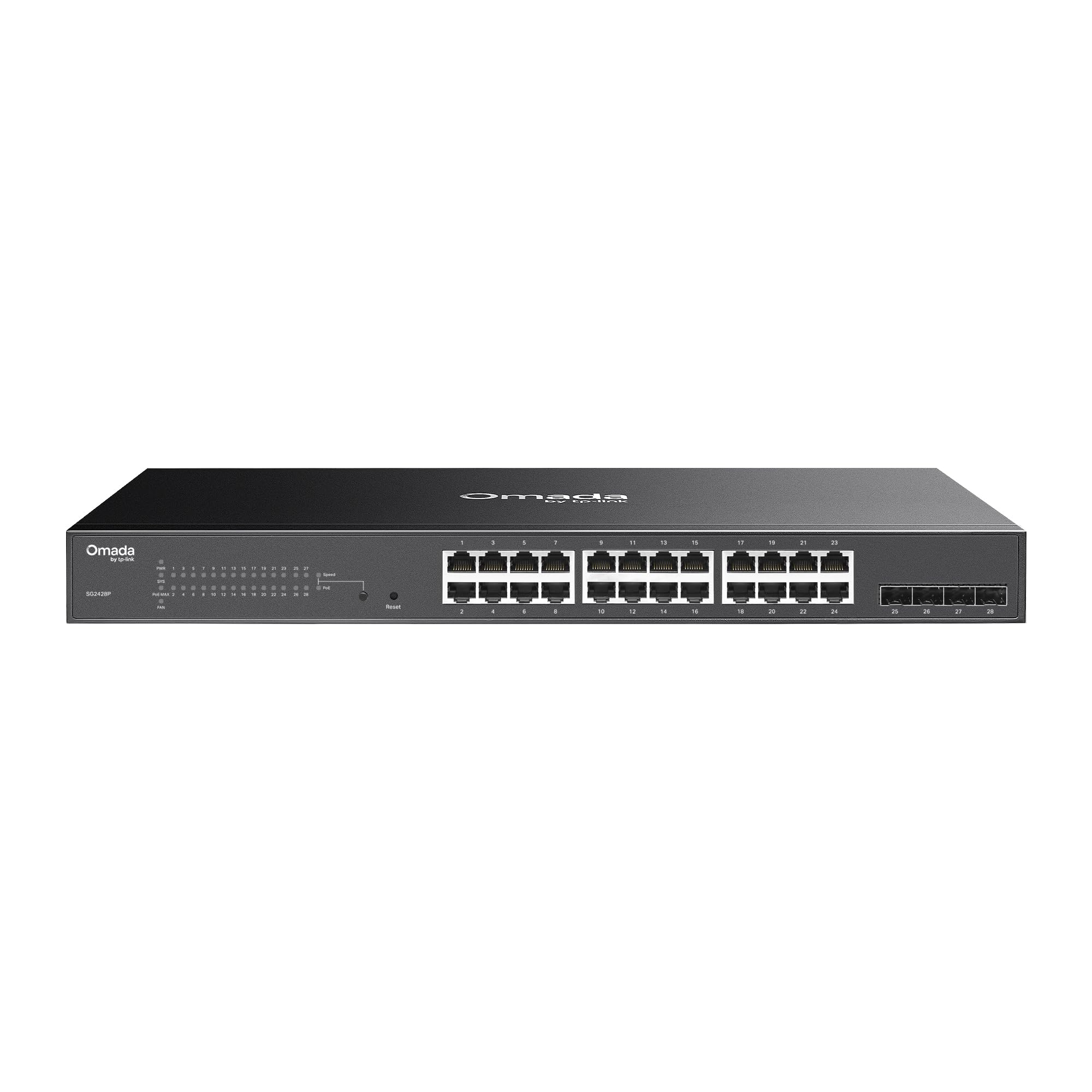
The SG2428P is TP-Link’s feature-rich smart managed switch, offering 24 PoE+ ports with a 250W total budget plus 4 dedicated Gigabit SFP slots for high-speed fiber uplinks. The power budget is lower than some competitors, but the switch compensates with L2+ features like static routing, Link Aggregation, DHCP Snooping, and 802.1X authentication. It integrates fully into the Omada SDN for centralized control from a single dashboard.
Real-world feedback confirms it powers PoE cameras and EAP-series access points flawlessly. The switch supports PoE Recovery, which automatically reboots a powered device that becomes unresponsive — a critical feature for remote camera deployments. One customer praised the shallow 8-inch depth that fits easily into small wall-mount racks. The fans are audible at boot but settle to a moderate hum during normal operation.
This is the right switch for advanced users who need VLAN segmentation, multicast optimization, and fiber connectivity. The 5-year warranty is industry-leading and provides confidence for long-term deployments. The lower wattage budget means you should calculate your total power draw before filling all 24 ports with high-consumption devices.
Why it’s great
- Full L2+ management with static routing and DHCP Snooping
- 4 SFP slots for fiber uplinks to a core switch
- PoE Recovery automatically reboots stuck devices
Good to know
- 250W budget is lower than some cheaper alternatives
- Fans produce moderate noise, not suitable for silent rooms
4. TRENDnet TPE-TG240g

The TRENDnet TPE-TG240g is a workhorse unmanaged switch built for government and enterprise environments where NDAA and TAA compliance is mandatory. With 24 PoE+ ports delivering a 370W total budget — up to 30W per port — the switch handles high-density camera banks without breaking a sweat. The 48Gbps switching capacity and Jumbo Frame support up to 10KB keep data flowing smoothly even under full load.
A DIP switch on the front panel enables long-range PoE mode on ports 1-8, extending the signal distance up to 250 meters at 10Mbps, which is ideal for perimeter cameras. Port isolation mode on ports 1-23 prevents inter-port traffic, reducing broadcast storms. The PD Alive Alert feature automatically checks whether connected devices are still responsive, similar to PoE Recovery on managed switches.
The primary drawback is the fan noise — multiple users report it is loud enough to be noticeable. This is expected in a rackmount data-center design, but it limits placement options to a wiring closet. The metal chassis and lifetime warranty (U.S. and Canada) provide long-term value. The TRENDnet is a solid choice if compliance paperwork is required or if you need a zero-configuration high-power switch for a surveillance system.
Why it’s great
- NDAA and TAA compliant for government contracts
- 370W budget with 250-meter long-range PoE mode
- PD Alive Alert checks device status automatically
Good to know
- Fans are loud — not suitable for quiet office spaces
- Unmanaged only, no VLAN or QoS configuration
5. MokerLink 26-Port Gigabit PoE Switch

The MokerLink 26-Port switch is a pure unmanaged unit that prioritizes silent operation and simplicity. The fanless design uses dual-side cooling holes to dissipate heat without any moving parts, making it the quietest option in this roundup. The 300W total PoE budget supports up to ten 30W devices, and the 52Gbps switching capacity handles full Gigabit throughput across all ports simultaneously.
Ports 1-8 feature QoS priority for data forwarding, while ports 17-24 support Extend mode for 250-meter transmission at 10Mbps. A one-key VLAN button isolates ports 1-24 from each other, with communication only allowed through the two SFP uplink ports. This is a handy feature for segmenting camera traffic without requiring a managed interface. Customers report flawless operation running 10 PoE cameras and multiple access points for months.
The key limitation is that it does not supply power to 24V passive PoE devices, and the unmanaged nature means you cannot configure per-port bandwidth limits or detailed VLANs. For a home lab or small business that just needs reliable, quiet PoE delivery, the MokerLink delivers excellent value without the complexity of enterprise-grade management.
Why it’s great
- Completely silent fanless operation
- One-Key VLAN isolates ports for camera security
- Reliable performance under continuous 24/7 load
Good to know
- No per-port power or bandwidth configuration
- Does not support 24V passive PoE devices
6. AUMOX PRO SG528P

The AUMOX PRO SG528P stands out for its massive 400W total PoE budget — the highest in this lineup — allowing you to power thirteen 30W PoE+ devices simultaneously. The unmanaged switch includes 24 PoE+ ports, 2 Gigabit uplink ports, and 2 SFP slots, all housed in a rugged metal chassis. Built-in industrial-grade fans provide active cooling to keep the high-power supply stable under sustained load.
A one-key VLAN button isolates ports 1-24, with communication only possible through ports 25-26, effectively preventing broadcast storms in camera deployments. The switch comes with rackmount brackets, wall-mount options, and a desktop form factor. Customer reviews highlight the plug-and-play simplicity and the ability to pass full 1 Gbps throughput without negotiation issues, though one user reported a defective unit that introduced network problems.
The active fans are necessary to cool the 400W power supply, so this is not a switch for a silent environment. The unmanaged nature limits configuration to the hardware VLAN button. For budget-conscious buyers who need the absolute highest PoE capacity for a dense camera installation, the AUMOX PRO delivers the most watts per dollar.
Why it’s great
- Highest PoE budget at 400W in this comparison
- One-Key VLAN with hardware isolation for cameras
- Industrial fans prevent thermal throttling under max load
Good to know
- Fan noise is noticeable and continuous
- Quality control can be inconsistent between units
FAQ
Can a 24V PoE switch power devices that require 48V PoE?
What does the total PoE budget number actually mean for my installation?
Final Thoughts: The Verdict
For most users, the best 24v poe switch winner is the STEAMEMO 24-Port Managed because it delivers enterprise-grade VLAN management and a 360W budget at a fraction of the price of established brands. If you want a completely silent switch that integrates with the Omada cloud ecosystem, grab the TP-Link Omada ES228GMP. And for high-density camera installations that need the maximum possible power budget, nothing beats the AUMOX PRO SG528P.