
A 24GB GPU isn’t just a luxury for 8K gaming — it’s a mandatory tool for local AI model inference, 3D rendering, and running massive VR worlds without your frame rate tanking. But the market is split between two architectures and three generations of cards, and the wrong choice can mean silent driver issues, hot memory junctions, or a dead card in six months.
I’m Min — the co-founder and writer behind Gadgets Feed. I spend my days analyzing VRAM bandwidth, core counts, and thermal design across the entire GPU stack to separate the genuine workhorses from the overpriced space heaters.
After cross-referencing real user experiences and technical specs from both the RX 7900 XTX and the RTX 3090/4090 camps, this guide delivers the definitive verdict on the best 24gb gpu for gaming, creation, and AI workloads in 2025.
How To Choose The Best 24GB GPU
With only a handful of GPUs offering 24GB of VRAM, your choice comes down to three architectures: AMD RDNA 3 (RX 7900 XTX), NVIDIA Ampere (RTX 3090), and NVIDIA Ada Lovelace (RTX 4090). Each has a distinct power profile, feature set, and thermal behavior that directly affects longevity and performance in your specific workload.
Architecture and Feature Set
AMD’s RDNA 3 architecture excels in pure rasterization performance at a lower price, but its ray tracing capabilities still trail NVIDIA’s. The RTX 4090’s Ada Lovelace architecture introduces DLSS 3 Frame Generation and AV1 encoding, making it the clear winner for path-traced games and productivity workflows. The older Ampere-based RTX 3090 lacks these features but remains a viable option if you find it at a steep discount.
Memory Type and Thermal Management
The 24GB GDDR6X memory on the RTX 3090 and RTX 4090 runs significantly hotter than the GDDR6 memory on the RX 7900 XTX. Many RTX 3090 users report memory junction temperatures hitting 105°C, leading to thermal throttling or requiring a repaste. The RX 7900 XTX’s GDDR6 runs cooler overall, but some units suffer from pump-out of thermal paste on the hotspot. Consider the thermal solution — triple-slot designs with vapor chambers generally outperform slimmer coolers.
AI and CUDA Workloads
If your primary use is running local large language models (LLMs) or using CUDA-accelerated applications, an NVIDIA card is essentially mandatory. AMD’s ROCm stack has improved but still lags in compatibility and performance for deep learning frameworks. The RTX 4090 offers the highest compute density with 16384 CUDA cores, while the RTX 3090’s 10496 CUDA cores are still very capable for model inference and training.
Quick Comparison
On smaller screens, swipe sideways to see the full table.
| Model | Category | Best For | Key Spec | Amazon |
|---|---|---|---|---|
| GIGABYTE RTX 4090 Gaming OC | Premium | Ultimate Gaming & AI | Core 2535 MHz, 16384 CUDA | Amazon |
| ASUS ROG Strix RTX 3090 OC | Premium | High-End Gaming & 3D | 2.9-slot, 19.5 Gbps Memory | Amazon |
| MSI RTX 3090 Gaming X Trio | Premium | Quiet 4K Gaming | Tri-Frozr 2, Copper Backplate | Amazon |
| EVGA RTX 3090 FTW3 Ultra | Premium | Enthusiast Overclocking | iCX3, 1800 MHz Boost | Amazon |
| NVIDIA RTX 3090 Founders Edition | Premium | Compact 24GB Card | 12.3″ Length, Dual Slot | Amazon |
| PNY RTX 3090 XLR8 Gaming | Mid-Range | ML & Large Models | 10496 CUDA, 936 GB/s BW | Amazon |
| XFX Speedster MERC310 RX 7900 XTX | Mid-Range | Best Value 4K Gaming | Boost 2615 MHz, RDNA 3 | Amazon |
| Sapphire Pulse RX 7900 XTX | Mid-Range | Compact & Quiet Build | 2.7 Slot, 2525 MHz Boost | Amazon |
| VIPERA RTX 4090 Founders Edition | Premium | Ultimate Creator & AI Rig | 2520 MHz Boost, Ada Lovelace | Amazon |
In‑Depth Reviews
1. GIGABYTE GeForce RTX 4090 Gaming OC 24GB
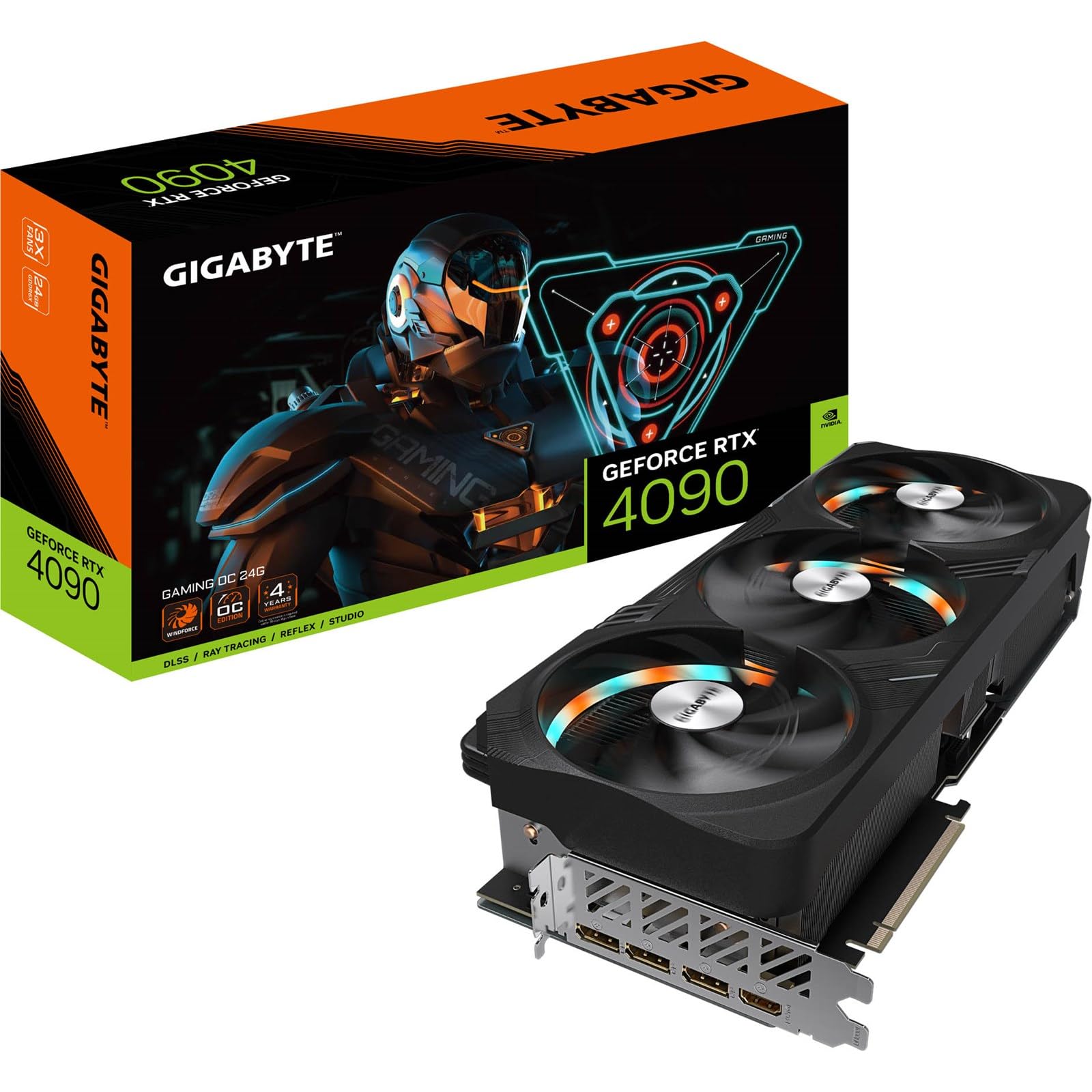
The RTX 4090 represents the absolute peak of consumer GPU performance, and GIGABYTE’s Gaming OC variant delivers the full 16384 CUDA core count with a 2535 MHz boost clock. This card annihilates 4K path-traced titles like Cyberpunk 2077 at over 100 FPS with DLSS 3 Frame Generation enabled, making every other 24GB card feel like a generation behind. The 24GB of GDDR6X memory operates on a 384-bit bus providing 1008 GB/s of bandwidth, enough to load massive 3D scenes or run 70B parameter LLMs locally without hitting memory limits.
The Windforce 3x cooling system with a vapor chamber and three 110mm fans keeps the GPU core under 65°C during sustained gaming loads, though the card is massive at 340mm long. The bundled anti-sag bracket is necessary, and you must account for an extra 30-35mm of clearance beyond the card length for the power adapter. The RGB lighting suffers from a constant strobe effect that cannot be disabled independently of the fans, a minor aesthetic annoyance for an otherwise flawless performer.
For AI workloads, this card is unmatched within the consumer space. Running models like Llama 2 70B with 4-bit quantization is fully feasible, and rendering tasks in Blender or DaVinci Resolve finish in a fraction of the time compared to the RTX 3090. The inclusion of AV1 encoding and dual NVENC encoders makes it a streamer’s dream as well.
Why it’s great
- Unrivaled 4K/8K gaming and rendering performance
- DLSS 3 Frame Generation provides massive FPS uplift
- Excellent thermal performance under heavy loads
Good to know
- Extremely large; requires 375mm+ case clearance
- RGB strobing issue with fan spin cannot be disabled
- Premium tier pricing far exceeds mid-range options
2. ASUS ROG Strix NVIDIA GeForce RTX 3090 24GB OC Edition

The ROG Strix RTX 3090 OC is the flagship of the Ampere generation, featuring a massive 2.9-slot heatsink and an Axial-tech fan design with a reversed central fan for reduced turbulence. Its 19.5 Gbps memory speed and 384-bit bus deliver the same 936 GB/s bandwidth as the Founders Edition, but the Strix’s Super Alloy Power II components and high-current power stages allow for more stable overclocking headroom. Users consistently hit 70-80°C under Cyberpunk 2077 load, with fans at 100% dropping core temps to 68°C.
This card is exceptionally well-built, lacking the coil whine that plagues many other 3090s. The full metal backplate and included ROG ruler and velcro straps add to the premium unboxing experience. However, the card measures 16 inches in length, making it one of the longest RTX 3090s on the market, and requires a spacious case with at least 850W PSU recommended. The dual-BIOS feature (Performance and Quiet modes) is a nice touch for adjusting thermal profiles.
For 3D rendering and VRAM-heavy tasks, the 24GB GDDR6X buffer opens up massive scenes in Blender and Fusion360 that would crash an 8GB card. The 2nd gen RT cores offer a noticeable improvement in ray tracing over the 3080, though it still trails the 4090 by a significant margin. At its original MSRP it offered phenomenal value, even if current pricing has inflated.
Why it’s great
- Superior build quality with no coil whine reported
- Excellent thermal headroom with dual-BIOS profile
- High memory bandwidth for VRAM-intensive 3D work
Good to know
- Very long card at 16 inches, limits case compatibility
- Fans can be loud under heavy gaming load
- Premium pricing, often above RTX 3090 Founders Edition
3. MSI Gaming GeForce RTX 3090 Gaming X Trio 24G
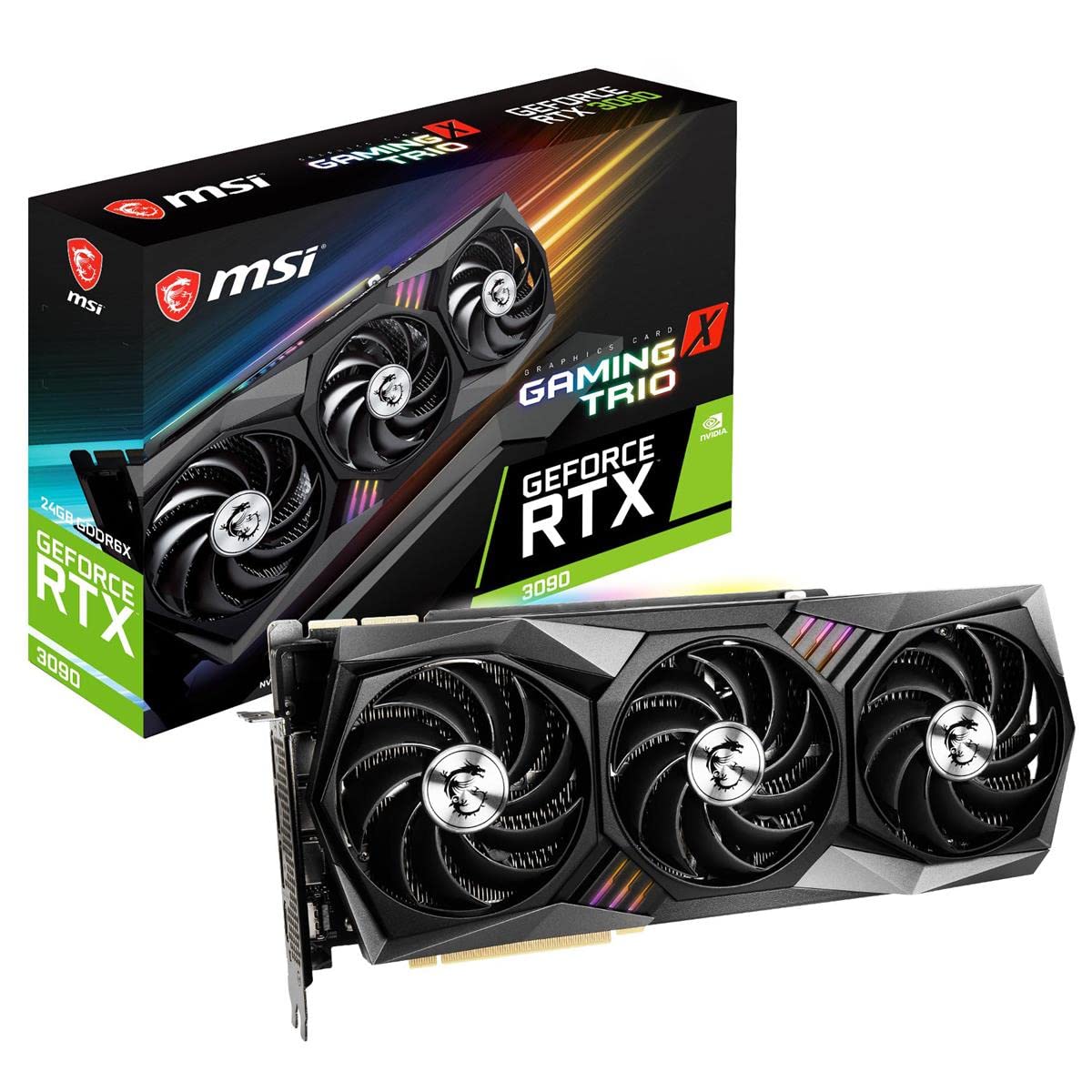
The MSI Gaming X Trio is widely regarded as one of the quietest RTX 3090s available, thanks to its Tri-Frozr 2 thermal design featuring three Torx 4.0 fans that disperse heat efficiently without generating excessive noise. The copper pipes extended to the backplate actively cool the GDDR6X memory modules — a critical design choice given the 105°C memory junction temperatures that plague many other RTX 3090s. Under load, the card runs at 62°C with the fans barely audible, a stark contrast to the jet-engine sound of some competitors.
At 323mm in length and 2.7 slots thick, this card can fit in larger mini-ITX cases like the Sliger SM580, making it more versatile than the bulkier ROG Strix or EVGA FTW3. The included support brace is unfortunately flimsy and bends under the card’s weight, so you should plan for a third-party GPU support bracket. The rear exhaust method vents hot air into the case rather than out the back, which can raise CPU temperatures if your case airflow isn’t well-managed.
Gaming performance is exceptional for the Ampere architecture: Microsoft Flight Simulator runs at highest settings with smooth frame rates, and modern AAA titles at 4K/60 are well within reach. The 10496 CUDA cores handle Blender rendering and video encoding with ease. Some users experienced a rapid price drop after the RTX 4000 series launch, which makes buying used a risky proposition if you don’t secure a competitive price.
Why it’s great
- Exceptionally quiet operation even under full load
- Copper backplate cooling keeps GDDR6X temps in check
- Compact enough for large ITX builds
Good to know
- Included support brace is weak and ineffective
- Hot air exhausts into case, potentially heating CPU
- Price volatility makes timing the purchase tricky
4. EVGA GeForce RTX 3090 FTW3 Ultra Gaming 24GB

EVGA’s FTW3 Ultra is the enthusiast’s choice for a reason: the iCX3 technology employs nine thermal sensors across the PCB to monitor and control cooling with surgical precision, while the all-metal backplate and adjustable ARGB provide a premium aesthetic. The real boost clock hits 1800 MHz, and the card can sustain that frequency well thanks to its triple HDB fan design. However, this card is infamous for its extreme heat output — multiple users report top memory chips reaching 105°C and thermal throttling, requiring either aggressive fan curves or a full water block with an active backplate to stabilize at 70°C.
The card demands significant power infrastructure: it requires three 8-pin PCIe power connectors and EVGA recommends a minimum 750W PSU, though 1000W+ is more realistic for stable overclocking. Under load, the card draws up to 390W and acts as a space heater in the room. The default fan curve is overly passive, allowing the card to hit 90°C before ramping up, so modifying the curve in Precision X1 is essential to keep temperatures in the mid-70s during 4K gaming.
When properly cooled, the performance is outstanding. Games like Escape From Tarkov run at 100+ FPS at 4K, and the 24GB VRAM buffer prevents any stuttering in modded Skyrim or massive rendering scenes. The dual-BIOS feature and PWM/ARGB connectors add flexibility. EVGA’s legendary customer service is a notable advantage, though support has shifted focus since EVGA exited the GPU market.
Why it’s great
- iCX3 thermal sensor array enables precise fan control
- Dual-BIOS and ARGB connectors for customization
- Excellent 4K gaming performance when cooled correctly
Good to know
- GDDR6X memory runs extremely hot; water cooling advised
- Requires 3×8-pin power and 1000W+ PSU
- Default fan curve allows throttling; must be adjusted
5. NVIDIA GeForce RTX 3090 Founders Edition 24GB

NVIDIA’s own Founders Edition of the RTX 3090 is the most compact 24GB card in this lineup, measuring just 12.3 inches long and fitting in a true dual-slot form factor. This makes it the best option for small-form-factor builds where space is at a premium, while still delivering the full 10496 CUDA cores and 24GB of GDDR6X memory. The push-pull fan design exhausts hot air out the rear of the case, keeping internal temperatures lower than open-air coolers that recirculate hot air.
Performance is identical to any other RTX 3090 at stock settings — 85-90 FPS in Cyberpunk 2077 at 1440p ultra with ray tracing, and real-time 6K editing in DaVinci Resolve with multiple color nodes without dropping frames. For content creators, the Founders Edition renders a 20-minute CPU-bound task in just 4 minutes, representing a transformative upgrade from previous-generation cards. However, the card runs hotter than its AIB counterparts due to its smaller heatsink, with some users reporting temps hitting higher than expected even at stock settings.
The build quality is excellent, but buying concerns are the biggest issue here. Multiple reports indicate that units sold by third-party vendors on Amazon may be used or abused mining cards repackaged without the manufacturer seal. If you buy from a non-official seller, run benchmarks immediately and check memory junction temperatures — a card hitting 110°C and self-throttling is a red flag for prior mining use. The official warranty support from NVIDIA has also been opaque in some regions.
Why it’s great
- Only true dual-slot 24GB card for compact builds
- Outstanding rendering and video editing performance
- Exhaust design keeps internal case temps lower
Good to know
- Higher operating temps due to compact cooling solution
- High risk of receiving used/abused mining units from 3rd parties
- Limited official warranty support in some regions
6. XFX Speedster MERC310 AMD Radeon RX 7900 XTX 24GB

The XFX Speedster MERC310 RX 7900 XTX is the most compelling value proposition among all 24GB GPUs, offering raw rasterization performance that often surpasses the RTX 4080 at a significantly lower price. With a boost clock of up to 2615 MHz and AMD’s RDNA 3 architecture, this card delivers 70-100 FPS in Battlefield 2042 at 4K and 170+ FPS in CS2 at the same resolution. The 24GB of GDDR6 memory operates on a 384-bit bus with Infinity Cache, providing ample bandwidth for high-resolution textures without the thermal penalties of GDDR6X.
The triple-fan MERC XFX cooling solution runs exceptionally cool, often staying under 60% utilization and 60°C during gaming sessions, with a typical 390W draw. AV1 encoding support is present, and the AMD Software suite offers a clean interface with useful features like Radeon Chill for power saving. The card supports DisplayPort 2.1, a feature that future-proofs it for upcoming high-refresh-rate 8K monitors — something even the RTX 4090 lacks.
Ray tracing performance is improved over RDNA 2 but still noticeably behind NVIDIA’s offerings. In titles with heavy path tracing like Cyberpunk 2077, expect RT performance closer to an RTX 3080 than a 4090. Some users experienced a hotspot of 105°C after a month of use due to thermal paste pump-out, though this is fixable with a PTM7950 phase-change pad repaste. A few isolated reports of complete card failure after 6 months mention poor XFX customer service, including no phone support and cross-shipping requirements, so buying from a retailer with a good return policy is wise.
Why it’s great
- Best price-to-4K-rasterization ratio of any 24GB GPU
- Runs cool and quiet with high boost clock speeds
- DisplayPort 2.1 support for next-gen monitors
Good to know
- Ray tracing performance trails NVIDIA considerably
- Hotspot pump-out issue may require repaste over time
- XFX customer support is difficult to reach and limited
7. Sapphire Pulse AMD Radeon RX 7900 XTX 24GB

The Sapphire Pulse RX 7900 XTX is the compact alternative to the XFX MERC310, fitting into tighter cases with its 313mm length and 2.7-slot design while still packing the full RDNA 3 24GB VRAM configuration. Its game clock of 2330 MHz and boost up to 2525 MHz ensure strong 4K gaming performance, and the dual HDMI 2.1 plus dual DisplayPort 2.1 outputs provide excellent multi-monitor flexibility. The card runs very cool under load, with users reporting a maximum of 62°C at full load and 360W draw with spikes to 400W, requiring a 1000W PSU for headroom.
For VR gaming, this card is a revelation, handling 80-player VRChat instances with full body tracking at smooth frame rates where lower VRAM cards would completely drop out. The 24GB buffer allows for massive modded worlds without stuttering. The card is also exceptionally quiet, making it a strong choice for content creators who need a powerful GPU that doesn’t disrupt recording audio. However, some users report high idle power draw when running multiple monitors, which can dent power efficiency in desktop use.
The Sapphire Pulse is not designed for overclocking — it lacks the enhanced VRM and larger heatsink of the Nitro+ variant, but its stock performance is already strong enough for 3440×1440 gaming and 3D work. If you need a 24GB GPU for a smaller build and don’t care about overclocking headroom or maximum ray tracing performance, this is an excellent choice. Unlike the XFX model, Sapphire offers better overall customer support in most regions.
Why it’s great
- Compact 2.7-slot design fits smaller cases well
- Excellent cooling and quiet operation under load
- Dual HDMI and DP 2.1 outputs for flexible setups
Good to know
- Idle power draw higher with multiple monitors attached
- Not suitable for eGPU enclosures (poor performance)
- Ray tracing still behind NVIDIA equivalent tier
8. PNY GeForce RTX 3090 24GB XLR8 Gaming Revel Epic-X RGB

The PNY XLR8 Gaming RTX 3090 is often the most affordable entry point into 24GB NVIDIA territory, making it a budget-friendly option for users who need CUDA acceleration and high VRAM capacity without paying the RTX 4090 premium. With 10496 CUDA cores, a 1695 MHz boost clock, and 936 GB/s of memory bandwidth, this card handles GPT-2 XL training and 3440×1440 maximum-settings gaming without breaking a sweat. The triple-fan design keeps the core reasonably cool during sustained loads.
Where this card stumbles is in the RGB implementation — the XLR8 Gaming EPIC-X model ships with RGB lighting that is fixed in rainbow mode, and the PNY Velocity-X software does not support controlling the LEDs, much to the chagrin of users who want a clean dark build. The card is also very large and requires a support bracket to prevent PCIe sag. Some users report that the GDDR6X memory on the backplate runs extremely hot, reaching 54°C even in a cold room, so ensure your case has good airflow across the back of the PCB.
Durability is a concern based on user reports: one card failed completely after 4 months with the RMA process requiring the user to pay for shipping with no estimated turnaround time. Overclocking headroom is limited, as the card becomes unstable beyond a +40 core clock offset. If you can find this card at a steep discount, it’s a solid 24GB workhorse for AI and rendering, but the PNY customer support experience may sour the deal if something goes wrong.
Why it’s great
- Most budget-friendly entry into 24GB NVIDIA cards
- Capable of machine learning training with 24GB VRAM
- Good 4K gaming performance at high settings
Good to know
- RGB lighting stuck in rainbow mode; software can’t control it
- Reported durability issues with early failures
- RMA process requires customer-paid shipping and long waits
9. VIPERA NVIDIA GeForce RTX 4090 Founders Edition 24GB

The VIPERA listing offers the NVIDIA RTX 4090 Founders Edition — the absolute pinnacle of consumer graphics with an Ada Lovelace GPU that boosts to 2520 MHz and packs 16384 CUDA cores with 24GB of GDDR6X memory on a 384-bit bus. This card is in a class of its own for AI workloads, running large language models like Qwen 3.6 with room to spare and delivering real-time ComfyUI stable diffusion generations in seconds. In gaming, it achieves 144+ FPS at 4K ultra in almost every title, making it the only GPU capable of properly driving high-refresh-rate 4K displays.
The Founders Edition design is famously well-built with a dual-axial flow-through cooler that keeps the card relatively compact at 11.97 inches. Users consistently report quiet operation and easy installation. The card supports DLSS 3, AV1 encoding, and dual NVENC encoders, making it the definitive creator’s card. Some buyers note that Amazon pricing on this listing is significantly higher than market rate, so it pays to shop around for the 4090 FE from other retailers.
For professional users running Blender and Unreal Engine 5.4, the 4090 FE delivers a massive leap over the RTX 3090, rendering scenes in a quarter of the time. The card handles three low-quality monitors without breaking a sweat and drives 8K resolutions at reasonable frame rates. Buyer beware: at this premium tier, any defect is costly, and some Amazon sellers have been known to ship incorrect cards, so verify immediately upon receipt.
Why it’s great
- Ultimate compute and gaming performance in any consumer card
- Compact 12-inch Founders Edition design fits most ATX cases
- DLSS 3 and AV1 encoding for future-proofed workflows
Good to know
- Amazon pricing is often inflated above MSRP
- Buyer must carefully verify correct card upon delivery
- Overkill for anything below 4K ultra or light workloads
FAQ
Is 24GB of VRAM worth it for 4K gaming?
Can I run local AI models on a 24GB GPU?
Why does the GDDR6X memory on RTX 3090s get so hot?
Should I buy an RTX 3090 in 2025 or pay more for an RTX 4090?
What power supply do I need for a 24GB GPU?
Final Thoughts: The Verdict
For most users, the best 24gb gpu winner is the GIGABYTE RTX 4090 Gaming OC because it delivers unmatched performance across gaming, AI, and content creation with proper thermal management. If you want the best raw rasterization value without paying the NVIDIA premium, grab the XFX Speedster MERC310 RX 7900 XTX. And for a compact CUDA workhorse that still handles heavy 3D and machine learning workloads, nothing beats the MSI RTX 3090 Gaming X Trio for the price.