
Balancing four monitors on a single pole without sag, wobble, or frustration is the central engineering challenge of any quad mount. A flimsy stand turns a productivity powerhouse into a daily headache of misaligned screens and creeping tilt that steals your focus. The right mount locks everything in place, reclaims your desk surface, and lets you arrange your displays exactly how your workflow demands.
I’m Min — the co-founder and writer behind Gadgets Feed. I’ve spent countless hours analyzing weight ratings, arm geometry, and desk compatibility across dozens of quad monitor mounts to separate the genuinely stable solutions from the ones that look good on a spec sheet but sag under real loads.
After comparing seven dedicated models on load capacity, adjustment range, build materials, and real-world assembly feedback, this guide cuts through the noise to help you find the right 4th monitor mount for your exact desk and monitor setup.
How To Choose The Best 4th Monitor Mount
Selecting a quad monitor mount requires balancing weight loads, desk depth, and adjustment freedom. Unlike single or dual mounts, a four-screen setup multiplies every stress point, so paying attention to a few critical factors separates a rock-solid workstation from a frustrating compromise.
Weight Capacity Per Arm vs. Total Load
Ignore total weight ratings. The meaningful number is the maximum per-arm capacity. A mount that claims 88 lbs total but only supports 17.6 lbs per arm will fail if you plan to hang 25-lb ultrawides. Check each arm’s individual limit against your heaviest monitor, not the sum of all four.
Desk Attachment and Clearance
A C-clamp offers the strongest grip on desk edges up to roughly 3.5 inches thick. Grommet mounting suits desks with a pre-drilled hole, keeping the stand closer to the surface but limiting placement. The mount’s rear protrusion matters enormously — several models extend 10 inches or more behind the desk, which can push your setup too far from the wall.
Arm Reach and Independent Adjustment
Quad mounts typically arrange screens in a 3+1 or 2+2 configuration. The center arms usually offer more vertical adjustment than the outer arms. If you need precise alignment between mismatched monitor sizes, look for models where every arm tilts, swivels, and rotates independently without relying on friction alone to hold position.
Quick Comparison
On smaller screens, swipe sideways to see the full table.
| Model | Category | Best For | Key Spec | Amazon |
|---|---|---|---|---|
| VIVO STAND-V104A | Premium | Versatile 3+1 Config | 22 lbs per arm, 13–32″ | Amazon |
| Mount-It! MI-2754 | Mid-Range | Budget-Friendly Stability | 17.6 lbs per arm, 13–32″ | Amazon |
| Stand Steady MM4CLBL | Premium | Heavy-Duty Desk Setup | 17.6 lbs per arm, 17–32″ | Amazon |
| WALI M004S | Mid-Range | Max 27″ Screens | 22 lbs per arm, 13–27″ | Amazon |
| PUTORSEN B0G1YF7ZJ8 | Mid-Range | 22 lbs Per Arm Load | 19.8 lbs per arm, 17–32″ | Amazon |
| Pholiten MD18864 | Mid-Range | Gas Spring Ease | 22 lbs per arm, 13–32″ | Amazon |
| ergounion E6666 | Premium | Heavy Ultrawide Support | 25 lbs per arm, 13–40″ | Amazon |
In‑Depth Reviews
1. VIVO Quad Monitor STAND-V104A

VIVO’s STAND-V104A uses a 3+1 arm layout that allows the top monitor to angle downward naturally, bridging the gap between tiers more effectively than most quad mounts. Each arm supports up to 22 lbs and fits screens from 13 to 32 inches, giving you flexibility across mixed monitor sizes without exceeding the per-arm limit.
The heavy-duty C-clamp accommodates desks up to 3.94 inches thick, and the included grommet mount offers an alternative for desks with a cable pass-through. Several users report that the outer arms have limited lateral adjustment — less than one inch — so planning your monitor spacing before assembly is essential to avoid awkward gaps.
Assembly requires some mechanical confidence and a ratchet or hex socket set, but the steel frame and nylock nuts keep the structure stable through desk movement and even office moves. Cable clips are included, though some users supplement with Velcro straps for a cleaner look.
Why it’s great
- Top arm angles down for easy alignment with lower monitors
- 22 lbs per arm handles most 32-inch monitors comfortably
- Two mounting options fit thick and standard desks
Good to know
- Outer arms have minimal lateral play
- No printed instructions included in some units
2. Mount-It! Quad Monitor Stand MI-2754

Mount-It!’s MI-2754 takes a non-gas-piston approach that many users actually prefer over spring-loaded arms. The dual arm assemblies slide vertically on the center pole, letting you reposition whole monitor groups rather than fighting individual gas struts. Each arm tilts 45°, swivels 90°, and rotates 180° for independent fine-tuning.
The high-strength steel construction and integrated cable management keep the setup tidy, but some users report that the first elbow joint requires surprising torque to keep the outer monitors from drooping. Once tightened, the mount holds position reliably, even with 27-inch screens in a 360° workspace.
Clamp and grommet bases fit desks up to 3.5 inches thick. Given the rear arm extension, a desk depth of at least 24 inches is recommended to avoid pushing the screens too close to the wall. The mount ships with a clear guide and US-based support for troubleshooting.
Why it’s great
- Sliding pole design lets you adjust monitor groups as a unit
- No gas pistons to lose tension over time
- Cable management keeps wires hidden in the arms
Good to know
- Elbow joints need high torque to prevent sag on outer arms
- Requires a deeper desk to accommodate arm protrusion
3. Stand Steady 4 Monitor Mount MM4CLBL

Stand Steady’s heavy-duty clamp mount is built for users who prioritize a wide, seamless edge-to-edge layout over vertical stacking. The detachable VESA plates offer quick-release functionality, making monitor swaps faster than on many screw-based competitors. Each arm supports 17.6 lbs, which is adequate for most 27-inch and lighter 32-inch panels.
The mount protrudes roughly 10 inches behind the desk, so a 30-inch deep work surface is recommended to keep the screens at a comfortable viewing distance. Some users file down the metal nubs on the side arms to increase the swing range — a modification that the manufacturer does not advertise but that serious users employ for full motion.
Installation takes about 45 minutes with a tape measure and metric tools. The clamp base fits standard office desks securely, and adding a 2×4 under the desktop for load distribution is a popular workaround for desks with thinner tops.
Why it’s great
- Quick-release VESA plates simplify monitor changes
- Powder-coated steel frame feels premium and stable
- Built-in cable clips keep cords organized
Good to know
- Arm protrusion reduces usable desk depth
- Side arm motion limited without modification
4. WALI Quad Monitor Mount M004S
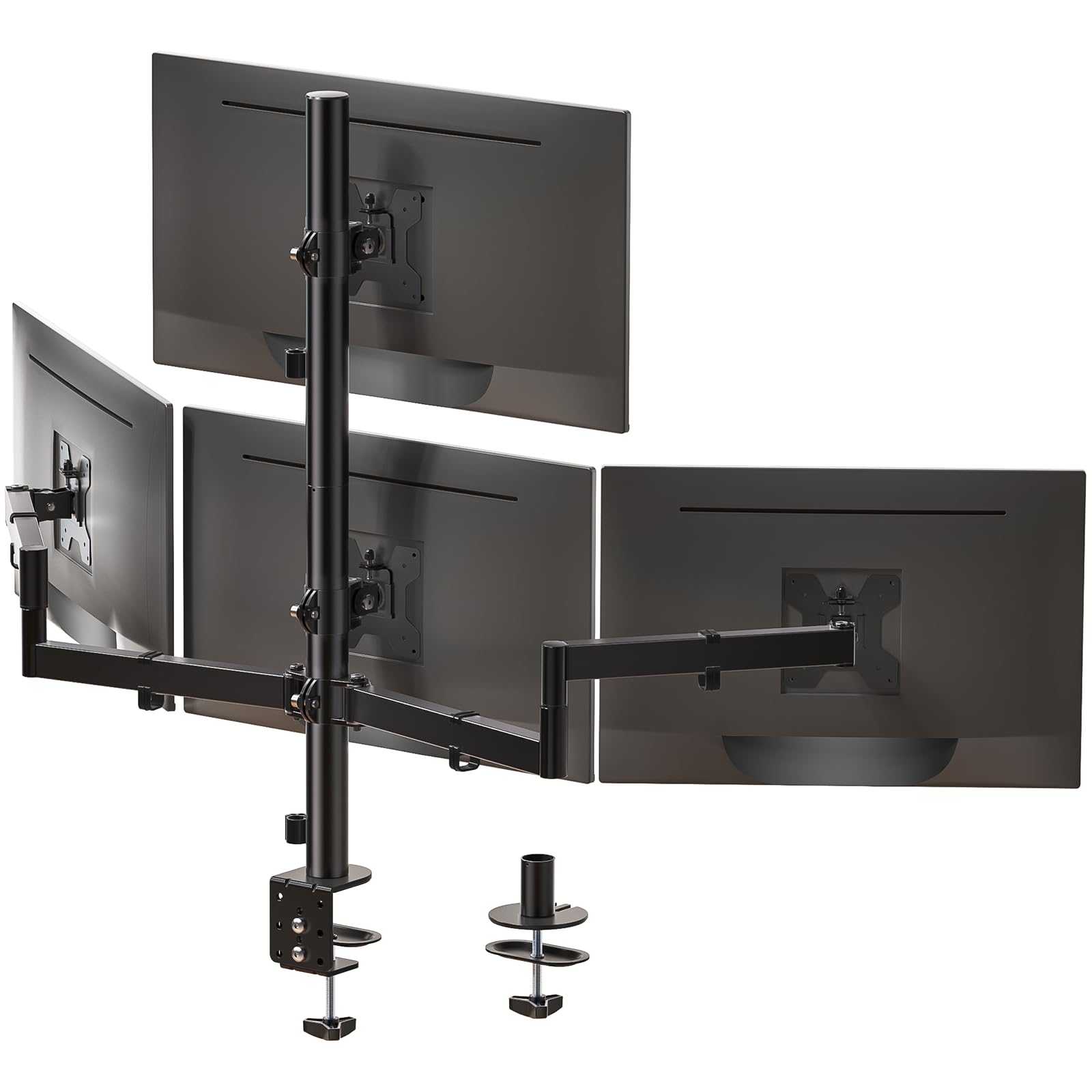
WALI’s M004S focuses on a straightforward, no-wobble design for screens up to 27 inches. The max extension reaches 51.2 inches, giving you plenty of pull-forward distance to bring screens closer during focused work. Each arm supports a generous 22 lbs, and the tilt range spans +35° to -35°, which helps with aligning mismatched bezel heights.
The C-clamp fits desks between 0.2 and 3.62 inches, while the grommet base handles 0.39 to 2.56 inches. Users note that the side monitors initially swivel downward under their own weight until the pivot bolt is tightened firmly — a quick fix that resolves with the included hex wrench.
Cable clips are integrated into the arms, and the steel frame remains stable even on automatic standing desks. Some VESA plates fit loosely on certain monitor backs, but the included spacers solve this issue. The 3-year warranty adds peace of mind at this tier.
Why it’s great
- Long arm extension brings screens closer during use
- 22 lbs per arm handles heavier 27-inch panels
- Stable on motorized standing desks
Good to know
- Side monitors sag until pivot bolts are tightened
- VESA plates may need spacers for some monitors
5. PUTORSEN Quad Monitor Mount B0G1YF7ZJ8
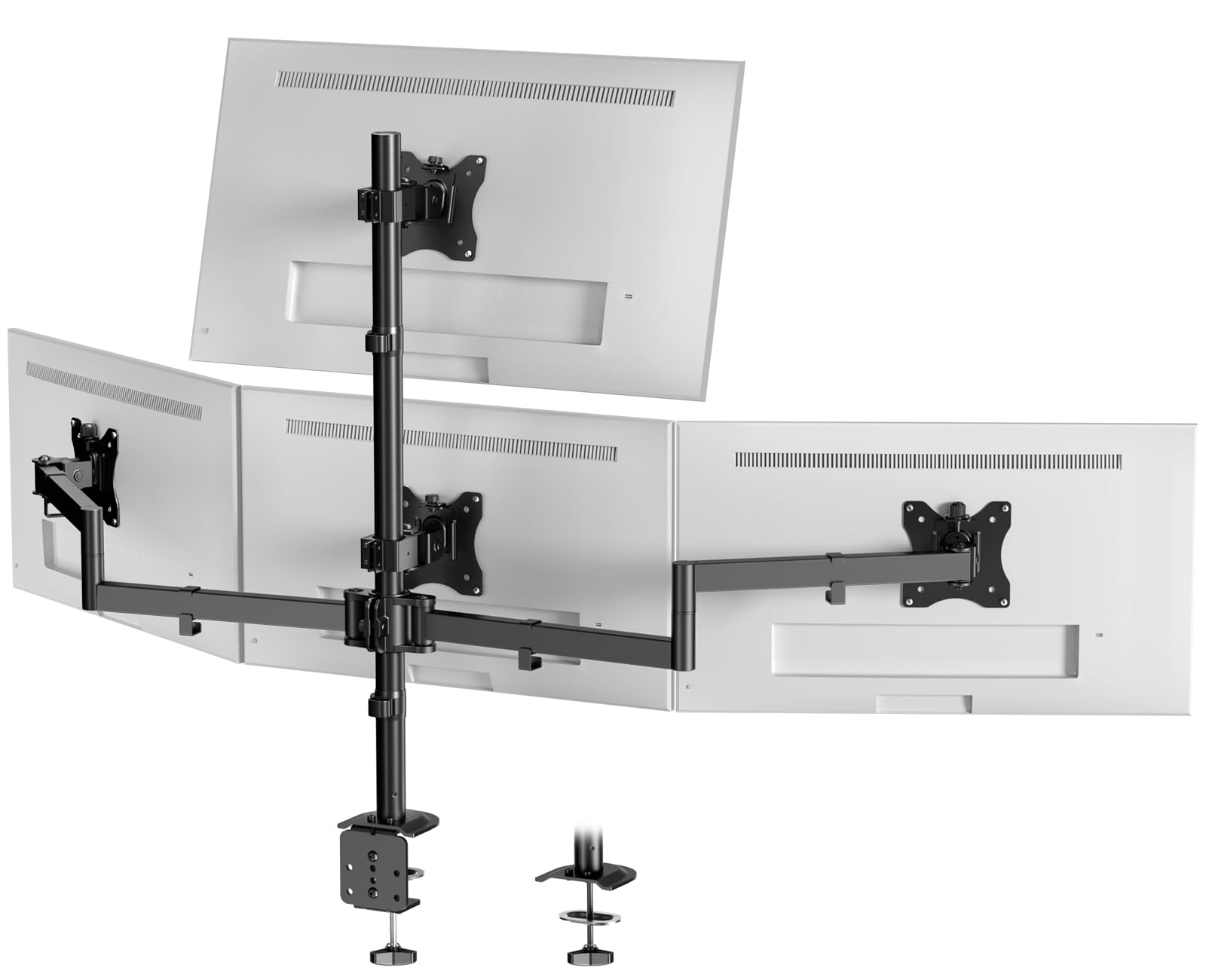
PUTORSEN’s quad mount uses a reinforced steel frame with an ABS and alloy steel enclosure, aiming for durability at a mid-range price point. The top monitor arm accepts screens up to 32 inches, while the lower three cap at 27 inches — a design that works well for a 3+1 layout where the top screen acts as a secondary display.
Each arm supports 19.8 lbs and provides 360° rotation, 35° tilt, and full swivel. Real-world users have successfully mounted four 32-inch LG IPS panels within the weight limit, though one negative review mentions significant sag on the outer monitors even with lighter screens. The clamp fits desk thicknesses from 0.39 to 3.14 inches.
Cable management requires long cables because the routing travels through the center post. Some users wish for extra included clips. The 5-year warranty is the longest of any product in this roundup, which suggests manufacturer confidence in the build.
Why it’s great
- 5-year warranty is best-in-class for this tier
- Top arm supports up to 32 inches for flexible layouts
- Independent tilt, swivel, and rotation on all arms
Good to know
- Mixed reports of outer arm sag on heavier monitors
- Needs long cables for proper routing through center post
6. Pholiten Quad Monitor Arm MD18864

Pholiten’s MD18864 brings gas spring adjustment to the quad mount space, which translates to smoother height changes compared to friction-based arms. Users report that even large 27-inch screens can be repositioned with one hand once the gas struts are properly tensioned. Each arm handles up to 22 lbs and fits VESA 75x100mm patterns.
The tilt range hits ±80°, while swivel stretches ±90° and rotation covers the full 360°. Two installation options (C-clamp and grommet) provide flexibility, though the instruction manual has been called out for being unclear in places. Assembly is doable alone but benefits from a second pair of hands for aligning the pole.
The metal construction feels solid, and the mount holds position well after months of daily use. Some users note that the VESA screws provided are short — longer screws may be needed if your monitor has deep mounting recesses.
Why it’s great
- Gas spring system allows effortless one-hand adjustment
- Wide ±80° tilt range for versatile viewing angles
- Accepts 13 to 32 inch screens at 22 lbs each
Good to know
- Instructions can be confusing during assembly
- Included VESA screws may be too short for some monitors
7. ergounion Heavy Duty Quad Mount E6666

The ergounion E6666 is the only quad mount in this lineup rated for 40-inch screens, with a per-arm capacity of 25 lbs. Instead of a gas piston that can lose tension, it uses a mechanical spring system designed to maintain smooth motion indefinitely. The aluminum build in a silver finish gives it a premium aesthetic that stands out from the standard matte-black crowd.
Arms tilt +90°/-25°, swivel 180°, and rotate 360°, offering the widest adjustment range of any product reviewed. The C-clamp fits desks up to 2.4 inches thick, and the grommet base supports up to 2.25 inches. Users with 34-inch ultrawide monitors in a top/bottom configuration report solid stability with no sag.
Assembly is rated as fast (roughly 3 steps), though the VESA plates lack a quick-release mechanism, making it harder to swap monitors than on the Stand Steady model. The cable management system conceals wires inside the arms, contributing to a cleaner high-end workstation look.
Why it’s great
- Holds up to 40-inch monitors at 25 lbs each
- Mechanical spring lasts longer than gas struts
- Aerospace-grade aluminum is lightweight and rigid
Good to know
- No quick-release VESA plate system
- Vertical stacking of large monitors may cause overlap
FAQ
Can I mount four 32-inch monitors on a single quad arm stand?
What desk thickness do I need for a quad monitor clamp mount?
How do I prevent monitor sag on the outer arms of a quad mount?
Is a grommet mount more stable than a clamp mount for four monitors?
Final Thoughts: The Verdict
For most users, the 4th monitor mount winner is the VIVO STAND-V104A because its 3+1 layout with a downward-angled top arm simplifies alignment across mixed monitor sizes, and the 22 lbs per-arm capacity handles nearly any standard display without sag. If you need gas spring convenience for frequent height changes, grab the Pholiten MD18864. And for a heavy-duty setup supporting 40-inch ultrawides, nothing beats the ergounion E6666 with its mechanical spring system and premium aluminum build.