
Choosing the right 140mm case fan is the single most impactful decision you can make for your PC’s thermal performance and acoustic comfort. A 140mm fan moves more air at a lower RPM than its smaller 120mm sibling, which directly translates to superior cooling with less audible noise — but the market is flooded with options that vary wildly in static pressure, noise profile, and build quality. The wrong pick can leave your GPU throttling or your build humming like a server rack.
I’m Min — the co-founder and writer behind Gadgets Feed. I’ve spent hundreds of hours analyzing fan spec sheets, cross-referencing customer reliability reports, and dissecting the real-world performance differences between PWM control schemes, bearing types, and blade geometries in the 140mm category to separate marketing claims from measurable results.
This guide is built to cut through the noise and help you confidently select the best 140mm case fans for your specific build, whether you prioritize absolute silence, maximum airflow, or the perfect balance of price and performance.
How To Choose The Best 140mm Case Fans
The best 140mm fan for your build hinges on three core pillars: your case’s clearance, your cooling target (airflow versus static pressure), and your tolerance for noise at peak RPM. Ignoring any one of these can lead to throttled performance or an unpleasant acoustic profile.
Airflow (CFM) versus Static Pressure (mmH₂O)
CFM (cubic feet per minute) tells you how much air a fan moves in free space — vital for case intake and exhaust with open grilles. Static pressure (mmH₂O) measures the fan’s ability to push air through resistance, such as dense radiator fins or dust filters. Radiator and AIO users should prioritize pressure-optimized blades; standard case users can lean on higher CFM values without penalty.
PWM Control and Noise at Load
4-pin PWM fans allow the motherboard to dynamically adjust speed from idle to max RPM, enabling silent operation at low loads and full power under gaming stress. Pay close attention to the noise rating in dBA at maximum RPM — a fan that whispers at 800 RPM may scream at 2000 RPM. Look for fans with fluid dynamic or magnetic dome bearings for quieter long-term operation.
Physical Dimensions and Build Constraints
Standard 140mm fans are 25mm thick, but some compact cases or push-pull radiator configurations require a slim 16mm profile. Always measure your available clearance before purchasing — a standard-size fan won’t fit where a slim is needed, and vice versa. Also consider cable length and daisy-chain capability for cleaner builds.
Quick Comparison
On smaller screens, swipe sideways to see the full table.
| Model | Category | Best For | Key Spec | Amazon |
|---|---|---|---|---|
| Noctua NF-A14x25 G2 PWM | Premium | Ultimate silence & performance | 1500 RPM, 24.8 dBA | Amazon |
| CORSAIR iCUE Link LX140 RGB | Premium RGB | Full ecosystem & dual RGB loops | 2000 RPM, 84.6 CFM | Amazon |
| be quiet! Light Wings LX 140mm | Mid-Range | Quiet ARGB with daisy-chain | 20.6 dBA, 60k hr bearing | Amazon |
| Thermalright TL-C14C-S X3 | Value 3-Pack | Budget-friendly RGB trio | 1500 RPM, 75.8 CFM | Amazon |
| Geometric Future Squama 2503 | Mid-Range RGB | Dual light loop & quiet balance | 2400 RPM, 91.15 CFM | Amazon |
| ARCTIC P14 Slim PWM PST | Budget Slim | Small form factor builds | 16mm slim, 52 CFM | Amazon |
| Asiahorse Nyota A14 | Budget ARGB | Budget-conscious colorful builds | 2000 RPM, <29 dBA | Amazon |
In‑Depth Reviews
1. Noctua NF-A14x25 G2 PWM

The Noctua NF-A14x25 G2 PWM is the reference standard for 140mm cooling. Its next-gen Progressive-Bend impeller with winglets and a Centrifugal Turbulator, combined with a Sterrox LCP frame, delivers an unprecedented blend of high airflow and high static pressure — 1500 RPM top speed with a noise rating of just 24.8 dBA. The ultra-tight tip clearance and Flow Acceleration Channels squeeze every drop of performance from the 140x25mm form factor.
This fan comes loaded with accessories: anti-vibration mounts, a 14cm gasket for radiator sealing, a Low-Noise Adaptor, a Y-splitter, and an extension cable. The SSO2 bearing is rated for over 150,000 hours MTTF, making this a fan you can carry across multiple builds. The trade-off is the polarizing brown color scheme and a premium price that reflects its engineering pedigree.
Users consistently report near-silent operation at idle speeds below 800 RPM and a full 2°C drop in case temperatures versus stock fans under load. If you want the absolute quietest and most capable 140mm fan money can buy, the NF-A14x25 G2 is the undisputed champion.
Why it’s great
- Best-in-class noise-to-performance ratio at 24.8 dBA
- Extensive accessory kit with LNA, Y-splitter, and gasket
- 150,000+ hour SSO2 bearing reliability
Good to know
- Polarizing brown color scheme only
- Premium price compared to value competitors
2. CORSAIR iCUE Link LX140 RGB

The CORSAIR iCUE Link LX140 RGB is the ultimate choice for users already invested in the CORSAIR ecosystem. It pushes 84.6 CFM at 2000 RPM with an impressive 4.82 mmH₂O static pressure — enough to cut through dense radiator fins. The dual light loops feature 18 individually addressable LEDs per fan, creating vibrant inner and outer rings that sync seamlessly through iCUE software.
The Magnetic Dome bearing reduces friction for quieter operation and extended longevity, while CORSAIR AirGuide anti-vortex vanes direct airflow precisely where it is needed. The iCUE LINK bridge connectors allow you to daisy-chain fans with a single cable, drastically reducing cable clutter — but the iCUE Link System Hub is required and sold separately.
Owners report that the LINK system reduces cable count from 26 to as few as 2-4 in a full build, and that gaming temperatures on high-end GPUs drop by up to 10°C versus stock fans. The price per fan is high, but the ecosystem convenience and lighting quality justify the investment for RGB enthusiasts.
Why it’s great
- Dual RGB light loops with 18 LEDs for stunning visuals
- iCUE LINK daisy-chain drastically reduces cable mess
- 4.82 mmH₂O static pressure for radiator use
Good to know
- Requires iCUE Link System Hub (sold separately)
- Premium price point for single fan
3. be quiet! Light Wings LX 140mm PWM
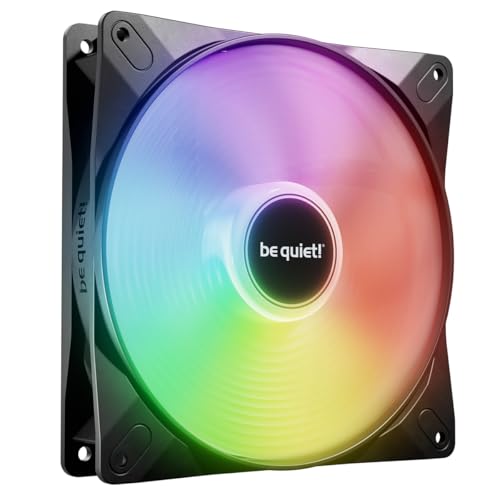
The be quiet! Light Wings LX 140mm PWM delivers high-quality ARGB illumination with a low noise floor that matches the brand’s reputation. With 16 LEDs shining through frosted fan blades and a daisy-chain connector for both PWM and ARGB, it simplifies lighting synchronization while maintaining a noise level of just 20.6 dBA — one of the quietest ratings in this lineup.
The fan frame outlet minimizes air leaks, and the optimized blades are tuned for maximum airflow across case vents and open grilles. The rifle bearing is rated for 60,000 hours of operation, offering good durability for the mid-range price. It lacks the extreme static pressure needed for high-density radiators, but excels as a case exhaust or intake fan.
User feedback highlights the easy BIOS control, bright yet tasteful RGB diffusion, and near-silent operation even under sustained load. For builders who want a quiet, good-looking fan without paying Noctua or Corsair premiums, the Light Wings LX is a compelling mid-range option.
Why it’s great
- Ultra-quiet 20.6 dBA operation
- Daisy-chainable ARGB and PWM connectors
- Attractive frosted blade RGB diffusion
Good to know
- Not optimized for high-static-pressure radiator use
- Rifle bearing has shorter lifespan vs. SSO2
4. Thermalright TL-C14C-S X3
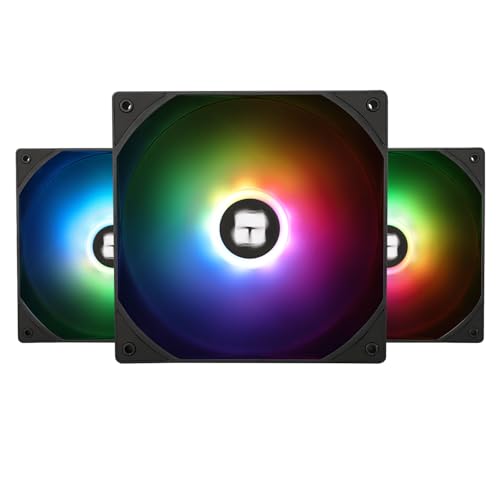
The Thermalright TL-C14C-S X3 3-pack offers exceptional value for budget-conscious builders who need three 140mm ARGB fans without breaking the bank. Each fan spins up to 1500 RPM, delivering 75.8 CFM with 1.93 mmH₂O static pressure at a noise level of just 26.4 dBA. The S-FDB (Fluid Dynamic) bearing provides reliable long-term performance well beyond the price tier would suggest.
The high-brightness LED atomized blades diffuse ARGB light softly, creating a smooth lighting effect that syncs with standard 5V 3-pin ARGB headers. The 55cm cable length gives generous routing flexibility, and the PWM support allows the motherboard to automatically adjust speeds based on temperature. The PBT+PC material frame offers solid insulation and durability.
Reviews consistently note that these fans are virtually indistinguishable in noise from options costing four times as much, and that the ARGB quality rivals premium brands like NZXT. If you are outfitting an entire case with synchronized lighting on a strict budget, the TL-C14C-S X3 pack is the smart buy.
Why it’s great
- Best value: three decent ARGB fans for the price of one premium
- Quiet 26.4 dBA operation with S-FDB bearing
- Long 55cm cables for flexible routing
Good to know
- Max RPM capped at 1500; not for extreme airflow needs
- Static pressure is adequate but not radiator-class
5. Geometric Future Squama 2503 RGB PWM
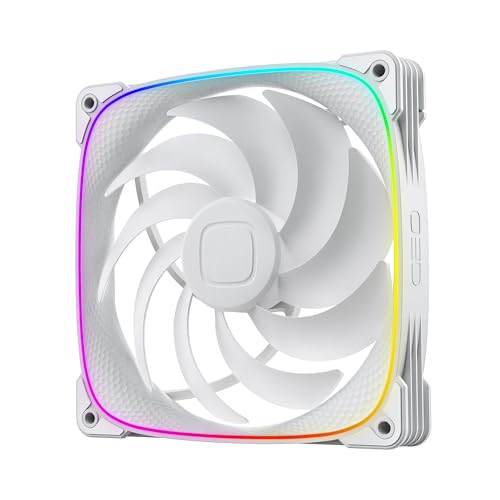
The Geometric Future Squama 2503 RGB PWM stands out with its patented Squama particle frame texture that reduces turbulent flow noise, combined with a dual ARGB light loop that creates a clean, modern look. It spins from 800 to 2400 RPM, pushing up to 91.15 CFM with 2.63 mmH₂O static pressure — strong numbers for a mid-range fan that stays quiet at 34 dBA max.
The 4-pin PWM connection provides precise speed control, and the anti-vibration rubber pads prevent frame scratches while further dampening noise at higher speeds. The dual lighting ring uses standard 5V 3-pin ARGB headers for full motherboard synchronization. Build quality is robust, with a heavy-feeling frame that inspires confidence during installation.
Customer feedback praises the excellent RGB diffusion and silent operation at standard speeds, though the fan becomes audible at the 2400 RPM maximum. Some users noted shorter than ideal cables, requiring extensions for larger cases. Overall, the Squama 2503 offers a unique aesthetic and solid performance at a fair mid-range price.
Why it’s great
- Dual ARGB light loop with excellent diffusion
- High 91.15 CFM airflow at top speed
- Patented Squama frame reduces turbulent noise
Good to know
- Fan becomes loud at 2400 RPM max speed
- Short cables may need extension for large cases
6. ARCTIC P14 Slim PWM PST
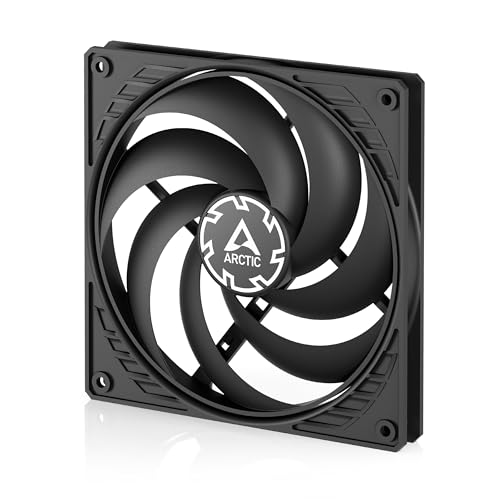
The ARCTIC P14 Slim PWM PST is a specialized 140mm fan designed for space-constrained builds — its 16mm installation height is 9mm thinner than standard 25mm fans, making it essential for small form factor cases and tight push-pull radiator configurations. Despite the slim profile, it delivers 52 CFM at 1800 RPM with 1.55 mmH₂O static pressure, running quietly at just 0.3 Sones.
The PWM Sharing Technology (PST) allows daisy-chaining multiple fans on a single header, and the speed range from 150 RPM (semi-passive) to 1800 RPM gives excellent flexibility. The pressure-optimized design ensures decent performance even when mounted on radiators or dust filters. The polycarbonate frame is lightweight but feels less robust than premium alternatives.
Users in SFF builds like the Fractal Ridge praise the fan’s fit and quiet operation, though some report blade wobble at low speeds that can contact the frame — easily fixed with thin rubber washers. If you need 140mm cooling in a slim package, the P14 Slim is the go-to choice at a budget-friendly price.
Why it’s great
- Only 16mm thick — fits tight SFF builds
- PWM PST daisy-chain saves motherboard headers
- Semi-passive mode down to 0 RPM at low load
Good to know
- Lower 52 CFM airflow vs. standard 140mm fans
- Thin plastic frame may feel less premium
7. Asiahorse Nyota A14
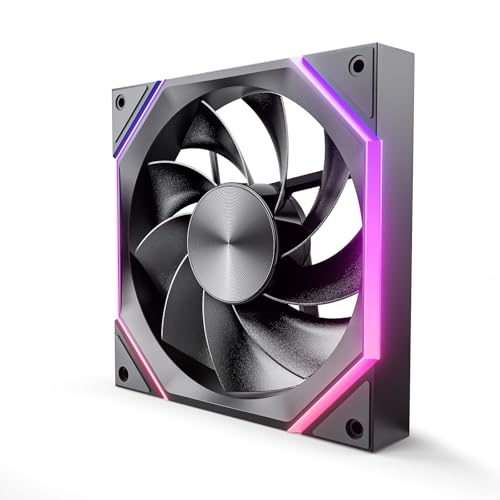
The Asiahorse Nyota A14 targets budget builders who want ARGB lighting without sacrificing basic cooling performance. It spins from 800 to 2000 RPM, producing up to 89.77 CFM with noise below 29 dBA thanks to its hydraulic bearing. The patented OSKAR light beads deliver rich color output through the golden-ratio blade design, and the fan uses standard 4-pin PWM and 5V 3-pin ARGB connectors.
Installation is straightforward, though the fan comes with two separate cables (PWM + ARGB) that can complicate cable management in multi-fan setups — a controller or hub is recommended for clean builds. The silicon pads help secure the frame and dampen vibration. Build quality feels solid for the price point, with smooth operation at medium speeds.
Reviews highlight the near-silent operation at standard RPM and the attractive lighting that rivals more expensive fans. Some users noted that the fan becomes audible at maximum speed and that cable management requires planning. For a single-fan ARGB upgrade on a tight budget, the Nyota A14 delivers strong value.
Why it’s great
- 89.77 CFM airflow at max speed
- Patented OSKAR ARGB beads for rich color
- Quiet hydraulic bearing operation
Good to know
- Two separate cables complicate multi-fan builds
- Audible at 2000 RPM maximum speed
FAQ
Can I use a 140mm fan in place of a 120mm fan in my case?
What is the difference between 140mm and 120mm fans for cooling performance?
Do I need a high static pressure 140mm fan for my standard case?
How many 140mm fans do I need for optimal airflow in my PC?
Final Thoughts: The Verdict
For most users, the best 140mm case fans winner is the Noctua NF-A14x25 G2 PWM because it delivers class-leading silence and performance across both case and radiator use cases with unmatched build quality. If you want vibrant RGB lighting with a clean cable ecosystem, grab the CORSAIR iCUE Link LX140 RGB. And for budget-conscious builders who need multiple fans without sacrificing quality, nothing beats the Thermalright TL-C14C-S X3 3-pack.