
Our readers keep the lights on and my morning glass full of iced black tea. As an Amazon Associate, I earn from qualifying purchases.
You want a $1000 computer that runs modern games and handles lots of open programs without freezing up. The problem is that many pre-built PCs at this price secretly cut corners on the power supply (PSU, the component that feeds electricity to your parts), the graphics card (GPU, the dedicated chip that renders game images), or the cooling fans. You cannot spot these cuts from the product page. This guide breaks down eight desktop PCs near this budget, comparing the raw specs that matter (CPU speed, graphics memory, RAM, and storage) with real customer experiences, so you know exactly which one is worth your money.
I’m Min — the co-founder and writer behind Gadgets Feed. This guide is built by comparing the manufacturers’ published specifications and the patterns across verified customer reviews, so you get each pick’s real strengths and trade-offs instead of marketing spin.
You will find honest head-to-head comparisons of CPU generations, graphics card memory, and total RAM — the three numbers that separate a smooth-running machine from one that feels sluggish within a year — all to help you confidently choose the best $1000 computer for your actual needs, whether that is gaming, professional work, or a reliable family PC.
How To Choose The Best $1000 Computer
At this budget, you are usually forced to choose between a machine with a strong dedicated graphics card for gaming, or one with a newer processor and more RAM for professional work. Knowing which component to prioritize for your specific daily tasks is the single most important decision you’ll make.
Graphics: Dedicated vs. Integrated
For smooth 1080p gaming (the standard high-definition resolution), you need a dedicated graphics card (a separate component built just for rendering images quickly). The models here range from an older GeForce GT 610 with 2GB of video memory up to an RTX 3050 with 6GB of video memory. If you plan to play modern titles like Call of Duty or Fortnite, the dedicated RTX 3050 is the baseline — it stores textures and lighting data so the game does not stutter. For light photo editing, spreadsheets, or streaming video, integrated graphics (built into the processor) like Intel UHD Graphics 730 are perfectly adequate and save you money.
Processor Generation Matters More Than Core Count
A 14th-gen Intel Core i3-14100 (4 cores) can feel faster in everyday tasks than an older 11th-gen Core i7-11700F (8 cores) because the architecture is newer and more efficient. Pay attention to the CPU model number, not just the “i5” or “i7” branding. The first two digits after the dash tell you the generation — “12500” means 12th-gen, while “11700F” means 11th-gen.
RAM and Storage: Speed Over Capacity
Having 16GB of RAM (random access memory, the temporary working space for your programs) is the minimum for smooth Windows 11 use, but 32GB is ideal if you keep many browser tabs open alongside office apps. For storage, an NVMe SSD (a very fast type of solid-state drive connected directly to the motherboard) is mandatory for quick boot times — it launches your operating system in seconds instead of minutes. 512GB is a starting point; 1TB gives you room for a few large games and a growing media library without hunting for an external drive.
Quick Comparison
On smaller screens, swipe sideways to see the full table.
| Model | Category | Best For | Key Spec | Amazon |
|---|---|---|---|---|
| SKYESEV Gaming Desktop | Premium Gaming | Serious 1080p gaming and heavy multitasking | 32GB DDR4 RAM + RTX 3050 6GB | $899.99Amazon |
| Dell Pro Tower (14th Gen) | Business Pro | Professional work and dual 4K monitors | 32GB DDR5 RAM + 1TB SSD | $1,049.98$1,499.99Limited time dealAmazon |
| HP Pro Tower 290 G9 | Business Standard | Reliable office productivity and multitasking | 32GB DDR4 RAM + 1TB SSD | $997.49$1,679.00Limited time dealAmazon |
| LXZ Gaming PC | Best Value Gaming | Entry-level gaming with dedicated graphics | RTX 3050 6GB + 16GB RAM | $749.99$849.99PrimeAmazon |
| Dell Slim Desktop ECS1250 | Compact Home | Small footprint home office or media server | Intel Core Ultra 5 (4.9 GHz) | $790.00Amazon |
| HP Pavilion Desktop | Business Value | Light gaming and heavy office work | Intel i7-11700F + GT 610 2GB | $849.99$1,499.00Limited time dealAmazon |
| YAWYORE Gaming PC | Budget Starter | Budget build with upgrade potential | AMD R5 5600GT + 16GB DDR4 | $659.99Amazon |
| STGAubron Gaming PC | Entry Level | Kids’ starter PC for light gaming | Intel i5 (3.7 GHz) + RX 560 4GB | $417.99$479.99Amazon |
In‑Depth Reviews
1. SKYESEV Gaming Desktop Computer

32GB of DDR4 RAM — double what most gaming PCs at this price offer — makes the SKYESEV the top pick for anyone who wants both smooth 1080p gaming and heavy multitasking from one machine.
The RTX 3050 with 6GB of dedicated video memory handles modern titles at high settings, and one buyer reports running Stellar Blade at medium settings on a 4K monitor at over 60 frames per second with minimal stutter. The 1TB M.2 NVMe SSD gives you fast boot times and plenty of room for a large game library without needing external storage.
The catch is that a few buyers noted the PC stopped working after a few days, though the majority praise its performance out of the box. Compared to the LXZ, the SKYESEV offers double the RAM and double the storage for smoother multitasking right away — it is the most complete package for the budget.
Why it’s great
- 32GB DDR4 RAM for heavy multitasking
- RTX 3050 6GB for smooth 1080p gaming
- 1TB NVMe SSD for fast storage
Good to know
- Some units reported failure after a few days
- Setup instructions are minimal
2. Dell Desktop Computers Pro Tower
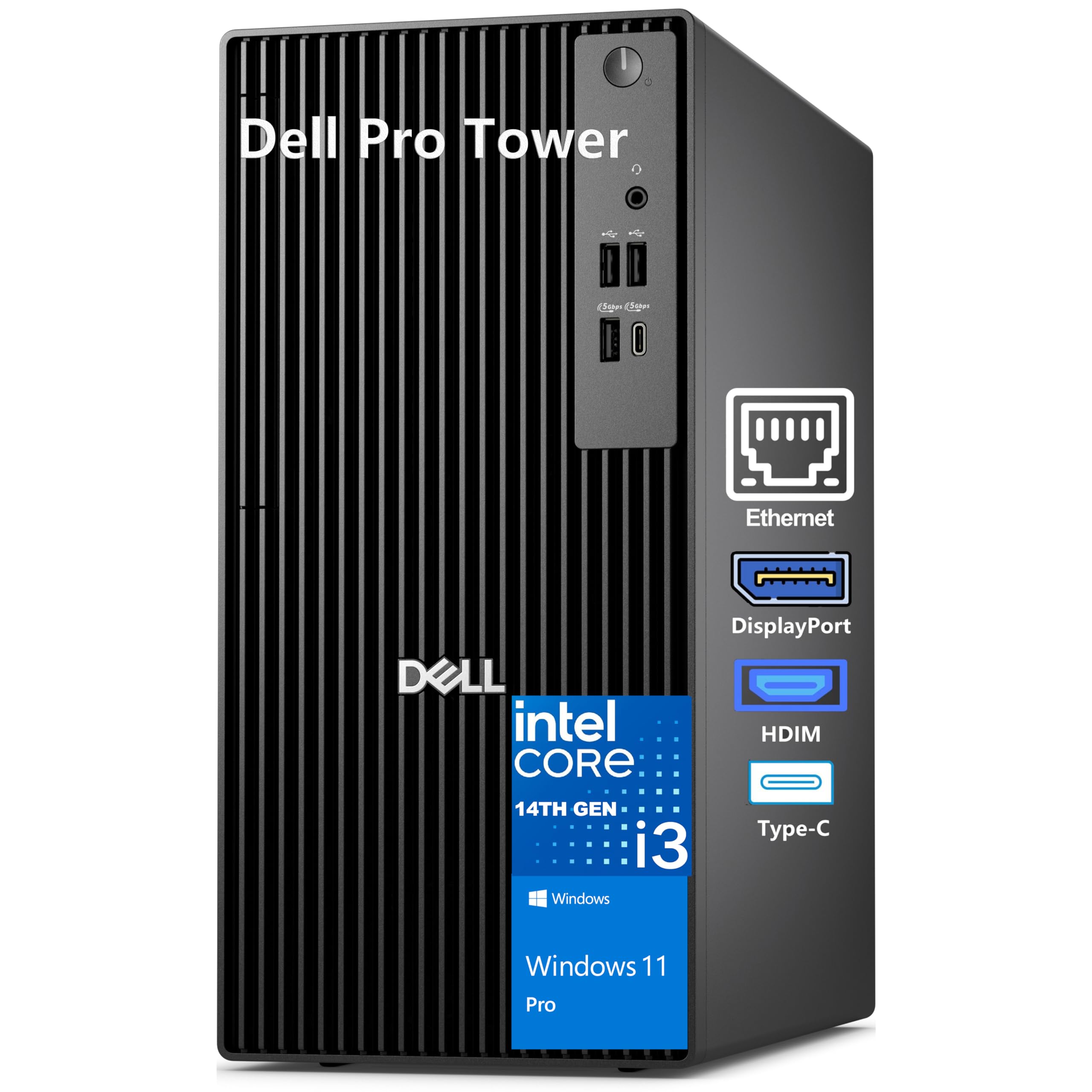
The Dell Pro Tower trades a dedicated graphics card for the newest generation memory and processor — its 32GB of DDR5 RAM is faster and more future-proof than the DDR4 found in gaming-focused builds like the SKYESEV, and the 14th-gen Intel Core i3-14100 (4.9 GHz max) beats older i5 chips in everyday responsiveness. This is the better choice if professional work, not gaming, drives your purchase.
The Intel UHD Graphics 730 can drive two 4K monitors simultaneously at 60Hz through HDMI 2.1 and DisplayPort, which is ideal for financial analysts, creative editors, or anyone juggling multiple large spreadsheets. The 1TB PCIe SSD ensures the system boots in seconds and files open instantly.
One buyer warns that this model does not include Wi-Fi, so you will need an Ethernet cable or a USB Wi-Fi adapter. If your priority is raw processing speed and dual 4K monitor support over gaming, this Dell is the pick — skip it if you want to play modern titles without adding a separate graphics card.
Where it shines
- 32GB of fast DDR5 RAM
- Supports dual 4K monitors
- 14th-gen processor for snappy daily use
Worth noting
- No built-in Wi-Fi; requires Ethernet or adapter
- Integrated graphics cannot handle modern gaming
3. HP Pro Tower 290 G9 Business Desktop

If you need a reliable daily driver for office work, web browsing, and running multiple monitors, the HP Pro Tower 290 G9 delivers the same 32GB of RAM as the Dell Pro but with a 12th-gen Intel Core i5-12500 processor (4.6 GHz turbo) and built-in Wi-Fi 6. One reviewer who runs three monitors says the onboard graphics are solid for productivity, though not suitable for gaming.
The 1TB SSD provides ample room for project files, and Windows 11 Pro comes pre-installed with security features like TPM 2.0 (a chip that helps protect encryption keys) for business use. Buyers consistently praise HP’s build quality — one mentions that their old HP served them well for years, and this one feels equally trustworthy.
The noticeable trade-off against the Dell Pro Tower: it uses older DDR4 RAM instead of DDR5, so memory-intensive tasks like video editing or large database work will be slightly slower. The 18MB cache memory (a small, ultra-fast data reservoir on the processor) helps the i5-12500 feel snappy during heavy multitasking — a solid choice if you value built-in Wi-Fi over the fastest RAM.
What stands out
- 32GB DDR4 RAM and 1TB SSD
- Wi-Fi 6 and Bluetooth 5.3 built-in
- Compact tower design fits small spaces
The trade-offs
- Older DDR4 RAM, not DDR5
- Integrated graphics only; no gaming
4. LXZ Gaming PC Desktop Ryzen 5 4500
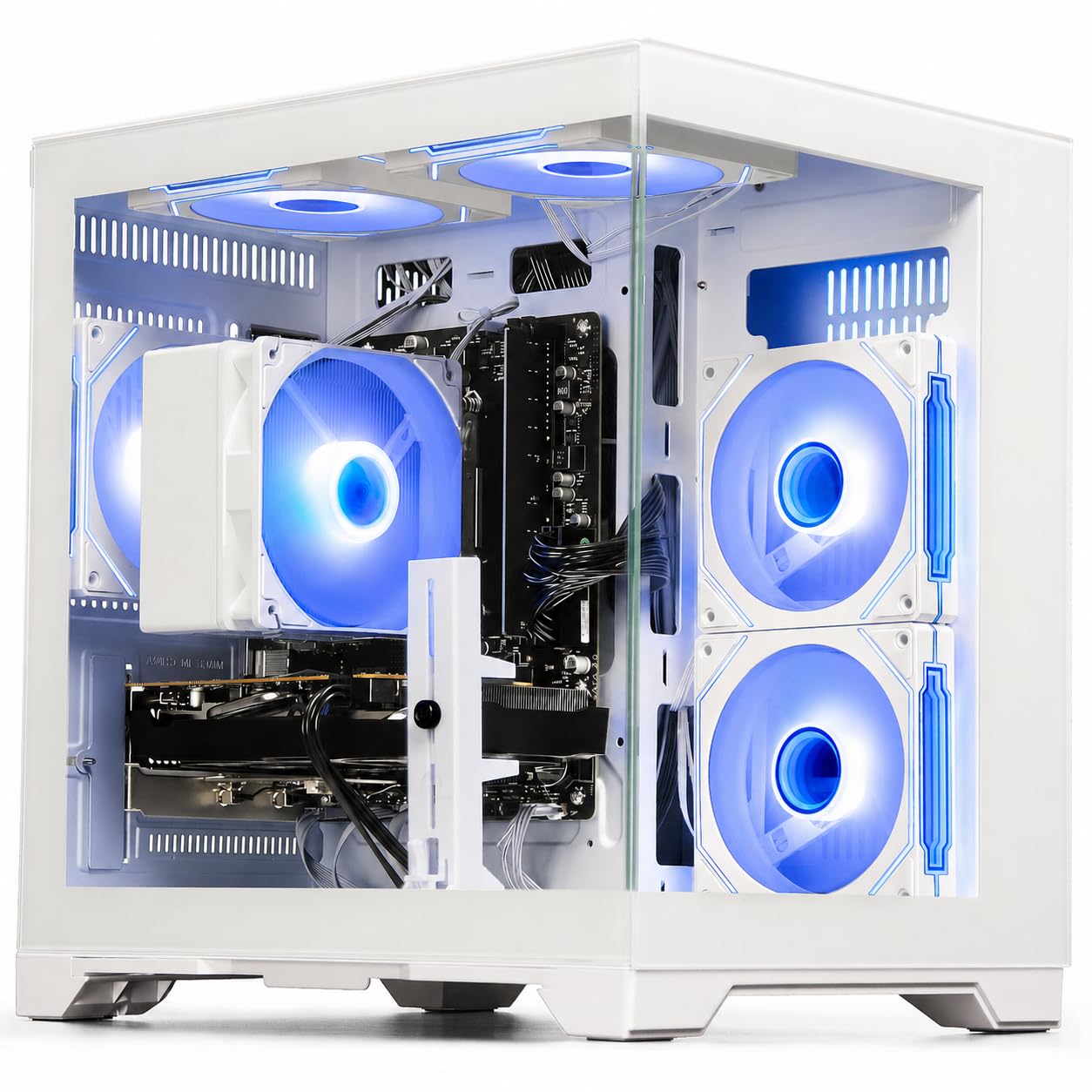
The single most important spec for a gaming PC at this budget is the graphics card’s video memory (VRAM), and the LXZ scores a 6GB RTX 3050 — a massive six-to-one advantage over budget systems that rely on integrated graphics or cards with only 1GB of VRAM. That dedicated memory lets you play titles like Fortnite and Valorant at high settings with smooth frame rates.
You get 16GB of DDR4 RAM and a 512GB NVMe SSD, which is enough to get started but means you will run out of storage after installing three or four large modern games. The downside you accept with this price is the power supply — multiple buyers report the included 400-watt unit is too weak and must be replaced with a 650-watt or higher unit to keep the PC stable under load.
For the price, you are getting a genuine entry-level gaming experience with ray tracing (a lighting effect that makes reflections and shadows look more realistic) and DLSS (a performance-boosting technology for smoother frame rates). The power supply issue is a real pain, but if you are comfortable swapping one component, this delivers the best graphics-per-dollar ratio in the lineup — anyone who just wants to game on a tight budget and does not mind a little tinkering will love this machine.
The upsides
- Dedicated RTX 3050 with 6GB VRAM
- Ray tracing and DLSS support
- Wi-Fi 6 for low-latency online gaming
Keep in mind
- Stock 400W PSU is too weak; upgrade needed
- Only 512GB storage fills up fast
5. Dell Slim Desktop ECS1250

What you actually get at this lower price is the fastest processor-first machine here — its Intel Core Ultra 5-225 hits a maximum turbo speed of 4.9 GHz, which is 32% higher than the STGAubron’s older i5 chip, translating to noticeably snappier app launches and smoother web browsing. It is built for a clean desk setup where space is tight and raw CPU speed matters more than gaming.
You get 16GB of DDR4 RAM and a 512GB M.2 SSD, along with a built-in SD card reader for easy photo transfers. The tool-less side panel lets you upgrade components without screwdrivers, and the slim chassis fits easily into small home office corners. One reviewer who uses it as a NAS and Plex media server says it runs quietly and reliably.
The integrated Intel UHD Graphics 730 can drive up to four 1080p monitors or two 4K displays, making this a versatile choice for a compact home office or media center setup. One buyer had difficulty getting the computer to accept an older Samsung monitor and had to update the driver — a caution if you have legacy peripherals. This machine is perfect for anyone who prioritizes desk space and raw CPU speed over gaming.
Why we’d pick it
- Fastest CPU in this list at 4.9 GHz
- Slim, space-saving design
- Supports up to four monitors
A few caveats
- No dedicated graphics for gaming
- Older monitors may need driver updates
6. HP Pavilion Desktop Computer
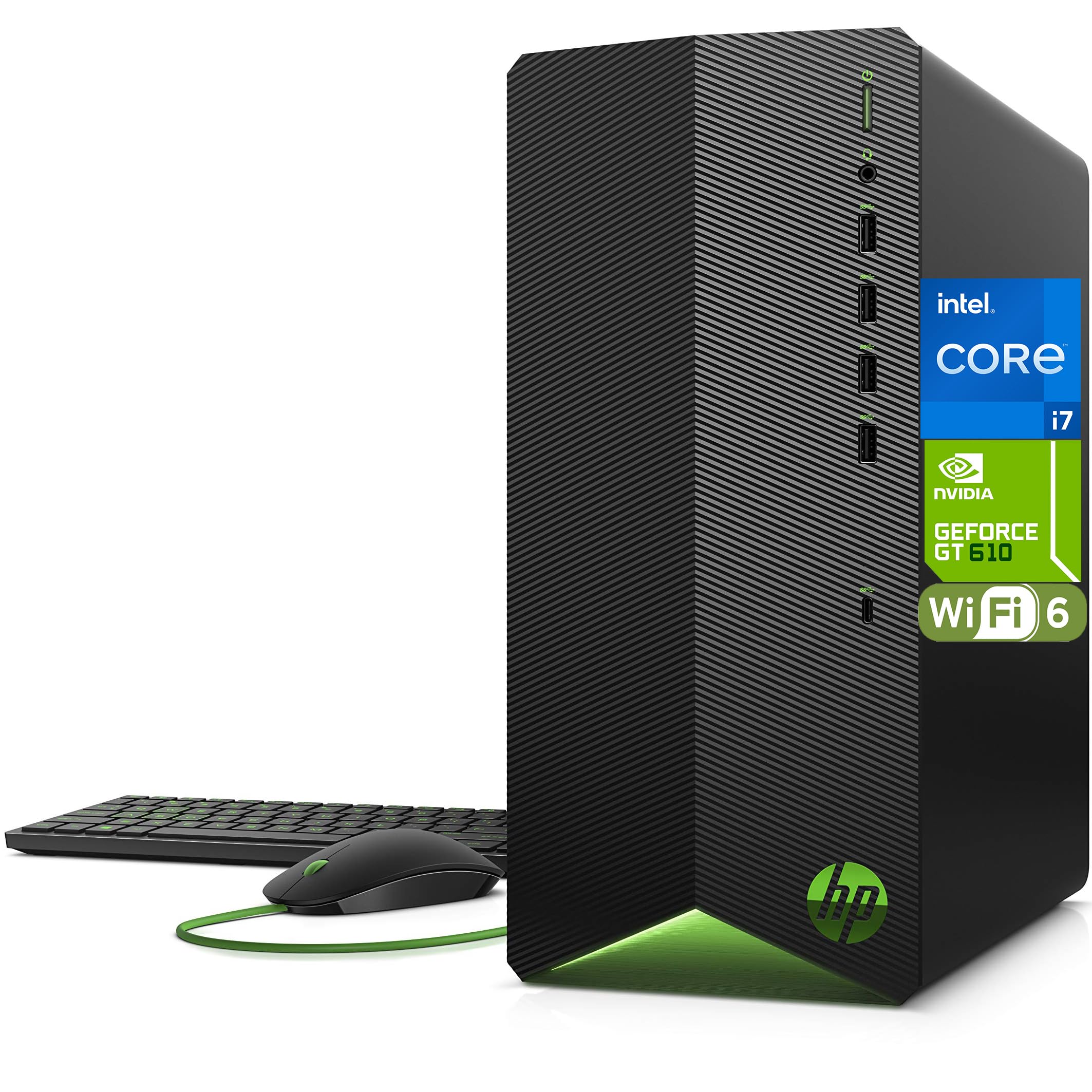
The HP Pavilion is the machine for someone who needs a powerful 8-core processor for heavy Excel work or video editing but only plays very light games like Minecraft or League of Legends. The Intel i7-11700F has 8 cores and a 4.9 GHz turbo boost, making it a beast for multitasking — but the GeForce GT 610 graphics card has only 2GB of VRAM, so it cannot run modern 3D games smoothly.
With 16GB of DDR4 RAM and a 512GB PCIe SSD, boot times are under ten seconds and day-to-day work feels fast. The included wired keyboard and mouse get you started immediately, and buyers consistently call it quiet and easy to set up.
The honest limit here is that the GT 610 is a very old, low-end graphics card — it is fine for a dual-monitor office setup but will struggle with any game released in the last five years. If your work demands CPU horsepower but gaming is secondary, this is a solid choice — if your main hobby is gaming, skip this and go for the SKYESEV instead.
Strong points
- 8-core Intel i7 for heavy multitasking
- Fast 512GB PCIe SSD
- Includes wired keyboard and mouse
Before you buy
- GT 610 graphics card is very outdated
- Cannot handle modern 3D gaming
7. YAWYORE Gaming PC Desktop Computer

The YAWYORE Gaming PC sits at the lower end of the price range in this guide, offering strong value for those willing to invest in a future GPU upgrade — its 550W 80 PLUS Bronze power supply is robust enough to support a used RX 580 or GTX 1070 Ti, a flexibility not all similarly priced picks provide.
It comes with integrated AMD Radeon Vega graphics built into the Ryzen 5 5600GT processor, which handles light 1080p gaming at lower settings. The 16GB of DDR4-3200MHz RAM and 1TB NVMe SSD give you fast storage and smooth multitasking right out of the box. Reviewers describe the build as sturdy and the operation as quiet.
For the money, you get a 1TB SSD — double the 512GB found on the similarly priced LXZ — but you sacrifice a dedicated GPU, meaning it cannot play modern games at high settings until you buy a separate graphics card. Choose this if you are comfortable opening the case and installing a GPU down the line. It is the budget starter that rewards a future upgrade.
What we like
- 550W power supply ready for GPU upgrades
- 1TB NVMe SSD for ample storage
- Quiet operation and easy setup
The downsides
- No dedicated graphics card included
- Integrated Vega graphics are entry-level only
8. STGAubron Prebuilt Gaming PC Desktop

The AMD Radeon RX 560 with 4GB of video memory makes the STGAubron the top pick for a parent buying a child’s first gaming PC on a tight budget — it delivers a genuine dedicated graphics card so kids can actually run Fortnite and Roblox without relying on integrated graphics, and it comes with a full starter kit including an RGB gaming keyboard, mouse, and a 512GB SSD.
What you give up is reliability and longevity: one buyer reports the PC “worked fine for a few months, then failed by 2025,” citing a no-name power supply and poor airflow as the root causes, while another had the LED lights fail after one day and the graphics card fail after two months — though the seller eventually replaced the unit.
This is the perfect machine for a parent buying a child’s first desktop for light gaming, knowing they may need to replace it in a year or two, and the customer service seems responsive, but the component quality is the lowest in this lineup — do not buy this if you need a machine to last for years.
Why it’s great
- Dedicated RX 560 4GB graphics
- Includes RGB gaming keyboard and mouse
- Good starter PC for kids’ first gaming
Good to know
- No-name power supply and cooling components
- Multiple reports of failure within months
Understanding the Specs
Graphics Card VRAM (Video Memory)
This is the memory your graphics card uses to store textures, lighting data, and frames before sending them to your monitor. More VRAM means you can play games at higher resolution and settings without stuttering. For 1080p gaming, 6GB of VRAM (like the RTX 3050) is the minimum you want; cards with 2GB or 4GB will struggle with modern titles. The LXZ and SKYESEV both have 6GB, while the YAWYORE has integrated Vega graphics with no dedicated VRAM — a huge gap for gaming.
CPU Turbo Boost Speed
The “maximum turbo” number tells you the fastest clock speed a single core can reach under heavy load. A higher number (like 4.9 GHz on the Dell Slim and HP Pavilion) means snappier performance in tasks that rely on single-core speed — such as web browsing, office apps, and light photo editing. For video rendering and multitasking, the number of cores matters more, but for everyday feel, prioritize the turbo boost speed.
FAQ
Can a computer at this budget handle 4K gaming?
Is it worth spending more for DDR5 RAM over DDR4?
What is the most common problem with prebuilt gaming PCs?
Final Thoughts: The Verdict
If you want one dependable pick, the best $1000 computer winner is the SKYESEV Gaming Desktop because it combines a dedicated RTX 3050 6GB graphics card with 32GB of RAM and a 1TB SSD — the most balanced configuration for gaming and heavy multitasking at this price. If you need a professional workstation with the fastest memory and dual 4K monitor support, grab the Dell Pro Tower. And for the best entry-level gaming value, the LXZ Gaming PC delivers a dedicated RTX 3050 at a lower price point, provided you budget for a power supply upgrade.
Product prices and availability are accurate as of the date/time indicated and are subject to change. Any price and availability information displayed on Amazon at the time of purchase will apply to the purchase of this product. As an Amazon Associate I earn from qualifying purchases.
CERTAIN CONTENT THAT APPEARS ON THIS SITE COMES FROM AMAZON. THIS CONTENT IS PROVIDED "AS IS" AND IS SUBJECT TO CHANGE OR REMOVAL AT ANY TIME.
Amazon and the Amazon logo are trademarks of Amazon.com, Inc. or its affiliates.