
You need an alarm clock that actually gets you up for that 8 AM lecture, even after you pulled an all-nighter cramming. The problem with cheap clocks is they either blast a blinding light at you all night or have a buzz so weak you sleep right through it. The best bets here solve both problems with big, easy-to-read numbers, adjustable brightness so your room stays dark, and alarms loud enough to rouse a heavy sleeper. The DreamSky Digital Alarm Clock earns the top spot because it sets itself and auto-dims automatically, so you plug it in and never think about it again.
I’m Min — the co-founder and writer behind Gadgets Feed. This guide is built by comparing the manufacturers’ published specifications and the patterns across verified customer reviews, so you get each pick’s real strengths and trade-offs instead of marketing spin.
These seven options were chosen because they tackle the unique challenges of student life, from shared walls to early morning lectures.
How To Choose The Best Alarm Clock For Students
Choosing an alarm clock for a dorm or bedroom comes down to a few key factors that affect your sleep and your morning routine. Here’s what to look for.
Display Brightness and Readability
A screen that’s too bright can keep you awake, while one that’s too dim is useless for a quick glance. Look for a clock with at least three adjustable brightness levels — or an auto-dim feature that lowers the light after a set time, so you get a clear view during the day and a dark room at night.
Alarm Volume and Sound Options
A gentle beep might not cut it for a heavy sleeper, especially after a late night. Many clocks offer volume controls (measured in decibels, or dB) up to 110–120 dB, which is comparable to a live rock concert. Others give you multiple sound options like birds chirping or a gradual beep that gets louder, so you can find a wake-up tone that works without jolting you awake.
Power Source and Backup
Most student clocks plug into a wall outlet for constant power. But during a power outage, you need a battery backup (usually one or two AAA or a coin cell battery) to keep your time and alarm settings saved. Note: backup batteries rarely power the display — they only keep the clock’s memory alive until the power comes back.
Extra Features for Student Life
Dual alarms let you set separate wake-up times for early classes and weekend lie-ins without resetting. A USB charging port on the clock means you can charge your phone overnight without hunting for a wall outlet. Some clocks also show the date, day of the week, and room temperature — helpful when you’re running on four hours of sleep.
Quick Comparison
On smaller screens, swipe sideways to see the full table.
| Model | Category | Best For | Key Spec | Amazon |
|---|---|---|---|---|
| DreamSky Digital Alarm Clock | Premium | Auto-set time & auto-dimming | 5-inch LCD, 6 brightness levels + auto dim | Amazon |
| Acedeck Super Loud Alarm Clock | Premium | Heavy sleepers & shift workers | 115dB alarm, dual alarms, 6 sounds | Amazon |
| JALL 10.5” Large Digital Alarm Clock | Premium | Large, colorful display & wall mounting | 10.5-inch screen, 8 RGB colors, auto DST | Amazon |
| Raynic Alarm Clock, 8.7 Inch Digital Clock | Mid-Range | Dual alarms & temperature display | 8.7-inch display, dual alarms, temp/humidity | Amazon |
| AuroraCalm Digital Alarm Clock | Value | Budget-friendly with large numbers | 2-inch bold digits, 110dB alarm, 5 sounds | Amazon |
| Digital Alarm Clock for Bedroom, 6.7″ LED | Value | Aesthetic mirror-finish & compact size | 6.7-inch mirror display, 2 USB ports | Amazon |
| ALANAS Aesthetic Digital Alarm Clock | Value | Style-focused with dual alarms & dimmer | Mirror display, 4-level dimmer, dual alarms | Amazon |
In‑Depth Reviews
1. DreamSky Digital Alarm Clock with Battery Backup

The 5-inch LCD screen and automatic radio time-setting make this the top pick for the student who wants to set it once and forget it. When you plug it in, it sets itself to the correct time, date, and temperature by picking up a radio signal — you just choose your time zone from the seven USA zones available. Buyers report the “large, clear display” is visible from across the room without squinting, thanks to its easy-on-the-eyes liquid crystal display.
You get a dark room when you sleep because the 6 brightness levels plus an auto-dim mode lower the light at 9:01 PM and brighten it at 7:00 AM — no fumbling for buttons in the dark. The ascending beeping alarm (a tone that gradually gets louder) wakes you naturally rather than shocking you awake. A built-in USB charging port on the back lets you top up your phone on the nightstand without a separate wall adapter.
The honest trade-off is that the built-in temperature sensor runs 2–5°F high, according to some reviewers, and the alarm tone is a bit high-pitched. For any student who just wants to plug it in, set it once, and never think about it again, this is your clock.
Why it’s great
- Auto-sets time and date via radio signal — no manual setup
- Auto-dims at night and brightens in morning automatically
- 6 brightness levels plus a completely dark off mode
Good to know
- Temperature reading can be 2-5°F higher than actual room temp
- Alarm sound is described as high-pitched and shrill by some users
2. Acedeck Super Loud Alarm Clock
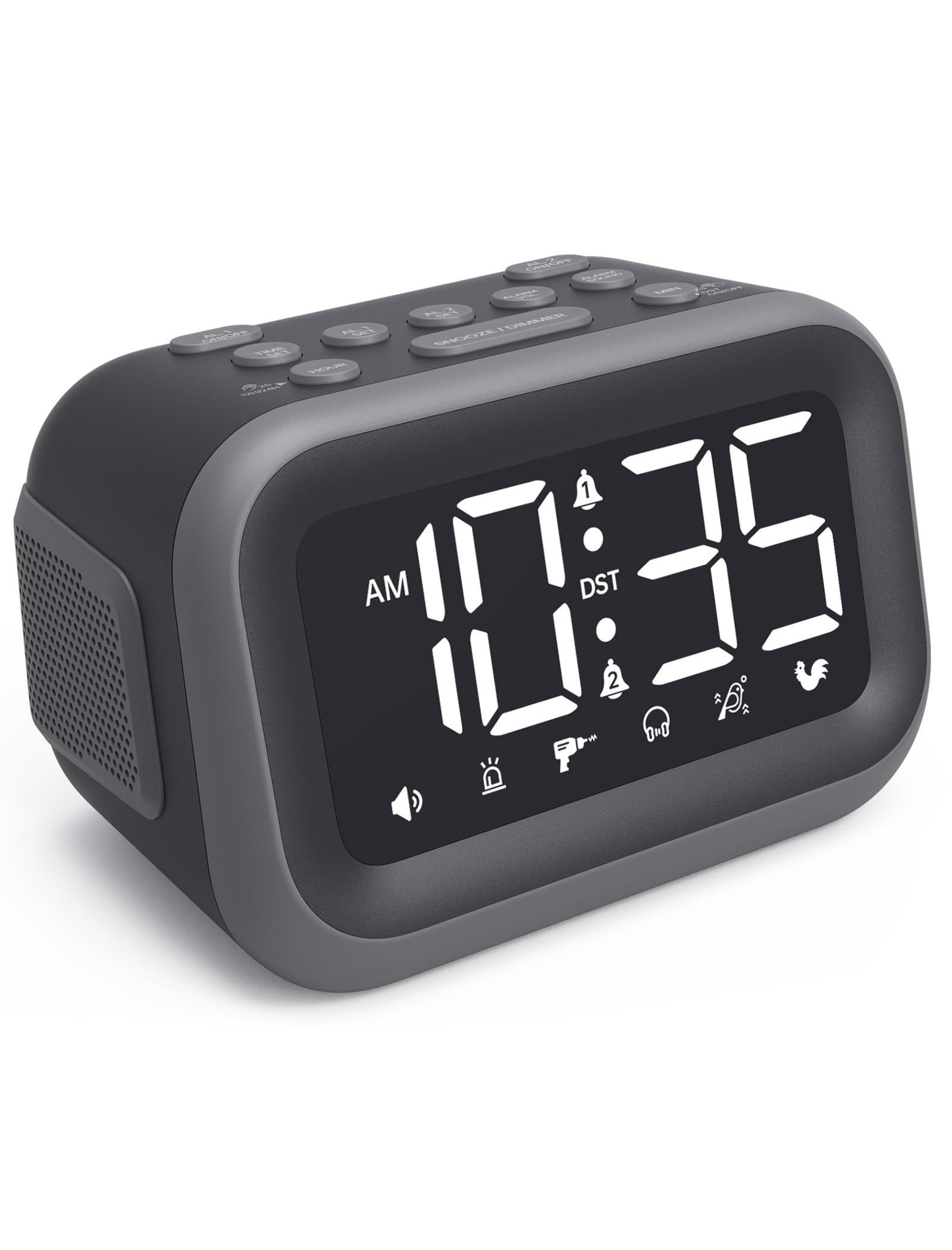
If you sleep through phone alarms like they do not exist, the Acedeck is your safety net. While the DreamSky uses a gentle ascending beep, this clock blasts a 115dB alarm (that is as loud as a chainsaw from three feet away). Owners mention they can hear it from three rooms away — one reviewer on strong medication called it the “loudest alarm ever.” At 4.8 inches wide and 3.15 inches tall, it is also far more compact than the DreamSky’s 6.1-inch width, making it dorm-desk friendly.
You get six different alarm sounds, so you are not stuck with one annoying tone. Dual alarms let you set separate schedules for your 8 AM lecture and your roommate’s 10 AM class. The 4.2-inch LED screen (a light-emitting diode display that is bright and energy-efficient) has adjustable brightness, and a built-in USB port lets you charge your phone overnight. The alarm memory uses AAA batteries (not included) to keep your settings during a power outage, so you do not wake up late after a storm.
Choose this over the DreamSky if your main problem is not waking up, not setting the clock. It trades auto-set convenience for sheer, undeniable volume.
Where it shines
- 115dB alarm wakes even the heaviest sleepers — heard from 3 rooms away
- 6 unique alarm sounds so you can pick your wake-up tone
- Dual alarms for different class schedules
Worth noting
- Backup AAA batteries not included in the box
- No auto-set time feature — you set the time manually
3. JALL 10.5” Large Digital Alarm Clock

For the student who wants a statement piece that also works as a room light, the JALL brings a massive 10.5-inch screen that shows the date, month, day of the week, temperature, and seconds in eight vivid RGB colors (red, green, blue combinations that create custom hues). Customers note loving the “changing colors” and say the numbers are “easy to see” from across the room, ideal for a larger dorm or shared living area.
This clock handles the transition to Daylight Saving Time automatically in March and November, so you never have to remember to change it. A built-in light sensor adjusts display brightness based on the room’s ambient light — bright during the day, dim at night. The back surround night light casts a soft glow, which a reviewer noted is “convenient if you want to get up for bathroom at night.” You can also mount it on the wall thanks to an included bracket.
The 8-in-1 RGB color options let you match the display to your mood or room decor — something no other clock on this list offers.
What stands out
- 10.5-inch screen with 8 RGB colors for a customizable look
- Auto DST adjustment so you don’t have to remember time changes
- Can be wall-mounted or placed on a desk
The trade-offs
- Initial temperature reading may be inaccurate — one reviewer fixed it by refrigerating the unit
- No built-in USB charging port for your phone
4. Raynic Alarm Clock, 8.7 Inch Digital Clock
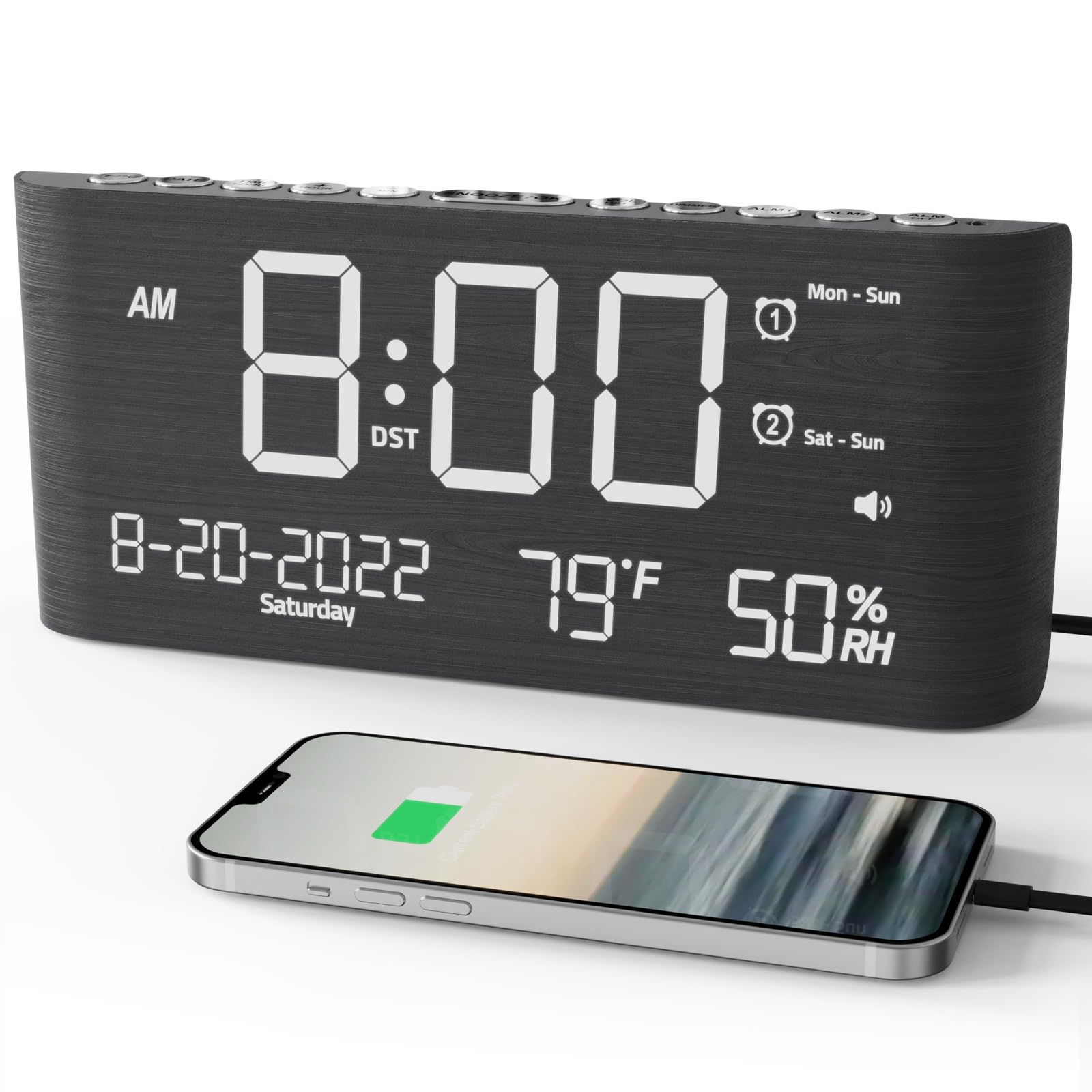
The single number that matters most in this category is screen size, and the Raynic’s 8.7-inch display sits between the DreamSky’s 5-inch and the JALL’s 10.5-inch. What sets it apart is what that screen shows: not just time and date, but indoor temperature and humidity levels, so you know if your dorm room is too dry or stuffy. Reviewers point out the “large LED numbers” make it easy to read, even for the elderly or visually impaired.
The catch is that its vertical stand can be a bit unstable, as some reviewers noted, and the first unit one buyer received had a shorted display that needed replacement. On the plus side, you get dual alarms with four mode options (Weekdays, Weekends, Everyday, and One Time), making it easy to have separate wake-up times for classes and lazy Sundays. The alarm volume goes from 0 to 120dB (louder than the Acedeck’s 115dB) with a gradual ringing tone, so you can wake gently or with full force.
For the mid-range price, you get two charging ports (a Type-C and a standard USB), a natural wood-grain finish, and the most on-screen information of any clock at this price point — a strong value if you want a smart bedside station.
The upsides
- Shows indoor temperature and humidity alongside the time and date
- Dual alarms with 4 mode options for flexible scheduling
- Includes both Type-C and USB charging ports
Keep in mind
- Vertical stand can feel unstable on uneven surfaces
- Backup batteries (2 AAA, not included) only save settings, don’t power the display
5. AuroraCalm Digital Alarm Clock with Large Numbers
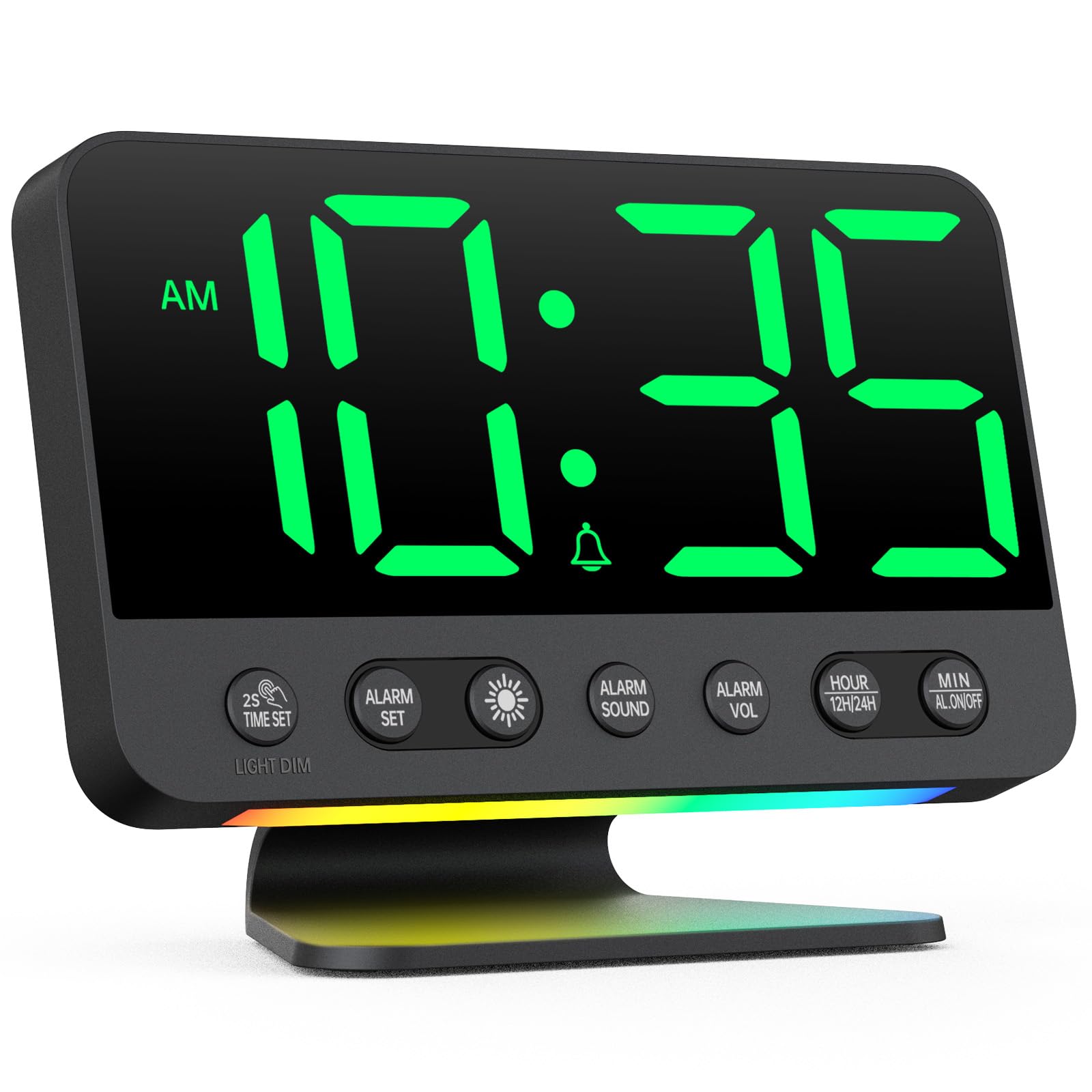
What you actually get at this lower price is a screen you can read from across the room: 2-inch bold digits that shoppers say are easy to see “without glasses,” plus top-mounted buttons that let you cycle through 5 brightness levels without flipping the clock around. You also get 5 alarm sounds (Birds Chirping, Beep, Soft Music, Ode to Joy, and Siren) with adjustable volume up to 110dB — loud enough for most heavy sleepers, though the Acedeck is louder at 115dB.
What you give up at this price point is dual alarms — there is only one — and the display only works when plugged in. The backup batteries (2 AAA, not included) keep the time and alarm settings saved, but the screen stays dark during a power outage. It also has a built-in USB port for charging your phone, plus an 8-color night light that adds a soft glow to your room during late-night study sessions.
This is the clock for the budget-conscious student who wants a simple, reliable wake-up tool with a huge display and does not need dual alarms or auto-set time — it is perfect for the exact budget buyer who prioritizes readability and basic function over extra features.
Why we’d pick it
- 2-inch bold digits are readable from across the room
- 5 alarm sounds and adjustable volume up to 110dB
- Includes an 8-color night light for a soft room glow
A few caveats
- Only one alarm — no dual alarm for separate schedules
- Display does not light up when running on backup batteries alone
6. Digital Alarm Clock for Bedroom, 6.7″ LED Clock Mirror Surface
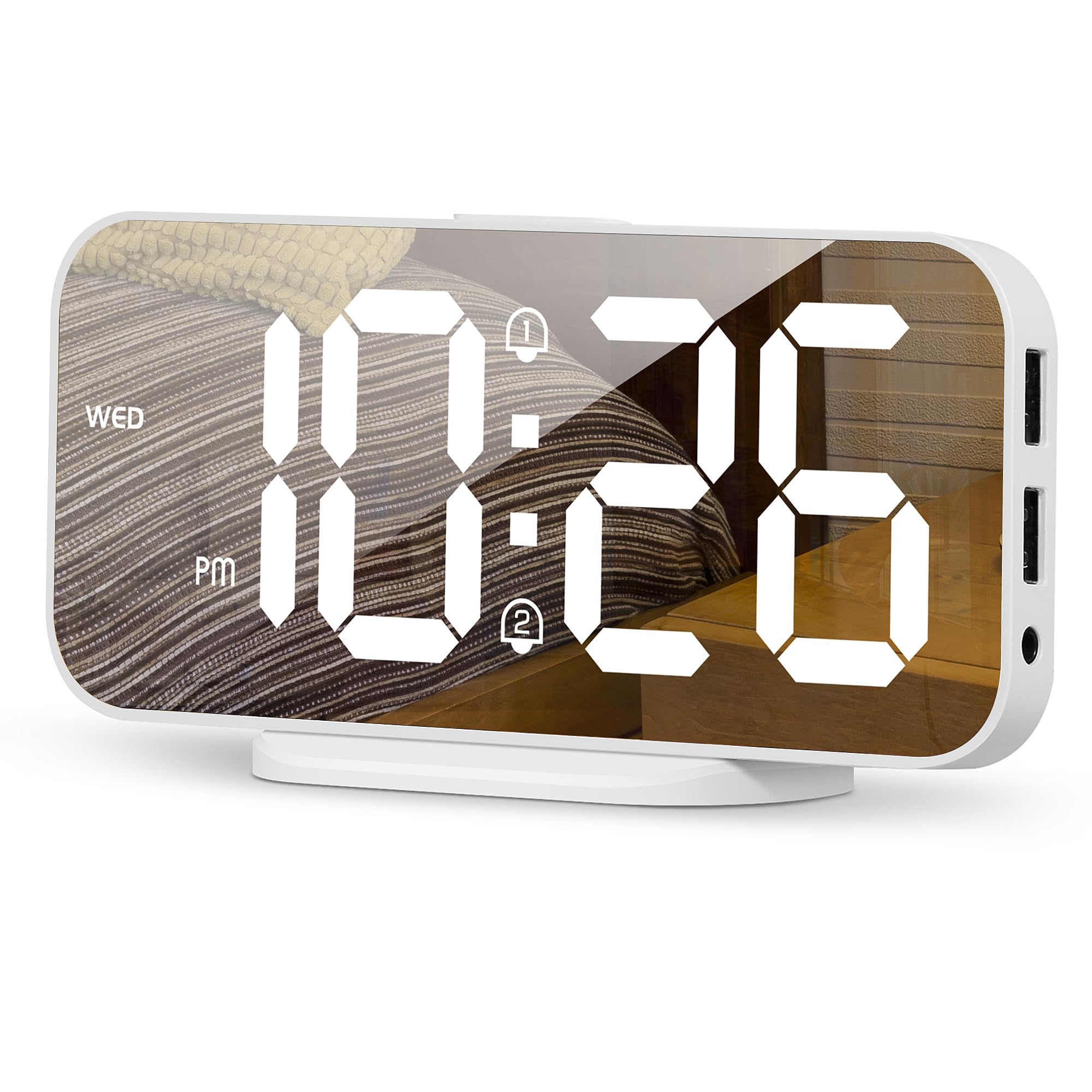
This clock is for the student who wants bedside tech that looks good without screaming “gadget.” Its 6.7-inch mirror-finish display blends into modern room decor. At just 4.48 ounces, it is 2.0x lighter than the Raynic’s 8.8 ounces — making it easy to pack up each semester. It also measures 2.92 inches wide, which is noticeably narrower than the JALL’s 10.1-inch width, fitting into tight nightstand spaces.
The feature that serves students best is the dual USB charging ports (5V/1A each) on the back, which let you charge a phone and earbuds simultaneously without needing extra wall adapters. It has 3 brightness levels (high, medium, low) plus an auto-night mode that dims the display from 6 PM to 6 AM. Buyers report it is “very attractive on the bedside” and love the different dimness levels, though one reviewer noted “it always seems to be a minute behind time.”
The gentle caution is that the time drift issue reported by some users means it may not keep perfect accuracy over long periods.
Strong points
- Sleek mirror-finish design that looks great on a modern nightstand
- Dual USB charging ports for phone and earbuds
- Auto-night dimmer mode from 6 PM to 6 AM
Before you buy
- Some users report the clock runs about a minute behind over time
- Power adapter not included — you need a 5V/1A or 2A USB wall plug
7. ALANAS Aesthetic Digital Alarm Clock
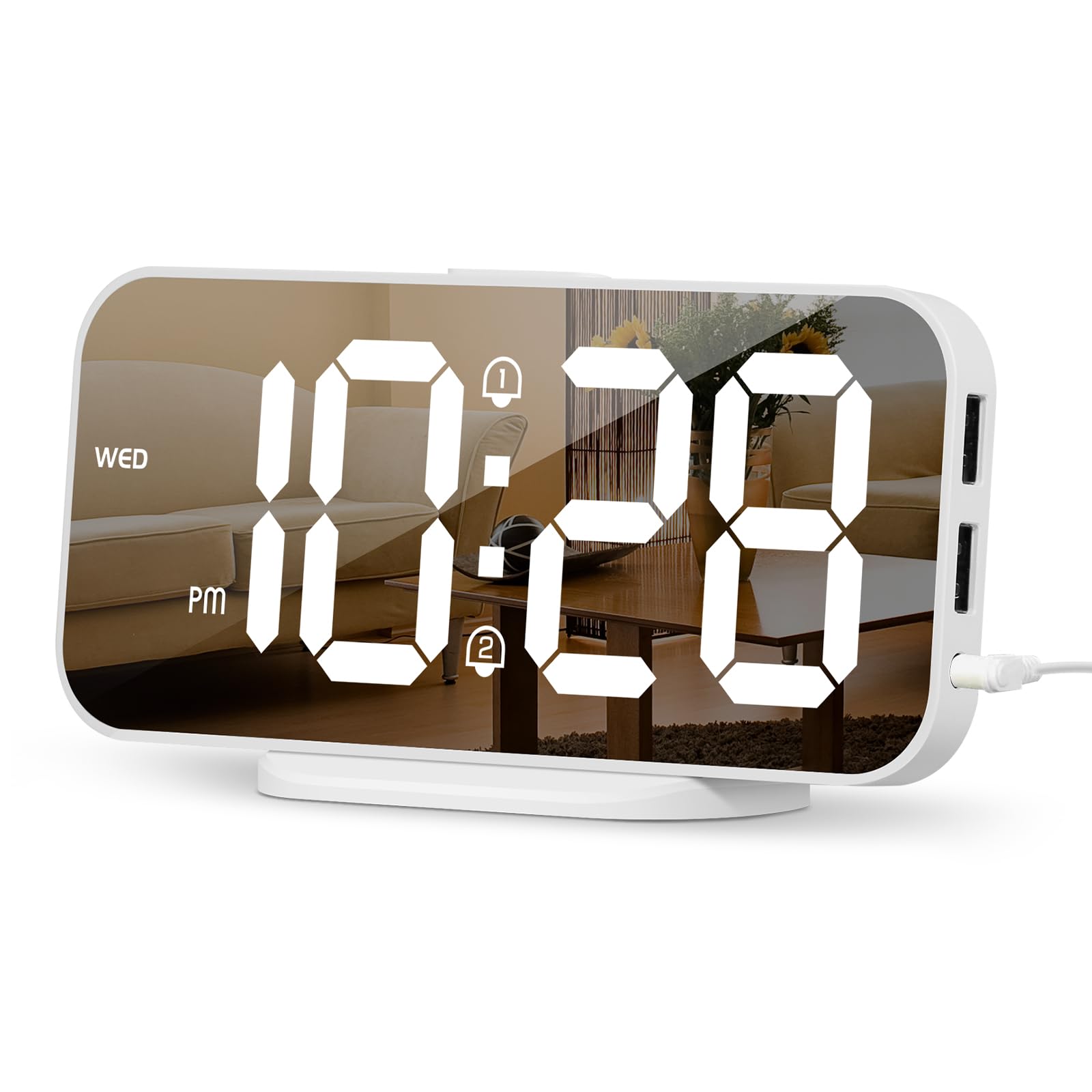
This clock competes directly with the mirror-finish clock on price and style, but it pulls ahead with dual alarms — a key feature for students with alternating class schedules. At 5.99 ounces, it is heavier than the 4.48-ounce mirror clock but still light enough to travel easily. Its dimensions (2.92 inches wide by 6.5 inches tall) create a tall, narrow profile that takes up less desk width than the 5.5-inch-wide AuroraCalm.
For that money, you get a 4-level adjustable dimmer (High, Medium, Low, and Off screen — where the backlight turns off but the time remains visible in regular room light) plus an auto-night dimmer that activates from 6 PM to 6 AM. Owners mention the “clock’s easy to set up and use” and that the screen is “large, easy to see” and the alarm wakes them without fail. Two fully independent alarms with 5 repeat modes (Weekdays, Weekends, Daily, etc.) mean you can set one for Monday/Wednesday/Friday classes and another for Tuesday/Thursday labs.
Choose this over the similar mirror clock if you need dual alarms and a 4th dimmer level that completely kills the backlight — a feature light-sensitive sleepers will appreciate for an undisturbed night’s rest.
What we like
- Two fully independent alarms with 5 repeat modes for flexible scheduling
- 4-level dimmer includes an “Off screen” mode for total darkness
- Auto-night dimmer from 6 PM to 6 AM for undisturbed sleep
The downsides
- Buttons lack printed labels — the white lettering can be hard to read in low light
- Power adapter not included; clock needs a 5V/1A USB wall plug
Understanding the Specs
Brightness Levels (Dimmer)
The brightness control, often called a dimmer, lets you adjust how bright the numbers glow at night. More levels (like 4 or 5) give you finer control over the light in your room. Some clocks also have an auto-dim or auto-night mode that automatically lowers the brightness during evening hours (typically 6 PM to 6 AM) so you do not have to remember to adjust it before bed. A clock with an “Off screen” mode turns the backlight completely off while keeping the time readable in ambient light, which is ideal for pitch-black rooms.
Battery Backup vs. Power Source
Most student alarm clocks plug into a wall outlet for the display to work. A battery backup (usually one or two AAA or a coin cell battery) does not power the screen — it only keeps your time and alarm settings saved in memory during a power outage. This means if the power goes out, the clock will still sound its alarm at the right time, but you will not see the display until the power comes back. Some clocks include this battery, others require you to buy it separately. Always check whether the clock includes the backup battery in the box so you are not caught off guard.
FAQ
Can I use an alarm clock without it being plugged into a wall outlet?
What does dB mean and how loud should my alarm be?
Does dual alarms mean I can set two different wake-up times?
Final Thoughts: The Verdict
For most students, the alarm clock for students winner is the DreamSky Digital Alarm Clock because it sets itself up in seconds, auto-dims at night, and delivers a clear 5-inch display with zero hassle. If you need raw power to wake up, grab the Acedeck Super Loud Alarm Clock with its 115dB alarm. And for the student on a tight budget who just wants huge, readable numbers, the standout is the AuroraCalm Digital Alarm Clock.