
Our readers keep the lights on and my morning glass full of iced black tea. As an Amazon Associate, I earn from qualifying purchases.
Getting three monitors to sit level, stay stable, and look clean on your desk is the real challenge. A flimsy mount turns your dream triple-screen setup into a daily frustration of sagging arms and crooked screens. This guide breaks down the specs that actually matter — weight limits, arm reach, and gas spring quality — so you pick a mount that keeps your screens exactly where you put them.
I’m Min — the founder and writer behind Gadgets Feed. This guide is built by comparing the manufacturers’ published specifications and the patterns across verified customer reviews, so you get each pick’s real strengths and trade-offs instead of marketing spin.
For a solid all-around triple mount, the UPGRAVITY Triple Monitor Stand stands out because it handles the heaviest monitors (30.9 lbs per arm) and uses a double C-clamp (two clamps gripping the desk) to stop wobble — so your 32-inch curved screens stay put during long work sessions.
Quick Picks
- UPGRAVITY Triple Monitor Stand — Best Overall
- PUTORSEN Triple Monitor Mount — Ultrawide Champion
- MOUNT PRO Triple Monitor Mount — Premium Gas Spring
- HUANUO Triple Monitor Mount — Gamer’s Pick
- ErGear Triple Monitor Mount — USB Convenience
- WALI Triple Monitor Mount — Budget-Friendly
- Pholiten Triple Monitor Mount — Budget Champion
How To Choose The Best 3 Screen Monitor Mount
Three monitors multiply the surface area but also multiply the stress on your mount. The wrong choice here can mean sagging screens, limited adjustment, or a cramped desk. Focus on these key factors to get it right.
Weight Capacity Per Arm
This is the single most important spec. Each arm needs to handle your monitor’s weight plus a margin of safety. Most standard monitors weigh between 7 and 15 pounds (3.2 to 6.8 kg), but heavy curved or ultrawide screens can push past 20 pounds (9 kg). If your monitor is on the heavier side, look for arms rated above 17.6 lbs (8 kg) per arm — those with a 30.9 lbs (14 kg) rating give you room for future upgrades.
Arm Reach and Articulation
A triple mount is only useful if the arms can actually position three monitors side-by-side without overlapping. Look for arms that extend at least 20 inches (51 cm) from the center pole. Gas spring arms (arms that use compressed gas to counterbalance the weight, so you can adjust the height with one finger) make repositioning effortless, whereas spring-loaded or fixed arms require more force to adjust. Also check the maximum tilt angle — some mounts offer 90 degrees of tilt, letting you angle the screen nearly flat, while others stop at 45 degrees.
Mounting Base and Desk Compatibility
The clamp is the foundation of stability. A single C-clamp works for most setups, but a double C-clamp (two clamps side-by-side on the desk) distributes the weight of three monitors more evenly and reduces wobble on standing desks. Check the maximum desk thickness your mount can handle — most support up to 3.15 inches (8 cm). If your desk has a grommet hole (a pre-drilled cable pass-through), a grommet mount saves the clamp from crushing the desk edge.
Cable Management
Three monitors mean at least three power cables and three video cables running across your desk. A mount with integrated cable management — channels that snake the wires along the arms and down the pole — keeps everything tidy and prevents cables from tangling with the moving arms. Some mounts even add built-in USB ports on the base for convenient charging.
Quick Comparison
On smaller screens, swipe sideways to see the full table.
| Model | Best For | Weight Per Arm | Max Screen Size | Tilt Range | Amazon |
|---|---|---|---|---|---|
| UPGRAVITY Triple Monitor Stand | Heavy monitors up to 32″ | 30.9 lbs | 32 Inches | 90 Degrees | $89.99$129.99Amazon |
| PUTORSEN Triple Monitor Mount | Ultrawide 35″ setups | 26.5 lbs (12 kg) | 35 Inches | — | $89.99$99.99Amazon |
| MOUNT PRO Triple Monitor Mount | Premium gas spring adjustability | 19.8 lbs | 32 Inches | 90 Degrees | $77.99$89.99Amazon |
| HUANUO Triple Monitor Mount | Gaming setups | 19.8 lbs | 27 Inches | 45 Degrees | $69.99$89.99PrimeAmazon |
| ErGear Triple Monitor Mount | USB convenience | 17.6 lbs | 27 Inches | 45 Degrees | $69.99$99.99PrimeAmazon |
| WALI Triple Monitor Mount | Value with a long warranty | 15.4 lbs | 32 Inches | 45 Degrees | $59.99$69.99PrimeAmazon |
| Pholiten Triple Monitor Mount | Budget with high per-arm capacity | 22 lbs | 32 Inches | 90 Degrees | $56.99$59.99PrimeAmazon |
In‑Depth Reviews
1. UPGRAVITY Triple Monitor Stand

The heavy hauler that holds even your biggest monitors securely.
The defining spec here is the 30.9 lbs (14 kg) per arm capacity — that is nearly double what most triple mounts offer. This means it can handle heavy curved monitors and ultrawide screens without any sagging over time. The double C-clamp base (two clamps that distribute the weight across a wider area) provides noticeably better stability than the single-clamp designs on many other mounts, especially on standing desks where any wobble is amplified. Buyers report that the gas spring arms hold steady even after months of daily adjustments, and one owner confirmed it fits two 32-inch monitors at full extension without drooping.
Unlike the Pholiten mount which has a single C-clamp, the UPGRAVITY uses a double clamping system that significantly reduces the risk of the pole twisting under heavy loads. The integrated cable management system includes storage slots for the Allen wrenches, so you never lose the tool needed for minor tweaks. The catch reported by reviewers is that the arms may not be long enough to position three 32-inch monitors completely side-by-side — the middle monitor’s arm can block the side screens from centering perfectly. It also starts at a 17-inch minimum screen size, so very small monitors won’t fit.
The 3-year warranty backs this build, and the high-grade steel construction handles 25,000 lift cycles according to the manufacturer. If you are running larger monitors or ultrawide screens, this is the mount that gives you real peace of mind.
Why it’s great
- 30.9 lbs per arm — the highest capacity in this lineup
- Double C-clamp provides extra stability vs single-clamp mounts
- 3-year warranty for long-term durability
Good to know
- Arms may be too short for three 32-inch monitors side-by-side
- Minimum 17-inch screen size limits small monitor use
Best for: Heavy monitors, curved screens, and larger setups where stability matters most. Not ideal if: you need to fit three 32-inch monitors perfectly side-by-side without overlap — the center arm may block the side screens.
2. PUTORSEN Triple Monitor Mount
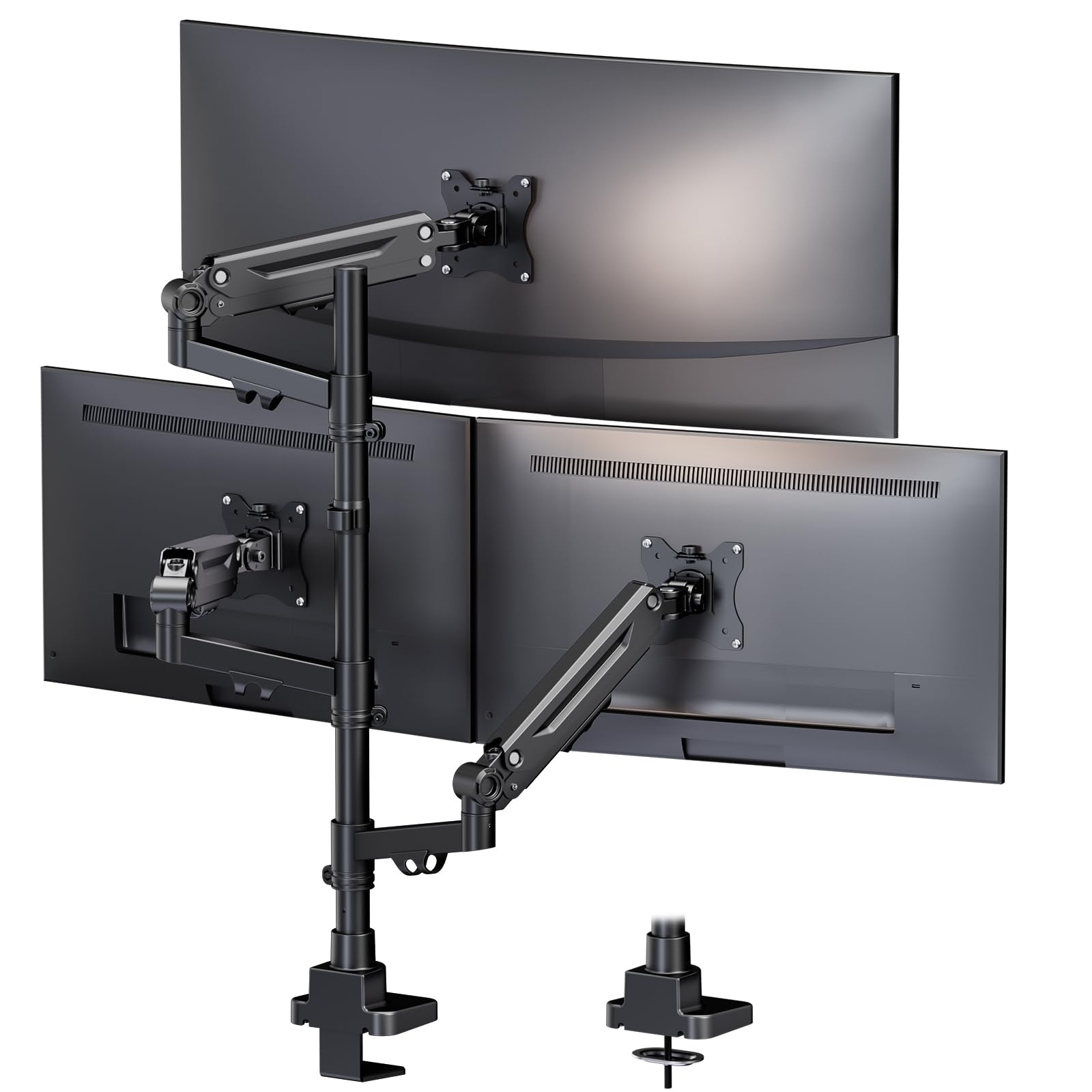
The dedicated ultrawide mount that supports your biggest screen.
If your setup revolves around a large 35-inch (89 cm) ultrawide main monitor flanked by two smaller screens, this mount is the only one built specifically for that combination. Each gas spring arm holds up to 26.5 lbs (12 kg), which is noticeably stronger than the 9 kg (19.8 lbs) arms found on most standard mounts, ensuring that heavy ultrawide panels stay exactly where you adjust them without drifting. The three arms are fully independent, meaning you can mix screen sizes — a 35-inch main with two 32-inch side monitors — without one arm affecting the others.
Reviewers call the build “tank-like” and “zero wobble,” even with three 30-inch-plus ultrawides attached. One reviewer noted setting up three 32-inch monitors without any sagging, and another mentioned a 20-minute assembly time. The 10-year warranty is the longest in this list, which speaks to the manufacturer’s confidence in the alloy steel and ABS (Acrylonitrile Butadiene Styrene, a tough plastic) construction. The minimum supported screen size is 17 inches, and the mount supports both VESA 75x75mm and 100x100mm patterns.
The downside here is that this mount is clearly optimized for ultrawide-centered layouts, not standard triple-flat-screen configurations. If all three of your monitors are 27 inches or smaller, the capacity per arm might be overkill, and you could save money with a mid-range option. The grommet and clamp mounting options handle desk thicknesses up to the typical range, but the design leans heavily on the ultrawide use case.
Why it’s great
- 26.5 lbs per arm (12 kg) handles heavy ultrawide monitors
- Supports a 35-inch main monitor — bigger than any other mount here
- 10-year warranty offers exceptional peace of mind
Good to know
- Best designed for ultrawide + standard monitor combos, not three identical flat screens
- More expensive than mid-range options if you do not need the 35-inch support
Best for: Ultrawide-centered triple setups with one 35-inch screen and two standard monitors. Not ideal if: all three monitors are 27 inches or smaller — you can save money with a lighter-duty mount.
3. MOUNT PRO Triple Monitor Mount

Silky gas spring control that makes one-finger adjustments real.
Each gas spring arm on this mount carries up to 19.8 lbs (9 kg), which covers the vast majority of standard and slightly larger monitors. The standout is the 90-degree tilt range — you can push each screen nearly flat, which is twice the tilt of the 45-degree limit on the WALI or ErGear mounts. This matters when you want to angle monitors downward for better viewing at a standing desk or for shared viewing in a collaboration setup. The two gas spring arms (the center arm is manual) provide smooth, effortless height adjustment that reviewers describe as “game-changing for productivity.”
Buyers who have used this mount for up to two years with three 27-inch monitors report it remains stable with only a “slight wobble when the desk is bumped,” which is expected for any pole-mounted triple setup. One buyer mentioned that aligning vertical monitors with horizontal bezels was a bit tricky and resulted in about a 1/4-inch height difference between screens. The mount uses high-quality aluminum construction, which resists rust better than iron-based mounts. It supports both C-clamp and grommet installation, with a desk thickness range up to 3.15 inches (8 cm).
The trade-off is the center arm has no gas spring — only the two side arms offer that smooth lift. If you run a particularly heavy center monitor, you will feel the difference. Still, for the combination of 90-degree tilt and 19.8 lbs per arm at a mid-premium price point, this mount delivers outstanding flexibility.
Why it’s great
- 90-degree tilt range — twice the tilt of many competitors
- Gas spring arms provide smooth, effortless height adjustments
- Aluminum construction resists rust better than iron
Good to know
- Center arm lacks gas spring — only the two side arms have it
- Aligning vertical monitors flush may require patience
Best for: Buyers who prioritize smooth gas spring adjustment and a wide tilt range across all three screens. Not ideal if: you need gas spring assistance on all three arms — the center arm is manual.
4. HUANUO Triple Monitor Mount
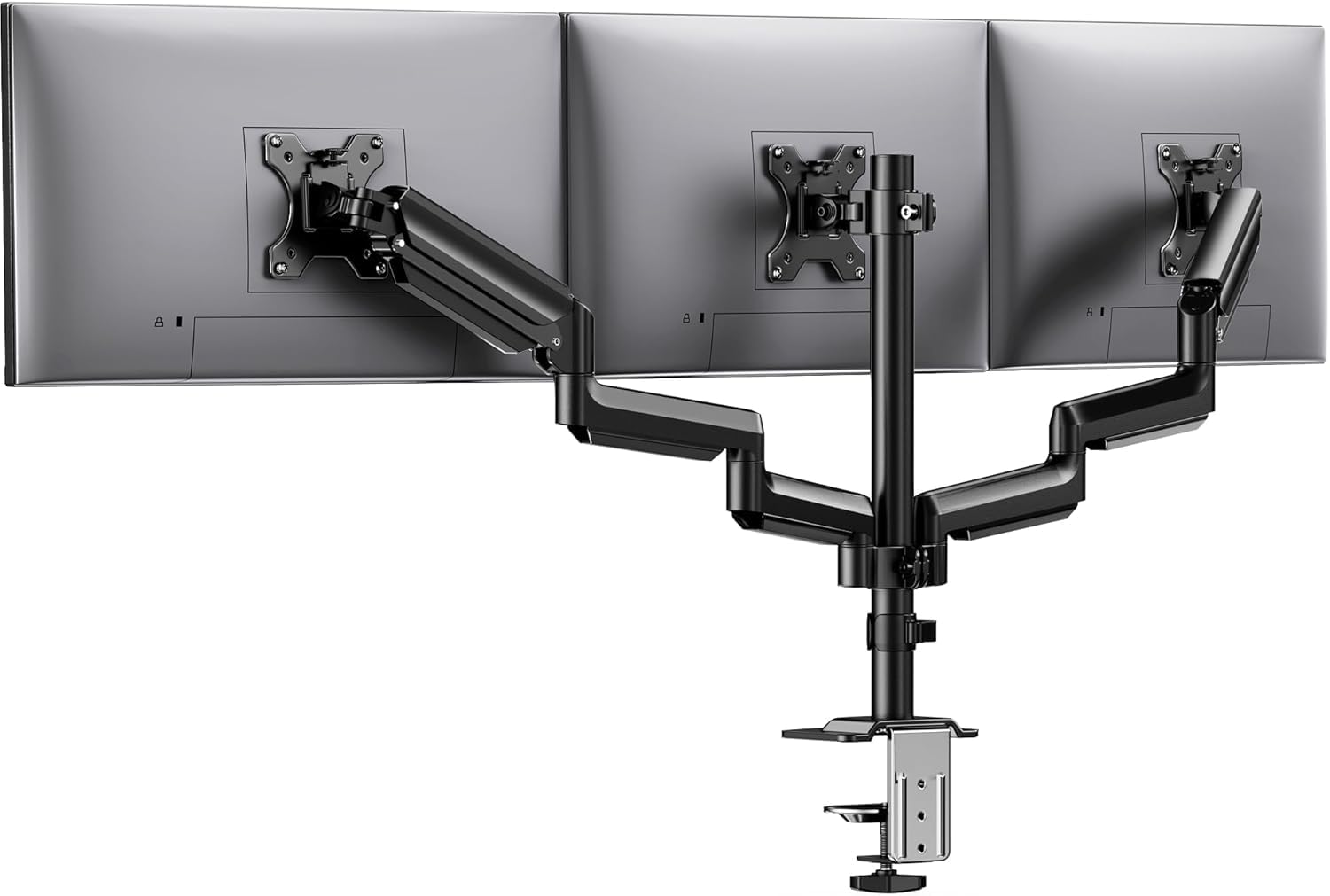
Rock-solid stability built for marathon gaming sessions.
Designed with aerospace-grade aluminum, this mount supports up to 19.8 lbs (9 kg) per arm and has been tested for 20,000 lift cycles, according to the manufacturer. The 360-degree rotation lets you flip any screen to portrait mode for reading code or documents, while the ±90-degree swivel and ±45-degree tilt give you plenty of range for finding that perfect viewing angle. Reviewers consistently mention the stability: one owner said it is “very sturdy, holds all 3 monitors well, and built to last,” even after months of daily use.
Compared to the WALI mount — which has a tighter 45-degree tilt limit — the HUANUO offers the same standard tilt range but doubles the per-arm capacity (19.8 lbs vs 15.4 lbs). The built-in cable clips keep the three monitor cables organized along the pole, which makes a big difference when you are gaming with peripherals everywhere. The mount fits monitors from 13 to 27 inches with VESA 75x75mm or 100x100mm patterns, and supports desk thicknesses from 0.39 to 3.15 inches (1 to 8 cm).
If you run three 24-to-27-inch gaming monitors, this is the mount that stays solid after hours of heavy use. A few buyers found the setup frustrating — one owner reported the instructions could be clearer, especially for the tilt-lock bolt adjustment. The maximum screen size of 27 inches also means this mount cannot handle larger ultrawide monitors. For those already committed to smaller gaming screens, the HUANUO delivers the rugged build and long-term stability that matters.
Why it’s great
- 19.8 lbs per arm with aerospace-grade aluminum build
- 360-degree rotation, ±90-degree swivel, ±45-degree tilt
- Owners mention long-term stability without sagging
Good to know
- Setup instructions could be clearer for first-time users
- Max screen size of 27 inches limits larger monitor upgrades
Best for: Dedicated gaming setups with 24-to-27-inch monitors that demand rock-solid stability. Not ideal if: you plan to use monitors larger than 27 inches or want an ultra-easy setup.
5. ErGear Triple Monitor Mount
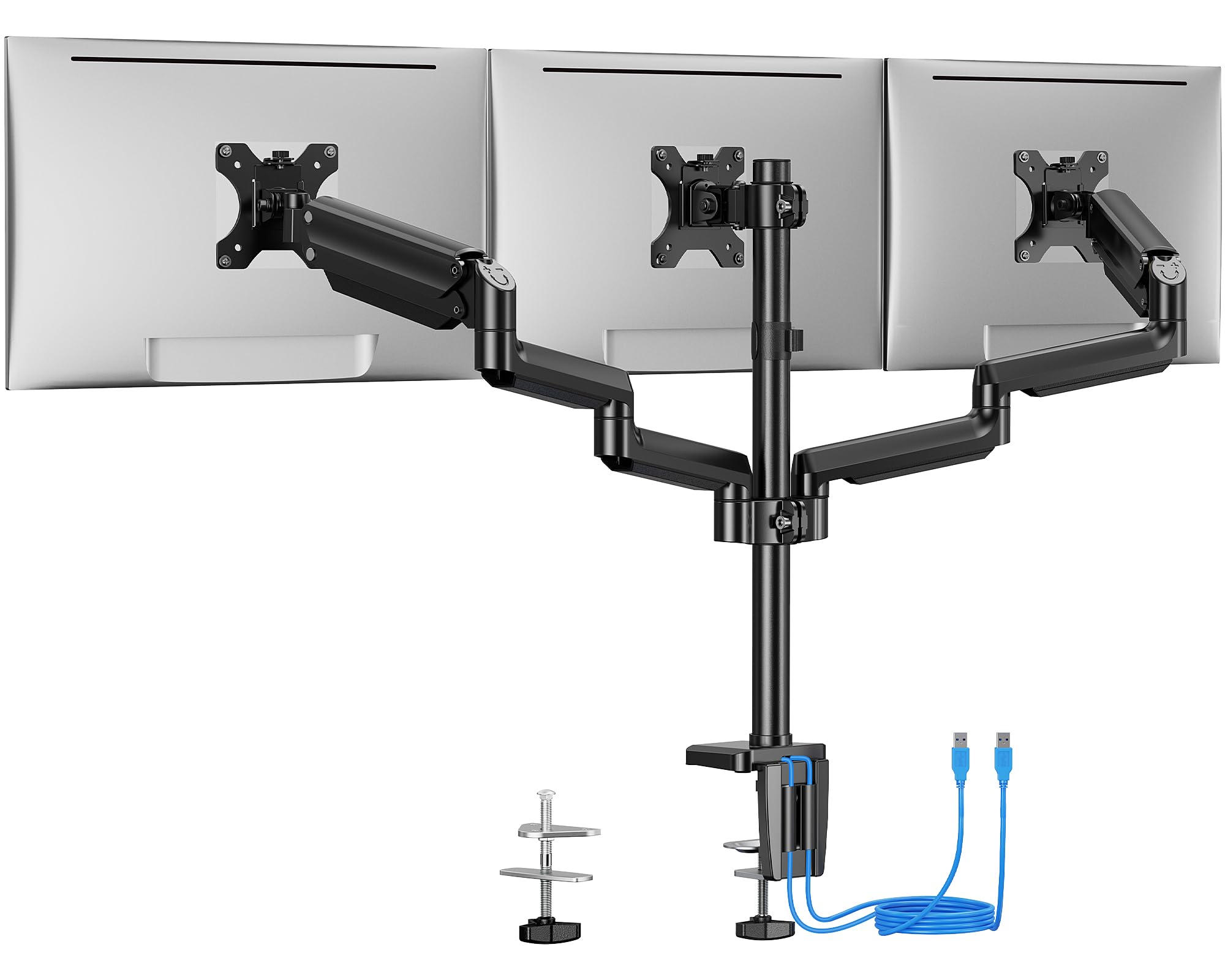
Brings charging ports to your monitor setup, no tower hunting needed.
This is the only mount in the lineup that includes two built-in USB 3.0 ports on the base. Once connected to a power source, those ports let you charge devices or transfer data directly from your desktop — so you are not crawling under the desk to plug in a flash drive. The mount supports monitors up to 27 inches with a weight capacity of 17.6 lbs (8 kg) per arm, and customers note it works perfectly with a 2×24-inch and 1×27-inch landscape configuration. The premium steel construction is tested for 20,000 lift cycles, and one customer observed using it for years with a standing desk without issues.
One limitation here is the maximum supported screen size: the ErGear lists 27 inches as its maximum, but the minimum-supported screen size is also listed as 27 inches — meaning the manufacturer may assume a uniform 27-inch setup. The tilt range is limited to 45 degrees, which is standard but less flexible than the 90-degree tilt on the MOUNT PRO. The middle bracket lacks forward adjustment, so reviewers point out that 27-inch side monitors can limit the center monitor’s positioning. It is best for straight-across setups rather than curved or staggered configurations.
If the USB ports save you from reaching behind your PC, that convenience alone may justify choosing this over the HUANUO or Pholiten. But if you need more than 45 degrees of tilt or plan to use monitors over 27 inches, look at the wider-capacity options in this list.
Why it’s great
- Two USB 3.0 ports on the base for convenient charging and data transfer
- Tested to withstand 20,000 lift cycles for long-lasting durability
- Buyers confirm it works with 24-inch and 27-inch monitors in mixed setups
Good to know
- Middle bracket lacks forward adjustment — best for straight-across setups
- Tilt range is 45 degrees, half the range of 90-degree options
Best for: Desk warriors who want built-in USB ports for easy accessory charging and data transfer. Not ideal if: you need 90-degree tilt, forward adjustment for the center monitor, or support for ultrawide screens.
6. WALI Triple Monitor Mount

The reliable workhorse with a warranty that outlasts your desk.
At 15.4 lbs (7 kg) per arm, the WALI has the lowest weight capacity among the full-size mounts here — the Pholiten holds 43% more per arm at 22 lbs. But if your monitors are standard office models (typically under 15 lbs), the WALI works fine and buyers confirm it “supports monitor without sagging or wobbling.” The standout feature is the 10-year warranty, which is the longest in the entire list besides the PUTORSEN’s 10-year coverage. The mount offers a 45-degree tilt range and supports screens from 13 to 32 inches, with a maximum extension of 27.2 inches (69 cm) and a maximum height of 17.1 inches (43 cm).
This mount is best suited for entry-level buyers who want a reliable triple mount without spending much. The all-steel construction gives it a solid feel, and the clamp and grommet mounting options fit most standard desks. One user highlighted the instructions were “initially confusing but manageable.” The main limitation is the 45-degree tilt — it is half the tilt of the Pholiten or MOUNT PRO mounts, which can matter if you need to angle monitors downward from a high desk or standing position. The arms are also non-gas spring, meaning adjustments require more manual force than the gas spring alternatives.
If your monitors are light and you do not need gas spring smoothness, the WALI is a solid entry point backed by exceptional warranty coverage.
Why it’s great
- 10-year warranty provides outstanding long-term coverage
- All-steel construction feels sturdy for standard monitors
- Maximum extension of 27.2 inches gives good reach for side screens
Good to know
- 45-degree tilt is half the range of the Pholiten and MOUNT PRO mounts
- 15.4 lbs per arm is the lowest capacity — avoid with heavy curved monitors
Best for: Entry-level triple setups with standard, lightweight monitors and a need for a long warranty. Not ideal if: you have heavy monitors (over 15 lbs) or need gas spring height adjustment.
7. Pholiten Triple Monitor Mount
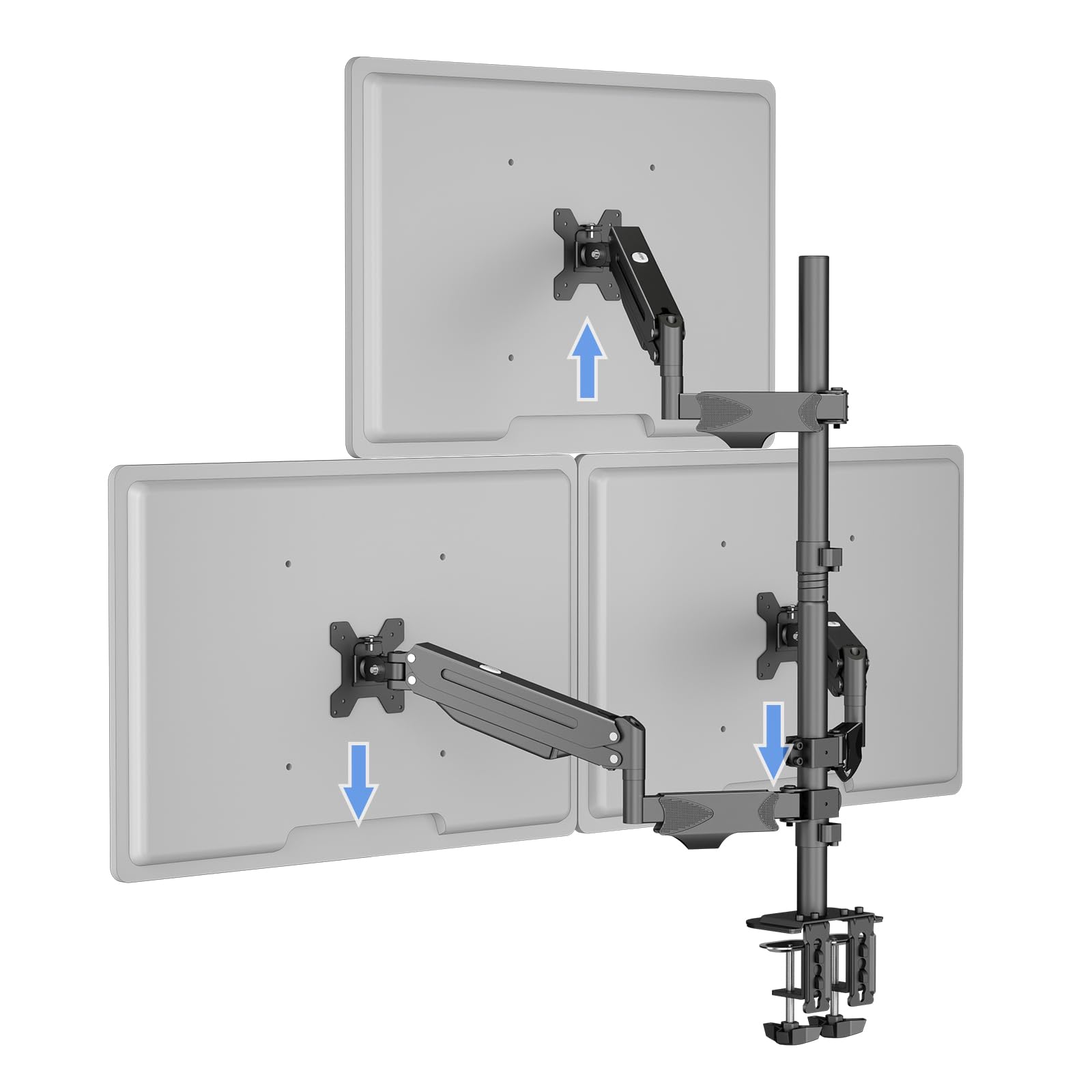
Holds heavy monitors at a budget price that punches above its weight.
The Pholiten mount delivers 22 lbs (10 kg) per arm — that is 43% more capacity per arm than the WALI mount — yet sits at a lower price point. This makes it the best option if you have heavier monitors (say, 21-inch to 27-inch curved displays) but are working with a tighter budget. The gas spring arms support a full 90-degree tilt, matching the premium MOUNT PRO in range. Shoppers say that it holds three 24-inch monitors without issue, with one reviewer noting “I have 4 24in monitors and it’s holds them up fine” — suggesting the arms can even handle a slight overhang. The mount supports VESA 75x75mm and 100x100mm patterns and fits desks up to 3.94 inches (10 cm) thick.
The trade-offs come in the build refinement. Multiple reviewers mention that assembly is a “pain” due to unclear instructions about which screws to use with which mounting type. The short VESA screws barely reach on some monitors, and one shopper added longer screws would have made the experience much better. The arms are also described as “stiff” by some — the gas spring tension may need adjustment out of the box for smooth movement. The cable management is present but less elegant than the integrated channels on the UPGRAVITY or MOUNT PRO mounts.
If you can handle a fiddly setup, this mount gives you premium capacity and tilt range at a budget price point that undercuts most competitors. It is not the most refined experience, but for raw specs per dollar, it is tough to beat.
Why it’s great
- 22 lbs per arm — significantly more capacity than the WALI at a lower price
- 90-degree tilt provides flexible viewing angles
- Gas spring arms support smooth height adjustments for heavy monitors
Good to know
- Assembly instructions are unclear and screws may not fit all monitors
- Gas spring arms may require tension adjustment for smooth movement
Best for: Buyers with heavy monitors on a tight budget who are comfortable with a more involved setup process. Not ideal if: you want a quick, easy assembly with clear instructions right out of the box.
Understanding the Specs
Gas Spring vs Manual Arm
A gas spring arm uses compressed nitrogen or air inside a cylinder to counterbalance the monitor’s weight. This means you can lift or lower the screen with a single finger, and it stays exactly where you let go. Manual arms (also called friction arms) rely on tight joints and bolts to hold position. They are cheaper but require more force to adjust and can drift over time as the joints loosen. For triple setups you adjust frequently, gas spring arms are worth the extra cost.
Weight Capacity Per Arm
This is the maximum load each arm can hold. Always weigh your monitor (include the stand if you keep it attached) and leave at least 2-3 lbs (0.9-1.4 kg) of margin. A 15 lbs (6.8 kg) monitor needs an arm rated for at least 18 lbs (8.2 kg). If you run three monitors of different weights, the heaviest monitor should go on the arm with the highest rated capacity. Capacity ratings are per arm, not cumulative — a mount with three 22 lbs (10 kg) arms does not mean each arm can hold 22 lbs simultaneously across all three.
VESA Pattern
VESA (Video Electronics Standards Association) is the standard bolt-hole pattern on the back of monitors. The two common sizes are 75x75mm and 100x100mm — measure the distance between the four mounting holes. Almost all triple mounts include both patterns, but some very large or ultrawide monitors use a 200x100mm or 200x200mm pattern that requires an adapter plate. Check your monitor’s VESA pattern before buying any mount.
Tilt, Swivel, and Rotation
Tilt moves the screen up and down (pitch), swivel moves it left and right (yaw), and rotation spins it to landscape or portrait mode (roll). A wider tilt range (like 90 degrees) is useful for lowering monitors toward you at a standing desk or angling them up for shared viewing. Standard tilt ranges of 45 degrees are fine for sitting desk work. Rotation to 360 degrees lets you flip any screen to portrait for coding or document reading — though 90-degree rotation is all you actually need for portrait mode.
Mounting Types
C-clamp: A clamp that grips the desk edge, the most common mounting type. It works on desks with a flat overhang edge. Grommet mount: Uses a pre-drilled hole in the desk (the same hole you run cables through) to anchor the mount directly through the surface. It saves the clamp from crushing your desk edge but requires a grommet hole. Double C-clamp: Two clamps side-by-side for extra stability — necessary for very heavy setups (like three 32-inch ultrawides) to prevent the pole from twisting when you move the side arms.
Desk Thickness Compatibility
C-clamps and grommet mounts have a maximum and minimum desk thickness they can accommodate. Most mounts list a range like 0.39 to 3.54 inches (1 to 9 cm). Measure your desk edge thickness before buying — a mount that cannot clamp tightly will wobble, and one that bottoms out will not secure at all. For standing desks that use thinner tabletops (often 0.75 inches / 1.9 cm thick), most mounts fit fine, but double-check the minimum thickness if your desk is very thin (under 0.5 inches / 1.3 cm).
FAQ
Will a 3 screen monitor mount work with a standing desk?
Can I mount three different monitor sizes on one triple mount?
How do I know if my monitors are VESA compatible?
What is the difference between a gas spring and a spring-loaded arm?
How long does it take to install a triple monitor mount?
Can I rotate monitors to portrait mode on a triple mount?
What is the maximum weight a triple mount can hold across all three arms?
Will a triple mount work with a glass desk?
How do I adjust the gas spring tension on my monitor mount?
Can I use a triple mount with curved monitors?
Final Thoughts: The Verdict
For most buyers, the 3 screen monitor mount winner is the UPGRAVITY Triple Monitor Stand because it balances the highest per-arm capacity (30.9 lbs), double C-clamp stability, and a 3-year warranty at a strong value. If you want ultrawide support up to 35 inches, grab the PUTORSEN Triple Monitor Mount. And for the smoothest gas spring control with 90-degree tilt, the MOUNT PRO Triple Monitor Mount is the one that makes one-finger height adjustments a reality.
How We Picked
We do not accept paid placement, and we did not hands-on test every unit. Instead, we match each pick to a real buyer and use-case by comparing the manufacturers’ published specifications against the patterns in verified customer reviews — so you get each pick’s real strengths and trade-offs instead of marketing copy.
Sources & Methodology
Specifications: manufacturer listings and product documentation. Review insights: verified customer reviews, as of June 2026. Pricing: not shown on this page (it changes often); check the current price via the retailer link.
As an Amazon Associate, Gadgets Feed earns from qualifying purchases. This does not affect which products we feature.
Product prices and availability are accurate as of the date/time indicated and are subject to change. Any price and availability information displayed on Amazon at the time of purchase will apply to the purchase of this product. As an Amazon Associate I earn from qualifying purchases.
CERTAIN CONTENT THAT APPEARS ON THIS SITE COMES FROM AMAZON. THIS CONTENT IS PROVIDED "AS IS" AND IS SUBJECT TO CHANGE OR REMOVAL AT ANY TIME.
Amazon and the Amazon logo are trademarks of Amazon.com, Inc. or its affiliates.