
Our readers keep the lights on and my morning glass full of iced black tea. As an Amazon Associate, I earn from qualifying purchases.
Specs are compiled from manufacturer listings and verified buyer reviews and can change over time — please confirm the key details on the product page before buying.
If your old laptop takes five minutes just to show your desktop, the cheapest fix is a 128GB SSD (a solid-state drive that stores your files on memory chips instead of a spinning disk). These drives swap out your sluggish hard drive and turn a decade-old machine into something you can actually use again — no new computer required. The trick is picking the right one, because speeds vary and some last longer than others.
I’m Min — the founder and writer behind Gadgets Feed. This guide is built by comparing the manufacturers’ published specifications and the patterns across verified customer reviews, so you get each pick’s real strengths and trade-offs instead of marketing spin.
The right 128gb ssd balances raw read speed — how fast it loads your operating system — with real-world reliability from buyers who actually installed them. You are likely resurrecting an old PC, building a budget system, or just need a small boot drive for a home server.
Quick Picks
- Bestoss 128GB 2.5 Inch SSD — Best Overall
- Timetec 128GB SSD 3D NAND SATA III — Top Performer
- Fikwot FS810 128GB SSD — Highest Read Speed
- Silicon Power 128GB SSD A55 — Best Value
- fanxiang S101 128GB SSD — Budget TLC
- Ediloca ES106 128GB SSD — Proven Reliability
- RAOYI 128GB Internal SSD SATA III — Budget Champion
How To Choose The Best 128GB SSD
When you only need 128GB, you are likely using this as a dedicated boot drive (the drive that holds your operating system and programs) or a small upgrade for an older system. The three things that matter most are how fast it reads data, what kind of flash memory it uses on the inside, and whether it will physically fit your laptop or desktop.
Read and Write Speeds
The number you will see on every product page is the sequential read speed, listed in megabytes per second (MB/s). This is how fast the drive can read large files one after another — for example, loading your operating system or a big game level. A faster read speed means your computer boots in seconds rather than minutes. Most 128GB SATA SSDs land between 450MB/s and 560MB/s — the higher the number, the snappier the feel when you start your PC.
3D NAND Flash Type
The memory chips inside the drive are called NAND flash. 3D NAND stacks cells vertically to pack more storage into the same physical space. The most common types today are TLC (Triple-Level Cell, storing 3 bits per cell) and QLC (Quad-Level Cell, storing 4 bits per cell). TLC generally offers a longer write lifespan, which matters if you are constantly moving files on and off the drive. For a boot drive that mostly reads data, either works, but TLC is the safer bet for long-term reliability.
Form Factor and Compatibility
Every SSD on this list is a 2.5-inch drive that uses the SATA III interface (also called SATA 6Gb/s — the standard connection for drives in most older computers). You can plug it into any SATA port on your motherboard. If your computer only supports the older SATA II standard (SATA 3Gb/s), these drives still work — they just run at the slower speed of the computer’s port. The drives are 7mm thick, which fits most laptops and desktops.
Quick Comparison
On smaller screens, swipe sideways to see the full table.
| Model | Best For | Read Speed | Write Speed | Flash Type | Amazon |
|---|---|---|---|---|---|
| Bestoss 128GB | Top raw speed | 550 MB/s | — | TLC NAND | Amazon |
| Timetec 128GB | Balanced performance | 550 MB/s | 500 MB/s | 3D NAND | Amazon |
| Fikwot FS810 | Highest read speed | 550 MB/s | — | 3D NAND TLC | Amazon |
| Silicon Power A55 | SLC cache boost | 500 MB/s | — | 3D NAND | Amazon |
| fanxiang S101 | Budget TLC choice | 500 MB/s | — | 3D NAND TLC | Amazon |
| Ediloca ES106 | Proven reliability | 500 MB/s | 400 MB/s | 3D TLC NAND | Amazon |
| RAOYI 128GB | Budget-friendly | 450 MB/s | 350 MB/s | 3D NAND | Amazon |
In‑Depth Reviews
1. Bestoss 128GB 2.5 Inch SSD
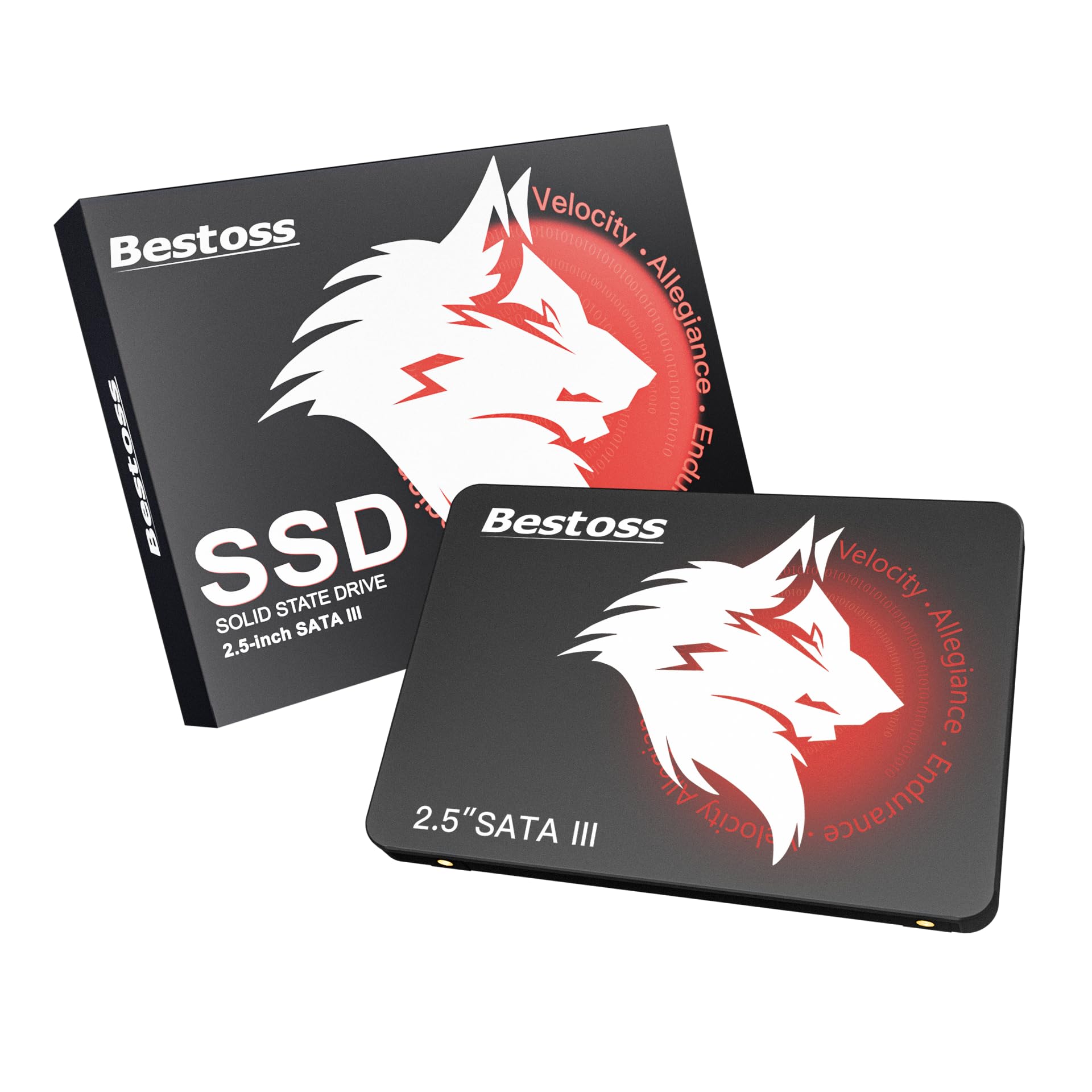
You get the fastest boot times in this lineup because the Bestoss reads at 550 MB/s — 22% faster than the RAOYI 128GB’s 450 MB/s.
This is the drive you grab when you want the absolute highest read speed for a boot drive. The Bestoss hits 550 MB/s — matching the top of the SATA III ceiling, which means your operating system and programs load as fast as the connection allows. That extra speed shaves real seconds off your startup time every day. It uses TLC NAND (Triple-Level Cell flash, which stores three bits per cell and lasts longer than cheaper QLC flash). Buyers report it gives “faster boot than HDD” and call it a “solid budget option for older PCs.”
The drive supports SATA III and works backward with SATA II and SATA I, so you can drop it into a machine from ten years ago without worries. The brand covers it with a 3-year limited warranty and lifetime technical support.
Speed Perks
- Fastest validated read speed at 550 MB/s in this lineup
- TLC NAND for longer write endurance than cheaper flash types
- Backed by a 3-year warranty
One Limit
- No official write speed listed in the specs
Grab it if: raw read speed is your top priority and you want TLC reliability for a budget price.
Think twice if: you need a drive with a known write speed for frequent file transfers — the Timetec is a better fit for that.
2. Timetec 128GB SSD 3D NAND SATA III

Unlike the Bestoss, the Timetec gives you the full picture: 550 MB/s read and 500 MB/s write, confirmed in the specs.
Where the Bestoss gives you read speed only, the Timetec tells the full story: 550 MB/s read and 500 MB/s write. That makes it equally good at loading programs and saving large files — for example, copying a 5GB video takes about 10 seconds at that write speed. It uses SLC Cache Technology, which temporarily writes data to a small portion of faster single-level cells before moving it to the main NAND, boosting your everyday performance. One reviewer noted it “livens up an old laptop” and reported boot and shutdown times of just 10 to 15 seconds.
The drive also boasts a mean time before failure (MTBF) of 1,000,000 hours — a durability indicator that suggests it should outlast many of the other budget drives on this list under normal use. It is compatible with everything from Windows 11 down to XP, plus macOS and Linux.
Why It Stands Out
- Both read (550 MB/s) and write (500 MB/s) speeds are high and confirmed
- SLC Cache boosts peak write performance during file transfers
- 1,000,000-hour MTBF rating for long-term confidence
Minor Catch
- No cables or brackets included in the box
Best for: anyone who wants balanced speeds and a durability rating above the rest.
Skip if: you need mounting hardware or a bracket with your purchase — you will have to buy those separately.
3. Fikwot FS810 128GB SSD

Fikwot lists a 550 MB/s read speed, matching the Bestoss and Timetec and still pushing close to the SATA III limit.
At 550 MB/s, it matches the Bestoss and Timetec on listed read speed and still pushes close to the SATA III interface limit. The Fikwot FS810 is also hot swappable (you can plug it in or remove it while the system is running) and shock resistant (it has no moving parts, so bumps won’t damage it), making it a decent candidate if you plan to use it in an external enclosure. It uses 3D NAND TLC flash, the same reliable type found in the top picks. Owners mention it “[revived] old laptops” and called it “fast, quiet.” It is backed by a 3-year service warranty.
Peak Specs
- Listed read speed of 550 MB/s
- 3D NAND TLC for endurance and price balance
- Hot swappable for easy external use
Trade-Off
- Write speed is not advertised in the specs
Reach for this if: you want the highest possible read speed from a budget SATA drive and are comfortable trusting a less-established brand.
Look elsewhere if: you need a confirmed write speed for frequent saving — the Timetec is the safer bet there.
4. Silicon Power 128GB SSD A55

The Silicon Power A55 brings something no other drive here offers: a free health-monitoring tool called SP Toolbox that shows you the drive’s temperature and how many bytes it has written.
That is a real advantage if you want to keep an eye on your drive’s health over time. It reads at 500 MB/s and uses SLC Cache Technology to boost writing performance — the same trick the Timetec uses to speed up file transfers. Buyers call it a “budget-friendly SATA SSD” that gives a “significant speed upgrade for an old PC.” The drive also includes Bad Block Management, which scans for problem areas and moves data away from failing spots to keep the drive running smoothly. The 500 MB/s read speed is slightly below the 550 MB/s top tier, so you trade a bit of boot speed for the extra software features.
Smart Features
- Free health monitoring software included
- SLC Cache boosts write performance
- Bad Block Management for longevity
One Thing
- Read speed of 500 MB/s is slightly below the 550 MB/s top tier of the Bestoss and Timetec
Perfect for: users who want to monitor their SSD’s health with free software and prefer a known brand over budget no-name options.
Skip if: you just want the fastest possible boot times and are not interested in extra software.
5. fanxiang S101 128GB SSD

The fanxiang S101 uses 3D NAND TLC — the same reliable flash type as the top picks — but at a lower 500 MB/s read speed and a budget price.
The brand claims it boots up at least 50% faster than a traditional HDD. Buyers confirm it is a “significantly faster than mechanical drive” option that “makes old PC feel new.” One reviewer used it for six months with zero issues and said it runs at the expected speed of 6 gigabits (the speed of the SATA III interface). However, one buyer mentioned corruption after a couple of months on an old laptop — a risk with any budget SSD, but worth noting. The warranty runs for 3 years.
Why It Works
- TLC flash for better longevity than QLC drives
- 500 MB/s read is solid for a boot drive
- 3-year warranty included
Potential Risk
- One owner reported corruption after a couple of months on an old laptop
Go for it if: you want TLC reliability at a budget price point and are willing to accept the risk of a less-established brand.
Be cautious if: you are installing it in a very old or failing system — the Ediloca may be a safer bet with its proven track record.
6. Ediloca ES106 128GB SSD
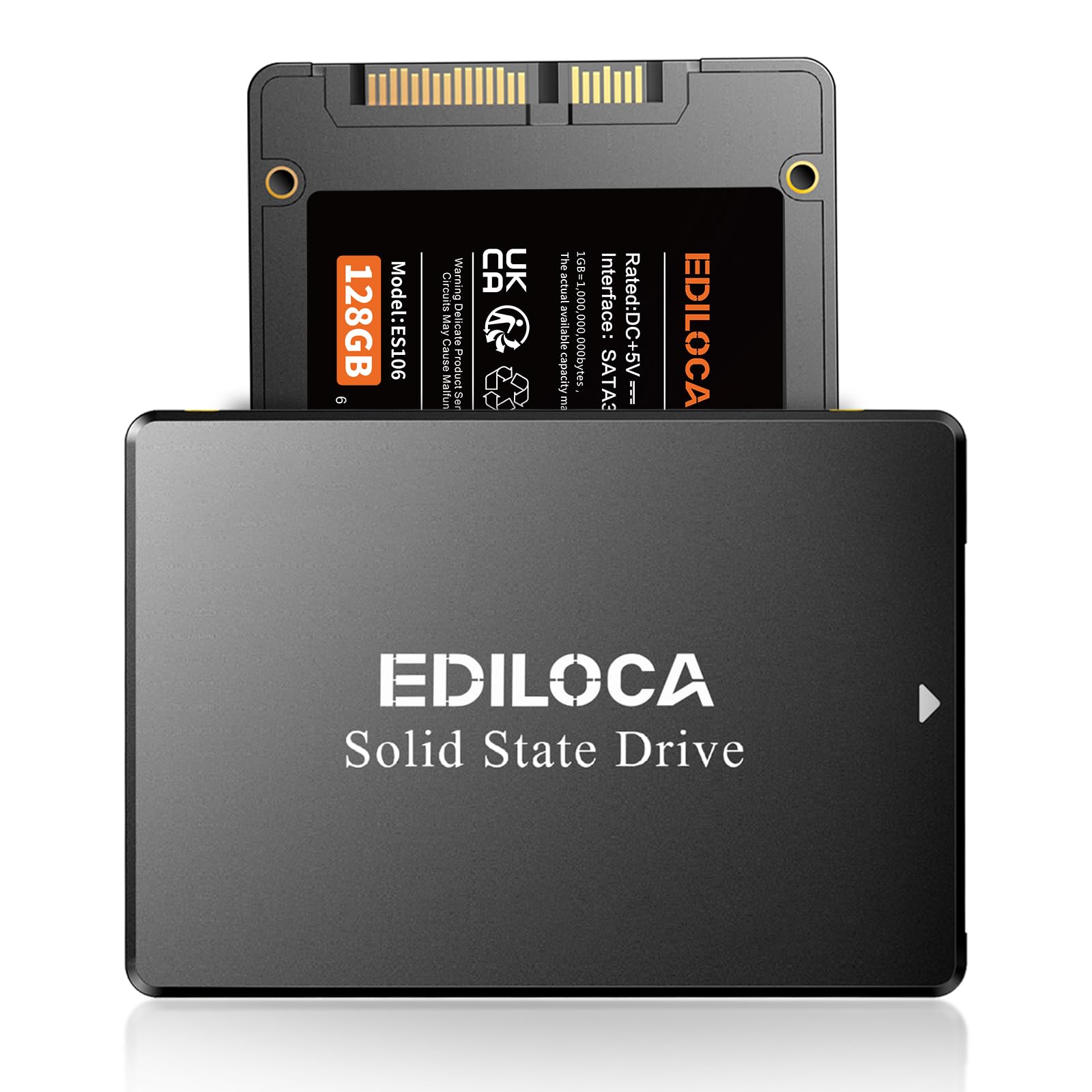
With thousands of positive reviews and a confirmed 400 MB/s write speed, the Ediloca is the trusted workhorse of this roundup.
Ediloca is among the most established budget SSD brands, and the ES106 shows why. It hits 500 MB/s read and 400 MB/s write — one of the few drives in this roundup that actually lists both speeds. One customer observed they “took a chance to bring some new life into my niece’s linux laptop” and called it “fast, snappy, and no problems.” That kind of real-world feedback from a verified purchase matters. The drive uses 3D TLC NAND and is shock-proof and drop-proof. It is also plug-and-play with Windows 10/11, macOS 10.4+, Linux 2.6.33+, and NAS systems (network-attached storage boxes). Ediloca claims 2M+ users and backs it with a 3-year warranty.
Reliability Points
- Known 400 MB/s write speed for file transfers
- Shock-proof and drop-proof build
- Wide OS and NAS compatibility
Consideration
- 500 MB/s read is a notch below the 550 MB/s leaders like the Bestoss and Timetec
Ideal for: first-time SSD buyers who want a proven, well-reviewed drive with a known track record.
Not your pick if: you need the absolute highest read speed available — the 550 MB/s drives are noticeably faster for booting.
7. RAOYI 128GB Internal SSD SATA III

At 450 MB/s read and 350 MB/s write, the RAOYI is the slowest drive here, but it is also the cheapest — and still a massive leap over any mechanical hard drive.
One user highlighted they “purchased for use with the eufgy camera home base,” showing it works well for always-on recording devices where raw speed is less important than quiet, reliable operation. Another reviewer installed it in their daughter’s PC to dual-boot Linux and had “no problems at all.” The drive uses advanced 3D NAND technology and comes in a durable ABS plastic casing. It supports Windows, Linux, and Mac OS, and is backward compatible with SATA 2.0 and 1.0. RAOYI includes lifetime technology support.
Entry-Level Perks
- Good for low-write applications like camera hubs and secondary drives
- Lifetime technology support included
- Widely compatible with older SATA standards
Speed Trade-Off
- 450 MB/s read and 350 MB/s write are the slowest in this roundup — you get about 1 second slower boot times compared to a 550 MB/s drive
Perfect for: a low-cost upgrade for a non-critical system or a dedicated camera hub drive where speed is not the priority.
Skip if: you are upgrading your main PC and want the fastest boot times possible — the Bestoss or Timetec will save you seconds every boot.
Understanding the Specs
Sequential Read Speed (MB/s)
This is the headline number on every SSD box. It measures how fast the drive can read large chunks of data in a row — think loading a big game level or starting Windows. On SATA III drives (the standard connection for most older computers), the theoretical maximum is roughly 560 MB/s. A drive rated at 550 MB/s versus 450 MB/s will shave a few seconds off your boot time, which adds up over weeks of use.
3D NAND and TLC vs QLC
NAND is the actual memory that stores your files. 3D NAND stacks memory cells vertically to pack more storage into the same physical space. TLC (Triple-Level Cell) stores three bits per cell and is the standard for budget SSDs today — it offers a good mix of speed and lifespan. QLC (Quad-Level Cell) stores four bits per cell and is cheaper, but it wears out faster under heavy writing. For a boot drive, TLC is usually the better choice.
FAQ
Will any of these 128GB SSDs work in my 10-year-old laptop?
Do I need to install any drivers for these SSDs?
Can I use a 128GB SSD as my only drive in a PC?
Which is better TLC or QLC flash for a home server?
What is SLC Cache and why should I care?
How long does a 128GB SSD typically last?
Why is my new SSD not showing the full 128GB?
Can I connect these SSDs externally via USB?
Is it worth paying more for a faster read speed like 550 MB/s vs 450 MB/s?
What do I need to install a 2.5-inch SSD in a desktop PC?
Final Thoughts: The Verdict
Across the board, the 128gb ssd winner is the Bestoss 128GB because it delivers the fastest read speed at 550 MB/s with reliable TLC NAND and a 3-year warranty. If you want balanced read and write speeds plus the best durability rating, grab the Timetec 128GB. And for a budget-friendly pick that simply works for a camera hub or secondary system, the RAOYI 128GB is a solid choice at the lowest price.
How We Picked
We do not accept paid placement, and we did not hands-on test every unit. Instead, we match each pick to a real buyer and use-case by comparing the manufacturers’ published specifications against the patterns in verified customer reviews — so you get each pick’s real strengths and trade-offs instead of marketing copy.
Sources & Methodology
Specifications: manufacturer listings and product documentation. Review insights: verified customer reviews, as of July 2026. Pricing: not shown on this page (it changes often); check the current price via the retailer link.
As an Amazon Associate, Gadgets Feed earns from qualifying purchases. This does not affect which products we feature.
Product prices and availability are accurate as of the date/time indicated and are subject to change. Any price and availability information displayed on Amazon at the time of purchase will apply to the purchase of this product. As an Amazon Associate I earn from qualifying purchases.
CERTAIN CONTENT THAT APPEARS ON THIS SITE COMES FROM AMAZON. THIS CONTENT IS PROVIDED "AS IS" AND IS SUBJECT TO CHANGE OR REMOVAL AT ANY TIME.
Amazon and the Amazon logo are trademarks of Amazon.com, Inc. or its affiliates.