
Our readers keep the lights on and my morning glass full of iced black tea. As an Amazon Associate, I earn from qualifying purchases.
Specs are compiled from manufacturer listings and verified buyer reviews and can change over time — please confirm the key details on the product page before buying.
You want to print your first mug or shirt, but the ink jargon and brand promises make it hard to know which machine will work. The three things that matter for a beginner are a setup that does not need a technician, colors that pop on the first print, and ink that does not cost more than the blanks. This guide skips the noise and shows you the models that deliver real results without the frustration.
I’m Min — the founder and writer behind Gadgets Feed. This guide is built by comparing the manufacturers’ published specifications and the patterns across verified customer reviews, so you get each pick’s real strengths and trade-offs instead of marketing spin.
Picking the right machine is the difference between a fun hobby and a frustrating paperweight. Here is a look at the best sublimation printer for beginners and which one fits your situation.
Quick Picks
- Brother SP-1 Sublimation Printer Starter Bundle with Full Ink Set, 160 Sublimation Transfer Sheets, 50 Blanks, Tape and More — Best Overall
- Epson SureColor F170 Dye-Sublimation Printer – Compact 8.5″ x 11″ Format — Easiest Setup
- Brother Sublimation Printer and Black Ink Cartridge — Vibrant Value
- Brother Sublimation Printer with Artspira App Support, 100 Sublimation Papers, and AR Functionality — App-First Creator
How To Choose The Best Sublimation Printer For Beginners
Before you buy, a few things matter more than brand names. Here is what to watch for so your first machine is a helper, not a headache.
Dedicated Sublimation Vs. Converted Inkjet
Not every inkjet can do sublimation. A dedicated sublimation printer — like the Epson SureColor F170 or the Brother SP-1 — uses a permanent set of special dye-sublimation inks from the factory. Converted printers require you to flush out black ink and install sublimation ink yourself, which risks clogs and voided warranties. For a beginner, a dedicated machine is the safer, simpler choice.
Ink Cost And Cartridge Size
Sublimation ink is where the long-term expense lives. Look at the milliliter size of the cartridges or bottles included in the box. Larger volumes — 41ml or 47ml — mean fewer replacements per project. Some manufacturers use small 30ml cartridges that drive up cost per print quickly.
Print Size And Paper Handling
Most beginner-friendly sublimation printers handle letter-sized paper (8.5″ x 11″). That is enough for standard mugs, shirts, and tumblers. A dust-resistant closed paper tray keeps lint away from your prints, saving you frustration during the transfer process. If you plan to print larger panels for bigger crafts, check whether the printer supports legal-size or wider media.
App Support And Design Workflow
Some printers, like Brother models with Artspira, let you design and send prints from a phone or tablet. Others rely on a traditional computer workflow. If you prefer on-the-go creating without a laptop, app-based support is a convenience worth looking for — just be aware that designing on a small phone screen can feel cramped.
Quick Comparison
On smaller screens, swipe sideways to see the full table.
| Model | Best For | Ink Included | Paper Tray | App Support | Amazon |
|---|---|---|---|---|---|
| Brother SP-1 Starter Bundle | All-In-One Kit | Full CMYK, 47ml each | Unknown | No | Amazon |
| Epson SureColor F170 | Ease Of Use | Full OEM set | 150-sheet auto-feed | No | $399.99Amazon |
| Brother Printer & Black Cartridge | Vibrant Prints On A Budget | CMYK + extra black, 41ml | Unknown | Artspira | $469.98Amazon |
| Brother Printer W/ Artspira | App-First Design | CMYK | Unknown | Artspira | $469.98Amazon |
In‑Depth Reviews
1. Brother SP-1 Sublimation Printer Starter Bundle with Full Ink Set, 160 Sublimation Transfer Sheets, 50 Blanks, Tape and More
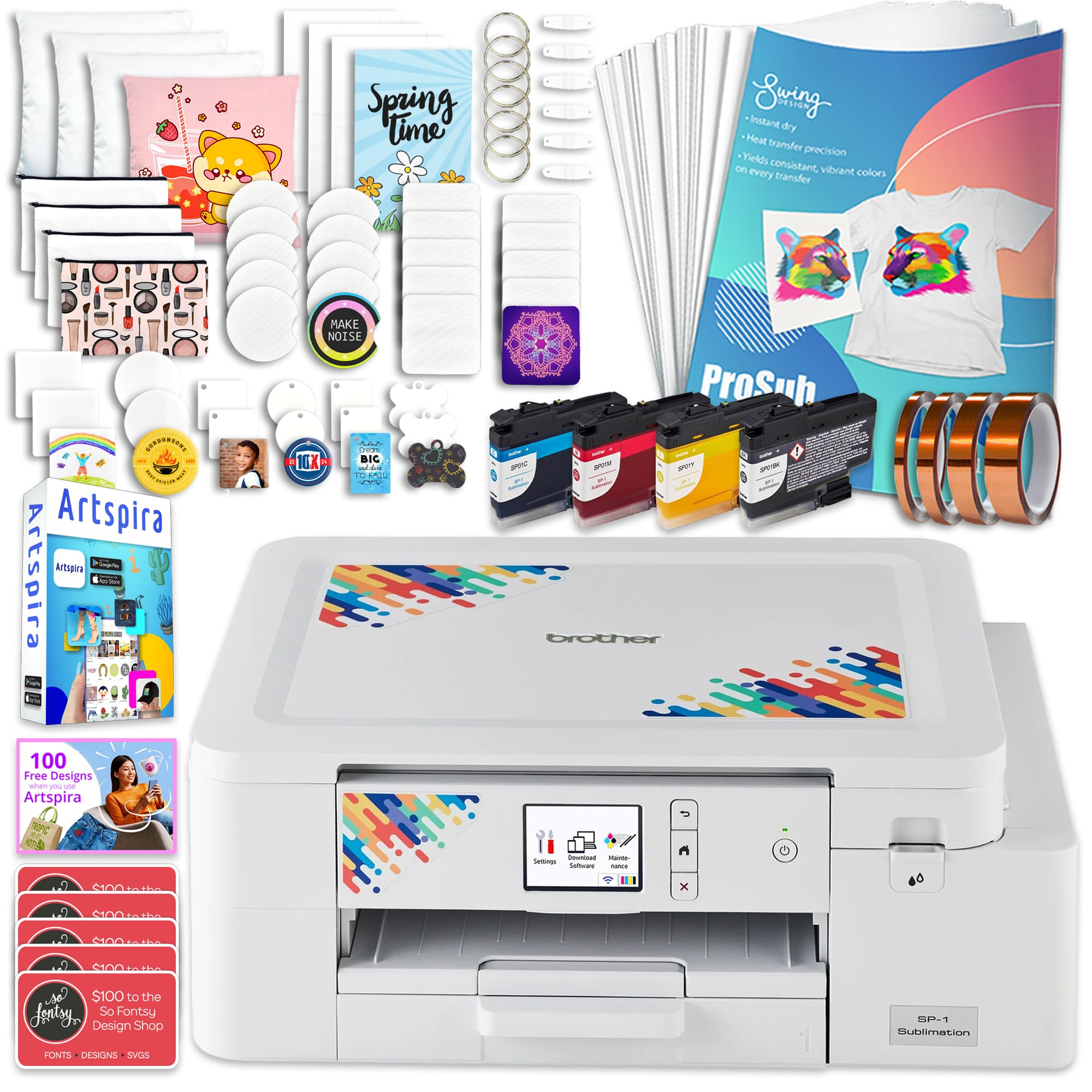
You get a complete starter studio in one box — printer, 47ml big-bottle inks, 160 paper sheets, and 50 blanks — so you can print your first mug on day one without a second shopping trip.
This bundle does the research for you. It includes a full set of CMYK (a four-color ink system: cyan, magenta, yellow, and black) sublimation inks at 47ml each — notably larger than the 30ml or 41ml cartridges you see on many competing printers, which means fewer replacement purchases as you work through projects. It also packs 160 sheets of sublimation paper, 50 sublimation blanks, heat-resistant tape in four widths, plus 500 design cards from SoFontsy that give you ready-to-use SVGs and monograms. That is a lot of material to start creating without a second shopping trip. Compared to the Epson F170, which requires you to source paper and blanks separately, the SP-1 removes almost all the guesswork.
Buyers report the printer was very easy to set up right from the start, and the quality of the prints is consistently described as great. One reviewer noted their only regret was being unable to use the prints with a Cricut automatic cutting machine, because the printer automatically outputs images in reverse — a small workflow quirk if you rely on a cutting machine. The printer itself prints at up to 10 pages per minute, versus the Epson F170’s 1 page per minute. For a beginner who wants to avoid the research on paper, blanks, tape, and ink, this bundle removes nearly every friction point.
The main trade-off is no duplex (automatic two-sided printing), so for double-sided designs you have to manually flip the paper.
What Makes It Beginner-Friendly
- Comes with full CMYK inks at 47ml each — bigger bottles than most entry-level printers
- Includes 160 paper sheets, 50 blanks, tape, and 500 design cards, so you can start printing immediately
- Fast print speed of 10 pages per minute saves time during batch projects
- User reviews consistently praise easy setup and excellent print quality
Things To Know First
- Prints automatically in reverse, which makes cutting with a Cricut or similar machine tricky
- No duplex printing — you have to manually flip paper for double-sided designs
Reach for this if: you want a single box that has everything — printer, ink, paper, blanks, tape, and designs — with zero guesswork about compatibility.
Look elsewhere if: you rely on a Cricut or similar automatic cutter and need prints that are not mirrored.
2. Epson SureColor F170 Dye-Sublimation Printer – Compact 8.5″ x 11″ Format

You get the most reliable print quality and a dust-proof paper system, all in a desk-friendly footprint — but you trade speed and wireless for that clarity.
The F170 is built around the PrecisionCore printhead (Epson’s high-precision nozzle system), which uses Precision Droplet Control to deliver sharp, detailed images. That means fine text and gradients stay crisp when you transfer them onto mugs or mousepads. It ships with a full set of genuine OEM (original equipment manufacturer) Epson sublimation inks, certified ECO PASSPORT by OEKO-TEX — a safety certification verifying the inks are safe for use on textiles and apparel. The dust-resistant 150-sheet auto-feed tray holds your paper in a closed compartment, so lint and dust do not land on the paper surface before printing, giving you cleaner transfers with less prep work.
Owners mention the F170 sets up easily and produces fantastic print quality — one buyer mentioned printing every day since they got it with no paper jams. The main hiccup reported is that the printer struggles to connect to Wi-Fi, with some users needing an Ethernet cable to get it online. If your workspace does not have a wired network port nearby, that is a real consideration. The color pages per minute is listed at 1 ppm, versus the Brother SP-1 that manages up to 10 ppm — so if you plan to run large batches, the F170 will keep you waiting longer.
For hobbyists and small business owners who want the most reliable printhead technology and the cleanest possible prints without dealing with an app-based design workflow, the Epson F170 delivers. The compact footprint (14.8 inches wide by 13.7 inches deep) makes it easy to fit on a standard desk. The lack of duplex printing and the slow speed are the main trade-offs, but for many beginners, the reliability and image clarity justify the patience. It is a better choice than the Brother SP-1 if you value printhead reliability over a bundle of starter supplies.
Why It Works For Beginners
- PrecisionCore printhead delivers outstanding image clarity and detail on transfers
- Dust-resistant 150-sheet auto-feed tray reduces paper prep and lint issues
- Genuine OEM inks are included and certified safe for textile use (OEKO-TEX)
- Small footprint fits easily on a desk
Potential Frustrations
- Slow print speed — about 1 page per minute, versus the Brother SP-1 at 10 pages per minute
- No built-in Wi-Fi; many users need an Ethernet cable to connect it to their network
- No app design support — requires a computer workflow
Best For: crafters who prioritize print quality and reliability over speed, and who are comfortable with a wired network setup and a computer-based design process.
skip it if: you need to batch-print many sheets quickly or you depend on a wireless-only workspace.
3. Brother Sublimation Printer and Black Ink Cartridge
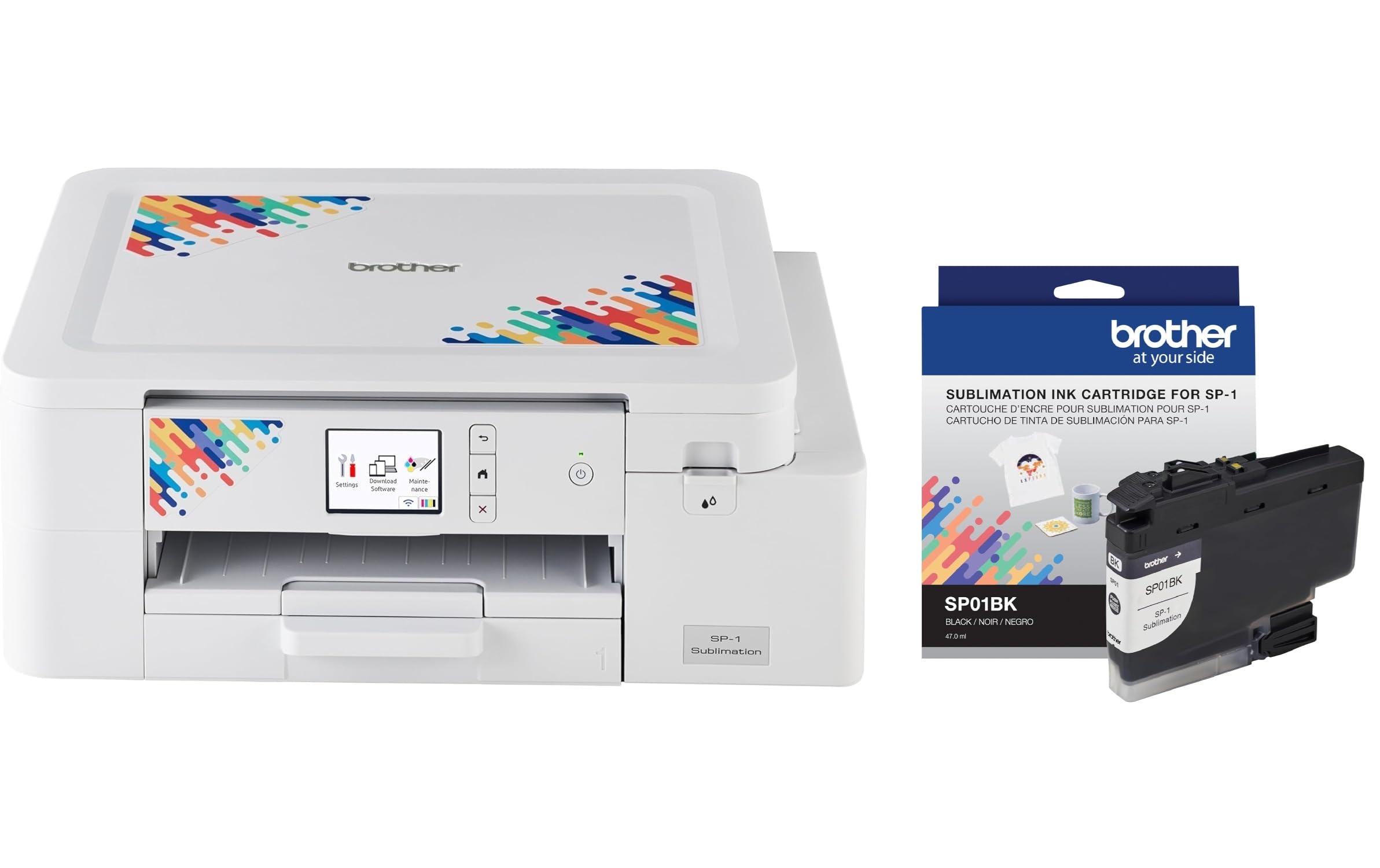
Big ink cartridges and a mobile app make this the best value for bold prints and lower per-project costs than the Sawgrass SG500 alternative.
This Brother model earns its spot with a combination of vibrant output and a smart ink story. It comes with CMYK inks plus an extra standard-yield black ink cartridge (model SP01BKS). Customers note the ink is notably cheaper and larger than the Sawgrass SG500 alternative — a real comparison point because Sawgrass is a common name in sublimation. One reviewer measured the difference: 41ml cartridges on this Brother versus 30ml on the Sawgrass. That translates to more prints before a replacement, and a lower cost per project. The printer also features self-cleaning printheads that activate when powered on, which helps prevent clogs between projects — a common headache for occasional users.
On the design side, the Artspira app (Brother’s free mobile app) lets you import images, access over 100 sublimation designs, and convert photos into poster-style drawings right from your phone or tablet. The fast print speed of up to 45 seconds per sheet is competitive, and the printer has both Ethernet and USB connectivity. One trade-off is that the Artspira app is only available on phones and tablets — you cannot design on a computer via the app. Some reviewers found the small screen layout difficult when making detailed edits. Another reviewer noted that while the printer delivers excellent image quality and vibrant colors, it can have connectivity issues, though Brother’s chat support resolved them.
The printer’s dimensions are 13.5 inches deep by 17.1 inches wide, compared to the Epson F170 at 13.7 inches deep by 14.8 inches wide, so make sure your desk has room. The overall weight is 9 kilograms (roughly 20 pounds), making it noticeably heavier than the Epson’s 16 pounds. If you want rich color, affordable ink, and the flexibility of a mobile app design workflow, this Brother offers a strong mix of value and performance.
Strong Points
- Ink uses 41ml cartridges versus 30ml on the Sawgrass SG500
- Self-cleaning printheads reduce risk of clogs between projects
- Artspira app provides mobile design access with over 100 sublimation patterns
- Prints bright, bold, and detailed on various materials, per buyer reports
Weak Spots
- Artspira app is phone/tablet only — no desktop version, and small screen can make designing cumbersome
- 17.1-inch width demands a large desk footprint; the Epson F170 is 14.8 inches wide
- Weight is listed at 9kg, while the Epson F170 is listed at 16 pounds
- A minority of reviewers report connectivity drops and noisy operation
Grab It For: the best ink value among these picks, plus mobile app design if you prefer working on a tablet or phone.
Pass If: you have a small desk or you need a computer-based design workflow for more complex edits.
4. Brother Sublimation Printer with Artspira App Support, 100 Sublimation Papers, and AR Functionality
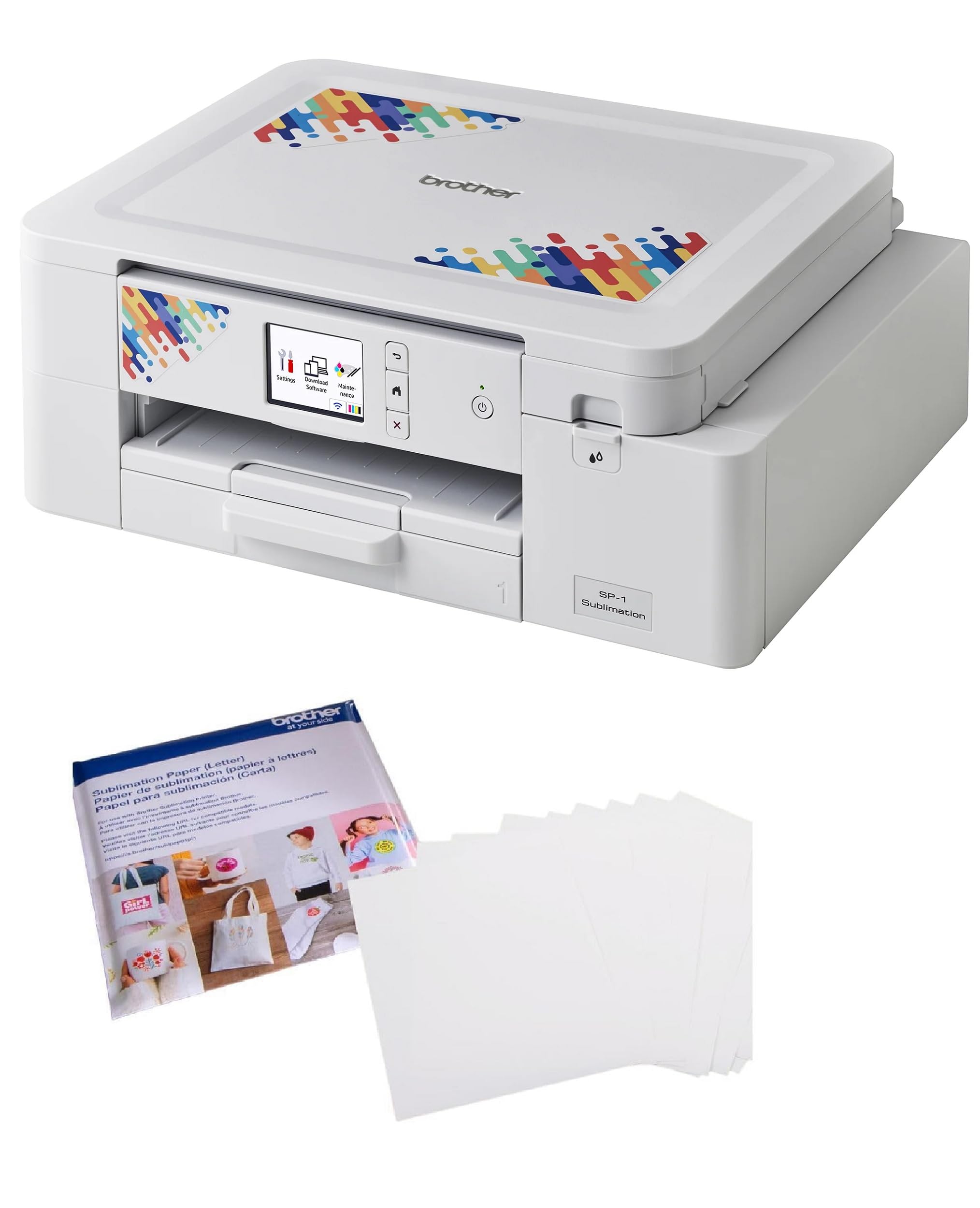
You get the only model here with automatic two-sided printing, plus an app that shows you an AR preview of your design on a mug before you press it.
This Brother is for the beginner who wants to design and print entirely from a phone or tablet. It relies on the Artspira app, which gives you access to over 100 sublimation designs, stylistic filters, and a tool that converts everyday photos into poster-style line art. The printer also includes AR (augmented reality) functionality — you can preview how a design will look on a blank item before you commit it to the heat press. That saves you from wasting paper and blanks on a design that does not fit right visually. Print speed is a solid up to 45 seconds per sheet, meaning you are not stuck waiting long for each output.
A notable differentiator here is automatic duplex (two-sided) printing — the only printer in this lineup that handles it natively. Unlike the Epson F170 or the Brother SP-1, which require manual paper-flipping for double-sided designs, this model saves you that step. The bundle also includes 100 sheets of letter-size Brother sublimation paper. Reviewers point out the printer works well overall, though some mention the setup is lengthy and the printer runs slowly, with one reviewer noting that language options are limited to English and Arabic only. The same buyer also reported that the bundled sublimation paper did not arrive with the printer — a delivery issue related to the carrier rather than the printer itself.
The printer connects via Ethernet or USB, with a touch-based control method. The 24-bit color depth (the amount of color data per pixel — higher means smoother gradients) is standard for this class. If designing from your phone is central to your workflow and you value the convenience of automatic duplex printing, this is the model to pick. Just be prepared for a longer initial setup, and factor in the need for a wired connection if Wi-Fi is important to you.
What Stands Out
- Only model here with automatic duplex (two-sided) printing — saves time on double-sided projects
- Artspira app with AR preview lets you visualize a design on a blank item before printing
- Print speed up to 45 seconds per sheet
- Includes 100 sheets of Brother sublimation paper in the bundle
What To Know
- Setup is lengthy compared to the Epson F170, per buyer feedback
- Language options limited to English and Arabic
- Relies on Ethernet or USB — no built-in Wi-Fi support
Choose This For: the convenience of a mobile-first design process, duplex printing, and AR previews that help you avoid wasting materials on mismatched designs.
Skip This For: a quick, low-maintenance unboxing experience or if you only print single-sided designs and want a simpler setup flow.
Understanding the Specs
Print Speed (PPM)
Pages per minute tells you how fast the printer outputs finished sheets. The Brother SP-1 prints at 10 ppm, while the Epson F170 prints at 1 ppm. For a few shirts or mugs at a time, the difference is small — but for a batch of 20 mugs, that means about 2 minutes for the Brother SP-1 and about 20 minutes for the Epson F170.
Duplex Printing
Duplex is the ability to print on both sides of the paper automatically. Only the Brother Printer with Artspira App Support offers automatic duplex. The other three are simplex — they print on one side only. If you make double-sided designs or folded items, duplex is a real time-saver. If you only print single-sided transfers for shirts or standard mugs, it does not matter.
FAQ
Can I use any inkjet printer for sublimation?
What is the difference between a sublimation printer and a regular printer?
What size paper do these sublimation printers use?
Do I need a heat press to use a sublimation printer?
Which printer has the cheapest ink refills?
Can I print from my phone with these printers?
What blanks can I sublimate with these printers?
How do I set up a dedicated sublimation printer?
Is the Epson SureColor F170 Wi-Fi enabled?
Which printer is best for a complete beginner with no design experience?
Final Thoughts: The Verdict
If you want a single box that has everything you need to print your first project — no extra shopping, no guesswork — the Brother SP-1 Starter Bundle is the clear sublimation printer for beginners because it bundles full CMYK 47ml inks, 160 paper sheets, 50 blanks, tape, and 500 design cards into one purchase. If you value the most reliable printhead technology and a compact desk footprint over a starter kit, the Epson SureColor F170 delivers cleaner prints with less fuss. And for mobile-first creators who want the best ink economics and duplex printing, the Brother Printer with extra black ink offers vibrant colors and lower per-print costs than the Sawgrass alternative.
How We Picked
We do not accept paid placement, and we did not hands-on test every unit. Instead, we match each pick to a real buyer and use-case by comparing the manufacturers’ published specifications against the patterns in verified customer reviews — so you get each pick’s real strengths and trade-offs instead of marketing copy.
Sources & Methodology
Specifications: manufacturer listings and product documentation. Review insights: verified customer reviews, as of July 2026. Pricing: not shown on this page (it changes often); check the current price via the retailer link.
As an Amazon Associate, Gadgets Feed earns from qualifying purchases. This does not affect which products we feature.
Product prices and availability are accurate as of the date/time indicated and are subject to change. Any price and availability information displayed on Amazon at the time of purchase will apply to the purchase of this product. As an Amazon Associate I earn from qualifying purchases.
CERTAIN CONTENT THAT APPEARS ON THIS SITE COMES FROM AMAZON. THIS CONTENT IS PROVIDED "AS IS" AND IS SUBJECT TO CHANGE OR REMOVAL AT ANY TIME.
Amazon and the Amazon logo are trademarks of Amazon.com, Inc. or its affiliates.