
Our readers keep the lights on and my morning glass full of iced black tea. As an Amazon Associate, I earn from qualifying purchases.
Specs are compiled from manufacturer listings and verified buyer reviews and can change over time — please confirm the key details on the product page before buying.
You have a design you need to hold, test, and break today — not next week. The biggest liar in prototyping says you have to pick between speed and precision, or spend weeks learning to level a bed first. A good 3d printer for prototyping turns your digital model into a real object fast, without needing a materials-science degree to keep it running.
I’m Min — the founder and writer behind Gadgets Feed. This guide is built by comparing the manufacturers’ published specifications and the patterns across verified customer reviews, so you get each pick’s real strengths and trade-offs instead of marketing spin.
Your printer decides how many design cycles you can run in one afternoon. This list separates the machines that deliver from those that just look good on paper.
Quick Picks
- Bambu Lab P1S Combo — Best Overall
- Creality K2 SE Combo — Premium Pick
- ELEGOO Centauri Carbon — Best Value
- FLASHFORGE AD5M Pro — Compact & Quiet
- Creality K1C — Speed Demon
- QIDI Max4 Combo — Large Format
- Original Prusa MK4S — Workhorse
How To Choose The Best 3D Printer For Prototyping
Picking a prototyping printer is different from picking a hobby machine. You care less about printing a perfect Benchy and more about how fast you can test a fit, make a tweak, and hit print again. Focus on these three things first.
Print Speed and Acceleration
A printer’s max speed in mm/s tells you how fast the head moves, but acceleration in mm/s² tells you how quickly it reaches that speed. For prototyping, a machine that hits 500 mm/s or higher with at least 20000 mm/s² acceleration turns a part that would take an old printer 24 hours into a 5-hour job — which means you can iterate twice in a single workday.
Material Compatibility and Nozzle Temperature
Functional prototypes often need more than PLA. A nozzle that reaches 300°C to 320°C lets you print tougher materials like carbon-fiber-reinforced nylon or polycarbonate. An enclosed chamber with an actively heated interior (around 65°C) prevents warping on those high-temp filaments, so your part keeps its dimensional accuracy.
Reliability and Setup Friction
Every hour spent leveling the bed or unclogging a nozzle is an hour you are not prototyping. Look for auto bed leveling, a clog-resistant extruder design, and a machine that arrives fully assembled. The best prototyping printer is the one that prints right the first time, every time, with no tinkering between iterations.
Quick Comparison
| Model | Best For | Max Print Speed | Max Nozzle Temp | Build Volume | Amazon |
|---|---|---|---|---|---|
| Bambu Lab P1S Combo | Multi-color precision work | 500 mm/s | — | 256 x 256 x 256 mm | $499.99Amazon |
| Creality K2 SE Combo | Beginner-friendly multi-color | 500 mm/s | — | 220 x 215 x 245 mm | from $219.00Amazon |
| ELEGOO Centauri Carbon | Out-of-box carbon fiber | 500 mm/s | 320°C | 256 x 256 x 256 mm | $359.99Amazon |
| FLASHFORGE AD5M Pro | Silent, first-time users | 600 mm/s | 280°C | 220 x 220 x 220 mm | $379.00$549.00PrimeAmazon |
| Creality K1C | Carbon fiber on a budget | 600 mm/s | 300°C | 220 x 220 x 250 mm | $399.00$438.99Amazon |
| QIDI Max4 Combo | Large industrial prototypes | 800 mm/s | — | 390 x 390 x 340 mm | $1,259.00$1,399.00Limited time dealAmazon |
| Original Prusa MK4S | Open-source production work | — | — | 250 x 210 x 220 mm | $1,299.00Amazon |
In‑Depth Reviews
1. Bambu Lab P1S Combo

You do not paint prototypes when this printer handles up to 16 colors automatically.
Need color-coded features or an embedded logo without post-processing? The Bambu Lab P1S Combo supports up to 16 colors or multiple materials at once using the AMS unit (the Automatic Material System, a set of filament loaders that swap spools automatically). It maintains a claimed 500 mm/s print speed with 20000 mm/s² acceleration. Buyers report a roughly 95% success rate over 100 prints, with most failures traced back to user settings rather than the machine. The fully enclosed body lets you print trickier filaments like ABS (a durable plastic) and ASA (a weather-resistant plastic) without drafts warping the part.
Setup takes about 15 minutes and the auto bed leveling (where the printer measures the build plate surface and adjusts the nozzle height automatically) removes the most common beginner failure point. Unlike the Creality K1C which requires some firmware experience to unlock its full potential, the P1S feels like an appliance: you load the filament, hit print, and walk away. The trade-off is that Bambu Lab does not recommend carbon or glass fiber reinforced polymers through this machine, so if your prototypes need that level of strength, the ELEGOO Centauri Carbon below is a better fit.
Why It Wins for Prototyping
- 16-color or multi-material printing without manual swaps
- Enclosed chamber handles ABS/ASA cleanly
- Auto bed leveling and 15-minute setup
The Real Limitations
- Not recommended for carbon/glass fiber filaments
- AMS unit is required for multi-color (sold together in Combo)
Who should reach for this: Anyone prototyping parts that benefit from color-coded features or multi-material properties, and who wants a printer that just works.
Look elsewhere if: Your prototypes demand carbon-fiber-reinforced or glass-filled filaments — this machine officially advises against them.
2. Creality K2 SE Combo
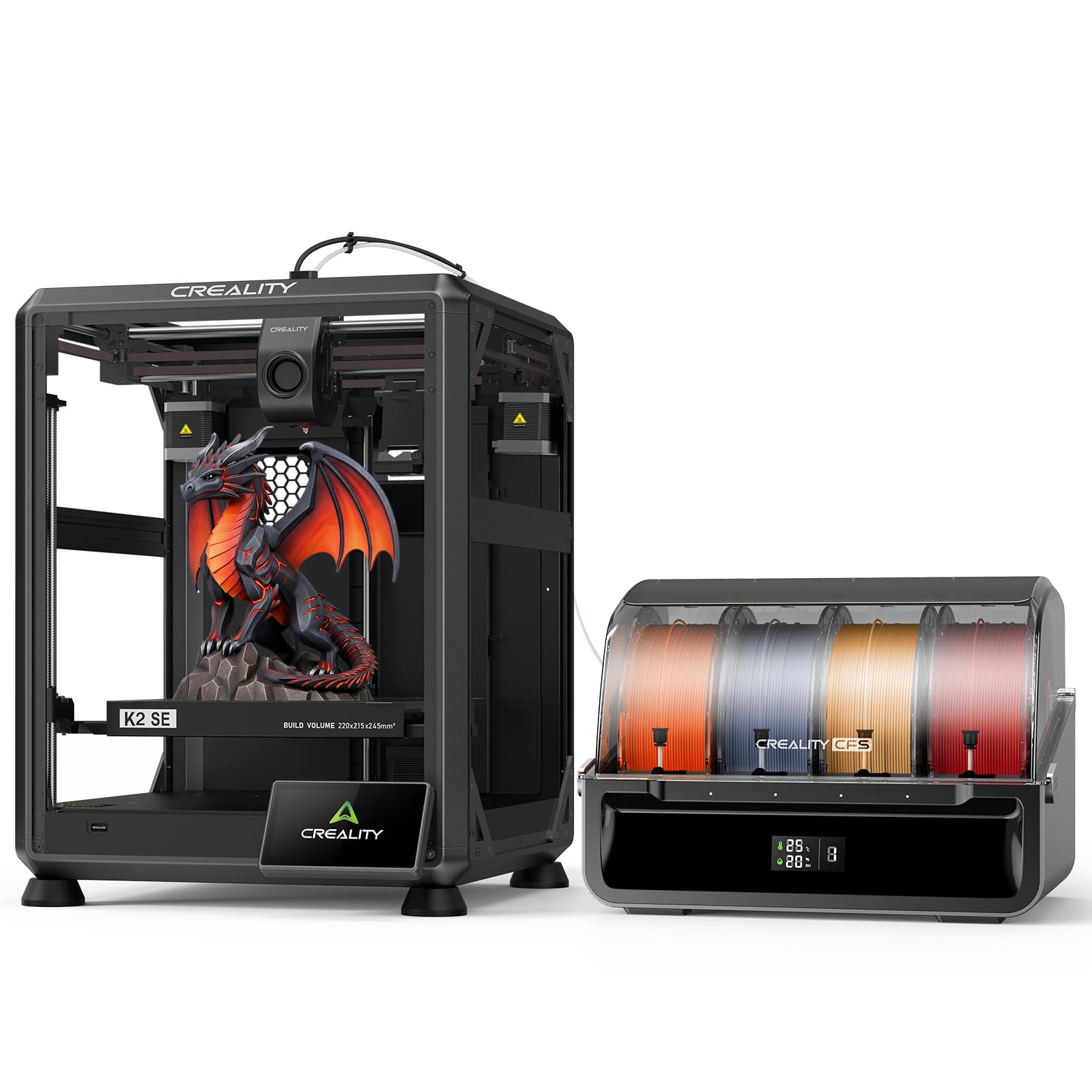
Multi-color without the premium price, but the frame is built like a tank.
The Creality K2 SE Combo brings multi-color printing to a mid-range budget through the Creality Filament System (CFS), which automatically switches filaments, recognizes colors, and stores spools in a moisture-proof enclosure. It prints at 500 mm/s with 20000 mm/s² acceleration, and its die-cast aluminum alloy frame (a rigid metal chassis cast in a single piece) keeps vibrations low so your first layers stay accurate. One reviewer who compared it to the Adventurer 5M called it the true beginner-friendly machine, noting it printed nonstop after a 45-minute assembly. The smart auto leveling system only probes the area you are actually printing on, which saves a few minutes per job — a small win that adds up over a week of iterations.
However, buyers have flagged that the app connectivity can be frustrating — one user called it a “scam” for issues sharing the printer across multiple accounts. The build volume of 220 x 215 x 245 mm is smaller than the ELEGOO Centauri Carbon’s 256 mm cube, so you cannot prototype larger single-piece parts. But for color prototypes and smaller functional prints where you need to test fit and finish across multiple design variants, the K2 SE Combo delivers a lot of capability for the money.
Multi-Color Strengths
- CFS handles color recognition and moisture-proof storage
- Die-cast aluminum frame minimizes vibration
- Smart auto leveling saves time on every print
Areas to Watch
- App connectivity and multi-user sharing reported as problematic
- Smaller build volume than some peers
The right pick for: Prototypers who want multi-color capability without jumping to premium pricing, and who prioritize a stable frame for detailed prints.
Not for you if: You need to share the printer across a team via cloud — the app issues reported by buyers make that a gamble.
3. ELEGOO Centauri Carbon

Unbox it and print carbon-fiber parts the same day — no upgrades needed.
The ELEGOO Centauri Carbon arrives ready to print carbon-fiber-reinforced filament right away. Its 320°C brass-hardened steel nozzle is rated at 320°C versus the Creality K1C’s 300°C, which means you can handle tougher engineering-grade materials like PA-CF (nylon with carbon fiber) without swapping parts. The CoreXY structure (a belt-drive system where both X and Y movements are controlled by belts running along the frame) delivers up to 500 mm/s print speed, and owners mention a massive speed improvement over older machines — one reviewer noted cutting a 24-hour Ender 3 print down to 5 hours.
At 38.5 pounds it is noticeably heavier than the Creality K1C at 27.3 pounds, which sounds like a downside until you realize that mass absorbs vibration and keeps prints sharp at high speed. The integrated die-cast aluminum frame, automatic vibration compensation (where the printer measures its own shaking and adjusts motor movements to cancel it out), and pressure advance tuning mean first layers lay down smooth even when pushing the nozzle fast. A couple of early units had a USB-C connector on a moving part that caused communication errors, but replacement units have held up for 300 to 400 hours of use. For prototyping where material strength matters more than color, this is tough to top at the price.
Prototyping Power
- 320°C nozzle handles carbon fiber and other abrasives from the start
- Full auto calibration means zero setup tinkering
- Die-cast frame and vibration compensation for crisp high-speed prints
Known Concerns
- Early units had a flawed USB-C connector placement on a moving part
- Heavy at 38.5 lbs, so not easily portable
Grab this if: Your prototypes need the strength of carbon-fiber or high-temp materials and you want to print them on day one without upgrades.
Think twice if: You need multi-color printing or a lighter machine you can move between workstations.
4. FLASHFORGE AD5M Pro
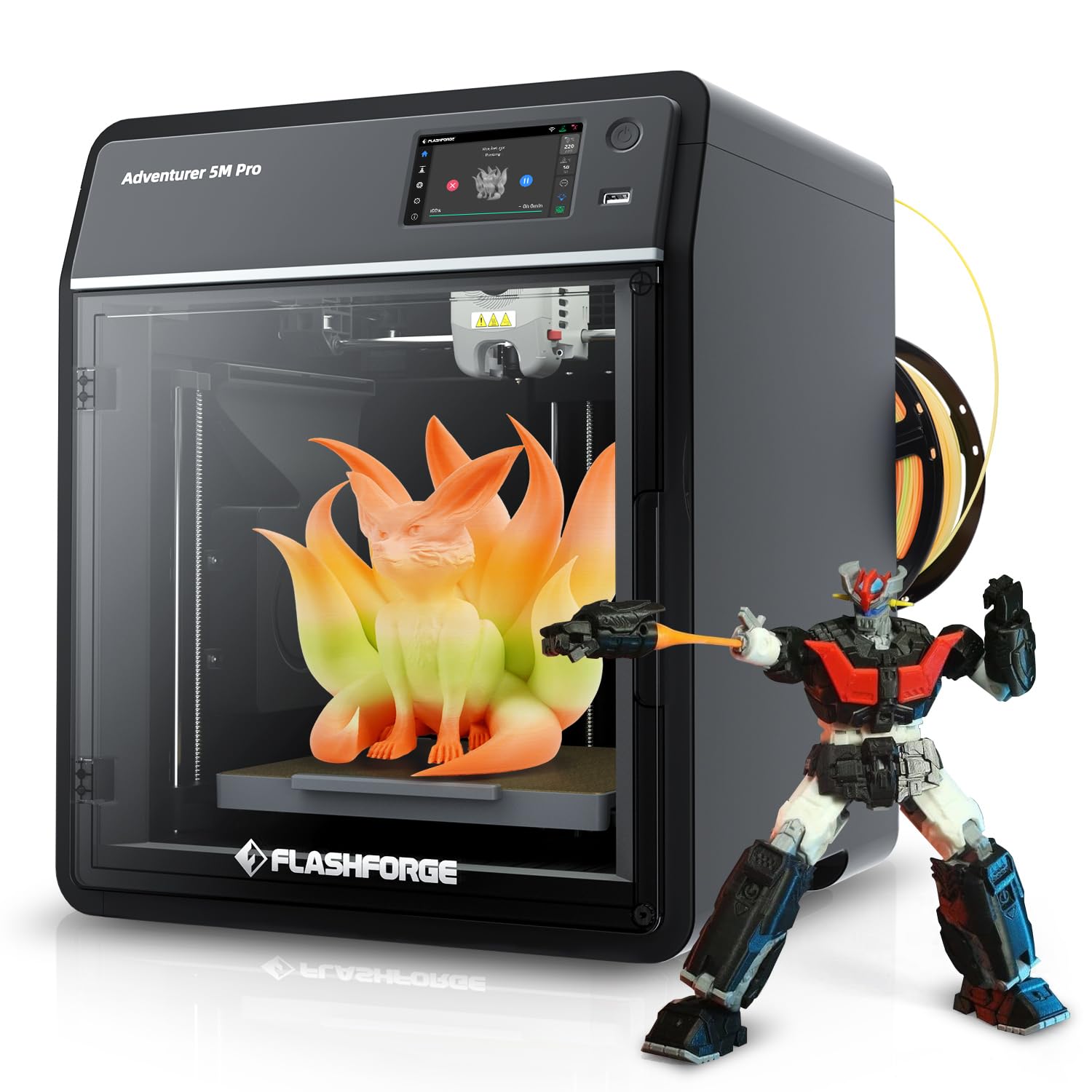
Quiet enough to run in a home office, but its reliability record is mixed.
The FLASHFORGE AD5M Pro runs at 50 dB in silent mode (about the volume of a quiet conversation), which is noticeably quieter than most CoreXY printers — you can prototype in the same room and forget it is running. It ships with both a 0.4 mm and a 0.6 mm quick-swap hotend nozzle, so you can switch between fine detail and faster layer deposition without tools. The 600 mm/s max print speed matches the Creality K1C, but in a smaller footprint: at 15.75 x 17.83 x 14.96 inches it is 13% more compact dimensionally than the K1C. Customers note that a first-timer printed a perfect block within about 25 minutes of unboxing, skipping the QR setup and using a YouTube tutorial instead.
That said, there are reliability concerns. One buyer mentioned the printer failed after a week when the filament feed stopped, and a replacement unit had persistent WiFi issues and stringy prints. Another reviewer noted that the printer requires a manual filament change per print unless you buy a custom conversion kit. Compared to the ELEGOO Centauri Carbon, which is heavier and more sturdy for industrial materials, the AD5M Pro feels like a capable but slightly fragile entry point — ideal if you are prototyping small, detailed parts in PLA or PETG and need silence, but less suited for a production-like iteration cadence.
Quiet Operator
- 50 dB silent mode for office-friendly operation
- Comes with 0.4 mm and 0.6 mm nozzles for detail or speed
- Compact footprint saves desk space
Reliability Watch
- Some units had filament feed failures within the first week
- Manual filament change per print is required by default
Best for: First-time prototypers who need a quiet, compact machine for small PLA or PETG parts and are comfortable with some tinkering.
skip it if: You need to print carbon fiber, run long unattended prints, or want a proven track record of reliability from the start.
5. Creality K1C

The fastest stock speed here, but only if you are ready to tweak firmware.
The Creality K1C pushes a 600 mm/s max print speed with 20000 mm/s² acceleration, edging out the ELEGOO Centauri Carbon and Bambu Lab P1S by 20% on paper. It is also the lightest of the mid-range options at 27.3 pounds (compared to 38.5 pounds for the Centauri Carbon), which makes it easier to move around but means it is more susceptible to vibration at high speeds — one reviewer recommended placing a 5 lb sandbag on top to reduce ringing. The clog-free direct extruder uses a tri-metal “Unicorn” nozzle with a titanium alloy heatbreak and a steel tip, supporting carbon fiber filaments like PLA-CF and PA-CF up to 300°C. The enclosed chamber uses activated carbon bags to filter fumes, and a silent mode drops noise to 45 dB.
Reviewers point out that the printer works well after two weeks, but the software side is a different story. One lengthy review called it “incredibly frustrating” and “not beginner friendly,” citing cryptic error messages, out-of-sync slicer settings, and confusing multicolor setup with the CFS unit. If you are comfortable with Klipper firmware, Creality OS, and fine-tuning slicer profiles, the K1C will reward you with blistering speed. If you just want to load an STL and hit print, the Bambu Lab P1S or the ELEGOO Centauri Carbon will save you that headache.
Speed and Material Reach
- 600 mm/s print speed — fastest in this list
- 300°C nozzle with clog-free unicorn design supports carbon fiber filaments
- Silent mode at 45 dB and activated carbon air filtration
The Tinkering Tax
- Software and firmware can be frustrating for casual users
- Lighter frame may need added mass for vibration-free high-speed prints
Ideal for: Experienced prototypers who want maximum speed and are willing to dial in firmware and slicer settings to get it.
Not for you if: You want a plug-and-play experience or plan to hand the printer to a design team that isn’t tech-support savvy.
6. QIDI Max4 Combo

A 390 mm build cube at 800 mm/s — for prototypes too big for anything else.
The QIDI Max4 Combo has a 390 x 390 x 340 mm build volume that is 55% larger than its predecessor, the MAX3, which means you can print industrial-scale parts, molds, and large prototypes without splitting and gluing them later. It reaches 800 mm/s with 30000 mm/s² acceleration, which is the fastest acceleration figure among these seven machines. The closed-loop motors on the X and Y axes (motors that report their exact position back to the controller) eliminate layer shifts even during aggressive moves. The active 65°C heated chamber, combined with a self-developed Polar Cooler system, creates a stable environment for high-temp materials like PPS-CF and ABS-CF. Reviewers praise the print quality for engineering filaments, noting that the large build volume does not sacrifice detail: one user called the detail on figures “excellent.”
That performance comes at a cost in mass — at 120 pounds, this printer is a permanent installation, not something you tuck in a corner. Buyers also note a long pre-print time, high purge waste during filament changes, and a choppy user interface. The Polar Cooler is sold separately, and the multi-material QIDI BOX has a filament path that can jam if the tangle sensor blocks up. If your prototyping never needs parts bigger than a 250 mm cube, the Bambu Lab P1S or Creality K2 SE Combo will serve you at a fraction of the weight and complexity. But if you are designing large enclosures, automotive ducts, or full-size brackets, the Max4 Combo is the only printer here that does it in one shot.
The Heavy Lifter
- 390 x 390 x 340 mm build volume for one-piece large prototypes
- 800 mm/s speed with closed-loop motors for precision
- Active 65°C chamber handles advanced engineering filaments
The Catch
- 120 pounds — not portable
- Long pre-print warmup and high material waste on color changes
- Polar Cooler sold separately
Your machine if: You prototype large single-piece parts in engineering-grade materials and need industrial build volume at a reasonable price.
Not your fit if: You work on smaller, multi-iteration parts or do not have a dedicated permanent space for a 120 lb machine.
7. Original Prusa MK4S

Trades raw speed for proven reliability that stays consistent year after year.
The Original Prusa MK4S is not the fastest printer here — it does not even advertise a max speed in the specs — but it is the most proven. It uses Input Shaping (a motion control technique that cancels ringing and ghosting on the print surface) to produce clean, sharp edges at higher speeds, and it ships fully assembled and tested from Prusa Research. The build volume of 250 x 210 x 220 mm is smaller than the Creality K1C’s, but it includes a 1 kg spool of Prusament PLA Galaxy Black and lifetime technical assistance. One reviewer who upgraded from an Anycubic Kobra Max noted that a complex 12-hour dragon cup printed without supports and came out flawlessly smooth, rating the surface quality a 10/10 versus the competitor’s 8/10. Another buyer called it a “workhorse” that printed PETG from multiple brands with generic profiles and no issues.
Its advantage is the open-source ecosystem — every part is documented, upgradeable, and repairable. If you are prototyping for production, where the same file must print identically on ten machines five years from now, the MK4S is the safe bet. For rapid iteration on a new product design, the speed and multi-color of the Bambu Lab P1S or the material range of the ELEGOO Centauri Carbon will get you to a finished prototype faster and cheaper.
The Prusa Advantage
- Proven reliability and professional surface quality from the start
- Open-source, fully upgradeable design with long firmware support
- Lifetime technical support and active community
Speed and Price Trade-offs
- Slower than most peers at the same or higher price
- No multi-color system included
Reach for this if: You need a printer that delivers the same result every time, year after year, with full repairability and community backing.
pass on it if: You prototype on a timeline — faster, cheaper options will complete more design cycles per day.
Understanding the Specs
CoreXY vs. Bed-Slinger
CoreXY is a belt-drive layout where the print head moves in both X and Y by coordinating two belts, which makes it lighter and faster than a traditional bed-slinger where the build plate itself moves forward and backward. For prototyping, CoreXY machines like the ELEGOO Centauri Carbon and Bambu Lab P1S can hit 500 mm/s without shaking the print off the bed.
Nozzle Temperature and Material Range
The nozzle temperature determines what materials the printer can melt. Standard PTFE-lined hotends cap out around 260°C — fine for PLA and PETG. A 300°C to 320°C all-metal nozzle, as seen on the Creality K1C and ELEGOO Centauri Carbon, unlocks carbon-fiber-reinforced nylons and polycarbonate, which are common in functional prototypes that need strength and heat resistance.
FAQ
What print speed do I actually need for prototyping?
Is an enclosed chamber necessary for prototyping?
Can I print carbon fiber filament on any 3D printer?
How much does weight matter in a 3D printer?
What is the difference between auto bed leveling and manual leveling?
How long does it take to set up a new prototyping printer?
What build volume is right for prototyping?
Is multi-color printing useful for prototyping?
Which printer is best for beginners who want to prototype?
Can I use third-party filaments on these printers?
Final Thoughts: The Verdict
For most people, the 3d printer for prototyping winner is the Bambu Lab P1S Combo because it combines 500 mm/s speed, multi-color capability, and a reliable enclosed design with a 15-minute setup that works for both beginners and pros. If you want carbon fiber and high-temp materials at a lower price, grab the ELEGOO Centauri Carbon. And if you are prototyping large single-piece parts, the standout is the QIDI Max4 Combo with its 390 mm build volume and 800 mm/s speed.
How We Picked
We do not accept paid placement. Every pick is matched to a real buyer and a real use-case; we do not hands-on test units.
Sources & Methodology
Specifications: manufacturer listings and product documentation. Review insights: verified customer reviews, as of July 2026. Pricing: not shown on this page (it changes often); check the current price via the retailer link.
As an Amazon Associate, Gadgets Feed earns from qualifying purchases. This does not affect which products we feature.
Product prices and availability are accurate as of the date/time indicated and are subject to change. Any price and availability information displayed on Amazon at the time of purchase will apply to the purchase of this product. As an Amazon Associate I earn from qualifying purchases.
CERTAIN CONTENT THAT APPEARS ON THIS SITE COMES FROM AMAZON. THIS CONTENT IS PROVIDED "AS IS" AND IS SUBJECT TO CHANGE OR REMOVAL AT ANY TIME.
Amazon and the Amazon logo are trademarks of Amazon.com, Inc. or its affiliates.