
Our readers keep the lights on and my morning glass full of iced black tea. As an Amazon Associate, I earn from qualifying purchases.
Specs are compiled from manufacturer listings and verified buyer reviews and can change over time — please confirm the key details on the product page before buying.
You need a 1TB external SSD because your laptop’s internal storage is full, or you want to back up years of photos without waiting around. The real question is not *if* you need one—it’s which speed and build quality match the way you actually work. Some drives are tiny and tough enough to survive a drop from a desk, while others lean into raw speed for serious video editing.
I’m Min — the founder and writer behind Gadgets Feed. This guide is built by comparing the manufacturers’ published specifications and the patterns across verified customer reviews, so you get each pick’s real strengths and trade-offs instead of marketing spin.
After digging through seven of the most popular models, this round-up of the best external ssd 1tb options splits them into clear tiers so you can match the right speed, durability, and portability to your daily setup.
Quick Picks
- KingSpec Z5 1TB External SSD — Best Overall
- ADATA SE880 1TB Portable External SSD — Compact Speedster
- Kingston XS2000 1TB High Performance Portable SSD — Pocket Powerhouse
- Lexar ES3 1TB External SSD — iPhone Ready
- Crucial X9 1TB Portable SSD — Tough Traveler
- SanDisk 1TB Extreme Portable SSD (Old Model) — Field Tested
- Vansuny 1TB Portable External SSD — Budget Backup
How To Choose The Best External SSD 1TB
Picking the right external SSD is about matching speed to your hardware, and build to your lifestyle. You do not need the fastest drive on the market to back up documents, but if you edit 4K video directly from the drive, a slower USB 3.2 Gen 2 model will frustrate you every day.
Read and Write Speed
Speed is measured in MB/s. A 500MB/s drive is fine for storing photos or playing older games, while a 2000MB/s drive lets you edit video projects without transferring files first. The catch is your computer’s port must support USB 3.2 Gen 2×2 to reach that top speed—plugging a 2000MB/s drive into a regular USB-C port will limit it to around 1000MB/s.
Durability and Build
An external SSD lives in your bag, on your desk, or clipped to a backpack. A zinc alloy or aluminum case helps with heat and drops, while a rubber sleeve adds grip and shock absorption. An IP55 or IP65 rating means it can handle dust and a splash of water, which matters if you work outdoors or near a coffee cup.
Quick Comparison
| Model | Best For | Read Speed | Write Speed | Interface | Amazon |
|---|---|---|---|---|---|
| KingSpec Z5 1TB | Speed and RGB style | 2100MB/s | 2100MB/s | USB 3.2 Gen 2×2 | $132.99Amazon |
| ADATA SE880 1TB | Ultra-compact speed | 2000 MB/s | 2000 MB/s | USB 3.2 Gen 2×2 | $152.99Amazon |
| Kingston XS2000 1TB | Pocket-sized performance | 2000MB/s | 2000MB/s | USB 3.2 Gen 2×2 | $198.00Amazon |
| Lexar ES3 1TB | iPhone 17 and Mac users | 1050MB/s | 1000MB/s | USB 3.2 Gen 2 | $152.99$169.99Limited time dealAmazon |
| Crucial X9 1TB | Rugged everyday carry | 1050MB/s | 1050MB/s | USB 3.2 USB-C | $142.05Amazon |
| SanDisk Extreme 1TB | Tough outdoor backups | 1050MB/s | 1000MB/s | USB 3.2 Gen 2 | $199.99Amazon |
| Vansuny 1TB Portable SSD | Budget backup | 500MB/s | 450MB/s | USB | $105.99Amazon |
In‑Depth Reviews
1. KingSpec Z5 1TB External SSD

The KingSpec Z5 hits 2100MB/s and adds a 128-color RGB light that makes it easy to spot on a cluttered desk.
What you get at this price is a 2100MB/s transfer rate via a USB 3.2 Gen 2×2 interface, versus the 1050MB/s Crucial X9, letting you move huge video files quickly. The zinc alloy casing does two things at once: it keeps the drive cool under load and gives it serious impact resistance. The RGB light is not just a gimmick—it makes the drive easy to spot on a cluttered desk, and it breathes through 128 colors.
Buyers report that after nine months of heavy daily use at 65% capacity, some experienced file corruption, possibly linked to a Windows update. The advice from owners is consistent: always safely eject, and keep a separate backup. This drive is not compatible with Apple iPhones, and on a MacBook the speed drops to 10Gbps because of the port limitation.
Who this fits: You want the fastest transfer speeds available today for a 1TB portable drive, you like the look of an RGB-lit gadget, and you are plugging into a Windows PC or PlayStation.
The honest trade-off: Long-term reliability has lingering question marks, so do not rely on this as your only backup—use it as your active working drive and mirror to another location.
Reach for this if… you need to move multi-gigabyte project files daily and want a drive that stands out visually.
Look elsewhere if… you are a Mac or iPhone user, or you want a set-and-forget backup with zero maintenance.
2. ADATA SE880 1TB Portable External SSD
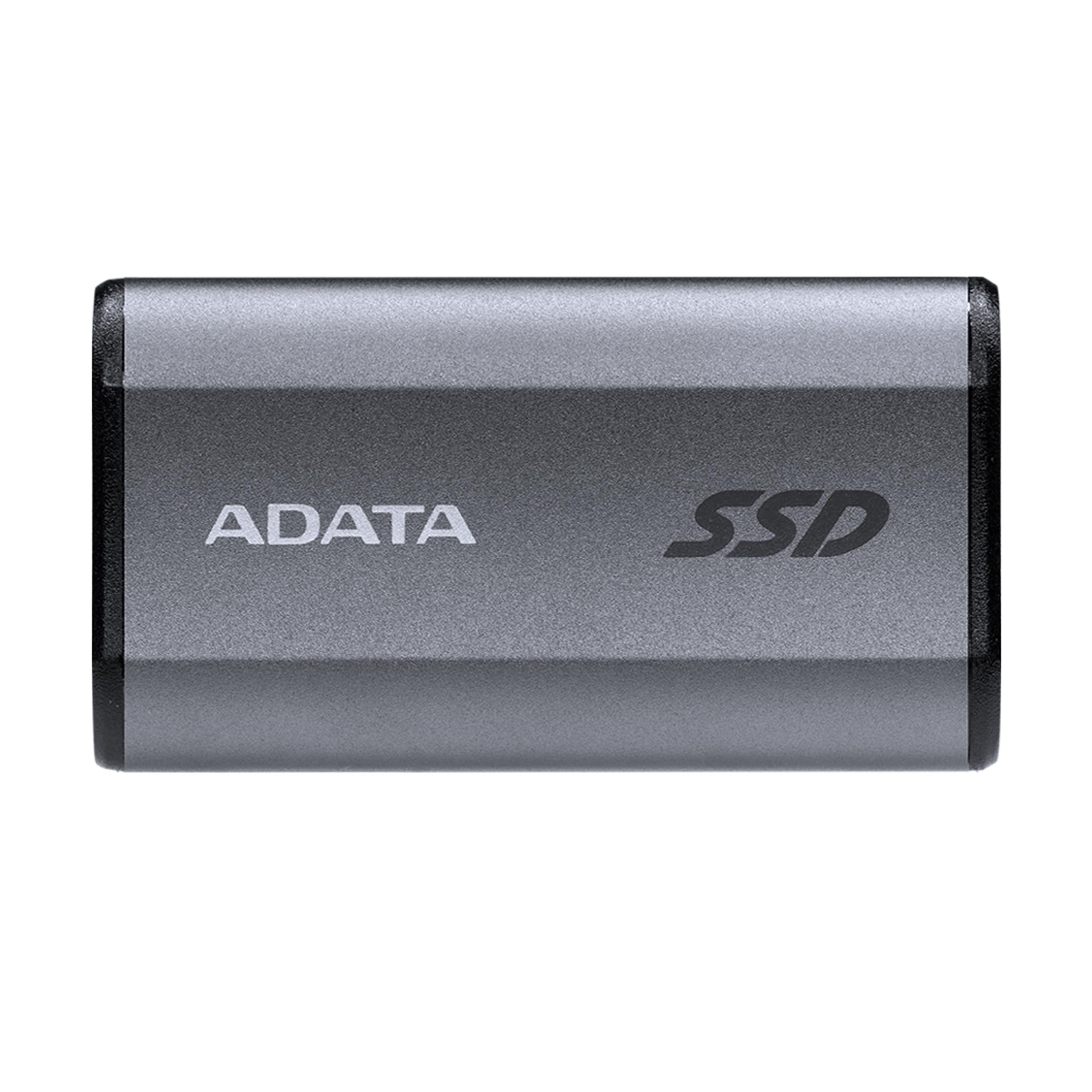
The ADATA SE880 fits in a coin pocket yet delivers 2000MB/s, slashing Xbox One load times from 45 seconds to 4.
You can slip the ADATA SE880 into your jeans’ coin pocket, yet it matches the KingSpec Z5’s peak speed with 2000 MB/s read and write over a USB 3.2 Gen 2×2 port (a high-speed connection that uses two lanes of data). That speed means real-world results: one reviewer noted that it cut Diablo 2 Resurrected load times on an Xbox One from 30–45 seconds down to just 3–4 seconds. It also works with the PlayStation 5 and Nintendo Switch, so you get console compatibility in a tiny package.
Reviewers praise the plug-and-play setup and the titanium-finished metal body that feels solid. The one catch: the included USB-C cable is a 3.1 spec, not 3.2, so to hit the full 2000 MB/s you will need a proper Gen 2×2 cable. It draws no external power, so it works with smartphones and tablets too.
What stands out
- Pocket-sized yet delivers 2000 MB/s speeds
- Console gamers see massive load-time improvements
- Comes with both USB-C to C and USB-C to A cables
What to watch
- Bundled cable is not full 3.2 Gen 2×2 spec
- Box may arrive previously opened per one review
Grab this if: you want the fastest possible speed in the smallest physical footprint and you own a compatible 20Gbps port.
skip it if: your laptop only has standard USB-C that tops out at 10Gbps—you will still get 1000 MB/s but the value advantage shrinks.
3. Kingston XS2000 1TB High Performance Portable SSD

The Kingston XS2000 wraps an aluminum core in rubber for drop protection while maintaining 2000MB/s speeds.
The Kingston XS2000 matches the ADATA SE880 on raw throughput at 2000MB/s, but differentiates itself with a rubber sleeve that wraps the aluminum body, providing genuine drop protection you can feel. It is pocket-sized—barely bigger than an M.2 drive itself—and supports capacities up to 4TB if you ever need to scale. Owners mention that it stays cool even during long transfers and runs completely silent, which is a big plus if you keep it plugged into your desktop all day.
One reviewer had the drive fail after two years and Kingston replaced it without hassle under warranty, which speaks to the brand’s support. The included USB-C cable is Gen 2×2 ready, so you hit full speed from the start. It works with PlayStation 5 and Xbox Series X too.
Perfect for: Creators and business users who need a rugged, pocket-sized drive for daily travel and want a brand known for reliable warranty service.
One real note: The rubber sleeve collects lint, and the included cable is short—plan on a longer third-party cable if your desktop tower sits under the desk.
Choose this if: you want 2000MB/s speed with a proven warranty track record and a design that can survive a tumble onto concrete.
Pick another if: you need the absolute smallest profile—the ADATA SE880 is notably slimmer.
4. Lexar ES3 1TB External SSD
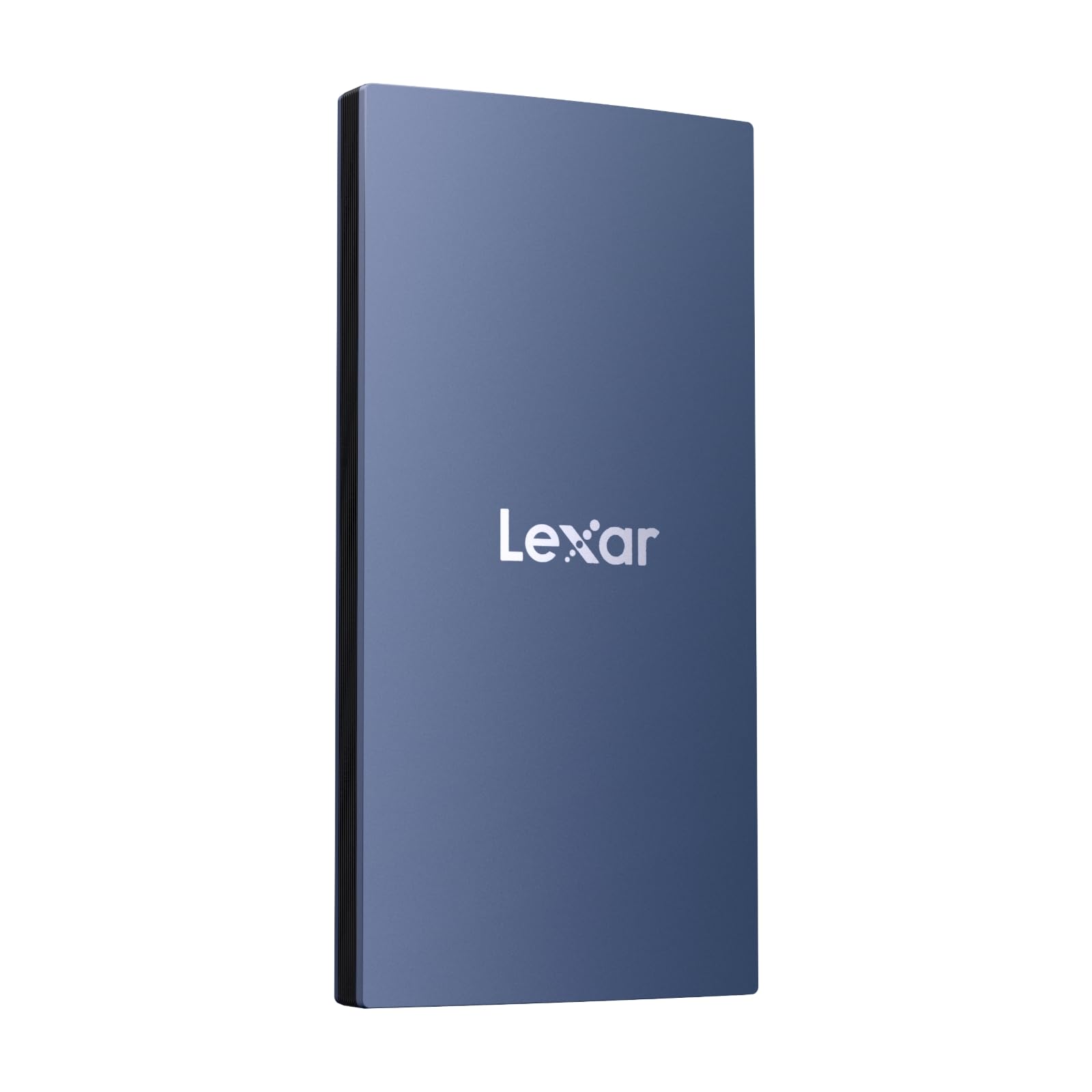
The Lexar ES3 weighs 42g and measures 10.5mm thick, making it the lightest drive here.
Weighing only 42g and measuring 10.5mm thick, the Lexar ES3 is the lightest drive in this list. It reads at 1050MB/s and writes at 1000MB/s over USB 3.2 Gen 2—not the class-leading speed of the KingSpec or Kingston, but more than enough for everyday backups and photo transfers. The standout feature is compatibility with the iPhone 17 series (not supported on iPhone 14 and older), making it a rare pick for Apple mobile users who want to offload video footage directly.
Customers note that it works instantly with a MacBook without any formatting, and the included Lexar DataShield software adds 256-bit AES encryption for file security. The blue plastic case does not feel as premium as the metal drives above, but it keeps the weight down. It comes with both USB-C to C and USB-C to A cables in the box.
Why it stands out
- Ultralight 42g design
- iPhone 17 compatibility for direct mobile video offload
- 256-bit AES encryption software included
Limitations
- Plastic case feels less durable than metal or zinc alloy rivals
- Does not support iPhone 14 or older models
- No IP water/dust resistance rating listed
Best for: iPhone 17 users who need a featherlight external drive for shooting in the field, and Mac owners who want instant plug-and-play.
Not for: Anyone wanting the fastest speeds or a rugged outdoor-rated drive.
5. Crucial X9 1TB Portable SSD

The Crucial X9 is a polycarbonate drive with IP55 water resistance and a 2-meter drop rating.
The Crucial X9 reads at up to 1050MB/s over USB 3.2 USB-C (a standard reversible connector), putting it in the same speed tier as the Lexar ES3 and SanDisk Extreme. What separates it is the IP55 rating (protection against low-pressure water jets and limited dust ingress) plus a rated drop survival of 7.5 feet (2 meters). Buyers describe it as a “tiny powerhouse” and note that it stays cool even during long file transfers, which is rare for a drive in a plastic case.
One reviewer called it “small but exceeds expectations” and mentioned setup was automatic on a MacBook. The X9 comes with a three-month Mylio Photos+ code and Acronis True Image for backup software. The short included cable is the most common complaint, but the drive itself is so small that you can leave it dangling from a USB port on a desktop without noticing it is there.
Designed for: Photographers, students, and anyone who carries their drive in a backpack or bag and needs it to survive real-world bumps and splashes.
The catch: The polycarbonate body is not as scratch-resistant as metal, and the 1050MB/s speed feels modest next to the 2100MB/s drives above—though it is perfectly adequate for most users.
Buy this if: durability matters more than raw speed and you want a drive you can toss in a laptop bag without a protective case.
pass on it if: you edit 8K video directly from the drive and need 2100MB/s-class Gen 2×2 throughput instead of 1050MB/s.
6. SanDisk 1TB Extreme Portable SSD (Old Model)

The SanDisk Extreme offers IP65 dust/water resistance and a carabiner loop for outdoor use.
SanDisk’s 1TB Extreme delivers read speeds up to 1050MB/s and write speeds up to 1000MB/s over USB 3.2 Gen 2, matching the Crucial X9 and Lexar ES3. Its real differentiator is the ruggedness: an IP65 rating means it is fully dust-tight and can handle low-pressure water jets, while the drop protection was upgraded to 3 meters. The built-in carabiner loop lets you clip it to a backpack strap or belt loop, which is more practical than it sounds when you are hiking or shooting on location.
Reviewers point out that after a year of use the drive still works perfectly, and the included password protection with 256-bit AES hardware encryption keeps files safe if the drive is lost. One buyer mentioned it gets slightly warm during long transfers, but that is normal for a drive this compact. It comes with a USB-C to C cable and a USB-C to A adapter in the box.
Why it leads on toughness
- IP65 water and dust resistance
- 3-meter drop protection with carabiner loop for outdoor use
- 256-bit AES hardware encryption built in
Trade-offs
- Speed is 1050MB/s rather than 2000MB/s to 2100MB/s on top-tier Gen 2×2 drives
- Old model designation means newer Extreme V2 has superseded it
Ideal for: Outdoor photographers, field videographers, and anyone who needs a drive that can survive dust, rain, and drops from waist height.
Not ideal for: Speed-focused users who need 2000MB/s for editing directly from the drive.
7. Vansuny 1TB Portable External SSD

The Vansuny 1TB uses a metal casing and delivers 500MB/s, prioritizing affordability over speed.
The Vansuny 1TB reads at 500MB/s and writes at 450MB/s over USB, versus 1050MB/s on the drives above. For storing finished projects, old photos, or game ROMs, this is plenty fast enough—your bottleneck will be the file transfer window, not the drive itself. The metal casing helps with heat dissipation, and buyers call it “twice the width of a standard flash drive,” making it genuinely pocketable.
One owner reported that the drive does not register on older generation devices, so double-check compatibility if you are plugging into a vintage laptop or a car stereo. On the plus side, it comes with a storage bag and a Type-A to Type-C adapter, so you can connect it to almost anything modern right away.
Who it fits: The budget-conscious buyer who just wants 1TB of solid-state storage without paying for extreme speed, and mainly does file backups or movie storage.
What to know: At 500MB/s, transferring a 50GB game folder takes about 100 seconds, versus about 50 seconds on a 1050MB/s drive. That is fine for occasional use but tedious for daily video work.
Pick this if: your budget is tight and you need a metal-built 1TB SSD for light backups, not heavy daily editing.
it’s not for you if: you regularly move large files or need compatibility with older USB devices.
Understanding the Specs
USB 3.2 Gen 2 vs Gen 2×2
These standard names sound confusing, but the difference is simple. USB 3.2 Gen 2 gives you a top speed of 10Gbps (roughly 1050MB/s real-world), which is enough for video editing of 1080p and most 4K files. USB 3.2 Gen 2×2 doubles that to 20Gbps (about 2100MB/s), allowing you to edit 8K video directly from the drive without lag. The catch is your computer must have a Gen 2×2 port; otherwise the drive falls back to Gen 2 speeds.
IP Ratings: IP55 vs IP65
An IP (Ingress Protection) rating tells you how well the drive resists dust and water. The first digit (5 or 6) is dust—a 5 means some dust can enter but won’t affect operation, while a 6 means dust-tight. The second digit (5) means low-pressure water jets from any direction. An IP55 drive (Crucial X9) can handle rain and splashes, while an IP65 drive (SanDisk Extreme) is fully dust-tight and can survive stronger water jets. For office and travel use, either rating is fine.
FAQ
Can I use a 1TB external SSD with my iPhone?
What is the difference between USB 3.2 Gen 2 and Gen 2×2?
Will an external SSD improve my gaming console load times?
How important is an IP rating on an external SSD?
Can I edit video directly from an external SSD?
How long does an external SSD typically last?
Do I need to format a new external SSD before using it?
What does “25% capacity used cause file corruption” mean in buyer reviews?
Final Thoughts: The Verdict
If you want one dependable pick, the best external ssd 1tb winner is the KingSpec Z5 because its 2100MB/s speed and zinc alloy build offer the best performance-to-build ratio at a mid-range price. If you want pocket-sized durability with a proven warranty record, grab the Kingston XS2000. And for outdoor field work where dust and drops are a daily reality, the SanDisk 1TB Extreme has the best IP rating and carabiner clip in the lineup.
How We Picked
We do not accept paid placement. Every pick is matched to a real buyer and a real use-case; we do not hands-on test units.
Sources & Methodology
Specifications: manufacturer listings and product documentation. Review insights: verified customer reviews, as of July 2026. Pricing: not shown on this page (it changes often); check the current price via the retailer link.
As an Amazon Associate, Gadgets Feed earns from qualifying purchases. This does not affect which products we feature.
Product prices and availability are accurate as of the date/time indicated and are subject to change. Any price and availability information displayed on Amazon at the time of purchase will apply to the purchase of this product. As an Amazon Associate I earn from qualifying purchases.
CERTAIN CONTENT THAT APPEARS ON THIS SITE COMES FROM AMAZON. THIS CONTENT IS PROVIDED "AS IS" AND IS SUBJECT TO CHANGE OR REMOVAL AT ANY TIME.
Amazon and the Amazon logo are trademarks of Amazon.com, Inc. or its affiliates.