
Our readers keep the lights on and my morning glass full of iced black tea. As an Amazon Associate, I earn from qualifying purchases.
Specs are compiled from manufacturer listings and verified buyer reviews and can change over time — please confirm the key details on the product page before buying.
A 75% mechanical keyboard keeps the function row, arrow keys, and number keys you actually need while lopping off the numpad that just makes you reach farther. The problem is that the market is flooded with boards that rattle, cheap out on switches, or use flimsy plastic that creaks after a month. The real decision depends on three things: sound profile (creamy and deep vs. hollow and pingy), connectivity (wired only, or wireless you can actually trust), and if you want a programmable knob and screen for convenience.
I’m Min — the founder and writer behind Gadgets Feed. This guide is built by comparing the manufacturers’ published specifications and the patterns across verified customer reviews, so you get each pick’s real strengths and trade-offs instead of marketing spin.
If you want a clean, compact layout that keeps every essential key without wasting desk space, the right 75% mechanical keyboard delivers with gasket mounts for a deep thock and hot-swappable switches so you can tune the feel without soldering.
Quick Picks
- GravaStar Mercury K1 Pro Wireless Mechanical Gaming Keyboard — Premium Pick
- AULA S75 PRO Wireless Mechanical Keyboard with Screen & Knob — Screen & Knob
- AULA F75 Pro Wireless Mechanical Keyboard — Best Value
- RK ROYAL KLUDGE R75 Wireless Mechanical Keyboard — 7-Day Battery
- YUNZII B75 PRO Wireless Mechanical Keyboard — Best Bang for Buck
- Ajazz AK820 TKL 75% Hot Swappable Mechanical Keyboard — Budget Champ
How To Choose The Best 75% Mechanical Keyboard
Not all 75% boards sound or feel the same. The construction inside the case — gasket mount vs. tray mount — is the single biggest factor in whether a keyboard sounds hollow or produces that deep, creamy thock everyone talks about. Beyond the build, the type of switch, the quality of the keycaps, and if you need wireless with a large battery are what separate a board you enjoy every day from one that sits in a drawer.
Gasket Mount vs. Tray Mount: The Sound Difference
A gasket mount uses small strips of foam or silicone between the plate and the case to suspend the PCB (the circuit board beneath the keys). This absorbs vibration and eliminates that cheap, metallic ping. Every board on this list uses a gasket mount — that is the standard you should aim for at any budget.
Hot-Swappable Sockets: Your Future-Proofing
Hot-swappable means the switch pops out with a small puller tool. You can replace a linear switch with a tactile one or swap in a clicky switch without ever touching solder. If you are exploring this hobby, a hot-swappable PCB (printed circuit board) is non-negotiable — it saves you from buying a whole new keyboard when your preferences change.
Wireless, Battery, and Latency
If you want a clean desk, look for tri-mode connectivity: wired USB-C, 2.4 GHz wireless (the low-latency option for gaming), and Bluetooth for switching between devices like a tablet and laptop. The battery capacity in mAh (milliamp-hours) tells you how often you plug in. A 4000 mAh battery typically lasts a week of daily use with RGB off, while an 8000 mAh battery can last much longer.
Keycaps: PBT vs. ABS and Why It Matters
PBT (polybutylene terephthalate) keycaps resist the greasy shine that develops on cheaper ABS (acrylonitrile butadiene styrene) plastic after months of use. Double-shot injection molding means the legends (the letters) are molded through the plastic rather than painted on, so they never wear off. Every board here uses PBT keycaps — do not settle for less.
Quick Comparison
| Model | Best For | Layout / Keys | Connectivity | Battery (mAh) | Amazon |
|---|---|---|---|---|---|
| GravaStar Mercury K1 Pro | Premium build & sci-fi style | 79 keys / Aluminum Frame | Tri-mode (BT / 2.4G / USB-C) | 8000 | $179.95$199.95Amazon |
| AULA S75 Pro | LCD screen & creamy sound | 80 keys / Gasket Mount | Tri-mode (BT 5.0 / 2.4G / USB-C) | 4000 (estimate) | $82.99Amazon |
| AULA F75 Pro | Wireless versatility on a budget | 81 keys / Gasket Mount | Tri-mode (BT 5.0 / 2.4G / USB-C) | 4000 | $69.99$82.89Amazon |
| RK ROYAL KLUDGE R75 | Long battery & creamy linear feel | 80 keys / Gasket Mount | Tri-mode (BT 5.1 / 2.4G / USB-C) | 4000 | $64.99Amazon |
| YUNZII B75 PRO | Budget wireless with extras | 82 keys / Gasket Mount | Tri-mode (BT / 2.4G / USB-C) | 4000 | $63.99$79.99Amazon |
| Ajazz AK820 | Entry-level wired thock | TKL (81 keys est.) / Gasket Mount | Wired USB-C | — | $48.99Amazon |
In‑Depth Reviews
1. GravaStar Mercury K1 Pro Wireless Mechanical Gaming Keyboard

The only board here built like a tank with a sci-fi aesthetic that actually delivers on sound.
If you want a keyboard that feels substantial and looks unlike anything else on your desk, the GravaStar Mercury K1 Pro is the one. It uses a sturdy aluminum alloy frame instead of plastic, and it houses custom Kailh Speedy Mint linear switches with a 45gf actuation force and 1.2mm pre-travel (how far you press before it registers) — so keystrokes feel ultra-responsive and quiet. The gasket-mounted FR4 plate (a stiff woven fiberglass plate inside) combined with five layers of sound-dampening foam produces a clean, satisfying thock that reviewers call “ridiculously thocky and clacky.”
The 8000 mAh battery is double what every other board on this list offers, so you can leave the cable at home for days — buyers report it “lasts for days” even with the dual RGB lighting on. Unlike cheaper boards, the Mercury K1 Pro has two independent RGB zones (edge lighting and key lighting) with 16.8 million colors and 13 modes. Owners mention the pudding PBT keycaps keep legends readable at night, though a few note the south-facing LEDs mean the lettering is actually clearer with the lights off.
One trade-off: the compact layout puts the Page Down key right next to Enter, and there are no dedicated Home or End keys — buyers mention a short learning curve. The linear switches also lack a tactile bump, which some typists miss. But for the build quality and the massive battery, this is the board that feels premium in hand every day.
What Lifts It
- Aluminum alloy frame — no creaking plastic here
- 8000 mAh battery lasts far longer than any competitor
- Dual-zone RGB with 16.8 million colors and 13 modes
- Custom Kailh Speedy Mint switches with POK stems for smoothness
Where It Compromises
- Linear feel may disappoint fans of tactile switches
- Page Down next to Enter causes accidental presses at first
- No dedicated Home / End keys
- South-facing RGB makes legends harder to read in the dark
Reach for this if: you want a desk centerpiece that sounds as good as it looks and hate charging cables.
Look elsewhere if: a plastic frame and standard keycap set is fine — this board costs more than the rest combined.
2. AULA S75 PRO Wireless Mechanical Keyboard with Screen & Knob

A compact board that adds an LCD screen and knob without inflating the price past mid-range.
The AULA S75 Pro packs an LCD screen into its 80-key 75% layout — something you normally only see on boards that cost twice as much. That screen shows battery level, date, time, OS, and even GIF images you can upload via software. A multifunction knob sits beside the screen to adjust volume or backlight brightness, and you long-press it to swap between gaming and office modes. The screen is configurable only on Windows in wired mode, but reviewers call the GIF clarity “smooth” and “crisp.”
Under the keycaps, the board uses a gasket mount with an extended integrated silicone pad and PCB single-key slotting (each key has its own cutout on the circuit board for stability). Five layers of silencing foam cancel out the hollow noise that cheaper boards produce. The side-printed PBT keycaps are a nice twist — the legends are on the front edge of the keycap, so they don’t wear off, and the south-facing LEDs shine through for visibility. Customers note the star vector switches (pre-lubed linear switches) produce a “creamy / thocky” sound from the start, and the hot-swappable PCB accepts 3-pin or 5-pin switches if you want to change the feel later.
The biggest limitation is battery life: with full RGB on, reviewers see about 20 hours of use, stretching to roughly a week when the keyboard enters sleep mode. Unlike the YUNZII B75 below, the S75 Pro connects up to five devices across Bluetooth 5.0, 2.4 GHz, and USB-C. One reviewer noted the 2.4 GHz connection has zero gaming latency, but Bluetooth introduces a minor delay for typing — so keep the dongle plugged in for fast work.
Screen makes the difference: Real-time battery status and GIF display improve it beyond the typical gasket-mount board.
Battery caveat: ~20 hours with full RGB means you charge more often than the RK R75 or GravaStar, but the screen alone justifies the trade-off for many.
Who fits: anyone who wants a feature-packed board (screen + knob + tri-mode) without crossing into true premium pricing.
Who might bounce: if 20-hour RGB battery bothers you and you prefer a simpler setup — the AULA F75 Pro below costs less and skips the screen.
3. AULA F75 Pro Wireless Mechanical Keyboard
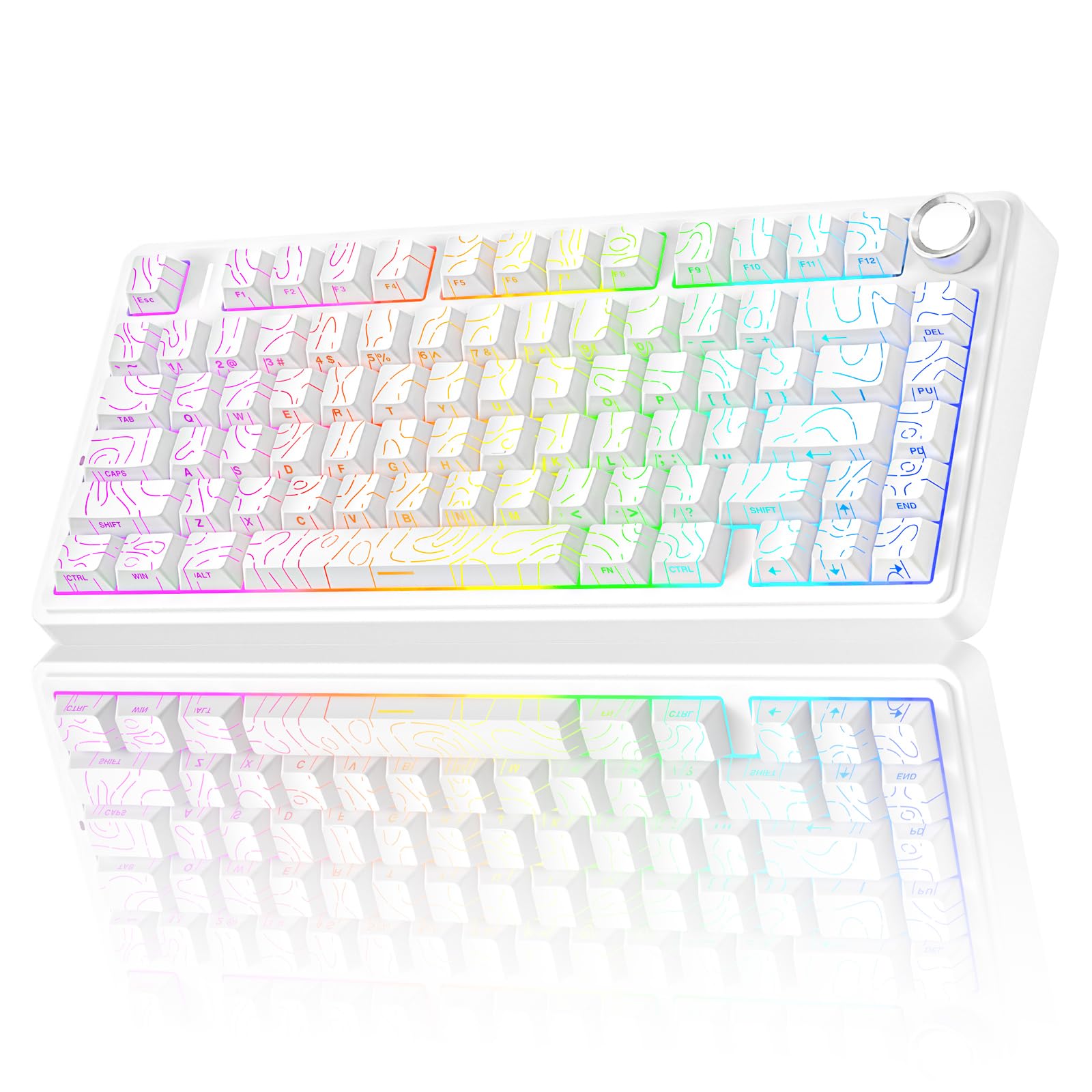
A gasket-mounted wireless board that sounds premium but asks far less from your wallet.
The AULA F75 Pro is essentially the same gasket-mount architecture as the S75 Pro above but without the LCD screen, and it costs less. You still get a 81-key 75% layout with a multifunction knob, tri-mode connectivity (Bluetooth 5.0, 2.4 GHz, USB-C), and a 4000 mAh battery — the same capacity as the RK R75 and YUNZII B75. The board uses LEOBOG star vector switches (pre-lubed linear switches) that reviewers point out “feel amazing” and produce a “creamy / thocky sound” — one buyer mentioned the stock switches are so good you may never swap them, but the hot-swappable PCB supports 3-pin or 5-pin switches when you want to experiment.
Side-printed PBT keycaps with a line design give the keyboard a clean look, and the south-facing RGB illuminates each key without washing out the legends. The knob toggles between gaming mode (adjusts backlight brightness) and office mode (adjusts volume) — a small convenience that beats tapping function layers. Reviewers highlight that the five-layer silencing fill inside the case “completely counteracts cavity noise,” so typing sounds solid rather than thin.
The trade-off is the plastic case — it feels slightly less substantial than the YUNZII B75 or the metal-framed GravaStar. A few buyers mention the lights turn off the moment you stop typing (a power-saving setting you can adjust in software). But for the price, this is the board that gives you the full gasket-mount experience — creamy sound, wireless freedom, and a hot-swappable PCB — without pushing into premium territory.
Why It Wins the Value Slot
- Full gasket-mount construction with five-layer damping
- 4000 mAh battery and tri-mode connectivity
- LEOBOG star vector switches sound creamy right from the start
- Side-printed PBT keycaps resist shine and look distinctive
The Compromise
- Plastic case feels less premium than metal-framed options
- RGB auto-dims quickly by default
- No dedicated on-board macro memory without software
Best pick for: someone who wants gasket-mount sound, wireless, and hot-swappable switches at a mid-range price — no screen gimmicks needed.
Not for: buyers who prefer a heavier desk presence; the all-plastic build might feel too light for some.
4. RK ROYAL KLUDGE R75 Wireless Mechanical Keyboard
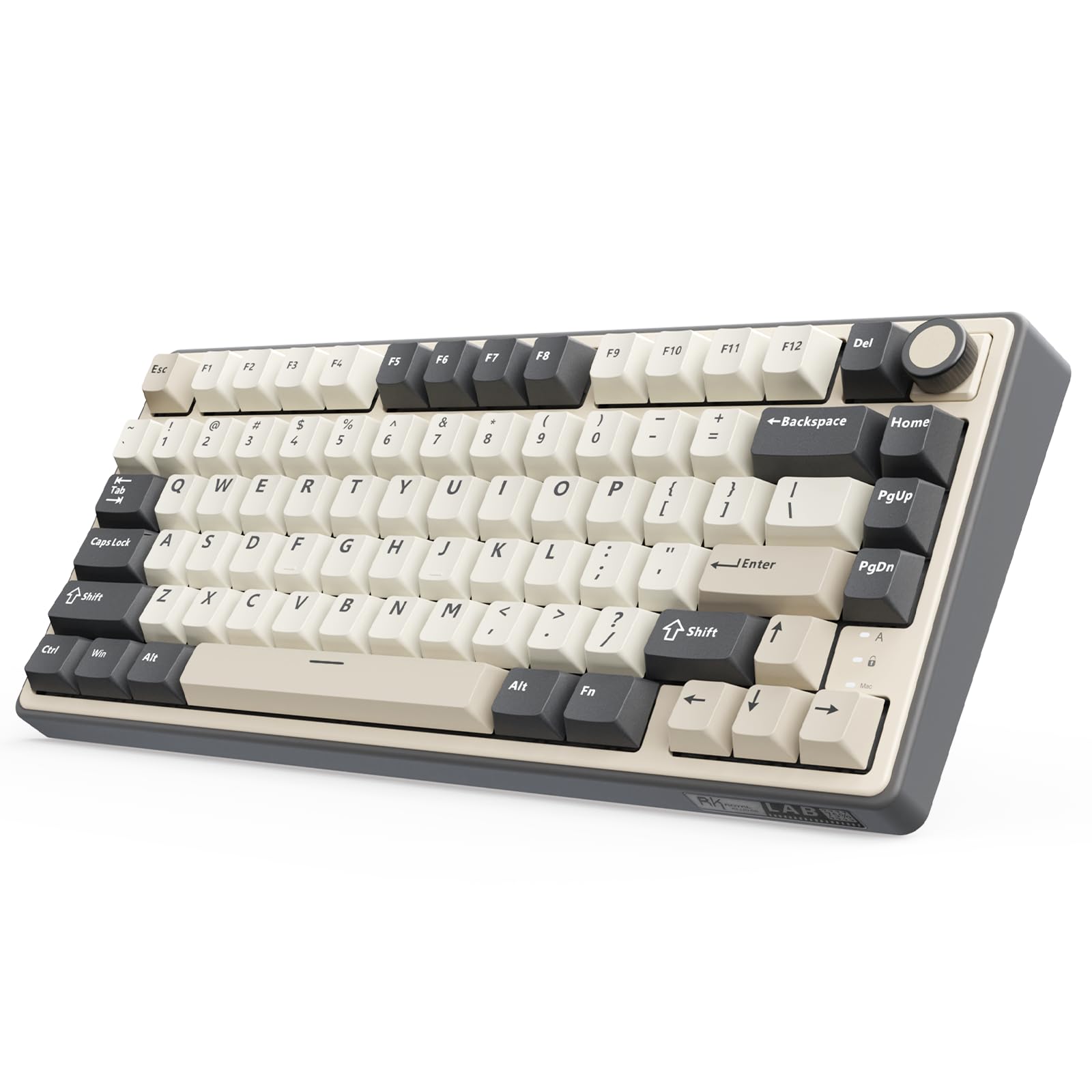
A creamy-sounding, hot-swappable board that runs a full week on a single charge thanks to a 4000 mAh battery.
The RK ROYAL KLUDGE R75 earns its spot with a spec that matters daily: a 4000 mAh battery that shoppers say “ensures at least 7 days of use,” stretching further with the RGB turned off. That beats the YUNZII B75 (same battery capacity but reviewers report poor battery life, leaving it plugged in). The R75 connects via Bluetooth 5.1, 2.4 GHz wireless, or USB-C, and it can pair with up to three devices so you can switch from a laptop to a tablet without unplugging anything.
The typing experience comes from a gasket mount with five layers of sound-absorbing material (Poron cotton cushions between the PCB and case). A 1.2 mm single-key slotted PCB keeps each keystroke accurate and stable. The cream switches (pre-lubed linear switches) deliver that “creamy sound” that reviewers on this board consistently praise — one buyer called it “extremely satisfying” and another highlighted that it works well for HTPC (home theater PC) use because the sound is pleasant without being loud. The double-shot PBT keycaps resist shine and the south-facing RGB offers over 20 built-in backlight modes, plus full-color and monochrome options.
One standout feature is the CNC metal volume knob — it is hot-swappable and programmable, so you can replace it with a switch if you prefer. The R75 also supports QMK/VIA (open-source firmware and remapping software), which is rare at this price point and gives you per-key remapping without installing manufacturer bloatware. Buyers report the plastic case has good foam dampening and feels solid — no creaking — though it is not as heavy as the GravaStar’s aluminum frame. The 80-key layout is slightly tighter than the YUNZII’s 82 keys, but the difference is negligible in daily use.
Long-run champion: 7-day battery life with QMK/VIA support makes this the board for buyers who hate proprietary software.
Size note: At 13.78″ wide by 7.44″ deep, the R75 is noticeably wider than the YUNZII B75 (13″ x 5.6″) — check your desk space.
Grab it if: you want the longest real-world battery life in this tier and the ability to remap keys without vendor software.
skip it if: you need more than 80 keys (no separate Home/End without layers) or prefer a smaller footprint.
5. YUNZII B75 PRO Wireless Mechanical Keyboard

A wireless 75% that packs extras like a dust cover and extra switches — but battery life falls short of the RK R75.
The gasket mount with five-layer padding and pre-lubed milk switches (linear switches) produces a “clacky / creamy” sound that reviewers find satisfying for both gaming and work-from-home typing.
The 4000 mAh battery is the same capacity as the RK R75, but here is the honest catch: buyers repeatedly report that the battery life is poor, with one saying they “leave it plugged in” because the charge does not last long enough for untethered use. This is a meaningful difference from the RK R75, where the same battery capacity translates into a full week of use thanks to presumably more efficient power management. The YUNZII connects via Bluetooth, 2.4 GHz, or USB-C, and the multifunction knob lets you adjust volume or backlight — long-press it to switch between gaming and office modes.
Reviewers love the milk switches (smooth, not too loud) and the aluminum knob, but note that the FN+ options do not work on macOS — you need to be on Windows for full functionality. The included dust cover is a nice touch for keeping debris out of the gasket mount, and buyers consistently call the build quality “amazing for the price.” If battery life is your priority, the RK R75 is the better choice for the same price tier; if you want the extra key (82 vs. 80) and the accessories that come with it, the YUNZII is still a solid pick.
What You Get in the Box
- Dust cover, extra keycaps and switches, pullers, USB-C cable, dongle
- 82 keys — most in this comparison
- Milk switches feel smooth and creamy from the start
The Real Trade-Off
- Battery life disappoints — reviewers keep it plugged in
- FN+ functions don’t work on macOS
- Missing Print Screen and Home keys require layers
Ideal for: a Windows user who wants wireless but keeps the keyboard on the desk and doesn’t mind the cord most of the time.
Not ideal for: anyone who needs all-day wireless mobility or macOS compatibility without workarounds.
6. Ajazz AK820 TKL 75% Hot Swappable Mechanical Keyboard
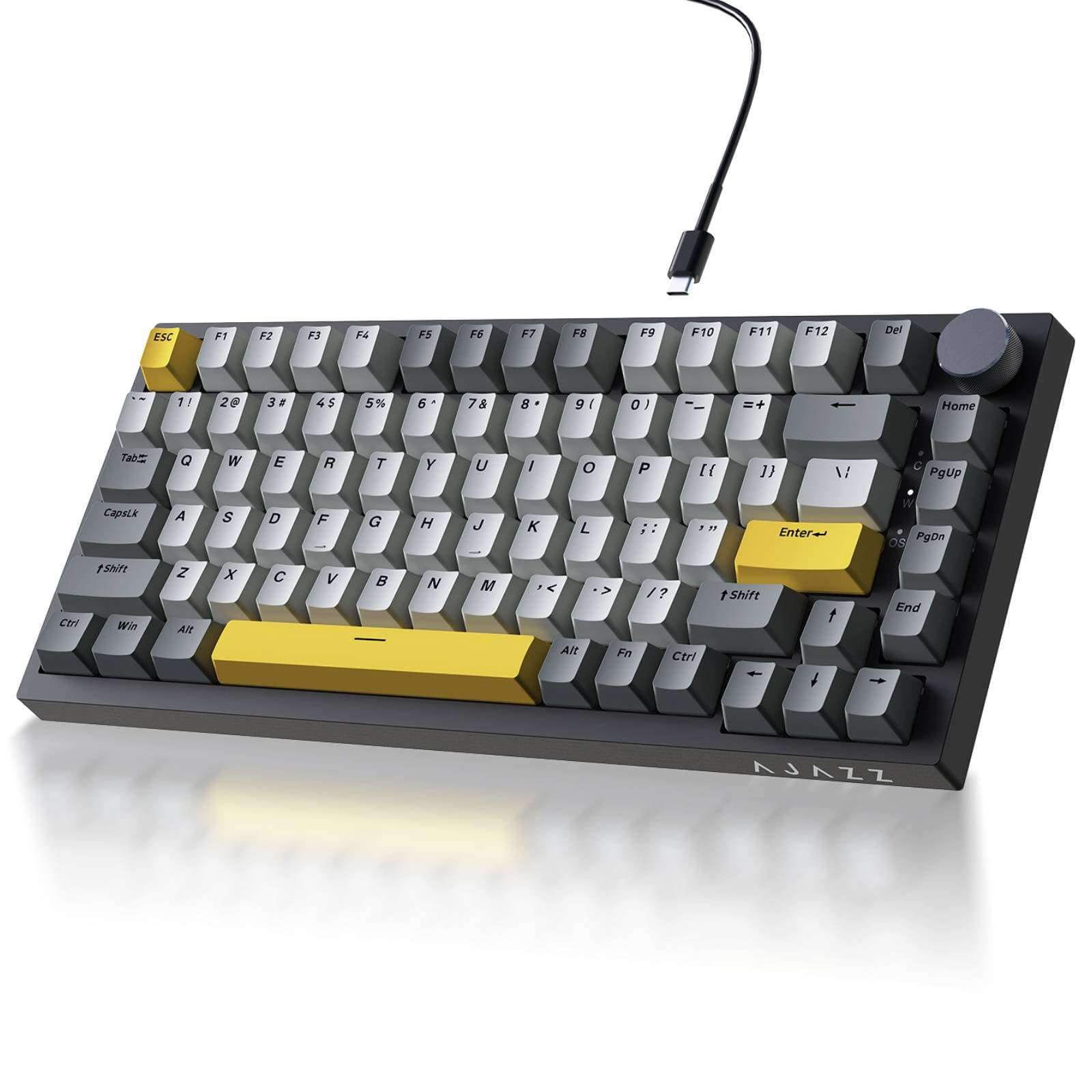
The cheapest entry into gasket-mount thock — no wireless, no battery, just satisfying sound for under 50 bucks.
The Ajazz AK820 proves you don’t need a wireless chipset to get a great typing experience. This wired-only board uses a precision gasket mount with Poron sandwich cotton and high-density foam to kill the hollow echo that cheap keyboards produce. The result, as owners mention, is “quiet switches (like bubble wrap), inaudible with headphones” — a creamy, soft sound that won’t annoy roommates or colleagues. The pre-lubed sea salt moonlight linear switches (smooth, no tactile bump) feel crisp and quiet right from the start, and the hot-swappable PCB accepts both 3-pin and 5-pin switches, so you can experiment with clicky or tactile switches later.
South-facing RGB with 20 built-in lighting modes and music rhythm effects (via driver software) gives you plenty of visual customization. The double-shot PBT keycaps are oil-resistant and keep their legends intact. At 11.86 inches wide by 4 inches deep, the AK820 is noticeably smaller than the YUNZII B75 (13″ wide) and the RK R75, so it fits tighter desk setups. Reviewers consistently call it a “quality keyboard that doesn’t break the bank” and note that the all-plastic case still feels “solid” with good weight — not flimsy.
The obvious absence is wireless: there is no battery, no Bluetooth, and no 2.4 GHz — you need a USB-C cable plugged in at all times. If your desk is already wired for a mouse and monitor, this is a minor sacrifice. A few buyers mention the keys are “a bit noisy for my preference” despite being linear (quieter than clicky switches but not silent). But for the price, you get gasket-mount sound and hot-swappable flexibility that beats any membrane keyboard at this budget.
Why It Overdelivers for the Price
- Gasket mount with Poron foam — sound rivals boards costing 2–3x more
- Hot-swappable PCB compatible with 3-pin and 5-pin switches
- PBT keycaps resist shine and wear
What You Give Up
- No wireless — wired USB-C only
- No battery means desk clutter from the cable
- Plastic case, though solid, lacks the heft of metal
Perfect for: the first-time mechanical keyboard buyer who wants that creamy thock sound without spending on wireless features they won’t use.
Not for: anyone who needs to switch between a laptop and desktop during the day — you will be unplugging and re-plugging.
Understanding the Specs
Gasket Mount vs. Tray Mount
A gasket mount suspends the PCB (the circuit board beneath the keys) between layers of foam or silicone, absorbing vibration and eliminating the hollow ring you get from a tray mount where the PCB screws directly into the case. Every board on this list uses a gasket mount — that is what produces the deep, creamy “thock” sound instead of a high-pitched clack.
Hot-Swappable PCB
A hot-swappable PCB has sockets that let you pull out a switch with a small tool and push in a new one — no soldering iron required. If you want to try clicky switches, heavier springs, or different switch colors later, a hot-swappable board saves you from buying a whole new keyboard. All six boards here support 3-pin and 5-pin switches, the two common switch types.
Battery Capacity (mAh)
Milliamp-hours (mAh) measures how much charge the internal battery holds. A 4000 mAh battery in the RK R75, AULA F75 Pro, and YUNZII B75 typically delivers 7 days of daily use with RGB off, while the GravaStar Mercury K1 Pro’s 8000 mAh battery lasts much longer. The YUNZII B75 proves that capacity alone doesn’t guarantee uptime — reviewers report poor battery life despite the same 4000 mAh as the RK R75, suggesting power management matters as much as raw size.
South-Facing RGB vs. North-Facing
South-facing RGB means the LED is positioned at the bottom of the switch housing. This prevents light from being blocked by the keycap’s stem (the cross-shaped piece underneath) and avoids compatibility issues with Cherry-profile keycaps (which can scrape north-facing LEDs). All boards here except the wired Ajazz use south-facing LEDs for even, bright backlighting that works with aftermarket keycaps.
PBT vs. ABS Keycaps
PBT (polybutylene terephthalate) is a harder plastic than ABS (acrylonitrile butadiene styrene) and resists the greasy shine that develops after months of typing. Double-shot injection molding means the letter is molded through the PBT plastic — it never prints or wears off. Every board on this list uses PBT keycaps, which is the standard you want for long-term durability.
Linear vs. Tactile vs. Clicky Switches
Linear switches (like the cream, milk, star vector, and Speedy Mint switches here) move straight down with a smooth, consistent feel — no bump, no click. Tactile switches have a small bump at the actuation point that lets you feel when the keystroke registers. Clicky switches add a loud click sound on top of the bump. All six boards use linear switches by default, which are quieter and smoother for both gaming and typing, but their hot-swappable PCBs let you swap to tactile or clicky later.
FAQ
What is a 75% mechanical keyboard?
Can I replace the switches on these keyboards without soldering?
How long does the battery last on a wireless 75% keyboard?
What does “gasket mount” do for typing feel?
Are 75% keyboards good for gaming?
Can I use a 75% keyboard with a Mac?
What is the difference between linear, tactile, and clicky switches?
Why do some keyboards have south-facing LEDs?
How many keys does a 75% keyboard typically have?
Do I need to install software to use these keyboards?
Final Thoughts: The Verdict
Across the board, the 75% mechanical keyboard winner is the RK ROYAL KLUDGE R75 because it combines a 7-day battery, full gasket-mount thock, QMK/VIA compatibility for remapping, and a hot-swappable PCB at a mid-range price that undercuts the premium picks. If you want a desk showpiece with an aluminum frame and an 8000 mAh battery that outlasts everything here, grab the GravaStar Mercury K1 Pro. And for a wired-only budget entry that proves you don’t need wireless to get that creamy gasket-mount sound, the standout is the Ajazz AK820.
How We Picked
We do not accept paid placement. Every pick is matched to a real buyer and a real use-case; we do not hands-on test units.
Sources & Methodology
Specifications: manufacturer listings and product documentation. Review insights: verified customer reviews, as of July 2026. Pricing: not shown on this page (it changes often); check the current price via the retailer link.
As an Amazon Associate, Gadgets Feed earns from qualifying purchases. This does not affect which products we feature.
Product prices and availability are accurate as of the date/time indicated and are subject to change. Any price and availability information displayed on Amazon at the time of purchase will apply to the purchase of this product. As an Amazon Associate I earn from qualifying purchases.
CERTAIN CONTENT THAT APPEARS ON THIS SITE COMES FROM AMAZON. THIS CONTENT IS PROVIDED "AS IS" AND IS SUBJECT TO CHANGE OR REMOVAL AT ANY TIME.
Amazon and the Amazon logo are trademarks of Amazon.com, Inc. or its affiliates.