
Our readers keep the lights on and my morning glass full of iced black tea. As an Amazon Associate, I earn from qualifying purchases.
Specs are compiled from manufacturer listings and verified buyer reviews and can change over time — please confirm the key details on the product page before buying.
Your ISP’s router loses signal just one room away, leaving you with slow connections in the garage or back bedroom. A wireless access point plugs into your wired network and broadcasts a strong signal, so dead zones become just as fast as the room with the modem. I’m Min, founder of Gadgets Feed. This guide compares manufacturer specs and patterns from verified customer reviews, so you see real strengths and trade-offs — not marketing claims.
Wi-Fi extenders cut your speed in half, and mesh systems cost a fortune. A proper access point is the upgrade that actually works. The right wireless access point depends on your space size, how many devices you own, and how much you want to tinker with setup.
Quick Picks
- Ubiquiti U6+ — Best Overall
- TP-Link EAP615-Wall — Best for Rooms
- Ubiquiti U6-LR-US — Long-Range Beast
- Ubiquiti U7-PRO-MAX — Future-Proof Pick
How To Choose The Best Wireless Access Point
The right access point depends on your space, how many devices you connect, and your comfort with setup. Focus on these three things.
Coverage vs. Device Capacity
An access point’s coverage is measured in square feet, but that number only tells half the story. A unit that covers 1,500 square feet can still choke if 40 people try to stream video through it. Pick Wi-Fi 6 or Wi-Fi 7 units with MU-MIMO (multiple-user multiple-in, multiple-out — a technology that talks to several devices at once instead of one at a time) and OFDMA (orthogonal frequency-division multiple access — a clever way to pack data from many devices into a single transmission) if you have many phones, laptops, and smart TVs.
PoE Power and Placement
Most access points run on Power over Ethernet (PoE — power sent through the same Ethernet cable that carries your data). That lets you mount the AP on a ceiling or high on a wall without needing a power outlet nearby. Check if the unit comes with an injector, or if you need a PoE switch that delivers the right wattage — 802.3af (standard PoE, 15.4W) works for basic units, while 802.3at (PoE+, 30W) powers higher-performance models.
Management: Controller vs. Standalone
Some access points let you set them up as a single “standalone” unit via a web browser. Others work with a software or hardware controller (like TP-Link’s Omada or Ubiquiti’s UniFi) that manages multiple APs, switches, and gateways from one dashboard. For more than one AP, a controller-based system gives you smooth roaming — devices hop between APs without dropping calls or video streams.
Quick Comparison
| Model | Best For | Wi-Fi Standard | Max Speed | Coverage | Amazon |
|---|---|---|---|---|---|
| Ubiquiti U6+ | Best Overall Value | Wi-Fi 6 | 3 Gbit/s | 140 m² (1,500 ft²) | $136.95Amazon |
| TP-Link EAP615-Wall | In-Wall / Per-Room | Wi-Fi 6 | 1.8 Gbps | 538 ft² | $89.99Amazon |
| Ubiquiti U6-LR-US | Long Range | Wi-Fi 6 | 2.4 Gbps (5 GHz) | Long-Range | $209.99Amazon |
| Ubiquiti U7-PRO-MAX | Future-Proof High Density | Wi-Fi 7 | 5765 Mbps | 160 m² (1,750 ft²) | $339.99Amazon |
In‑Depth Reviews
1. Ubiquiti U6+

Fast 3 Gbit/s Wi-Fi 6 that covers 1,500 ft² — the best balance for homes and small offices.
The 3 Gbit/s data rate (the amount of data it pushes per second) means you stream 4K video on one TV while someone games on a PC and another scrolls on a phone — all at once without stuttering. It covers 140 m² (about 1,500 ft²), so one unit typically covers a whole floor of a typical house. The PoE+ port (receives power and data through one Ethernet cable, up to 25.5W) lets you mount it on the ceiling with no power cord visible. That coverage is similar to the U6-LR’s claim, but the U6+ is easier to manage for most buyers.
Buyers report they “added second unit for 5GHz coverage” and that “devices auto-connect to strongest AP” — a big plus if you expand to multiple APs. One reviewer called it “a solid wifi AP and a good closet light” for how clean it looks ceiling-mounted. The catch: you need a Ubiquiti router and a separate PoE+ injector (not included). It is not plug-and-play for someone who just wants to replace a consumer router.
What Stands Out
- 3 Gbit/s raw speed handles a busy home network easily
- 1,500 ft² coverage fits a full floor without gaps
- Reliable handoff — buyers confirm multiple APs work smoothly
The Fine Print
- Requires a Ubiquiti router and PoE+ injector (sold separately)
- Setup needs the UniFi software or a hardware controller
- No included power adapter — you must have PoE infrastructure
Reach for this if: you want future-ready Wi-Fi 6 speeds in a clean, mountable package and already have or plan to build a UniFi network.
Look elsewhere if: you need a simple standalone unit that works with any brand of router, or if you lack PoE equipment.
2. TP-Link EAP615-Wall

Hides in your wall and adds three Gigabit Ethernet ports — perfect for per-room coverage.
This AP replaces a standard wall plate, making it ideal for hotel rooms, dorm rooms, or offices where you want Wi-Fi without a ceiling disc. It delivers Wi-Fi 6 speeds up to 1800 Mbps (enough for heavy streaming and video calls) and covers 538 square feet — roughly the size of a large master bedroom. The real bonus is three downlink Gigabit Ethernet ports on the bottom, with one supporting PoE passthrough (it passes power from the uplink cable to a wired device like a VoIP phone). Unlike the U6+, which covers a whole floor, this unit works best in individual rooms.
Buyers love the clean install and Omada SDN (Software Defined Networking — a central dashboard managing all your TP-Link gear from one place). One reviewer called it “great indoor AP with good range, 3 bottom ports, easy mount.” But the same buyer flagged a critical flaw: Omada APs lack Layer 2 client isolation, so “multicast (AirPlay, Cast) between guests” can leak across guest networks. That is a deal-breaker if you need to secure a public Wi-Fi network completely. Also, the directional antenna (it shoots signal forward, not sideways) means you cannot stash it behind furniture and expect good performance.
What Makes It Unique
- Built-in three-port Gigabit switch with PoE passthrough on one port
- Low-profile wall-plate design — no visible hardware
- Managed via Omada cloud for multi-site control
Watch For
- No Layer 2 client isolation on guest networks — a confirmed omission by TP-Link
- Directional signal means poor coverage if placed in a closet or behind a door
- Covers only 538 ft² — not suitable for open spaces or large rooms
Perfect for a dedicated Wi-Fi drop in each hotel room, office cubicle, or apartment bedroom where you can also hardwire a printer or desktop.
skip it if you need to run a fully isolated public guest network for security compliance — this AP cannot air-gap Wi-Fi traffic between separate SSIDs.
3. Ubiquiti U6-LR-US

Throws Wi-Fi across floors and through walls with 4×4 MU-MIMO — long-range king for large spaces.
Grab this when you need to cover a large house, a workshop, or a two-story building from one mount point. It uses four-stream Wi-Fi 6 with 4×4 MU-MIMO on the 5 GHz band for a radio rate of 2.4 Gbps, plus a 2.4 GHz band with 4×4 MIMO for 600 Mbps. That means it talks to four devices simultaneously on the fast band without slowing down. One reviewer noted it “maxed Verizon FIOS 300/300 from different floor” — the full 300 Mbps up and down made it through a floor cleanly. By contrast, the U6+ covers 1,500 ft², but this AP reaches further through obstacles.
The 1.3 GHz dual-core processor handles full-duplex 1 Gbps TCP/IP performance (so wired and wireless traffic move without bottlenecks). But setup is much harder: you need a UniFi hardware controller or the UniFi software on a PC, a Ubiquiti account with 2FA, and a 48V PoE injector (not included). Non-technical buyers struggle — one called it an “Expensive Frisbee” and warned it is “not recommended for beginners.” Also, some early units had a known issue where the AP randomly goes offline after adoption, though that appears to be an older firmware bug.
Why It Wins on Range
- 4×4 MU-MIMO on 5 GHz keeps multiple high-bandwidth devices fast
- One buyer maxed out a 300/300 fiber connection from a different floor
- Full-duplex 1 Gbps TCP/IP throughput — wired speeds over Wi-Fi
The Hard Part
- Requires a UniFi controller, Ubiquiti login, 2FA, and a separate 48V PoE injector
- Setup is genuinely difficult for non-technical users — a beginner will struggle
- Some early units have an intermittent offline bug after the adoption cycle
Get this for a large home or property where one AP needs to punch through walls and floors, and you are comfortable with UniFi’s setup process.
pass on it if you just want to plug something in and have it work — the U6-LR’s setup demands a UniFi controller, a login, and some networking expertise.
4. Ubiquiti U7-PRO-MAX
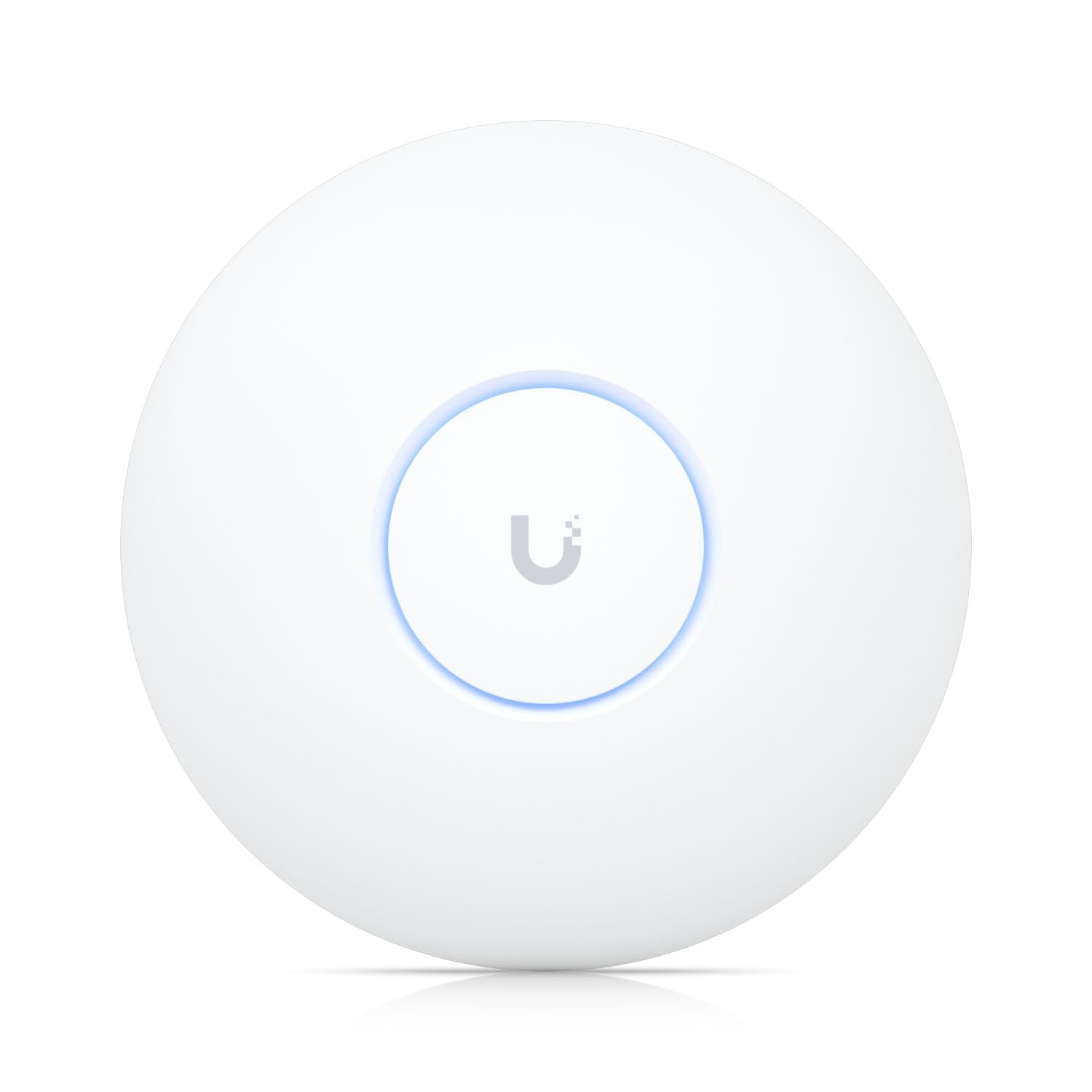
Wi-Fi 7 with 8 spatial streams and support for 500+ devices — ready for the next decade of gadgets.
This is the most advanced access point on the list. It runs Wi-Fi 7 (802.11be) with 8 spatial streams (eight separate data pathways in the air), letting it talk to many devices without lag. It supports 500+ devices and covers 160 m² (1,750 ft²) — ideal for a busy office floor or a house full of smart gadgets. The 2.5 GbE uplink (a wired port at 2.5 Gbps, faster than standard Gigabit) means your fiber internet does not bottleneck. It uses the 6 GHz band for the fastest, least-crowded connection — a 20% wider frequency gap than the 5 GHz band on the TP-Link EAP615-Wall, so more high-speed data flows without interference.
Owners mention a real payoff: one owner said “after the upgrade, all the five kids and two tvs runnin do not lag at all.” Another called it a “worth while upgrade” from five-year-old APs, noting the internet “screamed” after switching. Setup is faster than the U6-LR — the QR code on the unit lets you adopt it through the UniFi app in seconds. Advanced security like Private Pre-Shared Key (PPSK — a unique password per user or device) and RADIUS over TLS (encrypted authentication for enterprise-grade access control) are on board, but you do not have to touch them for a simple home network.
Next-Gen Strengths
- Wi-Fi 7 with 8 spatial streams — handles 500+ devices without stuttering
- 2.5 GbE uplink does not cap your fiber internet speed
- 6 GHz band gives 20% more frequency space than 5 GHz for less interference
What to Know
- Requires PoE+ (802.3at) — a standard PoE switch may not provide enough power
- Most client devices today still run Wi-Fi 6 or 6E — you won’t see full Wi-Fi 7 speed until you upgrade phones and laptops
- Premium-tier investment that not every household needs
Buy this if you have a very high device count (many kids, smart home gadgets, visitors) and want the absolute latest Wi-Fi standard that stays fast for years.
Stick with the U6+ if your devices are mostly Wi-Fi 6 or older — you will pay more up front for Wi-Fi 7 speed that you cannot fully use yet.
Understanding the Specs
Wi-Fi Standard (Wi-Fi 6 vs Wi-Fi 7)
Wi-Fi 6 (802.11ax) is the current balance — it uses OFDMA and MU-MIMO to handle many devices at once. Most new phones and laptops support it. Wi-Fi 7 (802.11be) is the newest standard, adding 8 spatial streams and wider 320 MHz channels (chunks of radio spectrum that carry data, twice as wide as Wi-Fi 6’s 160 MHz) for dramatically higher speeds, but your devices need to support it to see the benefit.
PoE and Power Requirements
Power over Ethernet (PoE) sends electricity through the same Ethernet cable that carries network data. 802.3af (PoE, up to 15.4W) works for basic APs. 802.3at (PoE+, up to 30W) is needed for high-performance units like the U6-LR and U7-PRO-MAX. If your switch does not support PoE at the right wattage, you need an injector (a small adapter that adds power to the Ethernet line). Never assume an AP includes one — check the specs.
FAQ
Can I use a wireless access point with my existing ISP router?
What is the difference between an access point and a Wi-Fi extender?
Do I need a controller to set up these access points?
How many devices can a single access point handle?
Will a Wi-Fi 7 access point work with my old laptop?
Can I mount these access points outdoors?
What does MU-MIMO mean for my home network?
Does the TP-Link EAP615-Wall support smooth roaming?
Why do some access points cost more than others?
Final Thoughts: The Verdict
For the majority of shoppers, the wireless access point winner is the Ubiquiti U6+ because it delivers fast Wi-Fi 6 speeds and a clean 1,500 ft² coverage footprint at a mid-range price, all within the reliable UniFi ecosystem. If you want to add high-speed wired ports to a single room and prefer an invisible wall-plate install, grab the TP-Link EAP615-Wall. And for a dense, device-heavy household or a small office that needs the absolute latest in speed and capacity, the standout is the future-proof Ubiquiti U7-PRO-MAX.
How We Picked
We do not accept paid placement. Every pick is matched to a real buyer and a real use-case; we do not hands-on test units.
Sources & Methodology
Specifications: manufacturer listings and product documentation. Review insights: verified customer reviews, as of July 2026. Pricing: not shown on this page (it changes often); check the current price via the retailer link.
As an Amazon Associate, Gadgets Feed earns from qualifying purchases. This does not affect which products we feature.
Product prices and availability are accurate as of the date/time indicated and are subject to change. Any price and availability information displayed on Amazon at the time of purchase will apply to the purchase of this product. As an Amazon Associate I earn from qualifying purchases.
CERTAIN CONTENT THAT APPEARS ON THIS SITE COMES FROM AMAZON. THIS CONTENT IS PROVIDED "AS IS" AND IS SUBJECT TO CHANGE OR REMOVAL AT ANY TIME.
Amazon and the Amazon logo are trademarks of Amazon.com, Inc. or its affiliates.