
Our readers keep the lights on and my morning glass full of iced black tea. As an Amazon Associate, I earn from qualifying purchases.
Specs are compiled from manufacturer listings and verified buyer reviews and can change over time — please confirm the key details on the product page before buying.
Finding the right one is about matching the screen size to your real life. If you watch movies on the couch, a bright, big display matters. If you take notes in class, you need a pen that feels natural and long battery life. The real differences between models come down to the display quality, processor speed, and how much storage you get for the money.
I’m Min — the founder and writer behind Gadgets Feed. This guide is built by comparing the manufacturers’ published specifications and the patterns across verified customer reviews, so you get each pick’s real strengths and trade-offs instead of marketing spin.
Whether you’re a student, a professional, or just looking for a reliable media hub, this breakdown of the best android tablet options helps you see exactly where your cash goes and what you get in return.
Quick Picks
- Samsung Galaxy Tab S9 — Top Performer
- Samsung Galaxy Tab S10+ Plus — Pro Grade
- Lenovo Idea Tab Pro with Google Gemini — Student Champ
- TCL TAB A1 Plus — Best Display
- Lenovo Idea Tab — College Ready
- TECLAST T65 — Budget Big Screen
- ANTEMPER 11″ Android 16 Tablet — Complete Bundle
- FEONAL 11″ Android 16 Tablet — Cellular Value
- ANTEMPER 10.1″ Android 16 Tablet — Budget Entry
How To Choose The Best Android Tablet
Picking an Android tablet is tougher than it looks because the specs sheets often sound the same. You need to zero in on a few key areas to avoid buyer’s remorse.
Screen Size and Resolution
This is the most important part of any tablet. A higher resolution, like the 2.4K or 3K found on premium models, makes text crisp for reading and video look sharp. The refresh rate — measured in Hertz (Hz) — determines how smooth your screen feels. A 120Hz display is noticeably smoother when scrolling through web pages compared to a standard 60Hz screen.
Processor and RAM
The processor (or CPU) is the brain of the tablet. A Snapdragon 8 Gen 2 or a MediaTek Dimensity 8300 handles gaming and heavy multitasking without stuttering. RAM (random access memory) determines how many apps you can keep open at once. Many budget tablets advertise high RAM numbers by including “virtual RAM” — this borrows storage space to simulate extra memory, which is slower than real physical RAM.
Battery Capacity and Fast Charging
Battery capacity is measured in milliamp-hours (mAh). A larger number usually means longer run time, but the processor’s efficiency matters just as much. A tablet with a 7000mAh battery might last a full day of mixed use, but the charging speed (measured in watts, or W) determines how fast you fill it back up. A 45W charger refills a tablet much faster than a standard 5V/2A (10W) charger.
Connectivity: Wi-Fi vs Cellular
Wi-Fi-only tablets are cheaper and fine for home use. Cellular models let you insert a SIM card for 4G or 5G data, which is essential if you need internet access on the go without a phone hotspot. Note that most tablets labeled “cellular” are data-only — you cannot make standard phone calls, only use apps like WhatsApp or Skype for voice.
Quick Comparison
| Model | Best For | Display | RAM / Storage | Battery | Amazon |
|---|---|---|---|---|---|
| Samsung Galaxy Tab S9 | Premium all-rounder | 11″ Dynamic AMOLED 2X, 120Hz | — / 256GB | 8400mAh | Amazon |
| Samsung Galaxy Tab S10+ Plus | Pro-level productivity | 12.4″ AMOLED 2X | — / 512GB | 10090mAh | Amazon |
| Lenovo Idea Tab Pro | Student powerhouse | 12.7″ 3K LCD, 90Hz | 8GB / 128GB | 10200mAh | Amazon |
| TCL TAB A1 Plus | Bright display for media | 12.2″ 2.4K, 120Hz | 16GB (6+10) / 128GB | 8000mAh | Amazon |
| Lenovo Idea Tab | College study companion | 11″ 2.5K IPS, 90Hz | 8GB / 256GB | 7216mAh | Amazon |
| TECLAST T65 | Large-screen budget value | 13.4″ 1920×1200 IPS, 120Hz | 20GB (8+12) / 128GB | 8000mAh | Amazon |
| ANTEMPER 11″ Android 16 | Best complete value bundle | 11″ 1280×800 HD | 16GB (8+8) / 128GB | 7000mAh | Amazon |
| FEONAL 11″ Android 16 | Entry-level with cellular | 11″ 1280×800 HD | 20GB (8+12) / 128GB | 7000mAh | Amazon |
| ANTEMPER 10.1″ Android 16 | Budget-friendly starter | 10.1″ 1280×800 HD | 12GB / 64GB | 7000mAh | Amazon |
In‑Depth Reviews
1. Samsung Galaxy Tab S9

The premium compact tablet with a screen that makes everything else look dull.
The standout feature here is the 11″ Dynamic AMOLED 2X screen with a 120Hz refresh rate. This gives you intense colors and deep blacks that LCD screens cannot match, and the high refresh rate makes scrolling and gaming feel incredibly smooth. Under the hood, the Snapdragon 8 Gen 2 processor — described as the most powerful tablet processor Samsung has made yet — handles demanding games and heavy multitasking without hesitation.
You get an IP68 dust and water resistance rating, which means this tablet can survive splashes and even a dip in water better than most competitors. The S Pen is included, attaches magnetically, and feels like a real pen for sketching or note-taking. Buyers report that the screen’s Vision Booster adjusts brightness and contrast automatically, making it usable even outdoors. The 8400mAh battery supports Super Fast Charging, and the 256GB of storage gives you room for movies and apps. The main trade-off is that there is no headphone jack, which forces you into using Bluetooth headphones or a dongle.
Smooth operator: The 120Hz AMOLED screen and Snapdragon 8 Gen 2 make this the smoothest experience on this list for both gaming and everyday use.
The one catch: No headphone jack means you need a dongle or Bluetooth earphones, and this model only supports Wi-Fi 7, not cellular data.
Reach for this if: you want the best possible display and raw performance in a compact 11-inch size, and you are willing to pay a premium for it.
Look elsewhere if: you need a tablet with a cellular SIM slot or you prefer to stick with wired headphones.
2. Samsung Galaxy Tab S10+ Plus

A laptop-class tablet with Galaxy AI tools that make note-taking a breeze.
The S10+ Plus gives you a 12.4″ AMOLED 2X display, which is larger and even more rich than the Tab S9. It is powered by the MediaTek Dimensity 9300+ processor, and the 512GB of internal storage means you can store huge music libraries — one reviewer noted putting 140GB of music on it with room to spare. The battery is enormous at 10090mAh, and owners mention that it lasts around 8 to 10 hours of continuous use, making it a genuine all-day device.
The Galaxy AI tools are the real draw here. Note Assist can transcribe and summarize recorded lectures or meetings, and the Circle to Search with Google feature lets you draw a circle around anything on the screen to get instant search results. The S Pen is included and works with Samsung Notes, which allows you to record audio while taking notes and then replay the recording in sync with your writing. This combination makes it a powerful study tool. The trade-off is the physical size — at 12.4 inches, it is large and heavy, making it less practical for holding in one hand. You also need to buy a separate 45W PD charger because one is not included in the box.
AI study partner: Note Assist’s ability to summarize recordings and the Circle to Search feature make this the most useful tablet for students on this list.
Size warning: The 12.4-inch screen is fantastic for productivity but unwieldy for reading in bed or carrying around one-handed.
Best pick for: students and professionals who need a large canvas for note-taking, document editing, and multitasking with AI assistance.
Not for: anyone who wants a compact, lightweight tablet for casual couch use or travel.
3. Lenovo Idea Tab Pro with Google Gemini

A mid-range powerhouse with a gorgeous 3K screen and the biggest battery in this list.
The Idea Tab Pro features a 12.7″ 3K LCD display with a 90Hz refresh rate, making text and video look exceptionally sharp and smooth. It is powered by the MediaTek Dimensity 8300 processor and paired with Wi-Fi 6E for fast downloads. The 10200mAh battery is the largest on this list, and 45W fast charging helps you refill it quickly — though you will need to buy the 45W PD charger separately, as Lenovo does not include one in the box.
This tablet comes with a Lenovo Tab Pen Plus and a folio case included in the box. It supports Circle to Search with Google, which lets you draw a circle around anything on the screen to search it without switching apps. Customers note that the 360Hz touch sampling rate makes the pen feel responsive, and the PUBG certification and 90fps support mean it handles gaming well. One buyer mentioned that the large size is excellent for reading sheet music and Bible study but that the weight becomes noticeable in portrait mode. The key limitation is that because this is an LCD screen instead of AMOLED, blacks are not as deep, and the battery drains faster at higher brightness levels compared to OLED competitors.
What stands out
- Huge, sharp 3K display great for reading and document work
- Massive 10200mAh battery with 45W fast charging support
- Includes pen and folio case at no extra cost
Trade-offs
- LCD panel means less vibrant colors and faster battery drain at high brightness vs AMOLED
- Requires a separate purchase of a 45W PD charger for fast charging
- Relies on network-based location, so GPS navigation without internet is limited
Who it fits: Students and professionals who want a large, sharp screen for reading, note-taking, and multitasking without paying flagship prices.
skip it if: you need the best possible color accuracy for photo editing or you want a compact tablet for one-handed use.
4. TCL TAB A1 Plus
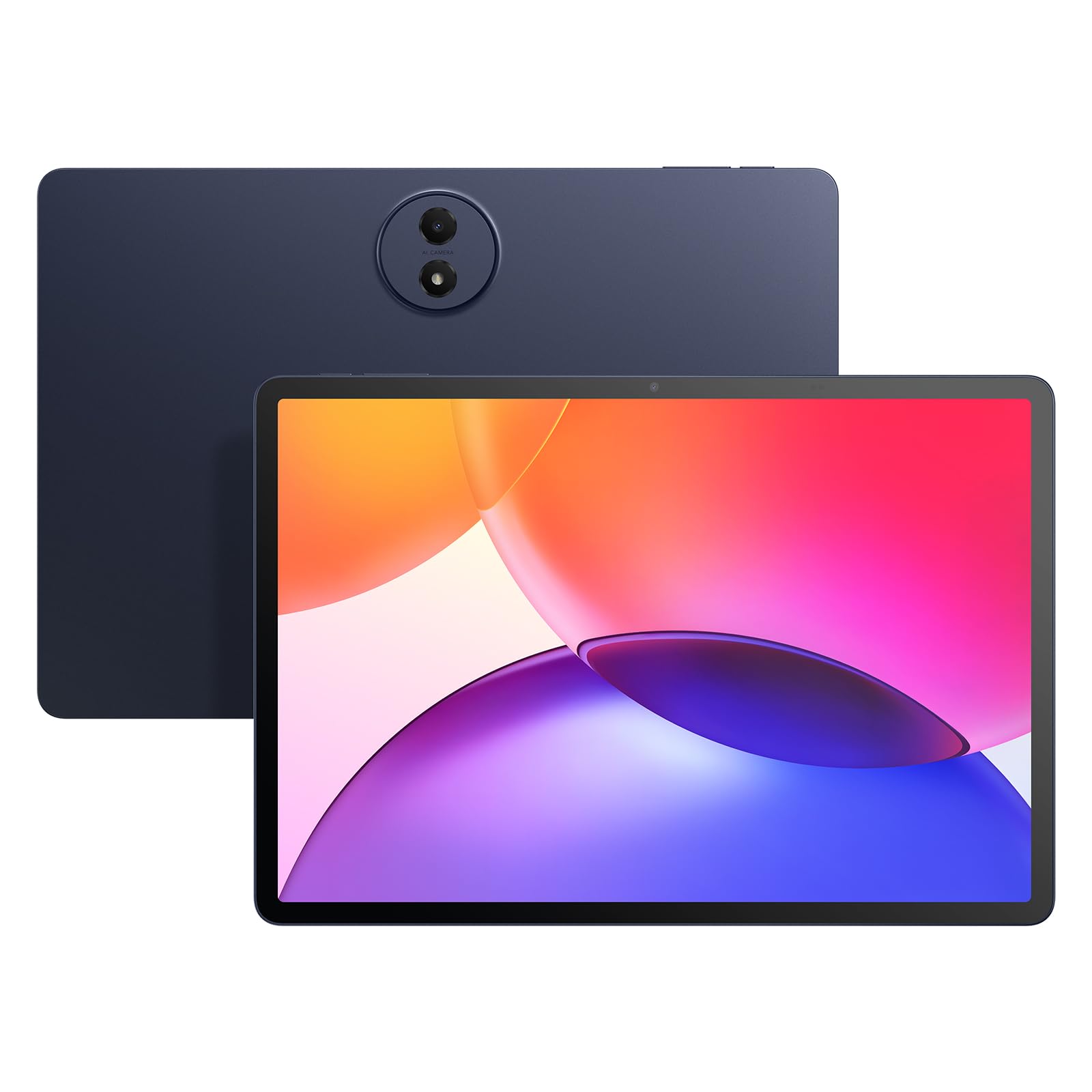
A premium-feel tablet with a 2.4K screen that punches well above its price bracket.
The TCL TAB A1 Plus stands out with its 12.2″ 2.4K display that runs at a smooth 120Hz refresh rate. TCL’s NXTVISION technology enhances colors and contrast in real time, and the 3:2 aspect ratio gives you more vertical space, which is great for reading documents and web pages. It is powered by a Snapdragon 4 Gen 2 processor with 6GB of physical RAM plus up to 10GB of RAM expansion (totaling 16GB), which keeps multitasking feeling snappy.
You get quad stereo speakers for rich sound, an 8000mAh battery with 20W fast charging, and an IP54 dust and splash resistance rating for everyday durability. Reviewers point out that the matte screen is excellent for reducing glare and fingerprints, making it a joy for reading ebooks and comics. The tablet also comes with a case and a stylus in the box, which adds significant value. One reviewer pointed out a notable limitation: the included T Pen has poor palm rejection and no replacement nibs available in North America, so heavy note-taking or drawing may be frustrating.
Screen first: The 2.4K 120Hz display with NXTVISION delivers the best visual quality in the mid-range tier, beating many pricier tablets on clarity and smoothness.
The stylus catch: The included pen is fine for basic tapping but lacks palm rejection and replacement nibs, so it is not suitable for serious note-takers or artists.
Reach for this if: you prioritize a large, sharp, and smooth display for reading, streaming, and browsing, and you want a solid mid-range performer.
Look elsewhere if: you need a responsive stylus for serious note-taking or drawing — the included pen and software fall short here.
5. Lenovo Idea Tab

A well-balanced study tablet with a crisp 2.5K screen and pre-loaded learning apps.
The Lenovo Idea Tab features an 11″ 2.5K IPS touchscreen with a 90Hz refresh rate, giving you sharp text and smooth scrolling for reading textbooks and browsing. It is powered by the MediaTek Dimensity 6300 processor — shoppers say it handles everyday tasks like YouTube, Gmail, and note-taking without lag. The tablet comes with 8GB of memory and 256GB of storage, which is a generous amount of onboard space for apps and files.
This model includes a Lenovo Tab Pen and a folio case in the box. The pen supports the Circle to Search feature, and the tablet comes pre-loaded with four learning apps: Lenovo AI Note, Squid, Nebo, and MyScript Calculator — tools designed specifically for students. Buyers report that the 7216mAh battery lasts through a full day of classes, with one user charging every other day. The 20W charger gets you back up to speed quickly. One frustration that buyers mention is that the included folio case feels flimsy, and the tablet does not come with extra pen tips.
Study setup
- Crisp 2.5K display with 90Hz refresh rate is great for reading and note-taking
- 256GB storage provides plenty of space for textbooks and class files
- Included pen and learning apps add value for students
Minor letdowns
- Included folio case is thin and does not feel durable
- No extra pen tips in the box — you will need to source them separately
- Amazon app does not run on the latest Android, requiring a web browser workaround
Best for: college students who want a responsive, pen-ready tablet with a sharp display and enough storage to handle an entire semester’s work.
Not for: heavy gamers or anyone who needs a rugged case from the start — you will want to buy a sturdier case separately.
6. TECLAST T65

The largest screen you can get on a budget, built for sheet music and movie marathons.
The TECLAST T65 gives you a massive 13.4-inch IPS display with a 1920×1200 resolution and an impressive 120Hz refresh rate — a spec usually found on much pricier tablets. This makes it ideal for reading sheet music, watching movies, or using GPS apps on a golf cart, as one owner reported. The 8000mAh battery lasts up to 11 hours, and the 20GB of RAM (8GB physical + 12GB virtual) combined with 128GB of storage keeps things running smoothly for daily tasks.
The tablet also features a 2.2GHz octa-core processor, 4G LTE support for cellular data, and a 3.5mm headphone jack — a rare and welcome inclusion. Owners mention that setup is simple, the screen is bright enough for outdoor use, and the 120Hz refresh rate makes animations feel fluid. The main trade-off is that the LCD panel’s blacks turn grayish at higher brightness levels, and the speakers may need a sound booster app for louder volume.
Size matters: The 13.4-inch screen at 120Hz is the largest and smoothest display in the budget tier, making it perfect for musicians and media lovers.
The compromise: The LCD screen has typical IPS limitations — blacks are not deep, and you may need to adjust brightness or add a sound app for the best experience.
Reach for this if: you want an enormous screen for sheet music, GPS, or streaming and you are willing to accept some LCD compromises for the price.
Look elsewhere if: you need deep blacks for movie watching or a lightweight tablet for one-handed use — this one is big and not pocket-friendly.
7. ANTEMPER 11″ Android 16 Tablet
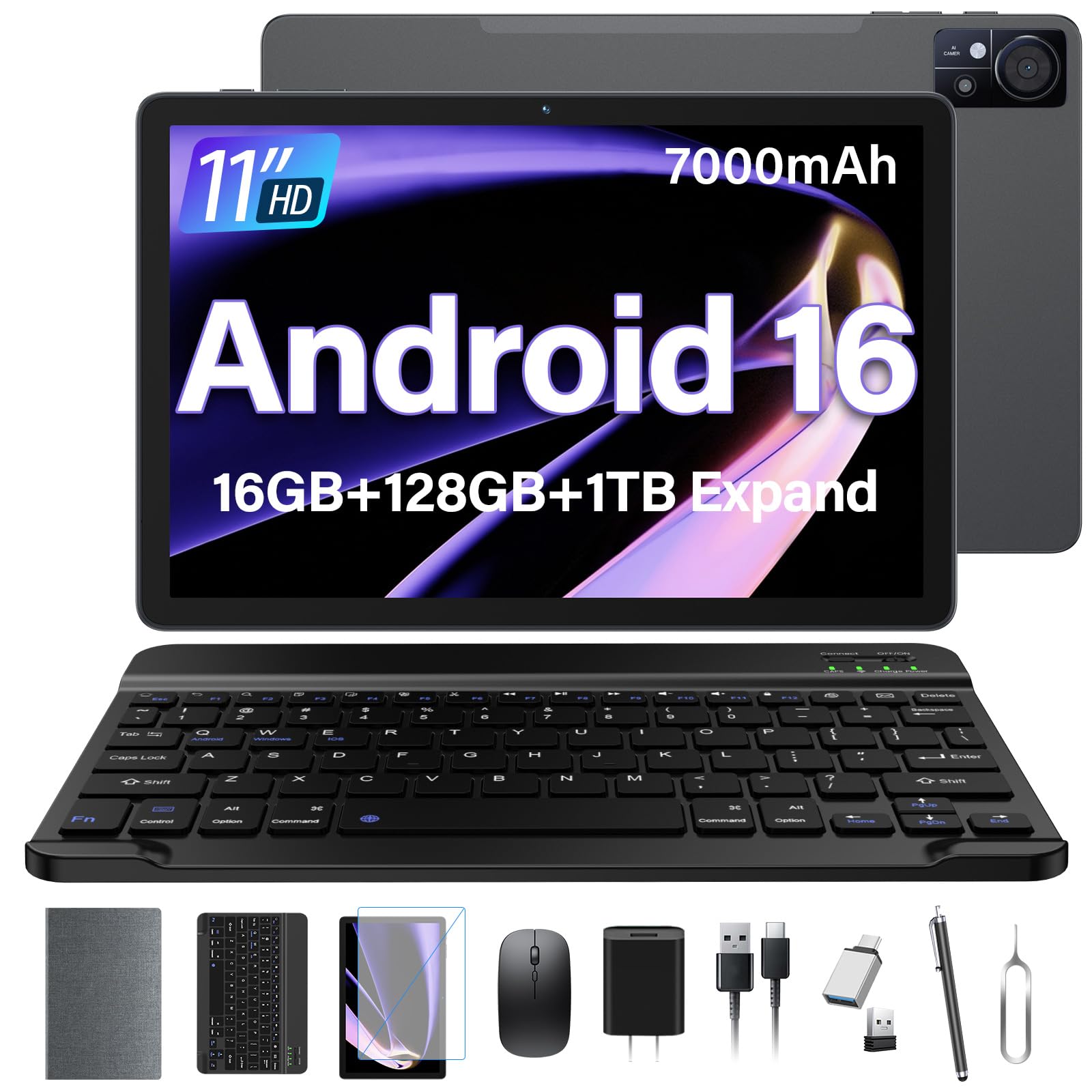
Everything you need in one box, including a keyboard, mouse, and stylus, for a low price.
The ANTEMPER 11-inch tablet runs Android 16 and includes Gemini AI for tasks like drafting emails and summarizing articles. It packs 16GB of RAM (8GB physical plus 8GB virtual) and 128GB of internal storage, expandable up to 1TB via microSD. The 11-inch 1280×800 HD display is paired with dual stereo speakers, and the 7000mAh battery provides enough endurance for a day of mixed use. Customers note that the tablet feels light and thin, and the build quality rivals more expensive Samsung models.
What makes this bundle exceptional is what comes in the box: a Bluetooth keyboard, a wireless mouse, a precision stylus, a foldable case, and a screen protector. One customer observed that “it comes with EVERYTHING” — you do not need to buy any accessories separately. The tablet also supports 4G LTE via dual SIM card slots and 5G Wi-Fi, so you stay connected anywhere. The main limitation is the display resolution: at 1280×800, it is noticeably less sharp than 2K or 3K screens, so fine text in ebooks or small app icons will not look as crisp.
Unbox and go
- Comes with keyboard, mouse, stylus, case, and screen protector — class-leading value
- 4G LTE and 5G Wi-Fi support for flexible connectivity
- Lightweight build and solid construction for the price
The display trade-off
- 1280×800 HD resolution is lower than competitors, leading to less sharp text
- No cellular calling — data only with the SIM card slots
- Virtual RAM is slower than physical RAM
Who it fits: Budget-conscious buyers who want a complete work-ready setup from the start without spending extra on accessories.
Skip if: you need a high-resolution display for photo editing or reading fine print — the 1280×800 screen is a compromise here.
8. FEONAL 11″ Android 16 Tablet

An entry-level tablet with cellular connectivity that keeps you online anywhere.
The FEONAL 11-inch tablet runs Android 16 and features a 1280×800 HD Incell display with dual stereo speakers. It offers 20GB of RAM (8GB physical plus 12GB virtual) and 128GB of internal storage, with support for up to 1TB of expandable storage. The 7000mAh battery is rated for up to 480 hours of standby time, meaning you can leave it idle for days without recharging. One user highlighted that the battery has been very good, and they charge it at night and use it during the day without worrying about power.
The big advantage here is the dual SIM card slot that supports 4G LTE connectivity, so you can insert a data SIM and stay connected without needing Wi-Fi. It also supports VoLTE for handling data while on a call. The MTK8786 octa-core processor handles basic tasks well, and reviewers point out that setup is easy and the touchscreen is responsive. The 13MP rear camera and 8MP front camera are adequate for video calls and quick photos. The catch is that cellular connectivity is data-only — you cannot make standard phone calls. Additionally, the 1280×800 display resolution is not as sharp as premium tablets, and the camera quality is mediocre.
Always online: The dual SIM 4G LTE support means you can stay connected at home, in the car, or on a trip without hunting for Wi-Fi.
Entry-level limits: The display is lower resolution and the camera is weak, so this is best for basic browsing, social media, and media consumption.
Best for: seniors or anyone who needs a simple, affordable tablet with cellular data to stay in touch via social media and email.
Not for: anyone who needs a sharp screen for high-definition content or a good camera for photography.
9. ANTEMPER 10.1″ Android 16 Tablet
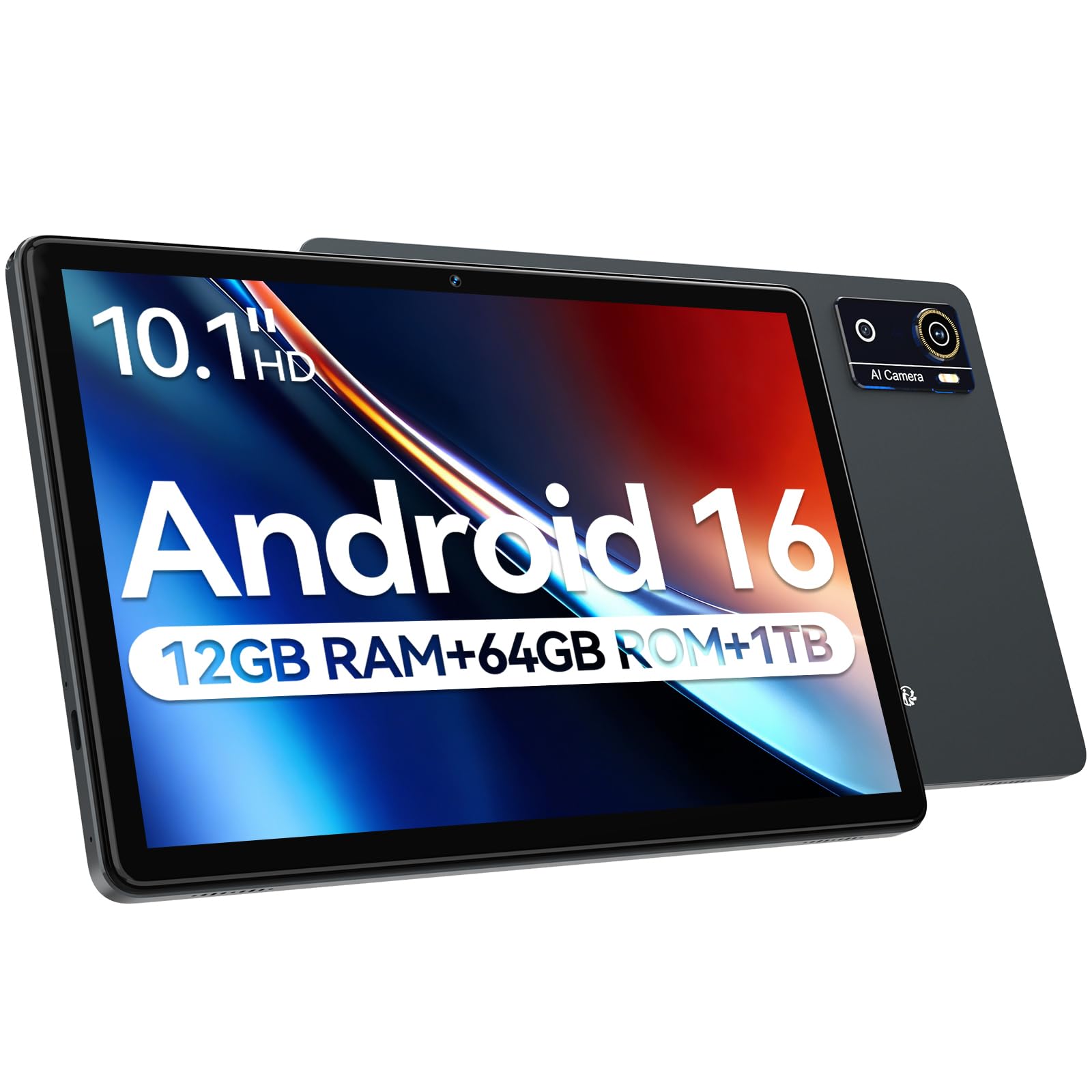
The most affordable option that still keeps up with daily tasks thanks to a decent processor.
The ANTEMPER 10.1-inch tablet runs Android 16 with Gemini AI assistance and is powered by the Helio G80 processor (2.0GHz, 12nm) with a Mali-G52 GPU. It comes with 12GB of RAM and 64GB of internal storage, expandable up to 1TB via TF card. The 10.1-inch 1280×800 HD IPS display includes eye-care technology to filter blue light, making it a better choice for late-night reading. The 7000mAh battery provides enough power for a full day of use, and the Type-C port keeps charging convenient. Shoppers say that this tablet rivals Samsung models costing twice as much in performance and battery life, and they love that it runs the latest Android 16.
The 13MP rear camera and 8MP front camera are suitable for video calls and casual photos. The tablet supports 5G Wi-Fi and Bluetooth 5.0, and includes GPS for basic navigation if you download offline maps. One limitation is the storage: at 64GB, it is the smallest base storage on this list, so you will likely need an SD card early on. The 10.1-inch screen is also the smallest here, which may feel cramped for split-screen multitasking or watching widescreen movies.
Value for money
- Helio G80 processor offers reliable performance for daily tasks and light gaming
- 7000mAh battery provides all-day battery life
- Blue light filtering eye-care mode helps with comfortable evening use
Space concerns
- Only 64GB of internal storage fills up fast with apps and media
- 10.1-inch screen is the smallest in this comparison, making multitasking less spacious
- No included keyboard or stylus — barebones unboxing
Who it works for: Buyers on a tight budget who need a reliable, up-to-date Android tablet for basic browsing, streaming, and reading without fuss.
pass on it if: you need a lot of built-in storage, a larger screen, or included accessories — you will want to spend a little more for the 11-inch model.
Understanding the Specs
Display Resolution and Refresh Rate
Resolution is measured in pixels (e.g., 1920×1200). Higher numbers make text and images sharper. Refresh rate, measured in Hertz (Hz), tells you how many times the screen updates per second. A 120Hz screen looks twice as smooth as a 60Hz screen when you scroll or watch fast-moving video. For reading and note-taking, a higher refresh rate reduces eye strain.
RAM and Virtual RAM
RAM (random access memory) is your tablet’s short-term memory for running apps. More RAM means you can switch between apps without them reloading. “Virtual RAM” is a software trick that uses a portion of your storage space to simulate extra memory. It is slower than physical RAM, so a tablet with 8GB of real RAM is faster than one with 6GB real plus 6GB virtual, even though both might be advertised as “12GB.”
Processor (CPU)
The CPU is the engine that powers every task. A Snapdragon 8 Gen 2 or MediaTek Dimensity 8300 are top-tier processors that handle gaming and heavy multitasking. A Helio G80 or MTK8786 is a budget processor that works fine for browsing and streaming but will struggle with demanding games or many apps open at once. Look for the processor model number, not just the brand.
Battery and Charging
Battery capacity is listed in milliamp-hours (mAh). A 7000mAh battery is standard for a full day of mixed use. But the charging speed, measured in watts (W), matters just as much. A 45W charger can fill a large battery in about an hour and a half, while a standard 10W charger may take three to four hours. Always check what charger is included in the box, as many tablets ship with only a cable.
FAQ
Can I make phone calls with a cellular Android tablet?
How much storage do I need in an Android tablet?
Is a 120Hz display worth it on a tablet?
What is the difference between an AMOLED and LCD display?
Will a budget Android tablet get software updates?
Can I use a stylus on any Android tablet?
How long does an Android tablet battery last?
What does Gemini AI or Galaxy AI do on a tablet?
Final Thoughts: The Verdict
For the majority of shoppers, the android tablet winner is the Samsung Galaxy Tab S9 because the AMOLED screen, S Pen support, IP68 water resistance, and Snapdragon 8 Gen 2 processor deliver a premium experience that justifies its price. If you want a large screen for note-taking and AI productivity, grab the Lenovo Idea Tab Pro. And for the best value with a complete bundle of accessories, the standout is the ANTEMPER 11″ Android 16 Tablet.
How We Picked
We do not accept paid placement. Every pick is matched to a real buyer and a real use-case; we do not hands-on test units.
Sources & Methodology
Specifications: manufacturer listings and product documentation. Review insights: verified customer reviews, as of July 2026. Pricing: not shown on this page (it changes often); check the current price via the retailer link.
As an Amazon Associate, Gadgets Feed earns from qualifying purchases. This does not affect which products we feature.