
Our readers keep the lights on and my morning glass full of iced black tea. As an Amazon Associate, I earn from qualifying purchases.
Specs are compiled from manufacturer listings and verified buyer reviews and can change over time — please confirm the key details on the product page before buying.
You slide into a gunfight, but the screen blurs and your crosshair drifts. A monitor that refreshes 200 times per second (200Hz) keeps motion clear and your aim on target. This guide compares the top six 200 hertz monitor picks using published specs and real buyer feedback, so you find the right fit for your PC and your games.
I’m Min — the founder and writer behind Gadgets Feed. This guide is built by comparing the manufacturers’ published specifications and the patterns across verified customer reviews, so you get each pick’s real strengths and trade-offs instead of marketing spin.
Your choice depends on balancing resolution, response time, and graphics card power. An ultrawide 200Hz screen for sim racing needs a different set of trade-offs than a compact QD-OLED (a self-lighting panel type that delivers perfect blacks) for esports.
Quick Picks
- AOC Agon PRO AG276QZD2 — Best Overall
- ASUS ROG Strix XG27UCDMG — Premium 4K
- GIGABYTE G34WQC2 — Immersion Pick
- LG Ultragear 27GR83Q-B — Versatile IPS
- AOC CU34G4H — Budget Ultrawide
- SANSUI 34-Inch Curved Gaming Monitor — Feature-Rich Ultrawide
How To Choose The Best 200 Hertz Monitor
The right high-refresh monitor matches your gaming style and your PC’s power. These three decisions matter most.
Panel Type: VA vs IPS vs QD-OLED
Panel technology decides what you see on screen. VA panels (vertical alignment) give high contrast — the GIGABYTE G34WQC2 hits a 4000:1 contrast ratio, so blacks look deep in dark game scenes. IPS panels (in-plane switching) give better color accuracy and wider viewing angles, useful if you also edit photos. QD-OLED panels (quantum dot organic light-emitting diode), like in the AOC Agon PRO and ASUS ROG Strix, deliver the best of both: perfect blacks, vibrant colors, and the fastest response times. The trade-off is higher cost and burn-in risk (permanent image retention) over years of static HUDs.
Response Time and Refresh Rate: The Real Smoothness
Refresh rate (200Hz, 240Hz) is how many frames the screen shows per second. Response time (measured in milliseconds) is how fast each pixel changes color. A 200Hz monitor with a 1ms (millisecond) response time handles fast motion well, but a 0.03ms OLED panel eliminates ghosting almost entirely. Both specs work together — a slow response time on a high-refresh screen still looks blurry. For competitive shooters, aim for 1ms or faster.
Resolution and GPU Requirements
A 200Hz monitor at 1440p (2560×1440 pixels) demands more from your graphics card than a 1080p (1920×1080) panel. An ultrawide 3440×1440 resolution (like the SANSUI 34-inch) needs even more power to push high frame rates. Check your GPU’s capabilities before buying — a mid-range card might max out at 200Hz in esports titles but struggle in open-world games. The ASUS ROG Strix with 4K (3840×2160) resolution at 240Hz requires a top-tier card for full performance.
Quick Comparison
| Model | Best For | Resolution | Response Time | Panel Type | Amazon |
|---|---|---|---|---|---|
| AOC Agon PRO AG276QZD2 | Competitive esports | 2560 x 1440 | 0.03ms GtG | QD-OLED | Amazon |
| ASUS ROG Strix XG27UCDMG | 4K gaming & editing | 3840 x 2160 | 0.03ms | QD-OLED | Amazon |
| GIGABYTE G34WQC2 | rich ultrawide gaming | 3440 x 1440 | 1ms GTG | VA | Amazon |
| LG Ultragear 27GR83Q-B | Fast IPS all-rounder | 2560 x 1440 | 1ms GtG | IPS | Amazon |
| AOC CU34G4H | Budget ultrawide | 3440 x 1440 | 0.3ms MPRT | VA | Amazon |
| SANSUI 34-Inch Curved | Affordable ultrawide value | 3440 x 1440 | 1ms OD | VA | Amazon |
In‑Depth Reviews
1. AOC Agon PRO AG276QZD2

Its 0.03ms GtG (gray-to-gray) response time, versus the GIGABYTE G34WQC2’s 1ms, makes motion blur almost invisible.
This 27-inch monitor uses a QD-OLED panel (a self-lighting screen where each pixel creates its own light), so blacks look truly black and colors look rich — over 1.07 billion colors. At 2560 x 1440 resolution with a 240Hz (frames per second) refresh rate and 0.03ms GtG response time, fast-moving targets in games like Counter-Strike 2 stay crisp without ghosting. That speed makes it sharper at night than the LG 27GR83Q-B because its OLED pixels switch off completely for black, unlike IPS (in-plane switching) panels that let some light through.
Buyers report the OLED panel looks bright, sharp, and vibrant for games like Doom Eternal, but note the built-in speakers are mediocre and the stand feels wobbly and cheap. One reviewer also mentioned text fringing (a slight blur on small letters) that makes it less ideal for spreadsheet work. The HDR performance peaks at 240 nits (a unit of brightness) according to one owner, and it includes OLED burn-in prevention settings to reduce permanent image retention risk.
This monitor supports G-Sync (NVIDIA’s technology that syncs your GPU frames with the screen to eliminate tearing). It covers 101 percent of the DCI-P3 color gamut (a standard for digital cinema colors) and 136.7 percent of sRGB, so colors look accurate whether you are gaming or watching media.
Blazing-fast pixel response: The 0.03ms GtG response time is the fastest in this list, so competitive FPS players see every frame perfectly clear without ghosting.
One catch: Text fringing and the mediocre stand mean this is a dedicated gaming monitor — not your best option for heavy productivity or a wobbly desk.
Reach for this if: You play fast-paced esports titles and want the smoothest possible motion with deep blacks and vibrant colors.
Look elsewhere if: You need a monitor for mixed work-and-play use, or you find a wobbly stand too annoying to live with.
2. ASUS ROG Strix XG27UCDMG

4K resolution (3840 x 2160 pixels) with a 0.03ms response time — it matches the AOC Agon PRO for speed but packs 8.3 million pixels for sharper text.
The ASUS ROG Strix XG27UCDMG packs a 3840 x 2160 resolution onto a 26.5-inch 4th-gen QD-OLED panel, so text and game worlds look noticeably sharper than a 1440p screen. It runs at 240Hz with a 0.03ms response time, matching the AOC Agon PRO for speed but at a higher pixel count that a top-tier GPU like an RTX 4090 can handle. The 99% DCI-P3 gamut and true 10-bit color (10-bit means each color channel shows 1024 shades, for 1.07 billion total colors) with a color accuracy of Delta E < 2 (color difference less than 2, which is invisible to the eye) make this suitable for photo and video editing as well as gaming.
A unique feature is the Neo Proximity Sensor — it detects when you walk away and switches the screen to black, reducing burn-in risk over time. OLED Anti-Flicker 2.0 cuts flicker by 20% over previous panels according to the maker, so your eyes stay more comfortable during long sessions. The 1500000:1 contrast ratio means blacks look truly black, so dark scenes in games like Cyberpunk 2077 look more realistic.
Connectivity includes HDMI, USB Type-C, and it supports both FreeSync Premium Pro (AMD’s adaptive sync tech) and G-Sync Compatible adaptive sync. The 3-year warranty covers the panel, giving extra confidence for an OLED investment.
Standout features
- 4K QD-OLED with 240Hz refresh rate offers sharp visuals and smooth motion
- True 10-bit color and Delta E < 2 for professional-grade color accuracy
- Neo Proximity Sensor helps protect against OLED burn-in automatically
Trade-offs to know
- 4K resolution at 240Hz demands a very powerful graphics card — at least an RTX 4080 or RX 7900 XT
- Premium price point puts it at the top end of the range
Best suited for: Gamers and content creators who want one monitor that excels at both — sharp 4K for editing and fast OLED for gaming. The 99% DCI-P3 coverage means colors match what you see in professional video editing software.
skip it if: Your GPU struggles with 4K at high frame rates or your budget favors a 1440p option for a stronger price-to-performance ratio.
3. GIGABYTE G34WQC2
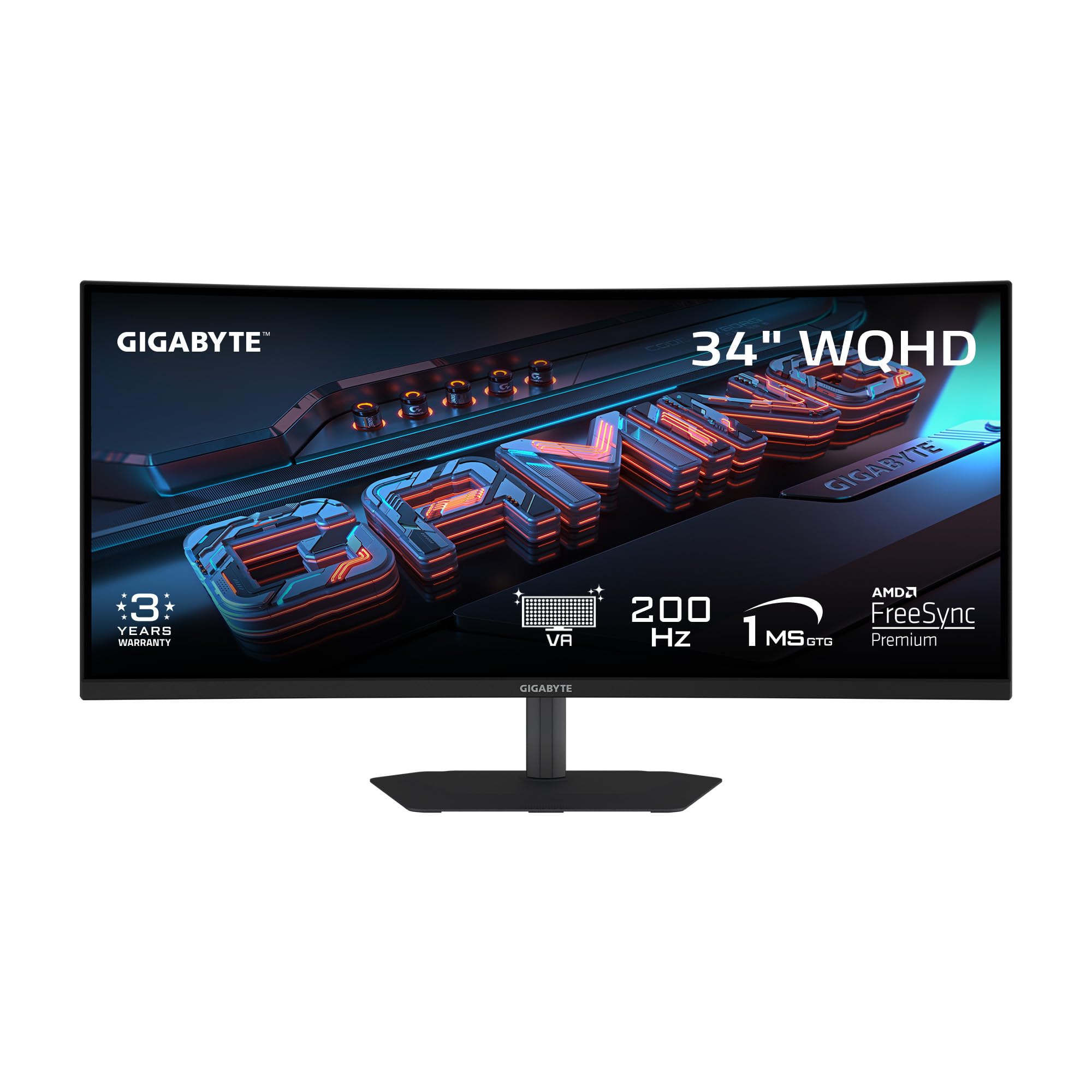
A 4000:1 contrast ratio, compared to the LG 27GR83Q-B’s 1000:1, makes dark scenes look realistic without the gray haze common on IPS panels.
The GIGABYTE G34WQC2 uses a 1500R (1500mm radius) curved VA panel, which wraps around your field of view for a wider sense of depth in racing and open-world games. It runs at WQHD (wide quad high definition) 3440×1440 resolution with a 200Hz refresh rate and 1ms GTG (gray-to-gray) response time. Its contrast ratio of 4000:1, compared to the LG 27GR83Q-B’s 1000:1, helps blacks look deeper in horror games and night scenes.
VESA DisplayHDR 400 (a brightness and color standard for HDR) support helps with brightness and contrast in HDR content. The ultrawide 21:9 aspect ratio, compared to a standard 16:9, provides a wider field of view, so you see more of the game world left and right without needing a multi-monitor setup. It also has built-in 2W x2 speakers and a height-adjustable stand with 130mm (5.1 inches) of travel, plus tilt and swivel adjustments.
AMD FreeSync Premium (adaptive sync technology that reduces screen tearing) is supported. The 3-year warranty from GIGABYTE covers the monitor.
Deep contrast for dark games: The 4000:1 VA panel delivers blacks that IPS panels cannot match. That helps in horror games and night scenes where seeing enemies against dark backgrounds matters.
Resolution trade-off: The ultrawide 3440×1440 is sharper than 1080p but demands more GPU power than standard 1440p — make sure your card can push 200Hz in your favorite titles. A mid-range card like an RTX 3060 will not hit 200Hz in demanding games at this resolution.
Grab this for: Sim racing, flight sims, or RPGs where a wider field of view and deep blacks make the experience feel more real. Owners mention the curve feels natural and the extra width helps in strategy games like Civilization VI.
Pass if: You mainly play competitive esports titles on a standard 16:9 format, or your GPU cannot handle ultrawide resolutions at high frame rates.
4. LG Ultragear 27GR83Q-B
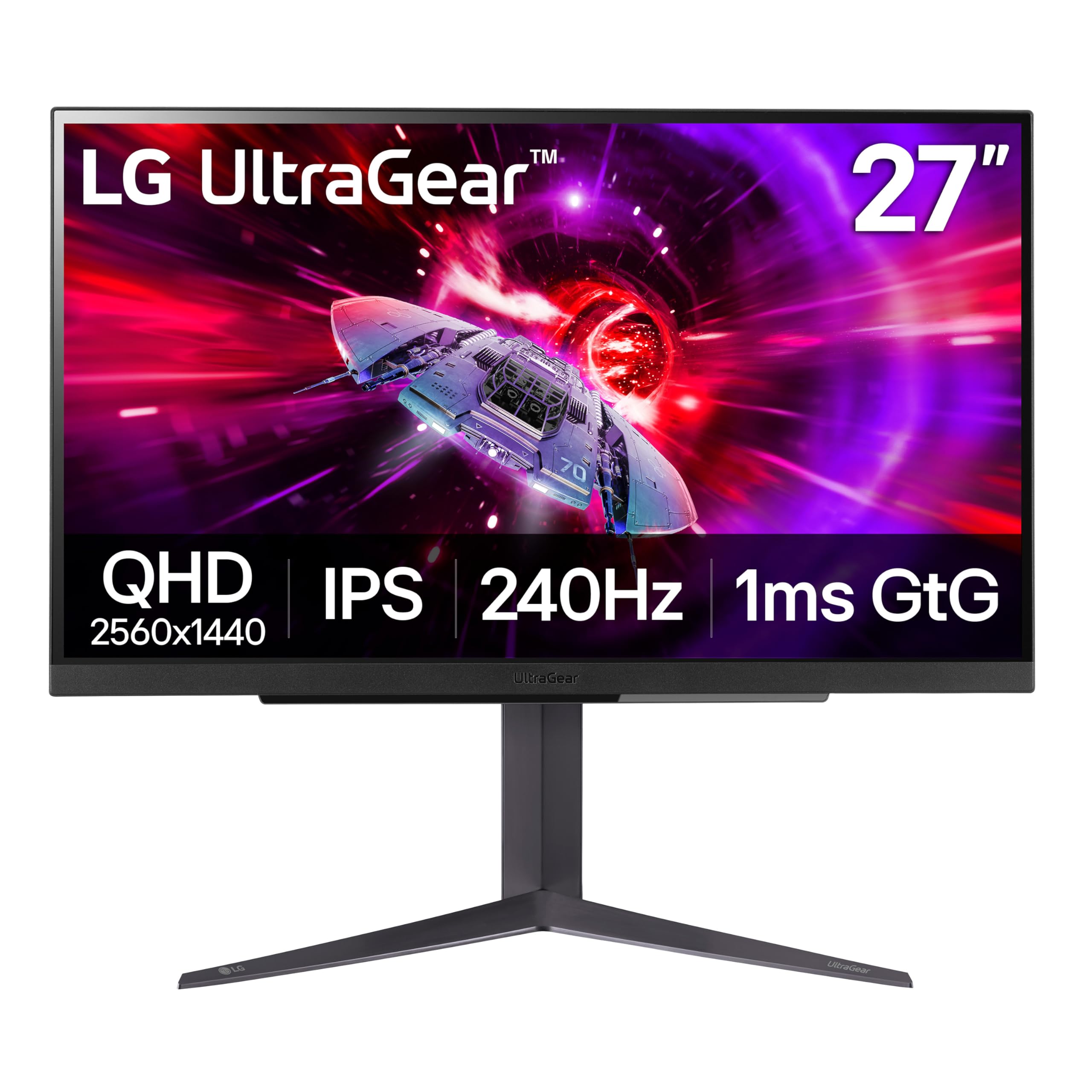
A 240Hz IPS panel with 95% DCI-P3 color coverage and HDMI 2.1 — it works with PS5 and Xbox Series X at 120Hz right from the start.
The LG 27GR83Q-B runs at 2560×1440 resolution with a 240Hz refresh rate and 1ms GtG response time. Its IPS panel covers 95% of the DCI-P3 color gamut, so colors look punchy and accurate straight from the start. Unlike the GIGABYTE’s 4000:1 VA contrast, this IPS panel offers a 1000:1 contrast ratio, which is standard for the technology — blacks are not as deep, but you get better viewing angles and color consistency across the screen.
One reviewer noted that the picture quality is great, but noted a pixel inconsistency issue — one red stuck pixel on the first unit and 5-8 stuck pixels on a second. Other reviewers praised the clean, saturated colors and minimal black-screen glow, calling it very sharp and clear for games like PUBG. The stand is described as heavy and high quality, and includes height, pivot, and tilt adjustments.
It is G-Sync Compatible and supports AMD FreeSync Premium, plus it has HDMI 2.1 inputs that work well with PlayStation 5 and Xbox Series X at 120Hz. DTS Headphone:X provides 3D spatial audio over headphones through the 4-pole headphone jack.
Why it works
- IPS panel offers vibrant colors and wide viewing angles for gaming and media
- 240Hz refresh rate and 1ms response time for smooth competitive play
- HDMI 2.1 supports modern consoles at high refresh rates
Watch out for
- Customers note a risk of stuck pixels — check your unit early and return if needed
- Contrast ratio is standard IPS level (1000:1) — not as deep as VA or OLED
Choose this if: You want a reliable 1440p monitor for both PC and console gaming with solid color accuracy and a premium-feeling stand. The heavy stand with pivot and tilt is a step up from the AOC Agon’s wobbly base.
pass on it if: You need deep contrast for dark games, or you want to avoid the potential pixel lottery reported by some owners.
5. AOC CU34G4H
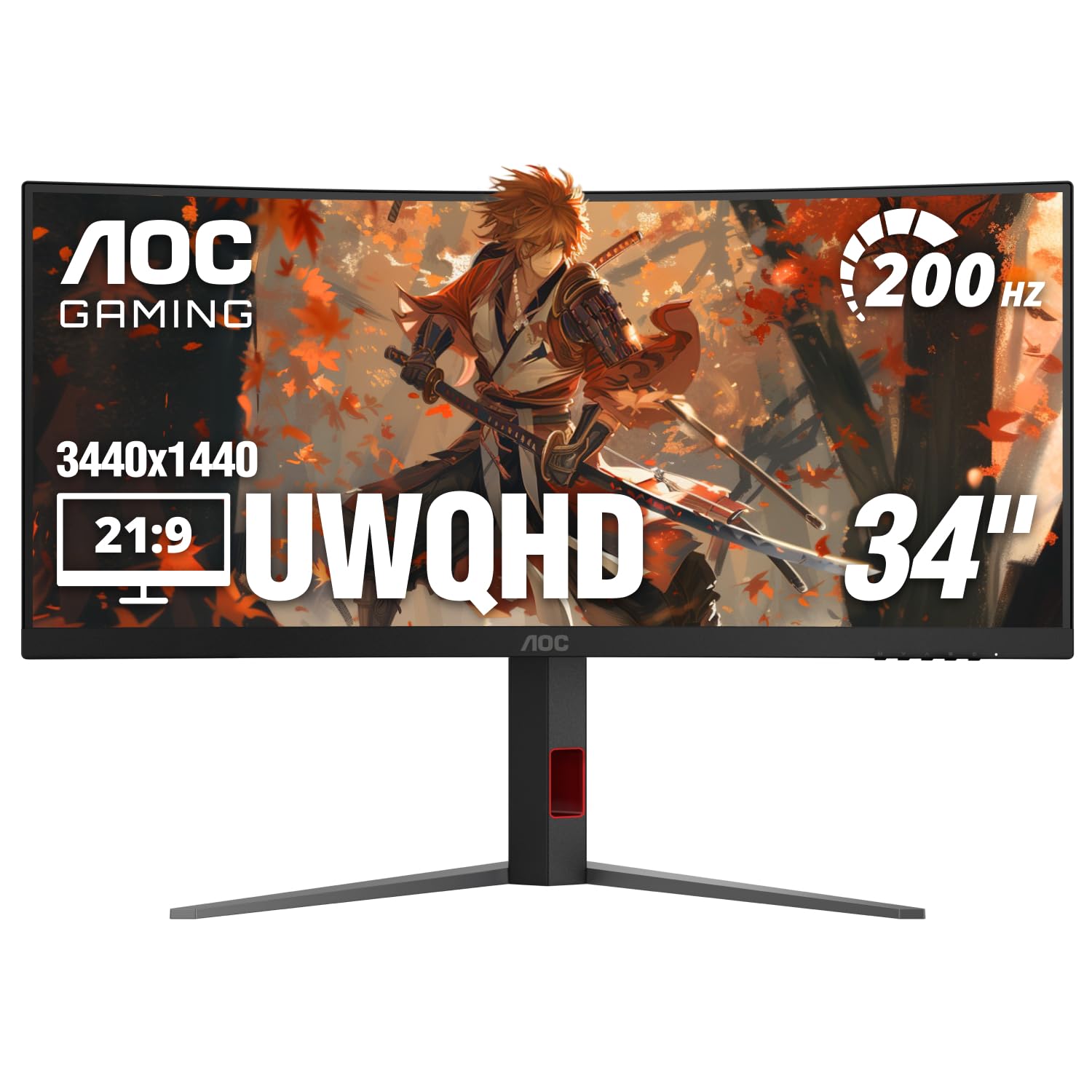
A 34-inch 200Hz curved monitor for under — it undercuts the GIGABYTE G34WQC2 on price while keeping a similar shape.
The AOC CU34G4H uses a 1500R curved VA panel at 3440×1440 resolution, with a 200Hz refresh rate via DisplayPort 1.4 (100Hz via HDMI 2.0). Its 0.3ms MPRT (Moving Picture Response Time — which measures how long a single frame stays visible, not pixel transition speed) helps reduce motion blur during fast-paced gaming.
Adaptive-Sync is supported to eliminate screen tearing, and the monitor is HDR Ready for improved contrast in supported content. The ergonomic stand offers height adjustment, tilt, and swivel adjustments, plus VESA 100x100mm mount compatibility if you prefer a desk arm. Connectivity includes 1x DisplayPort 1.4, 2x HDMI 2.0, and an audio-out port.
At 21:9 aspect ratio, you get extra horizontal screen space for multitasking or panoramic game views. The 1500R curve matches the GIGABYTE G34WQC2’s curvature but at a lower price.
Affordable ultrawide entry: You get a 34-inch curved screen with 200Hz and 0.3ms MPRT for a price that undercuts most comparable models. That makes it a good starting point for widescreen gaming without a big budget.
Know the limits: HDMI 2.0 caps at 100Hz, so you need DisplayPort to hit 200Hz. Also, the 0.3ms MPRT response time is not directly comparable to GTG (gray-to-gray) ratings on other monitors.
Good for: Gamers on a tighter budget who want an ultrawide 200Hz experience. It suits those who mostly use DisplayPort connections and want extra width for RPGs or strategy games.
Not for: Users who need HDMI to reach 200Hz (for console gaming) or those who want the fastest possible pixel transition speed for competitive esports.
6. SANSUI 34-Inch Curved Gaming Monitor
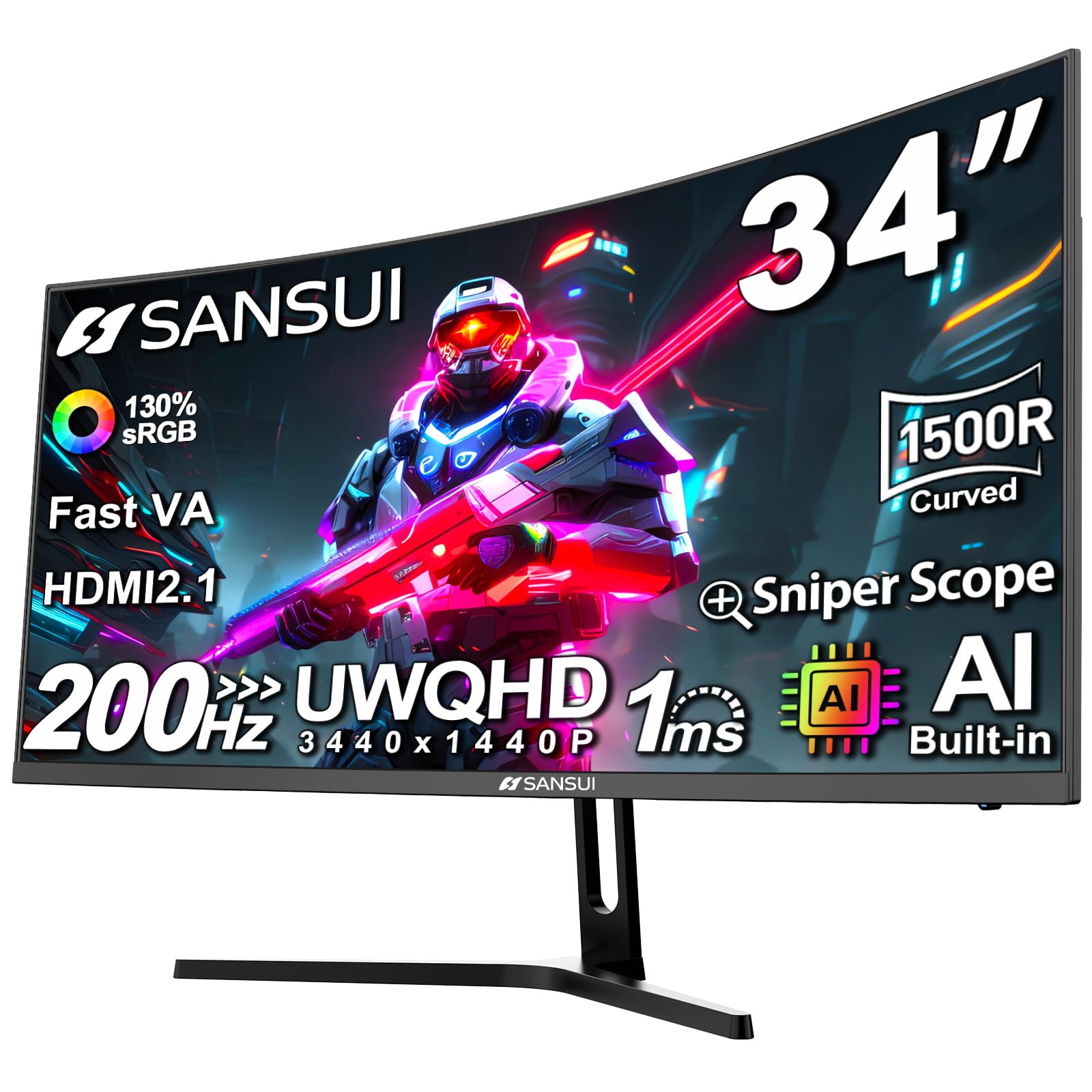
A 34-inch ultrawide with DCI-P3 97% color coverage (higher than the GIGABYTE’s 95%) and AI-powered gaming features not found on other monitors here.
The SANSUI 34-inch uses a Fast VA panel at 3440×1440 resolution with a 1500R curve, supporting up to 200Hz refresh rate and 1ms OD (Overdrive) response time. Its color gamut hits sRGB 130% and DCI-P3 97%, so colors look more vivid than the GIGABYTE’s 95% DCI-P3 coverage. The 3000:1 contrast ratio makes dark scenes look deeper than an IPS monitor.
Unique to this monitor are AI-powered features like AI Crosshair (an on-screen reticle for aiming), AI Blue Light Reduction, AI Picture Quality optimization, and Sniper Scope mode. The manufacturer claims these features help with aiming and eye comfort. The stand offers tilt adjustment and is VESA 100x100mm compatible. Connectivity includes two HDMI 2.1 ports and one DisplayPort 1.4, with HDMI 2.1 supporting Variable Refresh Rate (VRR) for smoother console gaming at up to 200Hz.
The monitor supports PIP/PBP (Picture-in-Picture and Picture-by-Picture), letting you display two input sources side-by-side. It comes with a DP 1.4 cable and a 30-day money-back guarantee plus lifetime technical support from SANSUI.
What stands out
- sRGB 130% and DCI-P3 97% color gamut delivers vivid, saturated visuals in games like Red Dead Redemption 2
- AI Crosshair and Sniper Scope features offer in-game aiming assistance
- HDMI 2.1 with VRR supports next-gen consoles at high refresh rates
Things to consider
- AI features may not appeal to purist gamers who prefer standard display settings
- Brightness is rated at 300 nits, which is lower than the GIGABYTE G34WQC2’s typical 350-400 nits for HDR content
Ideal for: Gamers who want an ultrawide panel with extra color saturation and HDMI 2.1 for both PC and console use. The 97% DCI-P3 coverage is a real advantage for colorful games like Overwatch 2.
Maybe not for: Anyone who finds AI gaming features unnecessary or wants higher brightness for well-lit rooms. The 300-nit peak means it works best in a dimmer room.
Understanding the Specs
Refresh Rate and Response Time
Refresh rate (measured in Hertz — 200Hz, 240Hz) tells you how many times per second the screen redraws the image. Response time (measured in milliseconds — 1ms, 0.03ms) measures how fast a pixel can change from one color to another. A 200Hz screen with a slow response time still looks blurry during fast motion because the pixels cannot keep up with the refresh rate. For competitive gaming, look for 1ms GTG (gray-to-gray) or faster. OLED panels reach 0.03ms, which practically eliminates motion blur so you see every frame clearly.
Panel Technologies: VA, IPS, and OLED
VA panels (vertical alignment) offer high contrast ratios (3000:1 to 4000:1) for deep blacks and good color, but viewing angles are narrower — colors shift if you sit off-center. IPS panels (in-plane switching) have better color accuracy and wider viewing angles but lower contrast (usually 1000:1), so blacks look grayish in a dark room. OLED panels (organic light-emitting diode), including QD-OLED, provide the best of both — perfect blacks with infinite contrast, vibrant colors, and the fastest response times — but cost more and carry a long-term burn-in risk if static images stay on screen for thousands of hours.
FAQ
What graphics card do I need to run a 200Hz monitor at 1440p?
Can the human eye see the difference between 144Hz and 200Hz?
Is 200Hz good enough for competitive gaming?
Do I need DisplayPort or HDMI for 200Hz?
What does Adaptive-Sync or FreeSync do?
Are VA panels good for gaming at 200Hz?
How long does a 200Hz monitor last?
What is the difference between 200Hz and 200 FPS?
Can I use a 200Hz monitor for photo or video editing?
Do I need a 200Hz monitor for single-player story games?
Final Thoughts: The Verdict
For most people, the 200 hertz monitor winner is the AOC Agon PRO AG276QZD2 because its QD-OLED panel combines a 240Hz refresh rate with 0.03ms response time for class-leading smoothness, plus vibrant colors that work for both gaming and media. If you want an rich ultrawide experience with deep blacks, grab the GIGABYTE G34WQC2. And for 4K resolution with professional-grade color accuracy, the ASUS ROG Strix XG27UCDMG is the premium pick that handles both gaming and creative work.
How We Picked
We do not accept paid placement. Every pick is matched to a real buyer and a real use-case; we do not hands-on test units.
Sources & Methodology
Specifications: manufacturer listings and product documentation. Review insights: verified customer reviews, as of July 2026. Pricing: not shown on this page (it changes often); check the current price via the retailer link.
As an Amazon Associate, Gadgets Feed earns from qualifying purchases. This does not affect which products we feature.