
Our readers keep the lights on and my morning glass full of iced black tea. As an Amazon Associate, I earn from qualifying purchases.
Specs are compiled from manufacturer listings and verified buyer reviews and can change over time — please confirm the key details on the product page before buying.
Dropping a new processor into an LGA 1151 motherboard feels like giving an old friend a second wind. You already own the board, the RAM, and the cooler — so the real question is which chip open up the most performance without forcing a full rebuild. This guide cuts through the clock-speed noise and tells you exactly which 1151 socket processor earns its spot in your rig based on the specs that actually matter for gaming, productivity, and everyday use.
I’m Min — the founder and writer behind Gadgets Feed. This guide is built by comparing the manufacturers’ published specifications and the patterns across verified customer reviews, so you get each pick’s real strengths and trade-offs instead of marketing spin.
Whether you are hunting for a budget-friendly upgrade or a high-core-count beast that breathes new life into your Z370 or Z390 setup, knowing the real-world differences between these chips is the only way to avoid buyer’s remorse. This is the complete breakdown of the 1151 socket processor market, ranked by the specs that actually deliver frame rates and fast load times.
Quick Picks
- Intel Core i7-9700K 8-Core (Renewed) — Top Performance
- Intel Core i7-9700 3.0 GHz Octo-Core (Renewed) — Stable Workhorse
- Intel Core i5-7600K 7th Gen — Overclock Champion
- Intel Core i3-9100 Desktop Processor — Best Value Upgrade
- Intel Core i3-8100 8th Gen — Budget Champion
How To Choose The Best 1151 Socket Processor
Choosing the right chip for your LGA 1151 motherboard (the socket type for 6th to 9th Gen Intel CPUs) depends on three things: what generation your board supports, how many cores your workload needs, and whether you plan to overclock (push the chip beyond its factory speed). Get those three right, and everything else — cache size, integrated graphics, power draw — falls into place.
Generation Lock: 100/200 vs 300 Series
This is the single biggest trap. LGA 1151 motherboards come in two electrically incompatible families. The 100-series (Z170, H170) and 200-series (Z270, H270) chipsets only support 6th-gen Skylake and 7th-gen Kaby Lake CPUs. The 300-series (Z370, B360, H310, Z390) boards only work with 8th-gen Coffee Lake and 9th-gen Coffee Lake Refresh chips. Physically, the pins line up — but the BIOS and power delivery do not. Always check your motherboard chipset before buying.
Cores and Threads for Real Life
For everyday browsing, office work, and light gaming, a 4-core/4-thread chip like the Core i3-8100 still gets the job done with minimal heat. If you stream, edit video, or run virtual machines, 6 to 8 cores with Hyper-Threading (which lets each core handle two tasks at once) will keep your system responsive when things get busy. The 8-core/8-thread i7-9700K, for example, chews through multitasking without stuttering.
Overclocking: K vs Non-K
Chips with a “K” suffix — like the i5-7600K or i7-9700K — have an open up multiplier, which means you can push the clock speed higher than stock, but only on a Z-series motherboard. Non-K processors run at their factory speed permanently. If you enjoy tweaking voltages and fan curves for extra frames, go K. If you want to low-maintenance, a locked chip on a B360 or H310 board saves money and runs cooler.
Quick Comparison
| Model | Best For | Cores / Threads | Base Clock | Cache | Amazon |
|---|---|---|---|---|---|
| i7-9700K (Renewed) | High-end gaming / Multitasking | 8 / 8 | 3.60 GHz | 12 MB | $189.97$259.00Amazon |
| i7-9700 (Renewed) | Stable workstation / Replacement | 8 / 8 | 3.0 GHz | 8 MB | $125.00$275.00Amazon |
| i5-7600K | Overclocking / Gaming | 4 / 8 | — | 8 MB | $110.99Amazon |
| i3-9100 | Office / Home / Media server | 4 / 4 | Up to 4.2 GHz | 6 MB | $24.99Amazon |
| i3-8100 | Budget gaming / Basic PC | 4 / 4 | 3.60 GHz | 6 MB | $94.99Amazon |
In‑Depth Reviews
1. Intel Core i7-9700K 8-Core (Renewed)
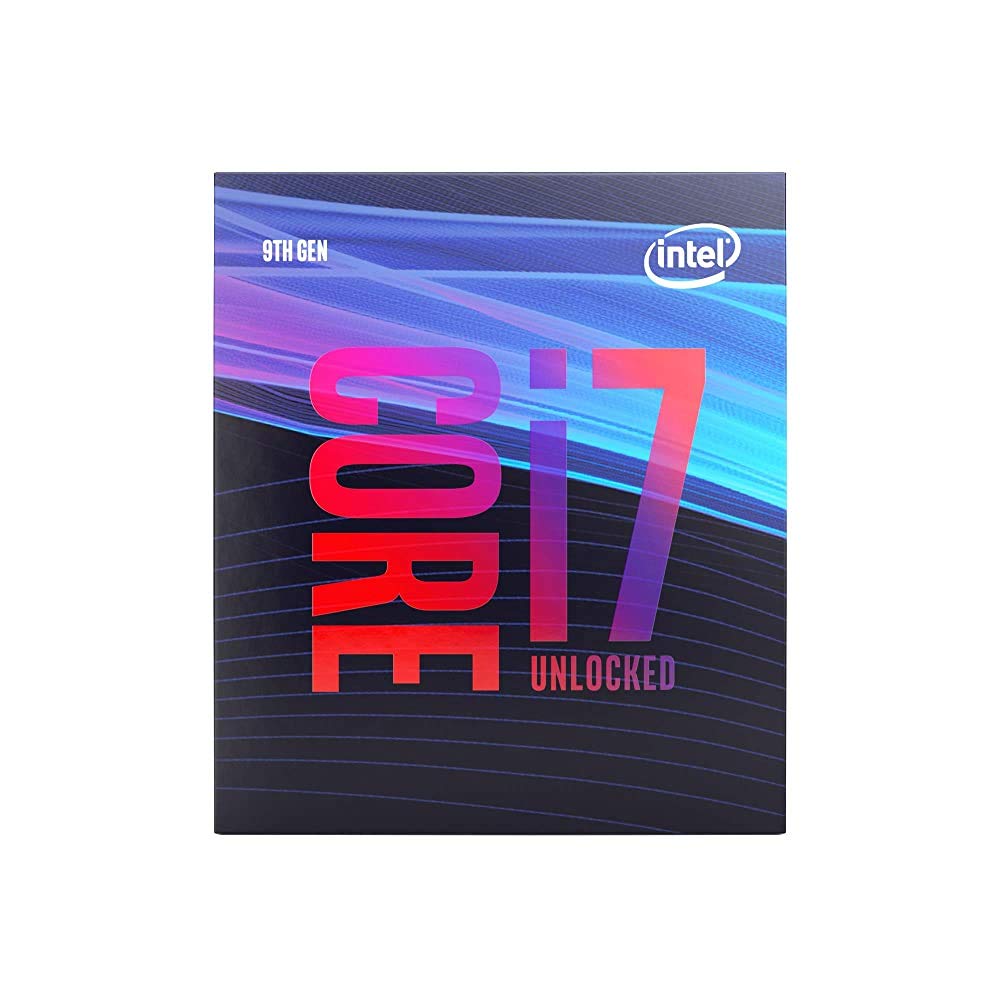
The 8-core monster that turns a Z390 board into a gaming rig that rivals modern builds.
With 8 cores and 8 threads running at a base 3.60 GHz and a boost up to 4.90 GHz, this chip is built for the gamer who also streams, renders, or keeps twenty Chrome tabs open. The 12 MB of cache memory (double the 6 MB you get on an i3-8100) means data your CPU needs most is stored close by, cutting load times in demanding titles. One reviewer paired it with a GeForce 4060 RTX and 32 GB of RAM on an MSI A-Pro 390 board, and it scored at the “UFO” tier on PC Benchmark — meaning it handles anything you throw at it for the money.
Because this is a renewed part, the cooler is not included, so you will need an aftermarket fan or liquid cooler. That also means you get the open up “K” multiplier, letting you push clocks higher if your motherboard supports overclocking. Buyers report the processor arrives in great shape — one noted the box looked a little beat up but the chip itself looked new. It is also compatible only with Intel 300-series chipsets (Z370, Z390, B360, H310), so this is strictly for Coffee Lake boards.
The core advantage: Its 8 cores give you double the physical cores of the i3-9100 and i3-8100 listed below, which translates to smoother multitasking and higher minimum frame rates when gaming and streaming at the same time.
The one catch: It has 8 threads (no Hyper-Threading), so heavily threaded workstation apps like video rendering may run slightly behind the i7-9700 model. For pure gaming, though, this is the fastest 1151 chip on the list.
Reach for this if: You already own a Z370 or Z390 board and want the highest core count and overclocking headroom available for the LGA 1151 socket without buying a whole new platform.
Look elsewhere if: Your motherboard is a 100-series or 200-series chipset — this chip will not work on those boards at all.
2. Intel Core i7-9700 3.0 GHz Octo-Core (Renewed)

A rock-solid 8-core chip for the buyer who wants performance without the overclocking fuss.
This is the non-K version of the i7-9700 series, which means it runs at a locked 3.0 GHz base clock with a boost up to 4.7 GHz — still very fast, but you cannot manually push it higher. Where this chip shines is reliability: one reviewer ran it through Cinebench R23 stress tests and reported normal temperatures with a Thermalright Assassin 120 RE cooler, and the BIOS recognized it immediately. Another buyer called it a “great improvement” over their i5-8500.
Because it is renewed and sold under the Amazon Renewed Guarantee, you get a replacement or refund if it does not work. That makes this a lower-risk way to get 8 cores into a B360 or H310 board without needing a Z-series chipset for overclocking. One reviewer noted some wear on a corner but confirmed the electronics were perfect. If you need a drop-in replacement for a dead CPU in an office PC or home server, this is the safest bet.
Best for drop-in upgrades: Unlike the i5-7600K, which requires a Z-series board to open up its full potential, this chip pairs with any 300-series board and delivers 8 cores from the start with no tweaking needed.
Choose this if: You want the extra cores for streaming or productivity but do not care about overclocking, and you want the safety net of Amazon’s renewed guarantee.
skip it if: You are a serious overclocker — grab the i7-9700K above instead.
3. Intel Core i5-7600K 7th Gen

The overclocker’s darling that still holds its own in pure gaming builds.
With 4 cores and 8 threads thanks to Hyper-Threading, plus an 8 MB cache, the i5-7600K is designed for the enthusiast who loves pushing clock speeds. One buyer mentioned running it at 5.0 GHz on a Corsair H100i V2 AIO cooler with zero stability issues — though they dialed it back to 4.85 GHz to keep idle temperatures around 40°C. That kind of headroom is rare among 1151 processors, making this chip a legend for budget overclocking builds on Z170 and Z270 boards.
At just 0.07 Kilograms, it is also the lightest chip on this list by a wide margin (the i3-9100 weighs 0.34 Kilograms, nearly 5x more), though that is mainly because the i3-9100 includes a stock cooler in the box and the 7600K ships as CPU-only. Reviewers consistently praise its gaming chops — one called it a “beast for gaming” after running it for two years. The trade-off? Its 4 cores are showing their age for streaming and video editing; one experienced buyer noted that if you are building a rig today, it is better to go with something with 6 cores and more threads.
What overclockers love
- Stable at 4.85 GHz with reasonable temps (40°C idle, ~60°C load)
- Hyper-Threading gives it 8 threads for better multitasking than the i3 chips
Where it shows its age
- Only 4 physical cores — struggles with modern streaming+ gaming at the same time
- Works only with 100-series and 200-series boards; not compatible with newer 300-series chipsets
Perfect if: You have an old Z170 or Z270 board sitting in a closet and want to build a dedicated gaming rig you can overclock for fun.
Not for you if: You want a modern build with 6 or 8 cores — the i7-9700K is a much better investment for future-proofing.
4. Intel Core i3-9100 Desktop Processor

The budget-friendly drop-in that makes your office PC feel noticeably faster for peanuts.
If you are running an older i5-6400 on a 300-series board, this 4-core/4-thread chip boosts up to 4.2 GHz and owners mention it outperforms that i5-6400 by 17% in benchmarks. That is a real, measurable jump in everyday feel — one reviewer called it “noticeably more peppy” after the swap. The 6 MB cache is identical to the i3-8100 below, but the higher clock speed makes the 9100 the better pick for light gaming and productivity. It also includes the stock cooler in the box, saving you a separate purchase.
There is a catch for gamers: one buyer pointed out that in 2025, 4 cores are limiting, and service updates for this generation end in mid-2025. For web browsing, email, and office apps, it is still a very capable chip, and the integrated Intel UHD Graphics 630 means you can run a display without a dedicated graphics card at all. Just be aware that a BIOS update might be needed on some 300-series motherboards before it boots.
Smartest budget move: At roughly the same price tier as the i3-8100, the 9100 gives you a higher boost clock (4.2 GHz vs 3.60 GHz) for a small premium, making it the clear winner for home office builds.
Grab this for: A simple, cost-effective upgrade that breathes new life into a 300-series board for everyday computing or a Linux media server.
Pass if: You plan to play modern AAA games or do any video editing — you need at least 6 cores for that.
5. Intel Core i3-8100 8th Gen
The quad-core workhorse that still punches above its weight for budget gaming rigs.
This 4-core, 4-thread chip runs at a fixed 3.60 GHz with 6 MB of cache, and it has earned a cult following among builders who need a solid CPU for cheap. One buyer had it in a system with a GTX 1060 and said it “worked like a charm” for VR gaming and every game they wanted, with great frame rates. They only advised against it for streaming or video editing. Another reviewer paired it with a GTX 1050 Ti and said the total system power stayed under 100W, making it incredibly efficient for a compact HTPC or quiet office PC.
The big advantage here is the included stock cooler and the very low 65W TDP (thermal design power, or how much heat the chip produces), which means it runs cool on even the most basic motherboard VRMs (voltage regulator modules that deliver power to the CPU). It supports Intel Optane Memory (a fast storage accelerator) and the UHD Graphics 630 can drive a 4K display for media consumption. The 6 MB cache is half what you get on the i7-9700K (12 MB), so don’t expect it to keep up with heavy multitasking, but for a dedicated gaming rig or a basic home PC, this chip delivers fantastic value. One reviewer summed it up as a “great budget gaming CPU” with no bottleneck until you pair it with a GTX 1080 or better.
What makes it a bargain
- Runs AAA games at 60+ FPS on high settings with a GTX 970
- Stock cooler included, very low power draw (65W)
Where it falls short
- Only 4 threads — no Hyper-Threading, so streaming and multitasking will stutter
- Outpaced by the i3-9100’s higher boost clock for a similar cost
Best for: A super-budget gaming build where you already have a used GPU and just need a reliable, cool-running CPU that will not bottleneck a mid-range card.
Consider the i3-9100 instead: If you can stretch your budget slightly, the 9100 gives you a higher clock speed and a more modern stepping for a small increase in price.
Understanding the Specs
Core Count vs Thread Count
A core is a physical processing unit inside the CPU — think of it as a separate worker. A thread is a virtual lane that worker uses to communicate with the operating system. A 4-core/8-thread chip like the i5-7600K uses Hyper-Threading to let each core handle two tasks at once, which helps with multitasking. An 8-core/8-thread chip like the i7-9700K gives you twice the physical workers, so it handles heavy workloads like gaming plus streaming more smoothly. More cores are what matter for rendering, compiling code, or running virtual machines.
Cache Memory Size
Cache is ultra-fast memory built directly onto the CPU that stores the data it needs most often. A larger cache — 12 MB on the i7-9700K versus 6 MB on the i3-8100 — means the processor wastes less time fetching data from your system RAM. In gaming, this translates to faster level loading and higher minimum frame rates when the action gets busy. For office work, you will probably not notice the difference between 6 MB and 12 MB, but for demanding applications it is one of the specs that separates budget from premium.
FAQ
Will an 8th-gen i3 work on a Z170 motherboard?
Can I use the stock cooler on an i5-7600K for overclocking?
Is a renewed processor safe to buy for a daily driver?
What is the difference between an i5-7600K and an i5-7600?
How many cores do I need for gaming in 2025?
Does the i3-9100 support Windows 11?
What is the maximum RAM speed supported by the i3-8100?
Can I use the i7-9700K without a discrete graphics card?
Why does the i5-7600K weigh 0.07 kg while the i3-9100 weighs 0.34 kg?
Final Thoughts: The Verdict
For most buyers looking for a 1151 socket processor, the winner is the renewed Intel Core i7-9700K because it delivers 8 cores, a high boost clock up to 4.90 GHz, and the largest 12 MB cache of any chip on the list — giving you genuine gaming performance that rivals modern platforms at a fraction of the cost. If you want a rock-solid drop-in upgrade without overclocking, grab the Intel Core i7-9700 (Renewed). And for a pure budget office or media server build, the Intel Core i3-9100 offers the best value.
How We Picked
We do not accept paid placement. Every pick is matched to a real buyer and a real use-case; we do not hands-on test units.
Sources & Methodology
Specifications: manufacturer listings and product documentation. Review insights: verified customer reviews, as of July 2026. Pricing: not shown on this page (it changes often); check the current price via the retailer link.
As an Amazon Associate, Gadgets Feed earns from qualifying purchases. This does not affect which products we feature.
Related Guides
Product prices and availability are accurate as of the date/time indicated and are subject to change. Any price and availability information displayed on Amazon at the time of purchase will apply to the purchase of this product. As an Amazon Associate I earn from qualifying purchases.
CERTAIN CONTENT THAT APPEARS ON THIS SITE COMES FROM AMAZON. THIS CONTENT IS PROVIDED "AS IS" AND IS SUBJECT TO CHANGE OR REMOVAL AT ANY TIME.
Amazon and the Amazon logo are trademarks of Amazon.com, Inc. or its affiliates.