
Our readers keep the lights on and my morning glass full of iced black tea. As an Amazon Associate, I earn from qualifying purchases.
Specs are compiled from manufacturer listings and verified buyer reviews and can change over time — please confirm the key details on the product page before buying.
Finding a laptop that handles work, streaming, and side projects without a hiccup often means juggling specs and hoping you do not overpay. The real trick is matching your daily mix of tasks to the right processor, screen size, and battery — because one machine that flies through spreadsheets might wheeze on photo edits, while another with a gorgeous display dies by lunch. This guide walks through ten laptops that earn the “all-around” label, cutting through the noise so you know which one actually fits your routine.
I’m Min — the founder and writer behind Gadgets Feed. This guide is built by comparing the manufacturers’ published specifications and the patterns across verified customer reviews, so you get each pick’s real strengths and trade-offs instead of marketing spin.
if you need a long-lasting workhorse for travel or a powerful desktop replacement for creative projects, these reviews break down the specs that matter for your daily driver. Find the best all around laptop that won’t let you down when you need it most.
Quick Picks
- Acer Aspire 14 AI Copilot+ PC — Best Overall
- Apple 2026 MacBook Air 15-inch Laptop — Premium Performer
- Dell 16 Plus Laptop DB16250-16.0-inch 16:10 2.5K — Creator’s Choice
- LG gram Pro 17-inch Lightweight Laptop Computer — Travel Powerhouse
- Microsoft Surface Laptop (2024), Windows 11 — AI Touchscreen
- Samsung Galaxy Book4 Business Laptop — Business Portable
- Apple 2026 MacBook Neo 13-inch Laptop — Ecosystem Star
- Lenovo IdeaPad Slim 3X – 2025 — AI Budget Star
- HP 17.3 inch Laptop, HD+ Display — Big Screen Value
- HP New 17.3 Inch Business Laptop Computer • — Entry-Level Large
How To Choose The Best All Around Laptop
An all-around laptop needs to balance processing power, display quality, battery endurance, and portability — because it is the one machine you grab for work in the morning, streaming at night, and everything in between. Here are the key specs to focus on when comparing models.
Processor and Performance for Daily Tasks
The CPU is the brain of your laptop, and for general use, a mid-range chip like an Intel Core Ultra 5, AMD Ryzen 5, or Qualcomm Snapdragon X is plenty. Look for a processor with a high maximum clock speed (measured in GHz) if you open large files or run many apps at once — a faster boost clock means the laptop can handle sudden bursts of work like loading a complex spreadsheet or rendering a video preview.
Battery Life and Screen Size
True all-day battery life means at least 15 hours in real-world use, though manufacturers often measure it in specific video-playback tests. A larger 15- or 17-inch screen gives you more room for multitasking, but a 14-inch model is lighter and easier to carry. Pay attention to the display resolution as well — Full HD (1920×1080) is sharp enough for most people, while higher resolutions like 2.5K (2560×1600) show more detail on larger screens.
RAM, Storage, and Build Quality
16GB of RAM has become the standard for smooth multitasking, letting you keep dozens of browser tabs and several apps open without slowdown. For storage, an SSD (solid state drive) is essential — 512GB is enough for documents and a few programs, while 1TB or more suits gamers and media editors. A metal chassis with military-grade durability testing (such as MIL-STD-810H) helps the laptop survive drops and bumps you might encounter during daily travel.
Quick Comparison
| Model | Best For | CPU Max Speed | Battery Life | Display Resolution | Amazon |
|---|---|---|---|---|---|
| Acer Aspire 14 AI | Extreme battery endurance | 4.5 GHz | 22 Hours | 1920×1200 | Amazon |
| Apple MacBook Air 15 M5 | Premium creative work on the go | — | 18 Hours | 15.3-inch Liquid Retina | Amazon |
| Dell 16 Plus DB16250 | Power users and creators | 5.1 GHz | — | 2560×1600 | Amazon |
| LG gram Pro 17 | Ultra-light travel with a giant screen | 5.4 GHz | 25 Hours | 17-inch | Amazon |
| Microsoft Surface Laptop 2024 | Touchscreen versatility with AI | — | 20 Hours | 2304×1536 Touchscreen | Amazon |
| Samsung Galaxy Book4 Business | Business-friendly portable workhorse | 5.4 GHz | 15 Hours | 1920×1080 | Amazon |
| Apple MacBook Neo 13 | Colorful daily driver with Apple ecosystem | — | 16 Hours | 13-inch Liquid Retina | Amazon |
| Lenovo IdeaPad Slim 3X | AI-powered efficiency on a budget | 2.97 GHz | 15 Hours | 1920×1200 | Amazon |
| HP 17.3 (Ryzen 5, 16GB) | Large-screen student value | 3.8 GHz | 7.15 Hours | 1920×1080 | Amazon |
| HP 17.3 (Business Edition) | Entry-level big-screen work | 3.8 GHz | 7.15 Hours | 1920×1080 | Amazon |
In‑Depth Reviews
1. Acer Aspire 14 AI Copilot+ PC | 14″ WUXGA Display | Intel Core Ultra 5 Processor 226V | NPU: Up to 40 Tops – GPU: Up to 53 Tops | Intel ARC 130V | 16GB LPDDR5X | 512GB SSD | Wi-Fi 6E | A14-52M-51S1
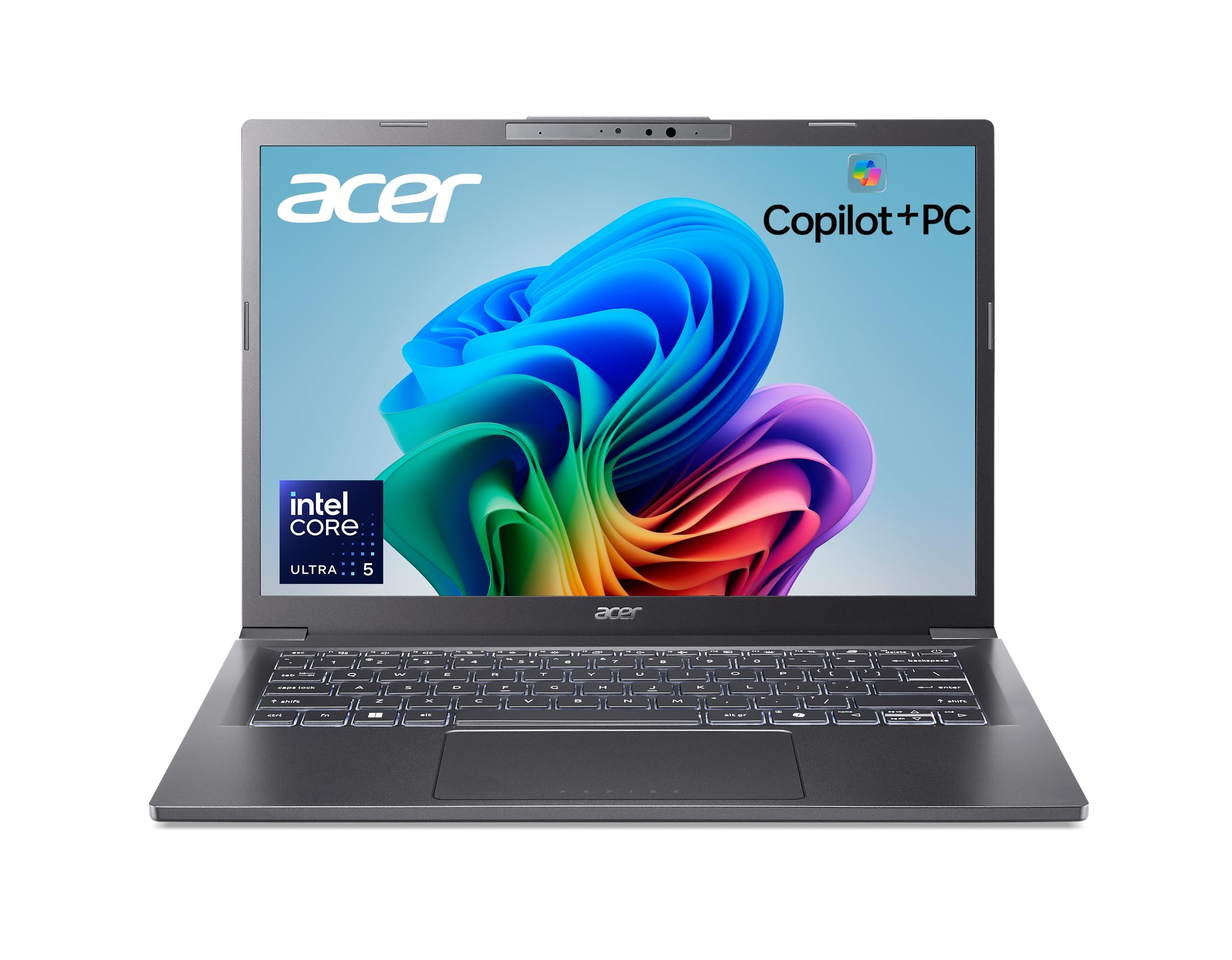
The featherweight that outlasts a full workday and then some.
You want a laptop you barely think about until you need it — and the Acer Aspire 14 AI delivers that ease. Its Intel Core Ultra 5 processor (226V) tops out at 4.5 GHz, which means opening large spreadsheets or jumping between a dozen browser tabs feels instant. The 14-inch WUXGA display (1920×1200) gives you a bit more vertical space than a standard 1080p screen, so you see more of a document without scrolling.
Here is where it truly stands apart from the competition: the battery life hits 22 hours in video playback tests, compared to the 7.15 hours on the HP 17.3-inch model below. That means you can leave the charger at home for two full days of moderate use. Buyers report that it is “perfect for regular use” with “great speed” and one reviewer noted the sound dropped out when switching between apps with an external monitor — a possible edge case, so test your setup early.
The aluminum chassis feels sturdy and the 180° lie-flat hinge makes sharing your screen easy in meetings. It also includes a Copilot+ PC AI suite with a dedicated AcerSense key for quick access to settings like video call optimization, though some reviewers called the AI features “gimmicky.” For anyone who needs one machine for web work, streaming, and light creative tasks, this is the balanced pick that checks every box.
The battery beast: No other laptop at this tier comes close to the 22-hour endurance — you genuinely stop worrying about finding an outlet.
One early check: A single reviewer reported audio cutouts when switching apps with a monitor connected; test that first if you use an external display often.
Best for: Anyone who wants extreme battery life and solid mid-range performance in a portable 14-inch package.
Skip if: You need a high-refresh gaming screen or a larger 17-inch workspace for complex data work.
2. Apple 2026 MacBook Air 15-inch Laptop with M5 chip: Built for AI, 15.3-inch Liquid Retina Display, 24GB Unified Memory, 1TB SSD, 12MP Center Stage Camera, Touch ID, Wi-Fi 7; Midnight
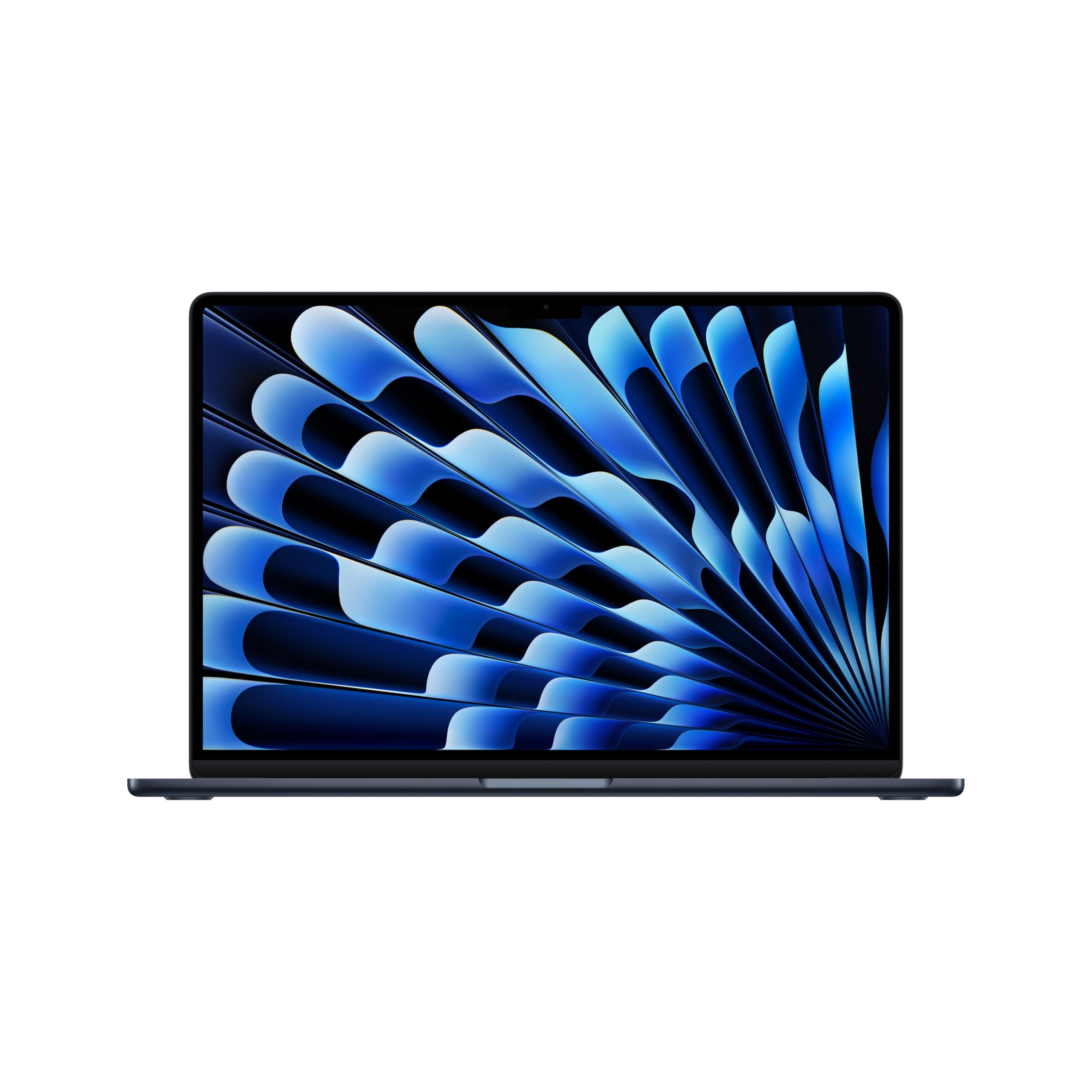
A spacious canvas that goes all day with a silent, premium touch.
The 15.3-inch Liquid Retina display supports 1 billion colors, so photos and videos look vivid and text appears supercrisp — making this a dream for anyone who edits images or just enjoys a sharp screen for streaming. The M5 chip packs a faster CPU and a Neural Engine for AI tasks, and with 24GB of unified memory, multitasking across heavy apps feels instant. Owners mention it is “fast, lightweight, outstanding battery life” and one reviewer praised its “excellent balance of 15.3-inch display and portability.”
At 3.32 pounds, this laptop is lighter than many 14-inch Windows competitors, yet it manages up to 18 hours of battery life. The 12MP Center Stage camera automatically keeps you framed in video calls, and the six-speaker sound system with Spatial Audio and Dolby Atmos makes movies genuinely rich. It also includes two Thunderbolt 4 ports, a MagSafe charging port, Wi-Fi 7, and Bluetooth 6 — future-proof connectivity that the Acer Aspire 14 AI does not offer.
The trade-off for that fanless, silent design is that demanding sustained workloads (like 4K video rendering) will throttle sooner than on a MacBook Pro. One buyer mentioned the aluminum body “shows blemishes easily,” so a case might be wise if you carry it daily. For students and professionals who value screen quality, Apple ecosystem integration, and all-day battery in a lightweight package, this is the premium all-arounder.
The color-accurate powerhouse: The 1-billion-color display and 18-hour battery make this a top pick for creative professionals who work remotely.
The silent cost: Fanless means performance dips under sustained heavy load; also no USB-A or HDMI without an adapter.
Perfect for: Creative users and Apple loyalists who want a bright, color-accurate big screen and long battery in a light shell.
Pass on it if: You need legacy ports (USB-A, HDMI) built-in or plan to run prolonged heavy rendering on battery.
3. Dell 16 Plus Laptop DB16250-16.0-inch 16:10 2.5K (2560×1600) Display, Intel Core Ultra 9 288V, 32GB LPDDR5X Memory, 2TB SSD, Arc Graphics, Backlit Copilot Key Keyboard, Windows 11 Home

The desktop replacement that fits in your bag without complaint.
If your daily routine involves photo editing, data analysis, or juggling 20+ browser tabs, the Dell 16 Plus brings serious muscle. Its Intel Core Ultra 9 processor (288V) hits 5.1 GHz, and the 32GB of LPDDR5X memory keeps complex workflows smooth — one reviewer called it “noticeably faster than expensive business-grade Dell” and said it handles multiple apps without reaching 50% capacity. The 16-inch 2.5K (2560×1600) 16:10 display gives you extra vertical room for timelines and spreadsheets, which the 14-inch Acer simply cannot match.
The 2TB SSD provides vast local storage for large project files, and the Arc graphics can handle light gaming and video editing. However, there is no built-in SD card reader — an external one is required for photographers. Customers note the speakers have “zero bass, flat sound” and the system ships with only one USB-A port, so you will likely need a hub. The laptop underwent military-grade testing for durability, and the backlit Copilot key offers one-press AI access.
The biggest downside is the embedded RAM (32GB is soldered), so you cannot upgrade later. One reviewer regretted this, saying they would “pay more for better build” quality. But for a power user who needs a high-resolution 16-inch screen, 5.1 GHz processing, and 2TB of storage from day one, this Dell is a capable all-around workstation that outperforms many business-grade machines.
The spec-loaded workhorse: With 32GB RAM, 2TB SSD, and a 2.5K display, this handles heavy multitasking that would choke lesser laptops.
The port and upgrade pinch: No SD slot, one USB-A, and soldered RAM mean you must plan your accessories and storage upfront.
Who it fits: Creators and analysts who need top-tier specs and a large, high-res screen for detailed work.
Look elsewhere if: You rely on SD cards daily or want the flexibility to upgrade RAM later.
4. LG gram Pro 17-inch Lightweight Laptop Computer, Intel Evo Edition Powered by Intel Core Ultra9 285H Processor, NVIDIA RTX5050, Windows 11 Home, 32GB RAM, 2TB SSD, Black
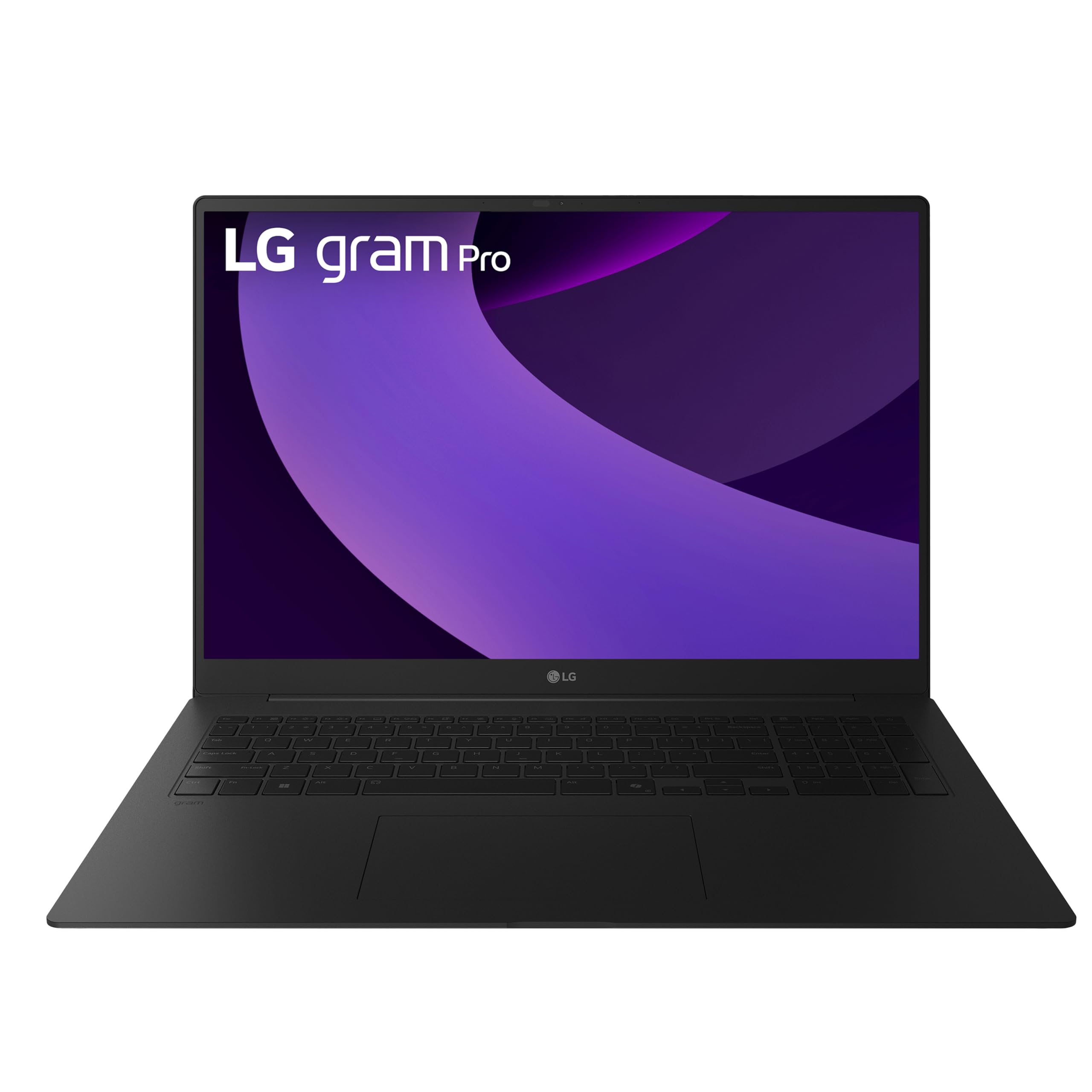
A 17-inch screen in a 3.3-pound body that still delivers desktop-class power.
The LG gram Pro 17 is the lightest 17-inch laptop on this list at 3.3 pounds, yet it packs an Intel Core Ultra 9 285H processor (5.4 GHz), an NVIDIA RTX 5050 GPU, 32GB of RAM, and a 2TB SSD. That means you can edit video, play games like Fortnite at great FPS, and run multiple heavy applications — all on a massive screen that still fits in a standard backpack. A reviewer called it “a beast of a laptop in a slim, sleek and lightweight package” and praised the ability to open it with one hand.
The 90Wh battery offers up to 25 hours of video playback, beating even the Acer Aspire 14 AI by three hours. The variable refresh rate display (31Hz to 144Hz) ensures smooth visuals for gaming and scrolling without draining battery unnecessarily. However, at this premium tier, the price is steep, and reviewers point out the Windows setup includes bloatware like a bothersome antivirus that needs uninstalling. The hybrid LG gram AI system handles on-device and cloud tasks, but one reviewer found the setup “not very straightforward.”
With seven military-grade durability certifications, the internal dual cooling system, and LG gram Link for connecting up to 10 devices across Android and iOS, this is a truly versatile machine. For someone who needs the largest screen possible without the weight penalty, and wants dedicated NVIDIA graphics for creative or gaming tasks, the LG gram Pro 17 is the top-end all-around choice.
The lightest 17-inch marvel: 3.3 pounds with a 25-hour battery and RTX 5050 graphics — no other laptop balances size, weight, and power like this.
The premium trade-off: Setup requires patience to remove bloatware, and the high price puts it out of reach for budget-conscious buyers.
Ideal for: Traveling professionals and gamers who want a giant screen without the bulk, plus dedicated graphics.
Not for: Anyone on a strict budget or who prefers a software setup that works perfectly from the start.
5. Microsoft Surface Laptop (2024), Windows 11 Copilot+ PC, 13.8″ Touchscreen Display, Snapdragon X Elite (12 core), 16GB RAM, 256GB SSD Storage, Sapphire

The MacBook Air rival with a touchscreen and all-day Snapdragon stamina.
Microsoft claims the Surface Laptop delivers faster performance than the MacBook Air M3, and the 12-core Snapdragon X Elite chip backs that up with blazing NPU (Neural Processing Unit) speed for AI tasks. The 13.8-inch PixelSense touchscreen (2304×1536) is bright and sharp, and one owner reported its “superior 120Hz touchscreen, better brightness/colors than MacBook Air.” The haptic trackpad rivals Apple’s, and Windows Hello login via the IR camera is faster than a fingerprint reader.
Battery life reaches up to 20 hours, so you can work all day and still have power for evening streaming. The magnesium-aluminum build feels solid, and the 3:2 screen ratio is excellent for reading documents. However, the base model comes with only 256GB of storage, which may fill up quickly. More importantly, the ARM architecture can cause compatibility issues with some software and games — one reviewer called it “snappy for web apps but underwhelming for heavy development.”
Buyers love the “fantastic keyboard feel” and the elegant hidden vents and speakers. The laptop supports both magnetic Surface Connect and USB-C charging. But if your workflow relies on legacy x86 apps or you need more than 256GB of storage, you may want to consider the Acer or Dell options instead. For touchscreen fans who want a premium Windows experience with long battery life, the Surface Laptop is a strong all-around contender.
The touchscreen all-rounder: A 120Hz PixelSense display and 20-hour battery in a premium build that genuinely rivals the MacBook Air.
The ARM caveat: Some software and games may not run well on the Snapdragon architecture, and the base 256GB storage is tight.
Great for: Windows users who want a touchscreen, great keyboard, and long battery in a lightweight premium chassis.
Think twice if: You need heavy-duty legacy Windows apps or game titles that require x86 compatibility.
6. Samsung Galaxy Book4 Business Laptop – 15.6″ FHD Display, Intel 10-Core 7-150U(Beats i7 1355U), 16GB RAM, 512GB SSD, Win 11 Pro, Backlit Keyboard, Fingerprint, Long Battery Life
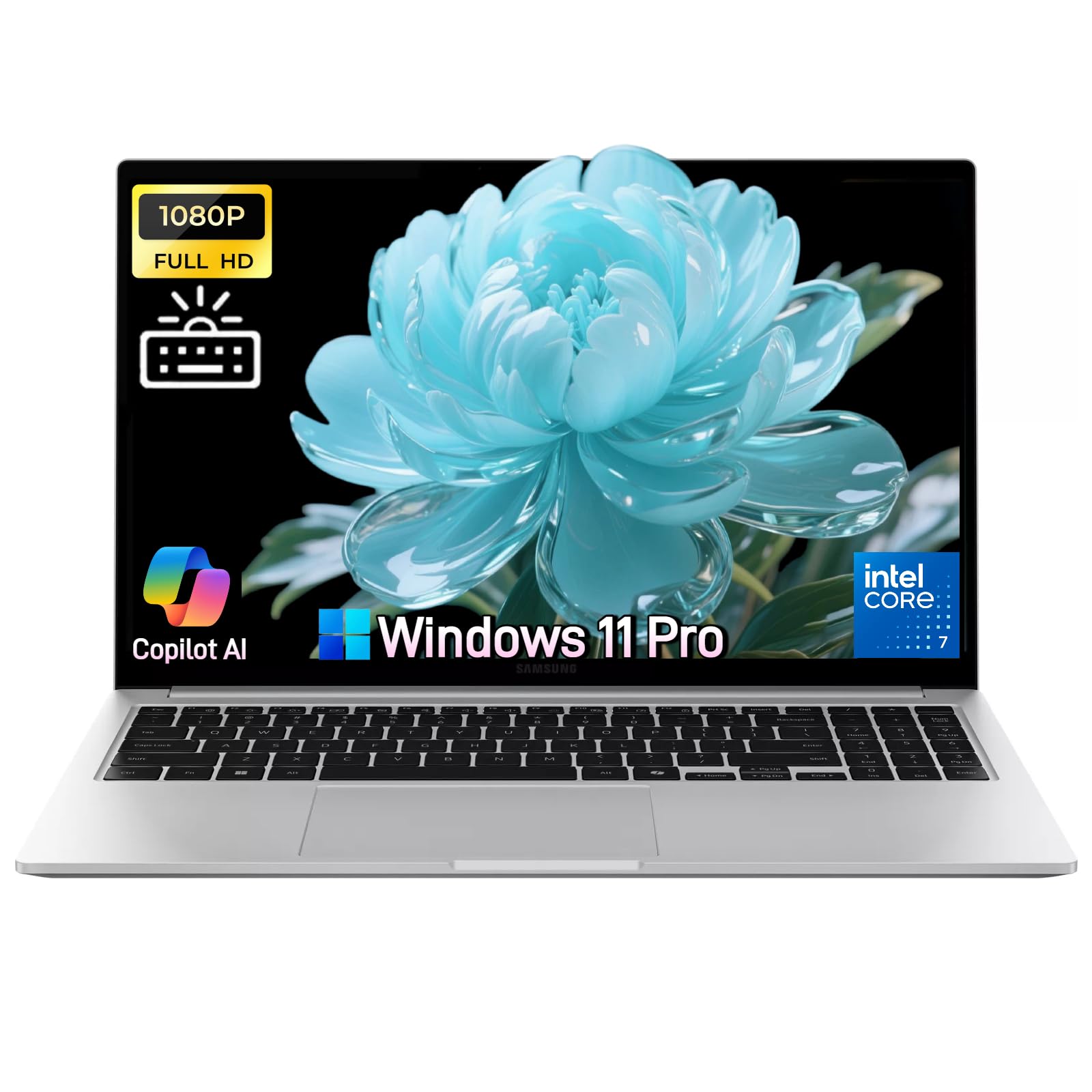
A work-focused machine that manages spreadsheets and calls without the fluff.
The Samsung Galaxy Book4 Business is built around the Intel 10-core Core 7-150U processor, which boosts up to 5.4 GHz — the same max speed as the much pricier LG gram Pro 17. That means opening huge Excel files or running video calls with multiple browser tabs feels responsive. It comes with 16GB of LPDDR4X RAM and a 512GB SSD, and the storage is expandable up to 4TB. The 15.6-inch Full HD display with 300 nits brightness is clear and comfortable for long work sessions.
Weighing about 3.42 pounds with up to 15 hours of battery life, it is light enough to carry between meetings all day. The backlit keyboard and fingerprint reader make secure logins quick, and Windows 11 Pro includes business-friendly features like BitLocker encryption. One buyer, who seemed to confuse it with a Chromebook, called it “blazing fast performance” and noted “good speakers.” It also includes a Redragon accessory, which is a nice bonus for the price.
However, the display is a standard 60Hz panel, so it is not ideal for gaming or fast-scrolling content. The laptop also lacks a dedicated GPU, so video editing will be slower than on the Dell 16 Plus or LG gram Pro. For a professional who needs strong CPU performance, long battery, and business-grade security in a portable 15.6-inch frame, this Samsung is a solid, no-nonsense all-around laptop.
The CPU speed champion: A 5.4 GHz boost clock in a mid-range business laptop — this handles demanding spreadsheets and multitasking with ease.
The graphics gap: Integrated Intel Graphics means this is not for video editing or gaming beyond very light titles.
Ideal for: Business users and students who prioritize CPU speed, battery life, and portability for office work.
Consider another if: You need a dedicated GPU for creative work or a high-refresh screen for entertainment.
7. Apple 2026 MacBook Neo 13-inch Laptop with A18 Pro chip: Built for AI and Apple Intelligence, Liquid Retina Display, 8GB Unified Memory, 512GB SSD Storage, 1080p FaceTime HD Camera, Touch ID; Blush

The colorful everyday Mac that brings premium feel to a lower price.
The MacBook Neo is Apple’s most affordable modern laptop, and the A18 Pro chip delivers performance that one reviewer says “rivals M1 performance.” The 13-inch Liquid Retina display (2408×1506 resolution, up to 500 nits brightness, 1 billion colors) is stunning for its price tier — beating the standard 1080p panels found on many Windows competitors. At 2.71 pounds and up to 16 hours of battery life, it is perfect for students who need a reliable machine for classes, streaming, and light photo editing.
The fanless design means it is completely silent, and the 1080p FaceTime HD camera with a dual-mic array ensures clear video calls. Shoppers say it is “lightweight, fast, reliable for school multitasking” and one called it “the best budget laptop.” The bold color options (Silver, Blush, Citrus, Indigo) with matching keyboards add personality that the business-focused Samsung Galaxy Book4 lacks. However, the base model has only 8GB of unified memory and 512GB of storage, and it lacks a backlit keyboard and Touch ID on the base config — trade-offs to hit the lower price.
Compared to the Acer Aspire 14 AI, the MacBook Neo has half the battery life (16 hours vs 22 hours) but offers a more polished ecosystem experience with iPhone Mirroring, iMessage, and FaceTime integration. For someone invested in Apple’s world who wants a capable daily laptop without spending MacBook Pro money, the Neo is a thoughtful all-around pick — just be ready for the limited 8GB RAM if you tend to keep dozens of apps open.
The colorful gateway to macOS: A stunning 500-nit Liquid Retina display and A18 Pro performance at a surprisingly accessible price for Apple.
The compromise list: 8GB RAM is tight for heavy multitasking, and the base model skips the backlit keyboard and Touch ID.
Best for: Students and casual users who want a premium Apple laptop with a great screen and smooth iPhone integration.
Pass if: You run multiple heavy apps simultaneously or need a backlit keyboard and fingerprint open up from the start.
8. Lenovo IdeaPad Slim 3X – 2025 – Everyday AI Laptop – Copilot+ PC – 15.3″ WUXGA Display – 16 GB Memory – 512 GB Storage – Snapdragon® X – Luna Grey

An AI-ready workhorse that stretches your dollar further than most.
The Lenovo IdeaPad Slim 3X brings Copilot+ PC features — including a 45 TOPS NPU for AI tasks — to a budget-friendly price. Its Snapdragon X processor (2.97 GHz max speed) is slower than the Acer’s 4.5 GHz Intel Core Ultra 5, but for web browsing, video streaming, and office apps, it is smooth and responsive. The 15.3-inch WUXGA 16:10 display (1920×1200) offers more vertical screen space than a standard 1080p panel, making it comfortable for reading documents. One buyer summed it up: “Super laptop! Fast, incredible battery life.”
The 60Wh battery delivers 15 hours of life, and the metal chassis passed MIL-STD 810H military-grade durability tests — so it can survive bumps in a backpack. The physical webcam shutter and fingerprint reader add privacy and quick login, features the HP 17.3 (Business Edition) lacks. Storage is user-expandable via an SSD slot, a rare feature at this price. However, the 2.97 GHz CPU speed is noticeable if you run heavy multitasking compared to the 4.5 GHz Acer.
Another downside is that the Snapdragon X chip uses ARM architecture, which may cause compatibility hiccups with some older Windows software — similar to the Surface Laptop. But if you primarily use web apps, Microsoft 365, and streaming services, the Lenovo offers incredible value with a solid build and AI capabilities that most budget laptops skip. It is the entry-level champion of this list for cost-conscious buyers.
The AI budget breakthrough: A 45 TOPS NPU and MIL-STD-810H durability at a price that undercuts most Copilot+ PCs.
The speed trade-off: The 2.97 GHz Snapdragon X is notably slower than the Acer’s Core Ultra 5, and ARM compatibility is a wildcard.
Great value for: Students and budget users who want AI features, a durable build, and strong battery life for everyday tasks.
Not ideal if: You run CPU-intensive applications or rely on older x86 software that may not work on ARM.
9. HP 17.3 inch Laptop, HD+ Display, AMD Ryzen 5 7520U, 16 GB RAM, 512 GB SSD, AMD Radeon Graphics, Windows 11 Home, Natural Silver, 17-cp2199nr
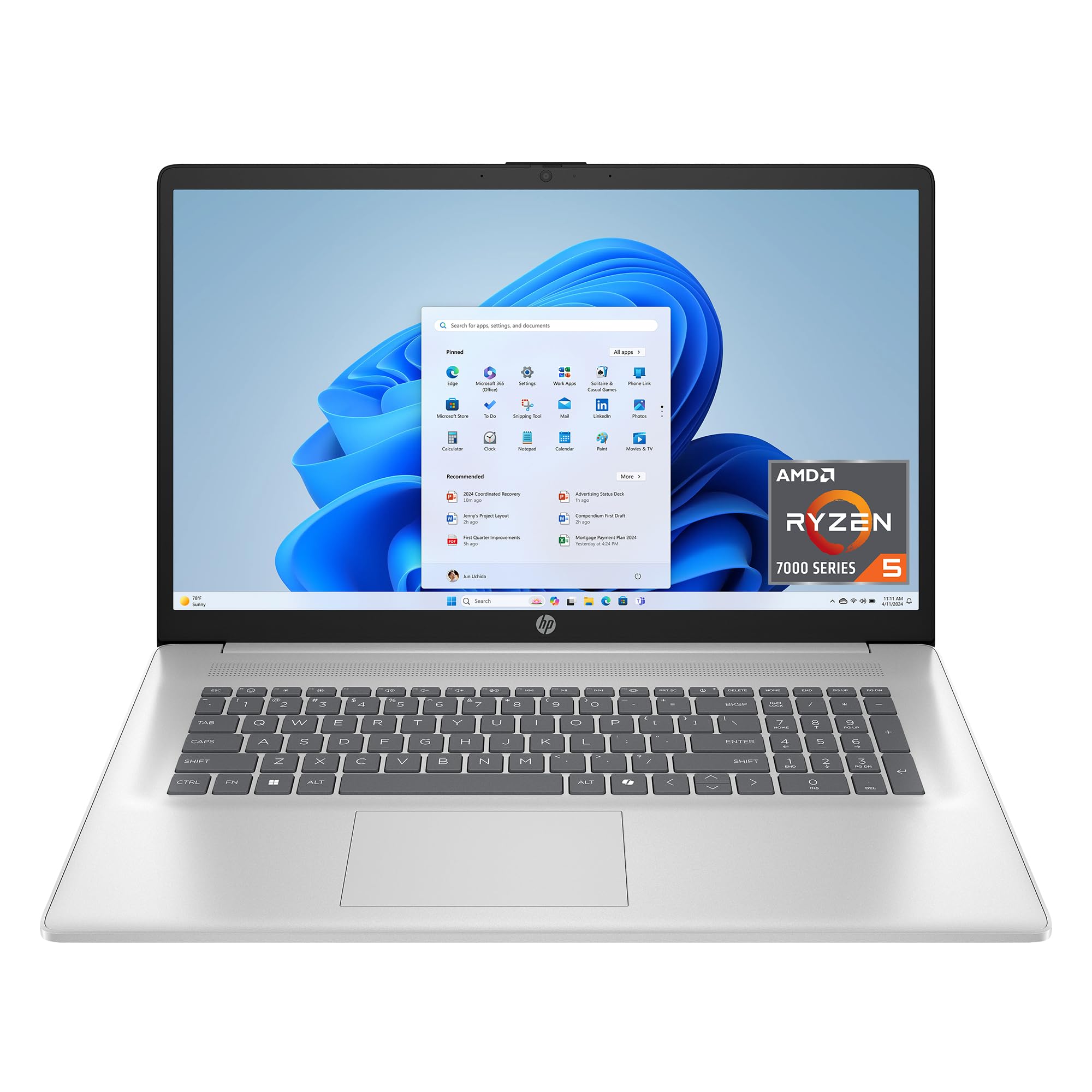
A huge screen for less money, as long as you can handle the weight.
If your priority is a large 17.3-inch display for spreadsheets, streaming, and multi-window work, the HP 17-cp2199nr delivers that real estate without a premium price. The AMD Ryzen 5 7520U processor with 16GB of RAM keeps Windows 11 running smoothly for daily tasks like web browsing, Office apps, and video calls. Buyers report it is “the best laptop I have ever owned” and praise its “huge storage capacity.” The anti-glare HD+ display (1366×768) is crisp enough for general use, though it falls short of the Full HD screens on most other picks here.
The biggest trade-off is the battery: only 7.15 hours, which is the shortest on this list, compared to the Acer Aspire 14 AI’s 22 hours. One customer observed, “The battery life is great but the only draw back which is minor is that it’s very heavy.” The lift-hinge design tilts the keyboard for comfortable typing, and the HP True Vision HD camera with AI noise reduction keeps video calls clear. It also includes a physical camera shutter for privacy.
At this budget tier, you are sacrificing screen resolution and portability for size. The 512GB SSD is fast and the AMD Radeon graphics can handle light gaming, but heavy users will find the battery limiting. For students or home users who rarely move their laptop and want the biggest screen possible for the smallest investment, this HP is a practical all-around choice — just keep the charger nearby.
The biggest screen for the buck: A 17.3-inch display and 16GB RAM at a price that undercuts almost everything smaller.
The battery anchor: 7.15 hours is the shortest on this list, and the laptop is heavy enough to notice in a bag.
Best for: Students and home users who want a massive screen for multitasking without spending much.
skip it if: You need all-day battery life or a high-resolution display for detailed photo/video work.
10. HP New 17.3 Inch Business Laptop Computer • 2026 Edition • Latest AMD Ryzen 5 CPU • 16GB RAM – 512GB SSD • Long Battery Life • Large Screen • Windows 11 with Office 365 for The Web
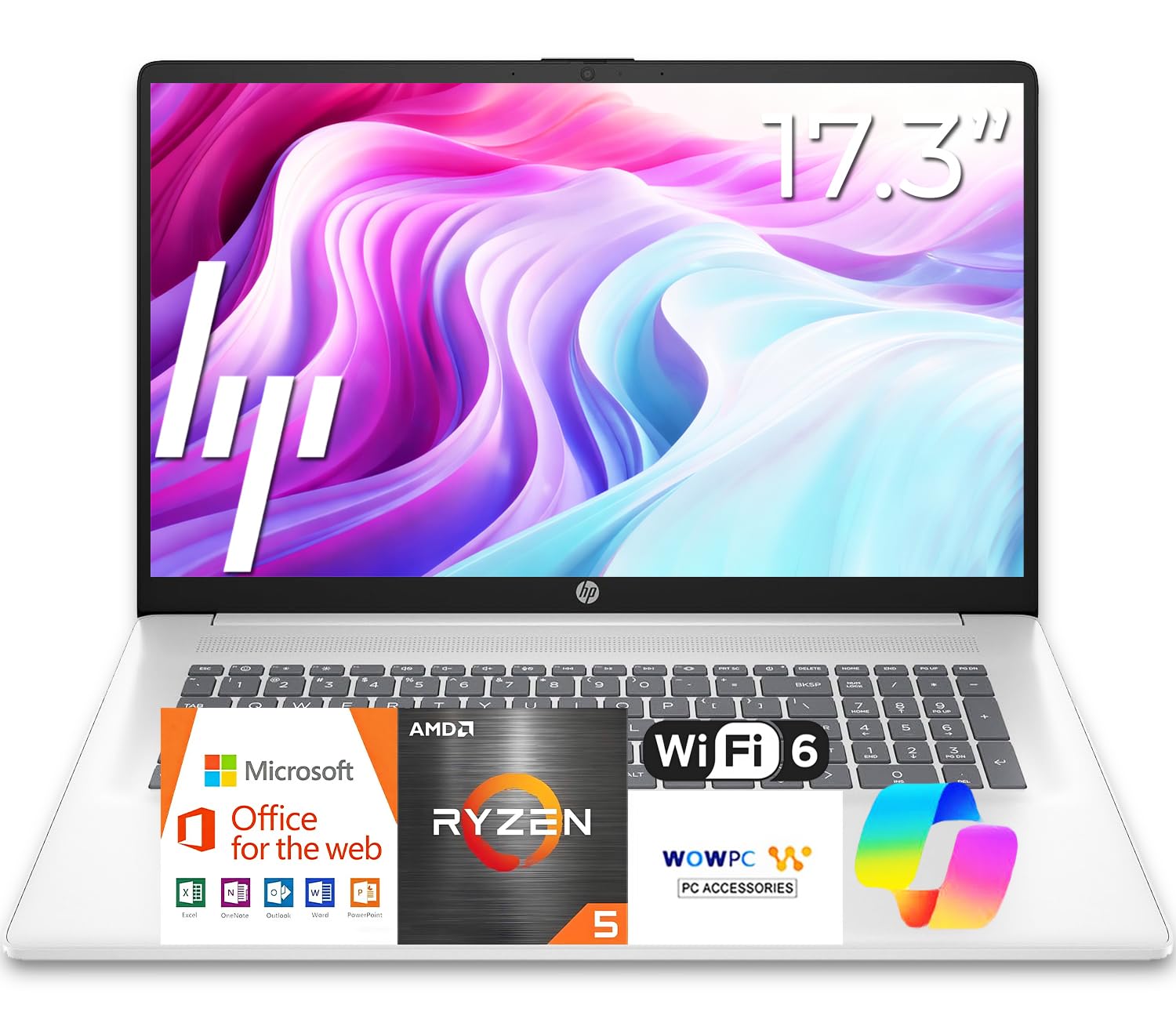
A no-frills 17-inch machine that gets the basics right at a low cost.
This HP 17.3-inch business laptop pairs the AMD Ryzen 5 7430U processor (3.8 GHz) with 16GB of RAM and a 512GB SSD — the same core specs as the HP 17-cp2199nr above, but with a Full HD (1920×1080) display instead of HD+. The full-size keyboard with a 10-key number pad is great for data entry, and the 17.3-inch screen at 300 nits brightness is comfortable for all-day document work. One user highlighted it “holds a charge a long time” and called it “very dynamic.”
The laptop includes Windows 11 with a Copilot button for AI assistance and Office 365 for the Web, so basic productivity is ready from the start. Like the other HP 17-inch model, battery life is limited — listed at 7.15 hours — and the plastic build feels less premium than the metal chassis on the Acer or Lenovo. A reviewer described a similar HP model as feeling “a bit ‘plasticky'” in build quality. The 720p webcam is lower resolution than the 1080p cameras on the Acer and MacBook Neo.
For the price, you get a large Full HD screen and adequate performance for office tasks, email, and web browsing. But if you can stretch your budget, the Lenovo IdeaPad Slim 3X offers longer battery life, a more durable metal chassis, and AI features for not much more. This HP is the entry-level pick for those who prioritize screen size above all and need the absolute lowest cost for a functional 17-inch laptop.
The bare-bones big screen: Full HD 17.3-inch display and a 10-key number pad at the most accessible price on this list.
The cost cuts show: Plastic build, short battery life, and a 720p webcam remind you where the savings came from.
Works for: Budget shoppers who just need a large, basic screen for document work, web browsing, and email.
Look past it if: You want a metal build, all-day battery, or a higher-resolution webcam for video calls.
Understanding the Specs
CPU Clock Speed (GHz)
The maximum clock speed of a processor, measured in gigahertz (GHz), tells you how fast it can handle bursts of heavy tasks like loading a large file or running a complex formula. A higher number, such as 4.5 GHz on the Acer Aspire 14 AI versus 2.97 GHz on the Lenovo IdeaPad Slim 3X, means snappier performance when you need it — but for everyday browsing and Office apps, even the slower chip feels responsive.
Battery Life (Hours)
Manufacturers measure battery life under specific conditions, usually video playback at a certain brightness. A 22-hour rating on the Acer Aspire 14 AI means it can play video for that long, while the 7.15 hours on the HP 17.3 models is much shorter. In real-world mixed use (browsing, apps, streaming), expect roughly 60-70% of the advertised number — so a 22-hour rating translates to about 13-15 hours of typical work.
FAQ
How much RAM do I need in an all around laptop?
Is a Snapdragon or ARM-based laptop compatible with my software?
What is the difference between WUXGA and Full HD displays?
Can I upgrade the RAM or storage later?
Which laptop has the longest battery life?
Is a dedicated GPU necessary for an all around laptop?
What does military-grade (MIL-STD-810H) certification mean for a laptop?
How does Windows 11 Pro differ from Windows 11 Home?
Final Thoughts: The Verdict
For the majority of shoppers, the best all around laptop winner is the Acer Aspire 14 AI because it combines 22-hour battery life, a responsive Intel Core Ultra 5 processor at 4.5 GHz, and a portable 14-inch WUXGA display at a mid-range price that doesn’t break the bank. If you want a larger, color-accurate screen for creative work and are already in the Apple ecosystem, grab the Apple MacBook Air 15 with M5. And for the ultimate travel-friendly powerhouse with a 17-inch display and dedicated graphics, the standout is the LG gram Pro 17.
How We Picked
We do not accept paid placement. Every pick is matched to a real buyer and a real use-case; we do not hands-on test units.
Sources & Methodology
Specifications: manufacturer listings and product documentation. Review insights: verified customer reviews, as of July 2026. Pricing: not shown on this page (it changes often); check the current price via the retailer link.
As an Amazon Associate, Gadgets Feed earns from qualifying purchases. This does not affect which products we feature.