
Our readers keep the lights on and my morning glass full of iced black tea. As an Amazon Associate, I earn from qualifying purchases.
Specs are compiled from manufacturer listings and verified buyer reviews and can change over time — please confirm the key details on the product page before buying.
An office or warehouse where the WiFi drops every time the lunch break hits is a productivity nightmare. Enterprise access points are the fix — they are built to handle hundreds of devices at once, cover large floor plans without dead zones, and stay running 24/7 without needing a reboot. This guide breaks down the five top models you should consider for your next deployment, comparing real-world specs like speed, coverage, and client capacity so you can match the right unit to your traffic load and budget.
I’m Min — the founder and writer behind Gadgets Feed. This guide is built by comparing the manufacturers’ published specifications and the patterns across verified customer reviews, so you get each pick’s real strengths and trade-offs instead of marketing spin.
Whether you are upgrading a growing small business, a dense retail floor, or a warehouse that needs reliable roaming, the best enterprise access point for you depends on balancing raw throughput against coverage area and the management platform you prefer.
Quick Picks
- Ubiquiti U7-PRO-MAX U7 Pro Max — Top Performer
- Ubiquiti UniFi U6 Enterprise — Tri-Band Beast
- Cisco Business 240AC — Coverage King
- TP-Link Omada WiFi 7 EAP770 — Future Ready
- NETGEAR WAX610 — Cloud Managed
How To Choose The Best Enterprise Access Point
Picking the right access point for a business or dense home network depends on three main factors: how many devices you need to support, the physical size of the space, and if you want to manage everything from one dashboard or per unit.
Client Capacity and Throughput
The first number to check is how many devices a unit can handle simultaneously. A basic model might top out at 128 clients, while serious enterprise units are rated for 200 or even 500+ client devices. Pair that with the data transfer rate — measured in Megabits Per Second — to ensure the access point can actually deliver full internet speeds to all those devices at once, not just connect them.
Coverage Area and Radio Bands
Coverage is usually stated in square feet, but real-world range depends on building materials like concrete and steel. A unit rated for 3,000 square feet in an open office might only cover half that through drywall and brick. Dual-band access points (2.4 GHz and 5 GHz) work for most setups, but tri-band models add a third 6 GHz radio, which cuts down on congestion and open up faster WiFi 7 speeds for newer phones and laptops.
Management and Power Options
Some access points come with a free cloud management app, others require a separate controller or subscription. If you have multiple locations, cloud management saves time. If you have one site and want zero recurring fees, a controllerless model may be better. Almost all enterprise access points run on Power over Ethernet (PoE), meaning one cable carries both data and power. Check that your existing switch supplies enough wattage — PoE+ (30W) is common, but some units need it.
Quick Comparison
| Model | Best For | Data Rate | Coverage | Client Capacity | Amazon |
|---|---|---|---|---|---|
| Ubiquiti U7 Pro Max | High-density WiFi 7 | 5765 Mbps | 1,750 ft² | 500+ devices | $354.99Amazon |
| Ubiquiti U6 Enterprise | Tri-band WiFi 6E | 10200 Mbps | Extensive | 200+ devices | Amazon |
| Cisco Business 240AC | Wide coverage | AC standard | 3000 ft² | 200 devices | Amazon |
| TP-Link Omada EAP770 | WiFi 7 value | 11000 Mbps | 1500 ft² | 200+ devices | $189.99Amazon |
| NETGEAR WAX610 | Cloud-managed WiFi 6 | 1 Gbps | 2500 ft² | 200 devices | $175.99Amazon |
In‑Depth Reviews
1. Ubiquiti U7-PRO-MAX U7 Pro Max

The high-density workhorse that handles 500-plus devices without breaking a sweat.
If your network is packed with clients — think a busy retail floor, a school lab, or a household with dozens of smart devices — the U7 Pro Max is built for exactly that load. It uses WiFi 7 (802.11be) with eight spatial streams to push data through multiple antennas at once, achieving a data transfer rate of 5765 Megabits Per Second. That is enough bandwidth to keep five kids streaming, two TVs running, and a fleet of IoT gadgets all active without lag, as one reviewer noted after swapping out five-year-old access points.
The unit covers 1,750 ft² per the spec sheet, and it is powered by PoE+ with a maximum consumption of just 25W for a clean, single-cable install on a ceiling or wall. A real-time spectral analysis tool and AI-driven radio resource management (RRM) automatically adjust channels and power to avoid interference. For security, it supports Guest isolation, Private Pre-Shared Key (PPSK), and RADIUS over TLS, plus dynamic VLAN assignment. Buyers report that the included QR-code-guided app setup makes configuration surprisingly painless — one reviewer was delighted that they did not need to be a networking expert to get the blue light on.
Built for the heavy load: With support for 500+ devices, dynamic VLANs, and AI-powered optimization, this is the pick for dense environments where every client counts.
The pairing note: It is NDAA compliant and integrates smoothly with Ubiquiti’s UniFi ecosystem (like the UDM Pro router one reviewer used), so you need a UniFi controller or gateway to open up its full potential.
Who it fits: Any business or power-user home with high client density that wants the latest WiFi 7 standard and enterprise-level management.
The one caveat: At 25W peak, it asks for PoE+ power, so older standard PoE switches may not deliver enough juice.
2. Ubiquiti UniFi U6 Enterprise

The tri-band WiFi 6E access point that tops the speed charts at 10,200 Mbps.
The U6 Enterprise is Ubiquiti’s tri-band offering that adds a 6 GHz radio to the standard 2.4 GHz and 5 GHz bands, which means a dedicated lane for the fastest, least congested connections. Its data transfer rate is 10200 Megabits Per Second; the TP-Link Omada EAP770 is rated at 11000 Megabits Per Second. Real-world speed depends more on your client mix and switch setup than raw specs.
One practical thing buyers flag: “Requires 30W PoE so make sure your switch can handle that or pick up some new injectors.” That 2.5 Gigabit Ethernet port also demands a switch or injector capable of delivering full throughput. Coverage is listed as “extensive” by Ubiquiti, and the unit meshes flawlessly with older UniFi APs, so it slots into an existing UniFi network without tearing anything out. Reviewers consistently call it powerful, fast, and reliable, noting that the 6 GHz band is great for phones, though few other devices use it yet.
Current balance for WiFi: Tri-band 6E delivers a noticeable throughput bump for newer clients, and the UniFi controller software has zero licensing fees, which buyers repeatedly highlight as a key advantage over competitors.
The catch: The 30W PoE requirement means you cannot plug this into a standard 15.4W PoE switch port without an upgrade or injector.
Perfect for: UniFi fans who want the fastest available WiFi 6E speeds and already have or are willing to upgrade PoE infrastructure.
Not for: Shops running standard PoE switches without 30W ports, as you will need additional injectors.
3. Cisco Business 240AC

The widest single-unit coverage of the group, rated for 3,000 square feet.
It uses 4×4 MU-MIMO technology (four transmit and four receive antennas sending data to multiple clients at once) to support up to 200 wireless devices simultaneously, and can daisy-chain up to 25 mesh extenders for even bigger footprints.
Owners mention that four of these units solved low WiFi signal issues across a daycare facility with concrete and steel obstructions, and that the reliability is rock solid for sustained data flow. However, there is a durability concern worth noting: one reviewer downgraded their rating after experiencing a 50% failure rate (2 out of 4 units failing since June 2022). The primary access point died and the backup could not revive it. That said, the replacement they received configured fine. Cisco backs this with a limited lifetime warranty and one-year technical support.
Best range, hands down: At 3,000 square feet per unit, this covers more territory than any other access point in this roundup, making it ideal for warehouses or large retail floors.
The risk factor: The reported failure rate from one buyer is a real data point to weigh, though the lifetime warranty does provide a safety net.
Reach for this if: Maximum coverage per access point is your top priority and you are comfortable with Cisco’s warranty-backed ecosystem.
Look elsewhere if: You need the latest WiFi 7 speeds — this is an 802.11ac unit, so peak throughput is lower than the WiFi 6 and 7 options here.
4. TP-Link Omada WiFi 7 EAP770
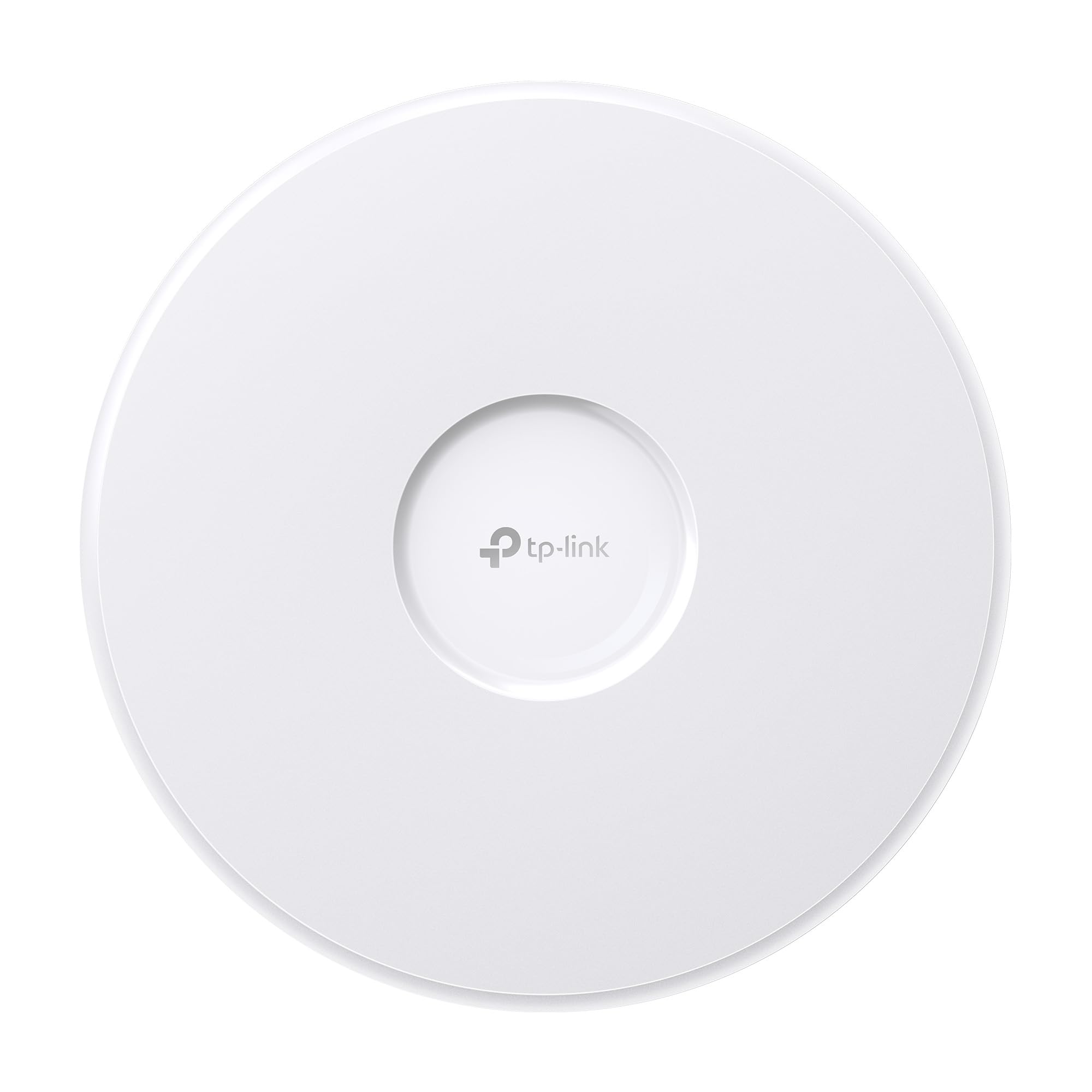
The most affordable WiFi 7 access point here, with a tri-band BE11000 data rate.
The EAP770 brings tri-band WiFi 7 at a data transfer rate of 11000 Megabits Per Second, making it the highest raw-speed unit in this lineup, alongside a 2.5G Ethernet port so you can feed it a fast internet connection without creating a bottleneck. Coverage is rated at 1,500 ft² per unit, which is smaller than both the Cisco and the NETGEAR, but the Omada platform lets you add more units to form a mesh with smooth roaming.
Customers note significant real-world gains. One reviewer tested the EAP770 in a home with weak areas and measured 735/759 Mbps down/up in the living room and 903/899 Mbps near the access point. The Omada Essential cloud platform is included at no extra cost, giving you remote network monitoring, AI features, and zero-touch provisioning. The unit is powered by PoE+ or the included DC adapter, and it sips just about 9 watts during normal operation according to one owner’s measurement. TP-Link backs it with a 5-year warranty.
Best value in WiFi 7: You get the fastest standard available and a free cloud management platform for less than many WiFi 6E competitors.
One buyer warns: Some believe this model (EAP770 with 2.5Gbps port) may be nearing end-of-life and is not yet WiFi 7 certified, so check the latest certification status if that matters to your deployment.
Ideal for: Budget-conscious buyers who want to future-proof with WiFi 7 and like free cloud management without subscription fees.
skip it if: You need the absolute widest coverage from a single unit — the 1,500 ft² rating means you may need more units than the Cisco 240AC.
5. NETGEAR WAX610

The cloud-managed access point that one buyer called the best WiFi 6 dual-band AP on the market.
If you want to manage your network from anywhere without needing a separate hardware controller, the WAX610 includes a one-year free NETGEAR Insight subscription for remote management via the Insight app. It is a WiFi 6 dual-band access point with AX1800 speed and MU-MIMO, rated to cover 2,500 square feet and support up to 200 client devices. The 2.5G port keeps wired backhaul fast, and it runs on PoE+ or an optional power adapter.
Reviewers point out strong real-world performance. One reviewer measured VR latency dropping from 25-40ms to 15-25ms on an Oculus Quest 2, with speed jumping from 866Mbps to 1.2Gbps. Another solved weak signal issues at the back of a house and even got a decent signal 75 feet away in an RV. The unit supports up to eight SSIDs, load balancing, band steering, and WPA3 security. However, several shoppers say mixed feelings about the Insight cloud service itself — one praised the access point but called Insight “not so much,” though you can manage the unit via a web UI without using Insight at all.
Plug and manage from anywhere: The included Insight subscription gives you remote monitoring and configuration, which is a real time-saver for multi-location setups.
The trade-off: Setup requires attention to power — the access point needs a proper 12V 2.5A adapter or PoE injector, as standard PoE injectors caused an amber LED and reduced throughput for one buyer.
Best for: Small businesses without dedicated IT staff who want remote cloud management for up to 200 devices and solid 2,500 ft² coverage.
Not for: Those who dislike subscription-dependent management — after the first year, Insight requires a paid plan, though the unit works fine with local web UI management as an alternative.
Understanding the Specs
Data Transfer Rate (Mbps)
This number tells you the maximum theoretical speed the access point can move data. It is measured in Megabits Per Second (Mbps). A higher number means the unit can handle more simultaneous high-bandwidth tasks like 4K video calls or large file transfers without slowing down. Real-world speed is always lower than the theoretical max, but a unit rated for 11000 Mbps gives you a lot more headroom than one rated for 1 Gbps (1000 Mbps).
Coverage Area (Square Feet)
Coverage is how much floor space the access point’s signal can fill in an open environment. Real-world range will shrink when you add walls, concrete, or steel beams — sometimes by half. If your building has many obstructions, plan on buying extra units to maintain solid performance. A 3,000 ft² rating might only cover 1,500 ft² in a concrete-heavy building.
FAQ
Can I use an enterprise access point with my existing home router?
What is the difference between PoE, PoE+, and PoE++ for access points?
Do I need a separate controller for every access point?
How many devices can a single enterprise access point handle?
Will enterprise access points improve VR headset performance?
Can I mix different brands of access points on the same network?
How long does an enterprise access point typically last?
What does MU-MIMO mean for my network?
Final Thoughts: The Verdict
If you want one dependable pick, the best enterprise access point is the Ubiquiti U7 Pro Max because it handles 500+ devices with WiFi 7 speeds, AI-driven optimization, and enterprise security features at a power-efficient 25W. If you want the widest single-unit coverage and a limited lifetime warranty, grab the Cisco Business 240AC. And for the best WiFi 7 value with free cloud management, the TP-Link Omada EAP770 is a strong contender that costs less than most WiFi 6E competitors.
How We Picked
We do not accept paid placement. Every pick is matched to a real buyer and a real use-case; we do not hands-on test units.
Sources & Methodology
Specifications: manufacturer listings and product documentation. Review insights: verified customer reviews, as of July 2026. Pricing: not shown on this page (it changes often); check the current price via the retailer link.
As an Amazon Associate, Gadgets Feed earns from qualifying purchases. This does not affect which products we feature.
Related Guides
Product prices and availability are accurate as of the date/time indicated and are subject to change. Any price and availability information displayed on Amazon at the time of purchase will apply to the purchase of this product. As an Amazon Associate I earn from qualifying purchases.
CERTAIN CONTENT THAT APPEARS ON THIS SITE COMES FROM AMAZON. THIS CONTENT IS PROVIDED "AS IS" AND IS SUBJECT TO CHANGE OR REMOVAL AT ANY TIME.
Amazon and the Amazon logo are trademarks of Amazon.com, Inc. or its affiliates.