
Our readers keep the lights on and my morning glass full of iced black tea. As an Amazon Associate, I earn from qualifying purchases.
Specs are compiled from manufacturer listings and verified buyer reviews and can change over time — please confirm the key details on the product page before buying.
You see true blacks, richer colors, and smoother motion when you switch from a standard LCD or IPS monitor to an OLED — it is like cleaning a smudged window you did not realize was dirty. But picking the right one is hard because the panel type, refresh rate (how many times per second the screen updates), brightness, and burn-in protections vary a lot. A bad choice means paying a premium for a screen that does not fit your actual setup.
I’m Min — the founder and writer behind Gadgets Feed. This guide is built by comparing the manufacturers’ published specifications and the patterns across verified customer reviews, so you get each pick’s real strengths and trade-offs instead of marketing spin.
Whether you are hunting raw speed for esports, cinematic immersion for single-player games, or color accuracy for creative work, this breakdown of the amoled computer monitor market separates the genuine performers from the spec-sheet dazzlers.
Quick Picks
- GIGABYTE MO27Q28GR — Brightness King
- ASUS ROG Swift PG32UCDM — Top Performer
- Alienware AW3425DW — Ultrawide Immersion
- MSI PRO MAX 271UPXW12G — Mac-Friendly Hub
- Dell 32 Plus S3225QC — Console Companion
- ASUS ROG Strix XG27AQDMGR — Glossy Gaming
- Alienware AW3423DWF — Curved Cinematic
- MSI MPG 271QRX QD-OLED — Speed Demon
- LG 27GX704A-B — Glossy All-Rounder
- Samsung Odyssey OLED G5 — Budget OLED Entry
How To Choose The Best AMOLED Computer Monitor
All OLED monitors deliver deep blacks, but the experience changes based on three things: the type of OLED panel, how fast it refreshes, and how the monitor protects itself from burn-in. Here is what to look for.
Panel Type: QD-OLED vs W-OLED
QD-OLED (Quantum Dot OLED) uses a blue light source with quantum dots to create red and green, producing wider color coverage, often hitting 99% DCI-P3 or more, and higher peak brightness in small highlights. W-OLED (White OLED) uses a white OLED light with color filters, which can yield deeper blacks in bright rooms thanks to better anti-glare coating. If your room gets a lot of sunlight, a W-OLED with a glossy anti-reflective layer may look better; if you control the lighting and want the widest color volume, QD-OLED usually wins.
Refresh Rate and Response Time
OLED monitors already respond at 0.03ms (GtG, or gray-to-gray — the time the monitor takes to shift from one shade of gray to another), which is near-instant. Refresh rate — how many frames the monitor shows per second — ranges from 120Hz to 360Hz here. For single-player or cinematic games, 120Hz to 165Hz is plenty. For competitive shooters where every millisecond matters, 240Hz to 360Hz gives a visible edge in motion clarity.
Burn-In Protection
All OLED monitors are at risk of permanent image retention if a static element (like a taskbar) stays on screen for thousands of hours. Look for features like pixel refresh cycles that run during standby, proximity sensors that dim the screen when you walk away, and heat management (custom heatsinks, graphene film). Most premium models now include a 3-year warranty that specifically covers burn-in.
Quick Comparison
| Model | Best For | Panel Type | Resolution | Refresh Rate | Amazon |
|---|---|---|---|---|---|
| GIGABYTE MO27Q28GR | Bright HDR gaming | W-OLED | QHD 2560×1440 | 280Hz | Amazon |
| ASUS ROG Swift PG32UCDM | Top-tier 4K gaming | QD-OLED | 4K UHD 3840×2160 | 240Hz | Amazon |
| Alienware AW3425DW | Ultrawide immersion | QD-OLED | WQHD 3440×1440 | 240Hz | Amazon |
| MSI PRO MAX 271UPXW12G | Mac productivity hub | QD-OLED | 4K UHD 3840×2160 | 120Hz | Amazon |
| Dell 32 Plus S3225QC | Console gaming + media | QD-OLED | 4K UHD 3840×2160 | 120Hz | Amazon |
| ASUS ROG Strix XG27AQDMGR | 27-inch glossy OLED gaming | W-OLED | QHD 2560×1440 | 240Hz | Amazon |
| Alienware AW3423DWF | Curved ultrawide cinematic gaming | QD-OLED | WQHD 3440×1440 | 165Hz | Amazon |
| MSI MPG 271QRX | Competitive 360Hz speed | QD-OLED | QHD 2560×1440 | 360Hz | Amazon |
| LG 27GX704A-B | Versatile glossy OLED value | OLED | QHD 2650×1440 | 240Hz | Amazon |
| Samsung Odyssey OLED G5 | Budget OLED entry | QD-OLED | QHD 2560×1440 | 180Hz | Amazon |
In‑Depth Reviews
1. GIGABYTE MO27Q28GR
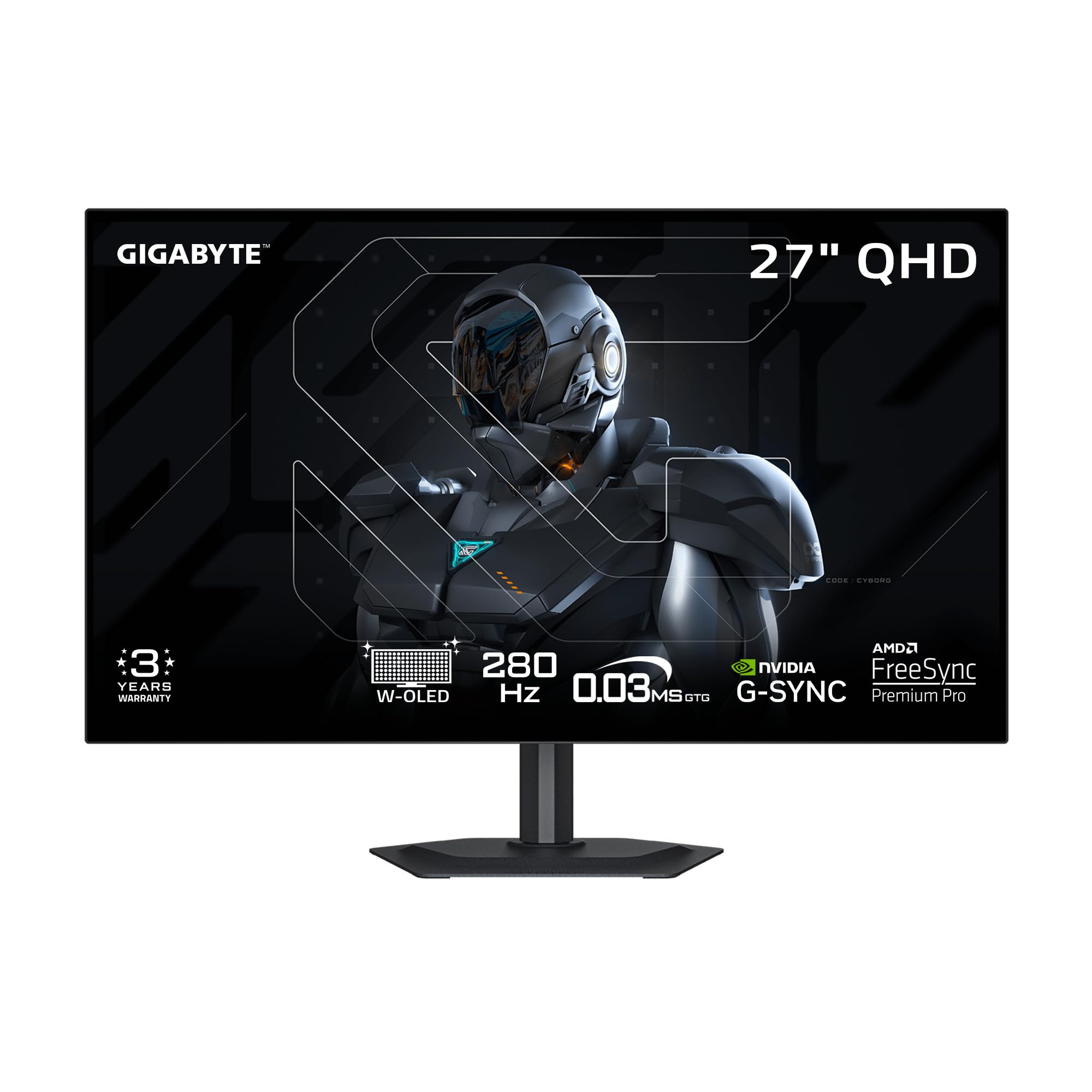
The GIGABYTE MO27Q28GR outshines the LG 27GX704A-B by a massive 5.5x brightness gap on paper — 1500 cd/m² vs 275 cd/m² — making it the brightest W-OLED monitor in this list.
You get a 27-inch 4th Gen W-OLED panel with Primary RGB Tandem Technology, which means the monitor layers red, green, and blue light instead of using a single white light source with a color filter. The result is a peak brightness of 1500 candela per square meter — enough to make HDR highlights in games and movies genuinely punchy, even in a room with some ambient light. The RealBlack Glossy coating uses a zero-haze optical layer that keeps dark details visible without washing them out, so a cave in Diablo IV stays menacing.
The monitor runs at 280Hz with a 0.03ms GTG response time, so motion clarity looks virtually blur-free. It also includes a built-in KVM switch (Keyboard Video Mouse switch — one set of peripherals controls two devices), which is rare at this spec level. On the downside, buyers have noted occasional gray banding on solid backgrounds and that Gigabyte’s customer support can be slow if you need to redeem a bundled game code.
Stunning Specs
- 1500 cd/m² peak brightness — far higher than nearly every OLED competitor
- 280Hz refresh rate with 0.03ms response time for near-zero motion blur
- AI-based OLED Care helps prevent burn-in with minimal interruption
Annoyances
- Some units show gray banding, though buyers report it disappears in games and movies
- Text clarity is slightly softer than a good IPS panel at this size
Reach for this if: you want the brightest OLED monitor under most premium-tier options — especially for HDR gaming and bright rooms.
Look elsewhere if: you need perfect gray uniformity for color-critical photo editing, since banding can appear on solid-gray screens.
2. ASUS ROG Swift PG32UCDM

The ASUS ROG Swift PG32UCDM delivers true 4K QD-OLED HDR with a custom heatsink and graphene film to fight burn-in, making it a complete no-compromise premium pick.
You get a 32-inch 4K (3840 x 2160) QD-OLED panel that covers 100% DCI-P3 color gamut and hits 1000 cd/m² peak brightness, so HDR content in games like Halo Infinite looks vivid and punchy. The 240Hz refresh rate and 0.03ms response time mean motion stays sharp for competitive shooters, and the heatsink and graphene film help keep thermals low to extend panel life. Compared to the MSI MPG 271QRX which runs at 360Hz but at QHD, this ASUS offers a sharper overall image for both gaming and media consumption.
Owners mention that the glossy screen provides exceptional clarity with minimal reflections — one reviewer noted they could disable the ROG logo lighting entirely for a clean, distraction-free look. The monitor uses a pixel refresh cycle every 8 hours during standby, which is automatic. The main drawback is the price, which places it firmly in the premium tier, and the fact that text fringing (colored edges on white text) is still slightly visible on QD-OLED panels, though less noticeable at 4K resolution.
Flagship Specs
- 4K QD-OLED with 100% DCI-P3 and 1000 cd/m² peak brightness for stunning HDR
- Custom heatsink and graphene film reduce burn-in risk better than passive cooling alone
- DisplayWidget Center lets you tweak OLED Care and settings with a mouse
Trade-Offs
- Premium pricing that is the highest among the picks here
- Slight text fringing on white backgrounds, though 4K resolution helps hide it
Go with this for: the best overall 4K gaming experience with serious burn-in protection at a flagship level.
skip it if: your budget does not stretch to a premium-tier monitor, or if you do not need 4K resolution for your games.
3. Alienware AW3425DW

The Alienware AW3425DW wraps your peripheral vision with a 34-inch 1800R curve and a 240Hz refresh rate, giving ultrawide gamers a genuine speed advantage without sacrificing picture quality.
The 34.2-inch WQHD (3440 x 1440) QD-OLED panel covers 99.3% DCI-P3 with a Delta E < 2 color accuracy rating — meaning colors match the creator’s intent closely enough for entry-level color work. The 1800R curvature naturally follows your field of view, so you do not have to turn your head to see the edges. It supports AMD FreeSync Premium Pro and NVIDIA G-Sync Compatible, so screen tearing stays absent regardless of your GPU brand. Buyers have reported that the semi-gloss screen delivers vibrant colors and deep blacks, though some noted aggressive pixel dimming in midrange HDR scenes that required switching to SDR with RTX Dynamic Vibrance as a workaround.
Compared to the Alienware AW3423DWF which runs at 165Hz, this model jumps to 240Hz, making a meaningful difference for competitive shooters where 240Hz smoothness beats 165Hz. The build quality feels premium, with AlienFX RGB lighting on the back and a height-adjustable stand. The only real downside is the price gap over the DWF version, which is harder to justify if you do not play fast competitive games.
Speed Meets Width
- 240Hz refresh rate on a 34-inch ultrawide — rare and genuinely useful for competitive shooters
- 99.3% DCI-P3 color coverage with near-professional accuracy (Delta E < 2)
- VESA DisplayHDR TrueBlack 400 and 1000 nits peak HDR brightness
Watch Out For
- Pixel dimming in midrange HDR scenes may require tweaking
- Premium price over the 165Hz AW3423DWF
Ideal if: you play a mix of cinematic single-player games and competitive shooters and want the widest rich view with a high refresh rate.
Not for you if: you sit in a bright room, since the semi-gloss QD-OLED coating can show reflections more than a W-OLED panel.
4. MSI PRO MAX 271UPXW12G
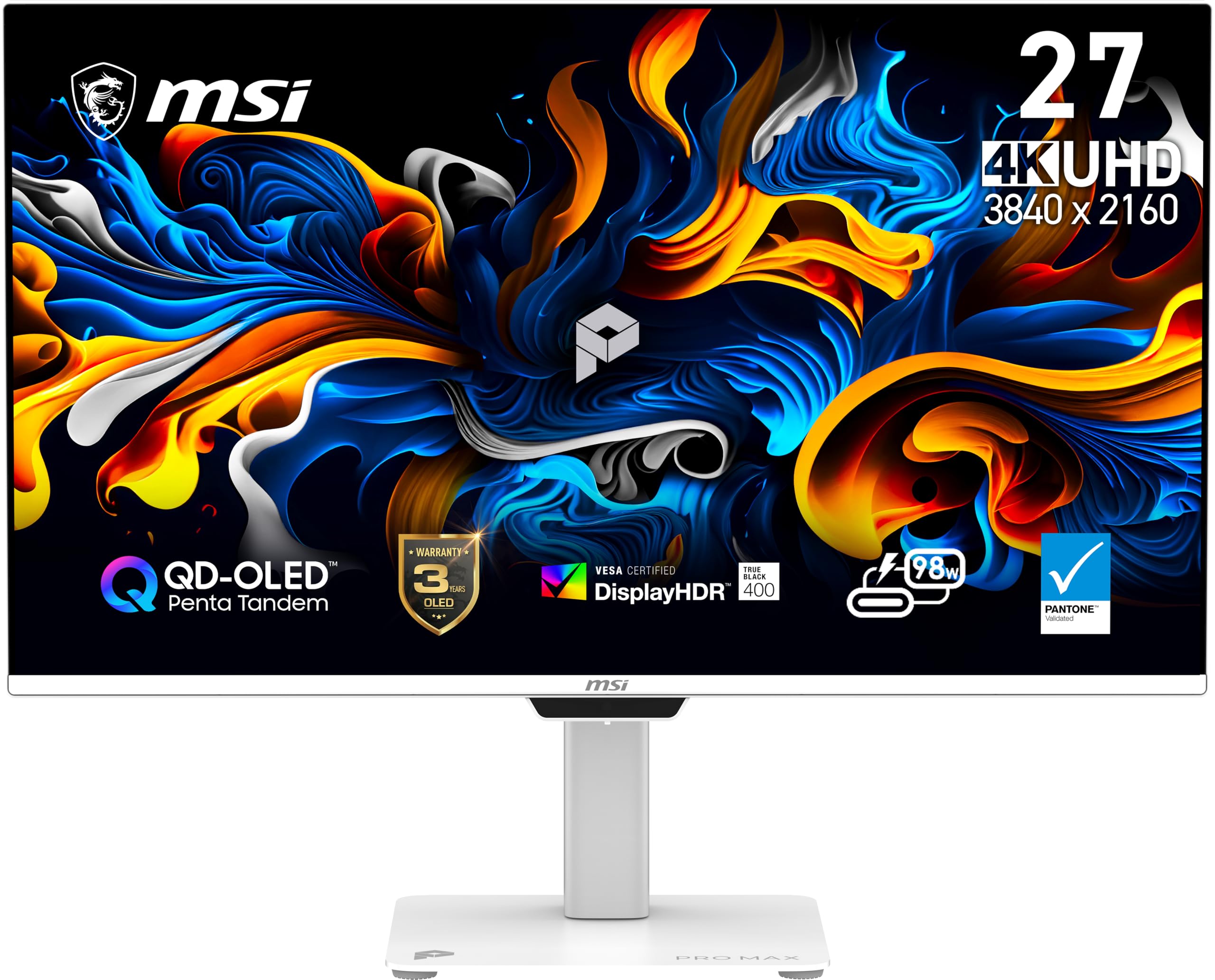
The MSI PRO MAX 271UPXW12G pairs a sharp 27-inch 4K QD-OLED with dual USB-C ports delivering up to 98W of power, making it the obvious pick for a Mac-centric desk.
You get a 3840 x 2160 QD-OLED panel with a 120Hz refresh rate and VESA DisplayHDR True Black 400 certification, so blacks look bottomless and color transitions stay smooth. The standout feature for productivity users is the dual USB-C hub: one USB-C port delivers up to 98W of power delivery (enough to charge a MacBook Pro at full speed), and a second delivers up to 15W. The monitor also includes MSI Mac Optimization Software that synchronizes color profiles with macOS, so the display matches your Mac’s built-in screen more closely than typical generic monitors. Buyers have noted the 120Hz refresh rate makes the desktop feel fluid without requiring the GPU power needed for 240Hz gaming.
The catch is the 120Hz cap. For competitive shooters at 240Hz or higher, this monitor feels slower than the MSI MPG 271QRX or the Alienware AW3425DW. Also, the built-in speakers are present, but reviewers generally recommend using dedicated desktop speakers for anything beyond background audio.
Productivity Powerhouse
- Dual USB-C hub with 98W power delivery — charges a laptop via a single cable
- Mac color synchronization software for accurate color matching
- 4K QD-OLED at 27 inches gives sharp text and vivid HDR
Gaming Limitation
- 120Hz refresh rate is fine for casual or console gaming but not competitive FPS
- Built-in speakers are usable but lack bass and volume
Best for: creative professionals and Mac users who want one-cable docking with near-professional color accuracy.
Pass on this if: you primarily game on PC at 240Hz+, since the refresh rate is a hard cap.
5. Dell 32 Plus S3225QC
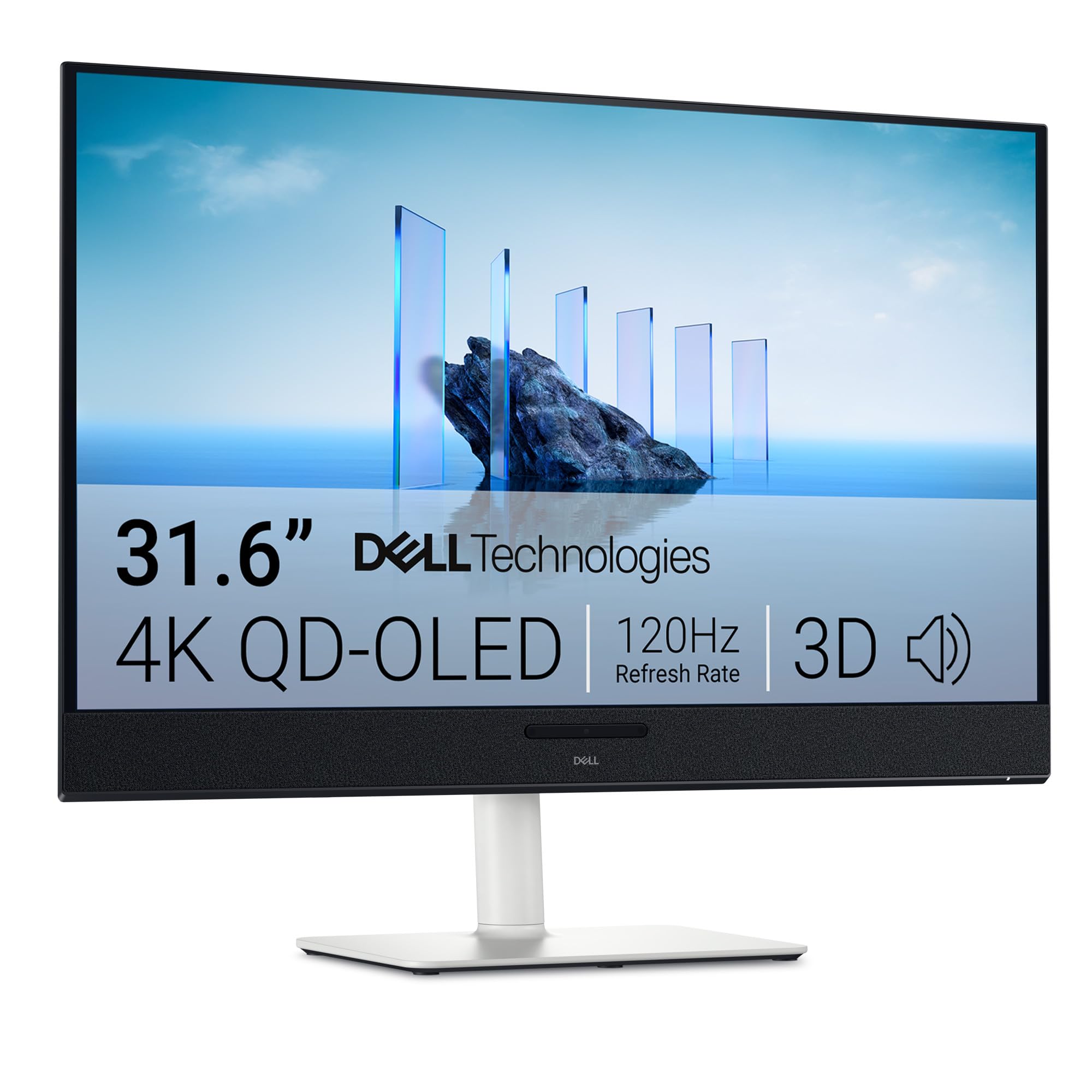
The Dell 32 Plus S3225QC crams a 31.6-inch 4K QD-OLED, Dolby Vision support, and AI-enhanced spatial audio into a package that feels built for a console gaming setup.
You get a 31.6-inch 4K QD-OLED panel with a 120Hz refresh rate and VESA DisplayHDR True Black 400, so HDR content in games and streaming services looks rich. The 120Hz cap pairs perfectly with consoles like the Xbox Series X and PlayStation 5, which max out at 120Hz anyway, so you are not overpaying for unused headroom. The built-in five 5W speakers with AI-driven 3D spatial audio — meaning the monitor uses head-tracking to shift the sound field as you move — add immersion without needing external speakers. Dell’s ComfortView Plus also minimizes blue light without shifting colors to warm yellow, making late-night sessions easier on your eyes.
Buyers on the Xbox Series X specifically report that the monitor improves visibility in dark maps because of the OLED’s deep blacks and lack of backlight bleed. The main limitation is the single HDMI input, which means you cannot easily switch between a console and a PC without unplugging cables. The 120Hz max also hurts if you plan to use it exclusively for high-refresh PC gaming.
Console-First Design
- Dolby Vision and VESA DisplayHDR True Black 400 for rich HDR in games and movies
- Five 5W speakers with AI-driven 3D spatial audio for rich sound
- Single USB-C cable with 90W power delivery keeps the desk clean
Limiting Factors
- Only one HDMI port — no easy console + PC switching
- 120Hz max refresh rate cannot keep up with 240Hz+ PC gaming
Get it if: you primarily game on a console and want a big, vibrant QD-OLED with built-in Dolby Vision and speakers that eliminate the need for a soundbar.
Not for: PC gamers running 240Hz+ or users who frequently switch between two HDMI sources.
6. ASUS ROG Strix XG27AQDMGR
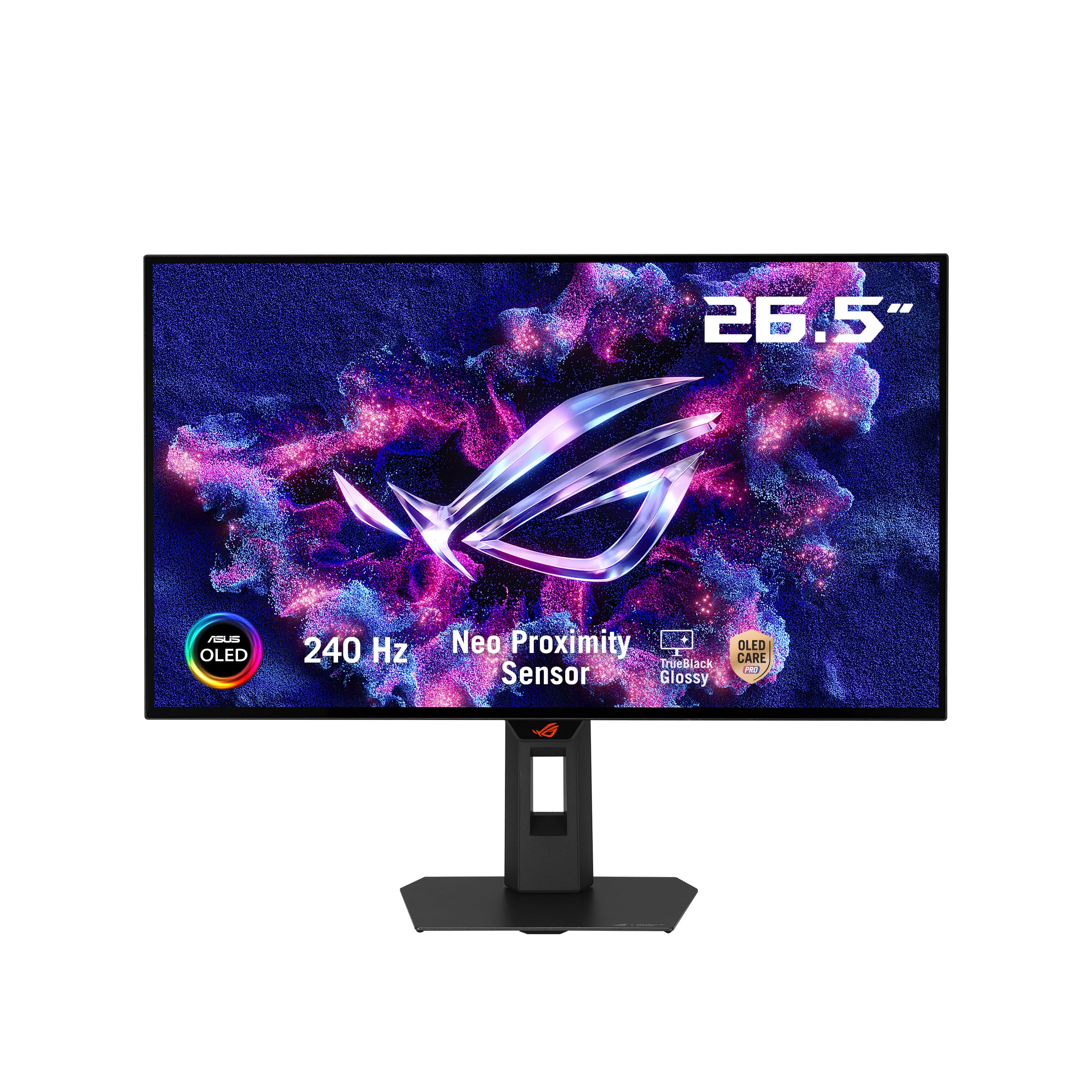
The ASUS ROG Strix XG27AQDMGR uses a Neo Proximity Sensor that automatically blacks the screen when you step away, giving you an extra layer of burn-in protection that passive cooling alone cannot provide.
You get a 26.5-inch QHD (2560 x 1440) TrueBlack Glossy WOLED panel running at 240Hz with a 0.03ms response time. The glossy coating means colors look more saturated and floating than matte OLEDs, because there is no diffusion layer scattering the light. The Neo Proximity Sensor detects when you are not in front of the monitor and switches to a black screen, which reduces cumulative burn-in from static elements. ASUS OLED Care Pro also includes pixel shift and pixel cleaning routines. Customers note that hitting peak brightness of 1386 nits in HDR is possible after tweaking, making small highlights genuinely blinding.
The main caveat is that the glossy screen can show reflections if you have a window or lamp behind you, though the anti-reflective coating cuts down on harsh glare. The stand is fully adjustable (swivel, tilt, height, pivot), so you can dial in your ideal viewing angle without a separate arm.
OLED Care Innovation
- Neo Proximity Sensor automatically blacks the screen when you walk away
- Glossy WOLED delivers punchy colors and deep blacks
- 240Hz + 0.03ms response makes motion look perfectly clear
Reflection Warning
- Glossy coating shows reflections in bright rooms — best in controlled lighting
- Out-of-box colors need calibration; uniform brightness setting can reduce color volume
Buy this for: a 27-inch glossy OLED with top-tier active burn-in protection and vivid HDR.
Think twice if: your desk faces a bright window, since the glossy coating can reflect light back at you.
7. Alienware AW3423DWF

The Alienware AW3423DWF wraps a 34-inch 21:9 QD-OLED into an 1800R curve at a price that undercuts almost every other ultrawide OLED, making it the value king of wide gaming.
You get a 34-inch curved QD-OLED with a 3440 x 1440 WQHD resolution, a 165Hz refresh rate, and a 0.1ms response time. The QD-OLED panel converts blue light directly into red and green through a quantum dot pixel layer instead of using color filters, which results in a wider color gamut than white OLED. The monitor covers 99.3% DCI-P3 and holds a VESA DisplayHDR TrueBlack 400 certification, so blacks look truly infinite while highlights stay bright. AMD FreeSync Premium Pro and VESA AdaptiveSync certification keep tearing away on both AMD and Nvidia GPUs. Buyers consistently describe the transition from IPS to this panel as “the most dramatic visual upgrade” they have experienced, with blacks that look like light simply falls into the screen.
The 165Hz refresh rate is a step down from the newer AW3425DW’s 240Hz, but for most single-player games and even casual competitive titles, the difference is small. The major practical downside is that the panel requires a pixel refresh cycle every four hours, which blacks out the screen for several minutes. If you are in a work-from-home situation where the monitor stays on for eight hours straight, that forced blackout can interrupt workflow.
Best Bang for Ultrawide
- 34-inch curved QD-OLED at a mid-range price — far cheaper than most ultrawide OLEDs
- 99.3% DCI-P3 and VESA DisplayHDR TrueBlack 400 for stunning HDR
- 3-year warranty covers burn-in, giving long-term confidence
Workflow Interruption
- Forced pixel refresh every four hours blacks out the screen for several minutes
- 165Hz refresh rate feels dated next to the 240Hz AW3425DW
Grab this if: you want the most rich ultrawide OLED experience without paying premium-tier prices, and you mostly play single-player games.
Avoid it if: the four-hour pixel refresh cycle would disrupt your workday, since you cannot skip it without risking burn-in.
8. MSI MPG 271QRX QD-OLED

The MSI MPG 271QRX QD-OLED hits a 360Hz refresh rate — a full 2.0x gap over the Samsung Odyssey OLED G5’s 180Hz — making it the fastest monitor in this guide for competitive play.
You get a 27-inch QHD (2560 x 1440) QD-OLED panel with a 360Hz refresh rate and 0.03ms GtG response time, so motion clarity at high frame rates looks perfectly sharp with zero ghosting. The QD-OLED panel delivers a 1,000,000:1 contrast ratio and VESA DisplayHDR True Black 400, so even at high speed, games like Valorant or Overwatch 2 retain deep blacks and vibrant colors. MSI OLED Care 2.0 runs pixel refresh cycles in the background, and the monitor includes a KVM switch for controlling two devices with one keyboard and mouse. The HDMI 2.1 port supports full 48 Gbps bandwidth for console gaming at 4K 120Hz if you connect a PlayStation 5 or Xbox Series X.
Compared to the 240Hz ASUS ROG Strix XG27AQDMGR, the MSI adds 120Hz of headroom that serious competitive players will notice in fast-twitch scenarios. The trade-off is that the 27-inch QHD resolution is not as sharp as 4K on a 32-inch panel, so you sacrifice some pixel density for raw smoothness. Reviewers point out that the jump from a 240Hz IPS to 360Hz OLED is “life-changing” for motion clarity, with colors that pop off the screen in HDR.
class-leading Speed
- 360Hz refresh rate — the highest in this guide — for elite competitive motion clarity
- QD-OLED color with 1,000,000:1 contrast and HDR True Black 400
- HDMI 2.1 with 48 Gbps bandwidth for console compatibility
Resolution Trade-Off
- QHD 1440p, not 4K — pixel density is lower than the 4K options in this guide
- Stand adjustment range is limited compared to some competitors
Choose this for: esports and competitive gaming where 360Hz smoothness gives you a real edge in reaction time.
Pass on it if: you want 4K sharpness for single-player games or creative work — the 4K picks above serve you better.
9. LG 27GX704A-B
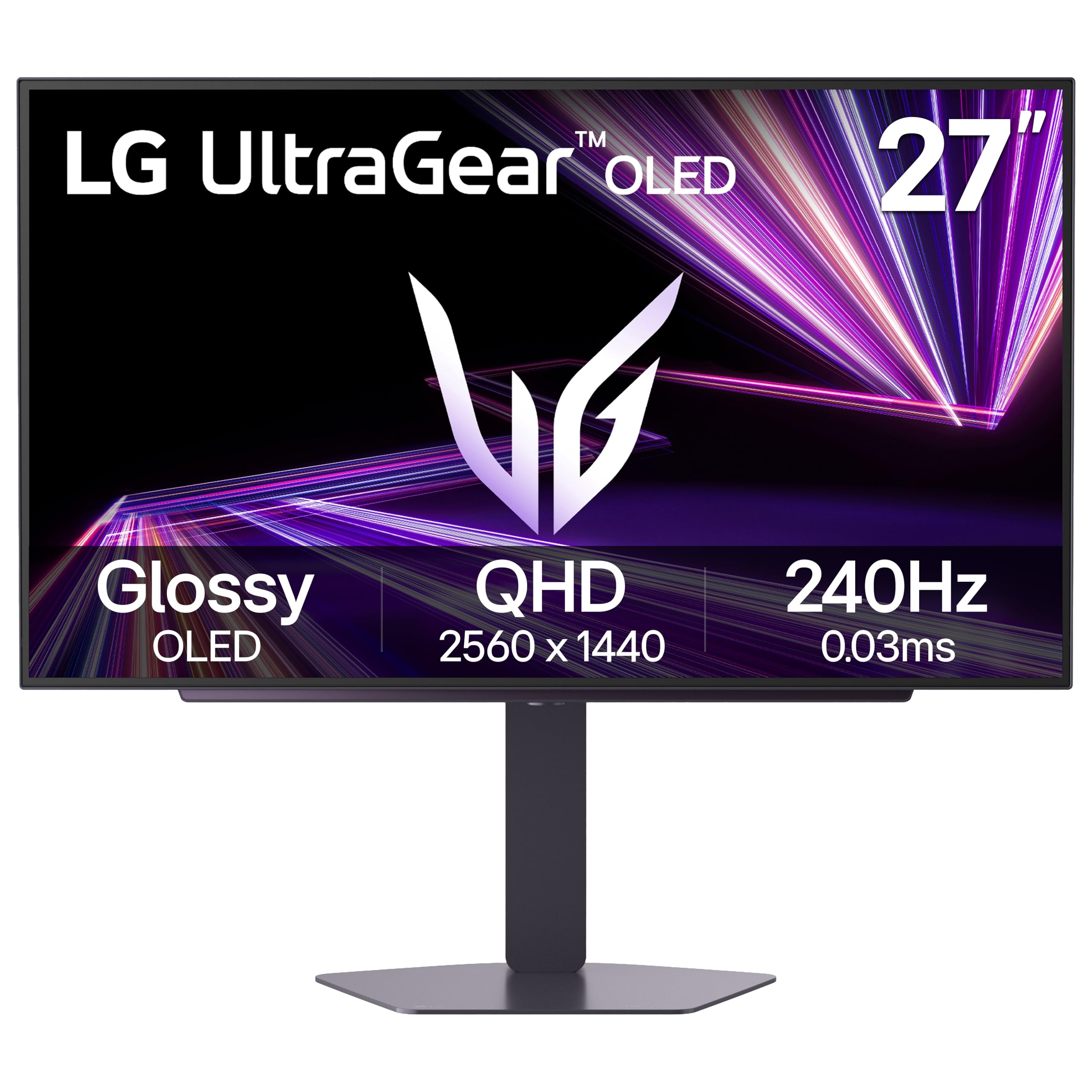
The LG 27GX704A-B delivers a glossy QHD OLED with 240Hz and 0.03ms response for under most premium-tier options, making it the best value 27-inch high-refresh OLED for versatile gamers.
You get a 27-inch QHD (2650 x 1440) OLED panel with a glossy finish — meaning no matte diffusion layer — that delivers 275 cd/m² typical brightness and peaks at 1300 nits for small HDR highlights. The 240Hz refresh rate and 0.03ms response time handle everything from fast-paced shooters to story-driven RPGs without motion blur. The monitor carries VESA DisplayHDR True Black 400 certification and a 1.5M:1 contrast ratio, so blacks look perfectly deep while highlights stay punchy. It also includes dual HDMI 2.1 ports, DisplayPort 1.4, and a USB 3.2 hub, so you can connect a PC and two consoles simultaneously. Shoppers say that the colors feel more accurate and easier on the eyes than QD-OLED panels, though slightly less vibrant.
The 275 cd/m² typical brightness is lower than the GIGABYTE MO27Q28GR’s 1500 cd/m² by a 5.5x gap, so this LG is not ideal for very bright rooms. The glossy finish also means reflections can appear if a light source is directly behind you. But for a controlled lighting environment, the LG 27GX704A-B is a strong value pick.
Value in Glossy
- 240Hz glossy OLED with 0.03ms response at a mid-range price
- Dual HDMI 2.1 ports plus DP and USB hub — versatile connectivity
- Three UL certifications for anti-glare, flicker-free, and low blue light
Brightness Ceiling
- 275 cd/m² typical brightness struggles in bright rooms
- Glossy coating shows reflections like a phone screen
Best for: gamers who want a glossy high-refresh OLED without paying premium-tier prices, and who can control their room lighting.
Not ideal if: you work near a window all day — the reflections and lower brightness may frustrate you.
10. Samsung Odyssey OLED G5

The Samsung Odyssey OLED G5 opens the door to QD-OLED gaming at a price that undercuts most competitors, but paired with a modest 180Hz refresh rate and a plastic build.
You get a 27-inch QHD (2560 x 1440) QD-OLED panel with a 180Hz refresh rate and 0.03ms GtG response time. Samsung’s OLED Safeguard uses a Thermal Modulation System — a temperature monitoring method — to keep the screen cool and prevent burn-in, and the Glare Free coating cuts reflections better than a purely glossy screen. The Pantone Validated display reproduces over 2100 colors accurately, and HDR10 support adds brighter highlights and deeper shadows. Buyers specifically report that pixel shift effectively prevents burn-in after six months of regular use, which is a strong sign for budget-conscious buyers worried about longevity.
The contrast ratio sits at 1,000,000:1 — noticeably lower than the 1,500,000:1 ratio on the GIGABYTE MO27Q28GR (a 50% gap). The plastic build feels less premium, and the monitor only has one HDMI port and one DisplayPort, so connecting multiple devices is cumbersome. The 180Hz refresh rate is enough for most casual and competitive gaming, but if you are chasing the smoothest possible motion, the 240Hz and 360Hz options above are worth the extra spend.
Entry-Level OLED
- Lowest-priced true QD-OLED monitor in this guide
- OLED Safeguard with Thermal Modulation System prevents burn-in
- Pantone Validated for color accuracy from the start
Budget Trade-Offs
- Plastic build feels less premium than metal or composite competitors
- Only one HDMI and one DP port — limited multi-device connectivity
Pick it for: your first OLED monitor while staying affordable, especially if you mostly play casual games or watch movies.
Look past it if: you need a premium all-metal build or plan to connect a PC plus two consoles simultaneously.
Understanding the Specs
Contrast Ratio
Contrast ratio measures the difference between the brightest white and the deepest black a monitor can produce. A 1,500,000:1 ratio means the white is 1.5 million times brighter than the black. For OLED monitors, this number is essentially infinite because pixels can turn completely off, producing true black. A higher contrast ratio makes dark scenes in games and movies look more realistic, with shadow details visible instead of crushed into gray.
Burn-In Protection Features
OLED burn-in happens when static elements (like a taskbar or HUD) leave a permanent ghost image after thousands of hours. Monitors here use pixel shift (moving the image slightly every few seconds), pixel refresh cycles (running a compensation routine during standby), proximity sensors (dimming the screen when you walk away), and passive cooling (heatsinks and graphene film). Some brands now offer 3-year burn-in warranties, which is worth looking for if you plan to keep the monitor for 5+ years.
FAQ
Will an AMOLED computer monitor suffer from burn-in if I leave my taskbar visible all day?
Can I use a 120Hz AMOLED monitor for gaming on Xbox Series X or PlayStation 5?
What is the difference between QD-OLED and W-OLED?
Do I need 240Hz or 360Hz for competitive gaming, or is 165Hz enough?
Is a glossy or matte AMOLED monitor better for a bright room?
What does a KVM switch do on an AMOLED monitor, and do I need one?
How often does an AMOLED monitor need a pixel refresh cycle?
Can I use an AMOLED computer monitor for professional photo or video editing?
Is it worth paying more for a 4K AMOLED monitor over a QHD one?
What is the most important spec for an AMOLED monitor in a living-room console setup?
Final Thoughts: The Verdict
For most people, the amoled computer monitor winner is the GIGABYTE MO27Q28GR because it combines the highest brightness (1500 cd/m², so HDR highlights stay vivid even in a bright room) with a fast 280Hz refresh rate, AI-based burn-in protection, and a rare built-in KVM switch (lets you control two computers with one keyboard and mouse) at a mid-range price. If you want the sharpest 4K HDR experience with premium burn-in protections, grab the ASUS ROG Swift PG32UCDM. And for the most rich ultrawide cinematic gaming without paying premium-tier prices, the Alienware AW3423DWF gives you a 34-inch curved screen that wraps around your view.
How We Picked
We do not accept paid placement. Every pick is matched to a real buyer and a real use-case; we do not hands-on test units.
Sources & Methodology
Specifications: manufacturer listings and product documentation. Review insights: verified customer reviews, as of July 2026. Pricing: not shown on this page (it changes often); check the current price via the retailer link.
As an Amazon Associate, Gadgets Feed earns from qualifying purchases. This does not affect which products we feature.