
Our readers keep the lights on and my morning glass full of iced black tea. As an Amazon Associate, I earn from qualifying purchases.
Specs are compiled from manufacturer listings and verified buyer reviews and can change over time — please confirm the key details on the product page before buying.
Your phone, laptop, or tablet keeps showing that dreaded “storage full” warning, and cloud subscriptions are a monthly cost you want to drop. A 500gb flash drive lets you carry half a terabyte (about 500 billion bytes) of movies, photos, games, or work files in something smaller than your thumb — no Wi-Fi needed, no monthly bills, just plug it in and free up space instantly.
I’m Min — the founder and writer behind Gadgets Feed. This guide is built by comparing the manufacturers’ published specifications and the patterns across verified customer reviews, so you get each pick’s real strengths and trade-offs instead of marketing spin.
To back up a 4K video library, offload thousands of photos from your phone, or shuttle large project files between computers, a 500gb flash drive works as long as you match its read speed and connector type to the devices you already own.
Quick Picks
- Samsung Type-C USB Flash Drive, 512GB — Best Overall
- EAGET 512GB USB Flash Drive — Premium Pick
- Amazon Basics 512GB USB Flash Drive, Dual Ports — Best Value
- SANDISK 512GB Ultra Flair USB 3.0 Flash Drive — Top Performer
- Lexar 512GB JumpDrive Dual Drive D400 — Versatile Pick
- PNY 512GB Turbo Attache 3 USB 3.2 Flash Drive — Solid Performer
- SCICNCE 512GB Flash Drive Intended for Phone — Budget Champion
How To Choose The Best 500GB Flash Drive
Picking the right drive is not just about the capacity number. You also need to consider how fast it moves files, what kind of plug your phone or laptop uses, and whether the build will survive a few months in your bag. Here are the three things to look at first.
Read Speed — The Real-World Wait Time
Read speed (megabytes per second, or MB/s) tells you how fast you can pull files off the drive onto your computer or phone. A drive rated at 30 MB/s moves a 1 GB file in about 34 seconds; a drive rated at 400 MB/s does the same job in under 3 seconds. If you regularly move large video files or game installs, a higher read speed is worth paying for.
Connector Type — USB-A, USB-C, or Both
Older laptops and desktop PCs use the rectangular USB-A port. Most modern phones, tablets, and the latest laptops use the smaller, oval USB-C port (a reversible connector standard). A dual-connector drive — one that has both a USB-A and a USB-C plug — lets you move files between an Android phone and a Windows PC without needing an adapter. If you only ever plug into a laptop with USB-C, a single-connector USB-C drive saves a little space and cost.
Build Quality and Durability
A metal casing does more than look good. It pulls heat away from the memory chip during long transfers, which keeps performance steady. It also resists cracking if you drop the drive or keep it on a keychain. Some drives also add water resistance (Ingress Protection rating) or shock-proofing — useful if the drive lives loose in a pocket or bag.
Quick Comparison
| Model | Best For | Read Speed | Connector | Build Material | Amazon |
|---|---|---|---|---|---|
| Samsung Type‑C UFD | Ultra-fast USB-C transfers | 400 MB/s | USB-C | Plastic (rugged) | Amazon |
| Amazon Basics 512GB | Dual USB-A/C with high speed | 400 MB/s | USB-A USB-C | Metal | Amazon |
| EAGET SU52 | SSD-like 560 MB/s speed | 560 MB/s | USB-C + USB 3.2 | Zinc alloy metal | Amazon |
| SANDISK Ultra Flair | Fast, durable metal USB-A drive | 150 MB/s | USB-A | Metal | Amazon |
| Lexar D400 | Swivel-design dual connector | 170 MB/s | USB-A USB-C | Metal | Amazon |
| PNY Turbo Attaché 3 | Reliable, no-frills USB-A drive | 100 MB/s | USB-A | Plastic (sliding collar) | Amazon |
| SCICNCE 512GB | Budget-friendly phone backup | 30 MB/s | USB-C + USB-A (+ Lightning) | Plastic | Amazon |
In‑Depth Reviews
1. Samsung Type-C USB Flash Drive, 512GB

The Samsung Type‑C drive is the fastest pick here for anyone whose devices all use USB-C ports, moving a 4GB file in 11 seconds.
It reads at up to 400MB/s using USB 3.2 Gen 1 (a data-transfer standard that delivers up to 5 Gbps), which is more than 13 times faster than the SCICNCE drive below (30 MB/s). That means a 4GB file takes about 11 seconds on the Samsung versus more than two minutes on the SCICNCE. Buyers report they are “absolutely gasted” at how fast the transfers happen, and several note the drive is “waterproof, shock-proof, magnet-proof, temperature-proof, and X-ray-proof” so it handles a life tossed into a bag or pocket. At 3.4 grams, it is barely noticeable on a keyring. It also comes with a 5-year limited warranty from Samsung.
The speed case
- Up to 400MB/s read speed — transfers 4GB in 11 seconds
- Tough build: waterproof, shock-proof, magnet-proof, temperature-proof, and X-ray-proof
- Ultra-compact at 3.4 grams and backed by a 5-year warranty
One thing to know
- USB-C connector only — no USB-A port included, so you need an adapter to use with older PCs
Reach for it if: you have a modern USB-C laptop or phone and want the fastest possible transfer speeds in the smallest possible package.
Look elsewhere if: you still use an older desktop PC or laptop with only USB-A ports and do not want to carry an adapter.
2. EAGET 512GB USB Flash Drive, USB-C Dual-Port Solid State Drive
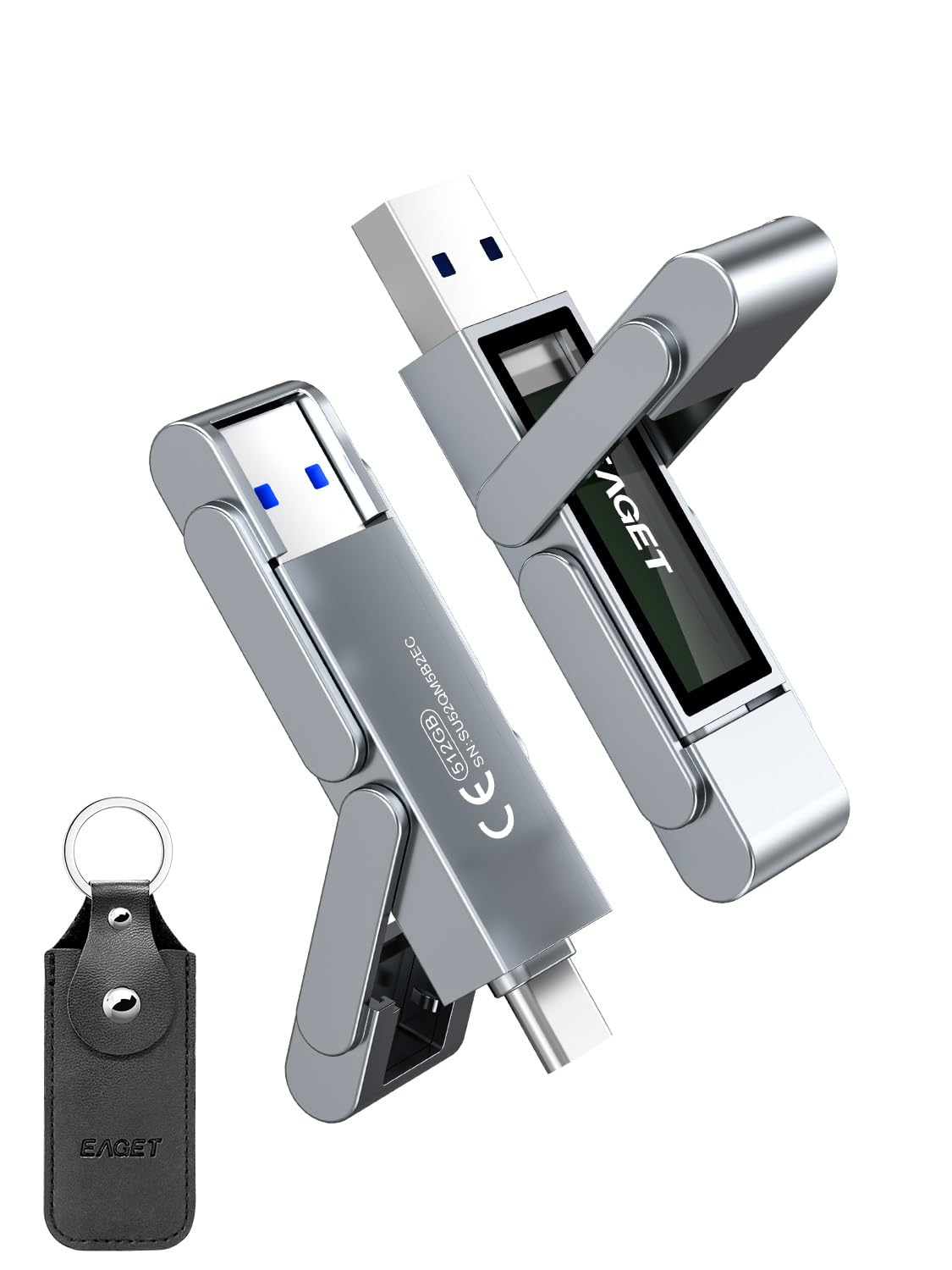
The EAGET is an SSD (a solid-state drive that stores data on fast memory chips) in a thumb-drive body, hitting read speeds up to 560MB/s that embarrass most standard flash drives.
Its read speed of up to 560MB/s via USB 3.2 Gen 2×2 (a connection that can move data at up to 20 Gbps) is nearly four times faster than the SANDISK Ultra Flair (150 MB/s). That means moving a 4K video file happens in seconds rather than minutes. It is built from a zinc alloy metal body, which feels premium and helps keep the drive cool under load, and it even comes with a leather carrying case. Owners mention that it works perfectly with both USB-C and USB-A connections, and one reviewer noted it is “fast and reliable” as long as you remember to unmount it before pulling it out. The catch is that the USB-C portion is a bit bulky, so it may not fit into a phone that has a thick case on it.
Why it stands out
- Reads up to 560MB/s — faster than many external SSDs
- Zinc alloy metal body is shock-resistant and durable
- Comes with a leather carrying case for scratch protection
Watch for
- May not plug fully into a phone that has a thick protective case on it
Who it fits: gamers moving large install files, photographers backing up 4K footage, or anyone who wants SSD-like speeds in a pocket-sized thumb drive.
Who might pass: someone who only needs a simple file shuttle and does not want to pay a premium for speeds they will not fully use.
3. Amazon Basics 512GB USB Flash Drive, Dual Ports
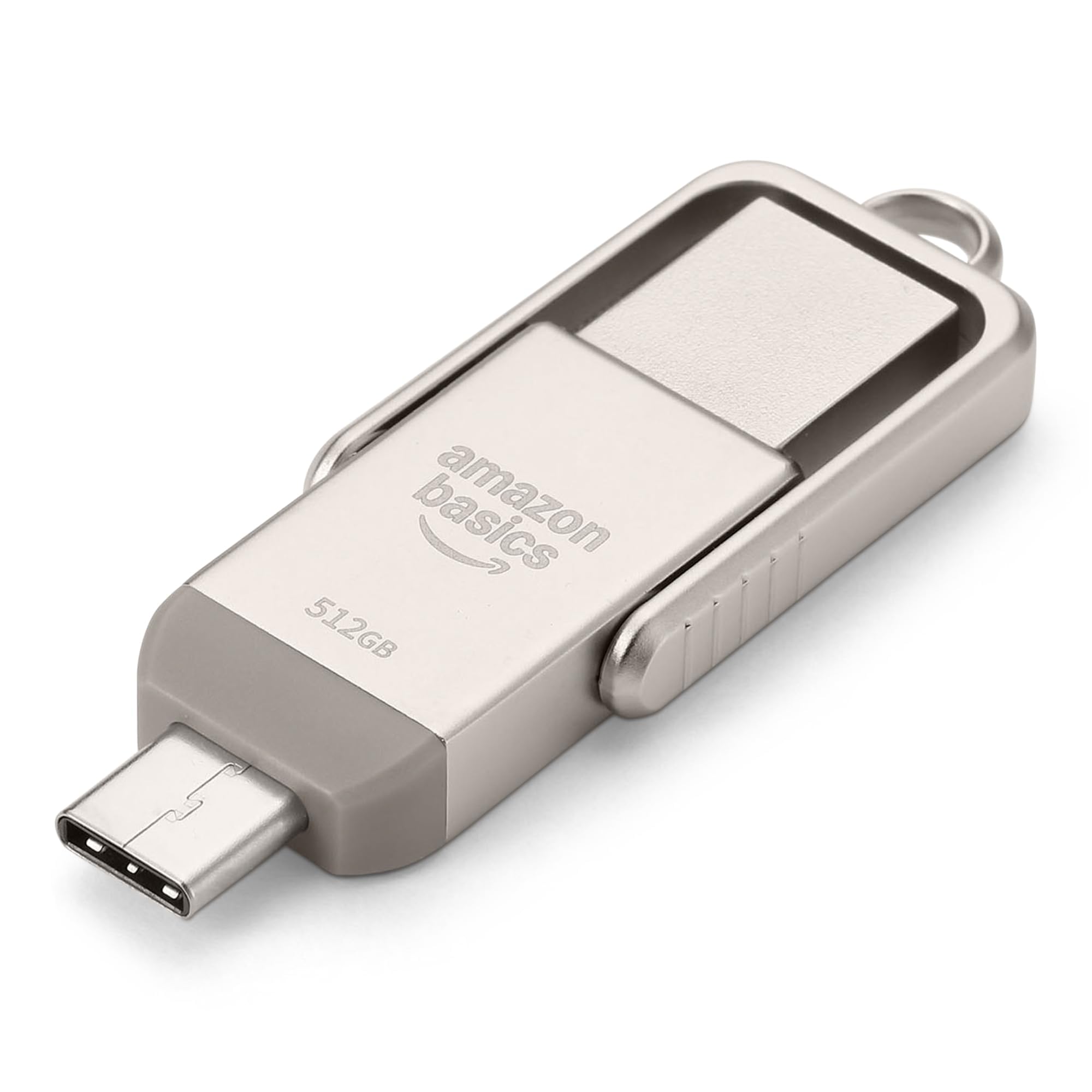
The Amazon Basics drive matches the Samsung’s 400MB/s read speed but adds dual USB-A and USB-C connectors for the same money, so you do not need an adapter for older PCs.
That dual connector means you can plug it into a modern USB-C laptop or an older desktop without any adapter — just flip the rotating collar to expose the other plug. The read speed of 400MB/s puts it right alongside the Samsung for raw transfer pace, and the metal casing is a step up from the plastic bodies of cheaper drives. Buyers rave about the build, with one calling it “very well built” and praising the one-piece metal USB-C plug that removes the typical weak point where the plug meets the case. The drive uses a rotating open/close design to cover whichever plug is not in use, and the metal body helps dissipate heat during long transfers — though customers note it can run warm or a little hot during heavy writes, which is normal. The default exFAT format (a file system that works across Windows, Mac, and Android and supports files larger than 4GB) gives you broad compatibility right from the start.
What it delivers
- 400MB/s read speed and dual USB-A/USB-C connectors in one drive
- Full metal casing with rotating collar that protects the unused plug
- Good value — matches the speed of pricier drives while adding versatility
Keep in mind
- Runs warm during sustained writes (normal for a metal-drive design)
- No included carrying case or keyring hole beyond the built-in hanging hole
Best suited for: anyone who switches between a USB-C phone or laptop and an older USB-A desktop and wants one drive that works everywhere without adapters.
Not the best fit: someone who needs an ultra-rugged, waterproof drive for extreme environments (look at the Samsung for that).
4. SANDISK 512GB Ultra Flair USB 3.0 Flash Drive
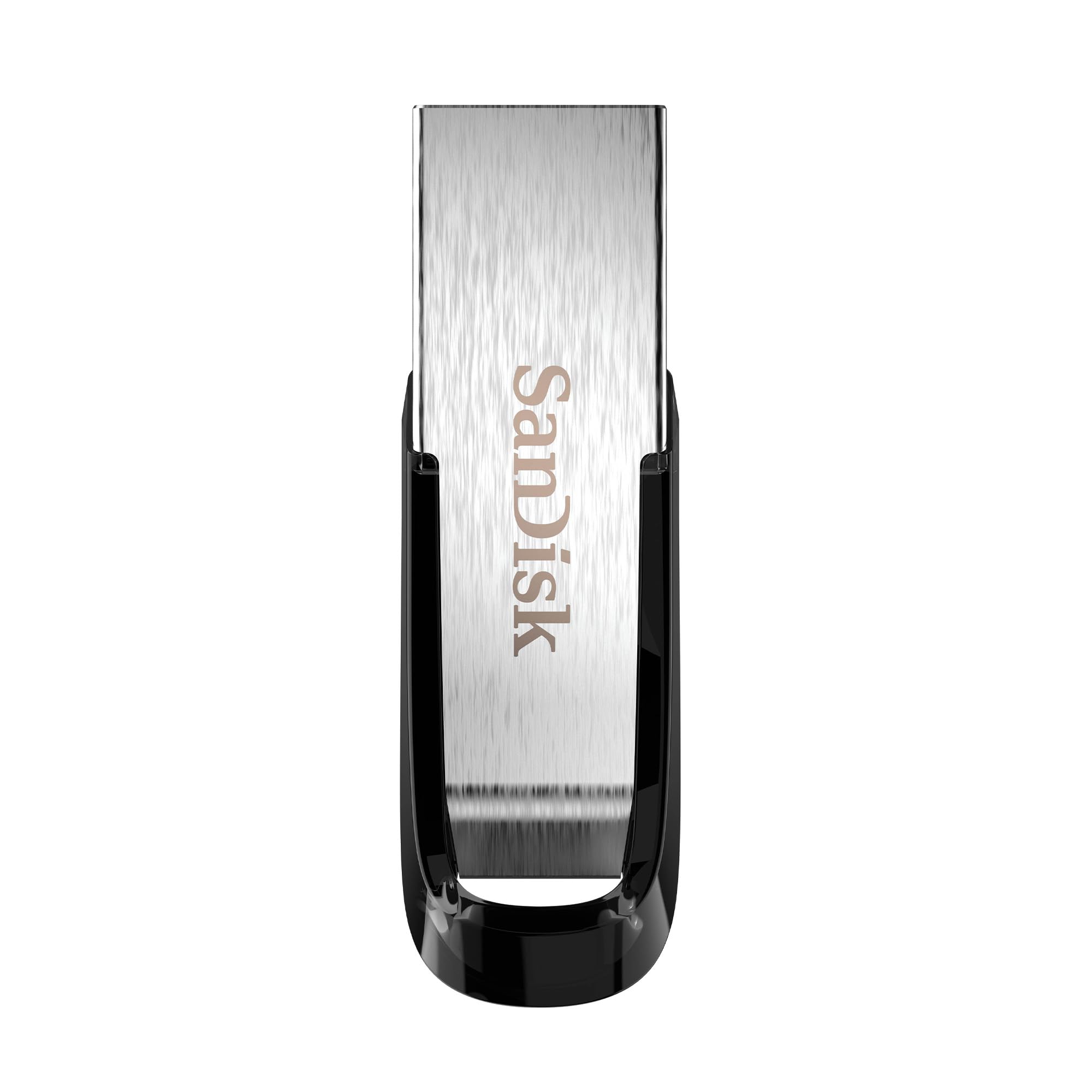
The SANDISK Ultra Flair reads at up to 150MB/s — five times faster than the budget SCICNCE drive — and wraps that speed in a durable metal body that resists cracking on a keychain.
Reviewers point out the speed difference compared to old USB 2.0 drives is “night and day,” with one person noting they “transferred a few gigabytes of photos and videos in just a couple of minutes, which would have taken forever on my old drive.” The Ultra Flair also includes password protection with 128-bit AES encryption (a security standard that scrambles your files so only your password can open up them), which is useful for keeping private files secure if you lose the drive. At this capacity, you get about 460GB of usable space after formatting, which is normal for any 512GB drive.
What stands out
- 150MB/s read speed is a big step up from older USB 2.0 drives
- Metal casing feels solid and protects the drive on a keychain
- Includes 128-bit AES encryption for password-protecting files
The trade-off
- USB-A only — you cannot plug it directly into a modern phone or tablet
- Write speed is slower than read speed (a common limitation on flash drives)
Reach for it if: you primarily use a laptop or desktop with USB-A ports and want a well-built, reliable drive from a trusted brand at a reasonable price.
Skip if: you need to plug directly into a USB-C phone or tablet without an adapter — get a dual-connector drive instead.
5. Lexar 512GB JumpDrive Dual Drive D400
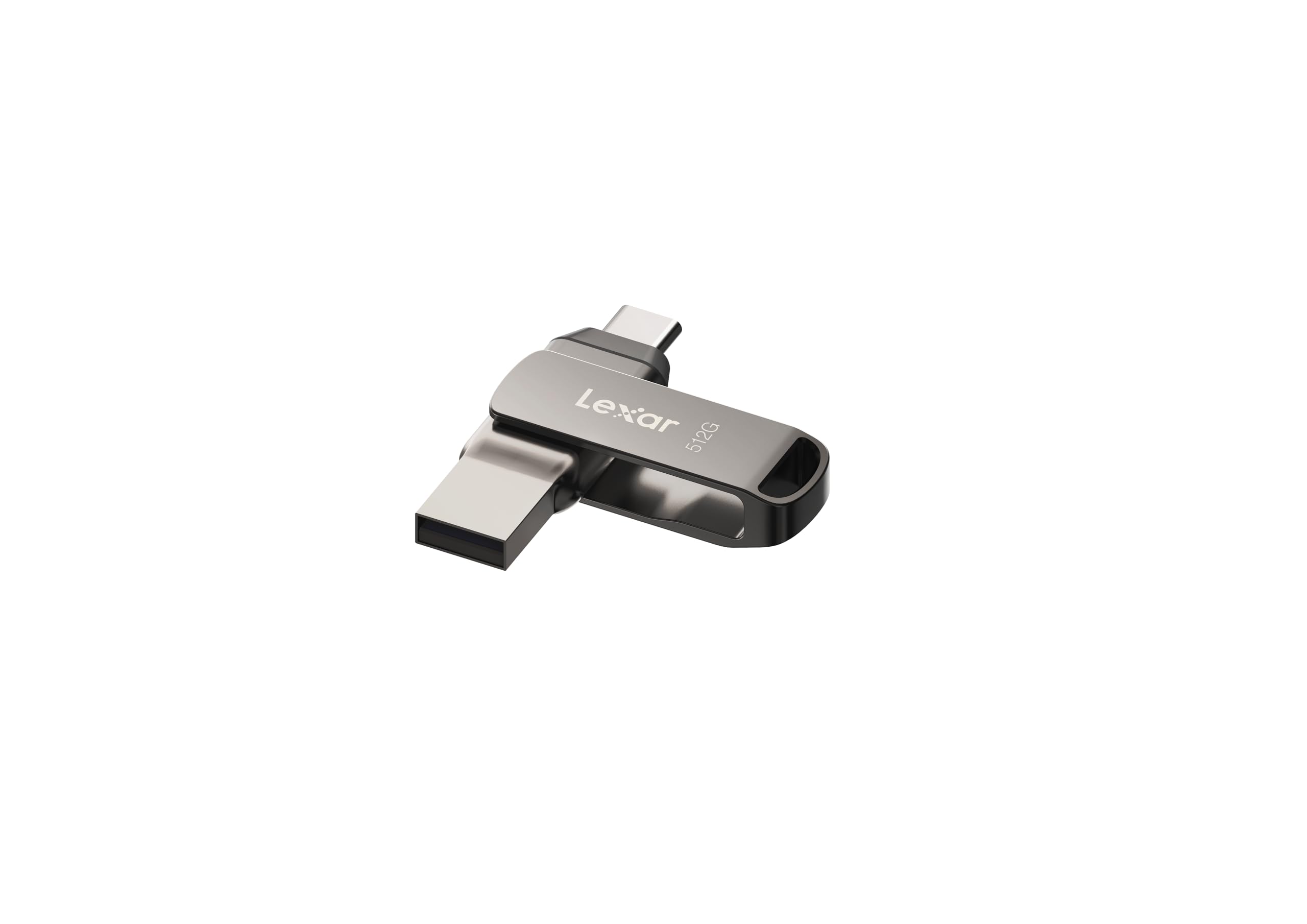
The Lexar D400 uses a swivel design that protects both the USB-C and USB-A connectors without any caps to lose, and it reads at up to 170MB/s.
Its read speed of 170MB/s via USB 3.2 Gen 1 is slightly faster than the SANDISK Ultra Flair (150 MB/s), making it a strong choice for everyday file transfers. The metal housing and swivel design mean the unused plug tucks away inside the body, so there is no separate cap to misplace. One buyer called the swivel design “clever” and noted it works perfectly across Mac, Windows, and Android devices. The D400 also comes with Lexar DataShield software for advanced security. A few buyers mentioned the casing can feel a little flimsy compared to fully solid metal drives.
Why it works
- 170MB/s read speed with dual USB-C and USB-A connectors
- Swivel metal housing protects the unused connector
- Works across Android, PC, and Mac without any extra app
One concern
- Some buyers feel the casing is not as rugged as a solid metal bar design
Choose this if: you want a dual-connector drive with a protective swivel design and you appreciate not having to fiddle with a separate cap.
Consider something else if: you need a drive that can survive being tossed loose into a bag with keys and coins every day — a fully enclosed metal design may hold up better.
6. PNY 512GB Turbo Attache 3 USB 3.2 Flash Drive

The PNY Turbo Attache 3 reads at 100MB/s — three times faster than the budget SCICNCE drive, but half the speed of the 400MB/s models — and does it with a cap-less sliding collar design.
For everyday tasks like backing up a photo library or moving document folders, 100MB/s is plenty fast. One buyer summarized it well, calling it “a basic product that works as intended and has the actual promoted storage space on it.” Buyers who have purchased multi-packs of smaller PNY drives report that “all 5 of them have worked flawlessly upon purchase” and the case “feels well built” and can survive the occasional drop.
The upside
- 100MB/s read speed is adequate for most everyday file transfers
- Sliding collar design protects the plug when not in use
- Consistent reliability across multiple buyers — “works flawlessly”
The limits
- USB-A only — no USB-C connector for modern devices
- Read speed is slower than mid-range and premium competitors
Reach for this if: you want a budget-friendly 512GB USB-A drive for a desktop PC or older laptop and you prioritize reliability over headline speed.
Look at a faster option if: you regularly transfer large video files or game installs and want the transfer to finish in seconds rather than minutes.
7. SCICNCE 512GB Flash Drive Intended for Phone
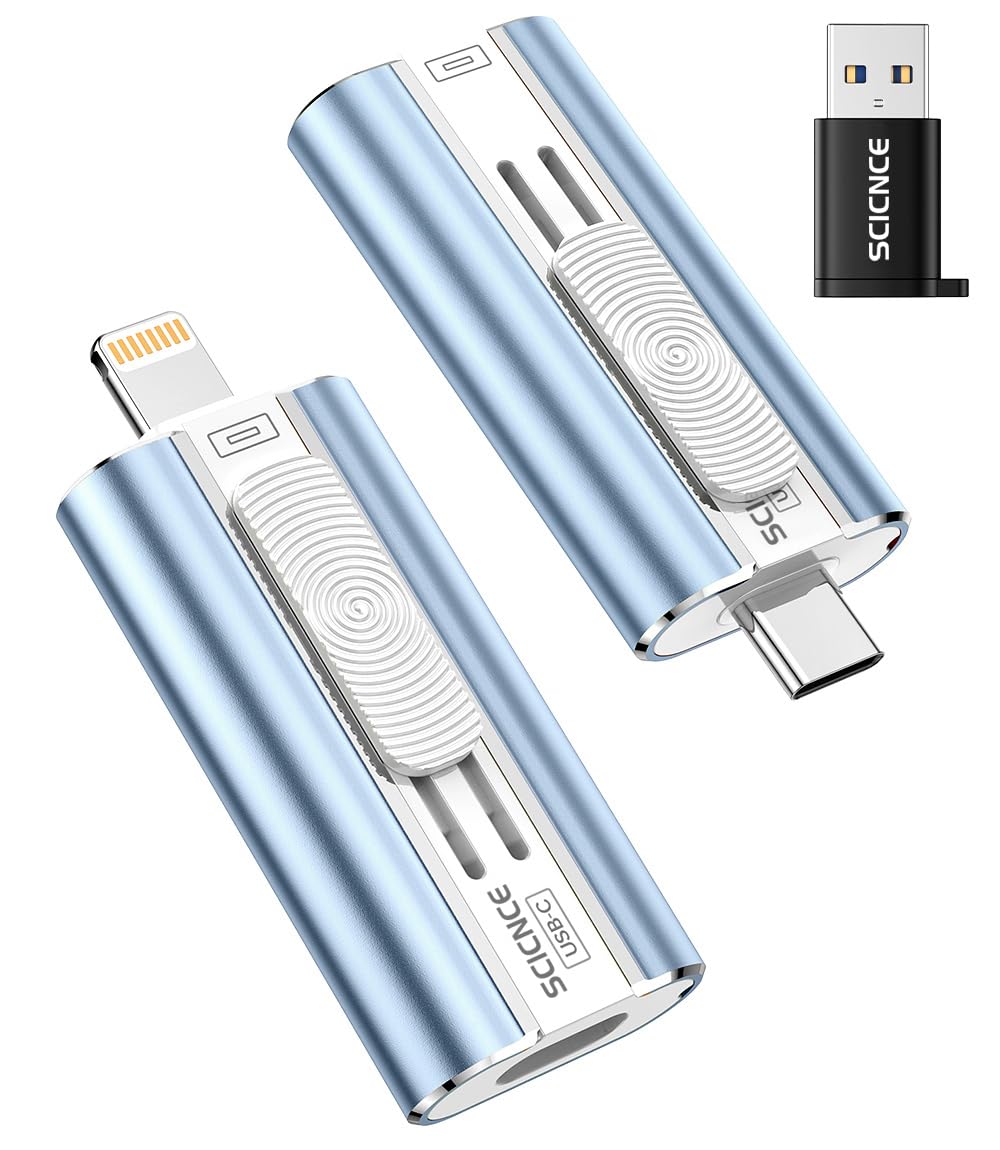
The SCICNCE drive is the cheapest option here, but its 30 MB/s read speed means a 1GB file takes about 34 seconds to copy off — versus 2.5 seconds on a 400 MB/s drive.
The payoff for that slow speed is a triple-connector design: it works with iPhone/iPad (via Lightning, Apple’s older charging and data port), Android (USB-C/OTG, a standard that lets a phone act as a host for external drives), and PCs (USB-A), with no extra app required for Apple devices. Shoppers say it is “easy to use, very lightweight and small” at 0.12 ounces, making it the lightest drive here. A few reviewers noted issues getting their iPhone to recognize the drive, and one warned that a thick phone case can prevent a solid connection — so you may need to remove the case each time you use it.
What it brings
- Triple connector (USB-C, Lightning, USB-A) works with iPhones, Androids, and PCs
- Ultra-light at 0.12 ounces and easy to carry anywhere
Where it falls short
- 30 MB/s read speed is very slow — expect long waits for large file transfers
- Some iPhone users report difficulty getting the phone to recognize the drive
Who needs this: someone on a tight budget who urgently needs to free up iPhone storage and values universal phone compatibility over transfer speed.
Pass if: you move large video files or game installs regularly, or you want a drive that will feel fast by today’s standards — the speed gap is significant compared to even mid-range picks.
Understanding the Specs
Read Speed (MB/s)
Read speed (megabytes per second) tells you how fast you can copy files from the drive to your computer or phone. A 400 MB/s drive moves a 1 GB file in about 2.5 seconds; a 30 MB/s drive takes about 34 seconds for the same file. For everyday photo and document backups, 100 MB/s is fine. For 4K video or large game files, look for 150 MB/s or higher.
Connector Type and Dual Ports
The physical plug determines which devices you can use the drive with. USB-A is the rectangular plug found on older laptops and desktop PCs. USB-C is the smaller oval plug used on modern phones, tablets, and the latest laptops. A dual-connector drive (with both USB-A and USB-C) lets you move files between a Samsung phone and a Windows desktop without needing an adapter. If you only use a modern laptop with USB-C ports, a single USB-C drive saves space and a few dollars.
FAQ
Will a 500GB flash drive work with my iPhone?
How much usable storage will I get on a 512GB drive?
Can I use a 500GB flash drive with a PS5 or Xbox?
What is the difference between USB 3.0, USB 3.1, and USB 3.2?
Why are some 500GB flash drives so much cheaper than others?
Can I leave a flash drive plugged in all the time?
What does “exFAT format” mean and why does it matter?
How long will a 500GB flash drive last?
Is a 500GB flash drive good for backing up a phone?
Can I use a 500GB flash drive to run software or games directly from it?
Final Thoughts: The Verdict
For most buyers, the top pick is the 500gb flash drive Samsung Type‑C USB Flash Drive — it combines a blazing 400MB/s read speed with a tough, waterproof build and a 5-year warranty in a package tiny enough to forget in your pocket. If you need to switch between USB-C and USB-A devices without an adapter, grab the Amazon Basics 512GB — it matches the Samsung’s speed while covering both connector types. And for anyone on a tight budget who absolutely needs iPhone compatibility, the SCICNCE 512GB gets the job done despite its slow read speed.
How We Picked
We do not accept paid placement. Every pick is matched to a real buyer and a real use-case; we do not hands-on test units.
Sources & Methodology
Specifications: manufacturer listings and product documentation. Review insights: verified customer reviews, as of July 2026. Pricing: not shown on this page (it changes often); check the current price via the retailer link.
As an Amazon Associate, Gadgets Feed earns from qualifying purchases. This does not affect which products we feature.