
Our readers keep the lights on and my morning glass full of iced black tea. As an Amazon Associate, I earn from qualifying purchases.
Specs are compiled from manufacturer listings and verified buyer reviews and can change over time — please confirm the key details on the product page before buying.
The big question with any 4K HDMI encoder box is whether it can handle a true 4K signal without dropping frames, adding latency, or locking you into a single streaming protocol. You need a box that takes the video from your camera, game console, or media player and turns it into a network stream that YouTube, Facebook, or your own private server can actually use in real time. A wrong pick means glitchy software and a blurry picture; the right one delivers sharp, hiccup-free streaming.
I’m Min — the founder and writer behind Gadgets Feed. This guide is built by comparing the manufacturers’ published specifications and the patterns across verified customer reviews, so you get each pick’s real strengths and trade-offs instead of marketing spin.
Whether you are a church streamer, a corporate event video engineer, or a content creator upgrading from a consumer capture card, the right 4k hdmi encoder box depends on protocol support, latency, and how many simultaneous streams you actually need.
Our Picks at a Glance
How To Choose The Best 4K HDMI Encoder Box
Focus on the encoding chip, native 4K resolution at a usable frame rate, and protocol support to cut through the acronyms. The critical specs to focus on are the encoding chip, the maximum real 4K resolution at a usable frame rate, and the protocols the device supports. Ignore marketing words like “supports 4K” and instead check whether the box can encode a native 4K input at 30 fps or if it downscales to 1080p for streaming while only passing 4K through a loop-out port.
Encoding Chip: H.265 vs H.264
The encoding chip compresses raw HDMI video into a stream small enough for internet travel. H.265 (also called HEVC, High Efficiency Video Coding) is the newer standard that gives you the same video quality at a lower bitrate than H.264. If you have a fast home internet connection with unlimited data, H.264 works fine. For remote locations, cellular bonding, or any scenario where bandwidth is tight, H.265 saves you from buffering and pixelation.
Native 4K Encoding vs Pass-Through
A common trap is the “4K compatible” label. Some boxes accept a 4K HDMI signal but only encode it at 1080p, passing the untouched 4K signal out through a separate HDMI loop-out port. True native 4K encoding means the unit compresses and streams the full 3840×2160 resolution. For any encoder that claims 4K, check the technical specs for “maximum streaming resolution” — if it says 1080p, you are not getting real 4K streaming.
Streaming Protocols and Latency
The protocol governs how video travels from the encoder to the viewer’s screen. RTMP (Real-Time Messaging Protocol) is the default for YouTube and Facebook — easy to set up, but latency is usually 10-30 seconds. SRT (Secure Reliable Transport) is the modern alternative that maintains sub-second latency even over flaky internet connections, which is critical for live interactions like Q&A sessions or sports commentary. If you need the absolute lowest delay under 100ms, prioritize a box with SRT support.
Quick Comparison
| Model | Best For | Native 4K Encoding | Key Protocols | Simultaneous Streams | Amazon |
|---|---|---|---|---|---|
| URayCoder UHE265-1L-4K (Entry)★ Best Overall | Budget-friendly 4K H.265 encoding | 4K@30fps | HTTP, RTSP, RTMP(S), SRT, HLS, ONVIF | 4 streams | Amazon |
| URayCoder UHE265-1L-4KTop Performer | Reliable multi-stream broadcasting | 4K@30fps | HTTP, RTSP, RTMP(S), SRT, HLS, WebRTC, ONVIF | 4 streams | Amazon |
| URayCoder UHE265-1S-4K | Versatile streaming with lifetime support | 4K@30fps | HTTP, RTSP, RTMP(S), SRT, HLS, ONVIF, WebRTC | 4 streams | Amazon |
| J-Tech Digital JTECH-ENCH4 | ONVIF integration for security/surveillance | No (1080p output) | RTMP, RTSP, RTP, UDP, SRT, HLS | 1 main + 3 substreams | Amazon |
| zowietek ZowieBox | Compact encoder/decoder with game streaming | 4K@30fps (stream); 4K@60fps (loop-out) | SRT, RTMP(S), RTSP | 1 stream | Amazon |
| WayPonDEV ENC1-V3 | Low-latency NDI/SRT streaming on a budget | 4K@30fps (input) | SRT, RTMP, RTSP, HTTP, HLS, ONVIF, NDI | 1 stream (NDI limited) | Amazon |
| URayCoder UHE265-4-4K | Multi-channel enterprise streaming | 4K@30fps (per channel) | HTTP, RTSP, RTMP(S), SRT, HLS, WebRTC, ONVIF | 4 streams per channel | Amazon |
In‑Depth Reviews
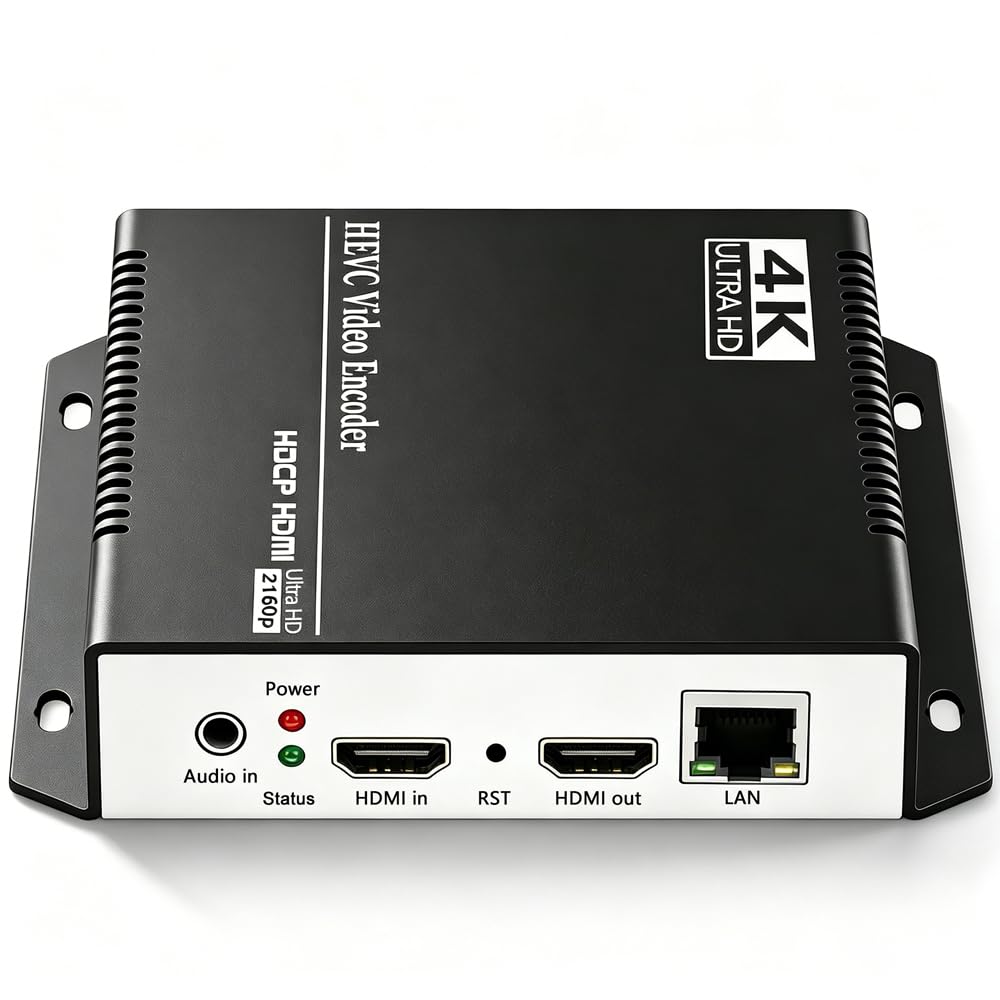
1. URayCoder UHE265-1L-4K (Product 1)
Our pick — 4.5★ from 100+ verified ratings; the strongest balance of quality and price.
The entry-level URayCoder that brings the same 4K chipset to a simpler chassis with a lower entry point.
This is the most affordable way to get URayCoder’s genuine H.265/H.264 dual encoding chip with native 4K at 30fps. It shares the same core specs as the higher-priced UHE265-1S-4K: 4K UHD 3840×2160 input and output at up to 30fps, HDCP 1.4 decryption, and the ability to push four simultaneous video streams with different protocols. The 0.5-kilogram weight makes it a compact option, and the matte aluminum shell gives it a durable feel. Owners mention it is easy to set up and describe it as “an amazing little stream encoder” with “flawless performance.”
One catch reported by a reviewer is the lack of a physical on/off switch — you have to unplug the device to power-cycle it, which matters if you are rack-mounting it in a hard-to-reach location. Another buyer needed a firmware update from support to fix an initial gray output, but the process was quick. The lifetime free warranty and technical support apply here too, which is unusual at this price level.
When compared directly to the J-Tech Digital encoder which costs more and only outputs 1080p, this URayCoder offers real 4K streaming for less. The trade-off is that the J-Tech unit has a more proven track record for ONVIF security setups if that is your specific use case.
Value Highlights
- Genuine native 4K encoding at 30fps at the lowest entry price.
- Four simultaneous streams with different protocols.
- Lifetime free warranty and responsive technical support.
Missing Hardware
- No physical power switch — must unplug to restart.
- Small form factor means no rack-mount ears.
The budget-conscious 4K streamer: Choose this if you want full 4K encoding capability at the lowest possible price and are fine with the minor hassle of no power button.
pass on it if you need rack-mount or ONVIF for security: The J-Tech Digital encoder is better suited for surveillance integration despite the 1080p limit.
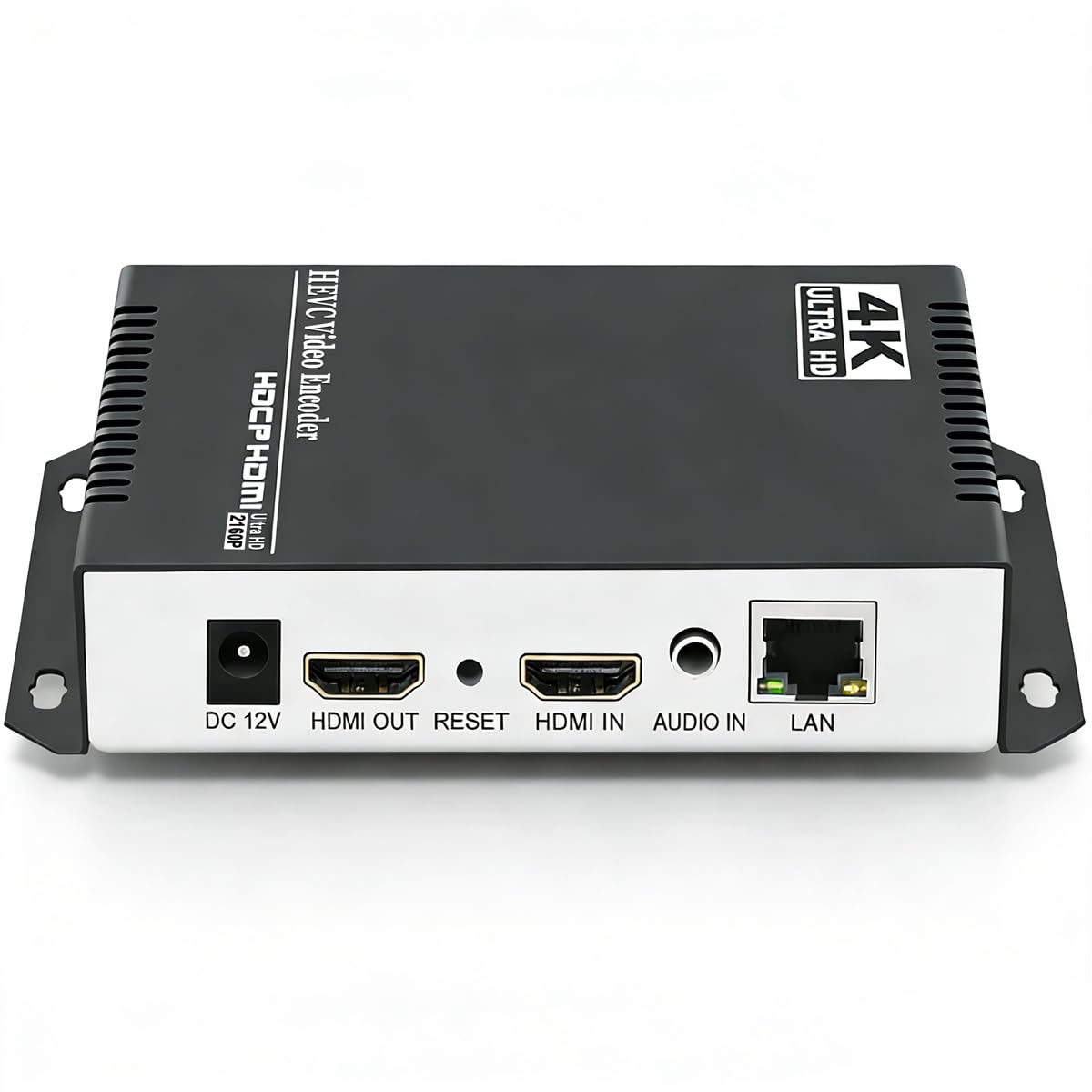
2. URayCoder UHE265-1L-4K (Product 6)
The studio-grade workhorse that sends four separate streams out while keeping a 4K H.265 image intact.
If you need a video encoder that does not force you to choose between 4K resolution and multi-platform streaming, this is the one. The advanced H.265 and H.264 dual encoding chip handles a native 4K UHD input at 3840×2160 and 30fps, and it can simultaneously output four video streams with different protocols — so you can push to YouTube, Facebook, Twitch, and your own private server all at once without extra gear. Buyers running it 24/7 for nearly a year report zero drops and low latency with H.265.
The box also supports HDCP 1.4 decryption, which means it decodes copy-protected HDMI sources like cable boxes or streaming sticks that would otherwise show a black screen. You can add static text, scrolling captions, logos, and timestamps directly to the stream, which is a lifesaver for branding church services or corporate town halls. One reviewer noted the hard-coded default IP requires a direct PC connection to set DHCP, so budget about an hour for initial setup.
Unlike the budget-tier URayCoder UHE265-1L-4K (Product 1) that has a single port and the same 5.12 x 4.13 x 1.1 inch dimensions, this unit keeps the same core chip but with a proven track record on firmware responsiveness. The maker backs it with a lifetime free warranty and technical support — one buyer mentioned a 1-minute email response for a firmware patch.
Why It Leads
- True native 4K encoding at 30fps with H.265/H.264 dual chip.
- Four simultaneous streams to different platforms and protocols.
- HDCP 1.4 decryption open up protected HDMI sources.
- Lifetime free warranty and responsive tech support.
Setup Hurdle
- Default static IP 192.168.1.168 requires a direct PC connection to configure DHCP.
- No remote control included; needs an external harmony-style solution.
The reliable multi-streamer: Reach for this if you broadcast to multiple platforms simultaneously and need HDCP support for cable or satellite sources.
Network expertise required: The static-IP first boot is a minor speed bump for buyers who are not comfortable configuring a local network connection directly.
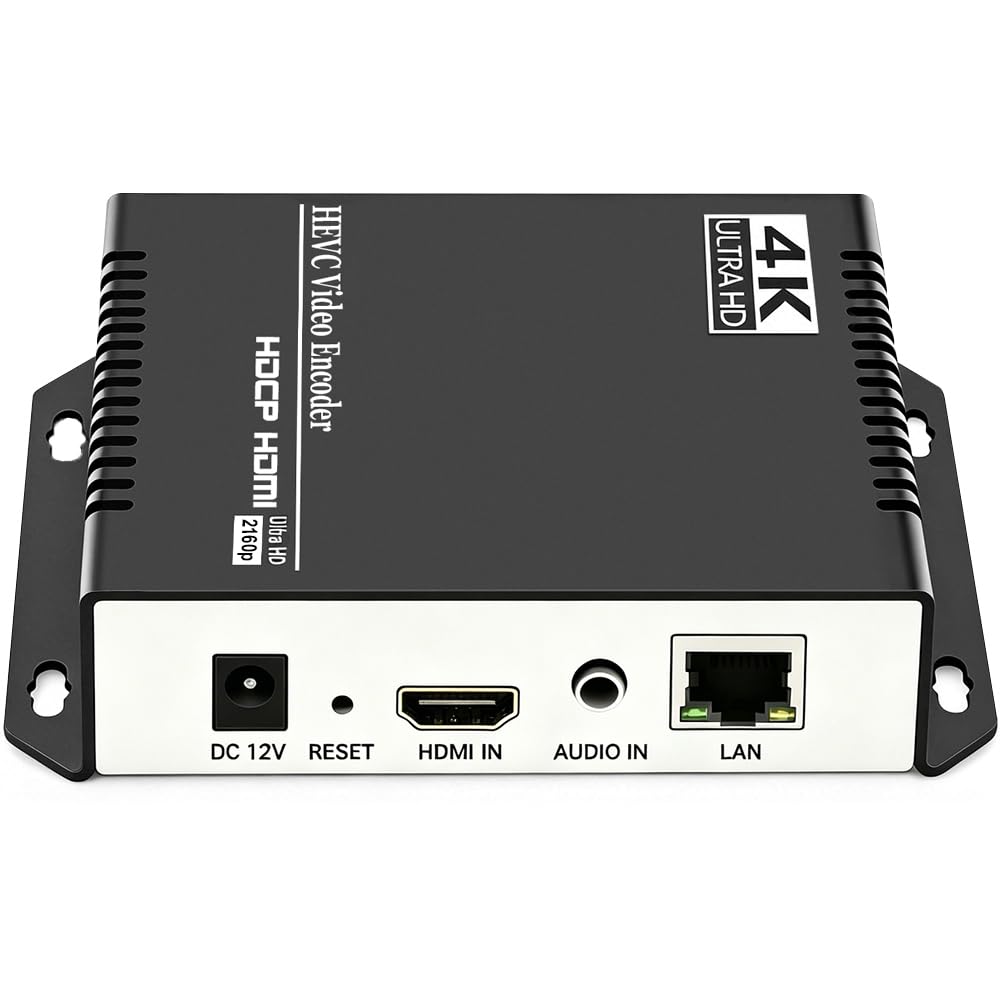
3. URayCoder UHE265-1S-4K
The same core 4K encoding engine as the premium version, trimmed for single-stream use at a lower entry cost.
This box is nearly identical on the inside to the Top Performer above — same H.265/H.264 dual encoding chip, same 4K UHD 3840×2160 input at 30fps, and even the same ability to push four simultaneous streams out the door. The main difference is the physical design and the fact that it comes with a 1.1-pound weight compared to the 0.5 kilograms of the entry-level URayCoder model. Its HDCP 1.4 decryption and multi-protocol support (HTTP, RTSP, RTMP(S), SRT, HLS, ONVIF, WebRTC) make it just as capable of feeding a corporate streaming server or a live YouTube event.
Buyers report that setup is straightforward for anyone with basic network knowledge, and the picture quality beats much more expensive units — one owner reported it “surpasses a much more expensive encoder which I also own.” The catch reported by multiple buyers is that the box does not ship with a power supply in the box, which is an odd omission for a device at this price. You will need to supply your own 12-volt adapter.
Compared to the J-Tech Digital encoder below which only streams at 1080p, this URayCoder delivers true 4K streaming resolution. The lifetime free warranty is the same peace-of-mind offer the rest of the URayCoder lineup includes, and the tech support team has a strong record of helping buyers configure audio channels to get streams live.
What You Get
- Native 4K H.265 encoding at 30fps with wide protocol support.
- Four simultaneous streams to multiple platforms.
- Lifetime free warranty and responsive technical support.
What You Need to Buy
- Power supply is not included in the box.
- Default IP requires a direct PC connection for initial setup.
Quality streamer, minus the brick: Grab this if you want the same 4K encoding performance as the top pick but are fine sourcing your own power adapter.
skip it if you want a complete out-of-box solution: The missing power supply is an annoyance that pushes some buyers toward the J-Tech or WayPonDEV options.
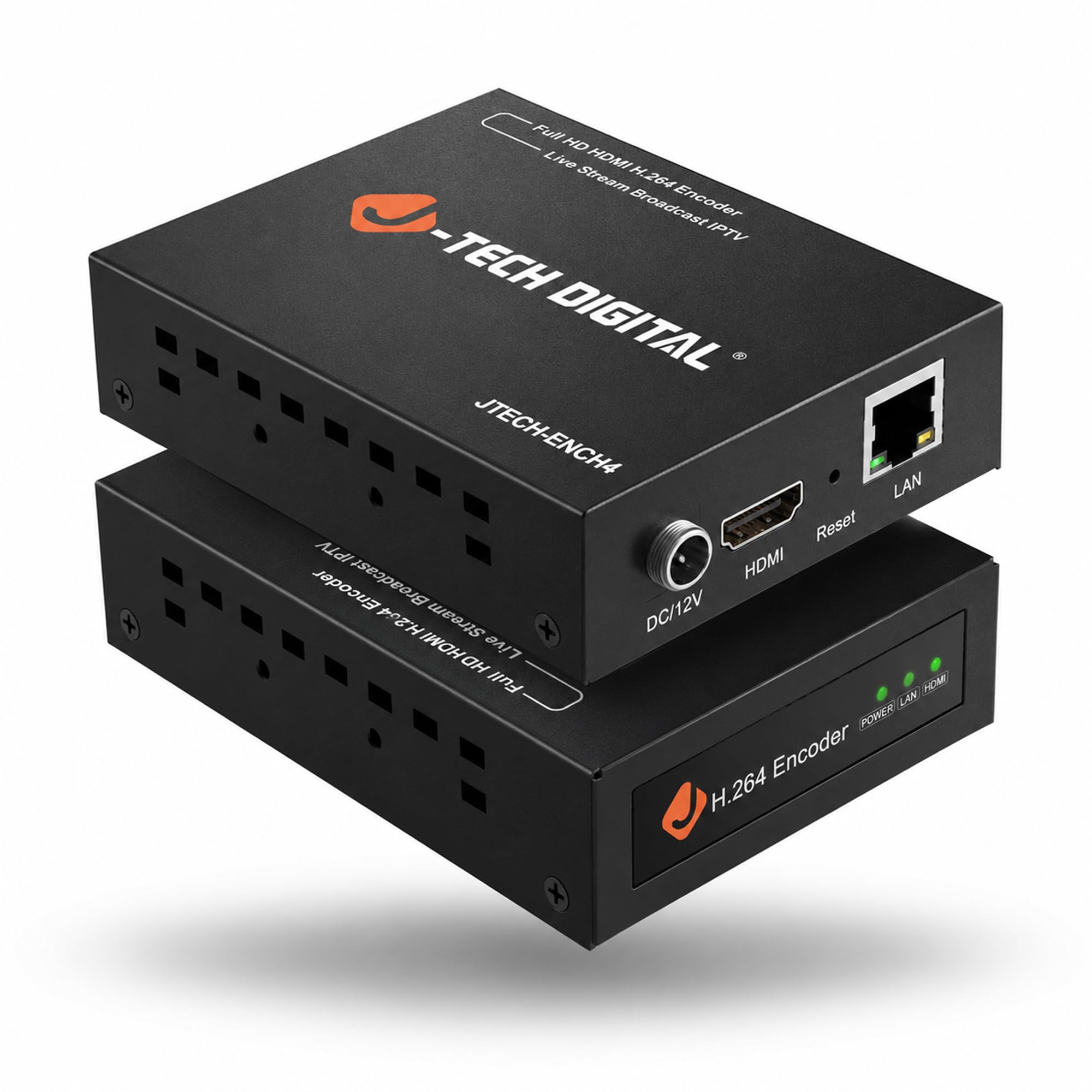
4. J-Tech Digital JTECH-ENCH4
The encoder built for security integrators who need ONVIF compatibility above all else.
This J-Tech box takes a slightly different approach than the URayCoder units above: it accepts a 4K HDMI input at 60Hz but encodes the stream at a maximum of 1080p at 60Hz. That makes it a poor choice if you need native 4K streaming, but a smart pick if your workflow revolves around ONVIF (a standard for video surveillance devices). Buyers have successfully used it to feed HDMI outputs from CCTV systems into Hikvision DVRs and Ring security setups, which is a very specific task that the pure-streaming URayCoder models cannot do as easily.
One customer observed they bought it “to stream some video to HLS receivers on Samsung pro displays for the price it works fantastic.” The unit supports H.264 and H.265 encoding, and it can run one main stream plus three substreams simultaneously — useful for sending a high-quality stream to a primary destination while feeding lower-resolution previews to monitoring screens. At 0.57 kilograms and the entry-level URayCoder weighs 0.5 kilograms, but the dimensions are slightly more compact at 4.1 x 3.1 x 1.1 inches versus the URayCoder’s 5.12 x 4.13 x 1.1 inches.
The web GUI lets you add text logos, adjust bitrate from 32 Kbps to 32 Mbps, and fine-tune crop, rotate, and brightness settings. J-Tech offers free lifetime technical support with a one-year replacement warranty, and their support team is based in Stafford, Texas. A small but notable downside: one user highlighted a power defect after a single day of use, though the return process handled it.
The ONVIF Advantage
- Full ONVIF compatibility for integration with security NVRs and DVRs.
- Accepts 4K@60Hz input even though it encodes at 1080p.
- One main stream plus three substreams for multi-destination delivery.
The Resolution Trade-off
- Streams at a maximum of 1080p, not native 4K.
- One reported power defect shortly after purchase.
The surveillance specialist: Choose this encoder if your primary need is feeding an ONVIF-compatible security DVR with an HDMI source.
Skip it for pure 4K streaming: If you need native 4K resolution on the stream output, the URayCoder units above are the better fit.
5. zowietek ZowieBox
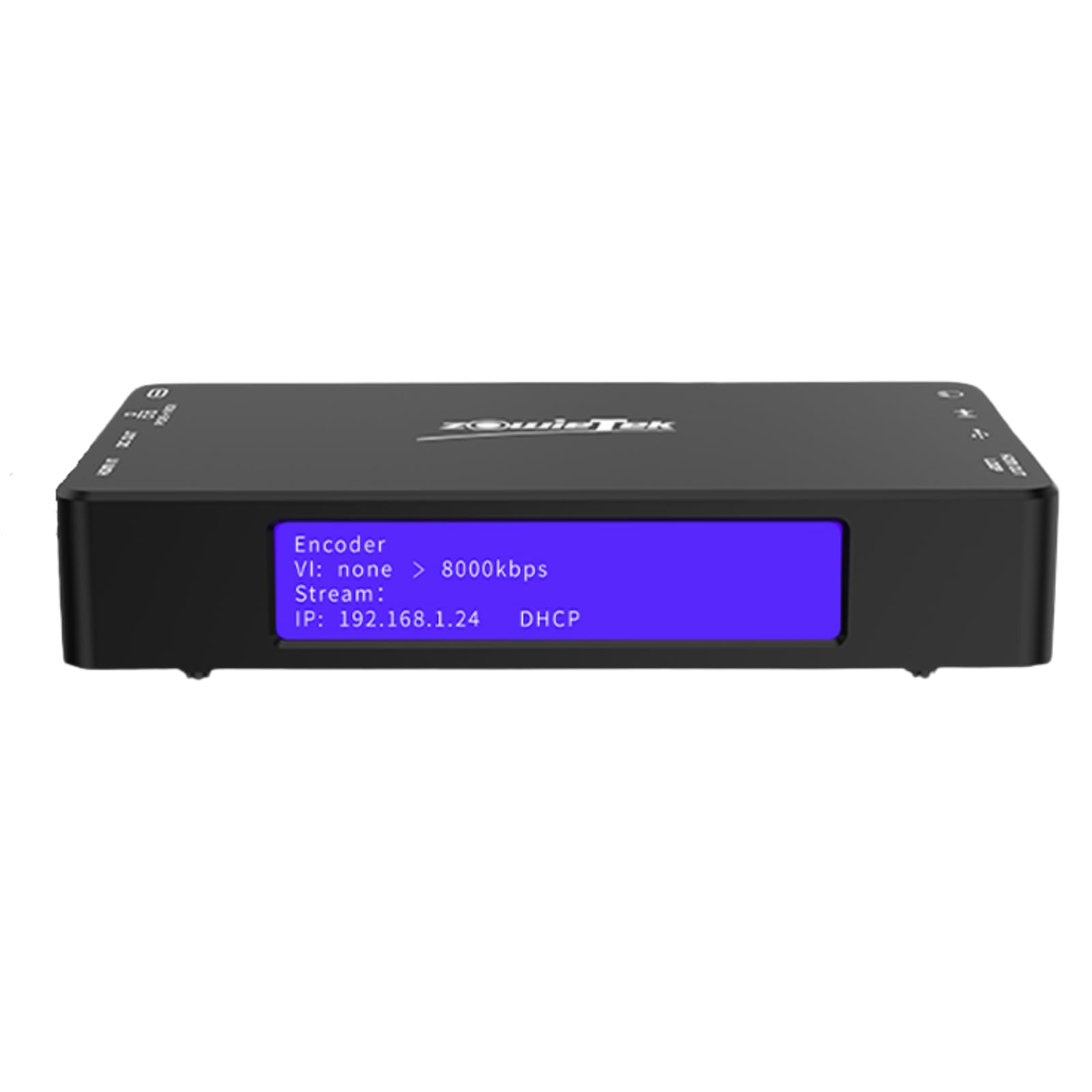
A tiny box that flips between encoding and decoding, built for travel and game streaming setups.
The ZowieBox is smaller than most phones and comes with a cold shoe mount, a tally light, and an LCD screen showing the current streaming status — details that tell you it was designed for on-the-go content creators. It accepts a 4Kp60 HDMI signal and can loop it out at 4Kp60, but the stream output is 1080p at 60fps unless the input is 4Kp30, in which case it streams at native 4Kp30. In real terms, if you feed it a standard 4Kp30 camera signal, you get a real 4K stream; feed it a 4Kp60 gaming console, and it downscales the stream to 1080p while passing the untouched 4Kp60 through the loop-out port to your monitor.
One shopper added that the unit does not work with UniFi Protect despite ONVIF support — a specific limitation to note if you are in the Ubiquiti ecosystem. Another reviewer had trouble finding a 4K option in the settings and found the support page link broken. The unit supports SRT, RTMP, and RTSP protocols, and it can also function as a UVC converter so you can use your HDMI camera as a webcam for Zoom calls. It comes with a one-year hardware warranty.
Compared to the J-Tech encoder above which is purely an encoder, the ZowieBox can switch to decoder mode — meaning it can take a network stream and output it over HDMI to a monitor, which is useful for remote monitoring setups. The trade-off is that it can only encode or decode, not both at the same time.
Travel-Friendly Features
- Compact size with cold shoe mount for camera rigs.
- Dual encoder/decoder mode for flexible workflows.
- HDMI loop-out for zero-lag passthrough to a local monitor.
Firmware Issues
- Multiple reports of 4K streaming not working as expected.
- Broken support page link reported by a buyer.
- Not compatible with UniFi Protect despite ONVIF support.
The mobile creator’s tool: Pick the ZowieBox if you need both an encoder and a decoder in one pocket-sized chassis, especially for event production or game streaming rigs.
Look elsewhere if 4K reliability is critical: The inconsistent 4K encoding and broken support link make it a risk for mission-critical streaming.
6. WayPonDEV ENC1-V3

The Raspberry Pi-powered encoder that hints at NDI but demands an extra license to make it real.
This box is a different beast under the hood — it runs on a Link Pi compute module with 2GB of DDR4 RAM and 8GB eMMC storage, making it more like a mini computer than a dedicated encoder. Its headline feature is support for the NDI protocol (Network Device Interface, a standard for carrying video over IP networks at very low latency), and it also supports SRT, RTMP, RTSP, HTTP, HLS, and ONVIF. Buyers have tested SRT at 50ms latency and confirm it “works flawlessly.” The device draws only 5 watts of nominal power, so it runs cool enough to leave on 24/7.
The critical catch here — and the reason the rating sits at 3.9 out of 5 — is that the NDI functionality is locked behind a license that costs about extra. Without the license, NDI streams freeze after exactly 30 minutes. Multiple reviewers flag this as deceptive, calling the total price overpriced compared to competitors that include the NDI HX3 license. The device has 4 ports (while the entry-level URayCoder has 1 port), which could mean expansion potential, but the documentation is sparse.
Another reported issue is choppy audio when using the HDMI passthrough or output. If you are purely interested in SRT streaming with sub-100ms latency, the ENC1-V3 works well from the start. If you want NDI, factor the license cost into your budget before comparing it to the other options.
Latency Champ
- SRT latency tested at 50ms by buyers.
- Very low power draw at 5 watts nominal.
- 4 ports for expandability; supports WiFi6 modules.
NDI License Trap
- NDI streams freeze at 30 minutes without a license.
- Choppy audio reported on HDMI passthrough by some buyers.
- Setup requires some menu trial and error.
The SRT specialist: Perfect if you only need SRT streaming under 100ms latency and can ignore the NDI features entirely.
Not for NDI buyers: The hidden license cost makes this a poor value if you actually need NDI support — the total price exceeds dedicated NDI encoders.
7. URayCoder UHE265-4-4K
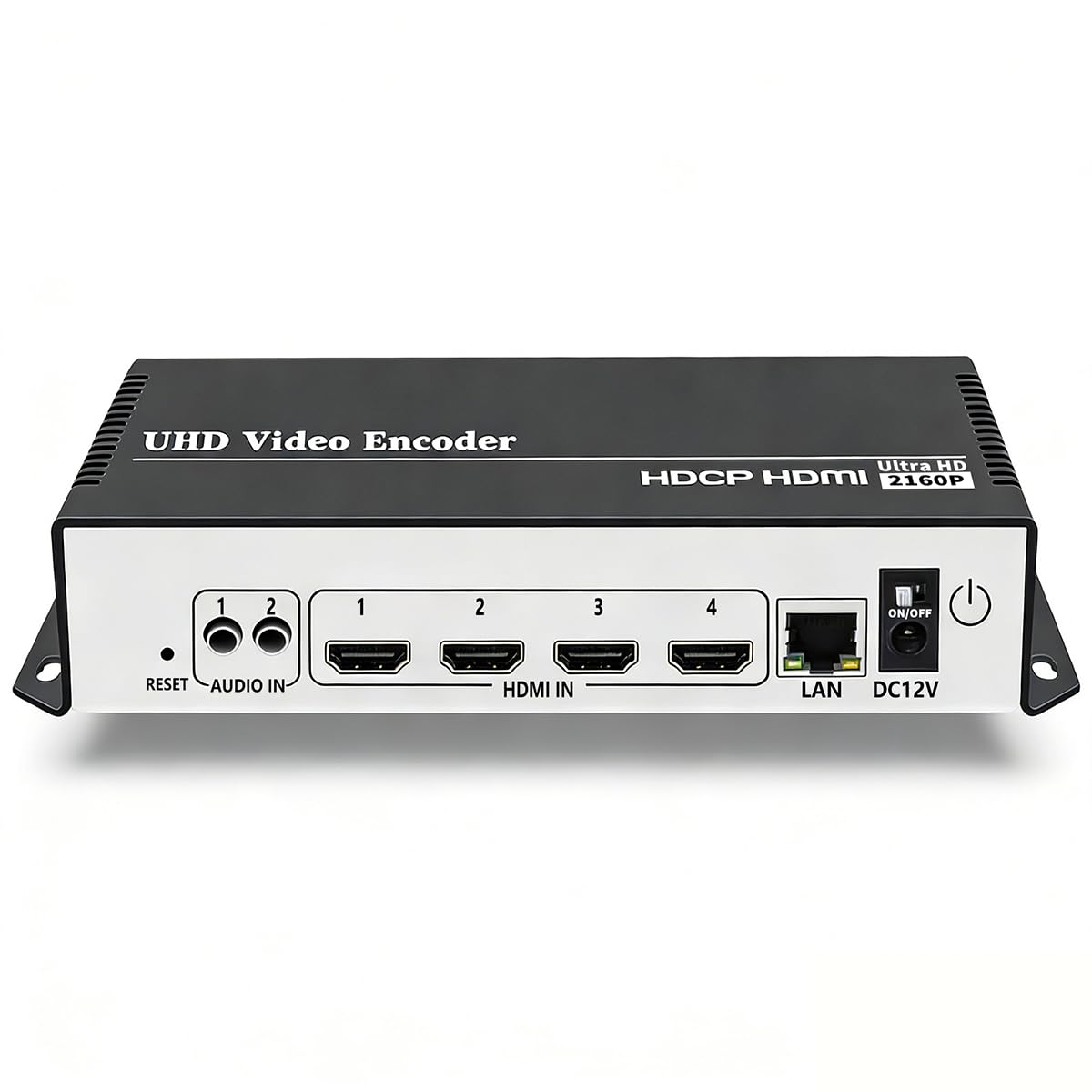
The multi-channel powerhouse built for venues and broadcasters who need to stream from four cameras at once.
Where every other encoder on this list handles a single HDMI input, this URayCoder is the multi-channel exception. It takes up to four independent HDMI sources and encodes each one at native 4K 3840×2160 at 30fps using the same H.265/H.264 dual chip found in the single-channel models. Each of those four channels can simultaneously output four separate protocol streams — so in a live event with four camera angles, you could push each angle to YouTube, Facebook, and your internal NVR all at the same time without needing four separate encoder boxes sitting on a shelf.
The specs mirror the core URayCoder feature set: HDCP 1.4 decryption, multi-protocol support including HTTP, RTSP, RTMP(S), SRT, HLS, WebRTC, and ONVIF, plus customizable OSD overlays. The chassis is slightly larger at 4.72 x 3.94 x 1.18 inches and weighs 1 pound, but it still fits in a shallow rack shelf. The complete absence of customer reviews on Amazon makes it harder to vet real-world reliability, though the same lifetime warranty and technical support applies. This is the unit to pick when scaling from a single-camera stream to a multi-camera production without multiplying the hardware cost.
Multi-Source Muscle
- Four independent HDMI inputs, each capable of native 4K encoding at 30fps.
- Each channel can output four simultaneous protocol-specific streams.
- HDCP 1.4 decryption and full protocol suite (SRT, WebRTC, ONVIF).
Limited Real-World Data
- No customer reviews available to verify reliability.
- Significant price jump over single-channel models.
The multi-camera production hub: Buy this if you need to encode four separate 4K sources at once and want a single-box solution rather than four separate encoders.
Overkill for single-source streaming: Stick with the single-channel URayCoder UHE265-1L-4K if you only need to stream from one camera or source.
Understanding the Specs
Native 4K Encoding vs 4K Pass-Through
“4K compatible” on an encoder box can mean two very different things. Native 4K encoding means the box takes the full 3840×2160 signal from your camera and compresses it into a network stream at that same resolution. Pass-through means the box accepts a 4K signal but only encodes it at 1080p, routing the untouched 4K out a separate HDMI loop-out port. Check the technical specs for “maximum streaming resolution” — if it says 1080p, you are getting pass-through, not true 4K streaming.
SRT Protocol and Latency
SRT (Secure Reliable Transport) is a relatively new protocol designed to maintain sub-second latency even over unpredictable internet connections. Older protocols like RTMP typically have 10-30 seconds of delay because they rely on a persistent connection that breaks under packet loss. SRT dynamically adjusts to network conditions, which makes it the best choice for live interactive streams where you want viewers to see your reaction in near real time — such as live Q&A sessions, sports commentary, or interactive teaching.
H.265 vs H.264 Encoding
The encoding standard determines how much bandwidth your stream uses. H.264 (Advanced Video Coding) is the older, more widely compatible standard. H.265 (High Efficiency Video Coding, or HEVC) delivers the same visual quality at a lower bitrate. For household internet connections with limited upload speed, H.265 is a major advantage — it lets you stream 4K video without upgrading your internet plan. The trade-off is that some older devices and media players cannot decode H.265, so check your viewer’s devices before choosing.
Simultaneous Streams
Some encoders can output the same video to multiple destinations at once using different protocols. If you want to stream to YouTube, Facebook, and your own private server simultaneously without extra gear, you need a box that supports multiple concurrent streams. Budget models often handle one or two; mid-range and enterprise units can push three or four. Each stream can be configured with a different protocol and bitrate, which is useful for sending a high-bitrate stream to your main platform and a lower-bitrate stream for mobile viewers.
FAQ
Will a 4K HDMI encoder work with my camera’s HDMI output?
What is the difference between native 4K encoding and 4K pass-through?
Does an encoder box reduce video quality?
Can I stream to YouTube and Facebook at the same time?
What is SRT and why does it matter for live streaming?
Do I need a special internet connection for 4K streaming?
Can I use a 4K HDMI encoder for game streaming?
What is ONVIF compatibility used for?
How long do these encoder boxes last?
Do I need a separate decoder at the receiving end?
Final Thoughts: The Verdict
For most people, the 4k hdmi encoder box winner is the URayCoder UHE265-1L-4K because it delivers true native 4K encoding, four simultaneous streams, HDCP decryption, and a lifetime warranty at a price that undercuts most competitors. If you need multi-channel encoding for a live event with four cameras, grab the URayCoder UHE265-4-4K. And for security integrators who need ONVIF compatibility to feed HDMI into a surveillance DVR, the standout is the J-Tech Digital JTECH-ENCH4.
How We Picked
We do not accept paid placement. Every pick is matched to a real buyer and a real use-case; we do not hands-on test units.
Sources & Methodology
Specifications: manufacturer listings and product documentation. Review insights: verified customer reviews, as of July 2026. Pricing: not shown on this page (it changes often); check the current price via the retailer link.
As an Amazon Associate, Gadgets Feed earns from qualifying purchases. This does not affect which products we feature.