
Our readers keep the lights on and my morning glass full of iced black tea. As an Amazon Associate, I earn from qualifying purchases.
Specs are compiled from manufacturer listings and verified buyer reviews and can change over time — please confirm the key details on the product page before buying.
You need a Windows laptop that won’t drain your wallet, but the biggest fear is ending up with something painfully slow right from the start. The real challenge is finding a machine that handles daily tasks—browsing, documents, streaming—without freezing, while still falling under a tight budget. This guide cuts through the noise to spotlight the models that deliver genuine everyday speed and reliability where it counts.
I’m Min — the founder and writer behind Gadgets Feed. This guide is built by comparing the manufacturers’ published specifications and the patterns across verified customer reviews, so you get each pick’s real strengths and trade-offs instead of marketing spin.
After digging through the specs and real owner experiences, these are the eight models that actually deliver for the money — our list of the very best value budget windows laptop picks worth your attention for work, school, or everyday use.
Our Picks at a Glance

How To Choose The Best Budget Windows Laptop
Picking a wallet-friendly Windows laptop means knowing where to compromise and where to stand firm. You do not need top-tier gaming power, but ignoring a few key specs will leave you with a machine that frustrates you daily. Here is what to focus on.
Processor: The Engine That Handles Your Routine
The processor (the main chip that runs everything) determines how fast apps open and how many tasks you can juggle at once. For a budget buy, you should look for at least an Intel Core i3 or an AMD Ryzen 3 from the last few generations. Older chips like the Intel Pentium or Celeron can struggle with a handful of browser tabs or video calls, so avoid those if you value a smooth feel.
Screen Quality: What You Look At All Day
Many low-cost laptops cut corners on the display. You will often see a 1366×768 pixel screen (sometimes called HD) versus a 1920×1080 pixel screen (Full HD or FHD). The FHD screen gives you sharper text and more room on the screen, which makes reading documents and watching videos much more pleasant. A 15.6-inch screen with FHD resolution is the balance for comfort without paying extra for a premium panel.
RAM and Storage: The Capacity for Real Life
RAM (Random Access Memory) is the short-term memory your laptop uses to run active programs. 8GB of RAM is the minimum you should accept for smooth browsing with a few apps open. 16GB is better if you plan to keep many tabs open or run heavier software. For storage, a 256GB SSD (Solid-State Drive) is a good starting point because it makes your laptop boot up in seconds and load apps fast. Avoid older eMMC storage if possible; it is much slower.
Quick Comparison
| Model | Best For | Processor | RAM | Storage | Amazon |
|---|---|---|---|---|---|
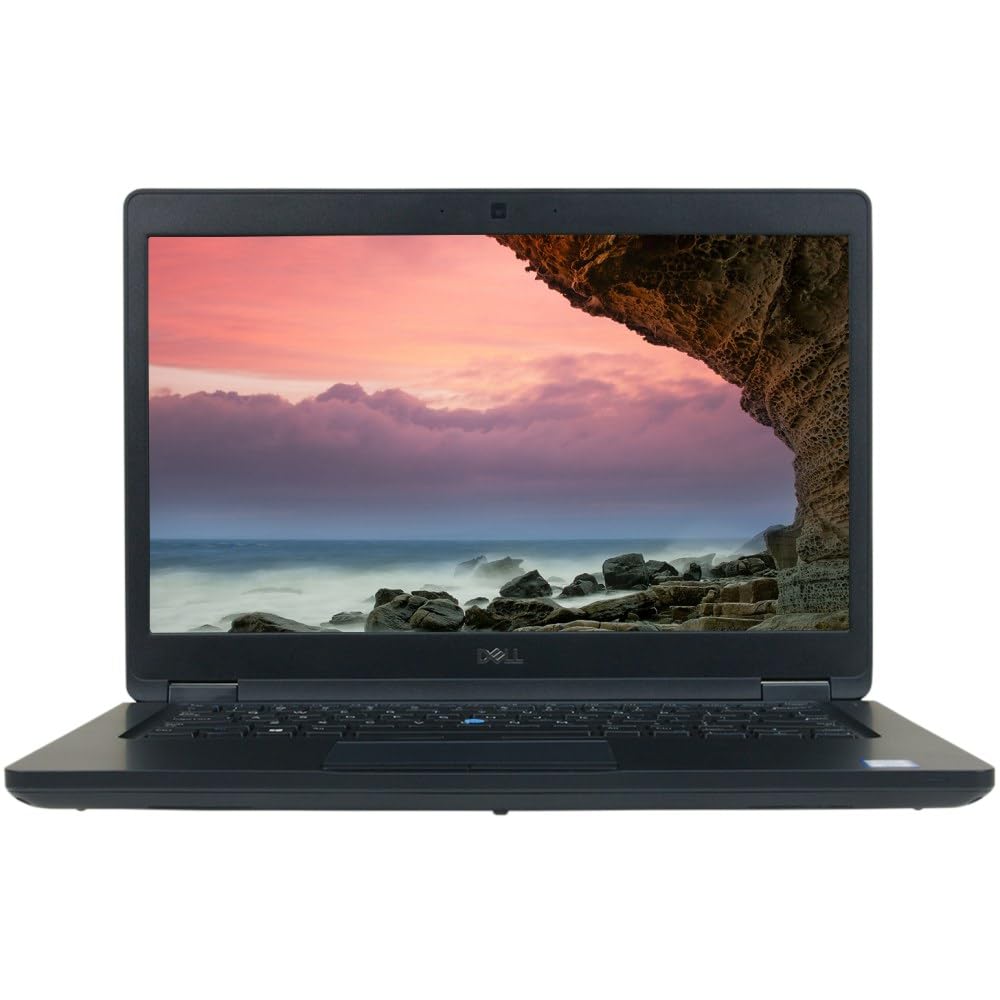
| Dell Latitude 5490★ Best Overall | Most RAM for the Price | Intel Core i5-8350U | 16GB | 512GB SSD | Amazon |
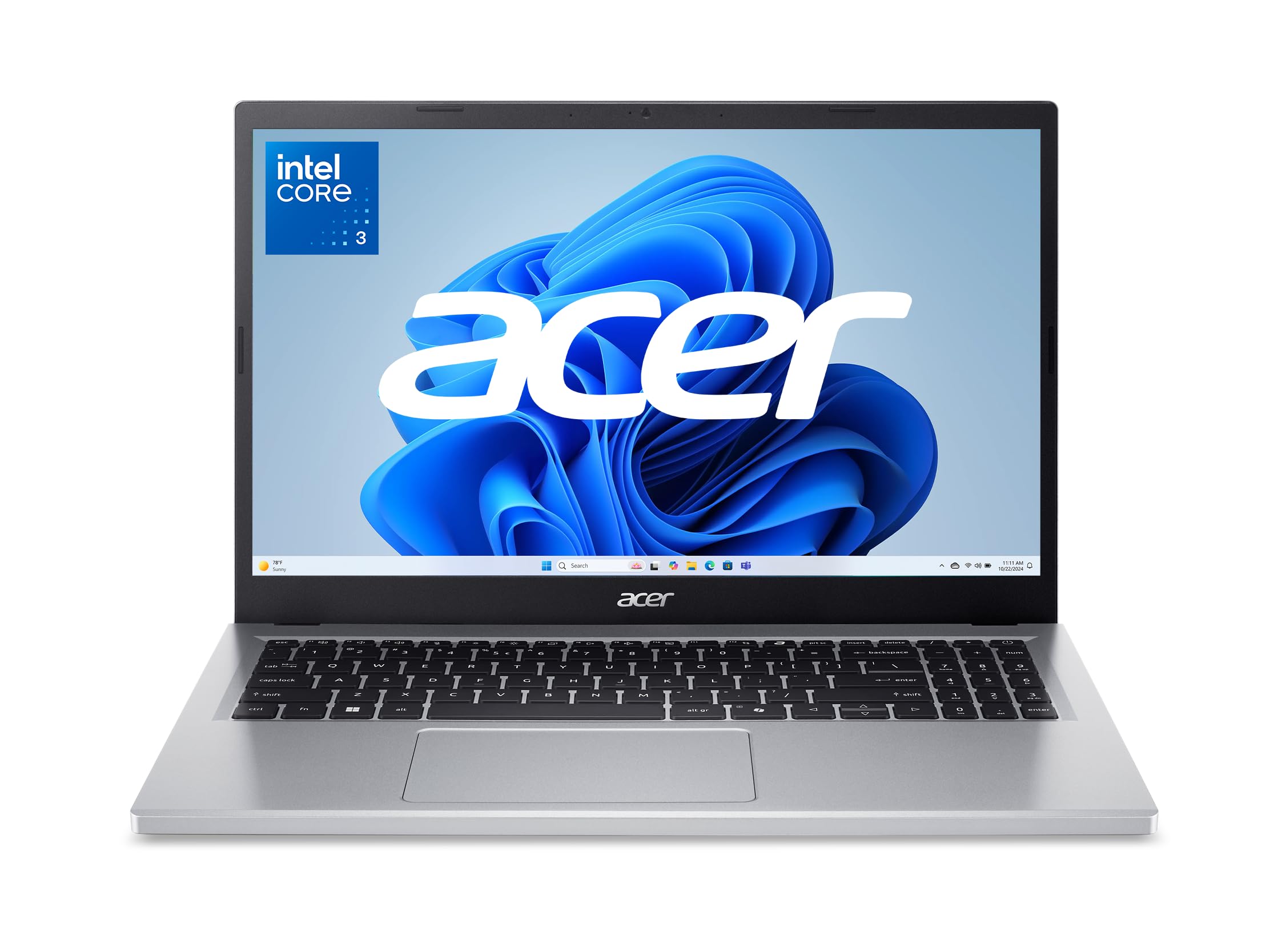
| Acer Aspire Go 15Also Great | Best Overall Value | Intel Core 3 N355 | 8GB DDR5 | 128GB UFS | Amazon |
| ASUS Vivobook Go 15 (Ryzen 5)Premium Pick | Premium Performance | AMD Ryzen 5 7520U | 8GB | 512GB | Amazon |
| ASUS Vivobook Go 15 (Ryzen 3) | Best Battery Life | AMD Ryzen 3 7320U | 8GB DDR5 | 256GB SSD | Amazon |
| HP 14 Flagship (13th Gen) | Best Bundle Deal | Intel N150 | 16GB DDR4 | 628GB (128GB+Ext) | Amazon |
| Acer Aspire 3 Slim | Backlit Keyboard | Intel Core i3-1305U | 8GB | 256GB SSD | Amazon |
| Dell Latitude 5420 | Fastest Processor | Intel Core i5-1145G7 | 16GB DDR4 | 256GB SSD | Amazon |
| HP 2024 Portable 15″ | Entry Level Price | Intel Pentium | 16GB DDR4 | 128GB SSD | Amazon |
In‑Depth Reviews
1. Dell Latitude 5490
The most RAM and storage you will find at this price, packed into a proven business chassis.
This renewed Dell Latitude 5490 gives you a combination that is rare at this level: 16GB of RAM and a 512GB SSD. The processor is an 8th-gen Intel Core i5-8350U with a maximum speed of 3.6 GHz. While not as fast as the newer chips in the Acer or the Dell 5420, it is still plenty capable for browsing, office work, and streaming. The 14-inch FHD (1920×1080) display looks clear and sharp, unlike the 1366×768 screens on some budget options.
Buyers call it “great value for office/streaming” and note that it handles “fast for basic tasks.” One verified buyer specifically mentioned “Memory failed after 3 months,” while others praised the excellent screen brightness for outdoor use. The main risk is the refurbished nature: some units may come with a failing older SSD or missing features like the advertised webcam or backlit keyboard. If you are comfortable with those caveats, the 16GB RAM and 512GB storage make this a compelling pick for running many applications at once.
Big Specs, Small Price
- 16GB RAM can handle dozens of browser tabs and apps
- 512GB SSD gives you ample local storage
- FHD 1080p display is crisp for its class
Renewed Legwork
- CPU is an older 8th-gen chip (3.6 GHz)
- Some units arrived with hardware defects or missing features
Best for: budget buyers who absolutely need 16GB of RAM and 512GB of storage for heavy multitasking on a tight budget.
Not for: anyone who wants modern processor performance or a low-maintenance, no-surprises experience from a new laptop.
2. Acer Aspire Go 15
The Acer that gives you a modern 1080p screen and an 8-core processor without a premium price tag.
You get a 15.6-inch Full HD (1920×1080) IPS display here, which is a step up from the 1366×768 screens that many budget machines use. That means sharper text for reading and more detail when you stream shows. The Intel Core 3 processor N355 is an 8-core chip running up to 3.9 GHz, paired with 8GB of DDR5 memory and 128GB of UFS storage (a fast storage type that feels snappier than an older hard drive). Buyers report excellent stability and speed for daily tasks like web browsing and office work.
A standout feature is the 12.5-hour battery life, which easily gets you through a full day of classes or remote work without hunting for an outlet. It also charges fast — one reviewer noted it takes roughly 30 minutes to go from nearly dead to 93%. On the connectivity side, you get two USB-C ports that can charge the laptop at up to 45W, plus Wi-Fi 6 for faster wireless speeds. The only real trade-off noted by reviewers is that the plastic case scratches more easily than pricier metal laptops, but given the price, it is a sensible compromise. This model comfortably beats the HP 2024 Portable’s 1366×768 screen quality by a noticeable margin, making it the best all-around choice for most people.
What Makes It a Top Pick
- Sharp 1920×1080 IPS display with narrow bezels
- Impressive 12.5-hour battery life and ultra-fast charging
- Dual USB-C ports with 45W charging and Wi-Fi 6
The Practical Downsides
- Plastic back cover scratches easily
- Runs Windows 11 in S mode (easy to switch out, but a step for some)
Your daily driver if: you want the most modern hardware — a crisp FHD screen, long battery, and fast charging — without creeping into premium price territory.
Think twice if: 128GB of built-in storage feels tight for your file collection, as you will need to rely on cloud storage or an external drive.
3. ASUS Vivobook Go 15 (Ryzen 5)
The slim machine that packs a Ryzen 5 punch with double the storage of most budget rivals.
This ASUS has the most capable processor in the group — an AMD Ryzen 5 7520U that boosts up to 4.3 GHz, backed by 8GB of RAM and a generous 512GB SSD. You get a 15.6-inch NanoEdge display with a 1920×1080 resolution, 45% NTSC color gamut (which measures color range), and 250 nits of brightness. The extra storage (512GB vs the typical 256GB) means you can install more apps and keep more files locally without worrying about running out of space. Owners mention it handles work, casual streaming, and even light gaming well, calling it a perfect balance between a basic Chromebook and a high-end machine.
It also meets US MIL-STD 810H standards for durability, meaning it has passed tests for high temperature, low temperature, shock, and vibration. The 720p HD camera has a physical privacy shutter you can slide over when the camera is not in use. A practical trade-off is that it uses Wi-Fi 5 instead of the newer Wi-Fi 6 standard found on the Acer Aspire Go 15 above, so your wireless speeds may be lower on a modern router. If you want the fastest processor and most built-in storage for your money, this is the pick.
Why It Stands Out
- AMD Ryzen 5 7520U processor with a 4.3 GHz boost speed
- Spacious 512GB SSD for apps and files
- Rugged build with US MIL-STD 810H certification
Where It Compromises
- Uses Wi-Fi 5, not the faster Wi-Fi 6
- Some buyers experienced setup issues with driver-related internet problems
Best suited for: anyone who wants a fast, durable daily laptop with plenty of storage space for documents and media without stepping up to a premium tier.
skip it if: you rely on the latest wireless speeds from a Wi-Fi 6 router and prefer a newer networking standard.
4. ASUS Vivobook Go 15 (Ryzen 3)
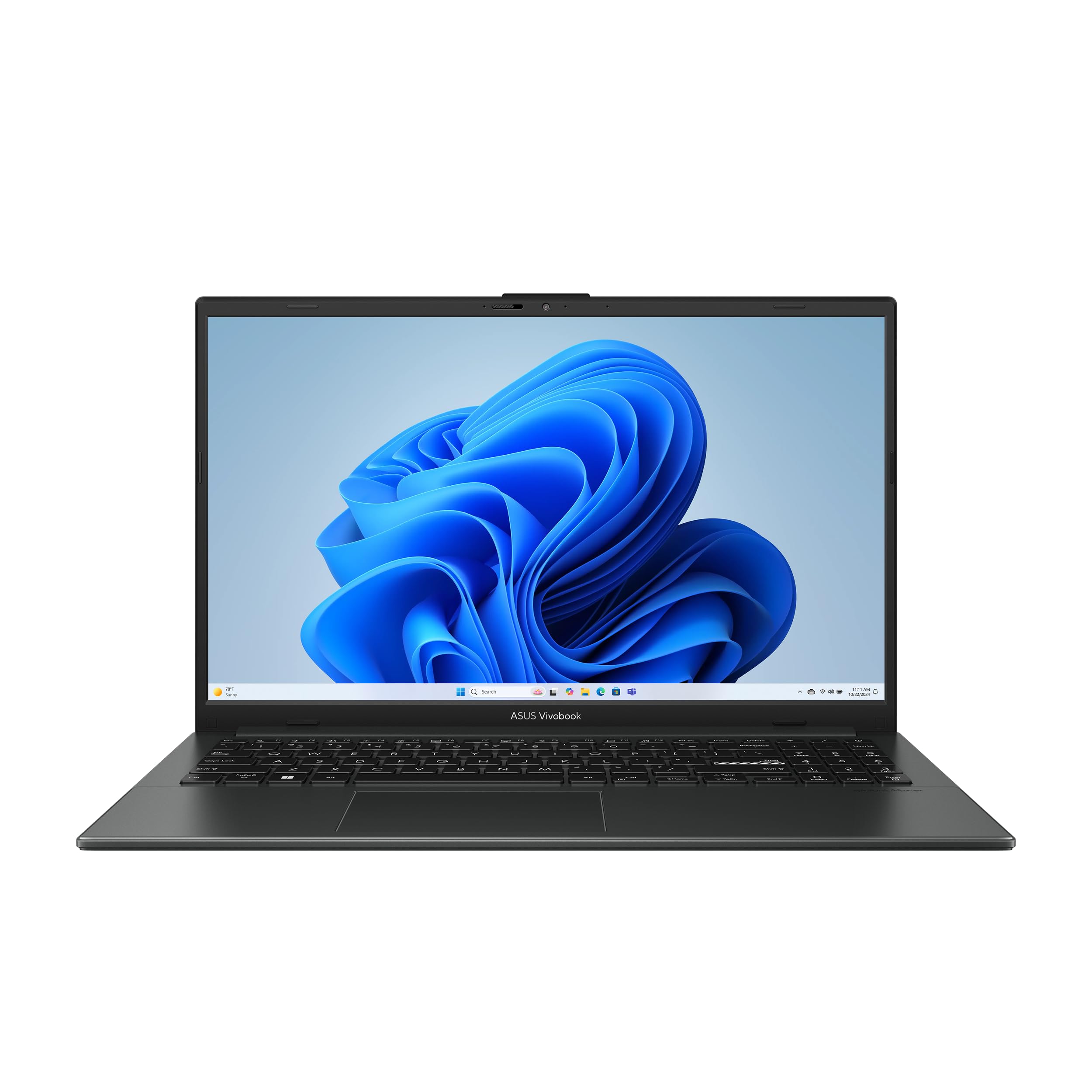
The efficient Ryzen 3 model that keeps you working for up to 11 hours on a single charge.
This version of the Vivobook Go swaps the Ryzen 5 for a still-capable AMD Ryzen 3 7320U processor (4 cores, 8 threads) and pairs it with 8GB of DDR5 RAM and a 256GB SSD. The big story here is the battery life — ASUS rates it at up to 11 hours from the 42Wh battery, which is excellent for a 15.6-inch laptop. It also supports fast charging, so you can top up quickly between meetings. The 15.6-inch FHD (1920×1080) display looks the same as the pricier model, giving you sharp visuals for streaming and documents.
Customers note it is “super thin but rugged enough” and praise the quiet, comfortable typing on the chiclet keyboard with a numeric keypad. One buyer mentioned the machine works great with Claude and is “high quality, quiet and fast.” The catch is that this model uses Wi-Fi 5, which is a step behind the Acer Aspire Go’s Wi-Fi 6. If battery life is your top priority — longer than the Dell Latitude 5490’s “few hours at full brightness” — this ASUS is the better companion for all-day carry.
The Battery Champ
- Up to 11 hours of runtime on a single charge
- Full HD 1920×1080 display with slim bezels
- Includes numeric keypad for data entry
Know Before You Buy
- Wi-Fi 5 instead of the newer Wi-Fi 6 standard
- Some buyers reported defective units that reboot constantly
Reach for this if: you often work away from an outlet and want a full day of browsing and document editing on one charge.
Look elsewhere if: you need the fastest wireless connection and prioritize Wi-Fi 6 over battery endurance.
5. HP 14 Flagship (13th Gen)
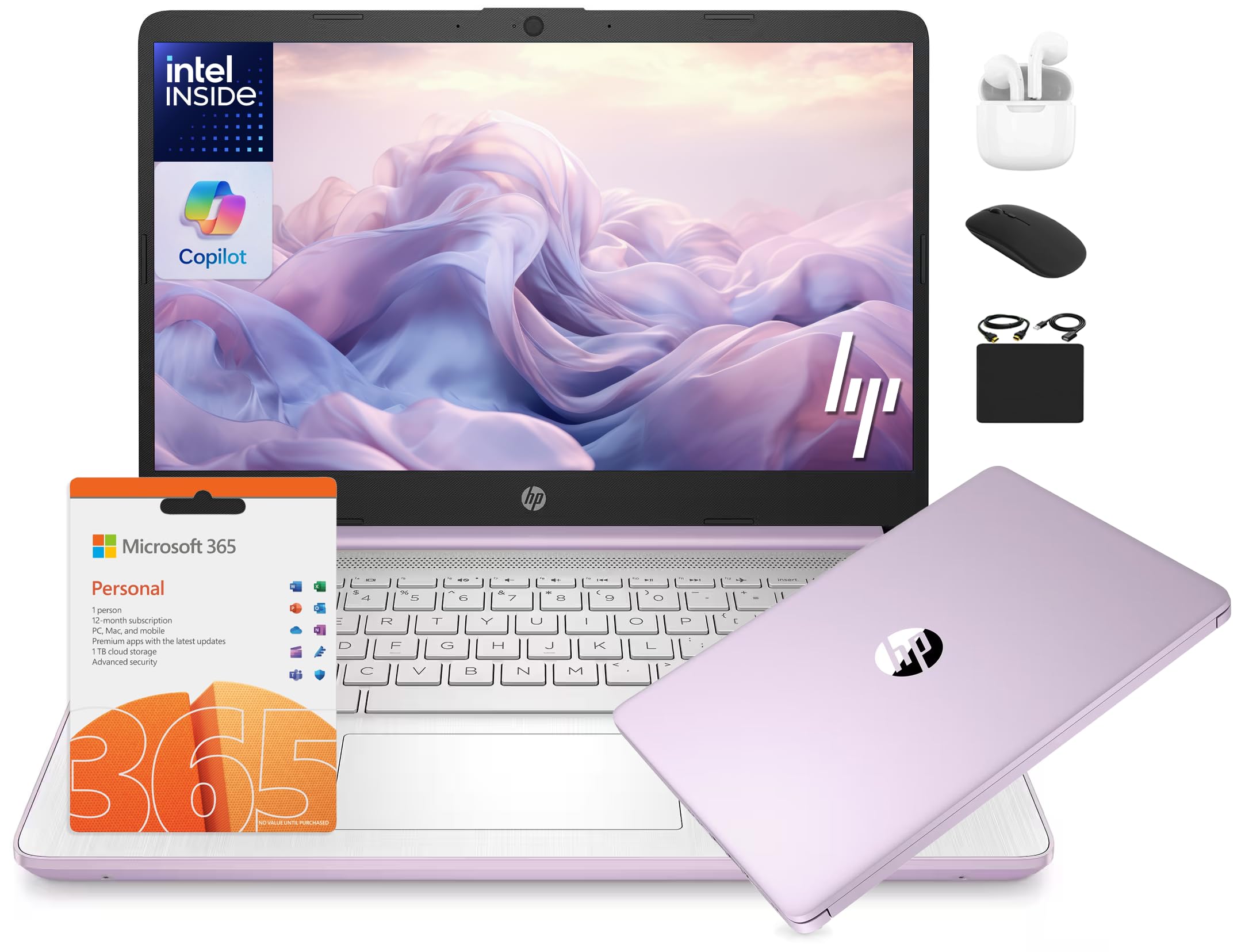
The HP that stuffs 16GB of RAM and a year of Office 365 into a honey lavender shell.
This HP laptop offers a different kind of value: it comes with 16GB of DDR4 RAM (16GB of RAM (where many budget laptops offer 8GB)) and a 628GB storage setup that includes a 128GB UFS drive plus a 500GB external drive. The bundled accessories include wireless earbuds, a 64GB SD card, a USB extension cord, an HDMI cable, a mouse pad, and a wireless mouse. It also includes a 1-year subscription to Microsoft Office 365 Personal, which is a real saving if you need Word or Excel. The 13th Gen Intel N150 processor (up to 3.6 GHz) handles everyday multitasking smoothly.
The 14-inch HD display (1366×768 pixels) is the main compromise — it is noticeably less sharp than the 1920×1080 screens on the Acer or ASUS models. The battery is rated at 9 hours, which is decent but not class-leading. Reviewers point out it is “fast, light weight” and “great for an office like setting,” though one noted the bottom gets hot. The Honey Lavender color is a nice touch if you want a laptop that does not look like every other black or silver slab.
The Bundle’s Strengths
- 16GB DDR4 RAM for heavy multitasking
- 1-year Office 365 subscription included
- Comes with 500GB external drive and accessory kit
Real Costs of the Deal
- 1366×768 display is less sharp than FHD screens
- Bottom of the laptop can get hot during use
Grab this bundle if: you want lots of RAM, Office 365 included, and extra accessories without paying for them separately.
pass on it if: screen sharpness matters to you — the 1366×768 display is a noticeable step down from the 1920×1080 panels on our top picks.
6. Acer Aspire 3 Slim
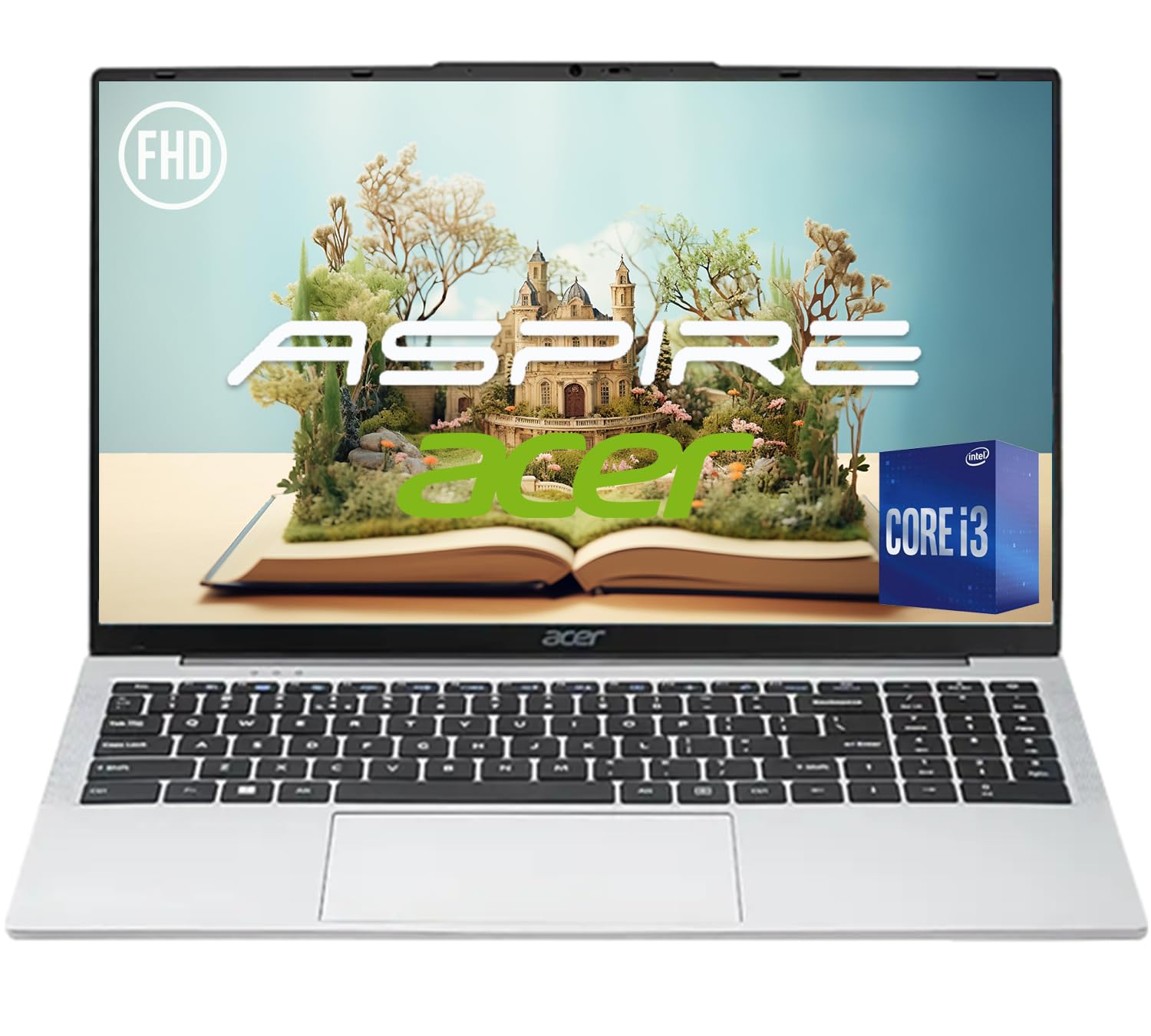
The slim Acer that gives you a backlit keyboard and an 11-hour battery in a lightweight package.
This Acer stands out because it includes a backlit keyboard — a feature often missing on budget laptops that makes typing in dim lighting much easier. It runs on an Intel Core i3-1305U processor (up to 4.3 GHz) with 8GB of RAM and a 256GB SSD. The 15.6-inch Full HD IPS display provides sharp visuals, and the narrow bezels give it a modern look. It also includes Office 365 for the Web, so you get basic access to Microsoft’s productivity apps in your browser.
Battery life is rated at 11 hours, which is competitive with the ASUS Vivobook Go Ryzen 3. It also has Wi-Fi 6 for faster wireless connectivity. The build is thin and light for easy travel. Shoppers say it is a “great budget, user friendly, work, school laptop” and that it is “surprisingly lightweight given the large screen size.” However, one reviewer found the touchpad overly sensitive, inadvertently opening and closing windows. Also be aware that some units sold are meant for the Indian market, which may complicate warranty claims if something goes wrong.
Why It’s Worth a Look
- Backlit keyboard for typing in low light
- 11-hour battery life and fast Wi-Fi 6
- Thin, light design for portability
Heads Up
- Touchpad can be overly sensitive and accidentally click
- Some units sold are international models with limited warranty support
Choose this if: a backlit keyboard is a must-have for late-night typing and you want a full day of battery life.
Be careful if: you want a low-maintenance, US-based warranty — check the seller’s return policy before buying.
7. Dell Latitude 5420

The refurbished Dell with an 11th-gen Core i5 that runs circles around older budget processors.
This Dell packs an Intel Core i5-1145G7 processor that can turbo boost up to 4.2 GHz — at 4.2 GHz versus the Dell Latitude 5490’s 3.6 GHz Core i5. It comes with 16GB of DDR4 RAM and a 256GB SSD. The 14-inch FHD (1920×1080) display is sharp for work and streaming. This is a business-class laptop from the start, so the build quality and keyboard feel tend to be better than consumer-grade budget models.
As a renewed (refurbished) unit, the price is low, but the experience can vary. Buyers report “excellent value for a refurb laptop” and say it works fine from the start for tasks like 3D printing design and schoolwork. However, some noted battery life is “about 3 hours or so,” which is shorter than the Acer or ASUS models. A couple of reviewers received units with hinge damage or faulty hardware on the first try. If you are comfortable with the refurb lottery and want the fastest processor in this price range, this is the one to beat.
The Speed Advantage
- Fast 11th-gen Core i5 with a 4.2 GHz boost clock
- 16GB RAM for smooth multitasking
- Sharp 14-inch FHD business display
The Refurb Reality
- Battery life is around 3 hours with normal use
- Some units arrived with hinge damage or hardware issues
Target this if: raw processor speed is your top priority and you are okay with a refurbished unit that may have cosmetic wear.
Pass on it if: you need all-day battery life and want a low-maintenance, brand-new machine with no risk of defects.
8. HP 2024 Portable 15″
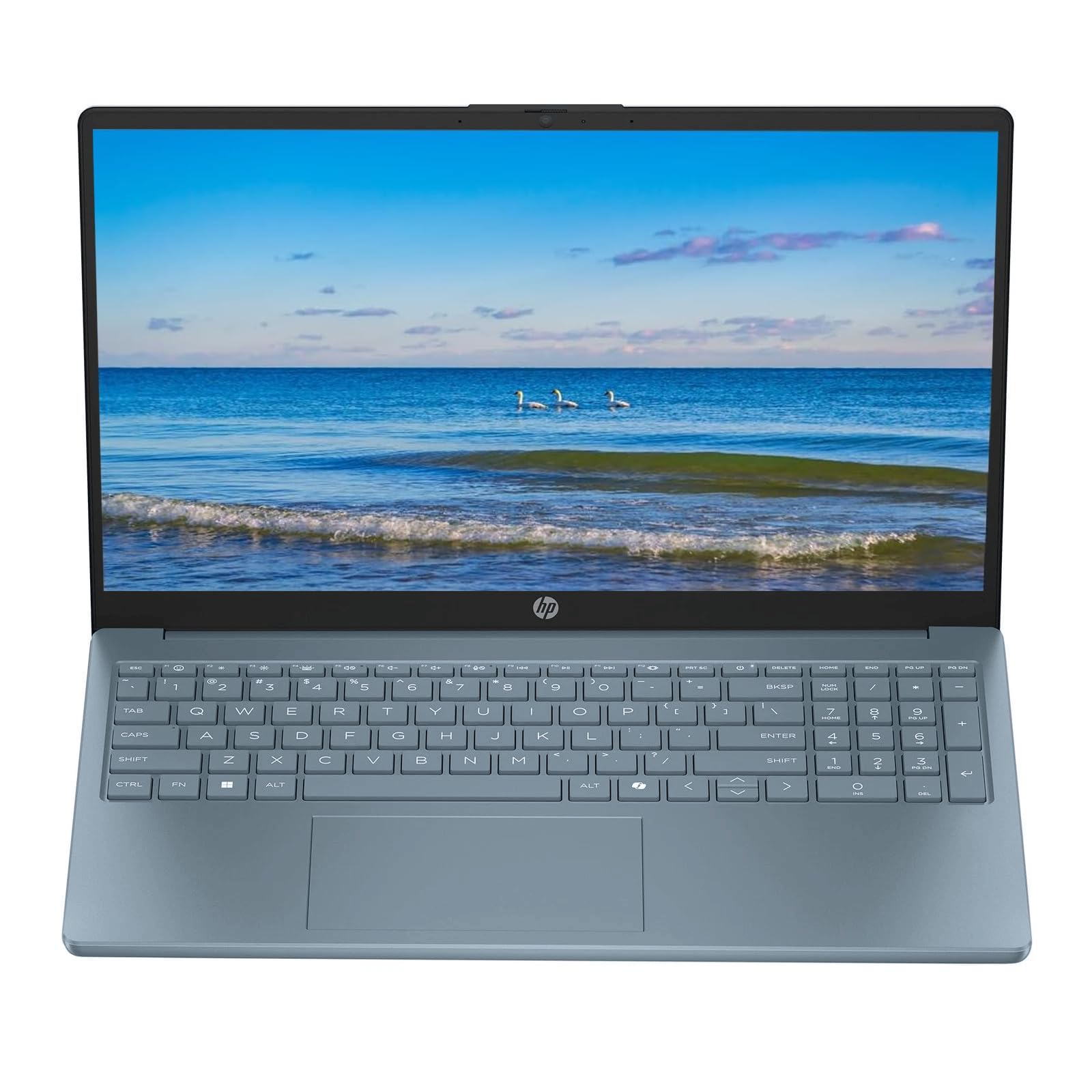
The most affordable route into Windows 11, as long as you are okay with a 1366×768 screen.
This HP is the cheapest entry point in the lineup. It runs an Intel Pentium processor (up to 3.68 GHz) with 16GB of DDR4 RAM and a 128GB SSD. The 15-inch HD display uses Micro-Edge IPS technology but only has a 1366×768 resolution — at 1366×768 resolution, while top picks offer 1920×1080., which means text and images look less sharp. It comes in a Dale Blue color that is a nice change from standard black.
This model includes a USB-C port, two USB-A ports, HDMI, and a headphone jack. Owners mention it is “lightweight and fast” and “holds a charge for like 4 hours.” One reviewer warns that the machine developed freezing and cursor issues after three months, with HP support being unhelpful. The older Intel Pentium chip is not as fast as the Core series processors found in the Dell or Acer picks above, so expect slower performance when juggling many tasks. It is best reserved for very light web browsing and document editing.
Budget Basics
- 16GB RAM helps with basic multitasking
- Lightweight build at a low price point
- Dale Blue color stands out visually
The Hard Limits
- 1366×768 display is noticeably less sharp than FHD
- Intel Pentium processor is slower for intensive tasks
Only reach for this if: your budget is extremely tight and you only need a basic laptop for occasional web browsing and email.
Spend a bit more if: you want a noticeably faster CPU, a sharper screen, or better long-term reliability — the extra cash for the Acer Aspire Go is worth it.
Understanding the Specs
Processor Generation & Speed
The processor generation tells you how modern the chip is. An 11th-gen Intel Core i5 is faster and more efficient than an 8th-gen Core i5 from years ago, even if the older chip has a similar max speed. For budget laptops, aim for at least an Intel Core i3 or AMD Ryzen 3 from the last three years. The clock speed (measured in GHz, like 3.6 or 4.2) tells you how fast the processor can work in short bursts — higher numbers mean snappier feel when opening apps or loading web pages.
RAM & Storage: Your Real-World Capacity
RAM (Random Access Memory) is the temporary workspace your laptop uses to keep apps and tabs ready. 8GB is the minimum for smooth everyday use; 16GB is better if you keep many programs open. Storage comes in a few types: SSDs (Solid State Drives) are fast and make your laptop boot in seconds; UFS (Universal Flash Storage) is a newer, similarly fast type found in some modern budget laptops; eMMC is slower and better avoided. A 256GB SSD is a solid starting point for a budget machine.
FAQ
How much RAM do I really need in a budget Windows laptop?
Is an Intel Pentium processor good enough for everyday use?
What is the difference between 1366×768 and 1920×1080 screen resolution?
Should I buy a new or renewed (refurbished) budget laptop?
What is Windows 11 S mode and should I keep it?
How long should a budget laptop battery last?
Can a budget laptop handle video calls and streaming?
Is a backlit keyboard important for a budget laptop?
Final Thoughts: The Verdict
Across the board, the best budget windows laptop winner is the Acer Aspire Go 15 because it balances a sharp FHD display, long battery life, and a modern processor at a price that does not hurt. If you want the fastest processor and most built-in storage, grab the ASUS Vivobook Go 15 (Ryzen 5). And for the best battery life in a slim package, the standout is the ASUS Vivobook Go 15 (Ryzen 3).
How We Picked
We do not accept paid placement. Every pick is matched to a real buyer and a real use-case; we do not hands-on test units.
Sources & Methodology
Specifications: manufacturer listings and product documentation. Review insights: verified customer reviews, as of July 2026. Pricing: not shown on this page (it changes often); check the current price via the retailer link.
As an Amazon Associate, Gadgets Feed earns from qualifying purchases. This does not affect which products we feature.