
Our readers keep the lights on and my morning glass full of iced black tea. As an Amazon Associate, I earn from qualifying purchases.
Specs are compiled from manufacturer listings and verified buyer reviews and can change over time — please confirm the key details on the product page before buying.
Getting your first podcast setup can feel like you need an engineering degree. Between USB versus XLR, condenser versus dynamic, and which interface you need, it is easy to get stuck. This guide cuts through that noise and shows you exactly which gear gets you on the air with clear, professional sound — without wasting money on features you will never use.
I’m Min — the founder and writer behind Gadgets Feed. This guide is built by comparing the manufacturers’ published specifications and the patterns across verified customer reviews, so you get each pick’s real strengths and trade-offs instead of marketing spin.
Whether you are recording solo or hosting a co-hosted show from your bedroom, the right beginner podcast setup depends on microphone type, connectivity, and software control — here are the picks that actually deliver.
Our Picks at a Glance


How To Choose The Best Beginner Podcast Setup
Picking your first podcast gear is about balancing sound quality, ease of use, and room to grow. The wrong choice can leave you fighting with background noise or needing to buy a whole new kit in a few months. Here is what actually matters.
Microphone Type: Dynamic vs. Condenser
A dynamic microphone is your best bet if you record in a room with a fan, air conditioner, or some echo. It picks up sound primarily from the front and rejects off-axis noise. A condenser microphone is more sensitive and captures more detail, but it will also capture the hum of your PC fan and every rustle in the next room — so it works best in a treated or quiet space.
Connectivity: USB vs. XLR
A USB mic lets you plug directly into your computer with a single cable — no interface needed. It is the simplest way to start recording. XLR microphones connect to an audio interface, which gives you better preamps and lets you add a second mic later for interviews. Some mics offer both, so you can start with USB and upgrade to XLR later.
Bundle vs. Piece-by-Piece
A bundle that includes the microphone, audio interface, headphones, cables, and a stand can save you the headache of figuring out which parts are compatible. Just check that the included headphones are decent for monitoring and that the stand is sturdy enough to hold the mic steady.
Quick Comparison
| Model | Best For | Connection Type | Mic Type | Weight | Amazon |
|---|---|---|---|---|---|
| FIFINE AmpliGame KS5 Bundle★ Best Overall | Budget Gaming & Streaming | XLR & USB | Dynamic | 1.48 Kilograms (~3.26 lbs) | $99.99Amazon |
| Focusrite Scarlett Solo Studio 4th GenAlso Great | All-in-One Studio Bundle | USB/XLR (Interface) | Condenser | 3 Pounds | $229.99$279.99Amazon |
| Shure MV7+Pro-Grade USB | Pro-Grade USB/XLR Dynamic | USB-C & XLR | Dynamic | 3.6 Pounds | $319.00Amazon |
| MAONO PD200W Hybrid Wireless | Duo Podcasting / Wireless | Wireless, USB & XLR | Dynamic | 5.1 Pounds | $179.99$204.99Limited time dealAmazon |
| PreSonus AudioBox USB 96 25th | Complete Recording Studio | USB (Interface) | Condenser | 5 Pounds | $169.99$220.99Limited time dealAmazon |
| Audio-Technica AT2020USB-X | High-Resolution USB Condenser | USB | Condenser | — | $185.90Amazon |
| MAONO PD400X | Value Dynamic with Software | USB & XLR | Dynamic | — | $147.24$154.99PrimeAmazon |
| SENNHEISER Profile USB | Plug-and-Play Simplicity | USB | Condenser | 717 Grams (~1.58 lbs) | $123.08Amazon |
In‑Depth Reviews
1. FIFINE Gaming Equipment Bundle, Dynamic XLR/USB Gaming Microphone Set
Our pick — over 4.5★ from 750+ verified ratings; the strongest balance of quality and price.
A cheap, fun bundle that pairs a dynamic mic with a 4-channel mixer for gaming streams.
This set includes a dynamic XLR microphones, a 4-channel gaming mixer with volume faders, and RGB lighting on both components. The mixer lets you control individual mute, headphone monitoring, and volume for each channel, plus it has multiple entertainment modes for sound effects. The microphone itself works with XLR (through the mixer) or USB (directly to a PC) if you want a simpler setup.
The 4-channel mixer provides a hands-on experience that budget USB mics cannot match — you get physical faders and mute buttons. But shoppers say a notable downside: the mixer “sporadically shuts off and reboots.” The build is mostly plastic, and the function keys for RGB, mute, and monitoring only work via USB, not XLR. At this price point, it is a decent starter kit for a teenager or casual streamer, but the reliability issue means you might be exchanging it.
What you get for the money
- Full bundle with dynamic mic, mixer, and all cables included
- 4-channel mixer with physical volume faders and mute buttons
- RGB lighting for a gaming aesthetic
- Works with both XLR and USB connections
The catch
- Mixer sporadically shuts off and reboots according to buyers
- Plastic build feels less durable
- Mixer controls unavailable when using XLR input
Reach for this if you want a cheap, fun mixer experience for gaming streams: It adds a layer of control and RGB you won’t find in other budget bundles.
Avoid if you need reliability: The random rebooting issue makes it risky for live streams or important recordings.
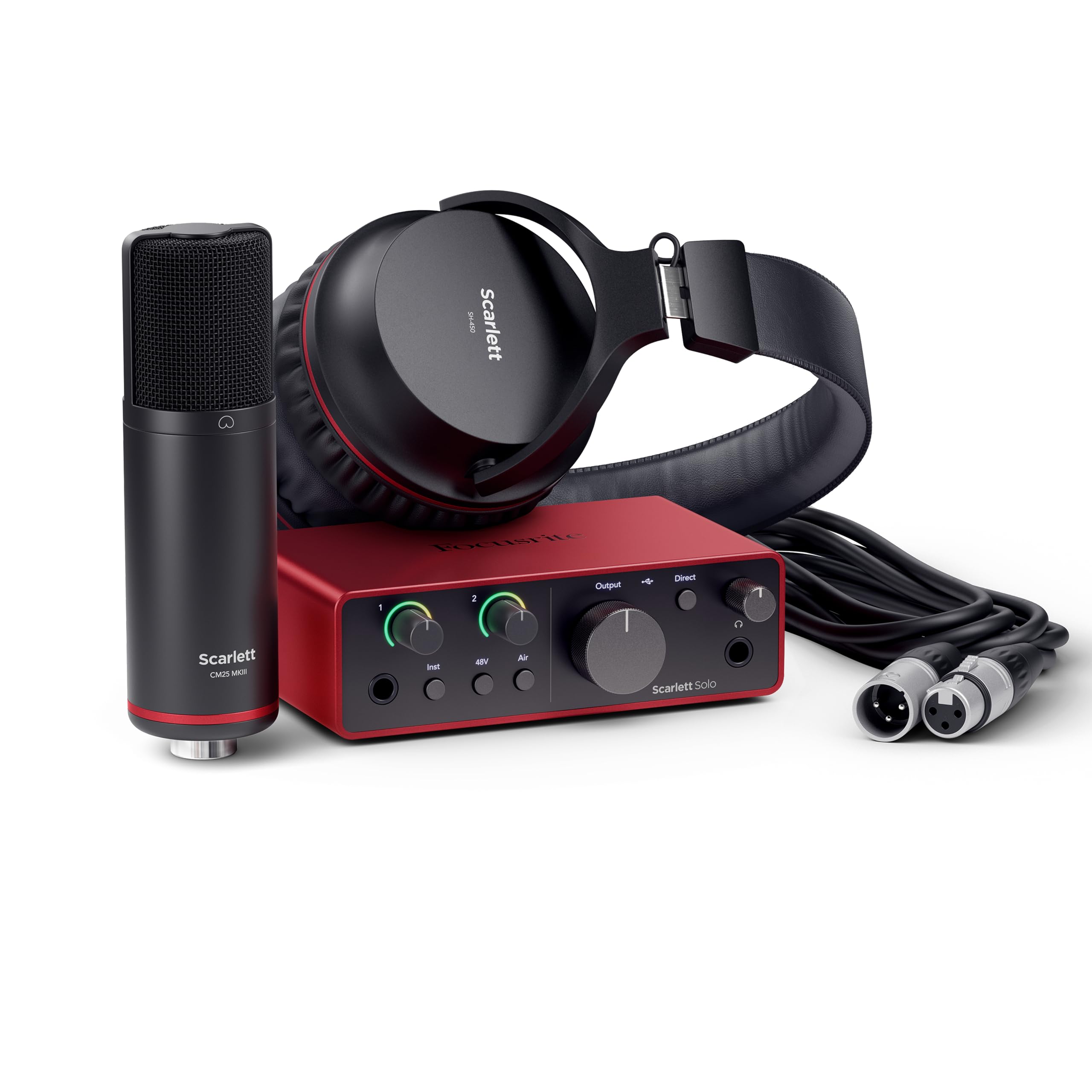
2. Focusrite Scarlett Solo Studio 4th Gen
Everything a first-time podcaster needs in one box, from the interface to the mic and headphones.
This bundle gives you the Focusrite Scarlett Solo 4th Gen audio interface, a CM25 MkIII condenser microphone, and SH-450 headphones. It is built around the interface’s 120dB dynamic range (the same converters used in Focusrite’s flagship studio gear), so your voice sounds clear and detailed. The sample rate of up to 192 kHz is overkill for podcasting, but it future-proofs the setup for music or high-resolution recording later.
A key feature here is Air mode, which lifts vocals to the front of the mix and adds a bit of presence — helpful if your voice sounds a little flat. The bundle also includes Pro Tools Intro+, Ableton Live Lite, and Cubase LE, plus the Hitmaker Expansion plugin suite. Unlike the PreSonus AudioBox kit, which is also a full studio bundle, the Focusrite offers a higher 192 kHz sample rate and a more modern interface design. Buyers report that setup is surprisingly quick — one reviewer with zero experience watched a quick video and was recording immediately.
What makes it the top pick
- Studio-quality 120dB dynamic range for clear recordings
- Includes everything: interface, mic, headphones, cables, and pro software
- Air mode adds presence to vocals without extra gear
- Industry-standard build and driver support
The trade-offs to know
- Condenser mic picks up background noise — needs a quiet room
- Higher price point than simple USB mics
- More gear to manage than a single microphone
Best for the serious beginner: This is the setup for anyone ready to treat podcasting like a real craft — you get pro-level components and software that grow with you.
skip it if: You only want one mic plugged into a laptop with zero cables or software.
3. Shure MV7+
Professional broadcast sound in a USB dynamic mic that makes you sound like a radio host right away.
The Shure MV7+ is the successor to the legendary MV7, and it adds an LED touch panel with 16.8 million color options, Auto Level Mode, and a digital pop filter. You can plug it in via USB-C or XLR, so you can start right away with USB and move to a pro mixer later. It weighs 3.6 pounds and is built with a metal enclosure, so it feels solid on the included adjustable desktop stand.
What sets this apart from cheaper dynamic mics is the built-in DSP that handles real-time noise reduction and Voice Isolation Technology — it filters out fan noise and room echo without needing any software on your computer. The Auto Level Mode adjusts the mic gain automatically based on your distance from the mic and your voice volume, which is a lifesaver if you move around while talking. Owners mention the sound is “rich and buttery” and that the mic ignores room echo and even a barking dog. It is OBS certified, so it integrates with streaming software without extra configuration.
Why it stands out
- Auto Level Mode keeps your volume consistent without manual gain adjustments
- OBS certified for smooth streaming integration
- USB-C and XLR connectivity for future-proofing
- Excellent real-time noise rejection, even in noisy rooms
Things to consider
- Premium price point, higher than most beginner USB mics
- Needs the ShurePlus MOTIV app for full control of EQ and reverb
- Slightly larger and heavier — needs a good stand
Reach for this if you want pro sound immediately: The MV7+ gives you broadcast-quality audio with zero fuss — Auto Level and built-in processing handle everything.
Look elsewhere if: Your budget is tight and you don’t need the advanced DSP or OBS integration.
4. MAONO PD200W Hybrid Wireless Podcast Equipment Bundle
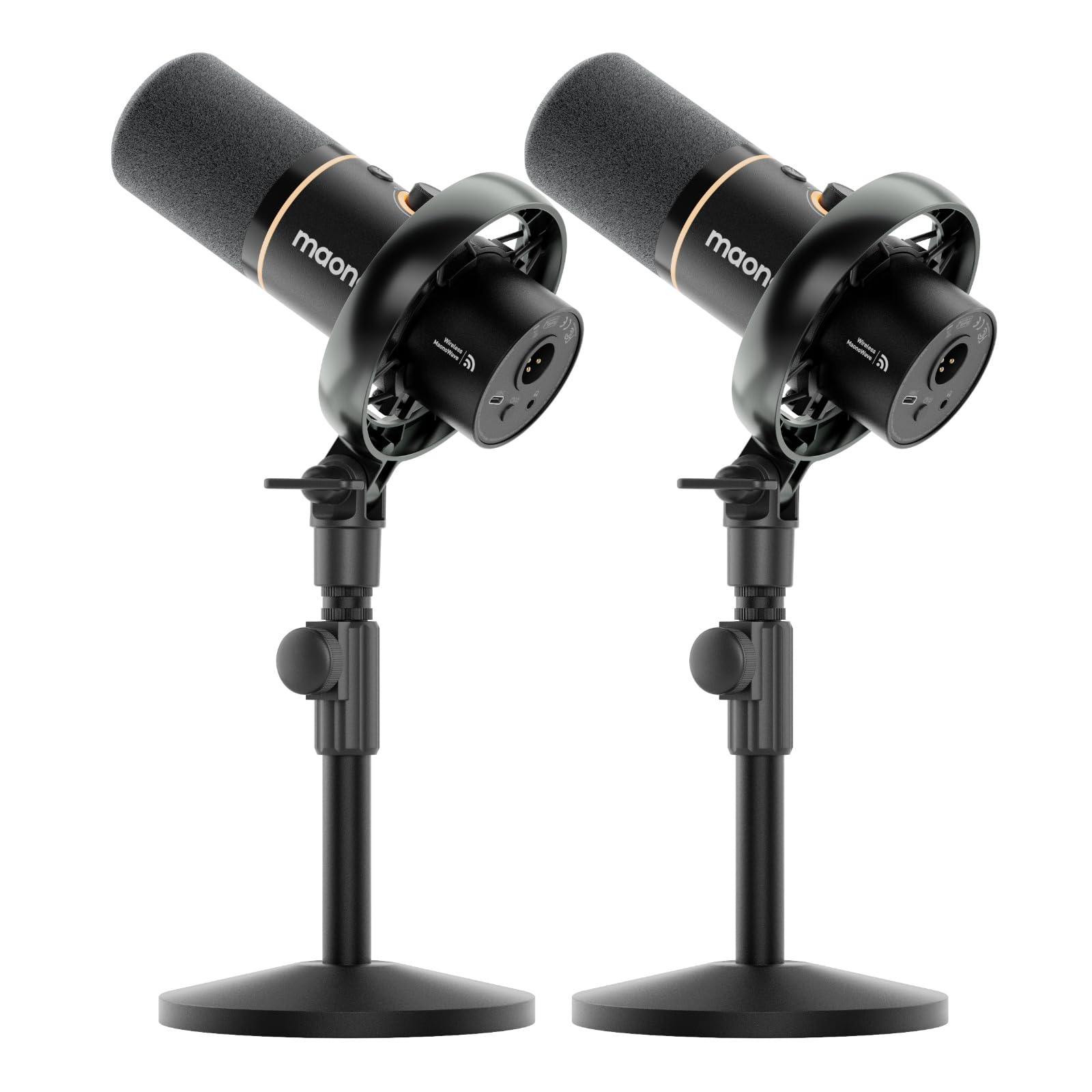
Two wireless dynamic mics that let you and a co-host roam freely while recording.
This kit includes two PD200W dynamic microphones, each with wireless, USB, and XLR options. The wireless mode has a stated range of 60 meters, and you can connect both mics to a single receiver and record each one to its own track — perfect for editing a conversation later. The microphones use a 30mm dynamic capsule with a cardioid pickup pattern and achieve an 82dB signal-to-noise ratio, which means your voice stays clear and background noise is minimized.
You can control EQ, reverb, and noise reduction through the MaonoLink app on your PC or smartphone. The battery life is up to 60 hours with RGB off, so you can record for days between charges. Each mic includes a desktop stand, and the whole kit weighs 5.1 pounds. Buyers mention that setup is easy on iPad and PC, and the wireless connection is lag-free. The USB-C to USB-C cable is not included, so you will need to supply your own if you want to charge directly from a modern laptop.
What makes it special
- Two mics for co-hosted shows, each recorded on its own track
- Triple connectivity: wireless, USB, and XLR
- 60 hours of battery life for long recording sessions
- MaonoLink app gives you EQ, reverb, and three-stage noise cancellation
The downsides
- No USB-C to USB-C cable included for charging
- Battery needs recharging twice a week with regular use
- Higher price than a single-mic bundle
Ideal for interview or duo shows: If you need two mics that work wirelessly and sound good, this bundle saves you the hassle of buying separate gear.
Not for you if: You record solo — a single-mic kit is simpler and costs less.
5. PreSonus AudioBox USB 96 25th Anniversary Studio Recording Package
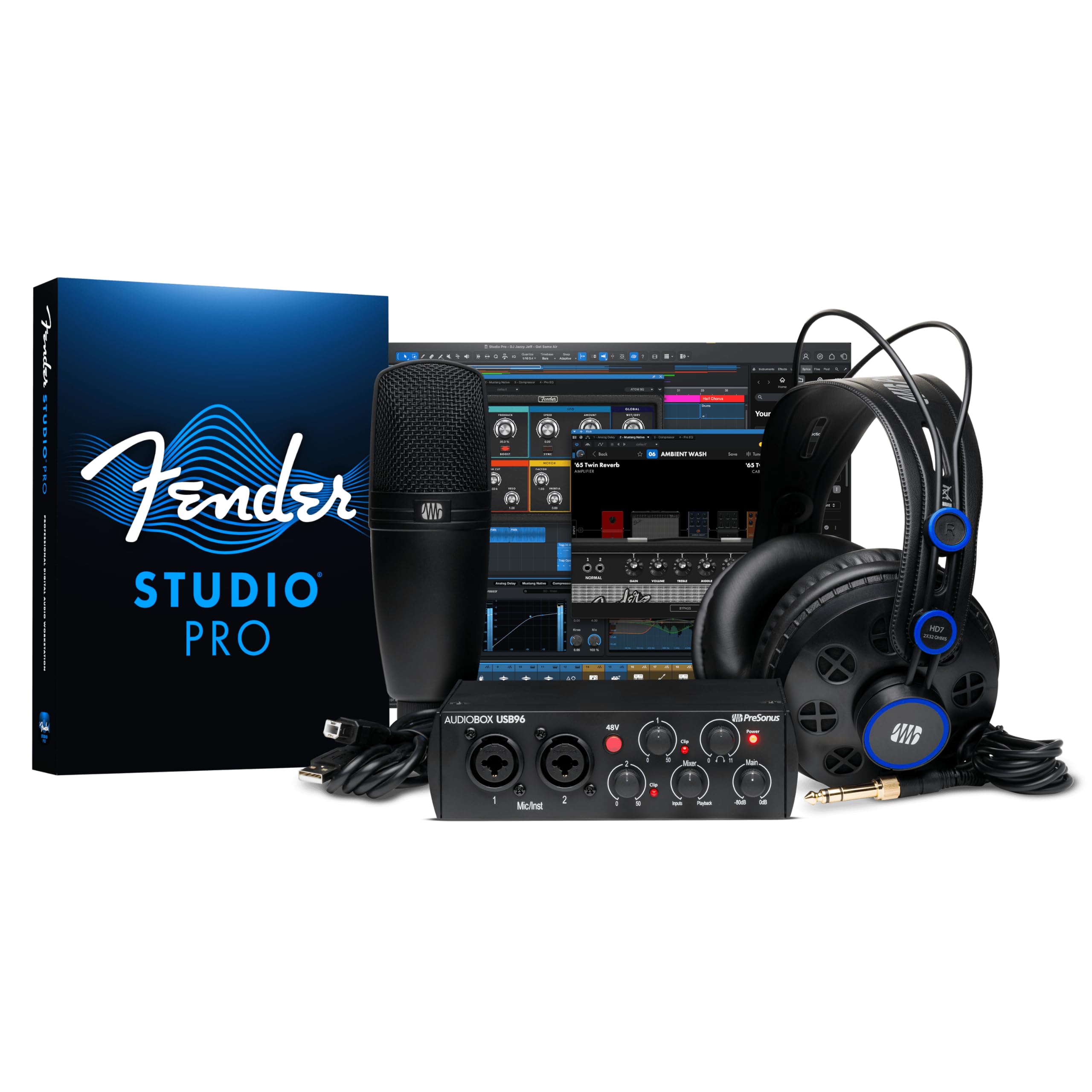
A complete, affordable recording studio that includes everything but the room itself.
This bundle centers on the PreSonus AudioBox USB 96 audio interface, which delivers 24-bit / 96 kHz audio with two combo inputs for microphones and instruments. It comes with the M7 large-diaphragm condenser microphone, HD7 studio monitoring headphones, a desktop mic stand, and all necessary cables. The included Studio One Artist DAW and Studio Magic plugin suite are valued at over worth of software.
The interface has a maximum sample rate of 96 kHz — lower than the Focusrite’s 192 kHz, but more than enough for podcasting. The M7 condenser mic captures warm tones, while the HD7 headphones let you monitor your mix without sound bleeding into the mic. Customers note it is a great value for the money, with one reviewer creating a bedroom production studio for their daughter and finding the sound “very sufficient for a beginner studio kit.” The interface weighs about 5 pounds, so it feels sturdy on a desk.
Why this bundle works
- Complete kit: interface, condenser mic, headphones, cables, and software
- Two combo inputs let you add a second mic later
- 24-bit / 96 kHz audio quality is excellent for podcasting
- Studio One Artist DAW is intuitive for beginners
What to watch for
- Condenser mic picks up room noise — best in a treated space
- The included headphones are decent but not high-end
- Heavier than a simple USB mic setup at 5 pounds
Grab this if you want a full studio for under a certain threshold: It is among the most complete bundles available, with an interface that lets you expand later.
Pass if: You need a portable, single-cable USB mic. This is a desktop studio kit.
6. Audio-Technica AT2020USB-X

A legendary studio microphone name now in a USB format with 24-bit/96 kHz clarity.
The AT2020USB-X is the USB version of Audio-Technica’s classic AT2020 studio condenser. It features a high-resolution AD converter with a 24-bit / 96 kHz sampling rate, a stainless steel enclosure, and a built-in headphone jack for zero-latency monitoring. The soft-touch capacitive mute button on the body lets you mute silently, and the two-state LED ring lights blue when powered and red when muted.
This mic uses a cardioid pickup pattern to minimize background noise, but reviewers point out it is sensitive — one reviewer noted it picked up a leaf blower and rustling sounds, and another mentioned it picks up furnace vent and PC fan noise. You will want a quiet recording space or a noise gate in your software. The included custom desk stand is sturdy, and the USB-C to USB-A cable comes with a USB-A to USB-C adapter for modern laptops.
What it does well
- High-resolution 24-bit / 96 kHz audio for very clear recordings
- Stainless steel build feels premium and durable
- Capacitive mute button is silent and responsive
- Includes desk stand and USB-C adapter
Things to be aware of
- Condenser design picks up ambient noise — not for noisy rooms
- Light stays on even when the PC is off
- May require a powered USB hub when used with an iPad
Choose this for high-resolution sound in a quiet space: The AT2020USB-X delivers studio-quality audio in a simple USB package.
pass on it if: Your recording environment is noisy — a dynamic mic would serve you better.
7. MAONO Dynamic Microphone PD400X

A dynamic mic with professional software control at a fraction of the cost of top-tier brands.
The PD400X is a dynamic microphone with both USB and XLR outputs, a metal enclosure, and a frequency range of 40-16kHz. It uses a cardioid polar pattern to reject background noise, and it has a 3-in-1 digital knob that controls mic gain, headphone volume, and monitor mix. The tap-to-mute feature with an LED indicator is handy for silencing yourself quickly.
What sets this apart is the Maono Link software, which offers Standard Mode for simple tone selection and Advanced Mode where you can adjust EQ, limiter, compressor, and more. One buyer compared the sound quality to Shure mics, calling it “professional build quality for a fifth of the price.” Another reviewer praised the customer service, noting they quickly replaced a defective USB-C port. The included desktop stand is metal and heavy, so the mic stays put.
Why this is a smart buy
- Dynamic capsule rejects room noise naturally
- Both USB and XLR for expansion flexibility
- Maono Link app gives you EQ, limiter, and compressor control
- All-metal build feels premium
A couple of notes
- Software control requires USB connection
- Some users report needing customer support for USB port issues, though the service is excellent
Ideal for the value-conscious podcaster who wants pro features: The combo of a dynamic mic, dual connectivity, and powerful software is tough to top at this price.
Not for you if: You want pure plug-and-play with no software setup.
8. SENNHEISER Professional Profile – USB Cardioid Condenser Microphone

German-engineered plug-and-play USB mic with no software required and warm, natural sound.
The Sennheiser Profile is a cardioid condenser USB microphone with a metal housing and a built-in table stand. It delivers a natural, warm sound that Sennheiser tuned specifically for spoken word, and it connects via a 1.2-meter USB-C cable. The mic has a mute button, a built-in headphone jack for zero-latency monitoring, and controls for gain, mix, and volume — all hardware-based, so no software driver or app is needed.
One buyer mentioned that it replaced their Blue Yeti and sounded superior, with minimal background noise pickup from keyboards and music. However, another reviewer had a recognition issue on Windows 11, which Sennheiser support traced to a mislabeled Windows setting. The included stand is low, so you may need a separate mic arm to bring it closer to your mouth and reduce ambient noise. It weighs 717 grams, so it is light enough to take to a coffee shop.
What makes it great
- No software needed — plug-and-play on any device with USB
- High-quality Sennheiser cardioid capsule with warm, natural sound
- Metal housing feels premium and durable
- Direct headphone monitoring with zero delay
Things to note
- Low stand may require a mic arm to reduce ambient noise
- No XLR output for future pro setup
- One Windows 11 compatibility nuance, though support is helpful
Pick this for pure simplicity and Sennheiser sound quality: If you want to plug in and record with nothing else, this is the most straightforward path to good audio.
Look elsewhere if: You plan to upgrade to an XLR interface later or need a dynamic mic for a noisy room.
Understanding the Specs
Sample Rate and Bit Depth
The sample rate (in kHz) tells you how many times per second the microphone captures the sound wave, and the bit depth tells you how detailed each sample is. A 24-bit / 96 kHz setup — like the PreSonus AudioBox and the AT2020USB-X — captures more than enough detail for podcasting. The Focusrite goes up to 192 kHz, which is overkill for voice but future-proofs the interface for music recording. For voice alone, anything above 44.1 kHz is fine.
Dynamic vs. Polar Pattern
A dynamic microphone is naturally less sensitive than a condenser, which makes it better at rejecting sounds from the sides and rear (the “cardioid” polar pattern). Dynamic mics like the Shure MV7+ and the MAONO PD400X are your friends in untreated rooms with fans and echo. Condenser mics like the AT2020USB-X are more sensitive and capture more detail, but they will also pick up the refrigerator hum. Think of it as a trade-off between detail and forgiveness.
FAQ
Do I need an audio interface for a beginner podcast setup?
What is the difference between USB and XLR microphones?
Should a beginner use a dynamic or condenser microphone?
What is a cardioid polar pattern?
Can I use a beginner podcast setup for music recording?
What software do I need to record a podcast?
How long does the battery last on a wireless podcast microphone?
What size room is too echoey for a beginner podcast setup?
Can I record a two-person podcast with one microphone?
Is the FIFINE AmpliGame KS5 bundle reliable for live streaming?
Final Thoughts: The Verdict
For the majority of shoppers, the beginner podcast setup winner is the Focusrite Scarlett Solo Studio 4th Gen because it gives you a pro-grade interface, a solid condenser mic, decent headphones, and industry-leading software in one bundle that grows with you. If you want a dynamic mic that rejects room noise and delivers broadcast-quality sound with zero fuss, grab the Shure MV7+. And for co-hosted shows where you want wireless freedom, the standout is the MAONO PD200W Hybrid Wireless Bundle.
How We Picked
We do not accept paid placement. Every pick is matched to a real buyer and a real use-case; we do not hands-on test units.
Sources & Methodology
Specifications: manufacturer listings and product documentation. Review insights: verified customer reviews, as of July 2026. Pricing: not shown on this page (it changes often); check the current price via the retailer link.
As an Amazon Associate, Gadgets Feed earns from qualifying purchases. This does not affect which products we feature.
Related Guides
Product prices and availability are accurate as of the date/time indicated and are subject to change. Any price and availability information displayed on Amazon at the time of purchase will apply to the purchase of this product. As an Amazon Associate I earn from qualifying purchases.
CERTAIN CONTENT THAT APPEARS ON THIS SITE COMES FROM AMAZON. THIS CONTENT IS PROVIDED "AS IS" AND IS SUBJECT TO CHANGE OR REMOVAL AT ANY TIME.
Amazon and the Amazon logo are trademarks of Amazon.com, Inc. or its affiliates.