
Our readers keep the lights on and my morning glass full of iced black tea. As an Amazon Associate, I earn from qualifying purchases.
Specs are compiled from manufacturer listings and verified buyer reviews and can change over time — please confirm the key details on the product page before buying.
The biggest headache for a new 3D printing owner isn’t the printer itself — it’s the filament that jams, snaps, or warps mid-print. You need a spool that feeds smoothly and sticks to the bed without a fight, so your first few projects actually finish instead of becoming a tangled mess on the floor.
This guide is built by comparing the manufacturers’ published specifications and the patterns across verified customer reviews, so you get each pick’s real strengths and trade-offs instead of marketing spin.
Whether you are printing cookie cutters or prototype brackets, picking the right plastic roll is your first real decision — this roundup of the best 3d printer filament for beginners breaks down which spools deliver consistent layers and which ones will test your patience.
Our Picks at a Glance
How To Choose The Best 3D Printer Filament For Beginners
When you are just starting out, every failed print feels like a waste of time and money. The right filament removes a lot of that guesswork. Here is what really matters for a beginner buying their first spool.
Start with Standard PLA
Standard PLA (Polylactic Acid) is the easiest plastic for a new printer owner to work with. It prints at a lower nozzle temperature — typically 180°C to 210°C — and does not need a heated bed for successful first layers. It also produces very little odor during printing, so you do not need heavy ventilation in your workspace. PLA+ (PLA Plus) upgrades the toughness, making parts less brittle, but it often needs a hotter nozzle around 220-240°C, which some beginner printers may not handle as consistently.
Check the Dimensional Accuracy
The filament’s diameter tolerance tells you how consistent the plastic strand is along the entire spool. A tolerance of ±0.03 mm is decent, but ±0.02 mm is tighter — meaning the printer’s extruder gear gets a more even flow of plastic, which results in cleaner layers and fewer gaps. Beginners benefit from the tighter ±0.02 mm standard because it removes one variable from the troubleshooting list.
Look at Spool Winding Quality
If the filament is not wound neatly onto the spool at the factory, it can cross over itself during printing. That creates a tangle that locks up the extruder mid-project. A neatly wound spool feeds smoothly through the entire kilogram, so you do not have to babysit the printer. Some brands advertise a “neat winding device” — that is a real feature, not marketing fluff.
Vacuum-Sealed Packaging Matters
PLA absorbs moisture from the air over time. When wet filament is heated, the moisture turns to steam inside the nozzle and causes popping, bubbling, and weak layers. A spool that arrives vacuum-sealed with a desiccant packet is dry from the start. If the packaging is already loose or punctured, the filament may need to be dried in an oven or filament dryer before you get good results.
Quick Comparison
| Model | Best For | Dimensional Accuracy | Material Type | Spool Weight | Amazon |
|---|---|---|---|---|---|
| HATCHBOX PLA★ Best Overall | Reliable all-around starter | ±0.03 mm | Standard PLA | 1 kg | $21.99$28.00Amazon |
| SUNLU PLABest Value | Budget-friendly with tight tolerance | ±0.02 mm | Standard PLA | 1 kg | $16.16Amazon |
| OVERTURE PLA+ | Stronger functional parts | ±0.02 mm | PLA+ | 1 kg | $16.49Amazon |
| Creality Rainbow PLA+ | Multi-color visual impact | ±0.02 mm | PLA+ | 1 kg | $21.99$25.99Amazon |
| Creality Hyper PLA | High-speed & smart RFID | ±0.03 mm | Hyper PLA | 2 kg bundle | $35.99$42.99Amazon |
In‑Depth Reviews
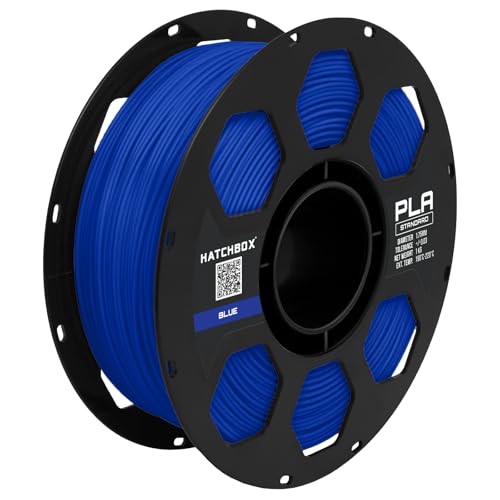
1. HATCHBOX 1.75mm True Blue PLA
Our pick — over 4.5★ from 40,500+ verified ratings; the strongest balance of quality and price.
Prints beautifully at beginner-friendly temperatures — but its tolerance is looser than the SUNLU’s, and winding issues pop up for some buyers.
HATCHBOX is the name you see in every 3D printing forum, and for good reason. This True Blue PLA prints with a vibrant color and a smooth matte sheen that makes your first project look polished. It feeds cleanly with no clogs or tangles most of the time, and the recommended nozzle range of 180°C to 210°C means even a basic beginner printer can handle it without tweaking exotic settings. Buyers report “Beautiful Color and Perfect Prints Every Time” and that it produces “virtually no odor” during printing, which matters if your printer sits in a bedroom or office.
The catch is real, though. A single buyer mentioned that their HATCHBOX filament spool was “improperly wound, causing tension issues that forced manual re-spooling.” That is a pain you do not want on your first spool. The tolerance here is ±0.03 mm, which is looser than the ±0.02 mm you get on the SUNLU — meaning the plastic diameter varies a bit more as it feeds. Most beginners will never notice the difference, but if you are chasing perfect layer lines, the tighter spec matters.
Another thing to keep in mind: the spool does not fit a Bambu Labs A1 AMS Lite without printing a separate adapter first. That is an extra step if you own that printer. And with over 40,000 ratings and a 4.7 average, this is still the safest bet for a first spool — just be ready to re-spool if you are the unlucky one.
Why It Works for Beginners
- Wide temperature range (180-210°C) suits most starter printers
- Consistent color and clean layer lines with a nice matte finish
- Low odor and minimal warping even without a heated bed
The Real Trade-Offs
- Occasional spool winding issues require manual re-spooling
- Loose tolerance (±0.03 mm) versus the ±0.02 mm competition
- Roll may not fit Bambu Labs AMS Lite without an adapter
Grab this if: you want the most proven, widely-used PLA that a huge community already trusts — just buy a spare spool holder.
Think twice if: you own a Bambu A1 AMS Lite and do not want to print an adapter before your first project.
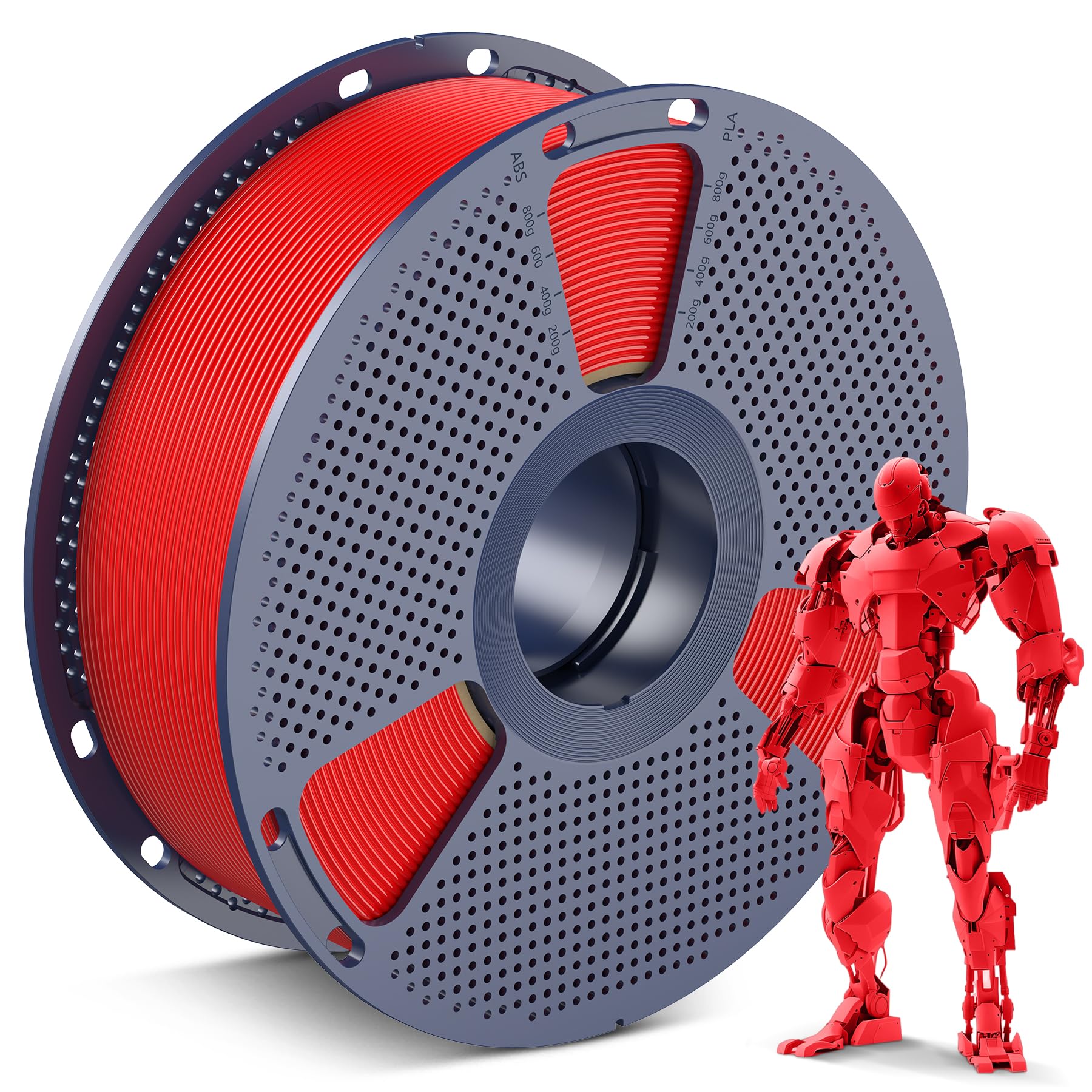
2. SUNLU PLA 1.75mm Red
A 50% tighter tolerance than the HATCHBOX for the same price — but watch for moisture and a see-through red color.
SUNLU offers the best dimensional accuracy in this lineup at ±0.02 mm — a tighter spec (±0.02 mm) than the HATCHBOX’s (±0.03 mm) — so your extruder gets a more consistent strand of plastic from start to finish. That means fewer gaps, cleaner overhangs, and less post-print sanding. The company uses a self-developed neat winding device that owners mention delivers tangle-free feeding. One reviewer noted, “I have run a 1/4 of the spool to make some cable cord clamps and it has feed with no issues,” and the spool’s 2.20-inch hub hole fits most common FDM printer holders, including the Bambu Lab P1S AMS.
At a very wallet-friendly price, this is the easiest way to start without feeling like you wasted money on a bad roll. The recommended nozzle temperature is 200-230°C with a bed temperature of 50-65°C — perfectly normal settings that any beginner printer can dial in. The color is vivid, and most customers note that it prints “perfectly fine” with great layer adhesion. The one real complaint is that the red color is more translucent than the photos suggest, and the same user said it “does not stick to the bed.”
There is also a note from a buyer that the filament arrived with some moisture in it, feeling “wet.” That can cause popping during printing. If you get a damp spool, you will need to dry it in an oven at a low temperature or use a filament dryer before your first print. Overall, though, the reliability and accuracy at this price make SUNLU the smart budget choice for a first timer.
Where It Excels
- Tighter ±0.02 mm tolerance than the HATCHBOX for cleaner prints
- Neat winding device reduces tangle risk significantly
- Budget-friendly entry point for buying multiple colors
Watch Out For
- Some red rolls arrive with a translucent, not solid, color
- Occasional moisture in the packaging requires pre-drying
- Bed adhesion can be inconsistent with the red color version
Best for: the budget-conscious beginner who wants tighter dimensional accuracy than the HATCHBOX without paying more.
Avoid if: you want a guaranteed solid, opaque red color or do not have a way to dry damp filament.
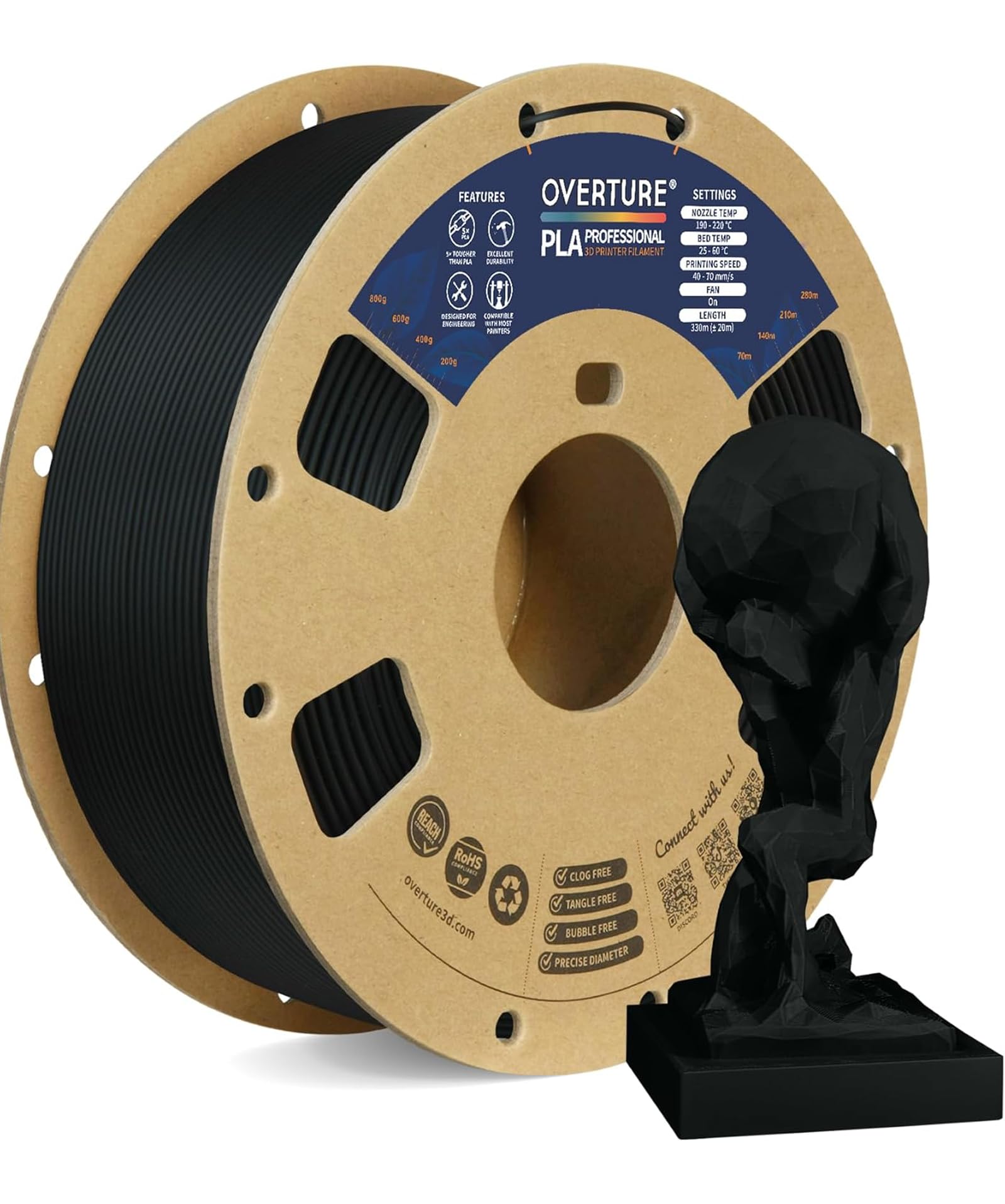
3. OVERTURE PLA Plus (PLA+) Black
The manufacturer claims higher impact resistance — but needs a 220-240°C nozzle and dry storage.
OVERTURE PLA+ is engineered for high-strength prints that standard PLA just cannot handle. The manufacturer claims higher impact toughness than standard PLA, and buyers confirm that it is “less brittle than PLA” and produces “strong layer adhesion.” One reviewer who called themselves a novice said it was “very easy to print with minimal stringing” and noted that it adhered well to a glass bed and released cleanly when cooled. That makes it a great choice if your first project is a bracket, a tool holder, or a mechanical part that needs to survive a drop.
The trade-off for that toughness is a hotter nozzle temperature. OVERTURE recommends 220-240°C, which is higher than standard PLA’s 180-210°C range. Your printer’s stock hotend needs to reach at least 240°C reliably. Some users also report that this filament is “very hygroscopic,” meaning it absorbs moisture from the air quickly. If you leave the spool out for a few days, you will hear fizzling and popping as steam escapes the nozzle. The spools are vacuum-sealed with a desiccant, so they arrive dry, but you need to store this in a dry box once opened.
There is one physical annoyance: every roll ships on a cardboard spool that is prone to bending or cracking during shipping, often requiring a re-spool onto a plastic reel. The tolerance here is a tight ±0.02 mm, matching the SUNLU, so you get excellent dimensional consistency. If you are printing things that need actual strength — and you are okay with the extra prep — this filament punches well above its price class.
Why Upgrade to PLA+
- Much tougher than standard PLA — less brittle, strong layer bonds
- Accurate ±0.02 mm diameter for consistent extrusion
- Low stringing and excellent bed adhesion for clean prints
The Downsides
- Needs a nozzle temp of 220-240°C — check your printer’s limit
- Hygroscopic: absorbs moisture fast, requires dry storage
- Cardboard spools often arrive damaged and need re-spooling
Reach for this if: you are printing functional parts like brackets or tools that take physical stress, not just decorative items.
Look elsewhere if: your printer cannot hit 240°C on the nozzle or you want a material that tolerates humid air without drama.
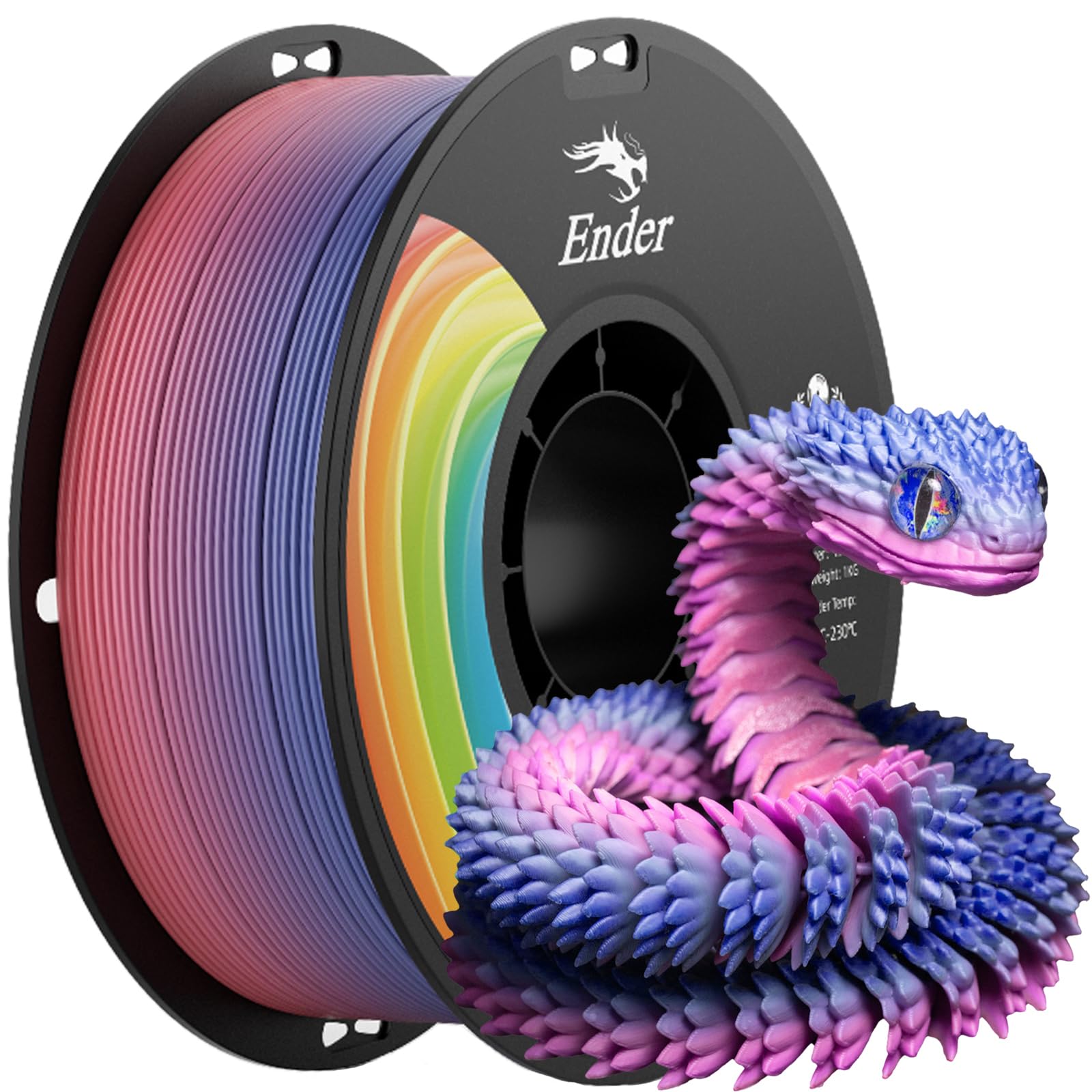
4. Creality Rainbow PLA+
A single-spool rainbow effect and plastic reels that fit AMS smoothly — but 1 in 10-15 spools has a winding overlap, reviewers point out.
Creality’s Rainbow PLA+ is the pick for beginners who want visual impact without managing multiple spools. The filament transitions through a gradient of colors as you print, so each layer adds a new hue. That creates eye-catching models without any multi-material upgrade. It is also a PLA+ formula with enhanced toughness — shoppers say it is “stronger than PLA” and prints reliably with “excellent diameter consistency.” The tolerance is a tight ±0.02 mm, the same as the SUNLU and OVERTURE, so you get clean, gap-free layers.
“I exclusively only buy this brand for black and white,” wrote one frequent buyer, noting plastic spools as a key benefit over cardboard reels that can jam in an AMS. The spools are plastic, which means they spin smoothly in multi-feed systems like the Bambu P1S AMS without the edge damage you see on cardboard spools. The packaging is vacuum-sealed with desiccant, so the filament arrives dry. Creality also says the material is “environmentally friendly” with no odor or toxic fumes during printing.
One buyer mentioned that roughly 1 in 10-15 rolls has a winding overlap that forces you to pause the print and fix the tangle. That is not common, but it is a known variance. Another note: the black color has “very high bond strength” that makes supports hard to remove, sometimes breaking delicate models. If you buy the black version, the user recommends increasing the Support Z-Gap to avoid damage. But the rainbow itself? It prints beautifully, and it is a crowd-pleaser for gift projects.
The Color Advantage
- Built-in multi-color gradient prints without extra hardware
- Plastic spools work smoothly with AMS systems
- Tough PLA+ formula with ±0.02 mm accuracy
Heads-Up
- Occasional winding overlap on roughly 1 in 10-15 spools
- Black version has aggressive layer bonding that damages supports
- Not as impact-resistant as the OVERTURE PLA+
Choose this for: visual wow-factor prints like vases, toys, or gifts that look like they came from a multi-color printer.
skip it if: you need pure functional strength or do not want to tweak support gaps for the black color.
5. Creality Hyper PLA 2KG Bundle
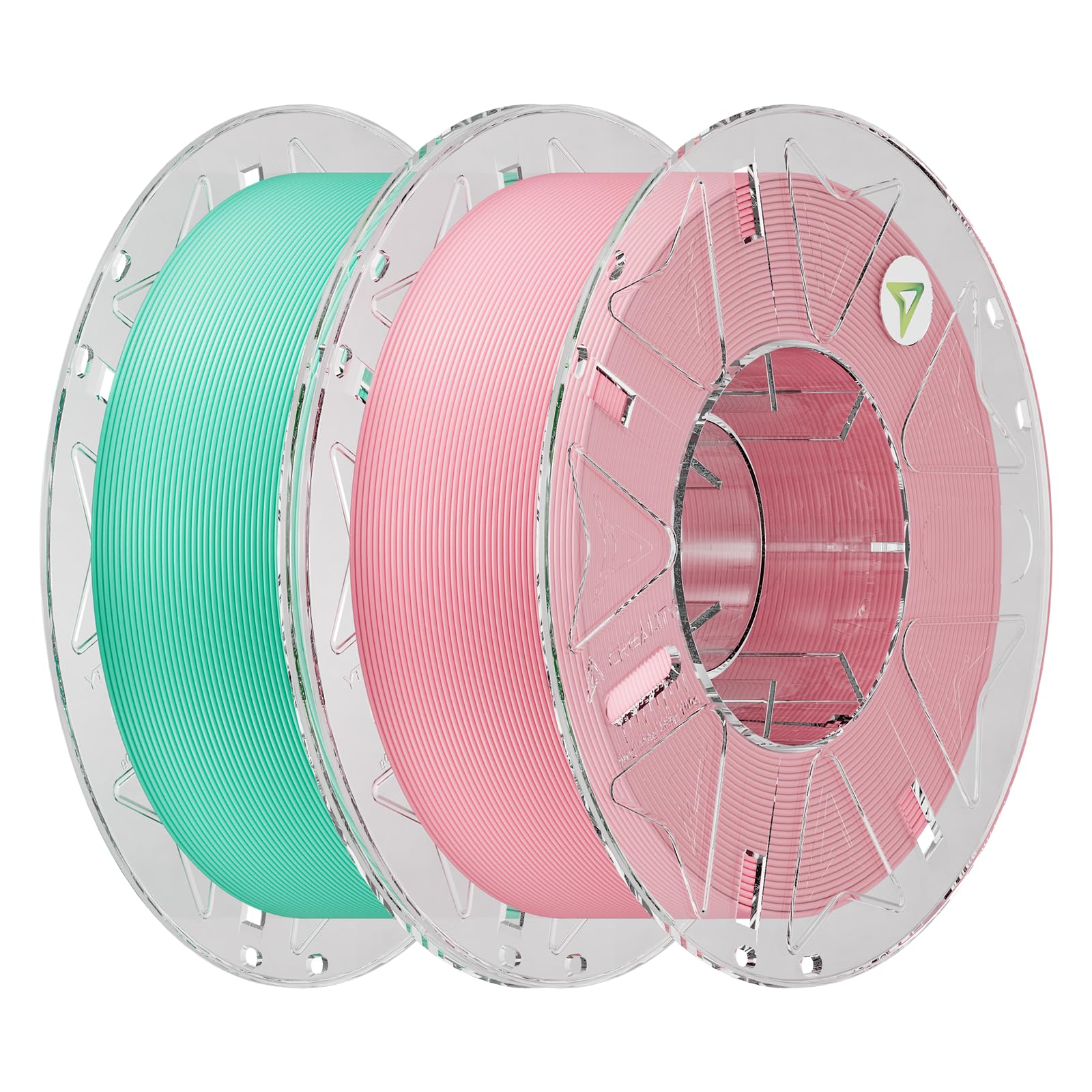
Prints up to 600 mm/s and auto-configures on compatible Creality machines — but the RFID feature is useless on other brands.
Creality’s Hyper PLA is built for high-speed printing up to 600 mm/s. That means a project that would take 10 hours on a ordinary filament can finish in under 2 hours. The spools come with RFID tags that are automatically recognized by Creality’s CFS (Creality Filament System), so the printer sets the correct temperature and speed profile by itself. “If you have creality printer definitely use this filament as it will detect automatically,” wrote one buyer, who noted that print quality was excellent with no tangles.
This is a 2-kilogram bundle with two colors — Light Teal and Orchid Pink — so you get twice the material in one box. The tolerance is ±0.03 mm, which is the same as the HATCHBOX and looser than the ±0.02 mm on the SUNLU and OVERTURE. In practice, at high speeds, that slight variance is less noticeable because the plastic is moving so fast through the hotend. Buyers report that it produces “great bed adhesion” and “virtually 0 stringing,” and that prints pop off the bed at 30-35°C.
The catch is that the RFID auto-configuration only works with Creality printers that support CFS, like the K2 Plus. If you have a different brand, you lose the convenience and have to manually set the profile. Also, the material is a special Hyper PLA formula, not standard PLA or PLA+, so you may not get the same results on a generic profile. If you own a Creality high-speed printer, this is the smoothest beginner experience available. If you own something else, you may be paying for a feature you cannot use.
Why Speed Matters
- RFID auto-configures printer settings on compatible Creality machines
- Handles up to 600 mm/s speed for dramatically shorter print times
- 2 kg bundle gives you two colors and twice the material
The Limits
- ±0.03 mm tolerance is looser than the ±0.02 mm competitors
- RFID feature only works on Creality CFS-compatible printers
- Hyper PLA formula may not print well on generic profiles
Ideal for: Creality printer owners who want the convenience of auto-setup and the fastest possible print speeds.
Not for: anyone using a non-Creality printer who would pay a premium for unused RFID smarts.
Understanding the Specs
Dimensional Accuracy (Tolerance)
This is the spec that tells you how consistent the filament’s thickness is along the entire spool. It is measured in millimeters, like ±0.02 mm. A tighter number like ±0.02 mm means the strand barely varies in diameter, so your extruder gear pushes a steady, even flow of melted plastic through the nozzle. That translates to fewer gaps, cleaner layer lines, and less sanding later. A looser tolerance like ±0.03 mm still works fine for most beginners, but you may see slight variations in wall thickness on tall prints.
PLA vs PLA+ vs Hyper PLA
Standard PLA prints at a low temperature (180-210°C), has a faint sweet smell, and is very forgiving — perfect for your first spool. PLA+ adds impact modifiers that make finished parts tougher, so they do not shatter when dropped. The trade-off is a higher nozzle temperature (220-240°C) and more moisture sensitivity. Hyper PLA is designed for printers that move the print head at 300-600 mm/s, using a different polymer blend that stays fluid at high speed. It is not interchangeable with standard PLA profiles, so check your printer’s speed capability before buying.
FAQ
What is the difference between PLA and PLA+ filament?
Can I use any 1.75mm filament on my printer?
What does dimensional accuracy ±0.02 mm mean for my prints?
How do I fix filament that is too wet or has moisture in it?
Is one spool (1 kg) enough for a beginner?
Should I use a heated bed for PLA filament?
How do I store leftover filament to keep it dry?
What is RFID filament and do I need it?
Can I mix different brands of filament in one print?
What nozzle temperature should I use for my first print?
Final Thoughts: The Verdict
For most beginners, the best 3d printer filament for beginners winner is the HATCHBOX True Blue PLA because it has the largest community trust and prints beautifully at standard beginner temperatures. If you want tighter dimensional accuracy and the best bang for your dollar, grab the SUNLU PLA. And for functional parts that need to hold up to real use without breaking, the standout is the OVERTURE PLA+.
How We Picked
We do not accept paid placement. Every pick is matched to a real buyer and a real use-case; we do not hands-on test units.
Sources & Methodology
Specifications: manufacturer listings and product documentation. Review insights: verified customer reviews, as of July 2026. Pricing: not shown on this page (it changes often); check the current price via the retailer link.
As an Amazon Associate, Gadgets Feed earns from qualifying purchases. This does not affect which products we feature.
Related Guides
Product prices and availability are accurate as of the date/time indicated and are subject to change. Any price and availability information displayed on Amazon at the time of purchase will apply to the purchase of this product. As an Amazon Associate I earn from qualifying purchases.
CERTAIN CONTENT THAT APPEARS ON THIS SITE COMES FROM AMAZON. THIS CONTENT IS PROVIDED "AS IS" AND IS SUBJECT TO CHANGE OR REMOVAL AT ANY TIME.
Amazon and the Amazon logo are trademarks of Amazon.com, Inc. or its affiliates.