
Our readers keep the lights on and my morning glass full of iced black tea. As an Amazon Associate, I earn from qualifying purchases.
Specs are compiled from manufacturer listings and verified buyer reviews and can change over time — please confirm the key details on the product page before buying.
Finding a computer that doesn’t feel like a foreign language is the real challenge. You want something that boots up fast, shows text you can actually read, and lets you video-call the grandkids without wrestling with confusing settings. The best all in one computer for seniors tackles that by combining a clear screen, simple software, and a design that keeps the tower hidden behind the monitor — one plug and you are up and running.
I’m Min — the founder and writer behind Gadgets Feed. This guide is built by comparing the manufacturers’ published specifications and the patterns across verified customer reviews, so you get each pick’s real strengths and trade-offs instead of marketing spin.
We matched every spec to real-life use — from how fast the processor handles a web browser to how easy the included keyboard feels — so you know exactly which all in one computer for seniors fits your daily routine without the guesswork.
Our Picks at a Glance


How To Choose The Best All In One Computer For Seniors
A computer for everyday use — email, web browsing, video calls, and light document work — needs the right set of core specs to feel easy. Here are the three most important things to check before you click buy.
Processor and Memory: The Brain and the Short-Term Memory
The processor (CPU) determines how fast the computer responds when you click. For simple tasks, look for an Intel Core i3, i5, or a modern Celeron or N100 chip. Pair that with at least 8GB of RAM (random access memory — think of it as workspace for your open apps). Too little RAM, and the computer will stall when you have a few browser tabs and a video call open at the same time.
Storage: SSD Is Non-Negotiable
An SSD (solid-state drive) is a storage chip with no moving parts. It makes the computer boot in seconds and open programs instantly. Avoid any computer with a traditional hard drive (HDD) — those are slow, loud, and prone to failure if bumped. Look for at least 128GB of SSD storage; 256GB or 512GB gives you comfortable room for photos and documents.
Display and Comfort Features
A larger screen — 21.5 inches to 24 inches — makes text and icons easier to see without squinting. An FHD resolution (1920×1080 pixels) keeps everything sharp. Anti-glare coatings cut reflections from lamps or windows, and features like Dell ComfortView Plus reduce blue light, which helps prevent eye fatigue during long sessions. A built-in webcam with a privacy shutter is a plus for video chats.
Quick Comparison
| Model | Best For | Processor | RAM | Storage | Amazon |
|---|---|---|---|---|---|
| Dell 24 All-in-One★ Best Overall | Best Overall | Intel Core 3 100U | 8 GB | 512 GB SSD | from $999.99Amazon |
| Dell 27 All-in-One TouchPowerhouse Pick | Power Users | Intel Core 7 150U | 32 GB | 1 TB SSD | $1,744.99Amazon |
| Lenovo 24″ i3-N305Value Champ | Value Power | Intel i3-N305 | 16 GB | 1 TB SSD | $859.99$1,199.00Amazon |
| HP Ryzen 7 24″ | Fast Multitasking | AMD Ryzen 7 7730U | 16 GB | 512 GB SSD | $846.71Amazon |
| Lenovo IdeaCentre 24″ | Balanced MID | Intel N100 | 8 GB | 512 GB SSD | $529.99$749.99Amazon |
| HP 2025 22″ | Reliable Daily | Intel N100 | 8 GB | 128 GB SSD | $499.99Amazon |
| HP 21.5″ White + Dock | Expanded Storage | Intel N100 | 8 GB | 128GB+256GB Dock | from $759.99Amazon |
| HP 21.5″ Celeron | Budget Pick | Intel Celeron | 16 GB | — | $669.98Amazon |
| 24″ Core Innovations | Entry Level | Intel Celeron N5095 | 4 GB | 128 GB | $420.29Amazon |
| MECHAZER Curved 23.8″ | Curved Screen | Core i7 7700HQ | 16 GB | 512 GB SSD | $439.99Amazon |
| STGSivir 21.5″ | Budget Value | Intel Core i7 | 16 GB | 512 GB SSD | $409.99Amazon |
In‑Depth Reviews
1. Dell 24 All-in-One Desktop ec24250
Our pick — over 4.5★ from 200+ verified ratings; the strongest balance of quality and price.
The senior-friendly Dell that pairs a sharp screen with live home-service support.
This Dell sits at the balance — big enough to read easily at 23.8 inches, fast enough to feel snappy with an Intel Core 3 100U processor that zips up to 4.7 GHz (that is 62% faster peak speed than the basic Celeron in the 24″ Core Innovations model). The 8GB of DDR5 RAM means you can have email, a web browser, and a video call open without the system slowing down, and the 512GB SSD gives you plenty of room for photos and files while booting in seconds.
Your eyes get a real break here. The Dell ComfortView Plus cuts down harmful blue light, and the FHD IPS display covers 99% sRGB (a measure of color accuracy) so everything from family photos to streaming video looks vivid. The 5MP webcam includes HDR technology, so you look clear even in tricky lighting — buyers report it is “fast for research, good storage, easy setup.” A 1-year onsite service means a technician comes to you if something breaks, which is a huge plus if you are not comfortable troubleshooting yourself.
Screen & Sound: Dual Bluetooth speakers with Dolby Atmos deliver loud, clear audio for music or video chats. The display tilts from 0 to 20 degrees so you can find your perfect angle.
The Catch: There is no fingerprint reader for quick sign-in, and the white finish may show dust more easily than a darker color.
Reach for this if: You want a computer that works from the start, has a comfortable screen for long sessions, and includes professional support if anything goes wrong.
Look elsewhere if: You absolutely need a touchscreen or the maximum possible storage — this is a mid-range performer, not a powerhouse.
2. Dell 27 All-in-One Desktop ec27250
The spacious touchscreen Dell that feels like a giant tablet on your desk.
This is the top-tier choice for someone who wants the biggest screen and the most power. The 27-inch FHD touch display makes scrolling through websites or tapping on apps as simple as using a smartphone. The Intel Core 7 150U processor paired with a dedicated NVIDIA GeForce MX570A 2GB graphics card means this machine can handle photo editing or even light gaming without breaking a sweat — a huge leap over the 24″ Core Innovations entry-level desktop.
With 32GB of DDR5 RAM and a 1TB SSD, you can run many programs at once and store thousands of photos without ever thinking about running out of space. The 5MP pop-up camera hides when not in use, and the dual Bluetooth speakers with Dolby Atmos create rich, room-filling sound. Buyers mention it has a “crisp picture” and that setup “walks you through step by step.” The innovative stand even tucks the keyboard underneath, keeping your desk clutter-free.
Why Go Big
- 27-inch touchscreen makes navigation natural and intuitive
- 32GB RAM handles heavy multitasking without lag
- Pop-up privacy camera keeps you secure
Honest Trade-Offs
- The 27-inch size takes up more desk space than smaller models
- No fingerprint reader for quick login
Best for: Anyone who wants a large touchscreen for easy clicking, and enough power to keep the computer relevant for years. skip it if desk space is tight or your budget is modest — this is a premium investment.
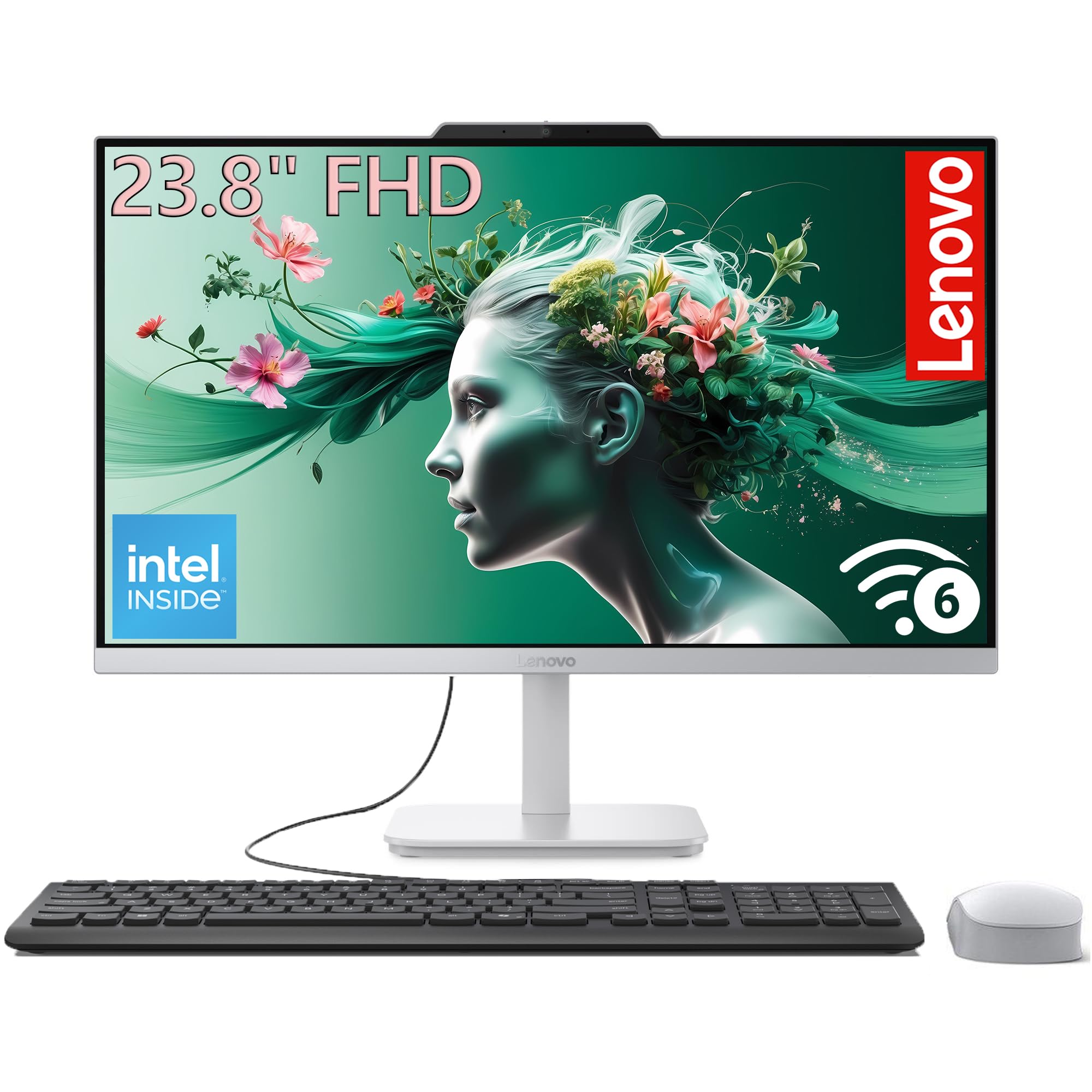
3. Lenovo 24″ All-in-One Desktop, i3-N305
A storage monster and fast 8-core processor wrapped in a clutter-free design.
This Lenovo is the rare mid-range pick that does not make you compromise on storage or performance. The Intel Core i3-N305 is an 8-core chip that boosts up to 3.8 GHz — that gives you four times the cache memory (6MB vs 1.5 MB) compared to the entry-level 24″ Core Innovations model, so opening multiple programs feels instant. The 16GB of DDR4 RAM and a massive 1TB PCIe SSD mean you can store a library of photos and documents without an external drive.
The 23.8-inch FHD IPS anti-glare screen delivers 99% sRGB color coverage and 250 nits of brightness, so colors stay vibrant even in bright rooms. The three-sided borderless design keeps the focus on your content, and the tiltable stand lets you adjust the angle. Wi-Fi 6 and Bluetooth 5.2 keep your connection fast and modern. One buyer who upgraded from a 13-year-old PC called the speed and picture quality “excellent.”
Hands-On Feedback: Owners mention it is “super fast” with “great storage capacity” and “user friendly” even for non-techies. The wired keyboard and mouse included mean you can start right away.
The Limitation: Some users wish it had more USB ports, and there is no touchscreen option.
Who it fits: The buyer who wants one terabyte of storage without paying a premium price, plus a smooth daily experience for web, email, and streaming. Pass if you need a touchscreen or the absolute compact form factor.
4. HP 24 inch All-in-One Desktop, AMD Ryzen 7

An AMD-powered HP that cuts your daily computer time in half with raw speed.
Where most all-in-ones in this range use Intel chips, this HP packs an AMD Ryzen 7 7730U processor with 16MB of cache — 16MB of cache (the HP 2025 model has 6MB cache), which means fewer delays when switching between tasks. The 16GB of RAM and 512GB SSD ensure you never wait for apps to load, and customers note that tasks that used to take an hour now finish in 30 minutes.
The design is modern and clean: an ultra-slim three-sided micro-edge display that gives you up to an 89% screen-to-body ratio, so the computer looks almost borderless. The pop-up privacy camera hides physically when not in use, and the dual-array microphones with noise reduction make your voice sound clear on video calls. The 512GB SSD is rated 15x faster than a traditional hard drive, so booting up takes seconds.
Strengths
- Fast AMD Ryzen 7 processor handles demanding tasks easily
- Pop-up privacy camera protects your home office
- Dual-array mics with noise reduction for clear calls
Weaknesses
- Non-adjustable stand limits ergonomic positioning
- Some users report sluggishness from pre-installed software
Grab it for: The fastest everyday performance in this price tier and a premium call-quality experience. Step away if you need a stand that tilts and swivels freely or prefer a simpler, uncluttered software start.
5. Lenovo IdeaCentre All-in-One Desktop, 24″

The Lenovo that packs the specs you actually need into a clean black chassis.
The IdeaCentre is built around the Intel N100 processor — a modern quad-core chip that tops out at 3.4 GHz with 6MB of cache (four times the cache of the older Celeron N5095 in the 24″ Core Innovations desktop). The 8GB of DDR4 RAM handles daily tasks smoothly, and the 512GB PCIe SSD gives you fast boot-ups and plenty of file storage without needing an external drive.
The 23.8-inch FHD IPS anti-glare screen hits 250 nits of brightness and covers 99% sRGB, so photos and videos look accurate. The slim design in Eclipse Black fits in well at a home office desk or reception area. Reviewers point out it is “fast and easy set up,” though one noted that the USB ports are placed in a location that is “very challenging to plug in stuff.” It comes with Wi-Fi 6, Bluetooth 5.2, and a wired keyboard and mouse.
One Review Highlight: A buyer called it “perfect for my needs” and praised the large screen and good graphic quality. Another said it was “not bad for the price.”
The Practical Drawback: The rear USB port placement can be awkward if you plug and unplug devices often. Consider a USB hub if you need regular access.
Choose this for: A reliable, no-frills desktop that handles everyday tasks and looks professional. pass on it if you need easy-access front USB ports or prefer a touchscreen.
6. HP 2025 22″ FHD All-in-One Desktop Computer

A compact, black HP with the latest 13th Gen Intel and future-proof memory.
This HP shaves two inches off the screen size but makes up for it with the newest generation of hardware. The 13th Gen Intel N100 processor (4 cores, up to 3.4 GHz, 6MB cache) delivers efficient daily performance, paired with 8GB of DDR5 RAM — the faster and more modern type of memory that handles multitasking better than older DDR4. It comes with a 128GB SSD, which is enough for Windows and core apps, and you can always expand via the USB Type-C port.
The 21.5-inch FHD display has an anti-glare coating, so you are not fighting reflections during afternoon video calls. The HD webcam includes a physical privacy shutter for confidence. Windows 11 Pro comes pre-installed, which includes business-grade security and remote desktop features. Buyers call it “perfect for using in my home office” and say it is “user friendly” with easy assembly.
Smart Features
- DDR5 RAM provides smooth multitasking responsiveness
- Windows 11 Pro includes enhanced security and remote support
- Privacy shutter on webcam for secure video calls
Limitations
- Only 128GB of internal storage fills up quickly
- 21.5-inch screen feels smaller than the 23.8-inch models
Good fit for: A home office user who values security and the latest memory standard. Not ideal if you need lots of built-in storage or a larger display for reading documents side by side.
7. HP 21.5″ FHD All-in-One Desktop with Docking Station

The HP that comes with a bonus dock so you never run out of storage space.
This model takes the reliable HP N100 platform and adds a twist: the 128GB internal SSD is paired with a 256GB docking station, giving you a combined 384GB of storage. That gives you a combined 384GB of storage, versus the standard 128GB, so you can keep more family photos and documents on the machine itself. The 8GB of DDR5 RAM keeps things running smoothly for web and office tasks.
The 21.5-inch anti-glare VA display at 1920×1080 resolution delivers sharp text for reading. The adjustable stand tilts from -6° to 21°, so you can dial in a comfortable angle. It also includes a front-facing 720p camera, speakers tuned by DTS Audio, and a handy 8-in-1 docking hub for connecting peripherals. Shoppers say it looks “slick” in white and is “great for the price.”
What Buyers Mention: One reviewer noted the unit “came quickly and so far works great” but wished for clearer instructions on the included plug-in items. Another called it a “nice unit with computer built in to the screen.”
Consider This: The external dock adds a cable and component on your desk, which goes against the “all-in-one” simplicity. If clutter is a concern, a model with a larger single drive might be cleaner.
Pick this if: You like the idea of an all-in-one but need a bit more storage than the basic models offer, and you do not mind having a small dock on your desk. Look elsewhere if you want a single, clean unit with no extra boxes.
8. HP 21.5″ FHD All-in-One, Intel Celeron (16GB RAM)
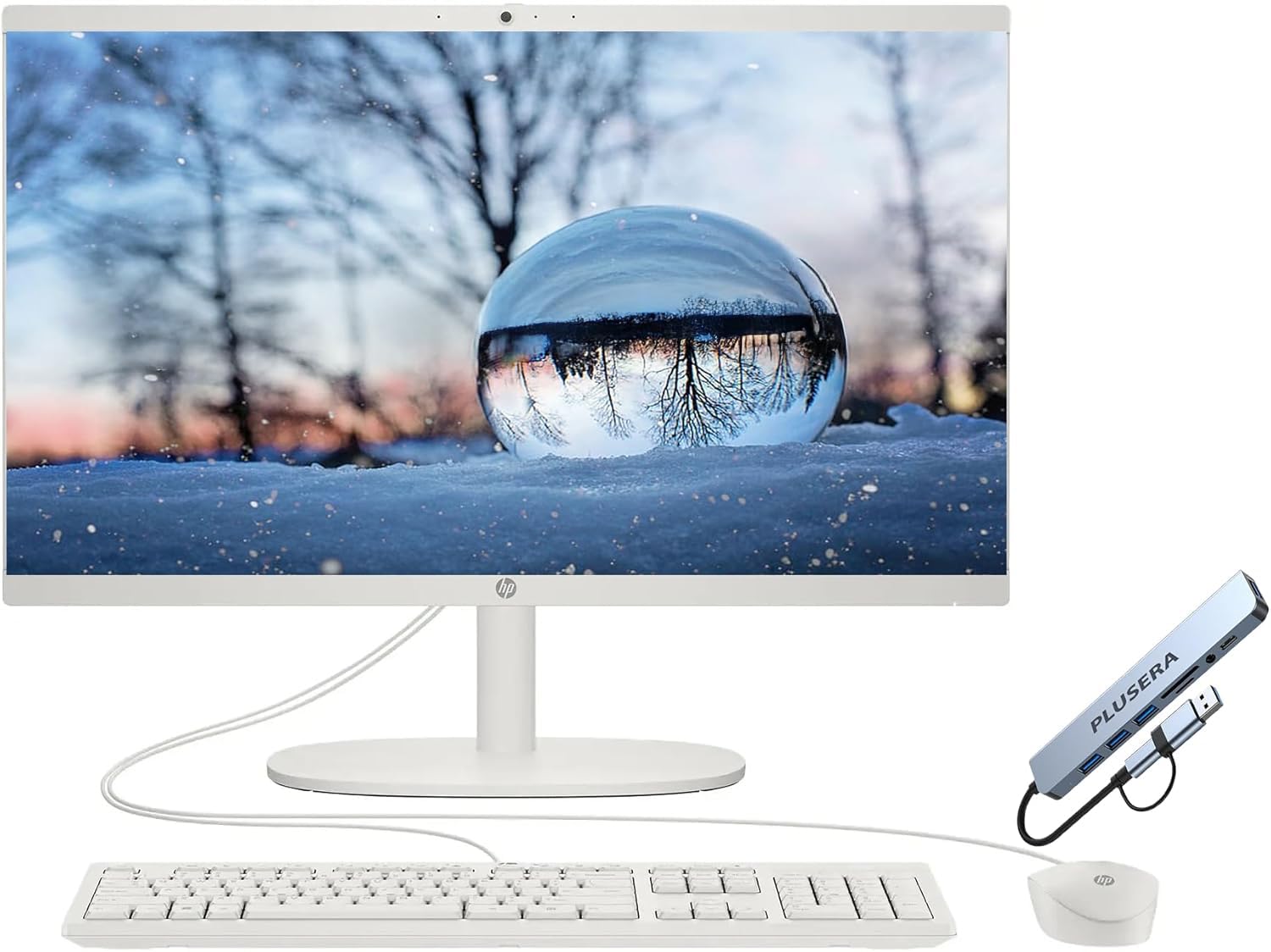
An HP that splurges on memory to keep many tabs open without stalling.
This HP takes a different approach: it uses a basic Intel Celeron processor (2 cores, up to 2.9 GHz) but pairs it with a generous 16GB of RAM. That means the computer may not feel the fastest when booting up, but once it is running, you can keep many browser tabs and a video call open without hitting a wall. The 21.5-inch FHD LED display with anti-glare and flicker-free technology helps reduce eye strain.
The design is clean and white, and it includes an HP True Vision HD privacy camera for secure video chats. With Wi-Fi 6 and Bluetooth built in, your wireless connections stay modern. However, some buyers report the computer feels “kinda sluggish” from the start, likely due to extra pre-installed software (bloatware). One buyer mentioned it was “very slow and laggy” on websites.
What Works
- 16GB RAM lets you run several programs at once
- Flicker-free and anti-glare display for eye comfort
- Privacy camera for secure video calls
What to Know
- The Celeron processor can feel slow with multiple tasks
- Bloatware may need to be uninstalled for better performance
Ideal for: Someone on a tight budget who wants a lot of RAM for light browsing and email, and does not mind spending a few minutes removing pre-installed software. Avoid if you want a snappy, high-performance experience right from the start.
9. 24″ All-in-One Desktop PC with Windows 11 (Core Innovations)

A large 24-inch screen at the lowest entry point — but with clear limits.
This Core Innovations desktop gives you a 24-inch FHD IPS display at a very accessible price point. The Intel Celeron N5095 processor runs at 2.9 GHz (2.9 GHz versus the Dell 24’s 4.7 GHz), and it comes with just 4GB of RAM and 128GB of storage. That is enough for very light tasks like one web browser tab at a time, but you will feel the pinch if you try to do more.
The IPS screen is crisp and the stand tilts, but it has a fixed angle — it does not adjust up or down. One owner reported “the screen does not adjust,” requiring a riser for comfortable viewing. Owners mention severe reliability concerns: one reviewer stated “all four units defective within 8 months.” Another was happy, calling it “excellent quality” and “easy to use.”
Honest Warning: Multiple reviews mention hardware failures and poor manufacturer support. The 4GB RAM is also very limiting — you cannot run Windows 11 and a few browser tabs without slowdown.
The Upside: For the price, you get a big 24-inch IPS screen, and some buyers have had a positive experience for basic school use.
Only consider if: Your budget is very tight and the large screen is your top priority. it’s not for you if you value long-term reliability, want to multitask, or need an adjustable stand — the reliability data here is concerning.
10. MECHAZER All-in-One Desktop Computer 23.8 Inch Curved Display

The curved-screen desktop that wraps the picture around your field of view.
This is the only curved model in the list, and the 23.8-inch screen tries to pull you into whatever you are watching or working on. Inside, it packs a Core i7 7700HQ processor (4 cores, up to 3.8 GHz) with 16GB of RAM and a 512GB SSD — specs that are very strong for the price tier. The processor has 6MB of cache, (the entry-level Celeron N5095 has 1.5MB cache), so multitasking feels much more responsive.
The connectivity is generous: dual-band WiFi, Bluetooth 5.0, four USB 3.0 ports, HDMI, VGA, and a LAN port. The wired keyboard and mouse are included. One reviewer who described themselves as “old and not too tech savvy” said setup was easy and the computer “does what I need it to do.” A fingerprint reader is built in, which adds a layer of security and convenience.
Standout Features
- Curved display creates a more rich viewing experience
- 16GB RAM and 512GB SSD offer strong performance for daily tasks
- Includes fingerprint reader for easy login
Risks to Know
- A small number of customers note units restarting for no reason
- The older 7th-gen Core i7 is less power-efficient than modern chips
Consider it for: The unique curved display that many people find easier on the eyes, combined with solid RAM and storage. Not a great pick if you want a modern, energy-efficient processor or cannot tolerate any risk of hardware issues.
11. STGSivir All in One Desktop Computer, 21.5″ FHD
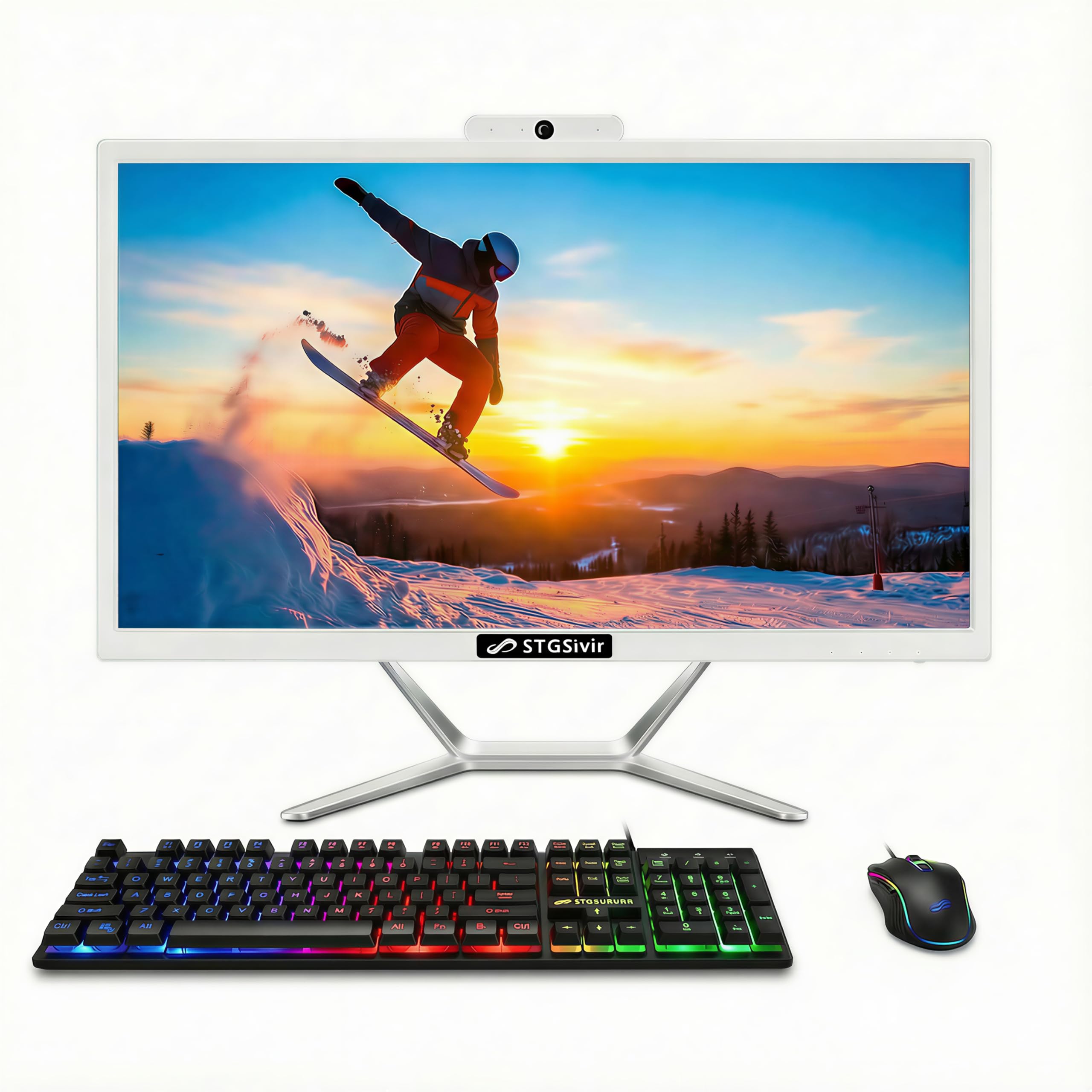
A value-driven i7 with fun RGB lighting on the keyboard and mouse.
The STGSivir offers one of the lowest entry prices for a computer that claims a Core i7 processor with 16GB of RAM and a 512GB SSD. On paper, that is a lot of performance for the money. However, the Core i7 here is a 4th-generation chip (3.1 GHz base, up to 3.9 GHz), which is much older than the modern processors in the Dell or Lenovo picks above. It runs Windows 11 Home, which is good, but the older chip may struggle with newer software over time.
The 21.5-inch FHD LED screen provides clear picture quality, and the built-in webcam works for video calls. The included RGB keyboard and mouse add a splash of color, which some buyers love. However, one customer observed a serious issue: “PC froze 2-3 min after boot; pointer stuck,” and support could not fix it. Other buyers had a smooth experience, calling it a “good value” and “easy to set up.”
The Good
- Low entry price for a computer with 16GB RAM and 512GB SSD
- RGB mouse and keyboard add a fun, modern look
- Includes lifetime tech support from the seller
The Bad
- 4th-gen Core i7 is outdated and may feel slow
- Mixed reviews include reports of freezing and hardware defects
Best for: The shopper who wants maximum RAM and storage for the lowest possible cost and is comfortable with the higher risk of potential issues. Not recommended if you want a polished, low-maintenance experience from the start.
Understanding the Specs
Processor: The Speed Engine
The processor (CPU) is the brain of the computer. A faster processor (measured in GHz) lets you open programs and switch between them instantly. For daily tasks, look for at least an Intel N100, Core i3, or AMD Ryzen 3 — these are modern chips that handle web browsing, email, and video calls without lag. Avoid older-generation Celeron processors if you want the computer to feel responsive for more than a couple of years.
RAM: The Multitasking Workspace
RAM (random access memory) is your computer’s short-term workspace. The more RAM you have, the more apps you can keep open at the same time. For one or two programs, 8GB is the minimum comfortable amount. For keeping several browser tabs, a video call, and a word processor open together, 16GB is ideal. 4GB is not enough for a smooth Windows 11 experience — the system will run out of memory quickly.
FAQ
How much RAM do I need for basic web surfing and email?
Is an SSD storage drive worth the extra cost?
What size screen is best for a senior who has trouble seeing small text?
Does an all-in-one computer have a built-in webcam for video calls?
Will an older-generation processor like a Core i7 7700HQ still feel fast?
Can I connect my own mouse and keyboard to an all-in-one computer?
How easy is it to set up an all-in-one computer for the first time?
What does a 1-year onsite service warranty mean?
Should I get a computer with a touch screen or a regular screen?
What is the difference between Windows 11 Home and Windows 11 Pro?
Final Thoughts: The Verdict
For most people, the all in one computer for seniors winner is the Dell 24 All-in-One Desktop because it delivers a bright, easy-to-read 23.8-inch screen, fast everyday performance from the Intel Core 3 chip, and the confidence of live onsite service if anything goes wrong. If you want a huge touchscreen and maximum power for future-proofing, grabthe Dell 27 All-in-One Touch Desktop. And for the best balance of storage and value, the standout is the Lenovo 24″ i3-N305.
How We Picked
We do not accept paid placement. Every pick is matched to a real buyer and a real use-case; we do not hands-on test units.
Sources & Methodology
Specifications: manufacturer listings and product documentation. Review insights: verified customer reviews, as of July 2026. Pricing: not shown on this page (it changes often); check the current price via the retailer link.
As an Amazon Associate, Gadgets Feed earns from qualifying purchases. This does not affect which products we feature.
Related Guides
Product prices and availability are accurate as of the date/time indicated and are subject to change. Any price and availability information displayed on Amazon at the time of purchase will apply to the purchase of this product. As an Amazon Associate I earn from qualifying purchases.
CERTAIN CONTENT THAT APPEARS ON THIS SITE COMES FROM AMAZON. THIS CONTENT IS PROVIDED "AS IS" AND IS SUBJECT TO CHANGE OR REMOVAL AT ANY TIME.
Amazon and the Amazon logo are trademarks of Amazon.com, Inc. or its affiliates.