
Our readers keep the lights on and my morning glass full of iced black tea. As an Amazon Associate, I earn from qualifying purchases.
Specs are compiled from manufacturer listings and verified buyer reviews and can change over time — please confirm the key details on the product page before buying.
If your students watch a video and can’t tell if you’re smudging the whiteboard or demonstrating a technique, the camera is the first thing to blame and the last thing you want to cheap out on. The real trick for an online course isn’t just “4K” — it’s a camera with fast autofocus, clear built-in audio, and a sharp lens that avoids a smeary, soft image.
I’m Min — the founder and writer behind Gadgets Feed. This guide is built by comparing the manufacturers’ published specifications and the patterns across verified customer reviews, so you get each pick’s real strengths and trade-offs instead of marketing spin.
Whether you teach algebra from your kitchen table or coach guitar from a dedicated home studio, the right camera for online courses locks your students’ attention on the material, not on your blurry face or muffled audio.
Our Picks at a Glance
How To Choose The Best Camera For Online Courses
Picking a camera for recording lectures or streaming live classes boils down to three things: keeping your face sharp as you move, capturing your voice without echo, and handling different lighting conditions. Here are the specs that actually separate a useful course camera from a frustrating one.
Autofocus and Tracking Speed
The biggest mistake first-time course creators make is buying a camera with slow contrast-detect autofocus. When you lean forward to point at a chart, a cheap camera hunts in and out of focus for several seconds, ruining the flow of your lesson. Look for phase-detection autofocus (PDAF) or AI-based tracking that locks focus in fractions of a second — ideally around 0.2 seconds — so the camera stays sharp as you move naturally.
Microphone Quality and Noise Handling
Your students can forgive slightly soft video, but they will click away the moment your audio sounds hollow or picks up background hum. A camera with a multi-mic array (two or three microphones) and dedicated noise cancellation modes can filter out steady background noise like a fan or sudden sounds like a keyboard click. For the clearest results, many course creators add an external stereo microphone, which is why you’ll see several picks ship with one.
Video Resolution and Frame Rate
4K resolution (3840 x 2160) lets you crop the frame or display fine text on screen without it turning into a pixelated mess. But resolution alone isn’t enough — check the frame rate. 30 frames per second (fps) is fine for a talking-head lecture, but 60 fps is noticeably smoother for demoing a physical skill like hand-lettering or assembling electronics. Some budget cameras advertise “4K” but only deliver usable quality at 1080p, a detail you will catch in the reviews below.
Quick Comparison
| Model | Best For | Effective Video Resolution | Autofocus Type | Audio | Amazon |
|---|---|---|---|---|---|
| EMEET PIXY Dual-Camera PTZ★ Best Overall | AI Auto-Tracking Lectures | 4K (8 MP) | PDAF + AI (0.2s) | 3-Mic Array | Amazon |
| NexiGo N680E ProTop Performer | Studio-Quality Streaming | 4K UHD | PDAF Autofocus | Dual Noise-Canceling Mics | Amazon |
| TONGVEO 3-in-1 4K WebcamRoom Coverage | Large Conference Rooms | 4K (8.29 MP) | AI Auto Framing | Dual Mics + 3W Speaker | Amazon |
| Elgato Facecam 4K | DSLR-Like Manual Control | 4K @ 60 FPS | Auto/Manual | None (No Mic) | Amazon |
| YOLOLIV YoloCam S3 | Ultimate Low-Light Clarity | 4K @ 30 FPS | PDAF Autofocus | None (No Mic) | Amazon |
| TONGVEO PTZ 12X Optical | Large Auditorium Coverage | 1080p @ 60 FPS | AI Auto-Tracking | None (No Mic) | Amazon |
| 4K Video Camera Camcorder 64MP | Budget All-in-One Kit | 4K (3840) | Automatic | External Stereo Mic | Amazon |
| 5K Video Camera Camcorder 56MP | Versatile Vlogging Bundle | 5K (5120) | Automatic | External Mic | Amazon |
| 8K Video Camera Camcorder 88MP | Highest Resolution Raw Footage | 8K (7680) | Automatic | External X-Y Stereo Mic | Amazon |
In‑Depth Reviews
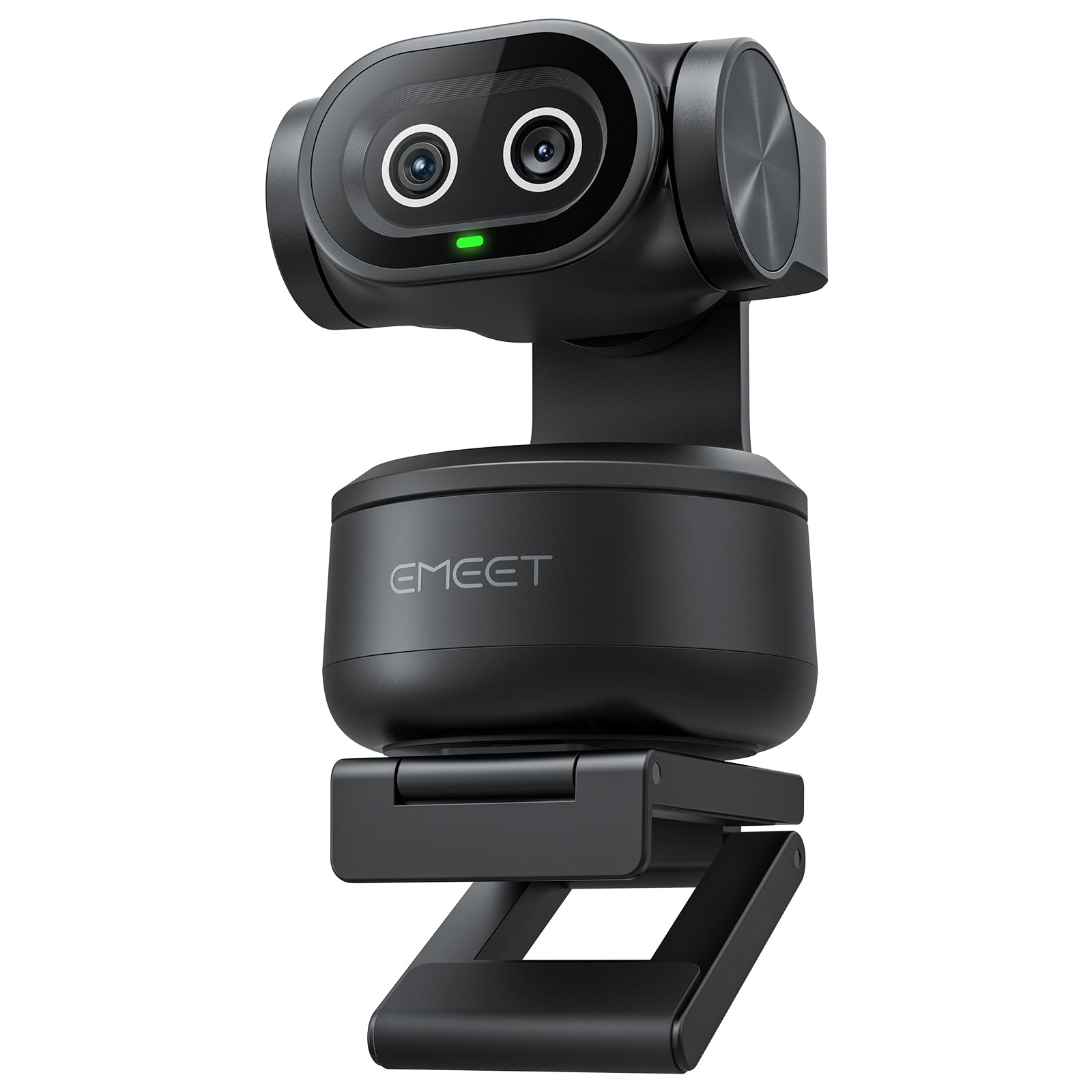
1. EMEET PIXY Dual-Camera AI-Powered PTZ Camera 4K
Our pick — over 4★ from 600+ verified ratings; the strongest balance of quality and price.
The only webcam here that predicts where your face will be next, not just where it is now.
The EMEET PIXY uses a dual-camera system — one for the main 4K picture and a second auxiliary AI camera that constantly reads your face position. The payoff is a focusing speed of 0.2 seconds, which means when you wheel a whiteboard into frame or pivot to a second camera angle for a demo, the PIXY locks on instantly without the sluggish hunt you get from standard webcams. That advantage is huge when you are teaching live and don’t have time to adjust a focus ring.
Its three-microphone array is equally versatile: a Live Mode filters out steady hums like an AC unit, a Noise Canceling Mode blocks sudden keyboard clicks, and an Original Sound Mode captures full ambient detail for music courses. The PTZ base gives you 310 degrees of pan and 180 degrees of tilt, and you can program preset positions via the EMEET STUDIO software to snap between a wide shot of your desk and a close-up of your face. Owners mention the camera works flawlessly on macOS, though the AI tracking can lose you if you stand up quickly — a minor caveat for a seated course creator.
At an effective still resolution of 8 MP, the PIXY prioritizes real-time sensor readout speed for video rather than static photo resolution. For a pure lecture camera, the 8 MP sensor paired with the Sony 1/2.55″ sensor delivers natural skin tones and reliable exposure without introducing lag or artifacting.
Real-World Tracking: The 3-chip AI (imaging, assist, and PTZ) produces smoother motion than single-chip cameras, keeping you centered as you move naturally through a lesson.
One Limitation: The remote control is sold separately, so you need to rely on the software or gesture control (hold an open palm for two seconds) to change presets mid-recording.
Who this fits: The online instructor who moves around while teaching — pacing, writing on a board, or demonstrating physical props — and wants the camera to follow without manual tweaking.
Where it falls short: Teams of two or more instructors may outrun the single-subject AI tracking; a dedicated PTZ operator or a second camera is better for multi-presenter courses.
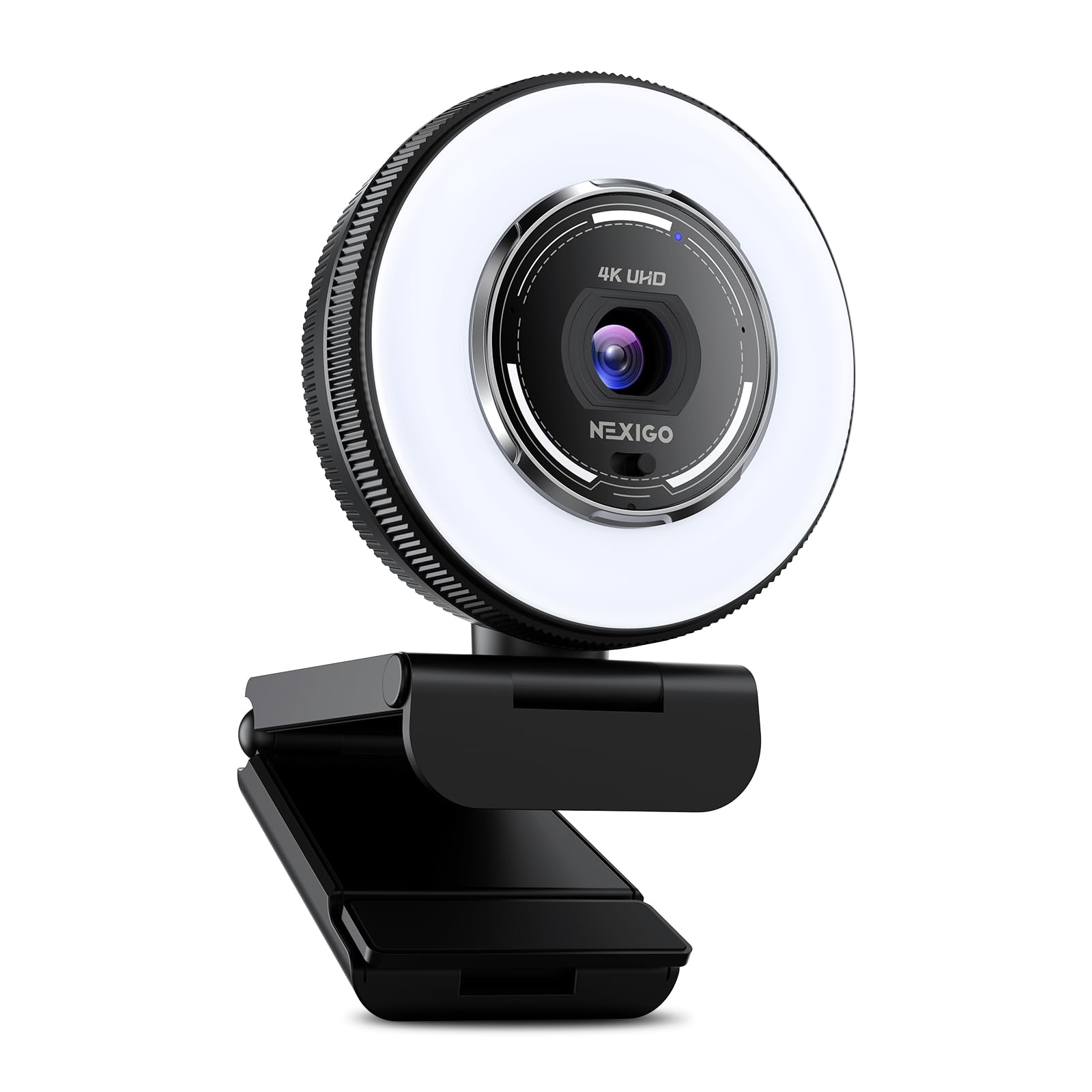
2. NexiGo N680E Pro 4K Webcam with Ring Light
A studio-grade webcam that solves bad lighting before you even think about it.
The NexiGo N680E Pro combines a Sony 1/2.5-inch 4K sensor with a built-in tri-tone ring light that lets you adjust between three color temperatures and control brightness by rotating the outer dial. If you record courses at different times of day — a morning lecture by a window and an evening tutorial under a desk lamp — the ring light provides consistent, glare-free illumination so your face doesn’t shift from washed-out to shadowy between videos. The PDAF autofocus keeps you sharp as you lean into frame to point at a diagram, and the dual noise-canceling mics filter out background hum so your voice stays the focus.
The privacy shutter is a nice touch for course creators who use a shared home office: a simple slide blocks the lens completely when you are not recording. The plug-and-play USB-A connection works instantly with Windows and Mac, and the 80-degree field of view is wide enough to show your upper body and a small desk area without making you look like a tiny face in a giant room. One reviewer noted the “image is clear” and the light is “nice since my husband likes to keep the house dungeon dark in the evenings,” confirming this pick is a lifesaver for unpredictable home lighting. The main catch is the field of view feels tight — one buyer mentioned it being “too zoomed in” and essentially a “face only kind of camera,” so you may need to move the camera farther back if you want to include a whiteboard in the shot.
Lighting Built Right In: The stepless brightness dial and three color modes mean you get professional-looking skin tones without buying a separate ring light or softbox.
Caveat on Framing: At its widest, the 80-degree FOV captures your head and shoulders comfortably, but if you need to show large props or a full whiteboard, you’ll want a camera with a wider lens or a dedicated camcorder on a tripod.
Best for: The solo course creator who records in varied lighting — sunny mornings, overcast afternoons, late evenings — and wants one device that handles both focus and face illumination automatically.
skip it if: You need a wide shot of a full classroom or demonstration bench; the 80-degree FOV is modest and won’t comfortably frame a large workspace.
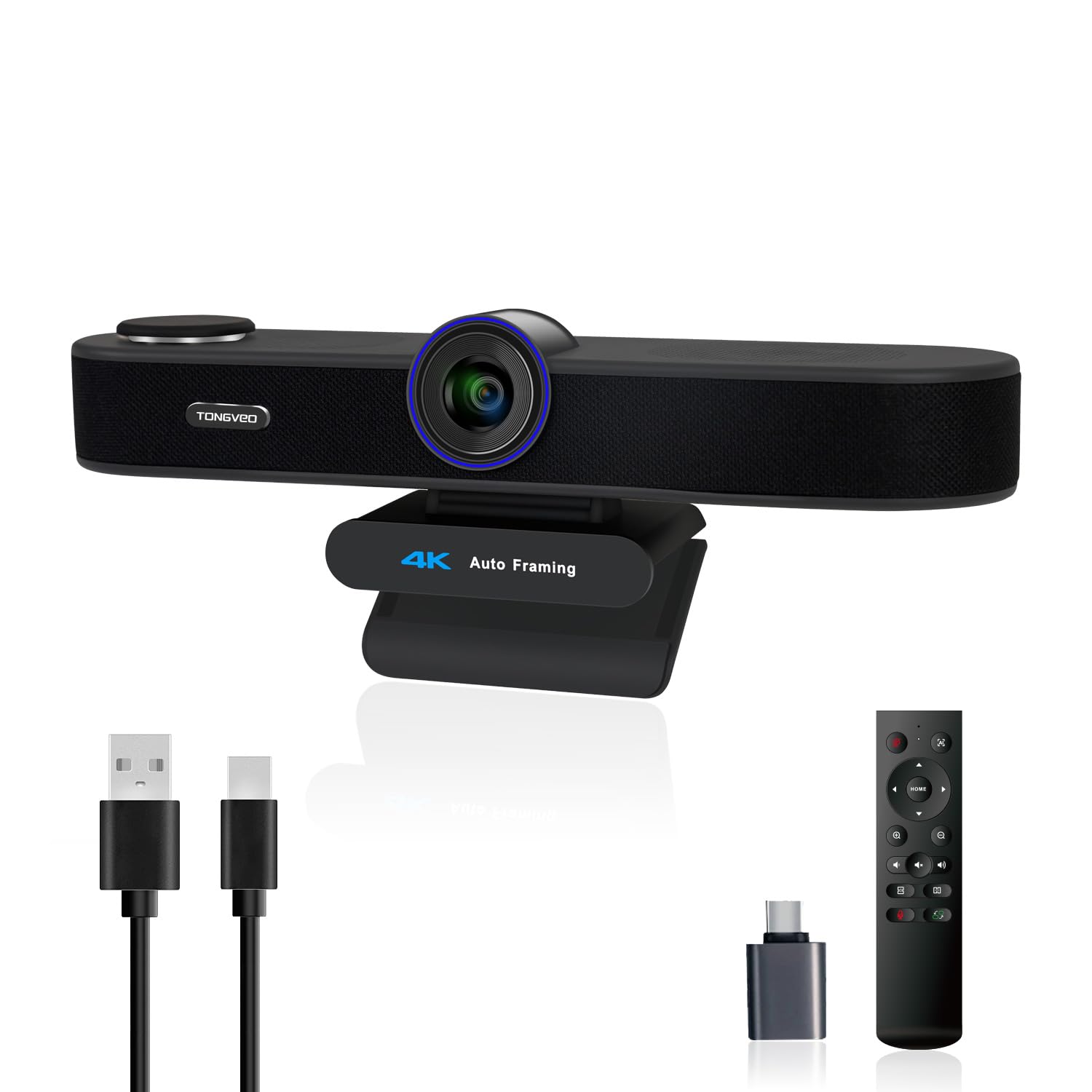
3. TONGVEO 3-in-1 4K Webcam with Microphones and Speaker
One camera that acts as webcam, speakerphone, and wide-room sensor for multi-participant courses.
The TONGVEO 3-in-1 stands out for its audio-first approach — it integrates a 3-watt speaker alongside dual microphones, meaning you can host a live Q&A session or a small group tutorial without plugging in separate speakers. The 1/2.8-inch 8.29-megapixel sensor delivers 4K video at 30 fps, and the AI auto-framing detects everyone in the field of view and centers the group automatically. If a student in the back asks a question, the voice tracking feature locates them within three seconds and frames them in the shot — a specific advantage for interactive classes where participants take turns speaking.
The remote control lets you switch between three field-of-view modes (118 degrees wide, 100 degrees medium, and 88 degrees narrow) so you can choose how much of the room you show. One owner reported the wide-angle view “looks like a bowling alley lane” — a humorous way of saying the lens has noticeable barrel distortion at its widest setting, so you may want to stick with the medium or narrow FOV for a more natural-looking headshot. A separate owner noted that the built-in speakers and microphone cannot be used simultaneously on Teams, requiring a headset despite the all-in-one design.
Smart Room Adaptation: The combination of AI auto-framing and voice tracking means the camera handles multiple people in a small conference or classroom setting without a human operator.
Software Quirk: The simultaneous-speaker limitation on certain platforms may force you to use an external headset for live calls, reducing the convenience of the built-in speaker.
Who it’s for: Instructors running live, interactive sessions with a handful of on-camera students or guests, where the camera needs to follow whoever is speaking.
Who should look elsewhere: A solo instructor recording pre-produced videos only needs a simpler, more compact webcam without the speaker and room-detection features.
4. Elgato Facecam 4K

A webcam that treats you like a production engineer, with full manual exposure and no microphone distractions.
The Elgato Facecam 4K is built for the instructor who already owns a dedicated USB microphone and wants nothing but the cleanest video signal. The Sony STARVIS 2 CMOS sensor paired with the Elgato Prime Lens delivers 4K video at 60 frames per second — the highest frame rate on this list — which produces noticeably smoother motion for physical demos like calligraphy, cooking knife cuts, or equipment assembly. The Camera Hub software gives you DSLR-like control over exposure, white balance, and sharpness, and the settings save to the camera’s internal flash memory so they persist even if you plug it into a different computer.
The Facecam supports standard 49mm lens filters, so you can screw on a variable ND filter to control depth of field in bright conditions or a diffusion filter to soften your skin — real cinema tools for a webcam. The USB-C to USB-C 3.0 cable (79 inches long) is detachable and provides clean uncompressed video with HDR support. The trade-off is the lens is very wide (one reviewer compared it to a 20mm field of view), meaning you need to sit fairly close to fill the frame, and the digital zoom to crop in drops you out of 4K resolution. There is no built-in microphone at all, so budget for a separate USB mic or a lavalier.
Pro-Grade Flexibility: The ability to use standard camera filters and save all settings on-board means you can dial in a look once and never touch it again across recording sessions.
Audio Requirement: With zero onboard microphone, this is a non-starter for anyone who doesn’t have a separate desktop or lavalier microphone already on hand.
Ideal for: The advanced course creator who understands exposure triangles, already owns a quality mic, and wants a webcam that can be tweaked like a mirrorless camera.
Not for: Beginners or anyone expecting an all-in-one webcam experience — without a mic and with no included lighting, the total setup cost rises quickly.
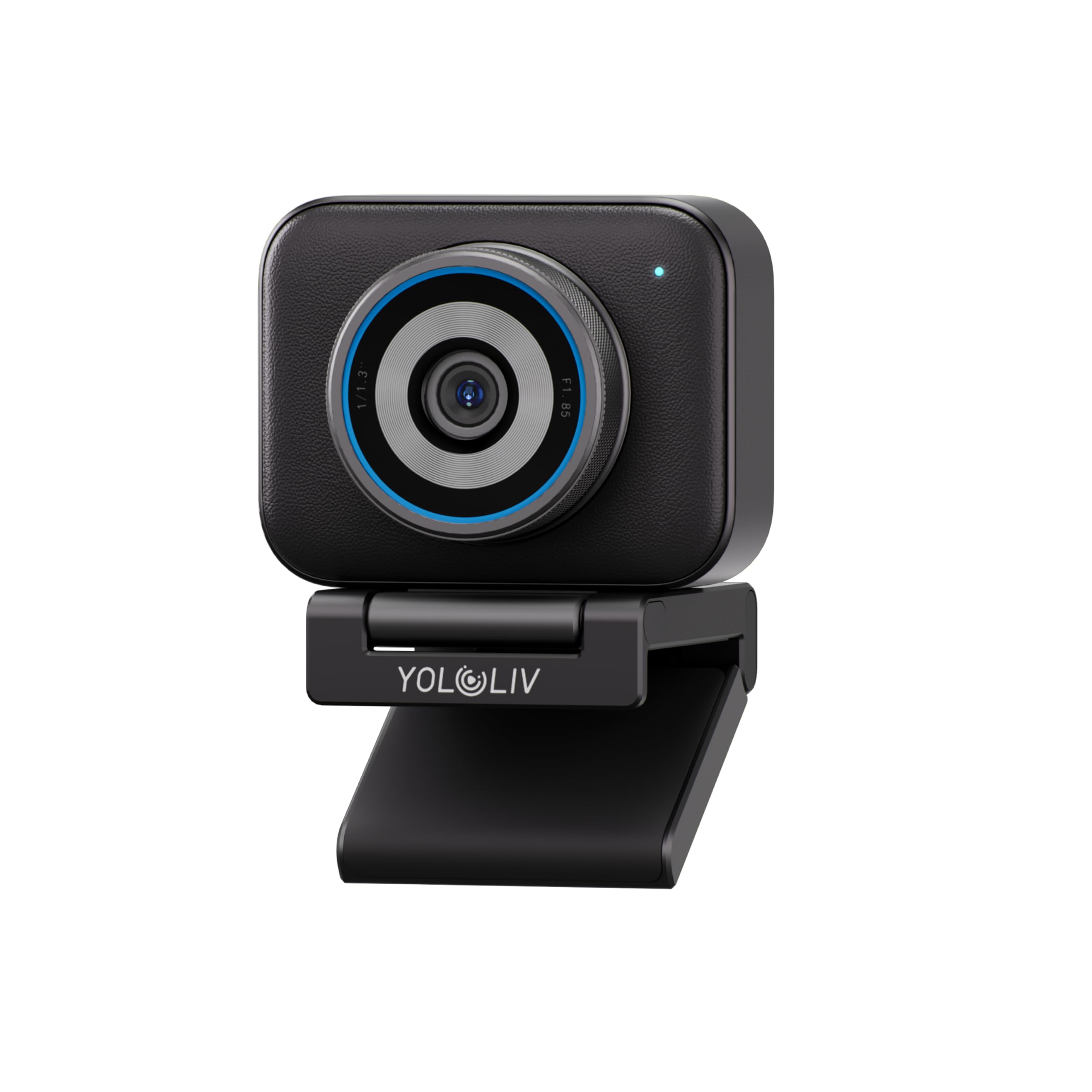
5. YOLOLIV YoloCam S3 4K Streaming Webcam
A webcam with a sensor so large it rivals the one in many compact mirrorless cameras.
The YoloCam S3 packs a 1/1.3-inch CMOS sensor — YOLOLIV calls it “likely the largest ever in a webcam” — and the immediate benefit is low-light performance that leaves every other pick in the dust. If your recording space has uneven lighting, a single desk lamp, or no ring light, the S3’s AI-enhanced imaging delivers “2.5x clearer faces and finer details in low light” without the gritty noise you would see from a smaller sensor. The PDAF autofocus is “instant zero-lag” according to the spec sheet, and reviewers confirm that it tracks faces sharply even when they move around while talking.
The 82-degree field of view is generous without being so wide that it looks distorted, and the Uncompressed 4K video at 30 fps (or 1080p at 60 fps) gives you plenty of flexibility in post-production. The all-aluminum body acts as a heat sink, so the camera advertises “24/7 non-stop streaming without any overheating or lagging.” One reviewer replaced their Sony ZV-1f mirrorless camera with the S3 as a webcam, stating “the enlarged 1/1.3″ CMOS sensor makes a significant difference, particularly in low light.” The main things to note are that it has no built-in microphone, and the Picasso Resolve color grading software for Windows is powerful but not yet available on Mac.
Cinematic Background Blur: The large sensor naturally separates you from the background, giving a shallow depth-of-field look that smaller webcam sensors can’t achieve without software trickery.
No Mic, No Problem if You Have One: Like the Elgato Facecam, this is a pure video tool — you must supply your own microphone, which makes the total box price higher than a bundled webcam.
Best for: The course creator who records in a room without ideal lighting — a basement office, a room with only one window — and wants a pro-grade image without buying expensive softboxes.
Consider alternatives if: You need an all-in-one solution with a built-in microphone, or you are exclusively a Mac user who wants the full color-grading software suite today.
6. TONGVEO PTZ Camera AI Auto Tracking 12X Optical Zoom
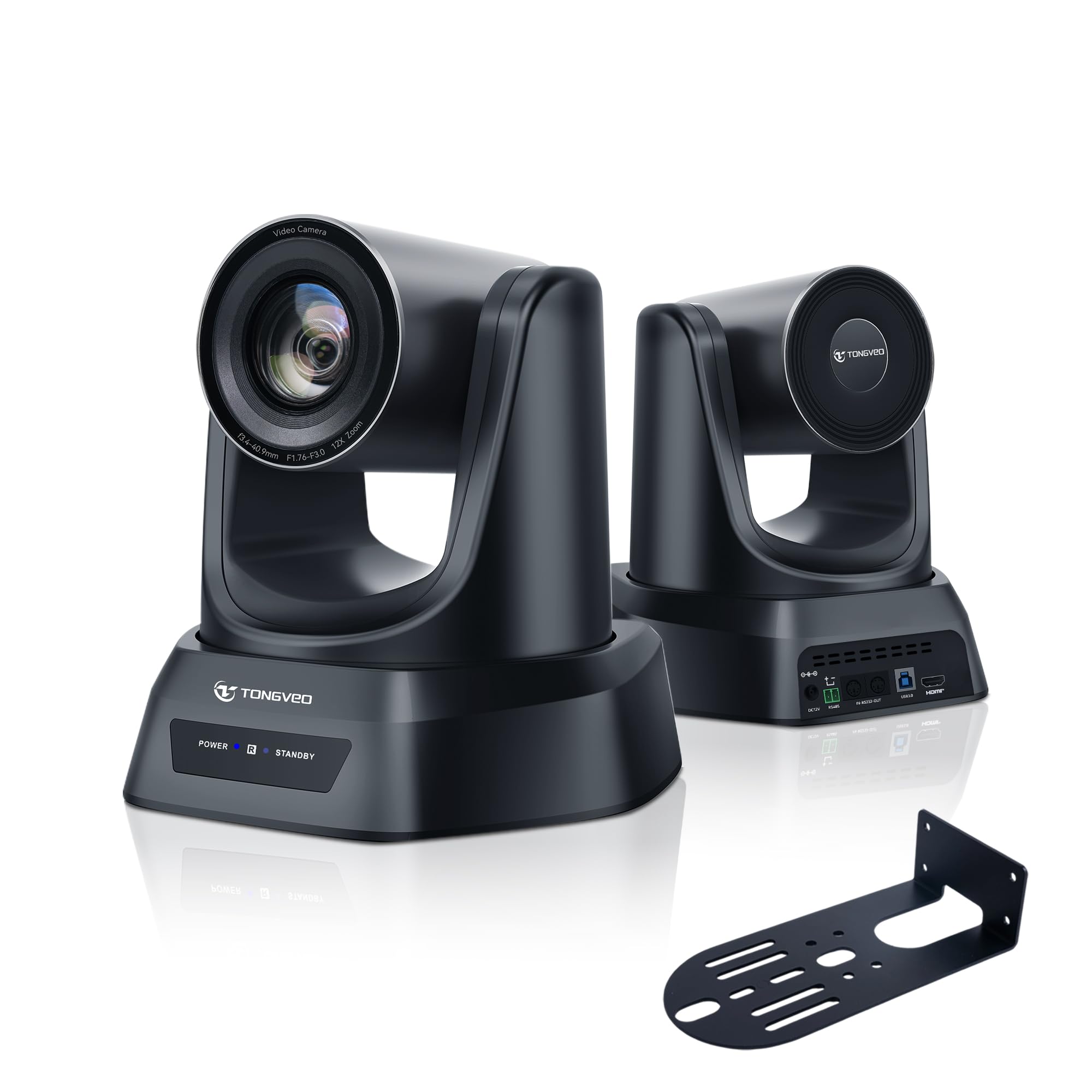
A professional PTZ camera for when your course audience fills a room, not just a laptop screen.
This TONGVEO PTZ camera switches from a desktop webcam to a full production tool for recording or live-streaming courses in larger venues like church halls, training rooms, or auditoriums. The 12x optical zoom delivers an extra-wide 75.4-degree field of view — the data explains — while maintaining image quality because it is actual optical glass rather than a digital crop. The AI auto-tracking mode keeps the presenter framed without a human operator, and the camera supports up to 255 preset positions for instant switching between a stage view and a whiteboard close-up.
The simultaneous HDMI and USB 3.0 outputs mean you can send video to a large projection screen for a live audience while simultaneously feeding a clean signal to your computer for recording or streaming. Customers note the camera “works great with Linux” and that the “quality is great” for church and worship use, adding that it handles low light “even if you have low lightning you still have better quality image and video.” The trade-off is the effective video resolution tops out at 1080p — not 4K — which is fine for a large venue where viewers are far from the screen, but less future-proof if you want to crop into 4K footage during editing. There is also no built-in microphone, so you need a separate audio system for a room.
Flexible Mounting: The camera can be mounted on a desk, wall, monitor, tripod, or ceiling, giving you total freedom to position it exactly where the room layout demands.
No Internal Mic or Speaker: This is a pure video PTZ camera — you must provide your own microphone and audio output, which is standard in a room-sized setup but adds complexity for a home office.
Who needs this: The course creator teaching in a dedicated physical classroom, church, training center, or large studio where the camera sits 15 to 40 feet away and must zoom/crop optically without losing quality.
Who should pass: The solo instructor recording from a home desk — the 12x zoom, HDMI output, and wall-mount hardware are overkill for a desktop setup.
7. 4K Video Camera Camcorder 64MP Vlogging Camera
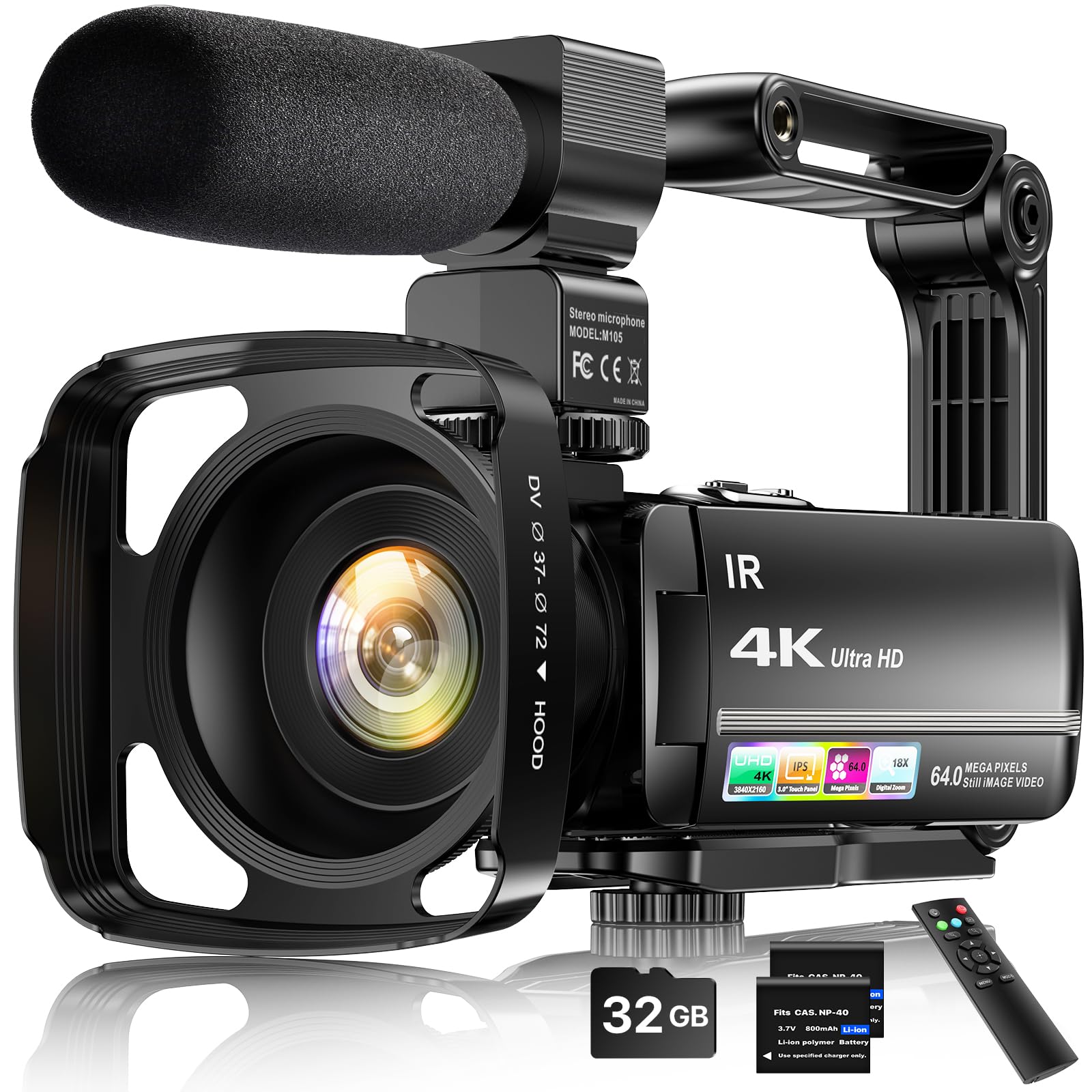
A complete recording studio in a box — camcorder, microphone, stabilizer, and memory card all included.
This 4K camcorder is the definition of a starter kit. It ships with an external stereo microphone, a handheld stabilizer, a lens hood, a wireless remote control, two batteries, and a 32GB SD card, so you have everything you need to record your first lesson without buying a single accessory. The 64-megapixel still resolution reads impressively on paper, but the real key to this camera’s value is the 18x digital zoom and the IR night vision, which allows you to shoot in dimly lit rooms without adding a video light. The 3-inch touch screen rotates 270 degrees, so you can see yourself while recording a lesson solo.
The real-world video performance has a hard catch: at the 4K 64MP setting, the camera records at approximately 5 frames per second, which one reviewer described as “super laggy.” The usable setting is 1080p, where the footage is “ok-ish” according to the same buyer, so you are buying a 1080p camcorder with an embellished 4K label. On the positive side, the external microphone “picks up VERY well” and the battery life is solid, making this a reliable 1080p starter kit for a very tight budget.
Bundled for a Reason: The included 32GB card, two batteries, remote, and external mic mean you have zero upfront accessory cost — it truly works from the start.
The 4K Asterisk: The 4K 64MP mode runs at around 5 FPS, making it unusable for any video with motion; plan to record at 1080p for smooth, watchable lectures.
Right for: A brand-new course creator with a minimal budget who wants a dedicated camera (not a webcam) with a microphone, tripod mount, and night vision in one purchase.
Wrong for: Anyone who actually needs 4K video, smooth slow-motion, or professional-level autofocus for a moving instructor.
8. 5K Video Camera Camcorder 56MP Dual Lens

A dual-lens camcorder that records front and rear views at the same time — perfect for cooking or craft courses.
This camcorder from FIREFOTO supports a dual-lens recording mode that captures a 5K main image and a 4K+1080P second view simultaneously, letting you show your face in the corner of the frame while the main shot focuses on your hands working on a project. That feature alone makes it a standout choice for instructors teaching physical skills — think pottery, painting, coding on a screen, or card tricks — where the audience needs to see both the teacher’s expression and the fine detail. The 16x digital zoom and 3-inch 270-degree touch screen give you plenty of framing flexibility, and the included 64GB SD card and two 2400mAh batteries mean you can record back-to-back lessons without scrambling for storage or charging.
The built-in WiFi connects to the “Lercenker” app for remote control and quick file transfer straight to YouTube or TikTok, and the IR night vision mode captures black-and-white footage in dim environments. Reviewers point out the camera is “compact, lightweight” about “the size of a 12 oz can,” and that it offers “crisp video in good lighting.” The same reviews note that the included “external mic improves audio” and the “flip touchscreen” is ideal for vlogging. The dual-battery system is convenient, but the FAT32 file system limitation caps each video clip at 4GB, meaning a long lecture automatically splits into 15-20 minute chunks.
Dual-Lens Advantage: The simultaneous front-and-rear recording is a rare feature at this price point and directly solves the problem of showing hands-on work while keeping the instructor’s face visible.
File Segmentation: The 4GB file split means a 90-minute lecture creates several clips that must be stitched together in editing, which adds a post-production step.
Best for: A hands-on course creator teaching a physical skill — cooking, calligraphy, woodworking, electronics assembly — where a picture-in-picture view of the instructor and the work surface is essential.
Not ideal for: A pure lecture-format course where a simple 1080p or 4K talking-head shot is all that is needed; the dual-lens feature adds unnecessary complexity.
9. 8K Video Camera Camcorder Latest 88MP Ultra HD
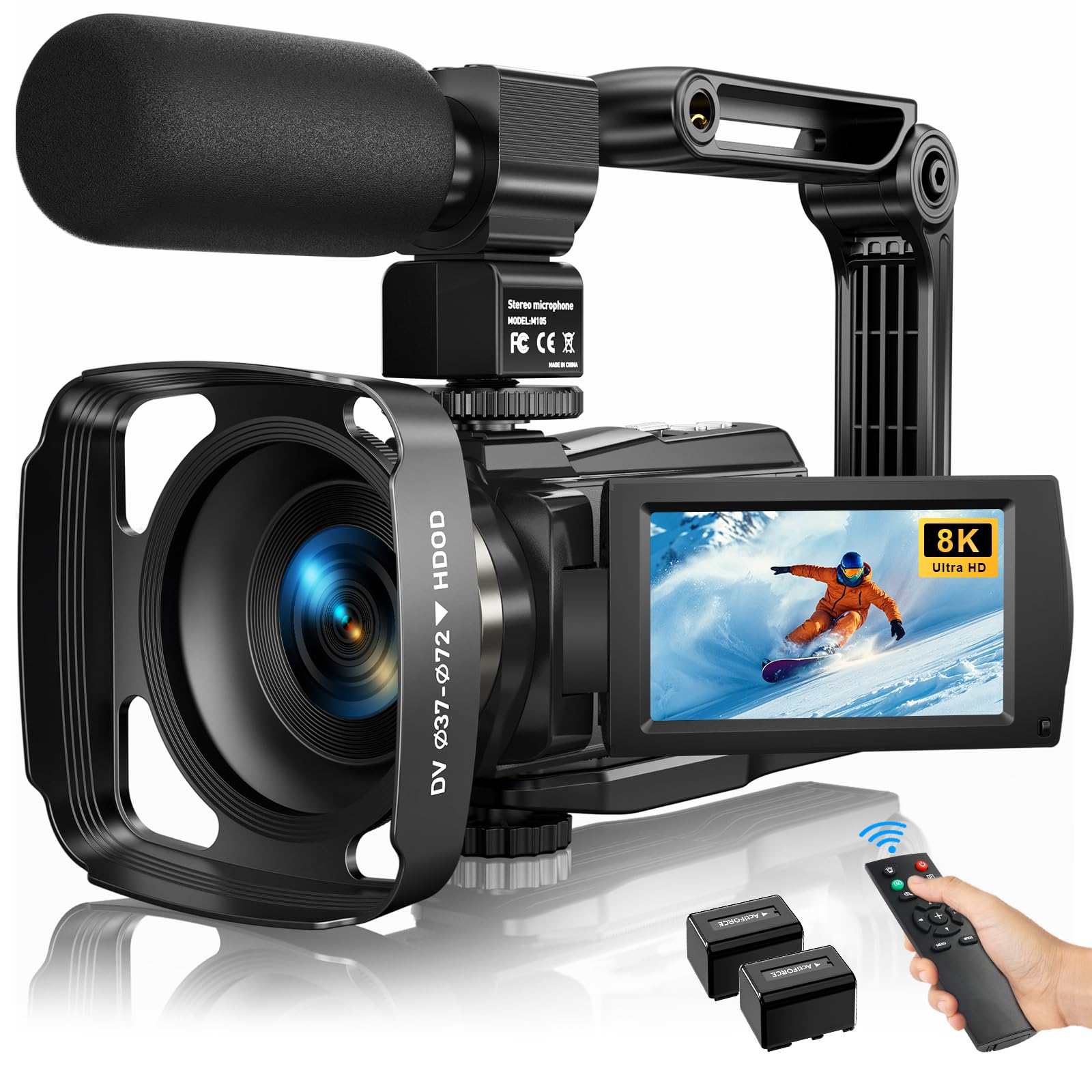
An 8K headline spec at a sub- price, but the real balance is 4K at 30 FPS for stable course footage.
This camera from MWIRB advertises 8K video resolution at 15 frames per second, along with options for 6K at 30 FPS, 5K at 30 FPS, and 4K at 30 FPS — which immediately tells you the 8K mode is a marketing number, not a usable video setting. The practical configuration for a course creator is 4K at 30 FPS, where the 6-axis anti-shake technology provides smooth footage even if you are walking with the camera or shooting handheld. The 88-megapixel still resolution is more relevant if you also plan to take high-resolution photos of your course materials or whiteboard notes.
The included external X-Y stereo microphone reduces ambient noise significantly, reviewers report that “the microphone helps improve audio quality” and “the included microphone greatly improves audio quality, making it perfect for YouTube videos.” The IR night vision mode captures clean black-and-white in total darkness, and the WiFi connection to the “iSmart DV2” app lets you transfer files directly to your phone for quick social media previews. The bundle includes two batteries, a remote control, a lens hood, and a camcorder bag — serious value for the price. The main trade-off is the 8K at 15 FPS is a gimmick and the camera’s autofocus is basic (automatic, not PDAF), so the footage can softly hunt if you move quickly toward the lens.
Daytime balance: At 4K 30 FPS with the anti-shake enabled and the external mic connected, this delivers very clean footage for a static desk lecture or a walking campus tour.
Overstated Top Spec: The 8K 15 FPS mode is essentially a still-frame burst, not a usable video frame rate — ignore it and treat this as a 4K 30 FPS camera with a great bundle.
Who it works for: A budget-conscious course creator who wants the full accessory package (bag, batteries, mic, remote) and plans to record at 4K 30 FPS in good lighting with a stationary or slowly moving subject.
Who it frustrates: Anyone expecting true 8K video or reliable autofocus for fast movement; the lack of PDAF means the camera hunts when you lean in quickly.
Understanding the Specs
PDAF Autofocus vs Contrast Detect
Phase-detection autofocus (PDAF) uses dedicated pixels on the sensor to measure focus distance instantly, locking in about 0.2 seconds. Contrast-detect autofocus, common in budget cameras, searches back and forth until it finds the sharpest point, taking one second or longer. For an online course where you naturally lean in to point at a diagram or pick up a prop, PDAF keeps you sharp without that annoying focus wiggle that distracts students.
Effective Video Resolution vs Stated Resolution
A camera may advertise “64MP” or “88MP” for still photos, but effective video resolution is measured in horizontal pixels — 1920 (1080p), 3840 (4K), 5120 (5K), or 7680 (8K). Some budget cameras list a single “4K 64MP” figure that sounds impressive, but the real video spec may be 3840 pixels at only 5 frames per second. Always check the effective video resolution in pixels and the frame rate to know what you are actually getting in a recording.
FAQ
Do I need 4K resolution for an online course?
Should I get a webcam or a camcorder for course recording?
How important is a separate microphone vs the camera’s built-in one?
What is AI auto-tracking and do I need it?
How do I know if a camera’s microphone will pick up my keyboard clicks?
What field of view is best for a course video?
Can I use a gaming webcam for course creation?
How do I connect a PTZ camera to my computer for online teaching?
Will a budget camcorder with IR night vision work for recording in a dark room?
What is the difference between optical zoom and digital zoom for a course camera?
Final Thoughts: The Verdict
For most people, the camera for online courses winner is the EMEET PIXY because its dual-camera AI tracking and 0.2-second PDAF autofocus solve the two biggest pain points of solo lecture recording: keeping you in focus and in frame as you teach naturally. If you want a studio-looking image with a built-in ring light that fixes bad lighting without extra gear, grab the NexiGo N680E Pro. And for recording a physical craft or skill where you need to show your face and your hands simultaneously, the standout is the 5K Dual-Lens Camcorder with its picture-in-picture dual recording mode.
How We Picked
We do not accept paid placement. Every pick is matched to a real buyer and a real use-case; we do not hands-on test units.
Sources & Methodology
Specifications: manufacturer listings and product documentation. Review insights: verified customer reviews, as of July 2026. Pricing: not shown on this page (it changes often); check the current price via the retailer link.
As an Amazon Associate, Gadgets Feed earns from qualifying purchases. This does not affect which products we feature.