
Our readers keep the lights on and my morning glass full of iced black tea. As an Amazon Associate, I earn from qualifying purchases.
Specs are compiled from manufacturer listings and verified buyer reviews and can change over time — please confirm the key details on the product page before buying.
You just got a new laptop or desktop PC with a DisplayPort output, but your monitor or TV only has HDMI. The picture is fuzzy, or it flickers, or the screen just stays black. The fix is a DP to HDMI 4K adapter — a small cable that converts the signal so your screen shows sharp, clear video. But not all of these cables handle 4K the same way, and some leave you stuck at a blurry lower resolution.
I’m Min — the founder and writer behind Gadgets Feed. This guide is built by comparing the manufacturers’ published specifications and the patterns across verified customer reviews, so you get each pick’s real strengths and trade-offs instead of marketing spin.
Whether you are hooking a PC to a home theater projector or setting up a dual-monitor desk, this guide to the best dp to hdmi 4k adapter breaks down the seven cables that actually deliver on their resolution promises and the one hidden spec that tells you which will work with your hardware.
Our Picks at a Glance

How To Choose The Best DP To HDMI 4K Adapter
A DP to HDMI 4K adapter converts the DisplayPort signal from your computer so an HDMI screen can display it. But the real buying decision depends on how fast that signal refreshes. A cable that says “4K” might only support 30Hz (30 frames per second), which makes mouse movement feel sluggish and video look jerky. A cable that supports 4K@60Hz gives you the smooth, fluid motion you expect from modern screens. You also need to know what version of DisplayPort your computer has — older versions may limit you to 30Hz no matter what cable you buy. Because the signal only flows one way (from the computer to the display), you must buy a uni-directional DP to HDMI cable, never an HDMI to DP cable. Most cables in this category are simple male-to-male cords (the plug on each end connects directly to the port), with no external power needed.
Refresh Rate: 30Hz versus 60Hz
The key spec is the refresh rate after the 4K resolution: 30Hz or 60Hz. 4K@30Hz is the minimum to call it a 4K cable, but the image can feel choppy when you move windows around or watch fast action. For gaming or desktop work you want 4K@60Hz. Check your laptop or graphics card manual — if your DisplayPort is version 1.2 or later, you should be able to get 4K@60Hz through a compatible cable. If you have a very old computer with DisplayPort 1.1, you will be stuck at 30Hz.
Passive vs Active Adapters
A passive cable passes the DisplayPort signal through and relies on your screen to convert it. Most DP to HDMI cables are passive, and they work for standard 4K monitors. An active cable contains a small chip that does the conversion inside the cable itself. Active adapters are usually needed for 4K@60Hz when connecting to older DisplayPort versions, or when you want to run multiple screens from a single graphics card using AMD Eyefinity. The product description will usually say “active” if it has this chip.
Build Quality and Shielding
Cable construction matters because interference can cause flickering or black screens. Look for gold-plated connectors (they resist corrosion and maintain good contact), braided or nylon jackets (they last longer than basic PVC), and foil or braid shielding (it blocks electrical noise). Thicker cables with triple-layer shielding are less likely to have signal dropouts, especially on longer runs.
Quick Comparison
| Model | Best For | Max Resolution | Refesh Rate | Build Material | Amazon |
|---|---|---|---|---|---|
| Amazon Basics DP to HDMI★ Best Overall | Reliable All-Rounder | 4K@60Hz | Passive | Gold-Plated + PVC | Amazon |
| UGREEN 8K@60Hz ActiveTop Performer | High-End Gaming / Future-Proofing | 8K@60Hz | Active | Aluminum Alloy + Nylon | Amazon |
| Warrky 4K 2-Pack | Dual-Monitor Office Setup | 4K@30Hz | Passive | Aluminum + Nylon Braided | Amazon |
| JSAUX DP to HDMI 4K@60Hz | Stable Gaming at 60Hz | 4K@60Hz | Passive | Aluminum Shell + Nylon | Amazon |
| Cable Matters Unidirectional | Connecting Older Computers | 4K@30Hz | Passive | Gold-Plated + Molded | Amazon |
| UV-CABLE Thin 2-Pack | Monitors on Arms / Tight Spaces | 4K@30Hz | Passive | Gold-Plated + Braided | Amazon |
| QINGLER 4K 2-Pack | Budget Dual-Screen Setup | 4K (3840×2160) | Passive | Gold-Plated + PVC | Amazon |
In‑Depth Reviews
1. Amazon Basics DisplayPort to HDMI Cable, Uni-Directional, 4K@60Hz
Our pick — over 4.5★ from 2,000+ verified ratings; the strongest balance of quality and price.
The simple one that just works — 4K@60Hz without any extra software or adapters.
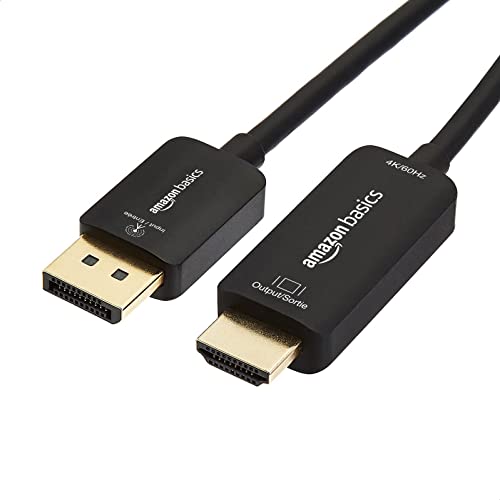
The most useful choice is often the simplest one. The Amazon Basics DP to HDMI cable is a straightforward, unidirectional passive cable that supports 4K@60Hz (the smooth-motion standard for desktop and video) and costs about the same as a coffee run. It comes in a 6-foot length, uses gold-plated connectors (a thin layer of gold on the plugs that resists tarnishing and keeps the electrical contact strong), and requires no drivers — plug it into your computer’s DisplayPort and the monitor’s HDMI port, and the screen lights up. Reviewers point out that it “initially displayed 4K at 30Hz on older computer, but works at 4K 60Hz on newer system,” confirming that the cable itself can handle the full speed — the computer’s port just has to support it. One reviewer called it “the adapter to get for 4K/60” and noted it is “cheaper than alternatives,” specifically warning to “skip cheap passive adapters (limited to 1080p) for 4K screens.”
There is no nylon braiding or aluminum shell here — just a durable PVC jacket and a round cable shape. That means it will not feel as premium as the braided options from JSAUX or Warrky, and it is not meant for heavy daily flexing behind a monitor arm. But the Amazon Basics has something those others lack: over 2,000 ratings and a 4.6-star average. That volume of reviews gives you confidence that this cable works reliably across a huge range of computers, from Dell desktops to HP laptops to home theater PCs. The unidirectional caveat matters — it only works DisplayPort to HDMI, never the reverse — but that is true of every cable in this comparison.
If you want a cable you can buy in five seconds without reading the fine print, this is the one. It is not flashy, but it hits the right spec (4K@60Hz) at the right length (6 feet) with a proven track record. The lack of braided cable armor is the only real downside — treat it gently and it will last years.
Proven workhorse: Over 2,000 reviews averaging 4.6 stars confirm this cable reliably delivers 4K@60Hz across many computer brands.
The one catch: Standard PVC jacket is less durable under daily bending than braided alternatives — not ideal for portable use or cramped cable management.
Best for: a straightforward, no-surprises hookup between a modern computer and a 4K monitor or TV.
Not great for: laptops you unplug and move daily — the PVC jacket may wear faster than a braided cable.
2. UGREEN 8K@60Hz 4K@240Hz Active DisplayPort to HDMI Cable
The active chip that open up 4K@120Hz where passive cables fail.
This is the cable you reach for when everything else drops to a black screen. The UGREEN is an active adapter (it houses its own conversion chip inside the connector) pumping data at 32.4Gbps (the speed at which video information travels through the cable). That active chip does something standard passive cables cannot — it reliably boots a full 4K@120Hz RGB 10-bit signal on modern TVs. Buyers report it is “the only one that reliably boots with full 4K 120Hz RGB 10-bit signal,” where other adapters from Cable Matters required constant replugging.
Because it is based on DisplayPort 1.4 (the version of the port standard on the computer side), it supports Dynamic HDR (a technology that adjusts brightness and color scene-by-scene) and Dolby 7.1 surround sound. It also supports AMD Eyefinity, which lets you run up to six screens from a single graphics card if you have the hardware for it. The nylon braided jacket is rated 10X more durable than PVC, according to the manufacturer, and the aluminum alloy housing helps dissipate heat. Note that it does not work with MacBooks, PlayStation, Xbox, or Nintendo Switch because those devices output HDMI, not DisplayPort — this cable is uni-directional from DP to HDMI only.
Owners mention the cable gets warm after long use, and one reported needing to reseat the HDMI end daily to maintain a connection. The active chip adds heat, so keep that in mind if you are running it behind a wall or in a very tight space. But for anyone chasing high refresh rates on a high-end gaming PC or a modern OLED TV, this is the adapter that delivers the spec where others stall.
What makes it special
- Active chip supports 4K@120Hz HDR where many passives fail
- Rated for 32.4Gbps data transfer (the full bandwidth of DP 1.4)
- Aluminum alloy housing dissipates heat better than plastic
The honest trade-offs
- Runs warm after a few hours of use
- Does not support VRR/ALLM/CEC (gaming-centric HDMI features)
- Not compatible with consoles — works only from DP sources
Reach for this if: you game at 4K@120Hz on a PC with an Nvidia RTX or AMD Radeon card and need a guaranteed boot every time.
Look elsewhere if: you just need basic 4K@60Hz for office work — you can spend less and still get smooth performance.
3. Warrky 4K DisplayPort to HDMI Cable Adapter 6FT 2 Pack

Two tough cables for a dual-screen desk at a price that feels like one cable.
If you run two monitors at 1440p or 1080p (not demanding 4K@60Hz), this 2-pack from Warrky is a smart buy because it gives you two cables for roughly the price of one premium single cable. The cables support 4K@30Hz (the entry-level 4K refresh rate) and can go up to 1440P@60Hz and 1080P@120Hz — meaning they handle high-frame-rate gaming at lower resolutions. The build is noticeably tougher than budget cables: a one-piece aluminum shell resists corrosion, and the nylon braided jacket is tested for 16,000 bends without breaking, according to the manufacturer. Inside, five-layer shielding (multiple wraps of protection against electrical noise) and 24K gold-plated connectors try to keep the signal clean and free of static.
This is a unidirectional cable (DP to HDMI only), so do not try to plug it the other way around. Customers note they “work perfectly” with Dell docking stations and HD monitors, calling them “good strong, well built cable.” One reviewer noted they have had one for three months with no issues, saying other off-brand cables they gambled on “crapped out within a month.” That said, the 4K@30Hz cap means this is not the best choice if you want full 60 frames per second at 4K — your mouse will feel a touch laggy moving across a 4K desktop. It also ships as a single pack despite the product title saying two — double-check the drop-down or listing box before you click.
These are daily-driver cables for a dual-monitor office setup: reliable, well-shielded, and cheap enough that losing one is not a crisis. The single-package confusion and the 30Hz 4K limit are the catches, but for secondary screens they are tough to beat.
Why the desk workers love it
- 2-pack gives you a spare or a second monitor cable in one purchase
- Aluminum shell and nylon braid outlast basic PVC cables
- Five-layer shielding blocks interference for stable signal
The fine print
- 4K capped at 30Hz — choppy for desktop use at full 4K
- Packaging may contain one cable despite saying 2-pack — verify at checkout
- Does not support 4K@60Hz; only 1440P@60Hz or 1080P@120Hz
Best pick for: anyone setting up a dual 1080p or 1440p monitor desk who wants a backup cable.
skip it if: you are buying for a single 4K monitor and need smooth 60Hz motion — spend up to the JSAUX or Amazon Basics instead.
4. JSAUX DisplayPort to HDMI Cable 4K@60Hz, 6.6ft

The middle ground that hits 4K@60Hz without the premium price tag of an active chip.
JSAUX positions this cable exactly where most people need it: 4K@60Hz (the standard smooth refresh rate for modern monitors and TVs) in a single 6.6-foot length. The cable uses tinned copper (a rust-resistant core) and triple-layer shielding (three wraps of foil and braid) to block interference, and the connectors are gold-plated for corrosion resistance. The outer jacket is nylon braided, and the manufacturer says it passed a 10,000+ bend test cycle. It also supports 1080P@120Hz, which is useful if you play fast-paced shooters on a 1080p monitor — you get more frames per second than at 4K.
Compatibility is wide: JSAUX lists it working with Dell, HP, Lenovo, and ThinkPad laptops, as well as AMD and Nvidia graphics cards. But there is a catch hidden in the reviews. One buyer found that the cable works fine with DP 2.1 output from a modern computer, but “fails for DP 1.2 to HDMI” — meaning if your laptop has the older DisplayPort 1.2 standard, you might get a black screen or no signal. Another reviewer simply said “Works, no flickering” after connecting a newer PC to a TV. So this cable is a good match if your computer has DisplayPort 1.4 or 2.1, but you cannot count on it with older hardware.
The lack of an active chip means you are relying entirely on your graphics card and display to handle the conversion. That is usually fine for a standard desktop setup, but it also means you cannot count on features like Eyefinity multi-screen.
Standout strengths
- Full 4K@60Hz support without needing an active adapter
- Nylon braided jacket and triple-layer shielding for durability
- Also handles 1080P@120Hz for high-frame-rate gaming
Watch out for
- Does not work well with DisplayPort 1.2 output — requires DP 1.4 or newer
- Single cable only; no 2-pack option for dual monitors
- Passive design means no multi-screen Eyefinity support
Grab this for: a single 4K@60Hz monitor connected to a modern gaming PC or laptop.
Think twice if: your laptop is older than about 2018 — you may need the Amazon Basics or an active adapter to guarantee 60Hz.
5. Cable Matters Unidirectional 4K DisplayPort to HDMI Cable – 6ft

The latched connector that stays put if you have an older PC stuck at 4K@30Hz.
Cable Matters has been making reliable display cables for years, and this 6-foot model focuses on one thing that matters if you pull on your cable a lot: a latch on the DisplayPort connector. You must press the release button before unplugging, which prevents accidental disconnections when you bump the desk or move your laptop. The cable supports 4K resolution up to 3840 x 2160 at 30Hz, which makes it a good match for an older laptop or graphics card that cannot push 60Hz anyway. The molded strain relief (thick rubber where the plug meets the cable) resists cracking at the most common failure point, and the gold-plated connectors with foil and braid shielding aim to keep the signal clean from EMI and RFI (electrical interference from nearby electronics like Wi-Fi routers or power strips).
The biggest trade-off is the 30Hz refresh rate. At 4K, 30Hz feels noticeably stuttery — dragging a window across the desktop looks like a slideshow. That is not a cable flaw; that is the spec it was designed for. One reviewer pointed out that it “does NOT support 4K (3840*2160 / 30Hz) between a Dell D3100 docking station and a Samsung UHD TV,” which suggests it may have trouble negotiating the resolution with certain dock-and-TV combos. Another buyer warned that a standard HDMI to DisplayPort cable (the wrong direction) “was choppy and impossible to use with image flickering off every time i moved the mouse,” and this proper DP-to-HDMI orientation fixed it completely at 1440p. So for a 1440p or 1080p monitor, it is a solid performer.
Think of this as the safe option for a secondary monitor or an older system that cannot use the faster 60Hz cables. The latch is a genuinely useful feature that few competitors offer, and the brand reputation is strong. But if you are building a new setup with a 4K monitor, spend a couple dollars more for the Amazon Basics or JSAUX to get the full 60Hz.
What Cable Matters does right
- Latched DisplayPort connector prevents accidental unplugs
- Molded strain relief adds durability at the connector joint
- Gold-plated connectors with dual-layer shielding (foil + braid)
Where it falls short
- 4K capped at 30Hz — not smooth enough for desktop use at that resolution
- May fail to negotiate 4K with some docking stations and TV combos
- Short 6ft length; no 2-pack option for two monitors
Best pick for: an older desktop or laptop that outputs 4K@30Hz, where the latched connector prevents accidental disconnects.
pass on it if: you buy a new 4K monitor and want smooth 60Hz — the Amazon Basics costs similar and doubles the frame rate.
6. UV-CABLE Thin DisplayPort to HDMI Cable 3ft, 2-Pack (Braided)

Two slim braided cables for the tight space behind a monitor arm.
If you have ever wrestled a thick cable behind a monitor arm or tried to tuck one into a wall-mounted setup, you will appreciate what UV-CABLE did here. These are 3-foot cables (the shortest in the roundup) with a thin, braided jacket that flexes easily into tight corners. The package gives you two cables, which is handy for a dual-monitor workstation or for keeping a backup in a laptop bag. The cables support 4K at 30Hz and 1080P at 60Hz — so they are not meant for high-refresh 4K gaming, but they handle standard office resolutions just fine. They use UL 20276-rated materials (a safety standard for cable insulation) and gold-plated connectors with bare copper conductors and foil-and-braid shielding to reduce electrical noise. One buyer mentioned they specifically “solved flicker issue from other cables” when used with an HP docking station, and another said they work at “1440p 165hz great” on a PC, which is better than the listed spec suggests for lower resolutions.
The catch with 3-foot cables is that they are only useful when your monitor sits close to your computer — think a small desk or a laptop dock setup. If your tower is on the floor or your monitor is on a long arm, you will need the 6-foot versions. The product page says “3ft” in the title, but some reviews mention the cables being 6 feet long, so there may be listing confusion. You should check the length listed on the specific Amazon variation before buying.
The braided texture feels premium and resists kinking, and the 2-pack price is a strong value for the build quality. For a clean, short-run solution on a compact desk or a wall-mounted monitor, these slim cables are a smart buy.
Why the slim build matters
- Thin braided jacket fits easily in tight cable management channels
- 2-pack gives you a spare for a dual-monitor setup or travel bag
- Gold-plated contacts with foil + braid shielding prevent flicker
What to check before buying
- 3ft is very short — only suitable for monitors right next to the PC
- 4K capped at 30Hz; not ideal for smooth 4K desktop use
- Product listing may confuse 3ft vs 6ft lengths — verify your order
Grab these if: you need two short, bendable cables for a tight dual-monitor desk or a wall-mounted setup.
Look elsewhere if: your computer is on the floor or you need 4K@60Hz — you will need a longer, faster cable.
7. QINGLER 4K Displayport to HDMI Cable 6 Feet 2-Pack
Two cables at an entry-level price for the budget dual-screen build.
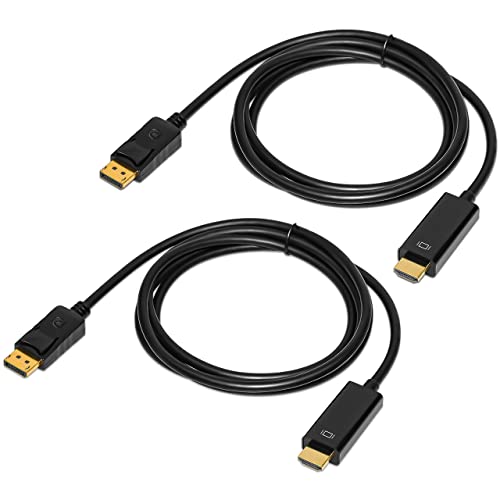
Sometimes you just need the cheapest working option to get a second monitor running. The QINGLER 2-pack delivers two 6-foot uni-directional DP to HDMI cables for a very low cost, making it the most affordable way to connect two screens at once. Each cable supports 4K resolution at up to 3840×2160 (the standard Ultra HD resolution) and an 18 Gbps data transfer rate (the bandwidth the cable can carry). The cables use gold-plated connectors, bare copper conductors, and foil-and-braid shielding to maintain signal quality. The DisplayPort end has a latch with a release button to keep the connection secure — a feature usually found on more expensive cables.
But the low price carries a reliability risk that buyers noted. One review said “One works always, one intermittently blanks out” — meaning one of the two cables in the pack had a loose connection that caused the screen to go black randomly. Another comment confirmed the cables are “well made” and function “perfectly” for their media center PC, but the quality control appears uneven across units. For 1080p or 1440p monitors, the image quality is “same as HDMI-to-HDMI” per one user. For a critical work monitor where you cannot tolerate blackouts, this inconsistency is a problem. For a secondary screen or a less-used setup, the savings might be worth it.
The QINGLER cables are a classic gamble: you might get two perfect cables for the price of one, or you might get one that drifts out. If you need to cable two monitors on a tight budget and can tolerate the occasional blank-out on the backup screen, this pack saves you money. If reliability matters for your primary display, spend a couple dollars more on the Amazon Basics single cable.
What you get for the price
- Two 6-foot cables for less than the cost of one premium cable
- Latched DisplayPort connector with release button
- Gold-plated connectors with foil and braid shielding
The risk you take
- Quality control issues — one cable may intermittently blank out
- No 4K@60Hz rating; resolution spec is generic 3840×2160
- Unidirectional only, like all cables here, but easy to plug backwards
Best for: a secondary monitor or a spare cable drawer on a very tight budget.
Not for: a primary work display where a blank screen during a meeting would be a problem.
Understanding the Specs
Refresh Rate (Hz)
The refresh rate, measured in Hertz (Hz), tells you how many times per second the image on your screen redraws. A 4K@30Hz cable updates the picture 30 times a second — enough for watching movies, but mouse movement will feel sluggish and video games will look choppy. A 4K@60Hz cable doubles that to 60 updates per second, which is the standard for smooth desktop navigation and fluid gaming. Your computer must also support 60Hz output; older DisplayPort 1.1 ports are capped at 30Hz regardless of the cable.
Passive vs Active Adapters
A passive cable simply carries the DisplayPort signal to your monitor, which then handles the conversion to HDMI. This works for most modern computers and monitors at 4K@60Hz. An active adapter has a small chip in the connector that converts the signal inside the cable itself. Active adapters are needed for certain multi-monitor setups (like AMD Eyefinity) or when connecting to older DisplayPort versions that cannot handle the conversion. The product will usually say “active” in the title or description.
Data Transfer Rate (Gbps)
Data transfer rate is the speed at which video and audio information travels through the cable, measured in gigabits per second (Gbps). A higher number means the cable can carry more data, which is necessary for higher resolutions and refresh rates. For example, an 18 Gbps cable is enough for standard 4K@30Hz, while a 32.4 Gbps cable (based on DP 1.4) can handle 8K or 4K@120Hz. If a cable does not list its data rate, it is usually a basic passive cord.
Unidirectional Signal Flow
Every cable in this roundup is uni-directional — signal flows only from DisplayPort (the computer) to HDMI (the display). You cannot use it to send HDMI output from a gaming console or Apple TV to a DisplayPort monitor. The cable will physically fit, but nothing will display on the screen. Always check the arrow or “DP to HDMI” label on the cable or packaging before plugging it in.
FAQ
Can I use a DP to HDMI cable to connect a PlayStation or Xbox to a monitor?
Why does my screen show 4K@30Hz when I bought a cable rated for 60Hz?
Do I need an active DP to HDMI adapter for 4K@60Hz?
What is the difference between DP, DP++, and DisplayPort?
Will a DP to HDMI cable work with a laptop docking station?
Can I daisy-chain two monitors with one DP to HDMI cable?
How long can a DP to HDMI cable be before the signal degrades?
Why does the display flicker or go black randomly?
Do I need to install drivers for a DP to HDMI cable?
What is the difference between a gold-plated connector and a regular one?
Final Thoughts: The Verdict
Across the board, the best dp to hdmi 4k adapter winner is the Amazon Basics DisplayPort to HDMI Cable because it delivers proven 4K@60Hz performance at a very low cost, backed by the deepest pool of customer reviews. If you are building a high-refresh gaming setup and need guaranteed 4K@120Hz, the UGREEN 8K Active Cable is the only pick with the active chip to make that happen. And for a budget dual-monitor desk running 1440p or 1080p, the Warrky 2-Pack gives you two braided cables at a near-loss-leader price.
How We Picked
We do not accept paid placement. Every pick is matched to a real buyer and a real use-case; we do not hands-on test units.
Sources & Methodology
Specifications: manufacturer listings and product documentation. Review insights: verified customer reviews, as of July 2026. Pricing: not shown on this page (it changes often); check the current price via the retailer link.
As an Amazon Associate, Gadgets Feed earns from qualifying purchases. This does not affect which products we feature.