
Our readers keep the lights on and my morning glass full of iced black tea. As an Amazon Associate, I earn from qualifying purchases.
Specs are compiled from manufacturer listings and verified buyer reviews and can change over time — please confirm the key details on the product page before buying.
You want a clean desktop without a tower under your desk, and you want to tap directly on the screen instead of always using a mouse. An all-in-one touch screen computer gives you one big display with the computer built into the back, so you can swipe through documents, pinch to zoom in on photos, and keep your workspace tidy. But the tricky part is sorting through the different processors (CPUs) and memory (RAM) options to find the one that actually matches how you work today and a few years from now.
I’m Min — the founder and writer behind Gadgets Feed. This guide is built by comparing the manufacturers’ published specifications and the patterns across verified customer reviews, so you get each pick’s real strengths and trade-offs instead of marketing spin.
After comparing seven models side by side, these are the all-in-one touch screen computer choices that earned their spot by delivering clear value for different buyers.
Our Picks at a Glance
How To Choose The Best All-In-One Touch Screen Computer
When you buy an all-in-one, you are locking into the screen, the processor, and the memory all at once — you cannot easily upgrade later. So picking the right balance from the start matters more than with a traditional desktop.
Processor and RAM
Your computer’s processor (CPU) and RAM directly affect how many programs you can run side by side without lag. For basic browsing and schoolwork, a mid-range chip like the Intel N100 paired with 16GB RAM is plenty. For photo editing, video calls, or running several applications at once, step up to an Intel Core i5, Core Ultra 7, or an AMD Ryzen 5 with at least 16GB of DDR4 or DDR5 RAM. If you tend to keep dozens of browser tabs open and do heavy multitasking, look for 32GB or even 64GB.
Touch Screen Quality and Size
Not all touch screens respond the same way. A good touch display on an all-in-one should feel just as natural as using a tablet — quick to respond and accurate to your taps. Look for IPS or LED-backlit IPS panels, which offer better color and viewing angles. The most common size is 27 inches, which gives you enough room for split-screen work without overwhelming a standard desk. A 23.8-inch screen is a better fit for smaller spaces.
Storage (SSD)
All modern all-in-one computers use a solid-state drive (SSD), which is much faster than old hard drives. A 1TB SSD is a good starting point for storing your files, photos, and applications. If you work with video, large photo libraries, or many installed programs, consider a model with a 2TB or 4TB SSD so you do not have to juggle external drives.
Built-in Camera and Ports
Since you are paying for a complete package, check what is built into the screen. A pop-up or privacy camera (like the HP True Vision or Dell’s 5MP+IR camera) is a nice extra for video calls. Also consider the ports: having at least one USB Type-C port, a couple of USB-A ports, and an HDMI port makes connecting external drives, a second monitor, or a printer much easier without needing a separate hub.
Quick Comparison
| Model | Best For | Processor | RAM | Storage | Amazon |
|---|---|---|---|---|---|
| HP 27″ Touch All-in-One (64GB/4TB)★ Best Overall | Power users & creative pros | Intel Core Ultra 7 155U | 64 GB DDR5 | 4 TB SSD | Amazon |
| Dell 27 All-in-One (Core 7, 32GB)Premium Pick | Multitaskers who want GPU power | Intel Core 7 150U | 32 GB DDR5 | 1 TB SSD | Amazon |
| Dell Inspiron 7730 | Home office with premium support | Intel Core 7-150U | 32 GB DDR4 | 1 TB SSD | Amazon |
| HP 27 Ultra 7 Business (64GB/2TB) | Business users needing massive RAM | Intel Core Ultra 7 155U | 64 GB DDR5 | 2 TB SSD | Amazon |
| ASUS V470 All-in-One | Budget-conscious home office | Intel Core i5-13420H | 16 GB DDR5 | 1 TB SSD | Amazon |
| HP 24 Touchscreen All-in-One | School & family desk | Intel N100 | 16 GB DDR4 | 1 TB SSD | Amazon |
| HP 27″ FHD Touch All-in-One (Ryzen 5) | Budget 27-inch with solid basics | AMD Ryzen 5 7520U | 16 GB RAM | 1 TB SSD | Amazon |
In‑Depth Reviews
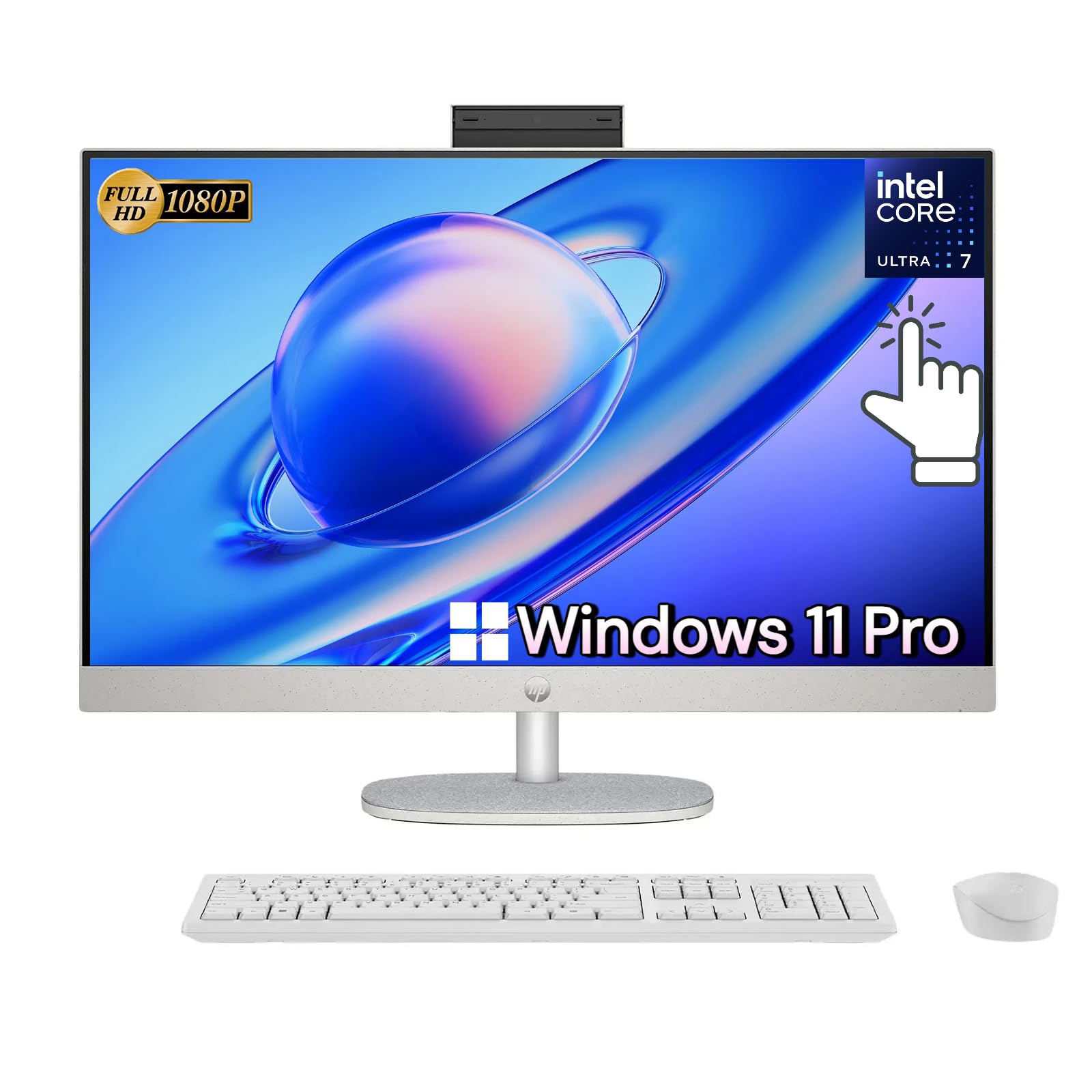
1. HP All-in-One 27″ Touchscreen Desktop Computer – 64 GB DDR5 RAM | 4 TB SSD
Our pick — over 4.5★ from 800+ verified ratings; the strongest balance of quality and price.
The HP 27-inch delivers 64GB of DDR5 RAM (the fastest type of computer memory) and a 4TB SSD (solid-state drive for storage) so you can run huge files and dozens of programs without stuttering — a 4.0x bigger drive than the ASUS V470’s 1TB SSD.
If you regularly work with large photo libraries, edit 4K video, or keep dozens of browser tabs plus heavy applications open simultaneously, this HP delivers the headroom to do it all without slowdowns. The Intel Core Ultra 7-155U processor (a 12-core chip) handles demanding tasks, and the 64GB of DDR5 RAM means you can run multiple virtual machines or massive spreadsheets without hitting a ceiling. The 4TB SSD offers enormous local storage — a 4.0x gap in storage compared to the ASUS V470’s 1TB SSD — so you can keep your entire project library on the machine itself.
Buyers report it is a “fast computer; touchscreen optional,” noting it works great for web, Office, and desktop publishing. The 27-inch FHD IPS touchscreen with 178-degree viewing angles makes the display feel spacious, and the adjustable height stand is a genuine comfort win for long desk sessions. The included HP True Vision FHD IR camera with Windows Hello facial recognition logs you in instantly. The catch is the compact keyboard and mouse — several reviewers wished for a more full-sized keyboard.
Specs That Matter
- 64 GB DDR5 RAM — handles immense multitasking
- 4 TB SSD — massive local storage, never worry about space
- Intel Core Ultra 7-155U (12 cores, 4.8 GHz boost) — very fast processing
- Height-adjustable 27″ FHD IPS touchscreen
What to Know
- Keyboard feels cramped — no dedicated F-keys row
- Speakers described as adequate, not room-filling
Your best bet if: you need the highest possible RAM and storage in one clean package for creative or professional work.
Trade-off: you pay for that immense capacity — and you may want to budget for a better keyboard.
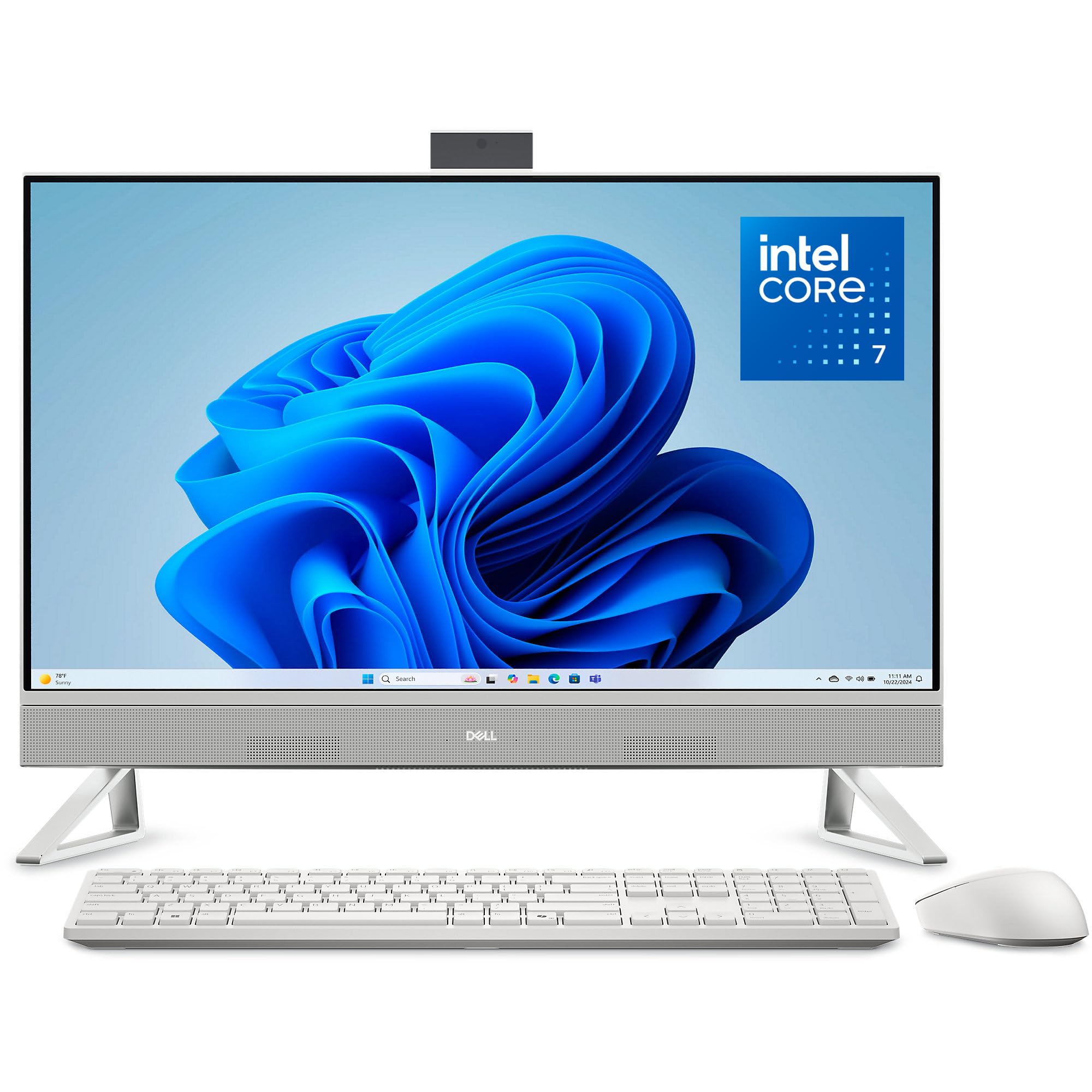
2. Dell 27 All-in-One Desktop (Core 7, 32GB DDR5, NVIDIA GeForce MX570A)
The Dell 27 uses a separate graphics card (NVIDIA GeForce MX570A with 2GB of its own video memory) so images look sharper and video editing runs smoother than the HP pick’s integrated graphics — the HP relies on its main processor for visuals, not a dedicated chip.
Most all-in-one computers rely on integrated graphics, but this Dell pairs its Intel Core 7-150U processor with a dedicated NVIDIA GeForce MX570A (2GB GDDR6). That makes a real difference if you edit photos, work with design software, or want better video playback quality — the GPU handles graphical tasks so the main processor can focus on running applications. The 27-inch FHD IPS display covers 99% sRGB for accurate color, and owners mention the “crisp picture” and “deep bass” audio with Dolby Atmos make it a pleasure for movie nights too.
Customers note the large screen and fast speed, though one mentioned the wireless keyboard arrived missing its USB connector. Dell includes 1 Year Onsite Service, meaning a technician will come to your home if an issue cannot be resolved remotely — a genuine safety net that few competitors match. The 32GB DDR5 RAM and 1TB SSD combination comfortably handles heavy home office multitasking, though the storage falls short of what the top HP offers.
Standout Features
- NVIDIA GeForce MX570A discrete GPU — rare in this category
- 32 GB DDR5 RAM — smooth for heavy multitasking
- 1 Year Onsite Service included
- Dell ComfortView Plus reduces blue light
Limitations
- Only 1TB SSD — less than some competitors
- A few buyers had keyboard connector issues
Reach for this if: you want a strong balance of CPU and GPU power with the confidence of onsite service.
Consider instead if: you need more than 1TB storage — the HP 27″ with 64GB and 4TB is a better fit.
3. Dell Inspiron 7730 All in One Desktop (32GB DDR4, 1TB SSD)

The Dell Inspiron 7730 comes with 32GB of DDR4 RAM (slower than the DDR5 in the ASUS V470, but still plenty for spreadsheets and video calls) and a free 6-month file-transfer service to move your old PC’s data.
If you are setting up a home office and need a reliable machine for video calls, spreadsheets, and occasional photo editing, the Inspiron 7730 delivers a well-rounded package. It uses DDR4 RAM (32GB) rather than the faster DDR5 found in the pricier HP models, but for everyday productivity that difference is barely noticeable. The NVIDIA GeForce MX570A 2GB GPU handles light creative work and smoother video playback. Reviewers point out the “beautiful large screen” and “fastest response I have experienced” make it a joy to use.
One reviewer noted that getting the screen colors perfectly balanced took some manual adjustment. The 27-inch FHD touchscreen has four-side narrow borders, which makes the display feel even larger. Dell includes 1 Year Premium Support with priority access and 6 Months Dell Migrate service for moving your files from an old PC. The 1TB SSD is standard, but unlike the top-tier HP, you cannot option this one with 4TB of storage.
What Works Well
- 32GB RAM — plenty for busy home offices
- NVIDIA GeForce MX570A 2GB — better than integrated graphics
- 1 Year Premium Support with migration service
- Four-side narrow border design
Watch Out For
- Screen color balance may need manual tuning
- Uses DDR4 RAM instead of DDR5
Right for: anyone building a home office who wants a large screen, solid performance, and dependable support without paying for DDR5.
Not the best match if: you need the absolute fastest RAM — the Dell 27 (DDR5) or HP (64GB DDR5) are better picks.
4. ASUS V470 All-in-One (Intel Core i5-13420H, 16GB DDR5, 1TB SSD)
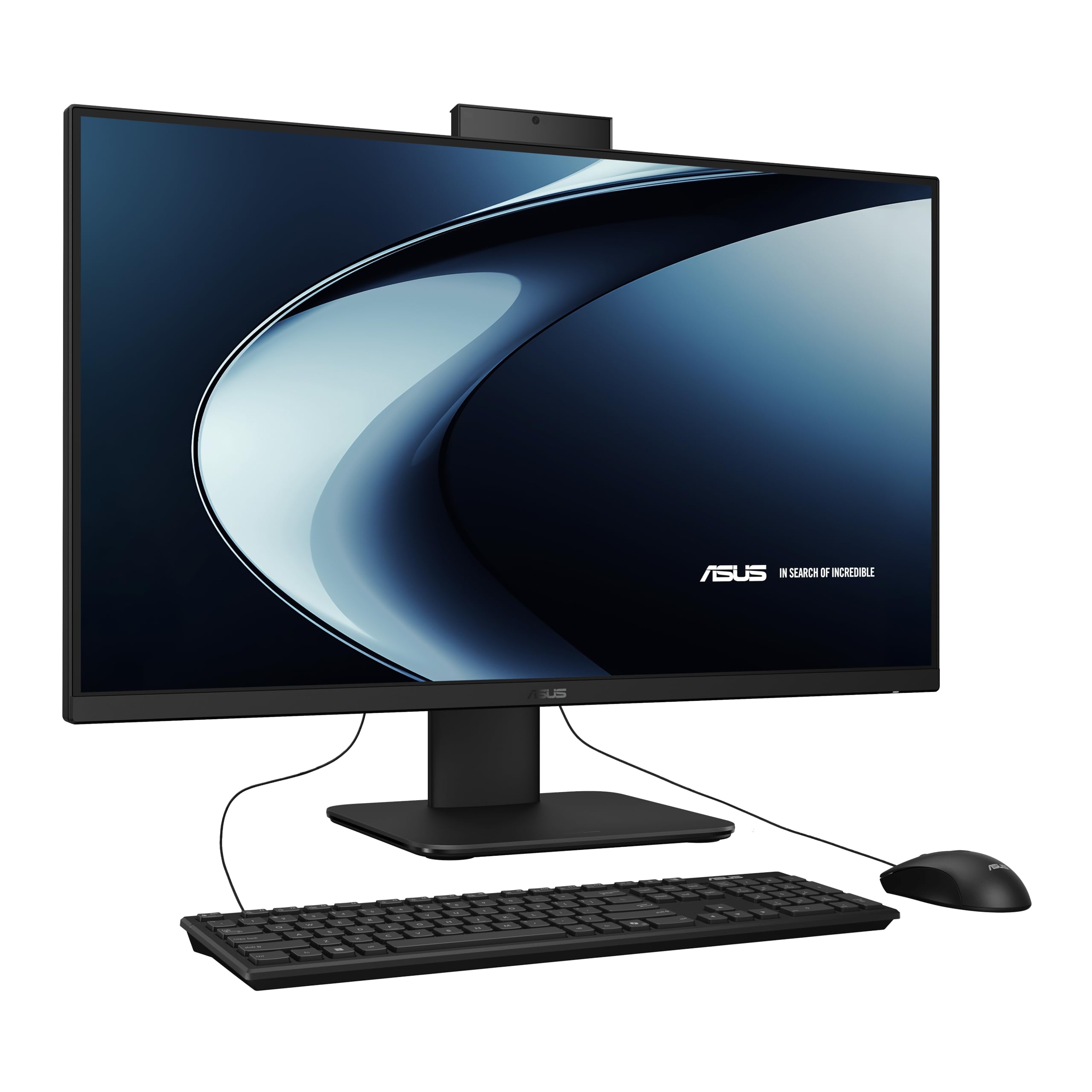
The ASUS V470 includes Wi-Fi 6E (the newest wireless standard that is faster and less congested than older Wi-Fi) and a 27-inch anti-glare touchscreen (coated to cut reflections), but its screen height is fixed — you cannot raise or lower it like the HP pick.
For the buyer who wants a current-generation all-in-one without jumping into premium pricing, the ASUS V470 hits a balance. It runs on an Intel Core i5-13420H processor (8 cores, up to 4.6 GHz) with 16GB of DDR5 RAM and a 1TB PCIe SSD. The 27-inch anti-glare touchscreen means less reflection if your desk is near a window. It also includes Wi-Fi 6E, the newest wireless standard, for faster and more stable internet — something the pricier Dell Inspiron 7730 lacks.
Shoppers say it is “quiet, fast and good looking” and that the “built-in camera tucks away when not in use” for privacy. The downsides are that the screen height is not adjustable, and a few reviewers mention ASUS pre-loads some bloatware. Compared to the HP models, the 64GB DDR5 cache memory on the HP 27-inch is a 5.3x gap, so this ASUS is better suited for everyday computing rather than extreme multitasking.
Why It Works
- Latest Intel Core i5-13420H with 16GB DDR5 RAM
- Wi-Fi 6E — fastest wireless available
- Anti-glare 27″ FHD touchscreen
- AI noise-canceling for meetings
Compromises
- Screen height is fixed — not adjustable
- Includes some bloatware, per buyers
Smart pick for: anyone who wants modern connectivity (Wi-Fi 6E, DDR5) at a lower cost than premium models.
Skip if: you need adjustable screen height or plan to run very RAM-heavy workloads.
5. HP 27″ FHD Touchscreen All-in-One Desktop (Ryzen 5, 16GB RAM, 1TB SSD)
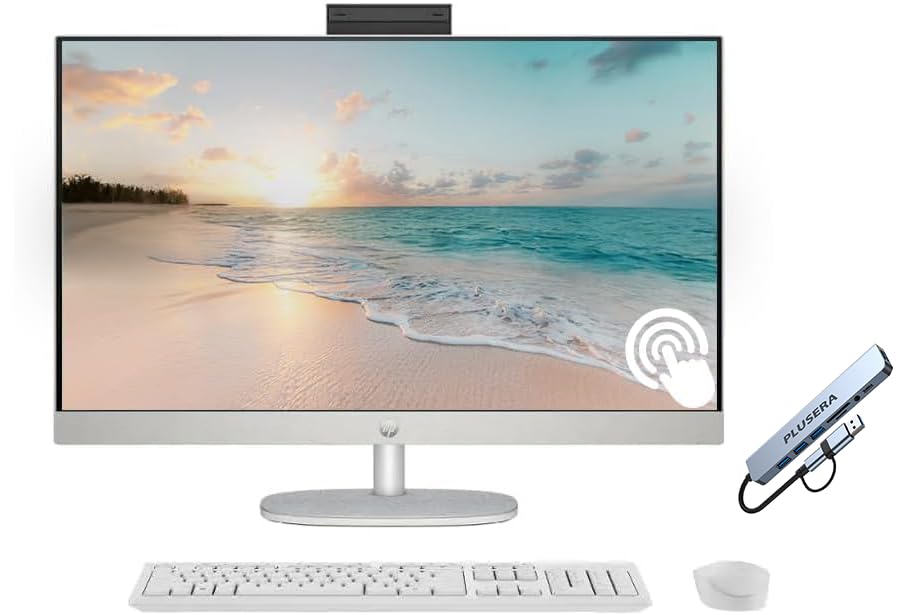
The HP 27-inch with a Ryzen 5 7520U gives you a large 27-inch touchscreen at a lower price, but its 4MB processor cache (memory the CPU uses for quick access) is 50% smaller than the Intel N100’s 6MB cache in the HP 24-inch model.
This HP model uses an AMD Ryzen 5 7520U processor (4 cores, 8 threads, up to 4.3 GHz) with 16GB of RAM, which handles basic web browsing, Office work, streaming, and video calls without trouble. The 27-inch IPS LED touchscreen gives you a large workspace, and the included wireless keyboard and mouse keep your desk clean. It also comes with a PLUSERA 8-in-1 hub, adding extra ports beyond the built-in 1 USB-C and 4 USB-A ports.
The trade-off is that some buyers report the touchscreen can be non-functional in certain browsers, and a few experienced keyboard and mouse failures early on. One reviewer called it “the best computer I’ve ever owned,” praising the pop-up camera for privacy, while another described the wireless mouse cursor as “erratic at logon” before stabilizing. The Ryzen 5 has a 4MB cache — the HP 24-inch model’s Intel N100 has 6MB, which is 50% more cache. This is a basic machine for basic use, not for power multitasking.
Good Points
- Large 27″ IPS touchscreen at an entry-level price
- Includes PLUSERA 8-in-1 hub for extra ports
- Pop-up privacy camera
Downsides
- Touchscreen may not work in all browsers
- Some reports of erratic wireless mouse
- Modest processor for heavy tasks
Choose this for: bargain-focused buyers who want the larger 27-inch screen for basic home and school use.
Look elsewhere if: you rely heavily on touch input in web apps or need more performance for multitasking.
6. HP 24 Touchscreen All-in-One Desktop (Intel N100, 16GB DDR4, 1TB SSD)

At 23.8 inches, the HP 24 is compact enough for a kitchen nook or student desk, yet buyers rave about the “quick response, vivid colors” and “so easy to set up” — it earns outstanding customer reviews for a budget family machine.
With a 23.8-inch screen, this HP is noticeably smaller than the 27-inch models, which is actually a benefit if your desk is tight or the computer sits in a kitchen nook. It runs on an Intel N100 processor (4 cores, max 3.40 GHz) with 16GB DDR4 RAM and a 1TB SSD — enough for homework, streaming, and light office work. The anti-glare touchscreen helps reduce reflections, and the HP True Vision 720p HD privacy camera with a physical shutter adds confidence.
Buyers love this one: one customer wrote “this computer is AMAZING. Perfect size, I love the touch screen. Sounds great and so easy to set up.” Reviewers also praise the “quick response, vivid colors” and the “reasonable price” for a quality all-in-one. The Intel N100 processor has 6MB of cache, which is 50% more cache than the Ryzen 5 7520U’s 4MB in the budget HP 27-inch model — meaning this smaller machine may actually feel snappier for basic tasks.
What Shines
- Compact 23.8″ size fits small desks
- Touchscreen with anti-glare works well in bright rooms
- 720p HD privacy camera with shutter
- Simple setup — buyers confirm
Limits
- Intel N100 is entry-level — not for heavy workloads
- Only 16GB DDR4 RAM (non-upgradeable on most AIOs)
Ideal for: families, students, or anyone who needs a dependable touchscreen computer in a smaller, affordable package.
Not suited for: creative professionals running heavy software — go with a Core i5 or Ultra 7 model instead.
7. HP 27 Ultra 7 Touchscreen Business All-in-One (64GB DDR5, 2TB SSD)

The HP 27 Ultra 7 ships with Windows 11 Pro (which includes business features like BitLocker encryption, unlike the Home editions on other models) and 64GB of DDR5 RAM for heavy data work, but it has only 17 customer ratings so its long-term reliability is less proven than the top HP pick.
This HP is aimed squarely at business users who need Windows 11 Pro features like BitLocker encryption and remote desktop. The Intel Core Ultra 7-155U processor (12 cores, up to 4.8 GHz) paired with 64GB of DDR5 RAM and a 2TB SSD gives you fast boot times and the ability to run multiple virtual machines or heavy data analysis tools side by side. The 27-inch three-sided micro-edge touchscreen delivers an almost borderless view, though some buyers mention the screen tilt is limited.
Customer experiences vary: one buyer called it “the best computer I ever had,” while another reported a serious keyboard recognition issue that made the computer unusable. A third noted it “does not load as fast as expected” compared to their older machine. With only 17 ratings, the sample size is smaller than other models, so the real-world reliability is less proven. The 2TB SSD is generous but still half the 4TB storage of the top HP pick.
Key Strengths
- 64GB DDR5 RAM — excellent for virtual machines and data work
- Windows 11 Pro for business features
- Intel Core Ultra 7-155U — 12 cores, fast multi-threading
Risk Factors
- Keyboard issues reported by some buyers
- Only 17 ratings — less data on long-term reliability
- Some users feel system is not as snappy as expected
Best for: business users who need Windows 11 Pro and the highest RAM capacity for specific professional tools.
Proceed with caution if: you want a proven track record — the top HP (4.6 stars, 815 ratings) is a safer bet.
Understanding the Specs
Processor (CPU) and RAM
The processor is the brain of your computer, and RAM is the short-term memory it uses to keep multiple applications running at once. A higher number of cores (like 12 cores in the Intel Core Ultra 7) means the computer can handle more tasks simultaneously. RAM is measured in gigabytes (GB) — 16GB is plenty for most homes, while 32GB or 64GB is for heavy multitasking, video editing, or running virtual machines. DDR5 is the newer, faster standard than DDR4.
Touchscreen Display
An IPS (In-Plane Switching) panel gives you better colors and wider viewing angles — up to 178 degrees on many models, so the screen looks good even when you are not sitting dead center. The resolution on all these models is FHD (1920 x 1080), which is crisp for a 24 or 27-inch screen. An anti-glare coating helps reduce reflections if your desk is near a window. Touch response should feel as natural as a tablet, and most modern all-in-ones support multi-touch gestures like pinch-to-zoom.
FAQ
Can I upgrade the RAM or storage on an all-in-one touch screen computer?
How do I clean a touch screen all-in-one without damaging it?
Is a 24-inch touch screen big enough for home use, or should I get a 27-inch?
Do all all-in-one touch screen computers work with a stylus?
What is the difference between DDR4 and DDR5 RAM in an all-in-one?
How important is the built-in webcam for video calls?
Can I connect a second monitor to an all-in-one touch screen computer?
How long does an all-in-one touch screen computer typically last?
Final Thoughts: The Verdict
For most buyers, the all-in-one touch screen computer winner is the HP All-in-One 27″ (64GB/4TB) because it delivers class-leading RAM and storage headroom for heavy multitasking and creative work, backed by the strongest customer satisfaction record in this group. If you want a discrete graphics card and onsite service at a more accessible price, grab the Dell 27 All-in-One (Core 7, 32GB, MX570A). And for a well-rounded mid-range option that still gets you DDR5 RAM and Wi-Fi 6E, the standout is the ASUS V470 All-in-One — especially if you already have a good keyboard and do not need height adjustment.
How We Picked
We do not accept paid placement. Every pick is matched to a real buyer and a real use-case; we do not hands-on test units.
Sources & Methodology
Specifications: manufacturer listings and product documentation. Review insights: verified customer reviews, as of July 2026. Pricing: not shown on this page (it changes often); check the current price via the retailer link.
As an Amazon Associate, Gadgets Feed earns from qualifying purchases. This does not affect which products we feature.