
Our readers keep the lights on and my morning glass full of iced black tea. As an Amazon Associate, I earn from qualifying purchases.
Specs are compiled from manufacturer listings and verified buyer reviews and can change over time — please confirm the key details on the product page before buying.
Hook an all-in-one printer up via USB and it should just work. But too often the Wi-Fi drops, the ink vanishes in a week, and the software fights your laptop. This guide finds the models that print reliably the moment you plug them in.
I’m Min — the writer behind Gadgets Feed. This guide uses manufacturer specs and patterns from verified customer reviews to show each pick’s real strengths and trade-offs.
The all in one printer with usb port picks that make the cut are judged on setup ease, cost per page, print speed, and connection stability.
Our Picks at a Glance

How To Choose The Best All In One Printer With USB Port
Picking the right machine depends on a few key decisions. Don’t just grab the cheapest box on the shelf — match the printer to how you actually work.
Inkjet vs. Laser: The Long-Term Cost
Inkjet printers are often cheaper up front, but the individual ink cartridges can drain your wallet over time. Laser printers use toner powder (a dry, fine powder that melts onto paper) which usually lasts much longer per cartridge. If you print a lot of black-and-white documents, a monochrome laser (prints only in black and white) is often the smarter financial move. For the occasional color photo or flyer, a color inkjet can get you there for less upfront cash, though you’ll pay more per page.
USB Port: Not All Connections Are Equal
Almost every printer on this list has a USB-B port (the square-ish one) to connect directly to a computer. This is your failsafe for when Wi-Fi acts up. Check if the printer also offers Ethernet—that gives you a wired network connection, which is more stable than wireless for a busy home office with multiple devices.
Speed and First Page
Pages per minute (ppm) tells you how fast it runs once it gets going. But the “initial page print time” is the real hero—it’s how long you wait from hitting print to holding the paper. A laser that prints the first page in 7 seconds feels much faster than an inkjet that takes 18 seconds, even if their ppm (pages per minute) numbers look similar.
Quick Comparison
| Model | Best For | Type | Print Speed (B&W) | First Page Out | Amazon |
|---|---|---|---|---|---|
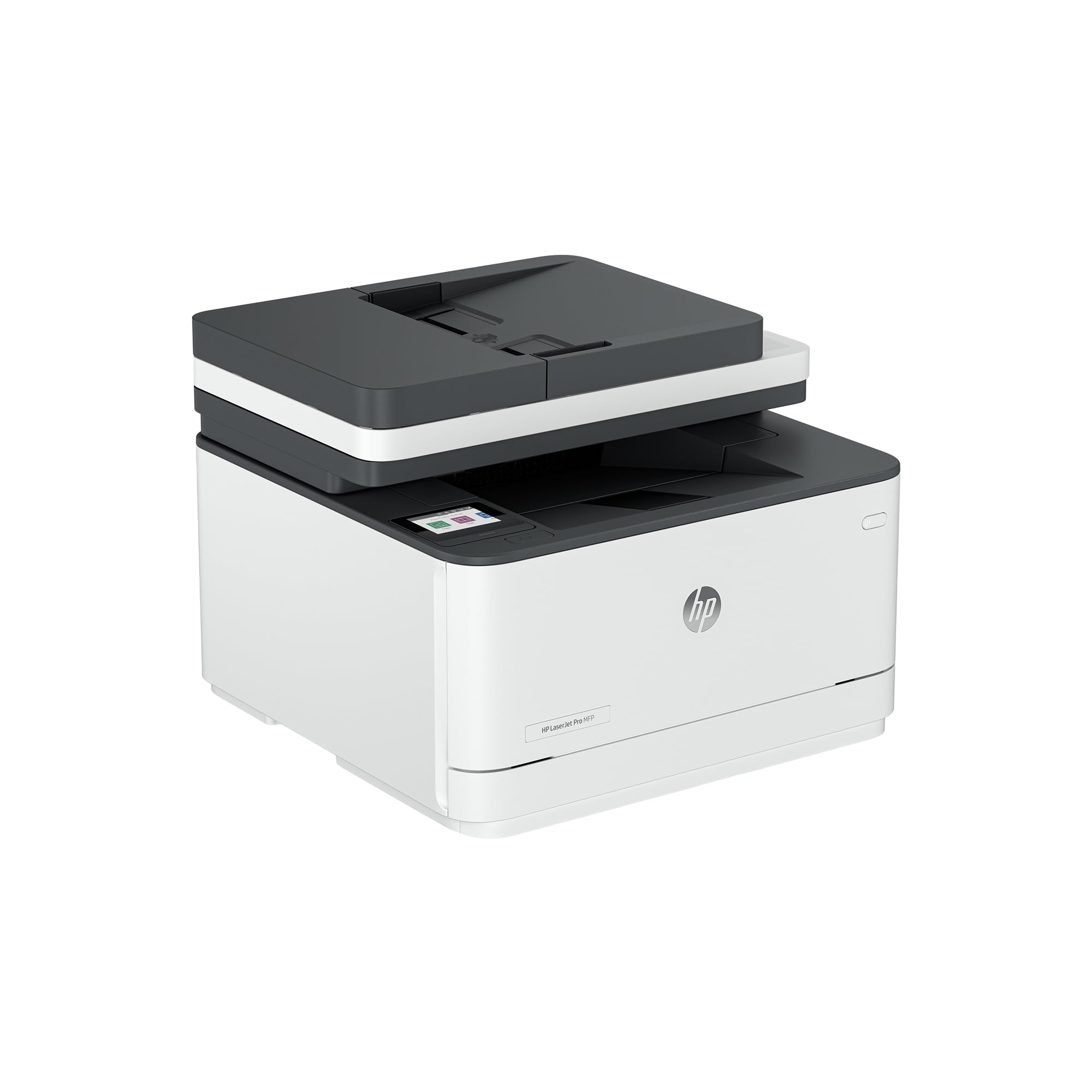
| HP LaserJet Pro MFP 3101sdw★ Best Overall | Small Teams | Monochrome Laser | 40 ppm | 7 seconds | Amazon |
| Canon Color imageCLASS MF665CdwBest Value Color Laser | Color Laser | Color Laser | 26 ppm | 10.3 seconds | Amazon |
| Brother Work Smart 1410 | Fast Color Inkjet | Color Inkjet | 16 ppm | 6.2 seconds | Amazon |
| HP OfficeJet Pro 8125 | Color Documents | Color Inkjet | 20 ppm | 18 seconds | Amazon |
| HP LaserJet MFP M234dw (Renewed) | Compact B&W Laser | Monochrome Laser | 30 ppm | — | Amazon |
| Canon PIXMA TR7120 | Budget Color | Color Inkjet | 14 ppm | — | Amazon |
In‑Depth Reviews
1. HP LaserJet Pro MFP 3101sdw
Our pick — 4.5★ from 500+ verified ratings; the strongest balance of quality and price.
A business-grade workhorse that spits out your first page in seven seconds.
This is the printer for a small team or a busy home office that lives on black-and-white documents. The laser toner delivers sharp, professional-looking text, and at 40 ppm (pages per minute), it crushes through a stack of reports without breaking a sweat. The initial page print time of 7 seconds means you aren’t staring at a loading screen—the paper is in your hand almost instantly.
The auto document feeder can handle up to 50 sheets, and the 250-sheet input tray means less frequent refills. Buyers report it is “reliable after 1 year; fast USB/phone printing,” and one owner liked it so much they bought three for their home. The main trade-off: this is monochrome only, so color documents are off the table. Also, HP blocks non-HP toner cartridges, so you’ll need to stick with original cartridges or avoid firmware updates (software that updates the printer’s internal code) if you want to use cheaper alternatives.
Why it leads the pack
- Blazing 40 ppm black-and-white speed
- First page out in just 7 seconds—much faster than the HP OfficeJet Pro 8125’s 18 seconds (more than a 2.6x gap)
- Auto duplex (two-sided printing) saves paper
- Stable Wi-Fi and wired Ethernet/USB connections
The two trade-offs
- No color printing—strictly black and white
- HP blocks generic toner cartridges, keeping you in their ecosystem
Reach for this if: you run a high-volume office that needs fast, crisp black-and-white prints and a reliable USB connection for when Wi-Fi acts up.
Look elsewhere if: you need to print color photos or flyers—you’ll want a color inkjet or color laser for that.
2. Canon Color imageCLASS MF665Cdw
A color laser that prints as fast in color as it does in black and white.
If you need color documents—presentations, flyers, charts—but don’t want to pay the per-page premium of an inkjet, this Canon is a strong pick. It prints at 26 ppm in both color and monochrome, meaning you never slow down when you switch to a color job. The first page appears in about 10.3 seconds, and the 50-sheet automatic document feeder (ADF, a tray that feeds multiple pages into the scanner for you) can scan both sides in one pass.
Owners mention the print quality is excellent and that the machine feels heavy and well-made. One reviewer noted they were “gob-smacked” by the copy quality. The catch: the software can be clunky, especially on a Mac, and the user interface on the 5-inch color touchscreen isn’t the most intuitive. It’s a larger unit, so make sure you have desk space. It comes with a reassuring 3-year limited warranty.
What makes it special
- True 26 ppm in color and black-and-white
- Duplex (two-sided) scanning via the 50-sheet ADF
- Uses high-capacity toner cartridges that last longer
- 3-year limited warranty for confidence
What to watch for
- Software setup is a common pain point, particularly on Mac
- Bulky and heavy—requires dedicated desk space
Grab this for: a small business or team that needs fast, professional color prints on a laser budget.
skip it if: you’re a Mac user who hates fiddling with drivers or you have a very tight desk footprint.
3. Brother Work Smart 1410 (MFC-J1410DW)
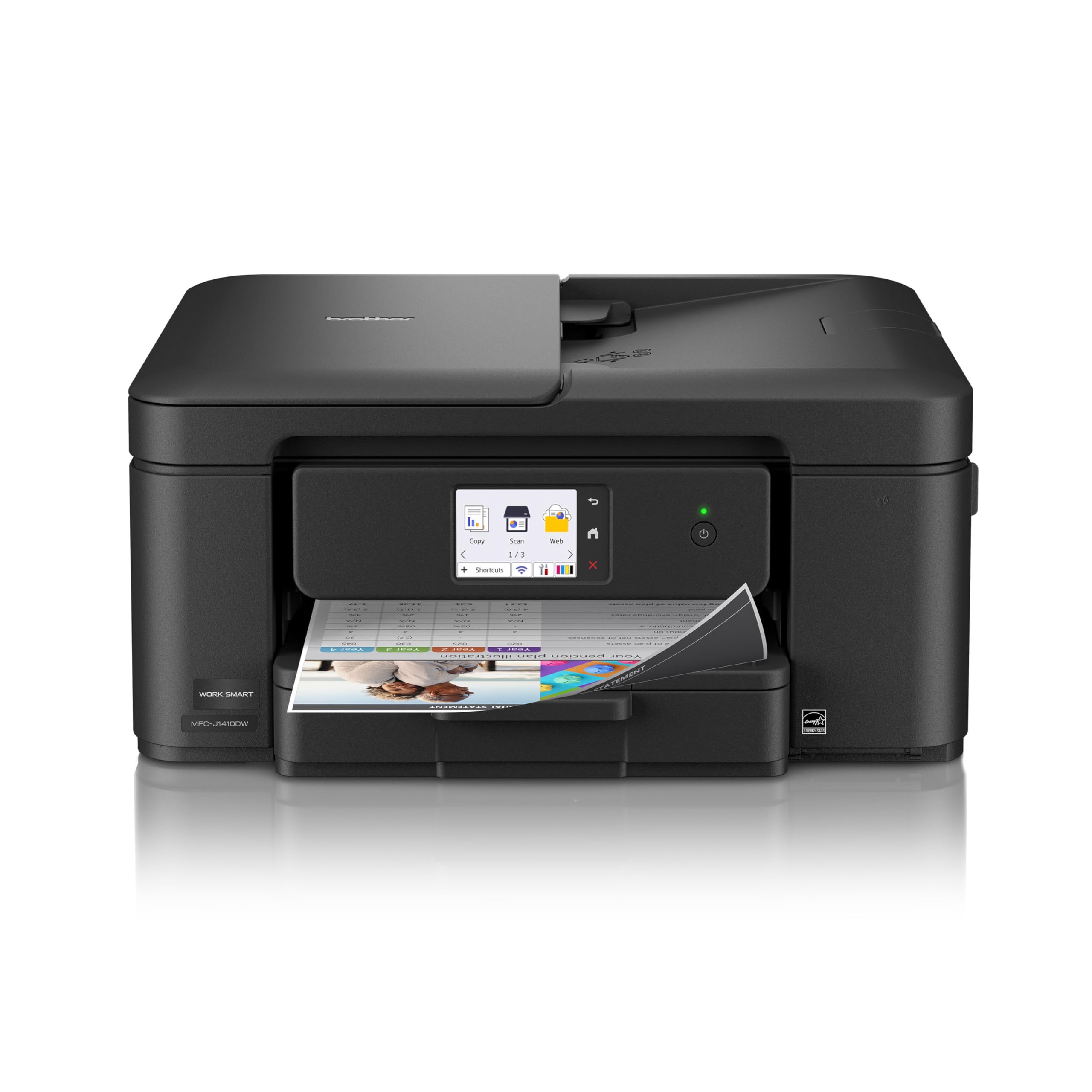
A color inkjet that gets your first page out faster than most lasers.
This Brother model is a real surprise: it prints the first black page in about 6.2 seconds, which beats the HP LaserJet Pro 3101sdw. For a color inkjet, that is incredibly snappy. It hits 16 ppm for black-and-white and 9 ppm for color, and customers note it is the fastest color printer they’ve owned. The 2.7-inch color touchscreen gives you access to cloud apps like Google Drive and Dropbox for scanning directly.
The 150-sheet paper tray and 20-sheet ADF (automatic document feeder) keep things moving for small jobs. A buyer mentioned that while the Wi-Fi setup was easy, the USB setup was a bit tricky, requiring driver reinstalls. Brother’s ink is generally more affordable than HP’s, but you’ll still feel the pinch if you print a lot of color pages.
Standout features
- Fast initial page print time of 6.2 seconds for black
- Connects via USB 2.0, Wi-Fi, and works with the Brother Mobile Connect app
- Quiet operation and compact footprint
- Inexpensive replacement ink cartridges
A couple of downsides
- USB setup can be finicky compared to Wi-Fi
- Ink tends to go quickly with heavy use
Choose this for: a home office or student who needs fast color prints and wants a reliable USB backup connection.
Think twice if: you print hundreds of color pages a month—the ink costs will add up.
4. HP OfficeJet Pro 8125
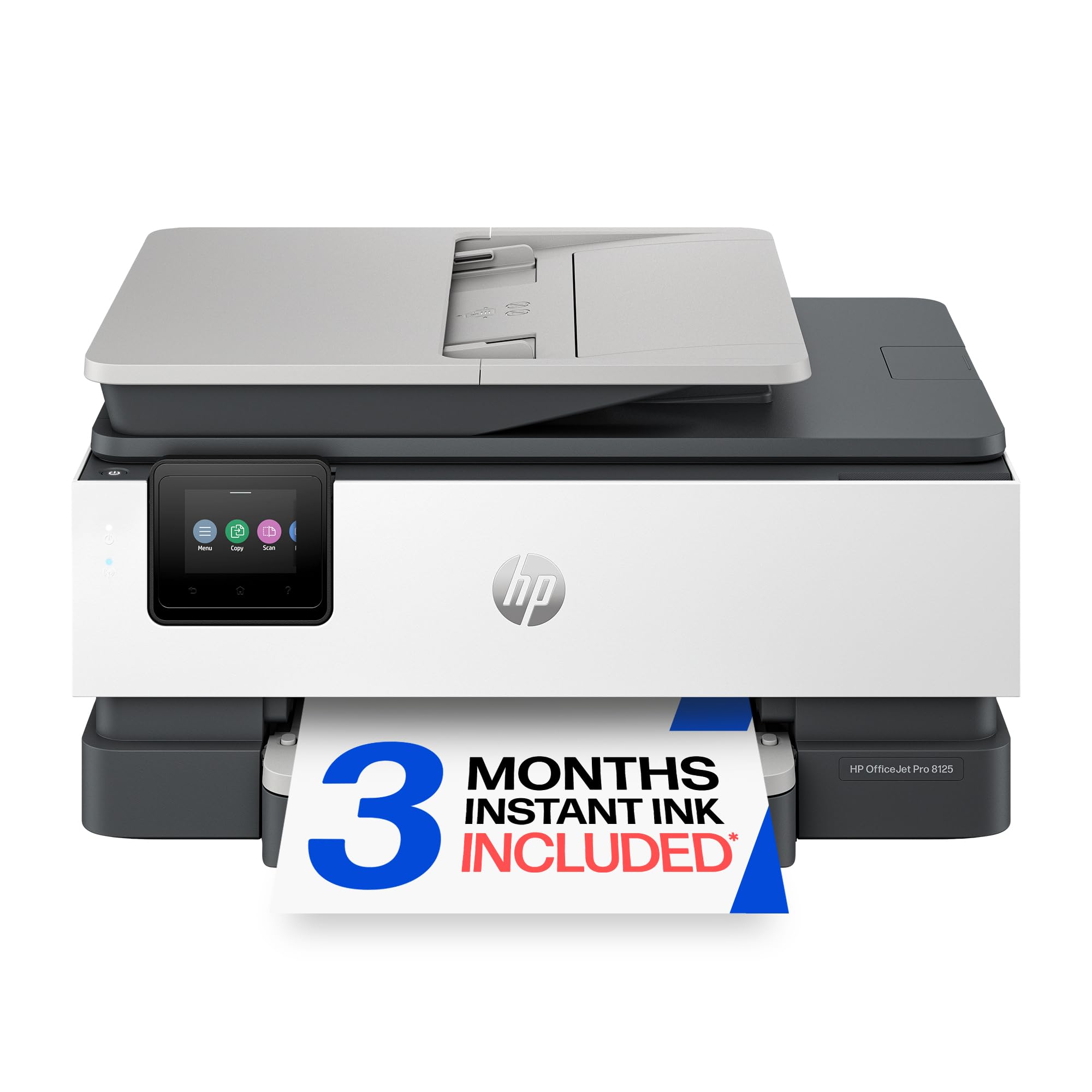
An affordable color inkjet for pros who want sharp documents and app control.
This HP sits in a balance for home offices that need professional-quality color documents without paying for a laser. It prints 20 ppm in black and 10 ppm in color, and it includes a 225-sheet input tray and an auto document feeder. The 2.7-inch color touchscreen feels like a phone interface, and the HP Smart app lets you print from anywhere. The built-in AI can clean up web page layouts before printing, so you don’t waste paper.
One buyer mentioned, “This is my 2nd HP printer. I bought it again because I was so happy with my 1st one which I had for over 7 years.” That kind of loyalty says a lot. The catch is the initial page print time of 18 seconds—noticeably slower than the Brother 1410’s 6.2 seconds. Also, HP blocks non-HP ink cartridges, and the printer is a bit loud during operation.
Why it works
- Prints 20 ppm black, 10 ppm color—good for mid-volume offices
- Large 225-sheet input tray reduces refills
- HP Smart app and AI-powered page formatting
- Includes 3-month trial of Instant Ink
Where it lags
- First page takes 18 seconds—much slower than the Brother 1410
- Loud during operation, and ink is expensive
Best suited for: a home office pro who values app-based control and a long-lasting machine with a proven track record.
Not the one if: you hate waiting even a few seconds for a first page to come out.
5. HP LaserJet MFP M234dw (Renewed)

A small but speedy black-and-white laser that fits in a cramped corner.
If the top HP LaserJet Pro is too big or expensive, this renewed model is a great alternative. It prints at 30 ppm and supports automatic two-sided printing, so you can blast through a stack of documents without flipping pages. It’s also 30% smaller than its predecessor, making it a tidy fit on a bookshelf or small desk. The dual-band Wi-Fi has a self-reset feature that automatically fixes connection issues.
Reviewers point out that it is “extremely easy setup, printing from iPads/iPhone in minutes” and that the print quality is very clear. The catch is that it’s a “renewed” unit—a certified refurbished product that may show minor cosmetic wear. It also has a shallower paper tray and a lower-yield toner cartridge (~700 pages) compared to the top pick.
What you get
- Fast 30 ppm black-and-white speed
- Compact size—30% smaller than previous models
- Dual-band Wi-Fi with auto-reset for connection stability
- USB, Ethernet, and wireless connectivity
What to consider
- Renewed unit—not brand new, may have light cosmetic wear
- Starter toner only lasts ~700 pages
Ideal for: a space-conscious home office that needs a reliable, fast monochrome laser at a reduced price.
Pass on it if: you want a brand-new product with a full warranty and a high-capacity paper tray.
6. Canon PIXMA TR7120

A low-cost color printer that punches above its weight for light use.
This Canon is the entry-level choice for a reason: it’s affordable and does everything a student or occasional home user needs. It prints 14 ppm in black and 9 ppm in color, and it includes an auto document feeder and automatic two-sided printing—features you usually don’t find at this level. The 1.42-inch monochrome OLED screen gives you a clear read on ink levels and settings.
One owner reported they “replaced old HP; printed 500 pages with no jams.” That is a strong vote of confidence. The trade-off is slower speed compared to the HP OfficeJet Pro 8125 (which prints 20 ppm to this Canon’s 14 ppm—a 43% difference). Also, the starter ink cartridges run out quickly, and replacement ink is expensive compared to the cost of the printer itself. The color ink is a single cartridge, so when one color runs out, you replace the whole thing.
Why it’s a value pick
- Very low upfront cost for a color all-in-one
- Auto duplex and auto document feeder included
- Compact footprint fits easily on a small desk
- Supports Apple AirPrint and Mopria for easy mobile printing
Where you pay later
- Slow speeds—14 ppm black vs. the HP OfficeJet Pro 8125’s 20 ppm
- Expensive ink; color is in a single cartridge, not separate
Perfect for: a student or light home user who needs color printing on a tight budget and prints a few pages a week.
Not for you if: you print a lot—the ink costs will quickly exceed the price of the printer itself.
Understanding the Specs
Print Speed (ppm)
Pages per minute tells you how fast the printer runs once it’s warmed up. A 40 ppm laser like the HP 3101sdw can finish a 20-page report in 30 seconds. A 14 ppm inkjet like the Canon TR7120 would take nearly a minute and a half for the same job. For busy offices, speed matters; for light home use, it’s less critical.
Initial Page Print Time
This is the time from hitting “print” to holding the paper. It’s the spec that affects your patience the most. The Brother 1410’s 6.2 seconds feels instant, while the HP OfficeJet Pro 8125’s 18 seconds feels like an eternity. A short first-page-out time is a hallmark of a responsive machine.
FAQ
How do I connect a printer with a USB port to my computer?
Will any all-in-one printer with a USB port work with a Chromebook?
Do all printers with USB ports support scanning over USB?
Can I use a USB printer with a tablet or smartphone?
Is a laser printer better than an inkjet for black-and-white documents?
What does “duplex printing” mean on a printer specification?
How long does a toner cartridge typically last in a monochrome laser printer?
Will a third-party or remanufactured ink cartridge work in an HP printer?
Final Thoughts: The Verdict
Across the board, the all in one printer with usb port winner is the HP LaserJet Pro MFP 3101sdw because it combines blistering 40 ppm speed, a 7-second first-page-out time, and rock-solid USB and Ethernet connectivity into a reliable business package. If you need color printing, grab the Canon Color imageCLASS MF665Cdw for its true 26 ppm color laser performance. And for a tight budget that still demands quality, the Canon PIXMA TR7120 is the entry-level color inkjet that does the basics well.
How We Picked
We do not accept paid placement. Every pick is matched to a real buyer and a real use-case; we do not hands-on test units.
Sources & Methodology
Specifications: manufacturer listings and product documentation. Review insights: verified customer reviews, as of July 2026. Pricing: not shown on this page (it changes often); check the current price via the retailer link.
As an Amazon Associate, Gadgets Feed earns from qualifying purchases. This does not affect which products we feature.