
Our readers keep the lights on and my morning glass full of iced black tea. As an Amazon Associate, I earn from qualifying purchases.
Specs are compiled from manufacturer listings and verified buyer reviews and can change over time — please confirm the key details on the product page before buying.
Repetitive clicks wear your hand down fast, whether you are in the middle of an MMO boss fight or grinding through crafting tasks. An auto-click mouse takes over the repeated work—you press once, and it fires off clicks for you.
I’m Min — the founder and writer behind Gadgets Feed. This guide is built by comparing the manufacturers’ published specifications and the patterns across verified customer reviews, so you get each pick’s real strengths and trade-offs instead of marketing spin.
You need to match the auto click mouse to how you actually use it: macro-rich side buttons for complex skill rotations, a dedicated fire key for rapid-fire in shooters, and a connection type that fits your desk. The choices below break it down by programmable buttons, weight, and wireless freedom.
Our Picks at a Glance


How To Choose The Best Auto Click Mouse
The point of an auto-click mouse is to reduce repetitive strain and speed up in-game actions. But not all programmable mice handle macros the same way, and the wrong pick can leave you clicking manually anyway.
Programmable Buttons & Macro Software
This is the heart of an auto-click mouse. The more buttons you can remap, the more complex sequences you can automate. Look for software that lets you record mouse clicks, keyboard strokes, and delays—devices with 15+ buttons like the Redragon M901 give you room to store entire skill rotations or multi-step production tasks on a single press.
Connection Type
Wired is the most reliable for rapid-fire macros—no latency, no battery anxiety. Wireless (2.4GHz) offers freedom but adds a slight delay, while Bluetooth is better for productivity than twitch gaming. Some mice, like the Aula SC620, let you switch between all three, so you can stay wired during a gaming session and go wireless for casual use.
Dedicated Rapid-Fire Button vs. Remapped Macros
A few mice come with a physical “fire” key that turbo-clicks as long as you hold it—this is a true auto-clicker built into the hardware. Others require you to program a macro loop in software (press, release, repeat). If you want a one-press auto-click experience from the start, look for a mouse that advertises a dedicated rapid-fire key.
Quick Comparison
| Model | Best For | Programmable Buttons | Max DPI | Connection | Amazon |
|---|---|---|---|---|---|
| UtechSmart Venus★ Best Overall | Wired Durability | 18 | 16400 | Wired USB | Amazon |
| Redragon M901Also Great | MMO Macro Workhorse | 19 | UP 12400 | Wired USB | Amazon |
| Razer Basilisk V3 | Turbo-Click Gaming | 11 | 26000 | Wired USB | Amazon |
| SOLAKAKA SM809 Pro | Tri-Mode Versatility | 16 | 24000 | 2.4GHz/BT 5.0/USB-C | Amazon |
| Redragon M801 | Wireless MMO Gripper | 9 | UP 16000 | Wireless 2.4GHz | Amazon |
| Aula SC620 | Lightweight Budget Fire Key | 7 | 12000 | 2.4GHz/BT 5.3/USB-C | Amazon |
In‑Depth Reviews
1. UtechSmart Venus Gaming Mouse
Our pick — over 4★ from 23,500+ verified ratings; the strongest balance of quality and price.
The endurance pick that keeps clicking through years of daily office and gaming use.
With 18 programmable buttons and a 16400 DPI laser sensor, the UtechSmart Venus gives you a massive macro canvas at a very accessible price point. It has a 16400 DPI sensor versus the Aula SC620’s 12000 DPI, so cursor movement is snappier at high resolutions. One buyer who put it through the wringer said: “Two years of daily office use, no button bouncing.” —a sign that the switches hold up well over time.
The button layout includes a dedicated fire button near the left click, which is easy to reach without accidental presses. The side buttons have small valley separators and tactile bumps on buttons 5 and 8, letting you identify them by feel during blind use. It includes a 2.4g weight tuning kit to dial in the balance. The textured rubberized finish gives it a soft, premium grip that resists fingerprints.
The catch is the battery in the wireless version; some customers note the battery died after a reasonable lifespan, and the stiff USB cord on the wired version is thicker and less flexible than most.
Built to Last
- 18 programmable buttons with tactile identifiers
- 16400 DPI laser sensor for precise tracking
- Rubberized texture and weight tuning included
Design Quirks
- Stiff, thick USB cord can be cumbersome
- Wireless battery not replaceable by user
- Fire button position feels too far for some
Ideal for: Anyone who wants a high-button-count wired mouse with proven long-term reliability from the community.
Not for: Users who hate thick cables or need a wireless solution without removable batteries.
2. Redragon M901 MMO Gaming Mouse
The macro monster with 19 buttons for players who want entire skill rotations on one hand.
You get 19 programmable buttons here, giving you more macro capacity than any other pick in this list. That is 19 programmable buttons versus the Aula SC620’s 7 buttons, so you can map out entire boss phases or complex crafting routines without touching your keyboard. The 12 side buttons are arranged in a wave pattern, which buyers report “eliminates misclicks” because each button sits at a different height—your thumb naturally finds the right one by feel.
The mouse comes with eight removable 2.4-gram weights inside, so you can dial in the heft for precise movement. It reaches UP 12400 DPI, and owners mention that “after 2 years, no issues with buttons or grip” — the textured, sandpaper-like finish keeps the mouse planted in your hand even during frantic gaming. It is a wired design (USB), which means zero latency for your macro sequences and no battery to manage.
The main trade-off is that this mouse is built for medium-to-large right hands—if your hands are small, the bottom row of side buttons will be a stretch. The scroll wheel detent also felt a bit loose to some users.
Macro Mastery
- 19 fully programmable buttons for complex macro sequences
- 8 adjustable 2.4g weights for personalized balance
- Grippy texture resists sweat and slippage
Physical Fit Factors
- Best suited for medium-to-large hands only
- Scroll wheel detent feels imprecise to some
- Wired only—no wireless option for clutter-free desks
Reach for this if: You play MMOs and want to automate entire skill bars on a single mouse, with durable build quality that lasts for years.
Look elsewhere if: You have small hands or prefer a lightweight, wireless mouse for on-the-go use.
3. Razer Basilisk V3

The prestige pick with a built-in turbo auto-clicker that hits 20 clicks per second.
Razer’s Basilisk V3 is the speed choice for auto-clicking among these picks. Its 11 programmable buttons let you assign macro sequences, but the headline feature is the HyperShift function—a reviewer reports it enables a “turbo auto-clicker up to 20 CPS” (clicks per second). That is hardware-level rapid fire for shooters and MMOs. The optical mouse switches (switches that use light instead of metal contacts) are rated for up to 70 million clicks at a 0.2ms actuation speed, so you will never get a phantom double-click or a sticky button.
The HyperScroll tilt wheel is a unique advantage here: you can free-spin it to fly through documents or switch to tactile mode for precise weapon cycling. With a Focus+ 26K DPI optical sensor, the Basilisk V3 tracks with zero smoothing, so your rapid movements are pixel-accurate. It is a wired USB mouse, which keeps latency at a minimum, and the ergonomic shape with a thumb rest is comfortable for hours of play.
The only real downside is the software: Razer Synapse is easy to use on PC but completely incompatible with Macs, so you lose all customization on macOS. Some users also noted pixel-skipping in high-frame-rate shooters.
Speed & Precision
- Built-in turbo auto-clicker reaches 20 CPS
- Optical Gen-2 switches rated for 70M clicks
- HyperScroll wheel for fast or tactile scrolling
Software Snag
- Razer Synapse does not work on macOS
- Wired only—no cable-free option
- Some pixel-skipping reported in high-FPS shooters
Grab it for: Competitive gamers who want the fastest possible turbo-click rate and the reliability of optical switches.
Pass if: You are a Mac user or absolutely need a wireless mouse for a clean desk.
4. SOLAKAKA SM809 Pro

The shape-shifter with swappable side plates and a staggering 350-hour battery life.
This mouse stands out because every single one of its 16 buttons is programmable—no locked buttons or reserved functions. You can map macros to each one, and the settings save directly to the mouse’s onboard memory via a web-based configuration tool (solakakadriver.com), so no software needs to stay running on your system. It offers triple-mode connectivity: 2.4GHz wireless, Bluetooth 5.0, and USB-C wired, giving you the freedom to switch between a lag-free gaming connection and a productivity pairing on the fly.
The flexible side plates are a unique touch: four magnetic panels let you change the grip and button layout to suit your hand size or game type. Reviewers mention it is “comfortable for large hands” and the honeycomb grip reduces sweat. According to the maker, the battery life is 350 hours, which easily outpaces any other wireless pick here. However, some users found the 2.4GHz range limited to about 6-12 inches before dropping signal, so it is best kept close to the receiver.
The software and RGB are weak points—the configuration tool is barebones, the RGB colors cannot be synced properly, and it does not auto-start on boot.
Flexible & Long-Lasting
- All 16 buttons programmable via web software
- Tri-mode (2.4GHz/BT 5.0/USB-C) for any setup
- Interchangeable magnetic side plates
Software & Range Issues
- 2.4GHz wireless range very short (~6-12 inches)
- Configuration tool is sluggish and barebones
- RGB lighting cannot be synchronized
Best suited for: Users who need to switch between wired and wireless often, and value long battery life and swappable grips over software polish.
skip it if: You plan to use wireless at a distance or rely heavily on polished RGB and macro software.
5. Redragon M801 Wireless Gaming Mouse
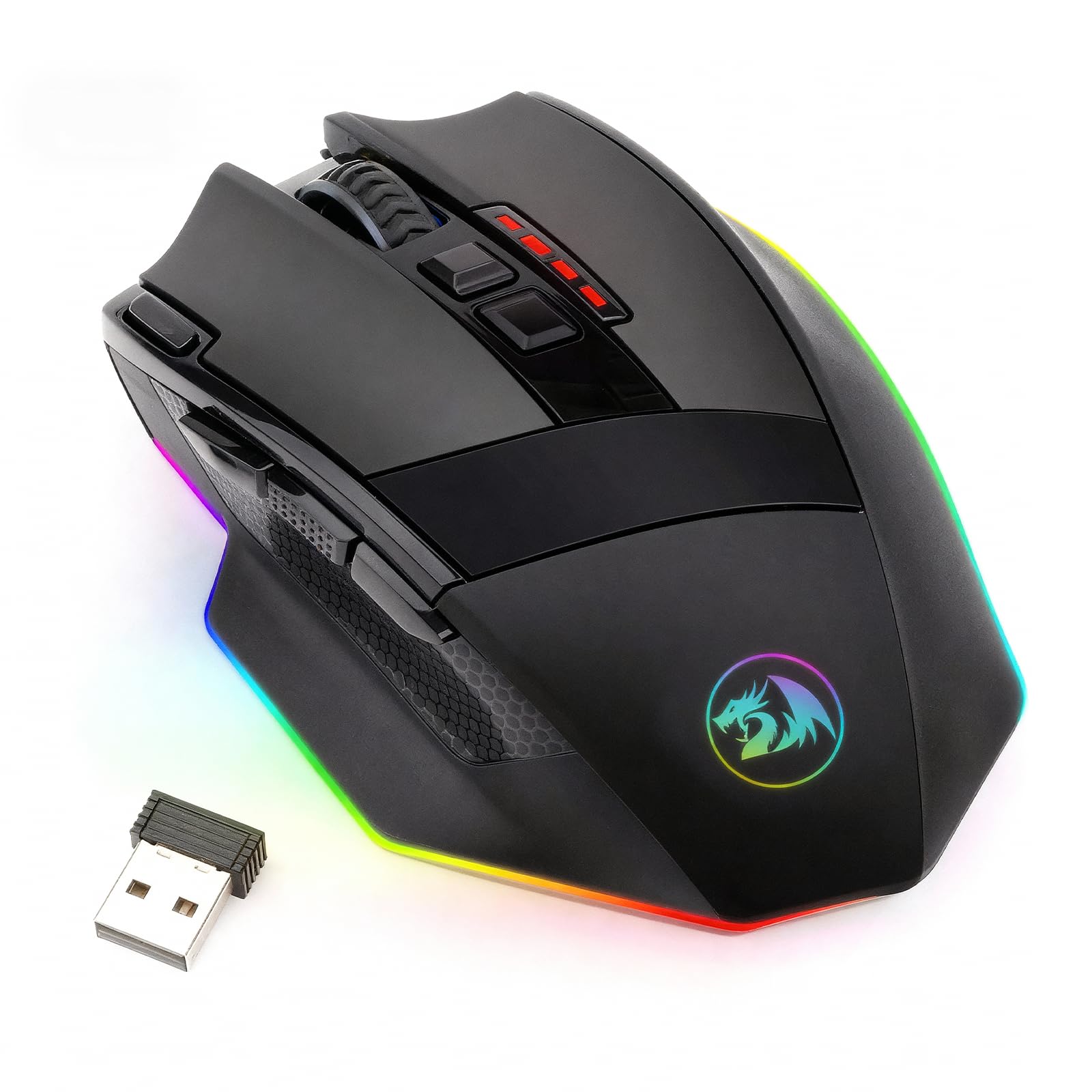
The clean-desk champ that delivers 70 hours of use on a single charge.
If you want a wireless auto-click mouse without the tangle of cables, the M801 gives you 9 programmable buttons—plenty for mapping your most-used macros—and hits up to 16000 DPI with 40G acceleration. The rechargeable battery lasts up to 35 hours with RGB on, or up to 70 hours with the backlight disabled, which means you can game a full work week on one charge. It connects via a lag-free 2.4GHz wireless link up to 10 meters away, so you can use it from the couch or a desk without latency.
The ergonomic shape includes an anti-skid scroll wheel and textured side grooves that give your thumb and ring finger a natural purchase. One reviewer noted it is “slightly larger” than some mice, but the extra size makes it comfortable for palm grips. It comes with a detachable 6-foot braided USB-C cable, so you can plug it in to charge without hunting for a proprietary cord. The software is straightforward for rebinding buttons and setting 5 memory profiles.
The macro software is somewhat limited: you cannot create complex sequences with delays, and the thumb buttons feel slightly mushy compared to the main clicks. Reviewers also mention the glossy plastic shows oil marks.
Untethered Freedom
- 70-hour battery life with RGB off
- Lag-free 2.4GHz wireless up to 10 meters
- Detachable USB-C cable for easy charging
Macro Limitations
- Macro software lacks delay/sequence controls
- Thumb buttons feel mushy and imprecise
- Glossy surface shows fingerprints and oils
Choose this for: A wireless, no-fuss setup with great battery life for single-button macros and general gaming.
Look elsewhere for: Complex multi-step macro creation or a matte, oil-resistant finish.
6. Aula SC620 Wireless Gaming Mouse
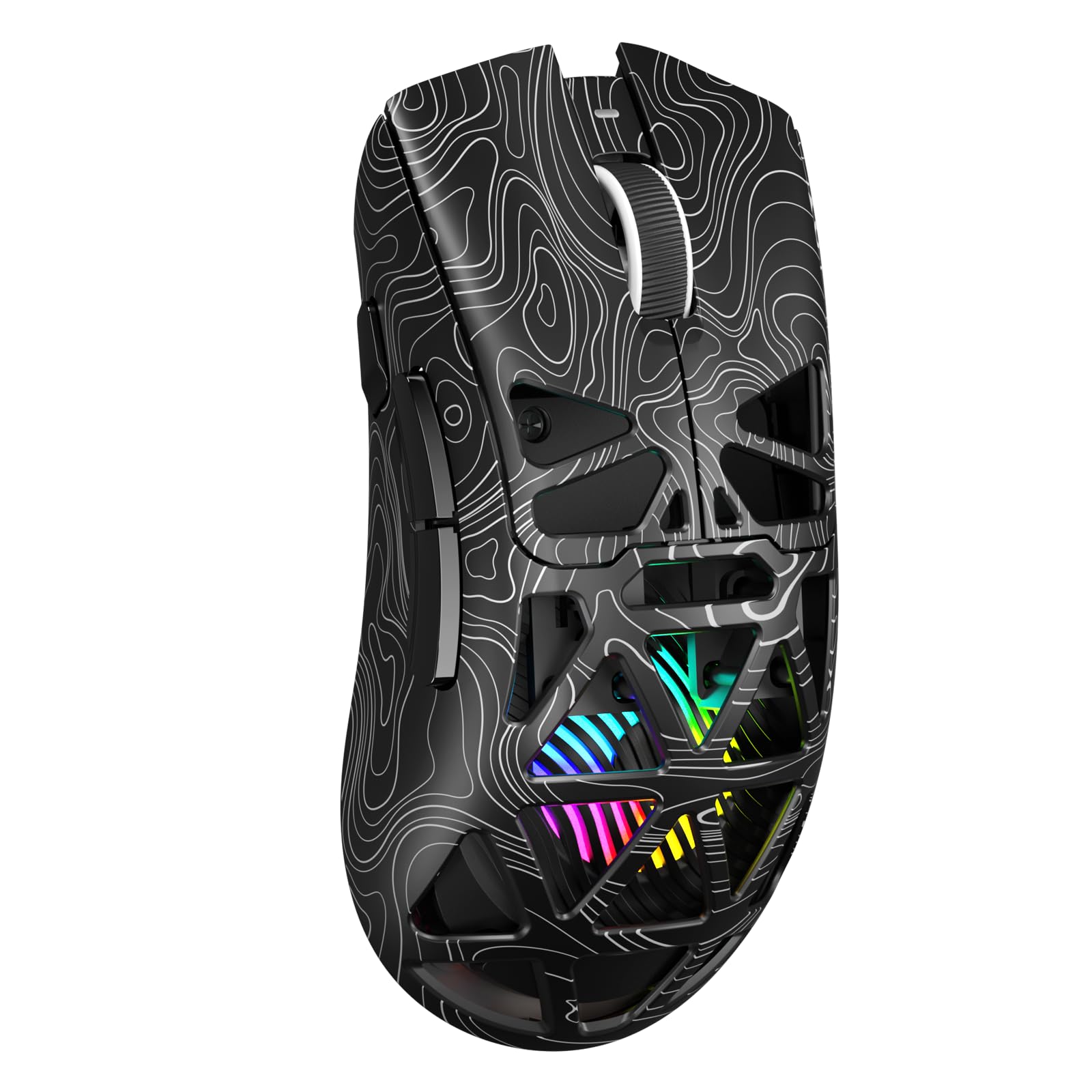
The featherweight that packs a real hardware auto-clicker without the weight.
At just 67 grams, the Aula SC620 is the lightest mouse on this list, making it easy to flick around for fast-paced shooters. It comes with a dedicated fire button—a physical key you program to execute rapid clicks while you hold it down. That is the truest form of auto-click you can get without software. You get 7 programmable buttons total, remappable via the AULA driver (download from soaidriver.com), with six adjustable DPI levels from 800 up to 12000 DPI.
The tri-mode connectivity (2.4GHz wireless, Bluetooth 5.3, and USB-C wired) lets you store up to 4 devices and switch between them, perfect for alternating between a desktop and a laptop. The hollowed-out shell design shows dynamic RGB lighting from inside, which reviewers point out is “clever lighting with an otherworldly core.” One buyer mentioned it is “very light weight and is good for gaming and has nice RGB and a long battery life and is very responsive.”
The RGB color cannot be changed—only the movement and transition effects—so if you want a specific color scheme, you cannot dial it in. The macro software only fully supports Windows in 2.4GHz and wired modes, not Bluetooth.
Auto-Click Ready
- Dedicated fire button for hardware-level rapid clicking
- Ultra-light 67g design for quick glide
- Tri-mode connection with 4-device memory
Color & Customization Limits
- RGB color is fixed—only animation effects can change
- Bluetooth mode disables the macro driver
- Side button count is lower than other picks
Perfect for: Gamers on a budget who want a real built-in auto-clicker and a super light mouse for fast play.
Not for: Users who need full RGB color control or a high-button-count side array for complex macros.
Understanding the Specs
Programmable Buttons & Macro Recording
The number of programmable buttons is the core measure of an auto-click mouse—it determines how many custom macros you can execute without reaching for a keyboard. Each programmable button can be told to run a recorded sequence (click, pause, type, switch modes) via mouse software. A mouse with 19 buttons, like the Redragon M901, can hold entire MMO skill rotations; one with 7 buttons still covers basic auto-click and gaming functions.
DPI & Polling Rate
DPI (dots per inch) measures how far the cursor moves per inch of physical mouse movement—higher DPI means faster cursor speed across the screen. The polling rate (measured in Hz, like 1000Hz) is how often the mouse reports its position to the computer; 1000Hz means it sends data once every millisecond. For auto-click macros, a high polling rate ensures the rapid clicks register instantly without delay.
FAQ
Can I use an auto click mouse for non-gaming tasks?
What is the difference between a macro and a built-in auto clicker?
Will a programmable mouse work with my Mac or Chromebook?
How long does the battery last on a wireless auto click mouse?
Is there any delay or lag when using wireless for auto clicking?
What does weight tuning do for an auto click mouse?
How many degrees of freedom do mouse buttons offer for macro commands?
What is a dedicated fire button and why would I need one?
Final Thoughts: The Verdict
For most buyers, the auto click mouse that balances the most macro flexibility with long-term durability is the Redragon M901 because its 19 programmable buttons and weight tuning give you the widest automation canvas while staying affordable. If you want the speed and prestige of a dedicated turbo-clicker with optical switches, grab the Razer Basilisk V3. And for the lightest possible mouse with a true hardware auto-clicker and a wireless-friendly budget, the standout is the Aula SC620.
How We Picked
We do not accept paid placement. Every pick is matched to a real buyer and a real use-case; we do not hands-on test units.
Sources & Methodology
Specifications: manufacturer listings and product documentation. Review insights: verified customer reviews, as of July 2026. Pricing: not shown on this page (it changes often); check the current price via the retailer link.
As an Amazon Associate, Gadgets Feed earns from qualifying purchases. This does not affect which products we feature.