
Our readers keep the lights on and my morning glass full of iced black tea. As an Amazon Associate, I earn from qualifying purchases.
Specs are compiled from manufacturer listings and verified buyer reviews and can change over time — please confirm the key details on the product page before buying.
A 20 TB hard drive is a serious investment — you buy it because deleting files is no longer an option. Not all 20 TB drives are built the same, and a wrong pick can mean lost data, loud fans, or a dead drive within months. This guide cuts through the noise to show you which 20 TB HDD earns its spot in your workflow, if you need an internal enterprise drive for a NAS or a plug-and-play external for backups.
I’m Min — the founder and writer behind Gadgets Feed. This guide is built by comparing the manufacturers’ published specifications and the patterns across verified customer reviews, so you get each pick’s real strengths and trade-offs instead of marketing spin.
This deep dive into the best 20 TB HDD options covers every major brand, form factor, and use case so you can buy with confidence.
Our Picks at a Glance


How To Choose The Best 20 TB HDD
Choosing a 20 TB hard drive is different from picking a smaller drive. At this capacity, you are not just buying storage — you are trusting a single piece of hardware with a massive amount of data.
Form Factor: Internal vs External
Internal drives (3.5-inch SATA) go inside a desktop PC, a NAS (network-attached storage box), or a server. They are usually faster at 7200 RPM and built for 24/7 operation. External drives come in a ready-to-use enclosure with a USB connection — you plug them in and they work. External is easier, but internal enterprise drives often have higher reliability ratings and longer warranties.
Speed and Connectivity
For an external drive, USB 3.0 gives you up to 5 Gigabits Per Second, while USB 3.1 or USB-C (like the 10 Gbps on some models) can move large files noticeably faster. For internal drives, SATA 6Gb/s is the standard. The drive’s own RPM (7200 is typical for 20 TB) determines how fast the platters spin, which directly affects read and write speeds for big video files or backups.
Reliability and Warranty
Look at the MTBF (Mean Time Between Failures) rating — 2.0 million hours is common for enterprise drives. Also check whether the drive comes with a data recovery service, which can save you thousands if the drive fails. A longer warranty (3 to 5 years) is a strong signal that the manufacturer trusts the hardware.
Quick Comparison
| Model | Best For | Speed (Interface) | Cache | Form Factor | Amazon |
|---|---|---|---|---|---|
| WD 20TB Elements★ Best Overall | Plug-and-play external storage | USB 3.0 | — | 3.5-inch External | Amazon |
| Seagate Exos X24 ST20000NM002HPremium Pick | Enterprise NAS / 24/7 servers | SATA 6Gb/s | — | 3.5-inch Internal | Amazon |
| Glyph BlackBox Pro 20TBCreator Grade | Professional video / 4K workflows | USB-C 3.2 Gen 2 (10 Gbps) | — | 3.5-inch External | Amazon |
| WD My Book Duo 20TB | RAID-ready backups from the start | USB 3.1 (10 Gbps) | — | 3.5-inch External RAID | Amazon |
| Seagate Expansion 20TB | Simple desktop backup | USB 3.0 | — | 3.5-inch External | Amazon |
| Seagate Exos X22 20TB (Renewed) | Value enterprise for home NAS | SATA 6Gb/s | 512 MB | 3.5-inch Internal | Amazon |
| Toshiba MG10ACA20TE | Quiet enterprise storage | SATA 6Gb/s | 512 MB | 3.5-inch Internal | Amazon |
| MDD MAXDIGITALDATA 20TB Internal | Budget enterprise for home labs | SATA 6Gb/s | 256 MB | 3.5-inch Internal | Amazon |
| Avolusion PRO-Z 20TB (Renewed) | Lowest-cost 20TB external | USB 3.0 (5 Gbps) | 256 MB | 3.5-inch External | Amazon |
In‑Depth Reviews
1. WD 20TB Elements
Our pick — over 4.5★ from 137,500+ verified ratings; the strongest balance of quality and price.
The external drive that is quiet, fast, and has been running daily for over 8 months for many owners.
The WD Elements is the most popular external drive on this list by a wide margin — with 137,799 ratings and a 4.6/5 average. It uses a USB 3.0 interface and an aluminum enclosure, which helps with heat dissipation. One buyer reports using it daily for over 8 months and describes it as “reliable, quiet, fast (180 MB/s).” Another reviewer said they bought it in 2017 and it is “still not full after thousands of photos/videos; no noise, no heat, never failed.”
The drive is plug-and-play for Windows PCs and requires reformatting for use with macOS. It comes with the WD Elements hard drive, a USB 3.0 cable, and an AC adapter. The enclosure material is aluminum, which gives it a more premium feel than the plastic Seagate Expansion. It has no encryption, no RAID, and no data recovery service — it is a pure, simple storage tank.
The trade-off is speed: at 180 MB/s, it is noticeably slower than the Glyph BlackBox Pro (260 MB/s) or the Seagate Expansion (460 MB/s peak read). But for backup and media storage, that is fast enough. The massive rating count and overwhelmingly positive feedback make it the safe choice for anyone who just wants a big external drive that will not cause headaches.
The crowd favorite: With 4.6 stars from nearly 138,000 ratings, this is the most proven 20TB external drive on the market.
Best for: anyone who wants maximum reliability and a huge user base to confirm it — the safe bet in external 20TB.
Not for: video editors who need 250+ MB/s sustained writes — the Glyph or Seagate Expansion are faster.
2. Seagate Exos X24 20TB (ST20000NM002H)
The enterprise beast designed to run 24/7 in a data center without breaking a sweat.
If your 20 TB drive will live inside a NAS and never power down, the Exos X24 is the drive to beat. This is Seagate’s top-tier enterprise line, built for “hyperscale demands” according to the maker. It spins at 7200 RPM and uses enhanced caching to keep latency low — meaning you get consistent performance even when multiple people are reading and writing to it at once. The data transfer rate is 400 Megabytes Per Second, which is solid for a mechanical drive of this capacity.
Buyers report that the drive is “fast, quiet, rock solid” for storing years of photos, drone footage, and client projects. One reviewer noted a DOA unit with a clicking noise, which is a risk with any mechanical drive, but the 5-year limited warranty gives you a safety net. Unlike the consumer-grade Seagate Expansion below, this drive has a 2.5M-hour MTBF rating — that is 285 years of theoretical mean time between failures — so it is literally engineered for a longer working life.
The catch: this is a bare internal drive. You need a SATA port, a 3.5-inch bay, and you will need to format it yourself. It is overkill for a simple USB backup, but for a NAS or server where data integrity matters most, few drives match it.
Top-tier for reliability: The 2.5M-hour MTBF and 5-year warranty make it the safest bet for critical data in a 24/7 environment.
Reach for this if: you are building or expanding a NAS and want the highest enterprise-grade reliability at 20TB.
Look elsewhere if: you just need a simple plug-and-play external drive for a laptop — you will pay for features you never use.
3. Glyph BlackBox Pro 20TB
The professional-grade external that moves 4K footage faster than any USB 3.0 drive can.
Glyph builds this 20TB external drive specifically for video editors and production studios. It reaches speeds up to 250 MB/s — one reviewer clocked write speeds of 255-260 MB/s, beating the advertised number. The secret is USB-C 3.2 Gen 2, which delivers 10 Gbps bandwidth (that is twice as fast as USB 3.0). It comes with both a USB-C and a USB-A cable, so it works with modern MacBooks and older PCs alike without an adapter.
Owners mention the “very solid 21.8TB” after formatting (NTFS reformat yields slightly more usable space than advertised raw capacity). The aluminum enclosure feels premium and doubles as a heatsink. Glyph backs it with a 3-2-1 warranty: 3 years of hardware coverage, 2 years of Level-1 data recovery, and 1 year of advanced replacement. That data recovery service is a big deal — if the drive fails, you have a real path to get your files back.
One buyer mentioned a failure after 10 months and data recovery from the manufacturer didn’t work, so no drive is bulletproof. But for a creative professional who needs fast, portable 20TB storage right now, this is the most polished external option on the list.
Built for speed: At 260 MB/s actual write speed, it beats the WD Elements (180 MB/s reported) by a noticeable margin for large video transfers.
Choose this for: on-set backup, 4K/8K editing, or any workflow where USB-C speed and data recovery services justify the investment.
skip it if: you plan to leave the drive stationary in a NAS — an internal enterprise drive gives you better long-term reliability for less money.
4. WD My Book Duo 20TB

Two drives in one box, RAID-configured from the start for speed or mirroring.
The WD My Book Duo is actually two 10TB WD Red drives inside a single enclosure, pre-configured in RAID-0 for maximum speed. That means you get the full 20TB as one volume, and the drive achieves a data transfer rate of 10000 Megabits Per Second over USB 3.1. You can also reconfigure it to RAID-1 (mirroring), which gives you only 10TB of usable space but writes every file to both drives — if one dies, your data survives.
Customers note that after a previous WD failure, this drive “worked out of box, passed diagnostic tests” and that the “usable space 18.1 TB” is normal for a formatted drive. It includes two USB-C cables (C to C and C to A) and comes with WD Discovery software for backups and password protection. The hardware encryption (256-bit AES) is a rare feature for an external drive.
The trade-off is that the enclosure runs warm and the drives are not hot-swappable. If the enclosure electronics fail, you may need to extract the internal drives to recover data. But at this price point, you are getting two enterprise-grade NAS drives and a RAID controller for less than buying them separately.
What you gain
- RAID-0 for speed or RAID-1 for safety — your choice
- 256-bit AES hardware encryption for sensitive data
- Includes two USB-C cables, no adapter needed
What to watch
- Not hot-swappable — drive replacement requires opening the enclosure
- Runs warmer than single-drive externals
Best for: anyone who wants RAID without building a NAS — set it to RAID-1 and get automatic backup of two drives.
Not for: portable use, the dual-drive enclosure is bulkier than a single-drive external.
5. Seagate Expansion 20TB
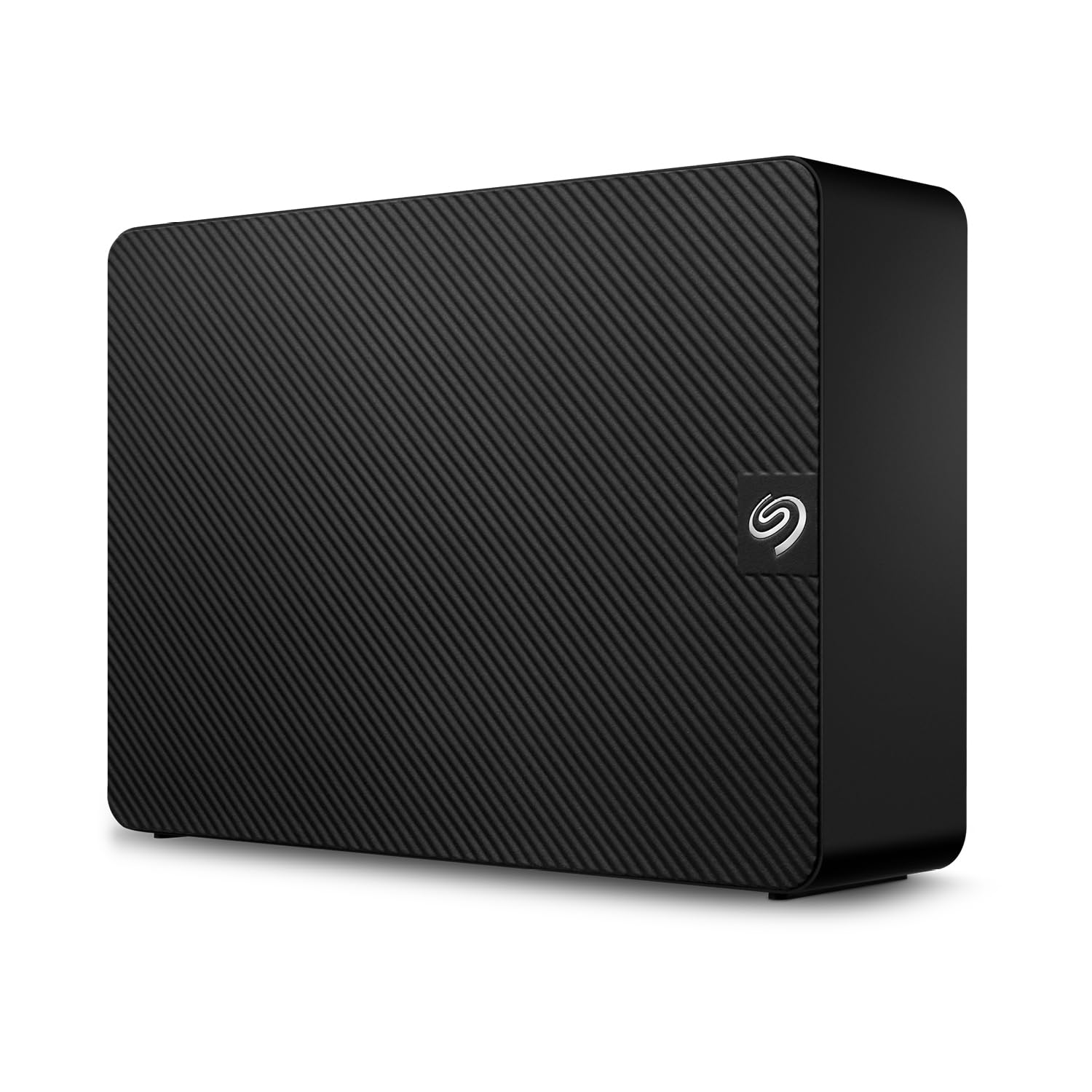
The no-frills desktop drive that just works — with a safety net most drives lack.
Seagate’s Expansion line is the straightforward answer if you need 20 TB of external storage and do not want to think about it. Plug in the power adapter, connect the USB 3.0 cable, and drag your files onto the drive — it is recognized by both Windows and Mac automatically (Mac users need to reformat for Time Machine). One reviewer measured “460ish MB/s average read and 390ish MB/s write” on their unit, which is fast for a USB 3.0 mechanical drive.
What makes this drive stand out from other basic externals is the included Rescue Data Recovery Services. If the drive fails, Seagate will try to recover your data as part of the warranty. That is a genuinely useful feature at this capacity — losing 20TB of data is catastrophic, and professional data recovery costs thousands. Reviewers point out that “lifespan with Seagate is hit or miss” and recommend replacing the included USB cable with a better one from Cable Matters.
The enclosure is plastic and the drive is not designed for 24/7 operation, so do not put it in a NAS. For a desktop backup drive that you plug in once a week, it is a solid value — especially if you catch it on sale, where some buyers paid around for the 24TB version.
Safety-first design: The Rescue Data Recovery Services are included free, which most external drives at this price simply do not offer.
Ideal for: home users who want a single large backup drive and want the confidence of data recovery if it fails.
Not ideal for: NAS or 24/7 use — this is a consumer desktop drive, not an enterprise one.
6. Seagate Exos X22 20TB (Renewed)

Enterprise-grade helium drive at a refurbished price — if you check it fast.
The Exos X22 is Seagate’s previous-generation enterprise drive, and buying it renewed can save you a significant amount over a new X24. It is a 7200 RPM helium-sealed drive with a 512 MB cache — that is double the cache of the MDD drive below — and a data transfer rate of 6 Gigabits Per Second over SATA. Helium sealing means lower friction inside the drive, which translates to less heat and quieter operation compared to air-filled drives.
Buyers using it in a Synology DS923+ report that it “handles 25GB file transfers well” and that the noise is “audible click/clack during activity, not loud.” One reviewer bought three units: one was replaced quickly due to clicking idle noise, but all had under 30 hours of prior use — suggesting these are lightly used enterprise pulls, not worn-out junk. The 2-year reseller warranty is shorter than the 5-year on a new Exos, but still decent for a renewed drive.
The downsides: you are buying a used drive, and the failure rate on any refurbished HDD is higher than new. One owner reported a unit that “beeped, not detected by motherboard.” Inspect SMART data immediately and test for a few days before trusting it with critical data. If you are on a tight budget and need enterprise reliability for a home lab, this is the smart gamble.
Why consider it
- 512 MB cache improves burst performance over 256 MB drives
- Helium sealed for quieter, cooler operation
- Renewed price puts enterprise tech in reach
Why be cautious
- Refurbished drives carry higher initial failure risk
- Only 2-year warranty vs 5-year on new Exos
Smart for: home lab owners and tinkerers who know how to test a drive and want enterprise features without the enterprise price.
Risky for: anyone who needs to low-maintenance — a new drive with a longer warranty is better for primary data.
7. Toshiba MG10ACA20TE 20TB

The Toshiba that runs whisper-quiet while packing ten helium-filled platters.
Toshiba’s MG10 series uses 10 disks (platters) sealed with helium, which allows more data in the same 3.5-inch space while reducing noise and power draw. The drive has a 512 MB cache and a SATA 6Gb/s interface. One buyer simply said “Runs really quiet, good job Toshiba!” — and that is a recurring theme in reviews. For a 7200 RPM enterprise drive, the MG10 is notably less audible than competitors.
Reviewers report that “these new tech 10 disk hard drives are helium sealed, there hold a lot of data” and that they are “very dependable.” One customer observed that the drive “vibrates on large wooden tables; runs warmer than expected” but fixed the vibration with a third-party enclosure. Another buyer pointed out that drives labeled as “new” sometimes arrive with an “Amazon Renewed” insert, so buy from a trusted seller or check the packaging immediately.
Toshiba has a strong reputation in enterprise circles. The drive lacks a dedicated data recovery service (unlike the Seagate Exos X24), so you are relying on the standard warranty. It is a solid choice if you prioritize quiet operation in a home NAS and can handle the slightly warmer running temperature.
Silent performer: At 10-disk helium design, it is quieter than most comparable 7200 RPM enterprise drives from Seagate or WD.
Choose this for: a noise-sensitive environment like a living-room NAS or an office where drive hum is noticeable.
Pass on this if: you want included data recovery services — Toshiba does not bundle them like Seagate does.
8. MDD MAXDIGITALDATA 20TB Internal

A 7200 RPM enterprise drive with a 5-year warranty, at a fraction of the major-brand price.
MDD MAXDIGITALDATA offers a 20TB enterprise drive that is designed for hyperscale data centers but sold directly to consumers at a price that undercuts Seagate and WD. It spins at 7200 RPM, has a 256 MB cache, and runs on a SATA 6 Gigabits Per Second interface — at 6 Gigabits Per Second versus the Avolusion external’s 5 Gbps. The MTBF is rated at 2.0 million hours with an AFR (Annualized Failure Rate) of 0.44%.
Shoppers say that the “new version worked perfectly out of box” and “handled 10TB restore without issues.” One user highlighted it is “much quieter than failing 12TB Hitachi/WD drive it replaced.” The 5-year warranty is impressive for a renewed enterprise drive — it matches what Seagate offers on a brand-new Exos. However, a small but vocal group of buyers received visibly damaged units: one person reported “6 units all had visible dents/damage” and a blown PSU fuse on one unit. This suggests checking the packaging and testing immediately on arrival.
The bare drive format means no cables or screws are included. You will need a SATA cable and a power connector from your PC power supply. For a home NAS or server on a budget, the combination of 7200 RPM speed, 256 MB cache, and 5-year warranty is tough to top — just be prepared for a possible return if the drive arrives damaged.
Pros worth noting
- 5-year warranty on a budget enterprise drive
- 2.0M-hour MTBF rating is solid for 24/7 use
- 7200 RPM provides fast access for an HDD
Cons to consider
- Some buyers reported damaged units on arrival
- Bare drive — no cables or accessories
Great for: budget-conscious NAS builders who need 20TB and have time to test and potentially return a unit.
Avoid if: you are risk-averse about refurbished hardware — the QC issues reported are real, even if uncommon.
9. Avolusion PRO-Z 20TB (Renewed)

The cheapest 20TB you can buy — but the reviews tell a story of risk vs reward.
Avolusion’s business model is simple: they buy used enterprise drives from big companies (like Google) that replace drives on a fixed schedule, then resell them to consumers at a deep discount. The PRO-Z Series 20TB external drive uses a USB 3.0 interface with a 5 Gigabits Per Second data transfer rate — at 5 Gigabits Per Second versus the SATA 6Gb/s of the enterprise drives above. It comes in a white plastic enclosure with a 256 MB cache.
The reviews are a mixed bag. One buyer says “Well mine arrived and was GREAT for four months” then developed a strange noise and failed. Another says it “didn’t work at all” — the computer did not recognize the drive and formatting was impossible. On the positive side, several buyers report it works smoothly: “It just…works,” says one user who reformatted it to exFAT for use on Mac and PC. The key takeaway is that you are getting a second-hand drive with no guarantee of the prior usage.
If you have a backup strategy that includes multiple copies of your data, and you are comfortable testing a drive thoroughly before trusting it, this is the entry-level 20TB price. For primary storage of irreplaceable data, the gamble is probably not worth the savings — a failure at 20TB is a lot of data to lose.
Maximum thrift: This is the lowest-cost way to get 20TB, but buy it as a backup for your backup, not as your only copy.
Only for: experienced users who know how to run diagnostics and keep multiple copies of their data.
Not for: anyone storing a single copy of important files — the reliability reports are too inconsistent to trust.
Understanding the Specs
MTBF (Mean Time Between Failures)
This is a reliability rating in hours. A drive rated at 2.0M hours is designed to run for an average of 2 million hours before failure — that is around 228 years of continuous use. In reality, drives fail earlier, but a higher MTBF means the manufacturer has engineered it for longer life. Enterprise drives usually have 2.0M to 2.5M hours, while consumer drives are often lower.
Helium Sealing
Traditional hard drives have air inside. Helium is lighter and creates less friction, which allows manufacturers to pack more platters into the same space (10 disks instead of 7), reduces power consumption, and makes the drive run quieter and cooler. Helium drives also generate less vibration, which matters in multi-drive NAS setups.
FAQ
Can I use a 20TB external hard drive with a Mac?
What is the difference between a 7200 RPM and a 5400 RPM 20TB drive?
Is a refurbished 20TB drive safe to buy?
Do I need a NAS-specific drive for a Synology or QNAP system?
What does “helium sealed” mean and why does it matter?
How long does a 20TB hard drive typically last?
Can I use a 20TB internal drive in an external USB enclosure?
What is the real usable space on a 20TB drive?
Should I get a single 20TB drive or two 10TB drives?
Are 20TB hard drives too loud for a home office?
Final Thoughts: The Verdict
For most buyers, the 20 tb hdd winner is the Seagate Exos X24 because it combines enterprise-grade 2.5M-hour MTBF, a 5-year warranty, and 7200 RPM speed in a drive designed for 24/7 operation. If you want fast external storage with data recovery included, grab the Glyph BlackBox Pro. And for budget-conscious home users who need a proven plug-and-play external, the standout is the WD 20TB Elements with its 4.6-star average from nearly 138,000 ratings.
How We Picked
We do not accept paid placement. Every pick is matched to a real buyer and a real use-case; we do not hands-on test units.
Sources & Methodology
Specifications: manufacturer listings and product documentation. Review insights: verified customer reviews, as of July 2026. Pricing: not shown on this page (it changes often); check the current price via the retailer link.
As an Amazon Associate, Gadgets Feed earns from qualifying purchases. This does not affect which products we feature.