
Our readers keep the lights on and my morning glass full of iced black tea. As an Amazon Associate, I earn from qualifying purchases.
Specs are compiled from manufacturer listings and verified buyer reviews and can change over time — please confirm the key details on the product page before buying.
Picking a 1440p gaming monitor today means deciding between lightning-fast refresh rates that give you an edge in competitive games, and the deep, inky blacks of OLED that make single-player worlds feel real. The real trick is knowing which spec actually matters for what you play, and which ones are just marketing numbers that sound impressive on the box. You want a monitor that feels smooth without tearing, shows colors that pop, and keeps you in the action instead of sending you back to the settings menu.
I’m Min — the founder and writer behind Gadgets Feed. This guide is built by comparing the manufacturers’ published specifications and the patterns across verified customer reviews, so you get each pick’s real strengths and trade-offs instead of marketing spin.
if you need a blistering 360Hz panel for esports or a QD-OLED with perfect blacks for cinematic games, here is everything you need to know before buying a 1440p gaming monitor.
Our Picks at a Glance


How To Choose The Best 1440p Gaming Monitor
Buying a 1440p gaming monitor means balancing speed, color, and image quality against your budget. Here are the three specs that define your experience more than anything else.
Refresh Rate and Response Time
The refresh rate (measured in Hz) tells you how many times the screen updates each second. A 300Hz or 360Hz panel will feel buttery smooth in fast shooters like Valorant or Call of Duty, giving you a real competitive advantage. The response time (measured in milliseconds) dictates how fast pixels change color — a 0.03ms (GtG) OLED is practically instant, while a 1ms (GtG) IPS is still very fast but can show a tiny bit of ghosting in the most demanding scenes.
Panel Technology: IPS vs OLED vs QD-OLED
IPS panels (like the LG 27GR83Q-B) offer good color accuracy and wide viewing angles at a lower cost, but they cannot match the perfect blacks of an OLED. OLED and QD-OLED panels (like those from Samsung, Acer, and Alienware) deliver infinite contrast — blacks that are truly black, not greyish — and colors that look vibrant and three-dimensional. The trade-off is price and, sometimes, peak brightness in very bright rooms.
Connectivity and Adaptive Sync
HDMI 2.1 is critical if you connect a PS5 or Xbox Series X — it lets those consoles run 1440p at high refresh rates without cutting corners. For PC gamers, DisplayPort 1.4 is the standard for hitting the maximum Hz. G-Sync (NVIDIA) and FreeSync (AMD) eliminate screen tearing and stuttering, making gameplay feel much smoother, especially when your frame rate dips slightly.
Quick Comparison
| Model | Best For | Panel Type | Refresh Rate | Response Time | Amazon |
|---|---|---|---|---|---|
| LG 27GR83Q-B★ Best Overall | Reliable All-Rounder IPS | IPS | 240Hz | 1ms (GtG) | Amazon |
| ASUS ROG Strix XG27ACDNGAlso Great | Premium Esports & Immersion | QD-OLED | 360Hz | 0.03ms | Amazon |
| Alienware AW2725DFPremium Pick | High-FPS Competitive Gaming | QD-OLED | 360Hz | 0.03ms | Amazon |
| LG 27G640A-B | High-Speed IPS Value | IPS | 300Hz | 1ms (GtG) | Amazon |
| ASUS TUF Gaming VG27AQM5A | Lightning-Fast Response | Fast IPS | 300Hz | 0.3ms (GTG) | Amazon |
| Samsung Odyssey G6 G60F | Blistering 350Hz Speed | Fast IPS | 350Hz | 1ms (GtG) | Amazon |
| Acer Predator X27U | Budget OLED Entry | QD-OLED | 240Hz | 0.03ms | Amazon |
| AOC Q27GAZD | Affordable QD-OLED Gaming | QD-OLED | 240Hz | 0.03ms GtG | Amazon |
| AOC Agon PRO AG276QZD2 | Tournament-Level QD-OLED | QD-OLED | 240Hz | 0.03ms GTG | Amazon |
| Samsung Odyssey OLED G5 G50SF | Budget-Friendly OLED Immersion | QD-OLED | 180Hz | 0.03ms (GtG) | Amazon |
In‑Depth Reviews
1. LG 27GR83Q-B 27-inch Ultragear QHD IPS Gaming Monitor
Our pick — over 4★ from 750+ verified ratings; the strongest balance of quality and price.
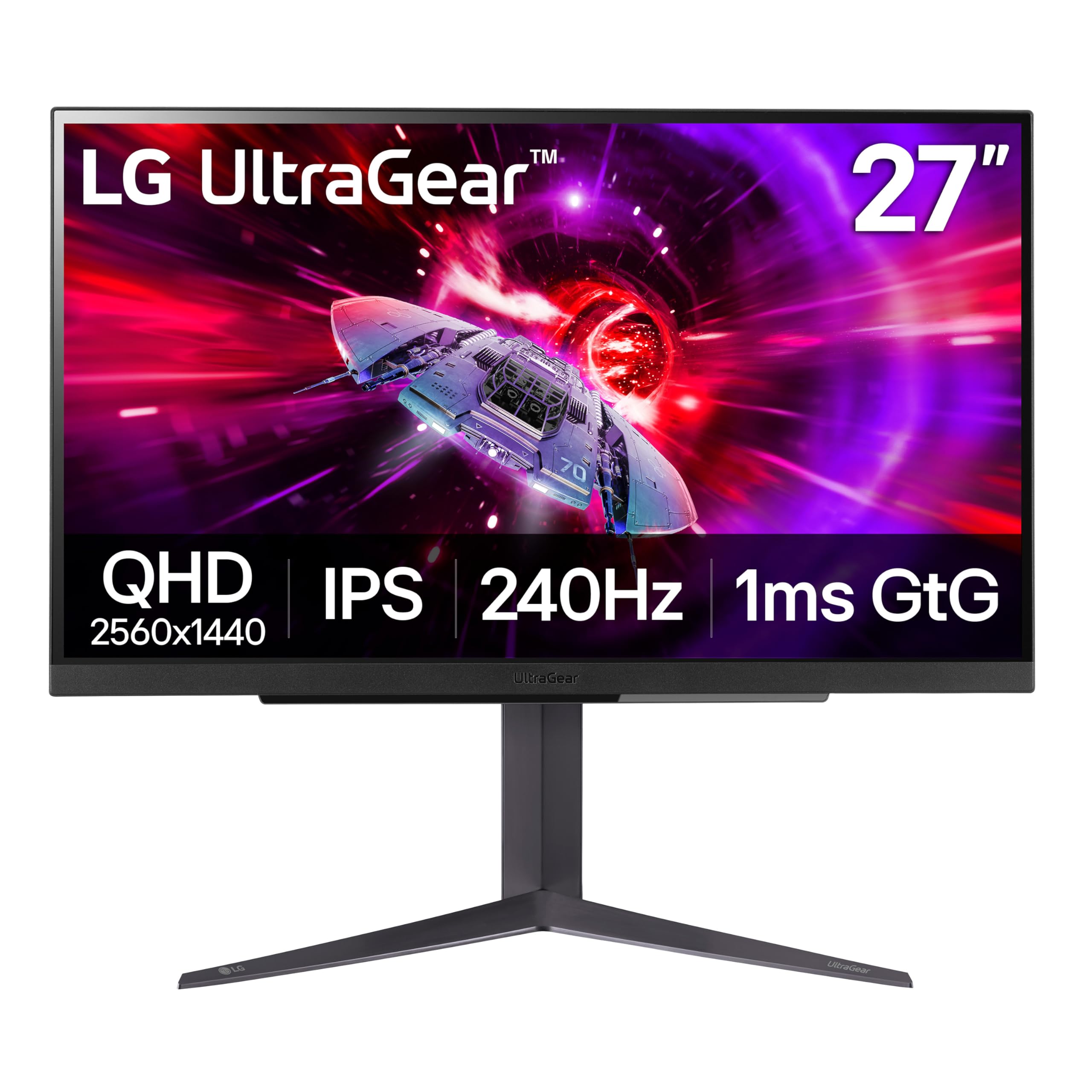
LG’s 240Hz IPS hits a solid balance of speed, color, and connectivity without the OLED premium.
The 27GR83Q-B is a 27-inch QHD (2560×1440) IPS monitor with a 240Hz refresh rate and a 1ms (GtG) response time, making it a dependable companion for most gaming scenarios. It supports both NVIDIA G-Sync and AMD FreeSync Premium, so you get tear-free gameplay regardless of your GPU brand. VESA DisplayHDR 400 and up to 95% DCI-P3 color gamut give you vibrant colors and decent HDR highlights — though the 1000:1 contrast ratio is standard for IPS, not OLED-level.
Connectivity is a strong point: HDMI 2.1 and DisplayPort 1.4 are both supported, so you can hit the full 240Hz on both PC and PS5/Xbox Series X. The DTS Headphone:X provides 3D spatial audio through the 4-pole headphone jack, which adds a nice touch for rich headset gaming. The included stand offers height, tilt, and pivot adjustment, giving you good desk setup flexibility.
Owners mention the picture is “very sharp and clear” and that it is great for games like PUBG. However, there are quality-control concerns: one owner reported a red stuck pixel in the center of the first unit, and the replacement had 5-8 stuck pixels. Another noted the monitor started shutting off a month after the Amazon return window ended, leading to a lengthy LG support process. The monitor itself performs well when working correctly, but the pixel lottery is a real risk here.
Solid IPS Foundation
- 240Hz with G-Sync and FreeSync Premium ensures smooth, tear-free gameplay
- HDMI 2.1 support provides full bandwidth for next-gen consoles
- DTS Headphone:X delivers convincing 3D spatial audio over any headset
The Pixel Gamble
- Multiple user reports of stuck or dead pixels on arrival or within weeks
- LG support process for post-warranty issues can be slow and frustrating
A solid fallback if: you want a reliable 240Hz IPS with HDMI 2.1 and a full ergonomic stand, and you are comfortable with the potential pixel lottery.
Buyer beware: Given the QC reports, this is best purchased from a retailer with a lenient return policy so you can exchange quickly if you get a unit with stuck pixels.
2. ASUS ROG Strix 26.5” 1440P QD-OLED Gaming Monitor (XG27ACDNG)
The ROG Strix delivers 360Hz QD-OLED speed without compromising color depth or build quality.
This 26.5-inch QHD (2560 x 1440) monitor pairs a stunning QD-OLED panel with a lightning-fast 360Hz refresh rate, making it a genuine top-tier pick for anyone who plays both competitive shooters and single-player blockbusters. The 0.03ms response time means motion is essentially instant — there is no ghosting, no blur, just clean frames that keep up with your reflexes. ASUS backs it with a custom heatsink to reduce burn-in risk, plus its exclusive OLED Anti-flicker tech that smooths out the flicker you can sometimes see when the refresh rate fluctuates.
Color performance is outstanding thanks to the 99% DCI-P3 gamut and true 10-bit depth, so games like Cyberpunk 2077 or Red Dead Redemption 2 look rich and cinematic. Buyers report the image is sharp, the setup is easy, and there were zero dead pixels or flickering on delivery. The DisplayWidget Center software lets you tweak OLED Care settings and other adjustments right from your mouse, which is more convenient than digging through an on-screen menu.
The main catch is price — this is a premium investment. Also, the height adjustment range is somewhat limited, and the pixel cleaning pop-up can interrupt intense gaming sessions. But with a 3-year warranty that includes burn-in coverage, this monitor sets a high bar for the category.
The Speed King
- 360Hz QD-OLED with a 0.03ms response time delivers class-leading motion clarity
- 99% DCI-P3 color gamut and True Black 400 HDR for vibrant, lifelike visuals
- Custom heatsink and OLED Care+ significantly reduce burn-in risk
The Fine Print
- Premium price positions it as a long-term investment, not a budget buy
- Limited height adjustment on the stand may not suit all desk setups
Your endgame monitor if: you want the best combination of speed and picture quality for both esports and AAA titles, and you have the budget for top-tier performance.
Look elsewhere if: you are on a tighter budget or only need 240Hz — the LG 27G640A-B below offers excellent speed at a much lower cost.
3. Alienware AW2725DF OLED Gaming Monitor
Alienware’s 360Hz QD-OLED balances competitive motion clarity with deep, cinematic contrast.
Matching the ASUS ROG Strix at 360Hz, the AW2725DF uses a 26.7-inch QD-OLED panel with a 0.03ms response time that makes even the fastest flick shots feel responsive and fluid. The QHD (2560×1440) resolution gives you excellent detail without the GPU demands of 4K, and the infinite contrast ratio means blacks are truly black — not grey. VESA DisplayHDR True Black 400 certification ensures highlights and shadows both look natural in the same scene.
Color coverage hits DCI-P3 99.3% with Delta E<2 accuracy, so images look true-to-life right from the start. Owners mention this monitor is a “jack of all trades” that excels in both competitive FPS games (thanks to the ultra-clear motion) and cinematic single-player titles where the OLED picture quality truly shines. The included stand offers height, tilt, swivel, and pivot adjustments, giving you plenty of ergonomic flexibility.
One owner noted the monitor powered off unexpectedly at 30 days and needed an RMA — Dell eventually sent a new unit, but the experience was frustrating. Others call it “god-like” for gaming, so the trade-off is that you are paying for top-tier OLED clarity while accepting that early failure, though rare, is a risk with any premium panel.
Your 360Hz gateway to OLED: If you are upgrading from a standard IPS display and want the dramatic difference OLED brings, this is a strong contender with great ergonomics and color accuracy.
The reliability gamble: While most units are flawless, a small number of customers note early power failure, so buying from a retailer with a good return policy is smart.
4. LG 27G640A-B 27-inch Ultragear QHD IPS Gaming Monitor
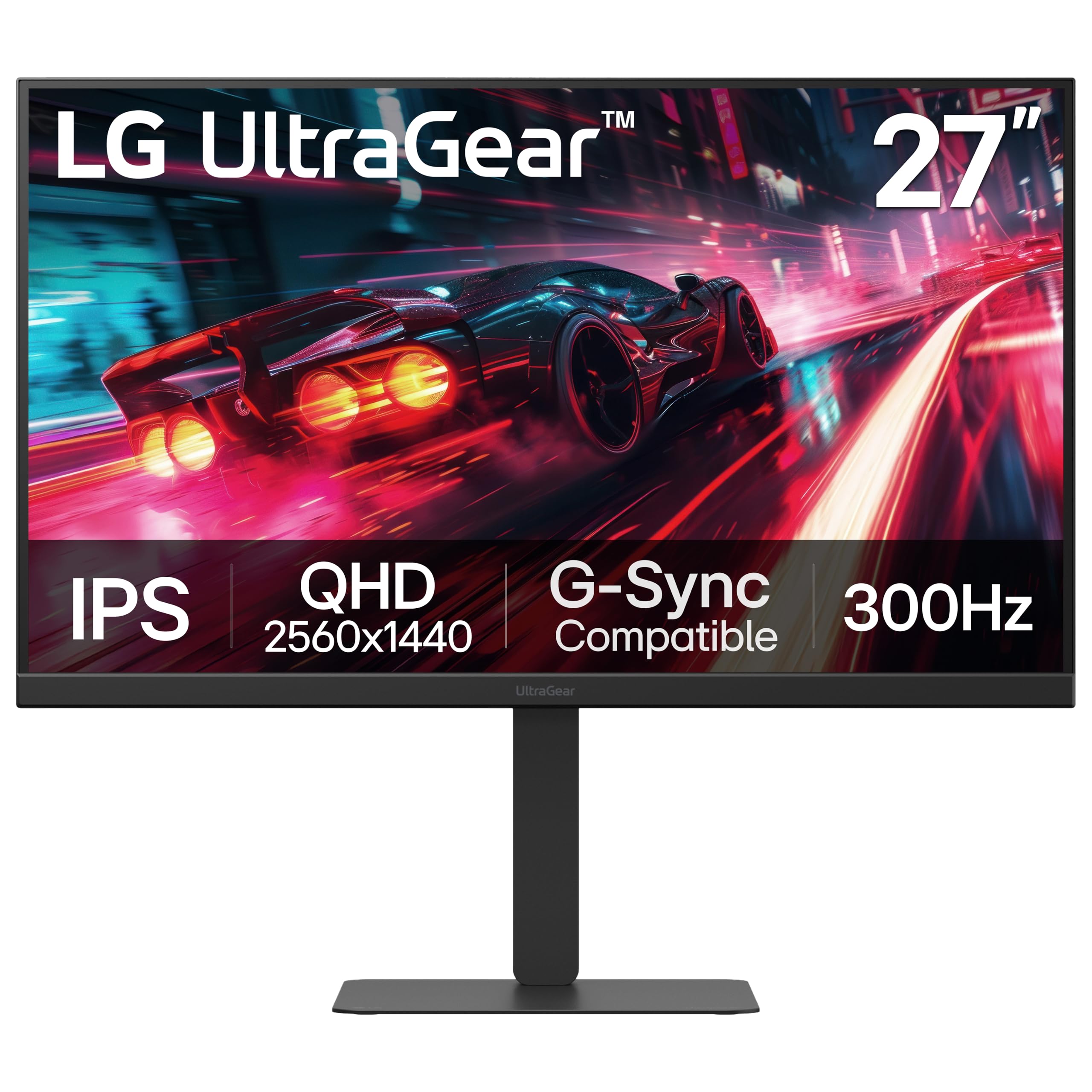
LG’s 300Hz IPS delivers competitive speed at a price that leaves room for other upgrades.
This 27-inch QHD (2560×1440) IPS monitor runs at a blistering 300Hz with a 1ms (GtG) response time, making it a fantastic choice for high-frame-rate gaming without stepping up to OLED pricing. It supports both NVIDIA G-Sync and AMD FreeSync Premium, so screen tearing is eliminated whether you run Team Green or Team Red. The 1300:1 contrast ratio, versus the LG 27GR83Q-B’s 1000:1, gives higher contrast, so dark scenes look noticeably richer on this model.
The color gamut covers up to 95% DCI-P3, and VESA DisplayHDR 400 certification adds punch to highlights. Buyers consistently praise the picture quality, sturdy stand, and great connectivity — dual HDMI 2.1 ports plus DisplayPort 1.4 and USB Type-C (15W power delivery) give you flexibility for PC and next-gen consoles alike. Reviewers point out the monitor is a “no-brainer” for 1440p high-FPS gaming at its price point.
One common warning in reviews: the included DisplayPort cable is sometimes defective straight from the start. Shoppers say the monitor would not turn on until they swapped in an old cable. The built-in speakers are also weak, but that is typical for gaming monitors in this range. If the cable is a dud, a quick swap solves it — otherwise, the LG 27G640A-B is a near-perfect high-speed IPS value.
Speed Meets Value
- 300Hz refresh rate at a price well below OLED alternatives
- Dual HDMI 2.1 ports are ready for PS5 and Xbox Series X
- 1300:1 contrast ratio is better than many IPS competitors
Watch Out For
- Included DisplayPort cable may be faulty — have a spare ready
- Built-in speakers are weak, as with most gaming monitors
Reach for this if: you want maximum frame rate for competitive shooters without spending OLED money, and you need HDMI 2.1 for console gaming.
Look elsewhere if: you absolutely need 0.03ms OLED response times or perfect blacks for dark-room gaming — the Samsung OLED G5 below is the entry-level OLED alternative.
5. ASUS TUF Gaming 27” 1440P Monitor (VG27AQM5A)
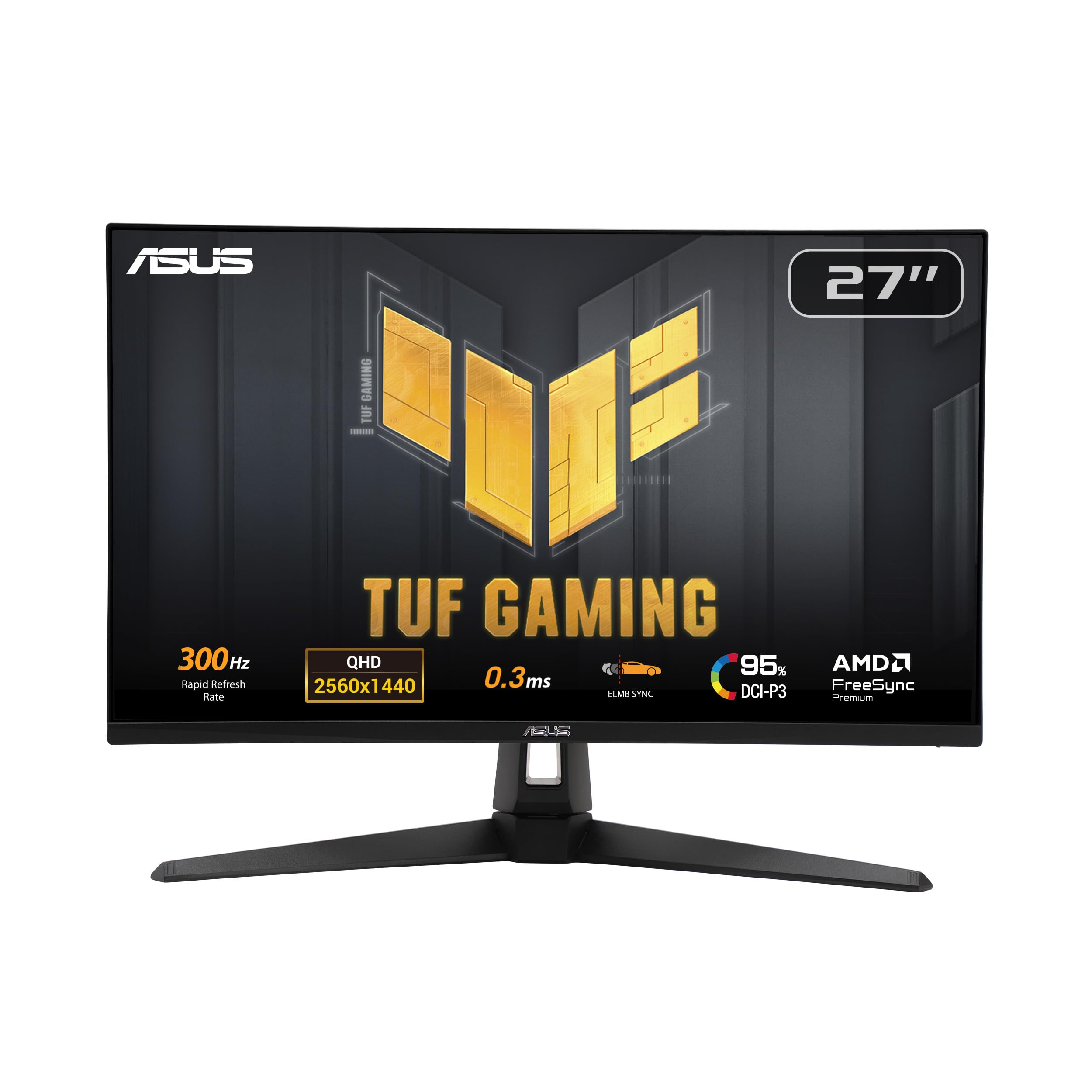
ASUS packs a 300Hz Fast IPS panel with a ridiculously fast 0.3ms response time.
This 27-inch QHD (2560×1440) monitor is built for competitive gamers who need the fastest pixel transitions possible from an IPS panel. The 0.3ms (GTG) response time is faster than the LG 27G640A-B’s 1ms, meaning there is virtually no ghosting even in the most chaotic scenes. ASUS Extreme Low Motion Blur Sync (ELMB Sync) lets you run ELMB alongside variable refresh rate, so you get crisp motion without tearing.
The VG27AQM5A covers 100% DCI-P3, compared to the LG 27GR83Q-B’s 95%, which translates to slightly more vibrant reds and greens in games and movies. Shadow Boost brightens dark areas without washing out bright spots, so you can spot enemies hiding in corners more easily. The included DisplayWidget Center software lets you adjust settings with your mouse, which is much simpler than fumbling with the on-screen buttons.
Buyers report the monitor is “amazing for 1440p gaming” with vivid colors and a solid build. A few mention receiving units with a dead pixel or hearing an occasional cracking noise from the plastic housing. Weak brightness and an average contrast ratio are the main image-quality trade-offs, but at this speed, the VG27AQM5A is tough to top for pure competitive performance.
The speed-first pick: If your priority is the absolute fastest IPS response time on the market, the 0.3ms and 100% DCI-P3 make this an excellent choice for twitch shooters.
The trade-off: Those seeking rich contrast and high peak brightness for single-player games will prefer the LG 27G640A-B’s 1300:1 ratio or an OLED alternative.
6. Samsung 27” Odyssey G6 G60F QHD Gaming Monitor
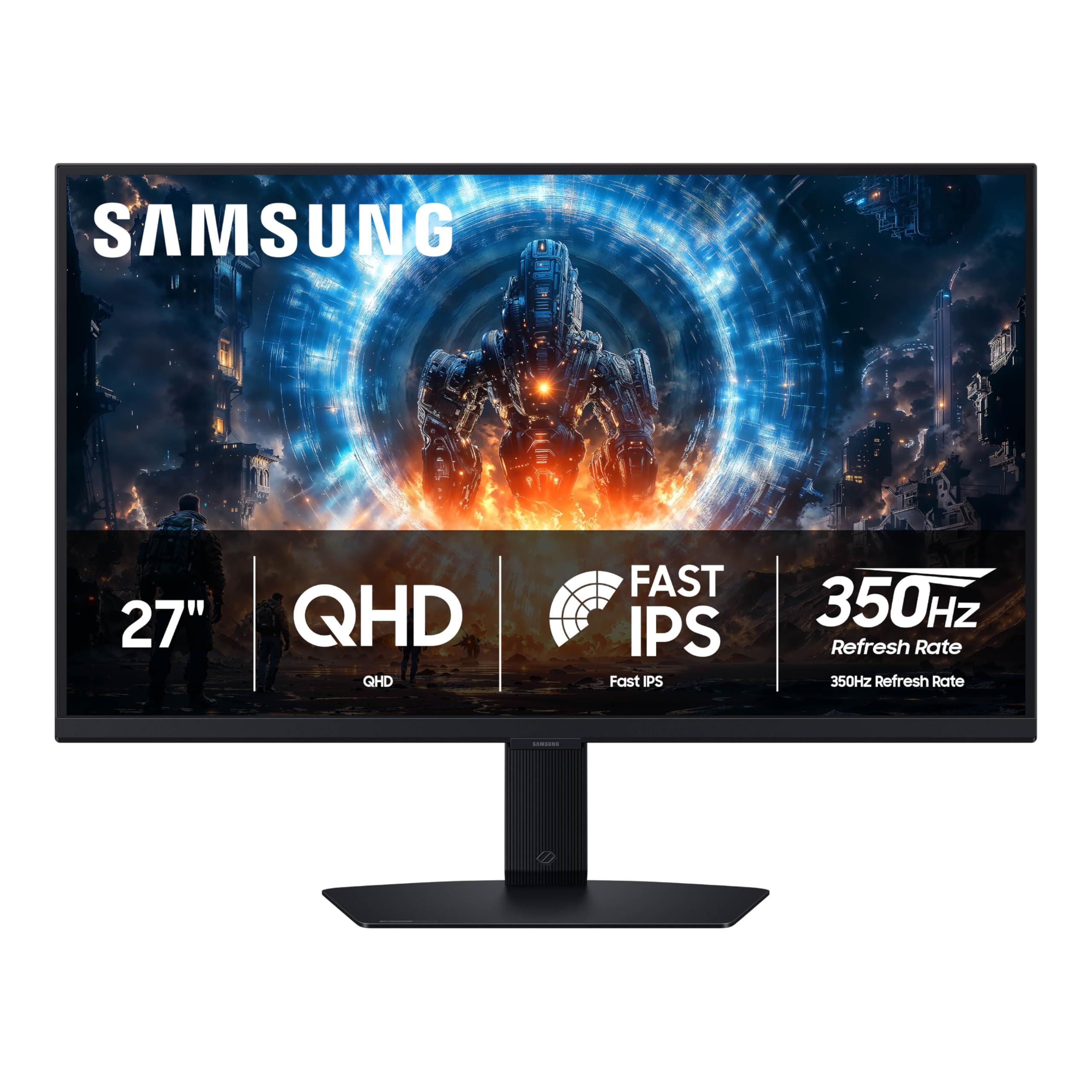
The G6 pushes refresh rate up to 350Hz, beating most IPS competitors on pure speed.
Samsung’s 27-inch Odyssey G6 uses a Fast IPS panel that runs at 350Hz with a 1ms (GtG) response time, making it one of the fastest IPS monitors available for 1440p gaming. That 350Hz refresh rate, compared to the 300Hz of the LG 27G640A-B and ASUS TUF Gaming models, gives you an extra edge in frame-paced shooters where every millisecond of reduced motion blur helps. The QHD resolution (2560 x 1440) delivers higher pixel density than standard 1080p, so textures look noticeably sharper.
VESA DisplayHDR 400 improves brightness and refines contrast in both bright and dark scenes, while G-Sync compatibility and AMD FreeSync Premium keep the gameplay smooth and tear-free. One owner called it “butter-smooth speed that feels wired to your hands.” The ergonomic stand lets you tilt, swivel, height-adjust, and even pivot the screen into portrait mode, which is great for coding or reading documents when you are not gaming.
The main downside is the limited port selection — only one HDMI and one DisplayPort input. There are no built-in speakers, so you will need external audio. Also, owners mention the HDR performance is “sorta” and not the main reason to buy this monitor. If pure frame rate is your north star, however, the G6 delivers where it counts.
The Speed Edge
- 350Hz refresh rate is the fastest IPS option on this list
- Full ergonomic stand with tilt, swivel, height, and pivot adjustment
- Auto Source Switch+ makes switching between PC and console easy
The Shortcuts
- Only one HDMI and one DisplayPort input limit multi-device setups
- No built-in speakers mean you must use headphones or external speakers
Choose this for: maximum IPS refresh rate in competitive shooters, with a sturdy ergonomic stand that flexes for productivity.
skip it if: you need multiple HDMI 2.1 inputs for a console + PC setup, or you want built-in speakers for clutter-free desk space.
7. Acer Predator Gaming Monitor X27U W1bmiipprx
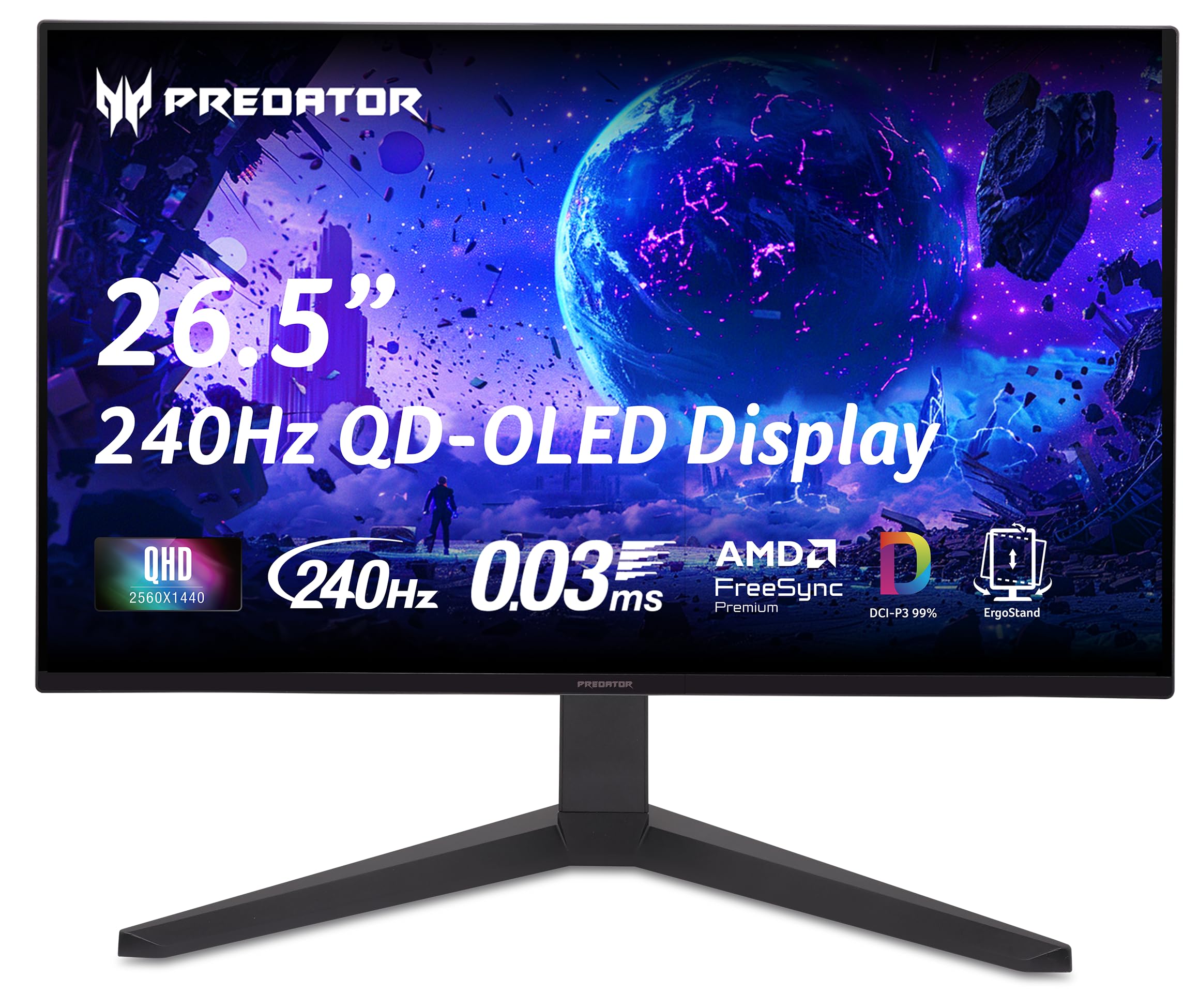
Acer’s 26.5-inch QD-OLED brings premium OLED contrast and speed to a surprisingly low price.
The Predator X27U uses a 26.5-inch WQHD (2560×1440) quantum dot OLED display with true 10-bit color depth, delivering the kind of contrast and vibrancy that makes IPS panels look flat by comparison. With a 240Hz refresh rate and a 0.03ms (G to G) response time, games run ultra-smoothly with no perceivable ghosting. The DCI-P3 99% color gamut and Delta E<2 accuracy mean colors are punchy and accurate from the start.
One buyer called it “absurdly good for the price,” noting that even sitting next to a high-end IPS, the Acer “eats its lunch.” The monitor includes effective anti-burn-in features like Pixel Shift, and it comes with a 3-year burn-in warranty for confidence. AMD FreeSync Premium eliminates stuttering and tearing, and the inclusion of 2x DisplayPort 1.4 and 2x HDMI 2.1 gives you plenty of freedom for PC and console connections.
The downsides are a subpar peak brightness and a complex on-screen menu with too many cryptic options. One owner received their unit with a cracked stand. Also, some users report this particular model code has a slightly different (cheaper) QD-OLED panel compared to earlier X27U revisions, so check the exact ASIN before buying.
The budget OLED king: If you want OLED’s infinite contrast and vibrant colors without spending +, this is the best entry point on the list, offering genuine HDR performance and fast 240Hz gameplay.
The cautions: Brightness is modest compared to the Alienware or ASUS ROG Strix, so a bright room may wash out highlights. The OSD menu is also notoriously complex for beginners.
8. AOC 27″ QD OLED Gaming Monitor (Q27GAZD)
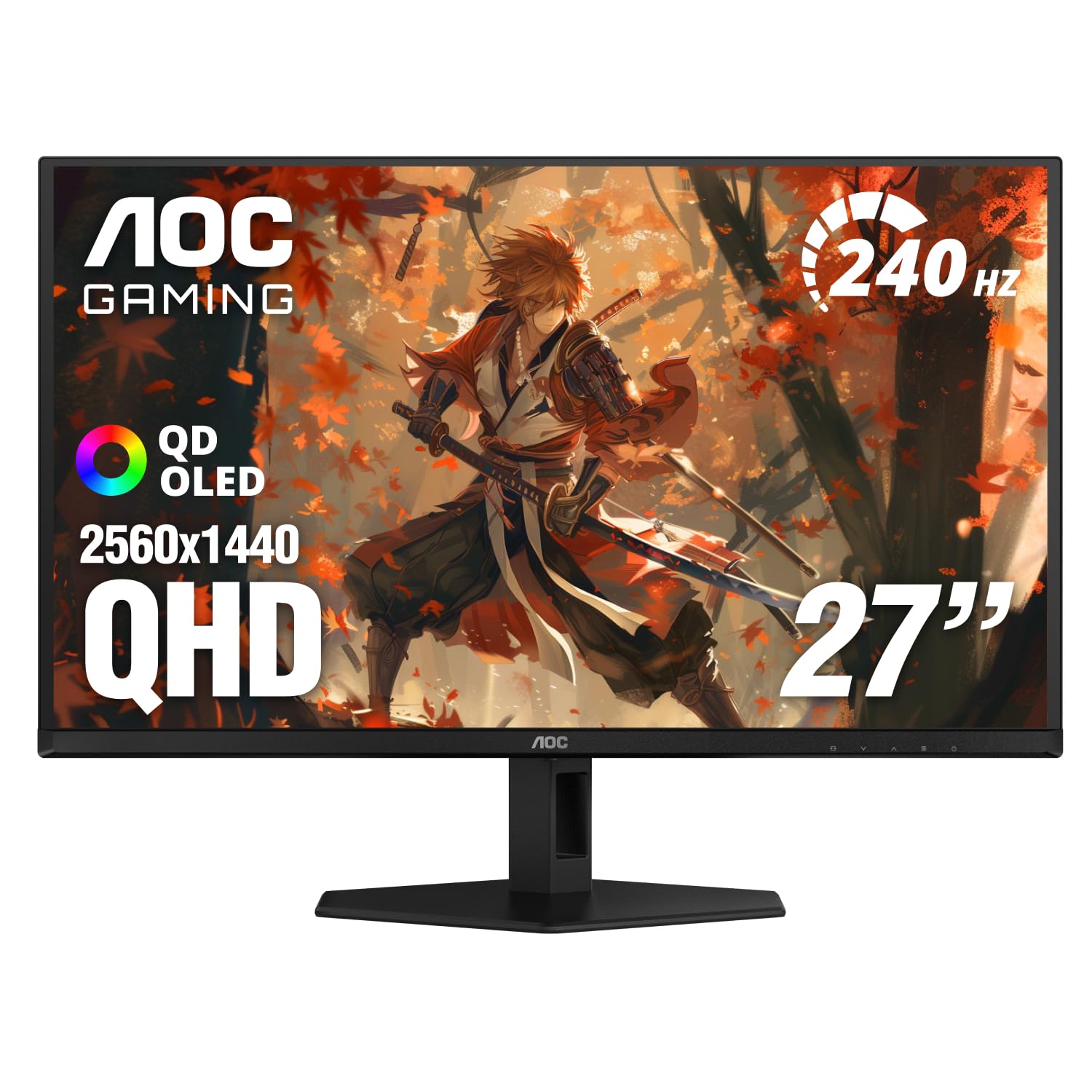
AOC strips the price down on QD-OLED while keeping the stunning 240Hz panel quality intact.
This 27-inch QD-OLED monitor delivers the same self-luminous pixel technology as pricier competitors (infinite contrast, zero backlight bleed) at a cost that might fit a tighter upgrade budget. The 240Hz refresh rate and 0.03ms GtG response time keep motion buttery smooth. HDR400 True Black certification means the monitor shows deep, realistic blacks and bright highlights without crushing shadow detail.
Color coverage is seriously impressive for the price: 147.6% sRGB and 110.2% DCI-P3 — far beyond what any IPS at this price can achieve. Customers note the colors and picture quality “destroy older VA and IPS panels” and that brightness is excellent even in well-lit rooms. One owner upgraded from a 2018 curved display and called it a “massive upgrade,” praising the insane picture quality and easy setup.
The biggest trade-off is the stand — reviewers point out it is short and lacks control, so a VESA-compatible monitor arm is highly recommended. Also, HDMI is limited to 165Hz, so you must use DisplayPort to access the full 240Hz. The glossy screen shows reflections in bright rooms, which may bother some users.
The OLED Bargain
- Stunning QD-OLED colors (110.2% DCI-P3) at a budget-friendly price
- HDR400 True Black provides realistic contrast for movies and dark games
- Very lightweight and easy to mount on a VESA arm
The Compromises
- Stock stand is short and flimsy — budget for a monitor arm
- HDMI limited to 165Hz; DisplayPort required for full 240Hz
Perfect for: first-time OLED buyers who want the dramatic contrast and color upgrade without spending + and are willing to use a monitor arm.
Not for you if: you hate the idea of a third-party arm or need HDMI 2.1 to hit 240Hz directly from a console — look at the Acer Predator X27U above instead.
9. AOC Agon PRO 27″ QD-OLED Gaming Monitor (AG276QZD2)

AOC’s Agon PRO wraps a 240Hz QD-OLED panel in a tournament-focused chassis with lighting and built-in speakers.
The AG276QZD2 is a 26.5-inch QD-OLED gaming monitor that targets tournament players who want fast performance and vivid colors without sacrificing convenience features. The 240Hz refresh rate and 0.03ms GTG response time deliver extremely smooth motion, and the 101% DCI-P3 and 136.7% sRGB color gamuts mean games look vibrant and lifelike. The 1500000:1 contrast ratio (OLED) ensures perfect blacks and no halo effect.
AOC includes built-in speakers, RGB lighting on the back, and a comprehensive stand with height adjustability — though shoppers say the stand is a bit wobbly when you bump the desk. The monitor ships with a factory calibration report for color accuracy, which is a nice touch for gamers who also do creative work. One reviewer received a newer revision that natively supports 280Hz, so performance may improve over time.
Buyers report the display is “stunning” in games like Doom Eternal and Valorant, with a glossy finish that makes colors pop — though it does reflect overhead lights. The default colors can look a bit washed out until you adjust the settings, and the OLED refresh routine pops up at inconvenient times. Some also notice text fringing, so this is primarily a gaming monitor, not a dedicated productivity screen.
Loaded for Tournaments
- Vibrant QD-OLED with 101% DCI-P3 and HDR400 True Black for stunning image quality
- Includes built-in speakers and RGB lighting for a complete setup
- Factory calibration report ensures color accuracy from the start
The Wobble and the Pop-Ups
- Stand feels wobbly when the desk is bumped — a monitor arm may be better
- OLED pixel refresh pop-up can interrupt intense gaming sessions
Best for: gamers who want a fully-featured QD-OLED with built-in speakers and RGB, and who plan to use a monitor arm for stability.
Not the right fit if: you need a rock-solid stand from the start, or text clarity for heavy productivity work — the ASUS ROG Strix handles text better.
10. Samsung 27” Odyssey OLED G5 (G50SF) QHD Gaming Monitor

Samsung’s most affordable QD-OLED brings hyper-real contrast to 1440p at a 180Hz ceiling.
The Odyssey OLED G5 uses a 27-inch QD-OLED panel with a 180Hz refresh rate and a 0.03ms (GTG) response time. While the refresh rate is lower than the 240Hz+ competitors, the OLED picture quality is still a massive step up from any IPS or VA panel. The 1000000:1 contrast ratio and Pantone Validated screen (covering 2100+ colors) deliver deep blacks and vibrant, accurate colors that make movies and single-player games look incredible.
Samsung includes OLED Safeguard (a Thermal Modulation System) to actively prevent burn-in, plus Glare Free technology to reduce reflections — both useful for long gaming sessions. HDR10 adds depth with brighter highlights and nuanced shadows. Buyers call it the “best bang for your buck OLED” and note they have seen no burn-in after 6 months of daily use thanks to pixel shift. One reviewer noted “4K movies and PC games look amazing with true blacks and vibrant colors.”
The biggest trade-off is the 180Hz limit, which may not satisfy competitive players chasing 360Hz. The stand is non-adjustable (tilt only), and there are no built-in speakers. Some buyers also note the monitor feels a bit too dark for very fast competitive FPS games where you need to spot enemies in dark corners, owing to the lack of blooming from the OLED panel.
The OLED entry point: If you want the dramatic visual upgrade of OLED — perfect blacks, infinite contrast, zero backlight bleed — without prioritizing 240Hz+ speeds, this is the most affordable way in, with good burn-in protections.
The limitations: The 180Hz refresh rate and non-adjustable stand mean it is better suited for single-player and casual gaming than high-stakes esports. A monitor arm is almost required for ergonomic comfort.
Understanding the Specs
Refresh Rate (Hz)
A 1440p gaming monitor’s refresh rate (measured in hertz) dictates how many times the image updates per second. A 240Hz panel shows 240 distinct frames every second, which translates to smoother motion compared to a standard 60Hz monitor. At 300Hz, 350Hz, or 360Hz, the difference is smaller but still noticeable — especially in fast-paced shooters where quick camera movements reveal every bit of blur and judder. For casual and RPG gaming, 240Hz is already excellent; competitive players benefit from the extra headroom of 300Hz+.
Response Time (GtG)
The response time, usually stated in milliseconds (ms) as “gray-to-gray,” is how fast a pixel can change from one shade to another. A 1ms (GtG) IPS panel is fast enough that most people will not see ghosting in normal gameplay. OLED panels like QD-OLED achieve a 0.03ms (GtG) response time, which is effectively instant — there is zero perceptible motion blur. The difference between 0.03ms and 1ms is most visible in scenes with very fast-moving white objects on black backgrounds.
Panel Type: IPS vs OLED
IPS (In-Plane Switching) panels are the most common in gaming monitors because they offer good color accuracy, wide viewing angles, and bright output at a reasonable price. The trade-off is limited contrast — blacks look dark grey rather than truly black. OLED (including QD-OLED) panels use self-luminous pixels that turn off completely for black, delivering infinite contrast and colors that look rich and three-dimensional. OLED also offers vastly faster pixel response. The trade-offs are higher cost and lower peak brightness, and early OLED panels were prone to burn-in, though modern models have strong mitigation features.
Adaptive Sync: G-Sync and FreeSync
Adaptive sync technologies synchronize your monitor’s refresh rate with your graphicscard’s frame output rate, which eliminates screen tearing (where the image looks horizontally split) and stuttering (where the image pauses then jumps). NVIDIA G-Sync works with compatible NVIDIA graphics cards; AMD FreeSync works with AMD GPUs. Most modern monitors are “G-Sync Compatible” or support “FreeSync Premium,” which gives a tear-free experience with either brand. FreeSync Premium adds a requirement for at least 120Hz at minimum FHD resolution and low frame rate compensation, which helps when your frame rate dips below the monitor’s minimum refresh range.
FAQ
Will a 1440p gaming monitor work with my PS5 or Xbox Series X?
Is 240Hz enough for competitive gaming, or do I need 360Hz?
What is the difference between QD-OLED and standard OLED?
How important is VESA DisplayHDR certification for a 1440p gaming monitor?
What is burn-in on an OLED monitor, and how do I prevent it?
Does a 1440p monitor look sharp enough compared to 4K?
Can I use a 1440p gaming monitor for photo or video editing?
What cables do I need to get the full refresh rate on a 1440p monitor?
How much GPU power do I need to drive a 1440p high-refresh monitor?
Is a curved or flat 1440p monitor better for gaming?
Final Thoughts: The Verdict
For the majority of shoppers, the 1440p gaming monitor winner is the ASUS ROG Strix XG27ACDNG because it combines a stunning QD-OLED panel with a 360Hz refresh rate, excellent color accuracy, and sturdy burn-in protection — it is a true do-everything monitor for both competitive and rich gaming. If you want a lightning-fast IPS panel at a much lower price, the LG 27G640A-B gives you 300Hz and HDMI 2.1 without the OLED premium. And for the best budget-friendly OLED experience, grab the Acer Predator X27U — it brings infinite contrast and vibrant QD-OLED colors at a price that beats every other OLED on this list.
How We Picked
We do not accept paid placement. Every pick is matched to a real buyer and a real use-case; we do not hands-on test units.
Sources & Methodology
Specifications: manufacturer listings and product documentation. Review insights: verified customer reviews, as of July 2026. Pricing: not shown on this page (it changes often); check the current price via the retailer link.
As an Amazon Associate, Gadgets Feed earns from qualifying purchases. This does not affect which products we feature.