
Our readers keep the lights on and my morning glass full of iced black tea. As an Amazon Associate, I earn from qualifying purchases.
Specs are compiled from manufacturer listings and verified buyer reviews and can change over time — please confirm the key details on the product page before buying.
You want gaming that feels responsive and looks crisp — no ghosting, no tearing, just smooth motion. A 1080P 165Hz monitor delivers exactly that: sharp Full HD detail and a refresh rate (how many times the screen updates per second) that makes fast-paced gameplay feel fluid, not choppy. This guide breaks down what each pick really offers.
I’m Min — the founder and writer behind Gadgets Feed. This guide is built by comparing the manufacturers’ published specifications and the patterns across verified customer reviews, so you get each pick’s real strengths and trade-offs instead of marketing spin.
Whether you play competitive shooters, explore open worlds, or just want a snappy everyday display, finding the right 1080p 165hz monitor depends on matching the panel type, size, and extra features to your specific setup and priorities.
Our Picks at a Glance
How To Choose The Best 1080P 165Hz Monitor
Jumping to 165Hz from a standard 60Hz screen is among the most noticeable upgrades you can make. Your mouse movements and game animations suddenly feel instant. But not all 165Hz monitors are built the same. Here is what to look for.
Panel Type: IPS vs VA vs Fast IPS
The panel technology determines how the picture looks from different angles and how fast pixels change color. IPS (In-Plane Switching) panels offer wide 178-degree viewing angles and accurate colors, making them great for both gaming and creative work. VA (Vertical Alignment) panels deliver deeper blacks and higher contrast ratios like 3000:1 or 3500:1, which makes dark scenes in games and movies look richer. Fast IPS is a newer variant that combines the color accuracy of IPS with even faster response times, often hitting 1ms GtG (Gray-to-Gray, the time a pixel takes to shift from one gray shade to another).
Refresh Rate and Response Time
Refresh rate, measured in Hertz (Hz), tells you how many times the screen redraws each second. A 165Hz monitor refreshes 165 times per second, making motion look much smoother than a 60Hz display. Response time, measured in milliseconds (ms), is how fast a pixel can change color. A 1ms response time minimizes ghosting (the faint trail behind fast-moving objects) so fast action stays sharp. Many monitors here also support overclocking, letting you push the refresh rate a bit higher, like 180Hz.
Adaptive Sync and Color Gamut
Adaptive Sync technologies like AMD FreeSync match the monitor’s refresh rate to your graphics card’s frame output, eliminating screen tearing (where the image looks horizontally split) without introducing stutter. FreeSync Premium adds low framerate compensation for a smoother experience when frame rates dip. Color gamut, often listed as sRGB percentage, measures how many colors the monitor can display. A higher sRGB percentage (like 99% or 120%) means richer, more lifelike colors from the start.
Quick Comparison
| Model | Best For | Panel / Size | Max Refresh Rate | Response Time | Amazon |
|---|---|---|---|---|---|
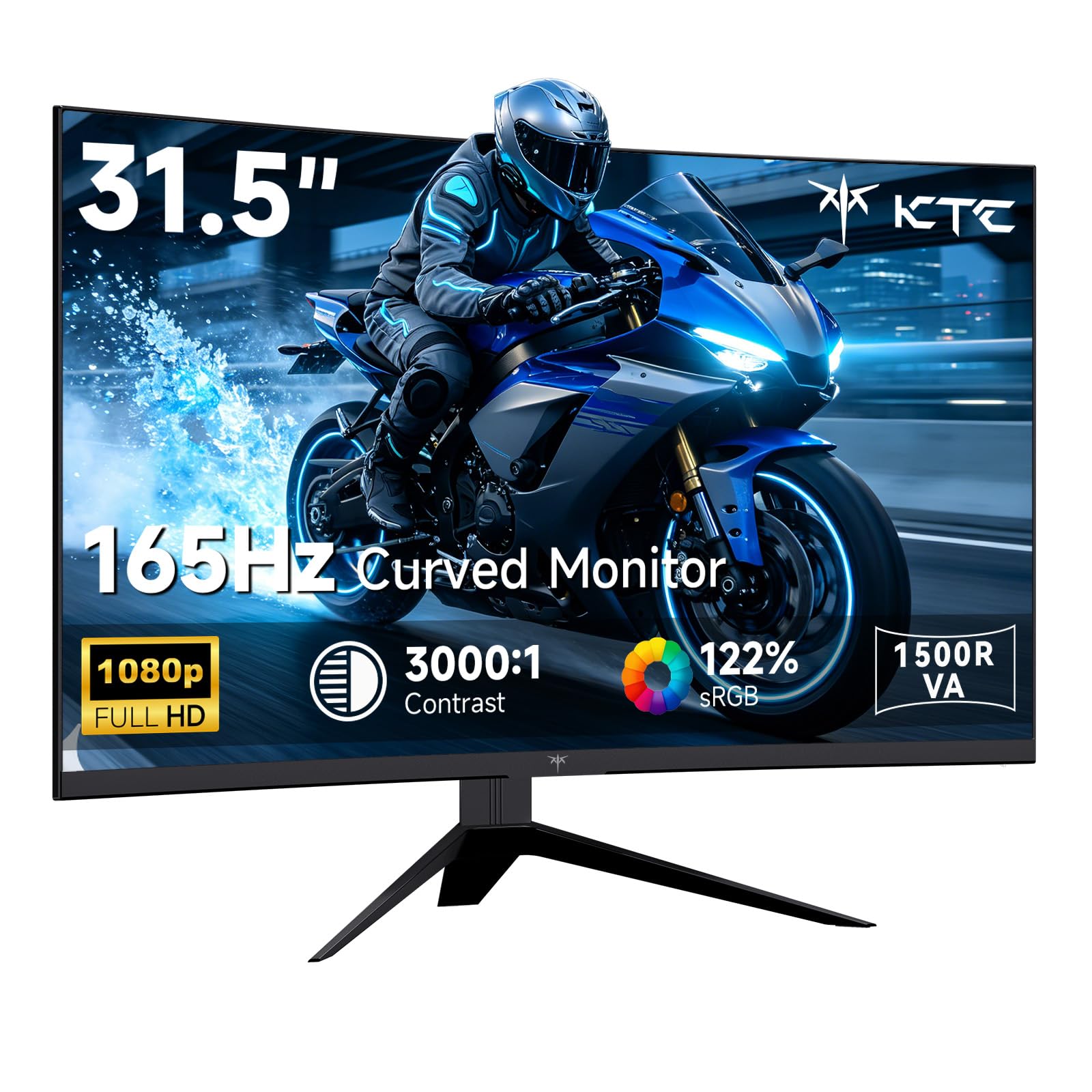
| KTC H32S17C★ Best Overall | rich curved gaming | VA / 32″ Curved | 165Hz (OC 180Hz) | 1ms MPRT | Amazon |
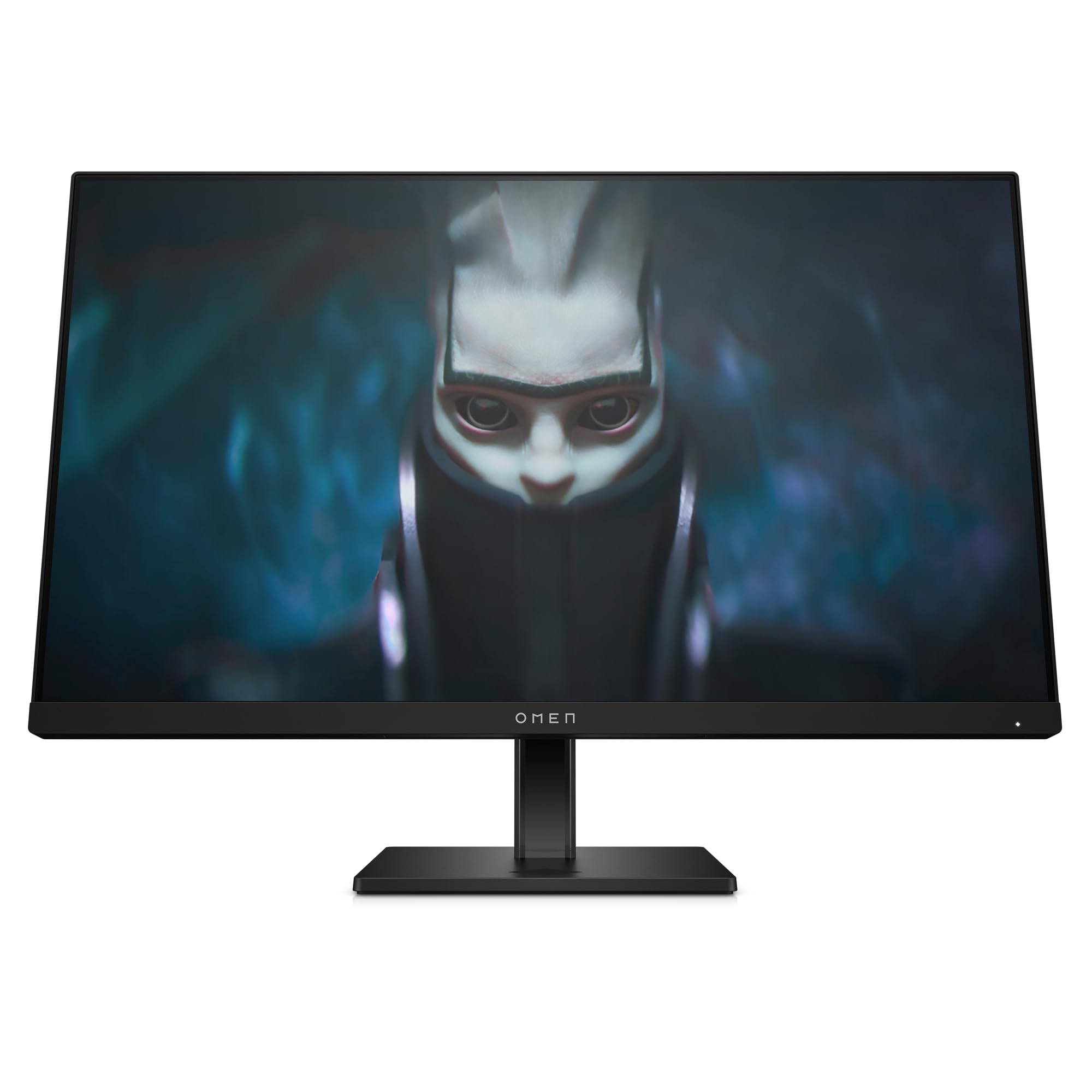
| HP OMEN 24Color Master | Color-accurate gaming | IPS / 24″ | 165Hz | 1ms GtG with Overdrive | Amazon |
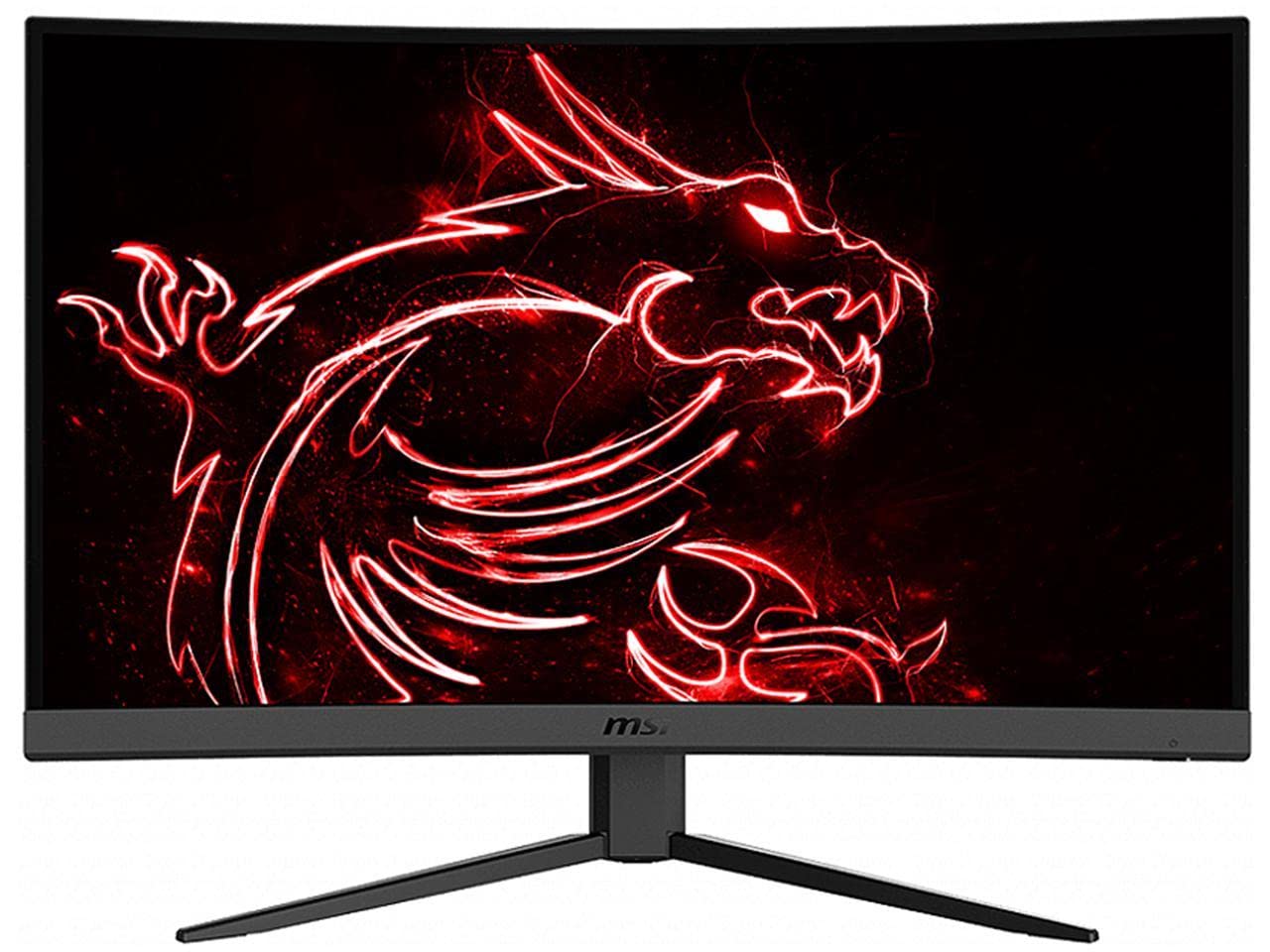
| MSI G32C4Curved Value King | Curved large-screen play | VA / 32″ Curved | 165Hz | 1ms | Amazon |
| ASUS TUF VG247Q1A | Budget pro-level esports | LCD / 24″ | 165Hz (supports 144Hz) | 1ms MPRT | Amazon |
| ASUS TUF VG249Q1A | Versatile IPS gaming | IPS / 24″ | 165Hz (OC) | 1ms MPRT | Amazon |
| Amazon Basics 27″ | Simple plug-and-play | IPS / 27″ | 165Hz | 1ms | Amazon |
| CRUA 27″ Curved | Budget curved entry | VA / 27″ Curved | 200Hz | 1ms | Amazon |
In‑Depth Reviews
1. KTC 32 Inch Curved Gaming Monitor (H32S17C)
Our pick — 4.5★ from 2,000+ verified ratings; the strongest balance of quality and price.
A 32-inch curved giant that wraps your peripheral vision for deep immersion at a mid-range price.
This monitor’s defining strength is the 3500:1 contrast ratio — a 3.5x gap over the HP OMEN’s 1000:1 — which makes dark scenes in games and movies look deep and rich rather than gray. The 1500R curve (a measure of how tightly the screen bends to match your natural field of view) surrounds your vision, pulling you into the action. Buyers report the 32-inch display is “brighter than expected” and that text stays “clean” with “no dead pixels.”
The 122% sRGB color gamut at 122% versus the HP OMEN’s 99% delivers vivid, punchy colors that make games and video pop. Its 350 Candela brightness is also noticeably higher than the CRUA’s 250 Candela — a 40% more gap — so the image stays visible even in a slightly brighter room. Some buyers do mention the stand is non-height-adjustable and the included DP and power cables are on the short side, so you might need replacements depending on your desk layout.
Standout Strengths
- 3500:1 contrast ratio for deep blacks
- 122% sRGB gamut for vibrant colors
- 350 cd/m² brightness
Honest Limitations
- Stand lacks height adjustment
- Short included DP and power cables
- Can have a slight wake lag from sleep
Best for immersion seekers: If you want a large, curved screen with striking contrast and vivid colors for both gaming and movies, this is your pick.
Consider the trade-off: You will likely need to buy a longer DP cable and a VESA arm if you want height adjustment — factor that small extra cost into your budget.
2. HP OMEN 23.8″ FHD 165Hz Gaming Monitor (2023)
A versatile IPS monitor that balances vibrant colors with a fully adjustable stand for desk comfort.
This HP OMEN stands out with its 90% DCI-P3 color gamut — a wider color space than standard sRGB, meaning you get richer reds and greens that make games and movies look more lifelike. The 400 cd/m² brightness is also notably high for this class, keeping the image clear in well-lit rooms. The 165Hz refresh rate and 1ms GtG response time with Overdrive ensure smooth, blur-free gameplay.
What truly sets this monitor apart from others at its level is the adjustable stand: you get tilt, pivot, and 100mm height adjustments to find your perfect ergonomic position. One reviewer noted it is “almost identical” to the pricier HP Z24nf G2 but with a better refresh rate. It also passed over 140 test cases for console compatibility, so hooking up a PlayStation or Xbox is straightforward. The 1000:1 contrast ratio is standard for IPS, so it won’t match the deep blacks of a VA panel.
Ergonomic Edge
- Fully adjustable stand with height, tilt, and pivot
- 90% DCI-P3 wide color gamut
- 400 cd/m² high brightness
One Weakness
- 1000:1 contrast ratio, not as deep as VA panels
- 23.8 inches may feel small for some
Best for ergonomics and color work: If you spend long hours at your desk and want a monitor that adjusts to you plus accurate wide-gamut colors, this is a smart choice.
The trade-off is: That adjustable stand and color quality come at a slightly higher entry price than some basic 165Hz monitors, but you are paying for build and flexibility you will feel daily.
3. MSI G32C4 32″ Gaming Monitor
A proven 32-inch curved VA panel from a trusted gaming brand that delivers strong contrast at a mid-range price.
The MSI G32C4 uses a VA panel with a 3000:1 contrast ratio, giving you the deep blacks and rich shadow detail that IPS panels struggle to match. The 1500R curvature wraps around your field of view, making games feel more enveloping — one buyer says they love it so much they own three of them. The 165Hz refresh rate and 1ms response time (which helps eliminate screen tearing and choppy frame rates) keep fast action smooth.
A critical practical note from buyers: this is a FreeSync monitor, meaning it works best with AMD graphics cards. If you have an Intel-based GPU or NVIDIA card, you will get a visual signal but not the adaptive sync benefits that prevent tearing. The default color setup can be dim from the start, but owners mention that a few minutes of adjustment yields a great picture. It also lacks built-in speakers, so you will need your own audio solution.
Immersion on a budget: If you want a large, curved screen with deep contrast for single-player games and movies, this MSI delivers solid value — just make sure your GPU is AMD-based to open up FreeSync.
pass on it if: You have an NVIDIA graphics card (look for a G-Sync compatible monitor instead) or you want built-in speakers and a wide color gamut for creative work.
4. ASUS TUF Gaming 24″ (VG247Q1A)

A compact 24-inch battle station with FreeSync Premium and ELMB for tear-free, blur-free gaming.
This ASUS TUF monitor focuses on delivering a clean, responsive gaming experience at a middle-of-the-pack price. It hits 165Hz (and also supports 144Hz for console compatibility) with a 1ms MPRT (Moving Picture Response Time) response time via Extreme Low Motion Blur (ELMB) technology. ELMB works together with Adaptive-Sync to eliminate ghosting (the faint trail behind moving objects) while keeping the image sharp at high frame rates.
FreeSync Premium adds low framerate compensation, which means if your game’s frame rate drops below the monitor’s refresh range, the system smooths things out to prevent stuttering. Shadow Boost brightens dark areas of the image without washing out brighter spots, so you can spot enemies hiding in shadows. The 350 cd/m² brightness and 1000:1 contrast ratio are standard for the class, and the built-in speakers mean you can get audio without external speakers for everyday use.
Solid all-rounder for competitive play: If you want proven ASUS reliability with FreeSync Premium and ELMB motion handling in a compact, affordable package, this is a safe, capable choice.
Best for: Gamers who play a mix of fast shooters and slower titles, want built-in speakers for convenience, and prefer a smaller screen for a focused field of view.
5. ASUS TUF Gaming 24″ (VG249Q1A)

An overclockable 165Hz IPS monitor with rich connectivity and a slightly higher contrast ratio than typical IPS panels.
This model shares the same core formula as the VG247Q1A but uses an IPS panel with a 1200:1 contrast ratio — slightly better than the usual 1000:1, giving dark scenes a bit more depth while keeping the wide 178-degree viewing angles IPS is known for. It supports 165Hz overclocked, with 1ms MPRT response time and ELMB technology to reduce ghosting for sharp gaming visuals.
Connectivity is a strong point here: it offers HDMI (v1.4) x2 and DisplayPort 1.2 ports, plus a 100 x 100mm VESA mount for arm or wall mounting. It supports both Adaptive-Sync with NVIDIA GeForce GTX 10 series and newer, and FreeSync with AMD Radeon cards, so it works with either GPU camp. The built-in speakers add convenience, and the 0.72 color gamut (listed as 72%) is adequate for gaming though not as wide as some competitors for color-critical work.
Versatile Connectivity
- 1200:1 contrast ratio — better than typical IPS
- Dual HDMI + DisplayPort for multiple devices
- VESA mountable with 100x100mm pattern
Color Consideration
- 72% color gamut is adequate but not vivid
- No adjustable stand — tilt only
Best for multi-device setups: If you switch between a PC and a console, or want to mount the monitor on an arm, the dual HDMI plus VESA support makes this a flexible choice.
Look elsewhere if: You need wide color coverage for photo editing or prefer a panel with better out-of-box color saturation.
6. Amazon Basics 27 Inch Gaming Monitor
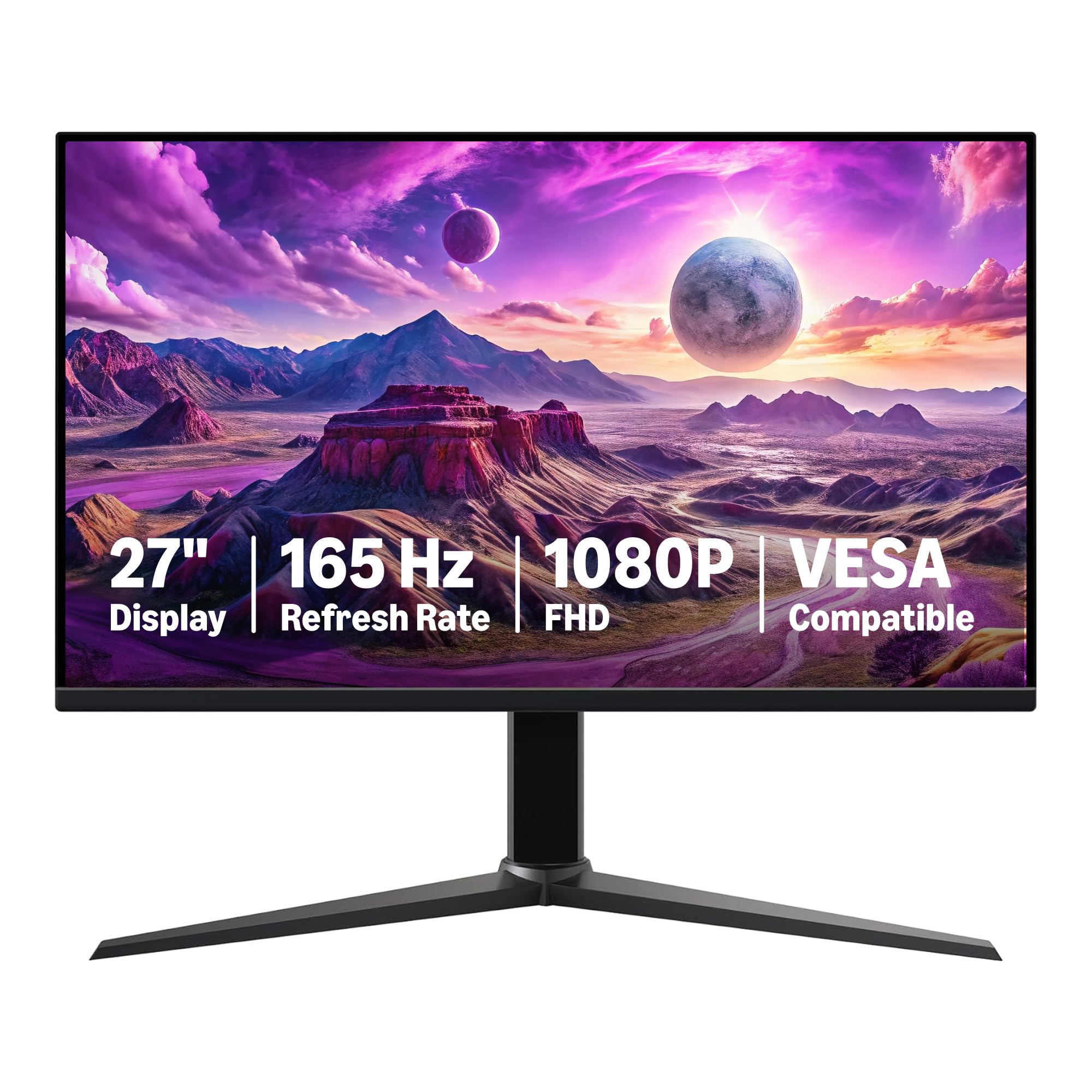
A straightforward 27-inch IPS monitor that focuses on essential specs without unnecessary extras.
The Amazon Basics monitor gives you a 27-inch IPS panel with 1080p resolution and 165Hz refresh rate, plus a 1ms response time for smooth gameplay. It supports Adaptive Sync to minimize screen tearing and comes VESA compatible with a 100x100mm pattern. The setup is plug-and-play: connect via DisplayPort 1.4 or HDMI 2.0 to achieve the full 165Hz — just make sure your graphics card supports it.
There is a critical catch to know before buying: the monitor does not include a power cable or HDMI cable. It requires a 12V barrel plug power supply that you must purchase separately, which is an unusual omission. Also, the included stand uses the VESA mounting holes, so you cannot attach a VESA arm without removing the stand first. One reviewer notes the screen is bright and colors are good once set up, but the missing accessories are a real hassle.
Best for budget builders with spare cables: If you already have a 12V power adapter and a DisplayPort cable lying around, this is a very affordable way to get a 27-inch 165Hz IPS monitor.
it’s not for you if: You want a true out-of-box experience — the missing power cable and HDMI cable mean extra time and cost before you can even turn it on.
7. CRUA 27″ Curved Gaming Monitor
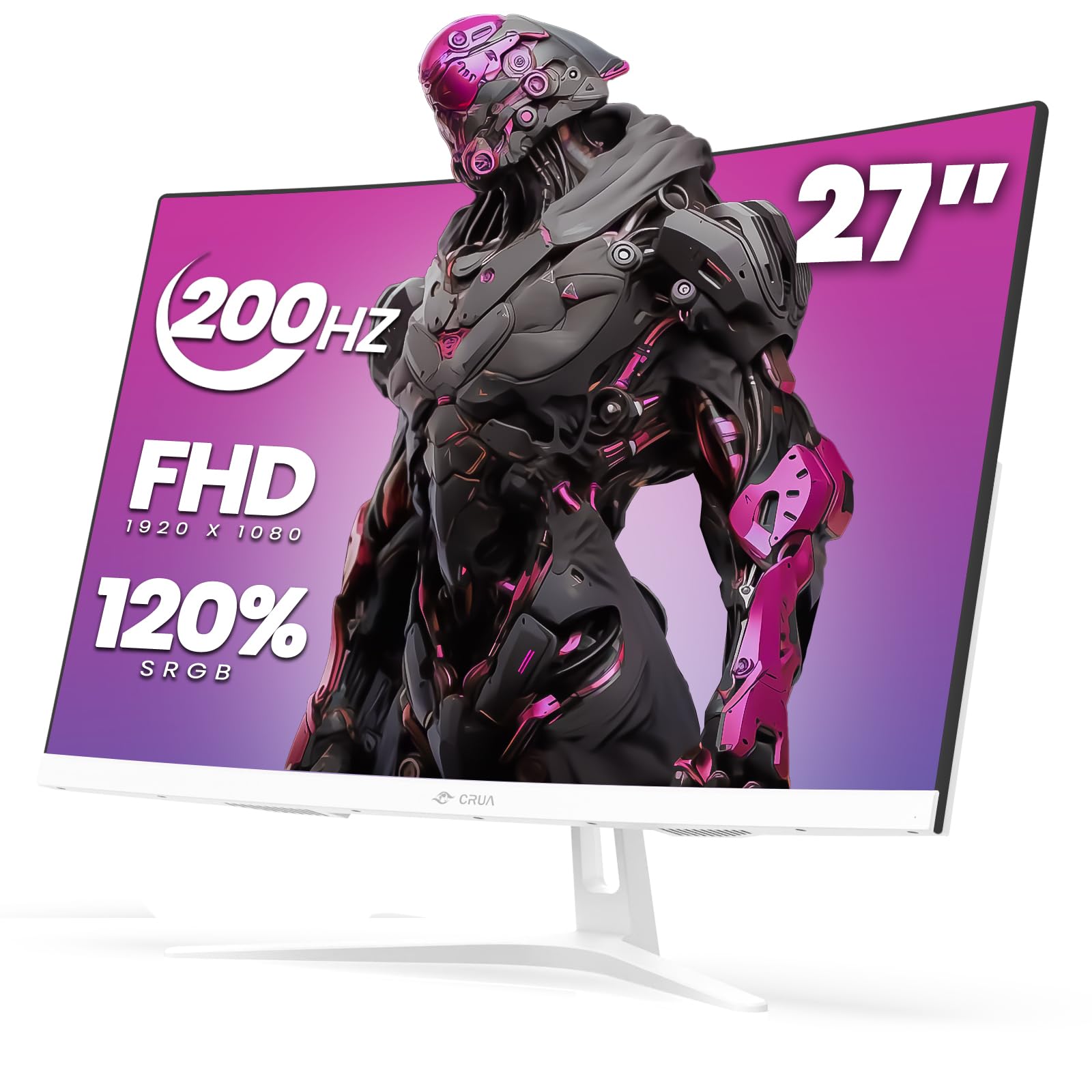
A stylish white curved monitor that reaches 200Hz but comes with a big reliability question mark.
This CRUA monitor offers the highest maximum refresh rate in this list — 200Hz via DisplayPort — along with a 1800R curve (a gentler bend than 1500R) and a VA panel with a 3000:1 contrast ratio for deep blacks. The 120% sRGB color gamut and 250 cd/m² brightness deliver decent color for the price. It comes in a clean white finish that stands out in a bedroom or studio setup, with tilt adjustment and 100x100mm VESA support.
However, buyer reports reveal a significant durability concern: one verified review states the “screen failed after 3 months (fuzzy/dark)” and the seller directed them to Amazon, who cited the 30-day return window, with no manufacturer warranty honored despite a 1-year claim. Other customers note the monitor is not bright enough in sunny rooms, even at maximum brightness. The low entry price comes with clear trade-offs in long-term reliability.
Value Highlights
- 200Hz maximum refresh rate via DisplayPort
- 3000:1 VA contrast ratio for deep blacks
- Unique white aesthetic
Serious Risks
- Reviewers point out screen failure after 3 months
- Warranty support may be unreliable
- Low 250 cd/m² brightness
Only if the price is the absolute priority: This is the cheapest curved 165Hz+ option, and if you are on a tight budget and accept the gamble, the VA contrast and 200Hz peak are real positives.
Look elsewhere if: You need a monitor that will last years without issues — the reported early failures make this a risky long-term buy even at a low price.
Understanding the Specs
Refresh Rate vs Response Time
Refresh rate (measured in Hertz, or Hz) tells you how many times the screen updates each second. A 165Hz monitor refreshes 165 times per second, making motion look smooth and fluid. Response time (measured in milliseconds, or ms) tells you how fast a pixel can change color. A 1ms response time reduces ghosting — the faint trail you sometimes see behind fast-moving objects. For competitive gaming, both matter: high refresh rate keeps motion smooth, while low response time keeps it sharp.
Panel Types: IPS, VA, and Fast IPS
IPS (In-Plane Switching) panels offer wide 178-degree viewing angles and accurate colors from any position, making them great for multiplayer gaming and content consumption. VA (Vertical Alignment) panels deliver higher contrast ratios, usually 3000:1 or more, giving you deeper blacks for dark games and movies. Fast IPS is a newer technology that combines the wide viewing angles of IPS with an even faster 1ms GtG response time, ideal for competitive esports where every millisecond counts.
FAQ
Is 1080p worth it on a 27-inch or 32-inch monitor?
Can my graphics card run 165Hz at 1080p?
What is the difference between FreeSync and G-Sync?
Does a curved monitor matter for gaming?
What does 1ms MPRT vs 1ms GtG mean?
Is sRGB color gamut important for a gaming monitor?
Can I use a 165Hz monitor with a PS5 or Xbox Series X?
What does overclocking a monitor mean?
Final Thoughts: The Verdict
For most people, the 1080p 165hz monitor winner is the KTC H32S17C because it combines a massive 32-inch curved VA panel with a deep 3500:1 contrast ratio and vibrant 122% sRGB color at a mid-range price. If you want esports-level speed, grab the ASUS TUF VG259Q3A for its 180Hz Fast IPS panel. And for ergonomic flexibility and wide color accuracy, the HP OMEN 24 with its fully adjustable stand and 90% DCI-P3 gamut is your best choice.
How We Picked
We do not accept paid placement. Every pick is matched to a real buyer and a real use-case; we do not hands-on test units.
Sources & Methodology
Specifications: manufacturer listings and product documentation. Review insights: verified customer reviews, as of July 2026. Pricing: not shown on this page (it changes often); check the current price via the retailer link.
As an Amazon Associate, Gadgets Feed earns from qualifying purchases. This does not affect which products we feature.