
Our readers keep the lights on and my morning glass full of iced black tea. As an Amazon Associate, I earn from qualifying purchases.
Specs are compiled from manufacturer listings and verified buyer reviews and can change over time — please confirm the key details on the product page before buying.
You show up to a video call looking sharp, but your laptop camera makes you look like a blurry ghost in a dark room. That is the real frustration with many modern laptops — the focus is on the processor and screen, not the camera that actually connects you to work, school, and family. A great camera laptop is about more than just a lens; it means a sensor and software that deliver clear, bright video so you come across as professional and present, every single call.
I’m Min — the founder and writer behind Gadgets Feed. This guide is built by comparing the manufacturers’ published specifications and the patterns across verified customer reviews, so you get each pick’s real strengths and trade-offs instead of marketing spin.
if you need a reliable machine for remote meetings, online classes, or staying in touch with family, finding the right camera laptop depends on matching the webcam quality with the performance your daily tasks actually demand.
Our Picks at a Glance


How To Choose The Best Camera Laptop
Picking a laptop for video calls is not just about the biggest screen or the fastest processor. The camera, microphone, and software working together make you look and sound good. Here are the key factors that separate a great video-calling laptop from a frustrating one.
Webcam Resolution: 720p vs 1080p
The camera resolution determines how sharp your image looks to others. A 720p (1280×720) camera is the basic standard, but it often looks grainy, especially in dim light. A 1080p (1920×1080) camera, often called Full HD, captures twice the detail, making your face look clearer, text on a whiteboard readable, and your background less fuzzy. For professional calls, a 1080p camera is a significant upgrade.
Low-Light Performance and Sensor Quality
A camera sensor’s ability to gather light is just as important as its resolution. A good laptop camera uses a larger sensor or better image processing to keep you visible and not a dark silhouette when you are not sitting next to a window. Look for mentions of “low-light” support or a “brightness” spec (like nits on the display) that suggests the sensor is tuned for dimmer rooms.
Audio Matters: Microphones and AI Noise Reduction
Bad audio ruins a call faster than a bad picture. A laptop with a dual-mic array (two microphones) captures your voice more clearly and can filter out background noise like a fan or keyboard clicks. Some laptops feature AI-powered noise reduction that isolates your speech, making you sound professional even in a busy room.
Privacy Features: Physical Shutters and Camera Shields
A physical privacy shutter that slides over the camera lens is a simple but essential feature for confidence. It guarantees no software can accidentally or maliciously activate the camera. Some laptops go further with a “Webcam Shield” or a dedicated camera shutter key, which adds an extra layer of control.
Quick Comparison
| Model | Best For | Webcam Resolution | Processor | Screen Size | Amazon |
|---|---|---|---|---|---|
| Apple 2026 MacBook Neo 13-inch★ Best Overall | Best Overall | 1080p | A18 Pro | 13-inch | Amazon |
| Lenovo ThinkPad E16 Gen 2Premium Business | Premium Business | 1080p | AMD Ryzen 7 7735U | 16-inch | Amazon |
| HP Flagship 17 BusinessLarge Screen Power | Large Screen Power | Webcam | AMD Ryzen 5 7430U | 17.3-inch | Amazon |
| HP 17.3″ Touchscreen | Touchscreen & Storage | Webcam w/ Shutter | Intel Quad-Core N100 | 17.3-inch | Amazon |
| HP 17.3 inch (i5-1334U) | Large Display Clarity | HP True Vision HD | Intel Core i5-1334U | 17.3-inch | Amazon |
| Lenovo IdeaPad 15.6″ | Versatile Touchscreen | Webcam w/ Privacy Shutter | Intel Core i5-1335U | 15.6-inch | Amazon |
| ASUS Vivobook (i3-1215U) | Compact & Fast RAM | Webcam | i3-1215U | 14-inch | Amazon |
| ASUS Vivobook Go 15.6″ | Value & Durability | Webcam Shield | AMD Ryzen 5 7520U | 15.6-inch | Amazon |
| Acer Aspire Go 15 | Budget Friendly | Front Camera | AMD Ryzen 3 7320U | 15.6-inch | Amazon |
In‑Depth Reviews
1. Apple 2026 MacBook Neo 13-inch Laptop with A18 Pro chip
Our pick — over 4.5★ from 850+ verified ratings; the strongest balance of quality and price.
The compact powerhouse that makes every video call look polished and professional.
This is the clear front-runner for anyone who lives on video calls. The MacBook Neo comes with a 1080p FaceTime HD camera that captures you in clear, sharp detail, even when your room is not perfectly lit. Around back, a dual-mic array enhances your voice for crystal clarity during calls — so you never have to repeat yourself. The A18 Pro chip handles the image processing, keeping your video smooth even if you have a dozen browser tabs open. Buyers report “The neo is really impressive for,” praising its rigid aluminum chassis and overall speed.
Beyond the camera, this laptop is built for mobility. It weighs just 2.71 pounds and measures a thin 0.5 inches thick, making it easy to slide into a bag for classes or coffee-shop work. The 13-inch Liquid Retina display (2408-by-1506 resolution) gives you crisp text and vivid colors for reviewing documents. With up to 16 hours of battery life, you can go from early-morning meetings to late-night study sessions without hunting for an outlet.
The trade-off is port selection. This model has only two USB-C ports in close proximity, and one of them runs at USB 2 speeds. That means you will likely need a dongle for connecting multiple accessories or an external monitor. Some owners also note the lack of a backlit keyboard can be frustrating in dark rooms. But for video call quality and pure daily performance, this machine delivers an experience that justifies its position at the top.
What improve It
- 1080p FaceTime HD camera delivers clear video even in low light
- Up to 16 hours of battery life keeps you powered all day
- A18 Pro chip provides smooth performance for multitasking and AI features
The Trade-Offs
- Only two USB-C ports, with one limited to USB 2 speeds
- No backlit keyboard makes typing in dim environments harder
Best for: Students, remote workers, and anyone who prioritizes a clear webcam and all-day battery in a lightweight, premium-feeling machine.
Not for you if: You need multiple ports (HDMI, USB-A) without carrying a dongle, or a backlit keyboard is a must-have for late-night work.
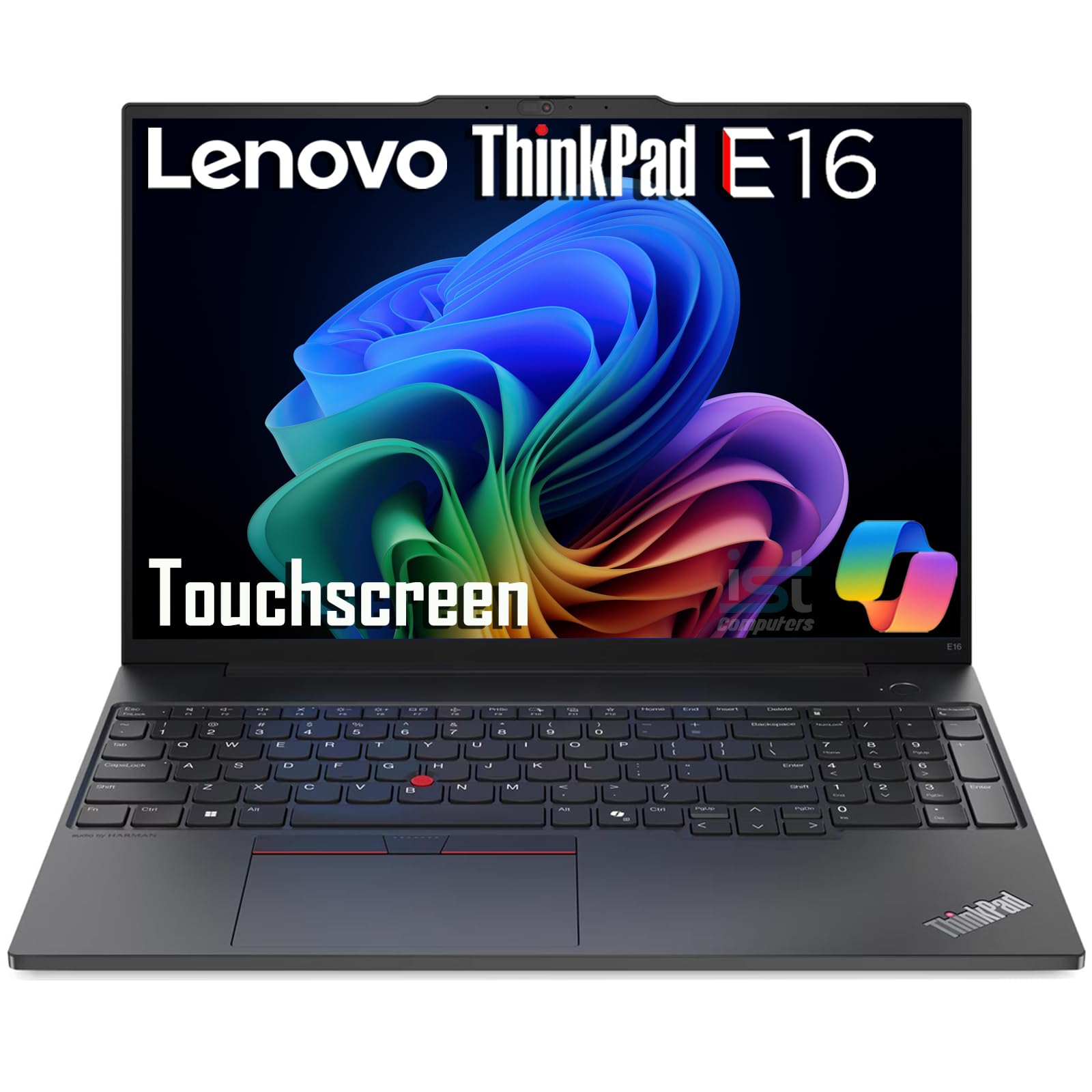
2. Lenovo ThinkPad E16 Gen 2 Business Laptop
The rugged workhorse built for long days of conference calls and heavy multitasking.
This Lenovo is a serious tool for professionals who need reliability and a sharp video presence. It features a 1080p webcam — not a grainy 720p sensor — so you look clear and professional during Zoom and Teams meetings. The 16-inch WUXGA (1920 x 1200) IPS touchscreen with a 300-nit anti-glare finish keeps your content visible even in bright office lighting. Under the hood, the AMD Ryzen 7 7735U processor and 16GB of DDR5 RAM provide the power to juggle spreadsheets, presentations, and video calls without stuttering.
Durability is a standout here. This machine complies with the MIL-STD 810H military standard, meaning it can handle drops, vibrations, and temperature extremes that would damage a typical consumer laptop. The backlit keyboard is comfortable for long typing sessions, and the built-in fingerprint reader lets you log in instantly without passwords. It also supports three external monitors at 4K resolution via HDMI and USB-C, making it a true desktop replacement for a multi-screen setup.
The main catch is the higher price point compared to consumer models, and some buyers have reported issues with a non-functional USB port on a brand-new unit. Weighing in as a 16-inch machine, it is not the lightest laptop to carry around campus or through an airport. But if you need enterprise-grade security, a top-tier webcam, and a chassis that laughs at rough handling, this ThinkPad delivers.
Strengths
- 1080p webcam offers clear video for professional calls
- MIL-STD 810H certified for durability in tough conditions
- Supports 3 external monitors at 4K resolution
Drawbacks
- Premium price reflects the business-grade features
- Heavier than many 13-inch alternatives for frequent travel
Reach for this if: You need a durable, powerful laptop with an excellent webcam for daily professional video conferencing and multitasking.
Look elsewhere if: Portability is your top priority, or you are on a tight budget and can trade durability for a lower price.
3. HP Flagship 17 Business Laptop
The massive 17.3-inch screen that turns your video calls into a broadcast studio.
If you want a huge, crisp display for both work and video calls, this HP delivers. It has a 17.3-inch Full HD (1920×1080) anti-glare IPS screen that gives you plenty of room to see your presentation, your notes, and your video feed all at once. The webcam is a standard integrated camera, but the real draw here is the relentless multitasking performance from the AMD Ryzen 5 7430U processor paired with a massive 32GB of RAM and a 1TB SSD. That means you can run multiple heavy applications — like Excel, Zoom, and a dozen browser tabs — without slowdowns.
HP Fast Charge technology refuels the battery to 50% in just 30 minutes, so a short break between meetings can top you up. The laptop also comes with Windows 11 Pro and a free Office 365 subscription for the web, making it business-ready from the start. With HDMI, USB Type-A and Type-C ports, connecting external monitors and peripherals for a full desk setup is straightforward.
One important note: this machine is large. At 17.3 inches, it is not a laptop you want to carry through an airport every day. Some buyers have also flagged that the advertised screen size was slightly off, so check the measurements for your specific setup. For a dedicated workstation at home or the office, however, the combination of a huge screen and abundant RAM is tough to top.
Key Strengths
- 32GB RAM and 1TB SSD provide smooth multitasking and fast boot times
- HP Fast Charge reaches 50% battery in 30 minutes
- Full HD anti-glare display reduces eye strain during long work sessions
Limitations
- Large 17.3-inch chassis is not portable for frequent travel
- Webcam is a standard integrated unit, not a dedicated high-end sensor
Designed for: Professionals and students who need a stationary workstation with a big screen, huge RAM, and fast charging for back-to-back meetings.
skip it if: You need a laptop for daily commuting or if a top-tier webcam is more important than raw processing power.
4. HP 17.3″ Touchscreen Laptop w/Microsoft 365

A touchscreen laptop with abundant storage and a physical webcam shutter for privacy.
This HP stands out for its combination of a big touchscreen and massive storage. You get a 17.3-inch HD+ (1600 x 900) LED anti-glare display that responds to your touch — perfect for scrolling documents or zooming into images without a mouse. The webcam includes a physical shutter for privacy, so you can physically block the lens when you are off-call, giving you total confidence. Dual array digital microphones and dual speakers ensure your voice is heard clearly during video conferences.
Storage is a major selling point. The laptop packs a 1TB SSD plus a 128GB UFS drive, giving you over a terabyte of space for files, photos, and applications. The Intel Quad-Core N100 processor paired with 16GB of DDR4 RAM handles everyday tasks, online learning, and streaming without hiccups. It also includes a full-size backlit keyboard with a numeric keypad and a fingerprint reader for secure logins.
The most obvious trade-off is the display resolution. At 1600×900, it is not Full HD, so text and images will not look as sharp as on a 1920×1080 screen. Some buyers have noted the touchscreen feature was not clearly advertised and were disappointed by its absence. The processor is also less powerful than mid-range i5 or Ryzen 5 chips, so it is not suited for heavy editing or gaming. For a family laptop with a big screen, lots of storage, and a privacy shutter, it still offers solid value.
Highlights
- Physical webcam shutter for guaranteed privacy
- 1TB SSD + 128GB UFS storage for large file libraries
- Backlit keyboard and fingerprint reader for convenience
Shortcomings
- Display is HD+ (1600×900), not Full HD, so it is less sharp
- Intel N100 CPU is less powerful for demanding applications
Good for: Families and home users who want a large touchscreen, plenty of storage, and a privacy shutter for the webcam.
Not ideal for: Video editors, gamers, or anyone needing a high-resolution screen for detailed photo work.
5. HP 17.3 inch Laptop, FHD Display, Intel Core i5-1334U

The 17.3-inch FHD screen with a sharp webcam and a sliding privacy door.
Video call clarity is a key focus here. The HP True Vision HD camera is designed to deliver vibrant clarity even in low light, so you do not look like a dark shadow to your colleagues. A physical camera shutter slides over the lens when you are not using it, giving you instant privacy without relying on software. The 17.3-inch Full HD IPS display offers 178-degree wide-viewing angles, meaning the image stays clear and colorful even if you are sitting off to the side.
Performance is solid for daily productivity. The 13th Generation Intel Core i5-1334U processor and 16GB of DDR4 RAM can handle multitasking across multiple applications, and the 512GB PCIe NVMe M.2 SSD boots up and loads files fast — up to 15 times faster than a traditional hard drive. Intel Iris Xe integrated graphics provide a boost for casual creative work and streaming high-resolution video.
The battery life is the weakest link here. Some owners mention it lasts about 2.5 hours, which is shorter than many competitors, likely due to the large 17.3-inch screen. The laptop also lacks a backlit keyboard, which might be an issue for late-night workers. For a powerful, big-screen machine with a good webcam and a privacy shutter, it is a strong contender if you are usually near an outlet.
What Works
- HP True Vision HD camera works well in low light
- Physical camera shutter ensures privacy
- Full HD IPS display with wide viewing angles
What Doesn’t
- Battery life is around 2.5 hours for some users
- No backlit keyboard for typing in the dark
Who it fits: Desktop-replacement buyers who want a huge, clear screen, a good webcam, and a privacy shutter, and who work near a power outlet.
Not for you if: You need all-day battery life for travel or working in coffee shops without charging.
6. Lenovo IdeaPad 15.6” FHD Touchscreen Laptop

A touchscreen laptop packed with RAM and storage for heavy multitasking.
This Lenovo is built for users who keep dozens of tabs open and run multiple programs at once. It comes with 24GB of DDR4 RAM and a 1.5TB solid state drive (SSD), giving you plenty of headroom for demanding workflows and a large library of files. The 15.6-inch Full HD (1920 x 1080) touchscreen with an anti-glare finish responds to taps and swipes, making navigation more intuitive. A camera privacy shutter lets you block the lens physically when you are not on a video call.
Powered by a 10-core Intel Core i5-1335U processor with Intel Iris Xe graphics, this laptop handles streaming, online classes, and light photo editing with ease. It comes pre-loaded with Windows 11 Pro and a Microsoft Office lifetime license, which saves you from paying for a separate subscription. The battery is rated for up to 10 hours, and rapid charge gets you back to work quickly.
The build quality feels a bit less premium compared to business-class ThinkPads. One reviewer noted it “feels kind of cheaply made” and recommended not picking it up by a corner when open. There have also been some reports of random crashes and RAM issues, though these seem to be isolated cases. For the price, the combination of 24GB RAM, 1.5TB storage, and a touchscreen is a rare value proposition.
Best Features
- 24GB RAM and 1.5TB storage for heavy multitasking
- Touchscreen with FHD resolution for interactive use
- Includes Windows 11 Pro and Microsoft Office lifetime license
Concerns
- Chassis feels less durable than premium competitors
- Some reports of random system crashes
It is a fit for: Students and professionals who need a large amount of RAM and storage at a mid-range price, and who appreciate the convenience of a touchscreen.
It is not for: Anyone who prioritizes a rugged, premium-feeling chassis or who needs absolute long-term reliability without potential hardware issues.
7. ASUS Vivobook Laptop, 14″ FHD Display, i3-1215U

A compact 14-inch laptop that packs 16GB of RAM for smooth multitasking on the go.
If you travel often and need a smaller laptop that still handles heavy workloads, this ASUS is a strong pick. The 14-inch Full HD (1920 x 1080) IPS anti-glare display delivers sharp visuals in a portable form factor that fits easily on an airplane tray table. It comes with 16GB of high-bandwidth RAM, which lets you keep dozens of browser tabs and multiple applications open without slowdowns. The built-in webcam is standard for the price point, but the real story here is the speed: the 512GB PCIe NVMe M.2 SSD ensures fast boot-ups and rapid data transfers.
The i3-1215U processor (6 cores, 8 threads, up to 4.4 GHz) handles daily tasks like Zoom calls, PowerPoint, and web browsing with ease. One buyer mentioned it is “~4x faster than a 10yr old i7,” calling it a great value at its price. It also includes modern connectivity, with Wi-Fi 6 for faster wireless speeds and a full set of ports: USB-C, USB 3.2, HDMI 1.4, and a 3.5mm headphone jack. The 10-hour battery life is enough to get through a full day of classes or work.
Not all buyers have had a smooth experience. Some reported a dead pixel from the start, an unresponsive space bar, or erratic touchpad behavior. A few found the pre-installed OS had performance issues that required a fresh Windows installation to fix. The numpad feature on the touchpad is also poorly implemented. For the price, the hardware specs are excellent, but quality control has been inconsistent for a portion of users.
Standout Specs
- 16GB RAM for smooth multitasking
- 14-inch FHD IPS display is great for travel
- Battery life up to 10 hours
Risks to Know
- Inconsistent quality control with dead pixels or keyboard issues
- Touchpad numpad feature is poorly implemented
Choose this if: You want a portable 14-inch laptop with plenty of RAM for multitasking, and you are willing to roll the dice on quality control for the price.
Avoid this if: You need guaranteed out-of-box reliability, or you prefer a larger screen for video calls.
8. ASUS Vivobook Go 15.6” Slim Laptop, AMD Ryzen 5 7520U

A budget-friendly laptop with military-grade durability and a physical webcam shield.
This ASUS stands out for its focus on two things: durability and privacy. It meets military-grade durability standards, meaning it has been tested to withstand drops, shocks, and temperature extremes better than a typical budget laptop. A Webcam Shield (a physical cover) slides over the camera lens when you are not on a call, providing guaranteed privacy. The AMD Ryzen 5 7520U processor (up to 4.3 GHz) paired with 8GB of RAM and a 512GB SSD provides fast everyday performance — and it comes with a 512GB SSD while the Acer Aspire Go 15 has only a 128GB SSD.
The 15.6-inch NanoEdge display has super-slim bezels that give you a larger screen in a compact body. It runs at a 60Hz refresh rate and a 250-nit brightness level, which is adequate for indoor use. The AMD Radeon graphics provide a boost for light gaming and streaming. It also features SonicMaster sound for crisp, multi-dimensional audio that makes video calls and music sound better.
One owner reported a frustrating hardware problem where the laptop could not connect to the internet from the start and would not accept the downloaded driver fix. This appears to be a rare but serious issue. The 250-nit brightness is on the lower side, making it harder to use outdoors or in very bright rooms. For a durable laptop with a privacy-focused webcam shield and more storage than the Acer at a comparable price, it is a solid value.
Why It Stands Out
- Military-grade durability for rugged use
- Webcam Shield provides physical privacy protection
- 512GB SSD (versus 128GB in the Acer Aspire Go 15)
Areas to Consider
- Some customers note Wi-Fi connectivity issues from the start
- Display brightness is only 250 nits, low for outdoor use
Who it works for: Budget-conscious buyers who want a durable laptop with a privacy webcam shield and more storage than entry-level competitors.
Not for you if: You need a bright screen for outdoor use, or you cannot risk hardware issues that require driver troubleshooting.
9. Acer Aspire Go 15 AI Ready Laptop

The entry-level laptop that is surprisingly capable for basic video calls and web browsing.
This Acer is a no-frills machine designed for the essentials: web browsing, email, Netflix, and video calls. It has a front-facing camera that handles basic video conferencing on platforms like Zoom and Teams. The 15.6-inch Full HD (1920×1080) IPS display is sharp and has narrow bezels, making it pleasant for casual movie watching. The AMD Ryzen 3 7320U processor (up to 4.1 GHz) and 8GB of LPDDR5 memory provide enough power for everyday tasks without lag. It also comes with Wi-Fi 6 and HDMI 2.1 for faster connectivity and better external display support.
One of the smartest features here for tech-savvy users is the replaceable 128GB M.2 SSD. Reviewers point out “The 128GB M.2 ssd drive is replaceable,” so you can easily swap it for a larger drive down the line without buying a whole new laptop — an upgrade path not available on many budget machines. Acer PurifiedVoice technology enhances the video calling experience by reducing background noise, making you sound clearer to others on the call.
The main limitation is the storage. At 128GB, you will fill it up quickly with apps and files. The 8GB of RAM is also soldered to the motherboard, so you cannot upgrade it later. This laptop is not meant for heavy multitasking, gaming, or video editing. For a primary laptop for a student or a secondary machine for travel, it gets the job done at a very accessible price.
Pros
- Replaceable M.2 SSD allows for easy storage upgrades
- Full HD IPS display offers sharp visuals for the price
- Acer PurifiedVoice improves call clarity by reducing background noise
Cons
- 128GB SSD fills up very quickly with apps and media
- RAM is soldered and not upgradable
Perfect for: Budget buyers who need a basic laptop for web browsing, streaming, and occasional video calls, and who appreciate the ability to upgrade the storage later.
Not for: Power users, creators, or anyone who needs to run multiple demanding applications at once.
Understanding the Specs
Webcam Resolution: 720p vs 1080p
The webcam resolution is the single biggest factor for how you look on calls. A 720p camera (1280×720) is the bare minimum and often looks grainy, especially in low light. A 1080p (Full HD) camera captures twice as many pixels, resulting in a much sharper and more detailed image. For professional meetings where you want to look your best, a 1080p camera is a significant upgrade.
Privacy Shutters and Physical Covers
A privacy shutter is a small physical slider that covers the webcam lens when you are not using it. This is a simple but powerful way to guarantee that no software or hacker can secretly activate your camera. Some laptops go further with a “Webcam Shield” or a dedicated camera shutter button. If you care about privacy, this is a must-have feature.
FAQ
What is the difference between a 720p and a 1080p webcam on a laptop?
Is a physical webcam shutter necessary for privacy?
How much RAM do I need for smooth video calls?
Does a better processor improve webcam quality?
What does ‘low-light’ mean for a laptop webcam?
Can I upgrade the webcam on my laptop?
What is a dual-mic array and why does it matter for calls?
Are Chromebooks good for video calls?
Final Thoughts: The Verdict
For the majority of shoppers, the camera laptop winner is the Apple 2026 MacBook Neo 13-inch because it combines a sharp 1080p webcam with a dual-mic array and all-day battery life in a lightweight, premium chassis. If you want a large screen and massive multitasking power, grab the HP Flagship 17 Business Laptop. And for a durable, budget-friendly pick with a webcam shield and easy storage upgrades, the standout is the ASUS Vivobook Go 15.6.
How We Picked
We do not accept paid placement. Every pick is matched to a real buyer and a real use-case; we do not hands-on test units.
Sources & Methodology
Specifications: manufacturer listings and product documentation. Review insights: verified customer reviews, as of July 2026. Pricing: not shown on this page (it changes often); check the current price via the retailer link.
As an Amazon Associate, Gadgets Feed earns from qualifying purchases. This does not affect which products we feature.