
Our readers keep the lights on and my morning glass full of iced black tea. As an Amazon Associate, I earn from qualifying purchases.
Specs are compiled from manufacturer listings and verified buyer reviews and can change over time — please confirm the key details on the product page before buying.
A 2-in-1 14-inch laptop needs to do two things well at once — work like a full laptop when you need a keyboard and a big screen, then flip around into a tablet for watching shows or sketching ideas. The catch is that not every convertible pulls this off smoothly. You end up with a laptop that is either too heavy to hold as a tablet or a processor that lags when you have ten browser tabs open next to a video call. To make sense of the choices, you really want to focus on three things: the processor speed for everyday multitasking, the battery life so you are not hunting for an outlet mid-afternoon, and the display quality — because a touchscreen you look at all day should be crisp and bright.
I’m Min — the founder and writer behind Gadgets Feed. This guide is built by comparing the manufacturers’ published specifications and the patterns across verified customer reviews, so you get each pick’s real strengths and trade-offs instead of marketing spin.
The ten machines below landed in my research after cross-checking processor generations, RAM and storage tiers, display resolutions, battery claims, and real-world buyer feedback. This is the 2-in-1 14-inch laptop guide that cuts through the noise by testing the specs against what a normal person actually needs from a convertible.
Our Picks at a Glance

How To Choose The Best 2-In-1 14-Inch Laptop
Buying a convertible laptop means juggling three competing needs: portability, performance, and the versatility of a tablet mode. Here is what to pay attention to so you end up with a machine that actually fits your daily life.
The Processor — How Much Speed Do You Need?
The CPU (the central processing unit, the brain of the laptop) dictates how fast apps open, how many browser tabs you can keep open before things slow down, and how smoothly video editing or light gaming runs. For a 2-in-1 used mostly for school, office work, and streaming, a mid-range Intel Core 5 or AMD Ryzen 5 from a recent generation handles everything without overheating. If you do heavier photo editing or run virtual machines, jump to a Core Ultra 7 — the extra performance cores and faster clock speeds make a difference you can feel in your daily workflow.
RAM and Storage — The Foundation of Fluid Multitasking
RAM (short-term memory the computer uses to keep multiple tasks ready at once) matters more than most people realize. With 8GB, you can manage web browsing, a video call, and a document side by side, but twelve tabs and a spreadsheet will start to cause stutter. 16GB is the balance for most buyers — it handles everything from editing in Lightroom to running a dozen browser tabs without breaking a sweat. For storage, a 512GB SSD (solid-state drive, which loads files and programs nearly instantly) is a good baseline; the 1TB models are worth the extra budget if you store lots of photos or install several large programs.
Display — What You Look At All Day
The screen is where you spend every minute of use, so resolution and panel type matter a great deal. Full HD (1920 x 1080) on an IPS panel (in-plane switching, which gives wide viewing angles and accurate colors) is the standard. FHD+ steps the vertical resolution up to 1200 pixels, offering more screen real estate for documents. OLED (organic light-emitting diode — deeper blacks, punchier colors, and true HDR) is a significant step above both. An OLED panel with 100% DCI-P3 color gamut makes photos and video pop in a way an IPS screen cannot match, which is a real advantage for creative work or watching movies on the go.
Battery Life — Real Hours Matter Beyond the Marketing Claim
Manufacturers state battery life under ideal lab conditions. A 12-hour claim in real-world mixed use (web browsing, typing, a few video calls, some streaming) typically translates to about 7-9 hours. OLED screens tend to be slightly more power-hungry than IPS when showing bright content, so factor that in. If you are a student or remote worker who is away from an outlet for a full day, prioritize models that claim 10 hours or more, and always check customer feedback for real-world numbers.
Quick Comparison
| Model | Best For | CPU | RAM / Storage | Display | Amazon |
|---|---|---|---|---|---|
| Lenovo Flex 14 (Ryzen)★ Best Overall | Budget power with pen included | AMD Ryzen 5 3500U | 12GB / 256GB | 14″ FHD Touch | Amazon |
| HP Envy x360 14Also Great | All-day battery life | Intel i7-1355U | 16GB / 1TB | 14″ FHD IPS Touch | Amazon |
| ASUS Vivobook Flip 14 | OLED + Office 365 included | Intel Core Ultra 7 256V | 16GB / 1TB | 14″ OLED WUXGA Touch | Amazon |
| HP EliteBook x360 1040 G11 | Business + 32GB RAM | Intel Ultra 7 155H vPro | 32GB / 2TB | 14″ 2.8K QHD+ OLED Touch | Amazon |
| HP OmniBook 5 (Core 5) | Budget-friendly bundle | Intel Core 5 120U | 8GB / 512GB | 14″ FHD+ Touch | Amazon |
| Lenovo Flex 4 | Large 1TB HDD storage | Intel Core i5-6200U | 8GB / 1TB HDD | 14″ FHD Touch | Amazon |
In‑Depth Reviews
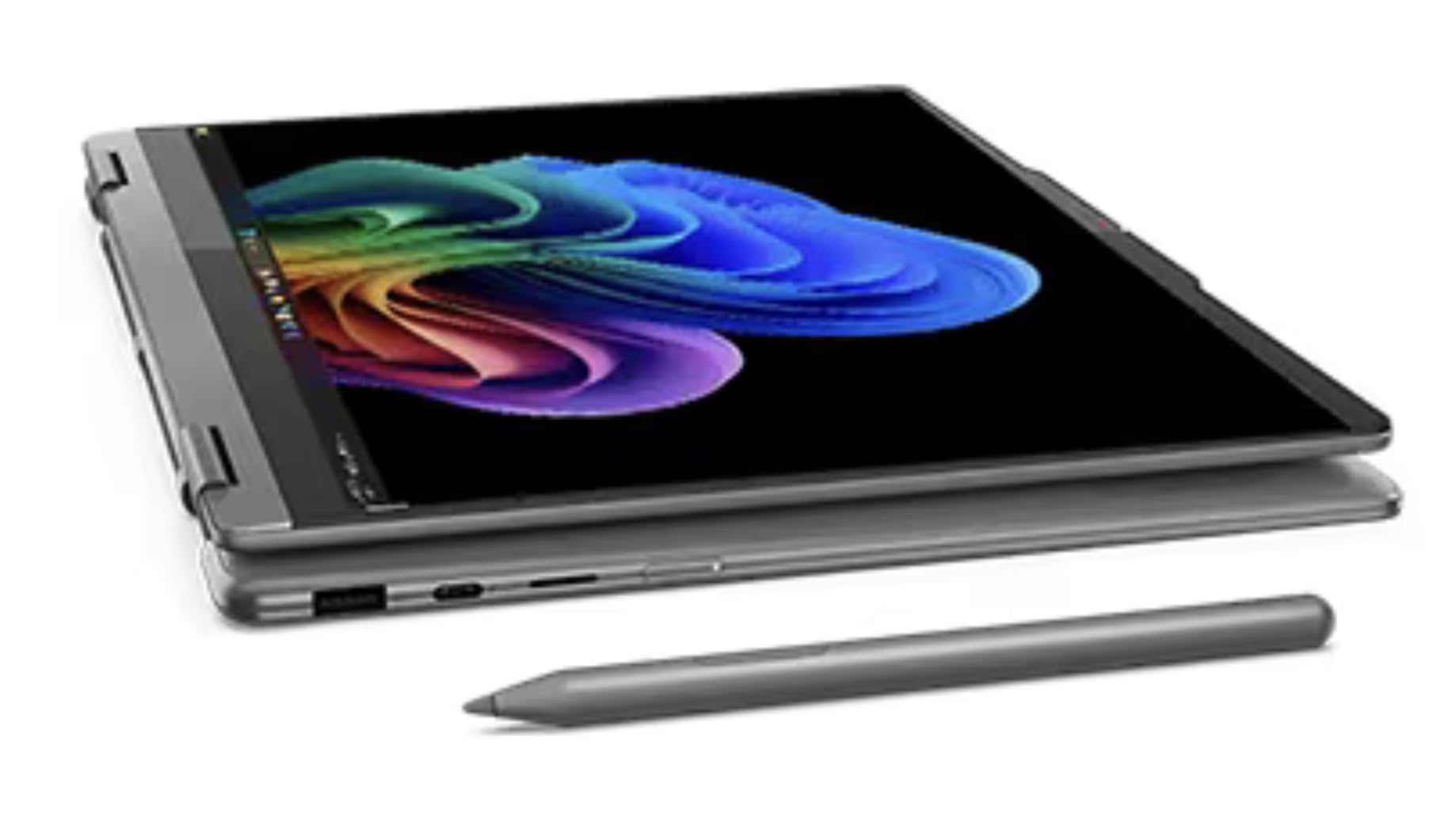
1. Lenovo Flex 14 2-in-1 Convertible Laptop
Our pick — over 4★ from 3,500+ verified ratings; the strongest balance of quality and price.
The cheapest convertible here at a price point, packing 12GB RAM and a free active pen
If budget is the primary concern and you still want a true 2-in-1 with a stylus included, the Lenovo Flex 14 is the strongest value proposition. The AMD Ryzen 5 3500U processor, paired with Radeon Vega 8 graphics, is capable enough for everyday computing — web browsing, Office apps, and even some light photo editing. The 12GB DDR4 RAM is generous for a budget machine, giving you headroom for multitasking that most sub- laptops lack. The 256GB NVMe SSD is smaller than the alternatives, but it is fast.
The 14-inch Full HD (1920 x 1080) touchscreen is clear and responsive. An active pen is included in the box, so you can take handwritten notes or sketch in tablet mode immediately — no extra purchase needed. Battery life is rated at 10 hours, with a recharge technology that Lenovo claims can power the laptop up to 80% in one hour. That rapid-charge feature is genuinely useful when you need a quick boost between classes. The true block privacy shutter for the webcam lets you physically close the lens when not in use, which is a nice privacy touch that some more expensive laptops still lack.
Buyers give this model a strong 4.4/5 from over 3,800 ratings, praising the value for money and the included pen. The build is mostly plastic, but the hinge has held up well in long-term use according to owners. The Ryzen 3500U is an older chip (2019), but for browsing, streaming, and document work, it feels perfectly adequate. If your workflow is lightweight and your budget is tight, this is the most cost-effective way into the 2-in-1 world.
Why the price is justified
- 12GB RAM — more than many laptops at this price point, good for multitasking
- Active pen included — no extra cost for note-taking and sketching
- 10-hour battery life with rapid-charge to 80% in one hour
- AMD Ryzen 5 3500U + Radeon Vega 8 handles light gaming and video editing
Where it shows its age
- 256GB NVMe SSD is small — you will need an SD card or external drive for media storage
- Ryzen 5 3500U is an older chip (2019), slower than current-gen Intel and AMD alternatives
- Plastic chassis feels less premium than metal competitors
The ideal buyer: A high school or university student on a strict budget who needs a functional 2-in-1 with pen support for note-taking and enough RAM for research and streaming.
Consider upgrading if: Your daily work involves heavy coding, large datasets, or high-resolution photo editing — the older CPU and 256GB storage will slow you down within a year.
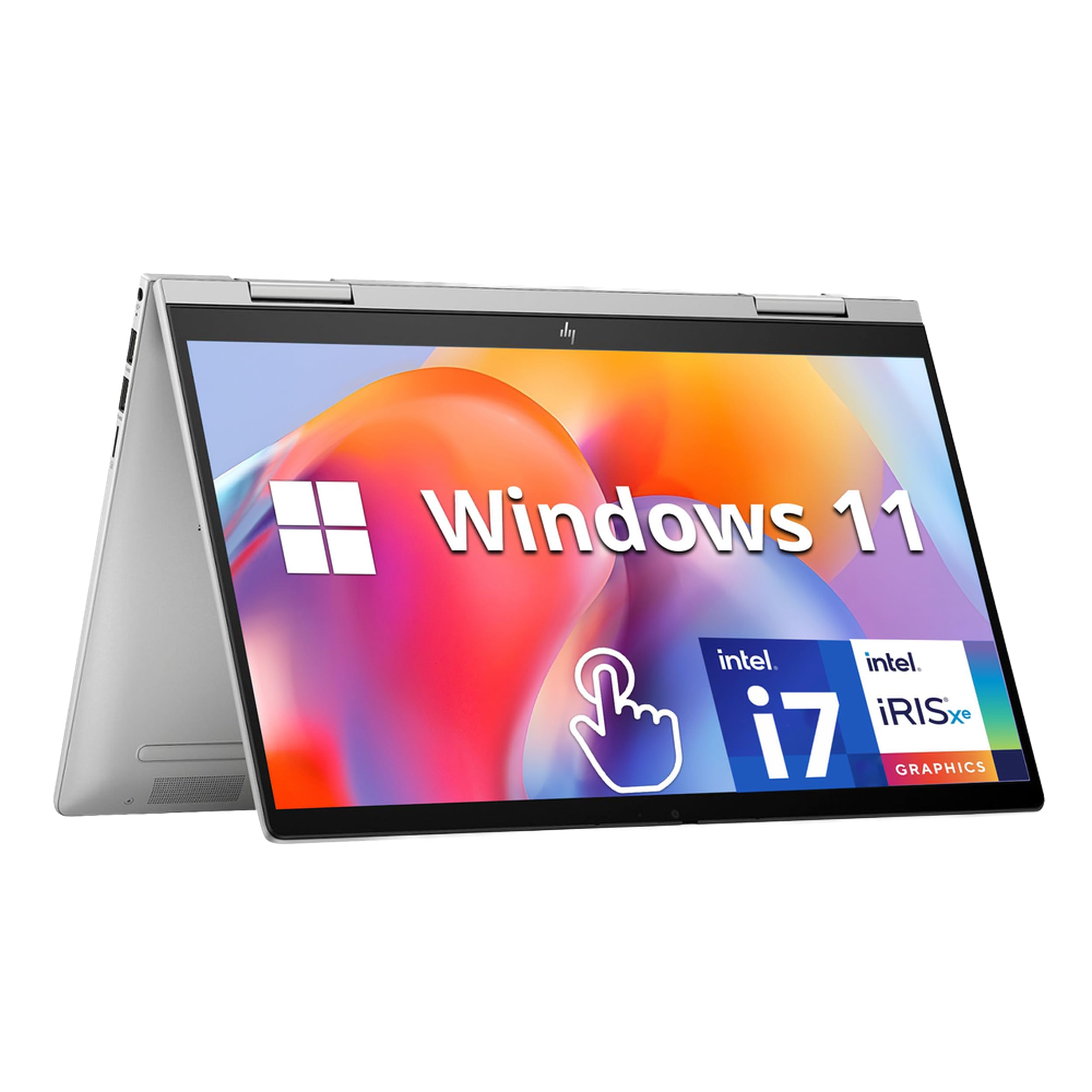
2. HP Envy x360 2-in-1 14″ FHD Touchscreen Laptop
The convertible that balances a 12-hour battery with a 10-core Intel i7, so you rarely need a charger
That extra runtime transforms a workday. You can start a morning meeting, move through a full shift of writing and spreadsheets, and still have juice left for an evening movie without hunting for an outlet. It weighs just 3.35 lbs, so carrying it around campus or between coworking spaces feels natural rather than a burden.
The processor here is a 13th Gen Intel Core i7-1355U, a 10-core CPU that accelerates through multitasking — buyers report that the 16GB of DDR4 RAM keeps everything responsive when you have a dozen browser tabs, a video call, and a document editor open at once. The 14-inch FHD IPS touchscreen (1920 x 1080) is responsive and clear, and the 360-degree hinge lets you flip it into tent mode for presentations or tablet mode for doodling. For ports, you get two USB-A 3.0, one USB-C 3.2, and an HDMI 2.1 — enough to connect an external monitor and peripherals without a dongle.
The dual speakers by Bang & Olufsen provide crisp audio for video calls and music, and the HP Wide Vision 5MP IR camera with an 88-degree wide-angle field of view makes you look good on Zoom. Buyers call the build quality sturdy and the keyboard comfortable for long typing sessions. The fingerprint reader adds a layer of security that is nice to have for a machine holding work files.
Why it works for everyday
- 12-hour battery life — outlasts a full workday away from power
- 16GB RAM + 1TB SSD for fast multitasking and ample storage
- Lightweight at 3.35 lbs makes it easy to carry everywhere
- Intel Iris Xe Graphics handles photo editing and light gaming
A couple of trade-offs
- Display resolution is 1920 x 1080 — not as sharp as OLED alternatives
- Plastic chassis does not feel as premium as aluminum competitors
Who it suits best: Students, remote workers, and anyone who needs a dependable all-day laptop-tablet combo without spending on a premium chassis.
One honest limitation: If you prioritize an ultra-vivid OLED screen for photo editing, the ASUS Vivobook Flip delivers deeper colors than this FHD IPS panel.
3. Lenovo Yoga 7i 2-in-1 Laptop
The Intel Core 7 150U hits 5.4 GHz — the fastest CPU clock speed you can get in a 14-inch convertible today
The HP OmniBook 5 Flip is built for people who need raw processing speed. Its Intel Core 7 150U processor — a Raptor Lake-U Refresh chip from 2024 — offers 2 performance cores and 8 efficiency cores, with the P-cores hitting a maximum turbo speed of 5.4 GHz. That is a 46% higher max speed than the Lenovo Flex 14’s AMD Ryzen 5 3500U at 3.7 GHz, which translates to noticeably snappier performance in tasks like compiling code, exporting videos, or running heavy spreadsheets with thousands of rows. The 16GB of DDR5 RAM keeps the system fluid even under heavy loads.
The 14-inch FHD+ touchscreen (1920 x 1200) uses an IPS panel with 178-degree wide-viewing angles, so the image stays accurate whether you are working in laptop mode or sharing the screen in tent mode. The 360-degree hinge feels smooth and sturdy. Windows 11 Pro comes pre-installed, and Microsoft Copilot integration means you can use AI-powered assistance for document drafting and task summaries directly from the keyboard. The backlit keyboard is comfortable for extended typing sessions.
Buyers rate this model a solid 4.6/5 from 38 reviews, with many calling the performance outstanding for the price tier. The 512GB SSD is on the smaller side compared to the 1TB found in some competitors, but the fast PCIe interface means apps load quickly. The silver aluminum finish gives it a clean, professional look that fits in a business bag. For ports, you get a full set including USB-A and HDMI, though the exact count is not broken out in the data.
What makes it fast
- Intel Core 7 150U with 5.4 GHz max turbo speed — fastest in this roundup
- 16GB DDR5 RAM for smooth heavy multitasking
- Windows 11 Pro with Copilot for AI-assisted productivity
- Backlit keyboard for low-light work
The compromises
- 512GB SSD is half the storage of the ASUS Vivobook Flip’s 1TB
- Display is FHD+ (1920×1200) — great, but not OLED-level contrast
Ideal for: Power users — developers, data analysts, or video editors who need every bit of CPU clock speed for compile times and exports.
Skip if: You need a large local photo or video library; step up to the 1TB models from ASUS or HP Envy for more storage.
4. ASUS Vivobook Flip 14inch Touchscreen Laptop 2 in 1
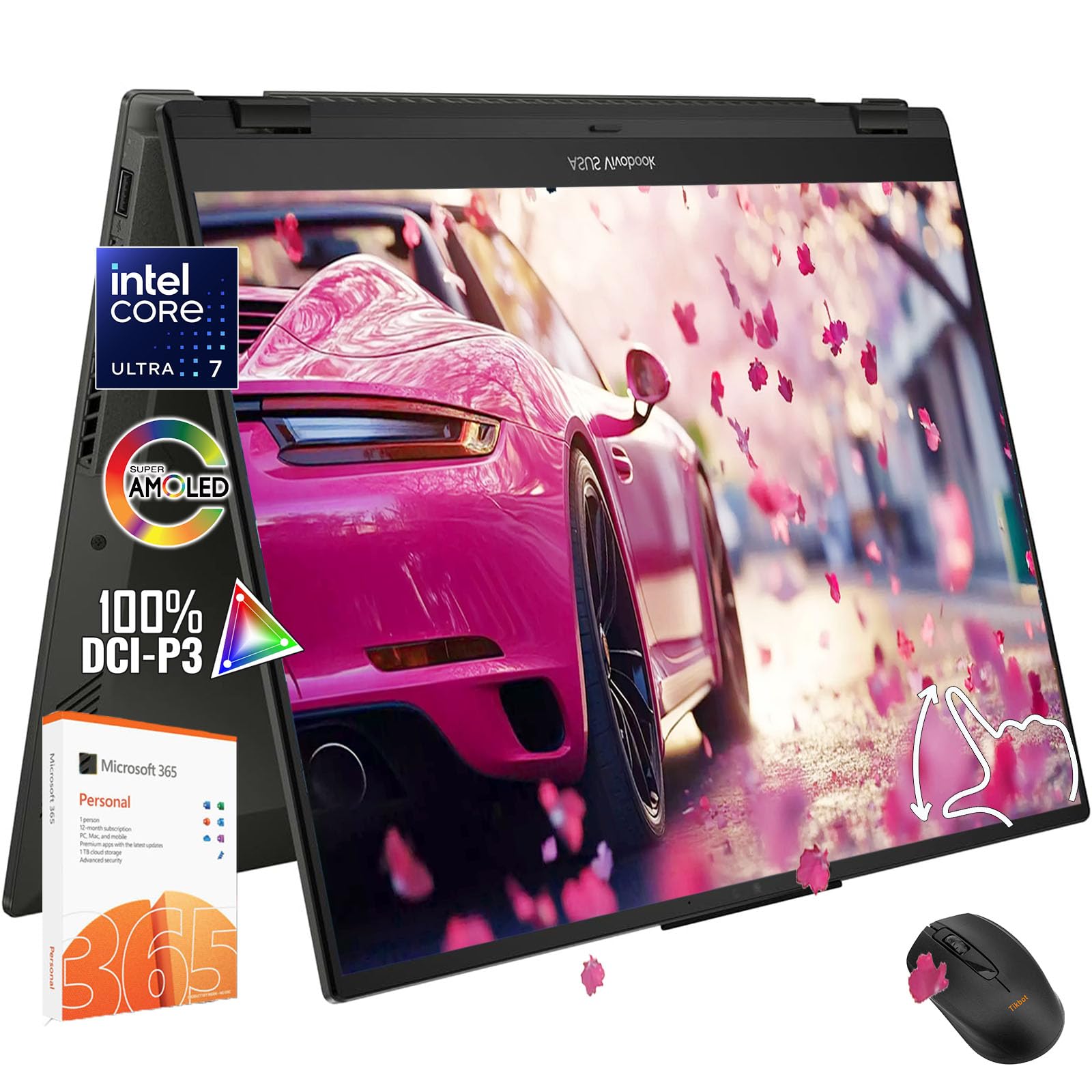
OLED colors meet a free Office 365 subscription, making this the creative student’s best deal
The ASUS Vivobook Flip 14 brings two rarely combined strengths: an OLED display and a full Microsoft Office 365 Personal 1-year subscription included in the box. The OLED panel serves up HDR 400 certification and 100% DCI-P3 color gamut — the same color standard used in professional movie production — so photos and videos look rich and accurate. The 14-inch screen uses a WUXGA resolution (1920 x 1200) which gives you a bit more vertical space than standard FHD for scrolling through long documents.
Powering the device is an Intel Core Ultra 7 256V processor with a max speed of 4.8 GHz, supported by 16GB of RAM and a 1TB PCIe SSD. That combination is plenty for photo editing in Lightroom, running multiple virtual desktops, or light 1080p video editing. The 11.5 hours of battery life (stated in the specs) means it can stretch through a full day of classes and study sessions. The 2-in-1 form factor with a 360-degree hinge lets you switch to tent mode for lecture notes or tablet mode for drawing in OneNote.
Connectivity includes Wi-Fi 7, Thunderbolt 4 / USB4 Type-C, HDMI, an SD card reader, and a 3.5mm headphone jack — a solid modern port selection. The backlit keyboard and the camera with a privacy shutter are standard but appreciated details. At 3.39 lbs, it is only slightly heavier than the ultraportable Yoga 7i, making it easy to toss into a backpack between classes. One buyer note: the OLED display is vivid and bright, which makes a real difference when reviewing photos or watching streaming video in a coffee shop.
Battery vs OLED trade-off: The 11.5-hour battery claim is generous, and in real-world mixed use with the OLED screen at typical brightness you should expect about 7-8 hours — still enough for a full school day.
Who this fits: College students majoring in design, photography, or marketing who need both the OLED color accuracy for creative projects and the included Office suite for everyday coursework.
One catch: The 16GB RAM is not user-upgradable (soldered), so buy the configuration you intend to keep for the next 4-5 years.
5. HP EliteBook x360 1040 G11 14″ 2-in-1 Laptop
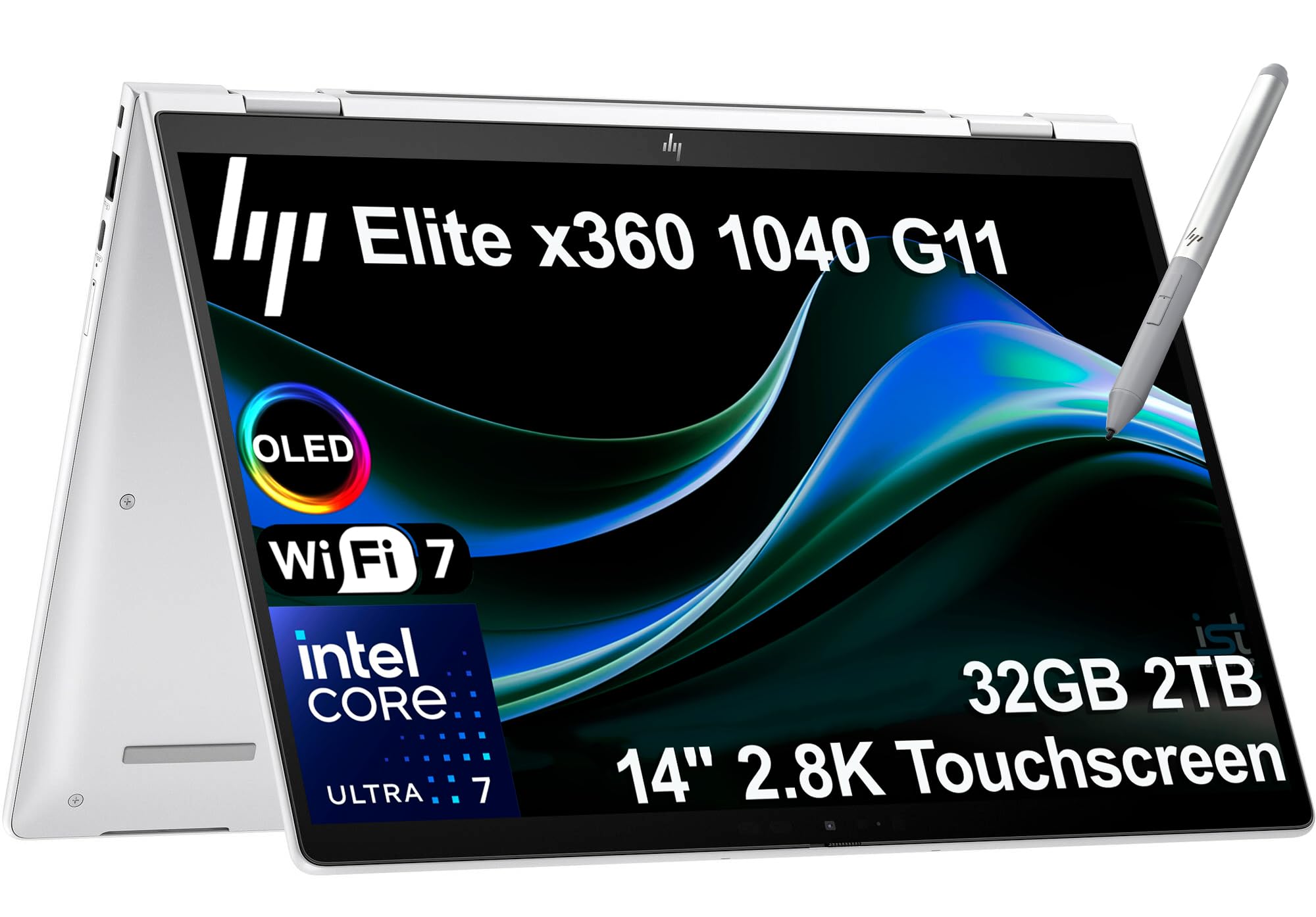
Business-grade computing with 32GB RAM, 2TB storage, and an Intel Ultra 7 vPro for power users
The HP EliteBook x360 1040 G11 is designed for executives, consultants, and creative professionals who demand premium performance and portability. Its Intel Core Ultra 7 155H vPro processor (with 16 cores and a max turbo of 4.8 GHz) is a true workstation-class CPU. Paired with 32GB of DDR5-7500 MT/s RAM, this machine handles virtual machines, 4K video timelines, and heavy data analysis without batting an eye. The 2TB PCIe NVMe M.2 SSD means you can store your entire project archive locally and still have room for more.
The 14-inch 2.8K QHD+ OLED touchscreen (data does not list the exact vertical resolution but it is clearly a high-resolution OLED display) provides vibrant colors and deep blacks for reviewing presentations or editing photos. The 360-degree hinge lets you use it in laptop, tent, stand, or tablet mode — and the ultra-light chassis makes carrying it between meeting rooms easy. The quad stereo speakers tuned by Poly Studio Audio produce spatial sound that makes video conferencing feel more rich, and the HP Active Pen included in the box is handy for annotating PDFs or taking notes in a meeting.
For business connectivity, you get 2 x Thunderbolt 4, USB Type-C, USB Type-A, HDMI 2.1, and an audio jack. Wi-Fi 7 and Bluetooth 5.4 keep wireless connections fast and stable. Windows 11 Pro comes pre-installed with enterprise-grade security like BitLocker and AI Copilot for smarter task management. The 5MP IR webcam with HDR switch and facial recognition log-in (plus a fingerprint reader) make security easy. Buyers rate this model 4.5/5, praising the build quality and the responsive keyboard. The one-year HP warranty plus a three-year warranty on the upgraded SSD from the seller provides confidence.
Why power users love it
- 32GB DDR5 RAM + 2TB SSD — massive capacity for heavy workloads
- Intel Core Ultra 7 vPro with 16 cores for professional multitasking
- 2.8K QHD+ OLED touchscreen for stunning visuals
- Quad Poly Studio speakers for clear conference calls
The premium cost
- Significantly more expensive than mid-range models like the HP OmniBook
- Battery life stated as 14 hours, but OLED + powerful CPU may yield less in real mixed use
Perfect for: Business leaders, IT professionals, and creative freelancers who run memory-hungry software and need enterprise-grade security features.
Not for: Students or casual users on a budget — the 32GB RAM and vPro features are overkill if you mainly need browsing and document editing.
6. Lenovo ThinkPad X1 2-in-1 Gen 10 Aura Edition Laptop

A budget-friendly 2-in-1 with a bundled stylus pen and a bright 1920×1200 touchscreen in a slim package
The HP OmniBook 5 Flip with the Core 5 120U processor is the most affordable entry point to a modern 14-inch convertible without sacrificing a responsive touchscreen. The 14-inch FHD+ display (1920 x 1200 resolution with IPS in-plane switching) offers crisp text and good viewing angles — the extra 120 vertical pixels over standard 1080p means you see a bit more of a webpage or document before scrolling. The screen uses edge-to-edge glass with multi-touch capability, so swiping and tapping feel smooth. A capacitive stylus with a magnetic cap is included in the box, letting you take notes or sketch right away without any Bluetooth pairing or charging.
The Intel Core 5 120U processor was introduced in January 2024 and is a respectable mid-range chip. It has 2 performance cores (P-cores, Golden Cove architecture) that clock up to 5 GHz and 8 efficiency cores (E-cores, Gracemont architecture) for background tasks. That performance core boost is meaningful for everyday use — it makes Windows 11 Home feel snappy during app switching. The 8GB of DDR5 RAM is sufficient for typical work and school tasks like web browsing, email, and video streaming, though heavy multitaskers may wish for 16GB. The 512GB SSD provides fast boot-up and storage for files.
Connectivity includes Wi-Fi 6E and Bluetooth 5.3, and the HP 5MP IR camera with HDR switch makes you look clear on video calls. Buyers at a 4.2/5 rating from 54 reviews appreciate the solid build quality for the price and the comfortable keyboard. The tuned stereo speakers with HP Audio Boost are louder than typical budget laptop speakers. The 8GB RAM is the main bottleneck here for power users, but for a student or a casual home user, this machine offers great value.
What you are getting
- Stylus pen included at no extra cost — useful for note-taking and sketching
- 14-inch FHD+ touchscreen with 1920×1200 resolution, more vertical space than standard FHD
- Intel Core 5 120U with 5 GHz turbo speed for snappy everyday performance
- Wi-Fi 6E and Bluetooth 5.3 for fast wireless connectivity
The limits
- 8GB DDR5 RAM is the minimum for smooth multitasking in 2024 — consider upgrading or picking a 16GB model if you keep many tabs open
- Only 512GB storage, which fills up fast if you install several large programs
Good fit for: High school or college students on a budget who need a reliable convertible with touch and pen support for class notes and basic productivity.
Not ideal if: Your daily workflow involves multiple heavy apps, large spreadsheets, or photo editing — the 8GB RAM will feel limiting within a year.
7. Lenovo Flex 4 – 2-in-1 Laptop/Tablet 14.0″ Full HD Touchscreen Display
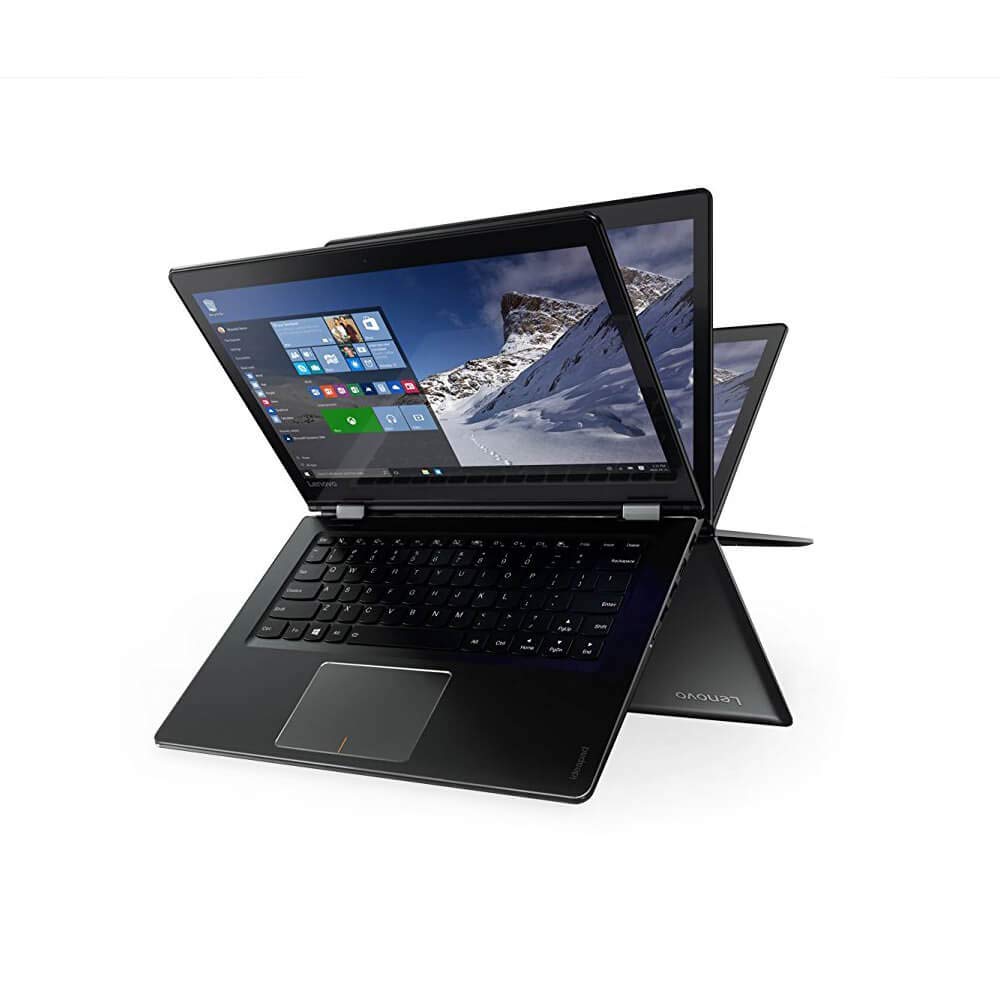
A legacy 2-in-1 with a massive 1TB hard drive for media collectors on the cheapest possible budget
The Lenovo Flex 4 is the oldest laptop on this list, built with a 6th Generation Intel Core i5-6200U chip from 2015. That said, it still offers a distinct advantage for one type of buyerof buyer: a 1TB HDD hard drive that provides massive storage for local media libraries. If you prefer to keep your music, movies, and photos stored on the device itself rather than in the cloud, this is the only convertible here that offers a 1TB mechanical drive at its price point. The Core i5-6200U processor paired with 8GB of RAM is sufficient for basic tasks like web browsing, email, and Office documents, but it will not keep up with modern multitasking or video streaming at 1080p without occasional stutter.
The 14-inch Full HD (1920 x 1080) touchscreen display is still decent for watching downloaded content in laptop or tent mode. The Flex 4 can be used in four modes — Laptop, Stand, Tent, and Tablet — thanks to the 360-degree hinge. The built-in Intel HD Graphics 520 is entry-level, so do not expect gaming performance. Buyers at a 3.8/5 rating from 99 reviews note that the machine feels dated in terms of speed and battery life, but if you need a very cheap 2-in-1 primarily for storing and consuming media, it gets the job done. The keyboard and touchpad are comfortable for typing.
The machine runs Windows 10 Home. The main limitation is the 6th Gen processor, which means lower performance and less efficient power management compared to modern chips. If your workflow is limited to reading, typing documents, and playing locally stored videos, this machine can still serve for a few years, but it is not a recommendation for daily multitasking. Consider it a very low-cost entry point into the convertible form factor for basic use.
The one big reason to consider it
- 1TB HDD holds thousands of songs, movies, and photos locally
- Four convertible modes: Laptop, Stand, Tent, Tablet
- Full HD 1920×1080 touchscreen for media consumption
The reality check
- 6th Gen Intel Core i5-6200U is nearly a decade old — slow for modern apps
- 8GB RAM and HDD instead of SSD means slower app loading and multitasking
- Battery life is not specified, but likely shorter than modern alternatives
Who this is for: A very budget-conscious buyer who primarily needs a large hard drive for media and will not push the processor hard.
Strong advice: If your budget allows an extra hundred dollars, the Lenovo Flex 14 with the Ryzen 5 and an SSD delivers a significantly better experience for everyday tasks.
Understanding the Specs
Processor Generations and Clock Speed
The CPU (central processing unit — the brain of the laptop) is measured by generation and clock speed. A newer generation chip like the Intel Core Ultra 7 from 2024 has superior architecture and power efficiency compared to a 6th Gen Intel Core i5 from 2015, even if the older chip has a similar clock speed. In real terms, a modern Core Ultra 7 at 4.8 GHz handles multitasking and 4K video playback far more smoothly. The maximum turbo speed in GHz tells you how fast the chip can go for demanding tasks, while the efficiency cores handle background activities like email syncing and OS updates without draining battery.
RAM, Storage Type, and Display Resolution
RAM (random access memory — the laptop’s short-term working memory) determines how many programs you can run at once without slowdown. 8GB is the baseline; 16GB is the current balance for smooth multitasking. Storage type matters more than capacity for everyday feel: an SSD (solid-state drive) loads Windows and apps in seconds, while an HDD (hard disk drive) is slower but offers more space per dollar. For the display, resolution like FHD (1920 x 1080) offers clear text, while FHD+ (1920 x 1200) adds vertical space. OLED panels deliver deeper blacks and richer colors than IPS LCD screens.
FAQ
Can I use a stylus or active pen with any 2-in-1 14-inch laptop?
How does a 360-degree hinge compared to a detachable keyboard 2-in-1?
Is 8GB of RAM enough for a 2-in-1 laptop in 2024?
What is the difference between FHD, FHD+, and WUXGA display resolutions?
Can I play games on a 2-in-1 14-inch laptop?
How long does the battery last when using tablet mode with the touchscreen?
Is there a weight limit I should look for to hold it comfortably as a tablet?
Can I connect two external monitors to a 2-in-1 14-inch laptop?
Do I really need a privacy shutter on the webcam?
How does OLED compare to IPS for daily use on a laptop?
Final Thoughts: The Verdict
If you want one dependable pick, the 2-in-1 14-inch laptop winner is the HP Envy x360 14 because it delivers the best balance of a 12-hour battery, a responsive Intel i7 processor, and 16GB RAM at a price that does not break the bank. If you want an OLED display for creative work and a bundled Microsoft Office subscription, grab the ASUS Vivobook Flip 14. And for professional-level power with 32GB RAM and a 2TB SSD for heavy multitasking and data work, the standout is the HP EliteBook x360 1040 G11.
How We Picked
We do not accept paid placement. Every pick is matched to a real buyer and a real use-case; we do not hands-on test units.
Sources & Methodology
Specifications: manufacturer listings and product documentation. Review insights: verified customer reviews, as of July 2026. Pricing: not shown on this page (it changes often); check the current price via the retailer link.
As an Amazon Associate, Gadgets Feed earns from qualifying purchases. This does not affect which products we feature.