
Our readers keep the lights on and my morning glass full of iced black tea. As an Amazon Associate, I earn from qualifying purchases.
Specs are compiled from manufacturer listings and verified buyer reviews and can change over time — please confirm the key details on the product page before buying.
A 3TB external hard drive is a big purchase, so you want one that fits how you actually live — whether you zip it into a backpack every morning or leave it plugged into a game console. This guide helps you pick a reliable drive that matches your setup.
I’m Min — the founder and writer behind Gadgets Feed. This guide is built by comparing the manufacturers’ published specifications and the patterns across verified customer reviews, so you get each pick’s real strengths and trade-offs instead of marketing spin.
From rugged encrypted drives to speedy gaming drives, these picks cover what you need to know about choosing a reliable 3tb external hard drive.
Our Picks at a Glance

How To Choose The Best 3Tb External Hard Drive
A 3TB drive is a big buy for most people, so getting the right type for your needs matters more than any single spec. The main decision depends on how you plan to use it: as a daily carry, a stationary backup unit, or an extension of your gaming console.
Portable vs Desktop (2.5-inch vs 3.5-inch)
A 2.5-inch drive is smaller and runs off USB power alone, making it the choice for travel and laptops. A 3.5-inch drive needs a wall outlet but often spins at 7200RPM and can hold larger internal components for better long-term reliability in one spot.
Speed and Cache Matter More Than You Think
The data transfer rate, measured in Gigabits Per Second (Gbps), tells you how fast the drive can move files. A 64MB cache (a small pool of memory that stores frequently accessed data) helps a 7200RPM drive feel snappier when you are moving lots of small files or loading a game.
Security and Compatibility
If you handle sensitive data, look for hardware encryption (built-in chip that scrambles your data) and a physical PIN pad, not just software that slows the drive down. Make sure the drive is pre-formatted for your console or operating system to avoid reformatting work on day one.
Quick Comparison
| Model | Best For | Form Factor | Data Transfer Rate | Cache | Amazon |
|---|---|---|---|---|---|
| Seagate Backup Plus★ Best Overall | Desktop Backup | 3.5 Inches | 5000 Megabits Per Second | 3 MB | $239.99Amazon |
| iStorage diskAshur PRO2Fort Knox | Top Security | 2.5-inch | USB 3.2 (up to 160MB/s Read) | 64 MB | $509.95Amazon |
| Avolusion HDDGear Pro | PS4 Gaming | 3.5-inch | 6 Gigabits Per Second | 64 MB | $139.99Amazon |
| Avoluxion PRO-T5 Series | PS5 Storage | 3.5-inch | 5 Gigabits Per Second | 64 MB | $129.99$139.99Amazon |
| Avolusion PRO-H1 Series | Value Performance | 3.5 Inches | 5 Gigabits Per Second | 64 MB | $119.99$149.99Amazon |
| WD My Passport Blue | Portable Backup | 2.5 Inches | USB 3.0 | — | $199.99Amazon |
| Toshiba Canvio Advance | Style & Security | 2.5-inch | 5000 Megabits Per Second | 3 MB | $219.90Amazon |
In‑Depth Reviews
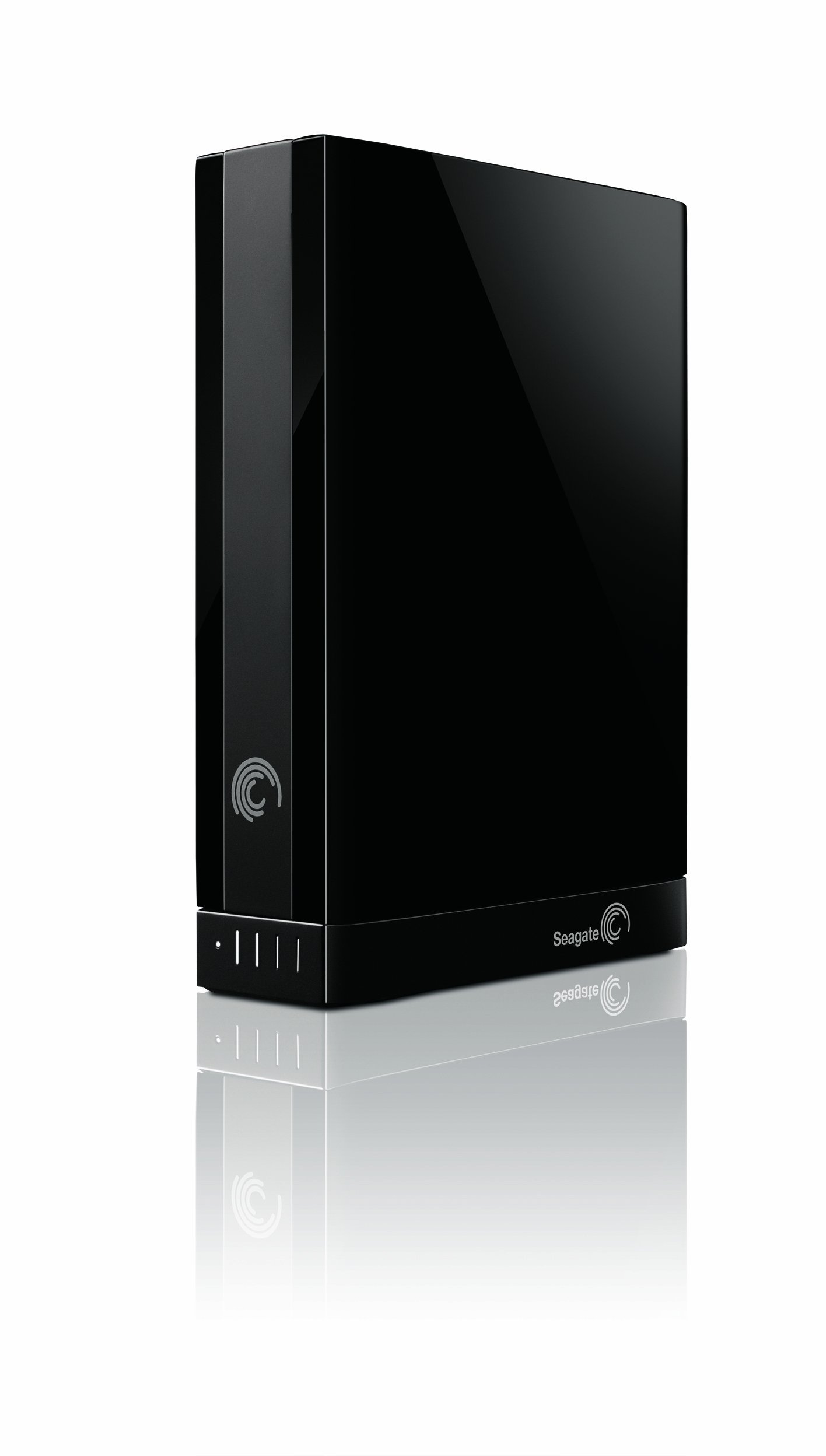
1. Seagate Backup Plus 3 TB USB 3.0 Desktop External Hard Drive STCA3000100
Our pick — over 4★ from 2,000+ verified ratings; the strongest balance of quality and price.
The classic desktop drive that switches between PC and Mac without reformatting.
Seagate’s Backup Plus is a familiar face in the external drive world, and for good reason. It features a 3.5-inch drive inside an aluminum and glass enclosure — this material mix helps with heat dissipation (keeping your drive cooler during long backup sessions). The standout feature here is the pre-loaded NTFS driver for Mac. That means you can plug it into a Windows PC or a Mac interchangeably without reformatting the drive. Most external drives ship in a format that only one operating system can read, so this saves time for people who use both.
It features USB 3.0 for quick data transfer (rated at 5000 Megabits Per Second) and supports optional upgrades to Thunderbolt or FireWire 800 via an adapter. The included Seagate Dashboard software lets you schedule automatic backups. The 3MB cache is small, while the Avolusion HDDGear Pro has a 64MB cache, which means it may feel slower when moving many small files. With 2479 ratings and a 4.2 rating, it has a long track record of reliability, though some reviewers point out the power adapter is bulky.
If you need a simple desktop backup drive that works with both Windows and Mac without any tinkering, this is a proven choice.
The Cross-Platform Trick
- Pre-loaded NTFS driver for Mac — use it on PC and Mac without reformatting.
- USB 3.0 with optional Thunderbolt and FireWire 800 adapter support.
- Aluminum and glass enclosure helps with cooling.
- Strong track record with over 2400 ratings and a 4.2 rating.
The Limitation
- 3MB cache is tiny compared to drives with 64MB cache — slower on small file transfers.
- Desktop form factor requires a power adapter and is not portable.
- Available storage capacity may vary from the advertised 3 TB.
Solid pick for: Anyone who uses both Windows and Mac and wants a drive that works from the start on both.
Consider another if: You plan to move lots of small files daily — the small cache will be a bottleneck.
2. iStorage diskAshur PRO2 HDD 3TB
The vault-grade drive that asks for a PIN before it shows you anything.
If your job or personal life demands that your files stay private even if the drive gets stolen, this is the one. It is FIPS 140-2 Level 3 certified (a government security rating that means the hardware has passed rigorous tamper tests) and uses AES-XTS 256-bit hardware encryption (a chip that scrambles every byte in real time without slowing your computer). You enter a 7-15 digit PIN on the built-in keypad before the drive open up — without that PIN, the data is unreadable.
It is also a portable drive. The 2.5-inch form factor means it runs off USB power, and it is IP56 certified for dust and water resistance (so a splash or some grit on a job site won’t kill it). Buyers report feeling confident carrying sensitive client files because the encryption is on the drive itself, not reliant on software that could be bypassed. It works on any device with a USB port, including Windows, macOS, Linux, and even Chromebooks.
Unlike the Avolusion HDDGear Pro which is designed as a stationary 3.5-inch unit for a PS4, the diskAshur is built to travel. The trade-off is that you pay a premium for that security layer, and the 160MB/s read speed is respectable but not the fastest you will find on a non-encrypted drive.
The Security Story
- FIPS 140-2 Level 3 certified hardware encryption — a government-grade security standard.
- Physical PIN pad with AES-XTS 256-bit encryption means no software required.
- IP56 rated — dust and water resistant for real-world carry.
- Works across Windows, macOS, Linux, Android, and Chrome without reformatting.
The Practical Trade-off
- Premium cost reflects the security hardware — this is for serious data protection, not casual backup.
- Up to 160MB/s read speeds are good but not the fastest among 3TB drives.
Who needs this: Professionals handling sensitive files, journalists, or anyone who wants ironclad physical security without relying on software.
One honest caveat: If you just need a simple backup drive for family photos, the security features and price tag are overkill.
3. Avolusion HDDGear Pro 3TB (3000GB)

The plug-and-play PS4 companion that screams at 6 Gbps.
This drive is custom-made for PlayStation 4, including the Original, PS4 Slim, and PS4 Pro. It comes pre-formatted for the PS4 file system, so you plug it in, and the console recognizes it immediately. That saves you the headache of reformatting a standard PC drive. The Avolusion HDDGear Pro transfers data at 6 Gigabits Per Second, while the PRO-H1 Series runs at 5 Gigabits Per Second, meaning your games load quicker and you copy files less time.
It has a 64MB cache (a memory pool that keeps your most-played game data ready for quick access) paired with a 7200RPM enterprise-grade internal drive inside a 3.5-inch enclosure. That cache is 64MB, compared to the Seagate Backup Plus’s 3MB cache, making a real difference when you are swapping between game titles. Owners mention that the drive is a solid, no-fuss solution for expanding PS4 storage without opening the console.
The catch is that this is a 3.5-inch drive, so it needs a power adapter and sits on a desk or shelf. It is not built for portability. Also, it is a renewed product — meaning the case is new but the internal hard drive is a factory-tested refurbished enterprise drive. Avolusion guarantees zero bad sectors and 100% health, but some users prefer a brand-new retail drive for confidence.
The Gaming Edge
- Pre-formatted for PS4 — plug in and play right away.
- 6 Gigabits Per Second data transfer rate makes it faster than many competing drives.
- 64MB cache with 7200RPM enterprise drive keeps game loads snappy.
- Tested for zero bad sectors and 100% health by the manufacturer.
The Desktop Reality
- Needs a wall outlet — not a portable drive for travel.
- Renewed product means a refurbished internal drive, which some buyers are wary of.
- Only compatible with PS4 family, not PS5 for playing PS5 games directly.
Best match for: PS4 owners who want a large, fast storage expansion without tinkering with settings.
skip it if: You need a drive for PC backup or want a brand-new, never-refurbished unit.
4. Avoluxion PRO-T5 Series USB 3.0 External Gaming Hard Drive (Renewed) (3TB)

The PS5 storage buddy that keeps your SSD free for the newest games.
If you own a PS5, you know that internal SSD space fills up fast. The Avoluxion PRO-T5 lets you move and store your PS5 games on a 3TB, 7200RPM enterprise drive (designed for 24/7 use) so your console’s internal drive stays open for whatever you are currently playing. You cannot play PS5 games directly from this external drive—you must first copy them back to the internal SSD, but customers note that move takes about 3 to 5 minutes per game, which is much faster than re-downloading a 100GB title.
For PS4 games, you can play them directly from the external storage, which saves you from juggling discs or swapping storage allocations. This drive is a 3.5-inch unit that requires a power adapter, so it is designed to sit next to your console. It comes with a 2-year warranty from Avolusion and is tested for zero bad sectors and 100% health.
The internal drive is a refurbished enterprise-level unit, which keeps the cost down but means you are not buying a brand-new mechanical drive. Still, with a 4.4 rating from 84 reviewers, most buyers find the trade-off worth it for the price and capacity. Note that you will need to reformat it for a game console, as it ships in exFAT format (a file system that works across Windows and Mac).
The Console Advantage
- Designed for 24/7 operation with an enterprise-grade 7200RPM drive.
- Store PS5 games for quick transfer back to internal SSD (3-5 min per game).
- Play PS4 games directly from the external drive.
- Includes a 2-year warranty and rigorous factory testing.
The Setup Notes
- Cannot play PS5 games directly from the external drive — requires copying.
- Refurbished enterprise drive inside, not a brand-new retail unit.
- Needs a wall power adapter; not a portable drive.
Grab this if: You have a PS5 and want to archive your game library without deleting and redownloading.
Look elsewhere if: You want a drive that plays PS5 games directly (no external USB drive for PS5 games can do that yet).
5. Avolusion PRO-H1 Series 3TB 7200RPM USB 3.2 Gen2 (5Gbps) External Hard Drive

The budget-friendly workhorse with a 64MB cache that outperforms many pricier drives.
The Avolusion PRO-H1 Series delivers a 7200RPM 3.5-inch enterprise hard drive inside a modern USB-C enclosure, offering USB 3.2 Gen2 speeds at 5 Gigabits Per Second. That is a decent transfer rate, though the HDDGear Pro above beats it at 6 Gigabits Per Second. Where the PRO-H1 shines is the 64MB cache — a massive difference from the 3MB cache on the Seagate Backup Plus, which makes it noticeably faster when you are moving batches of photos, videos, or game files.
It is pre-formatted in exFAT (a file system readable by both Windows and macOS without reformatting) and supports Xbox consoles too. The internal drive is a factory-tested refurbished enterprise unit — the same story as the other Avolusion drives here — that comes with a 2-year warranty. The enclosure is plastic, which keeps the weight down for a 3.5-inch drive but does not feel as premium as the iStorage unit.
Buyers appreciate that the drive includes a USB-C cable and power adapter. Some note that the drive is quiet during operation, which is a plus if it sits on your desk.
The Value Equation
- 64MB cache with 7200RPM drive for speedy transfers.
- USB 3.2 Gen2 with USB-C cable included — modern connection.
- exFAT pre-formatted, works with Windows and Mac from the start.
- 2-year warranty and tested for zero bad sectors.
The Trade-off
- Refurbished internal drive, not brand-new.
- Data transfer rate of 5 Gbps is slower than the HDDGear Pro’s 6 Gbps.
- Plastic enclosure feels less premium than metal alternatives.
Who should get this: Shoppers on a budget who still want a 7200RPM drive with a big cache for daily backup and file storage.
Better choices exist if: You need the fastest possible transfer speed or want a brand-new retail drive.
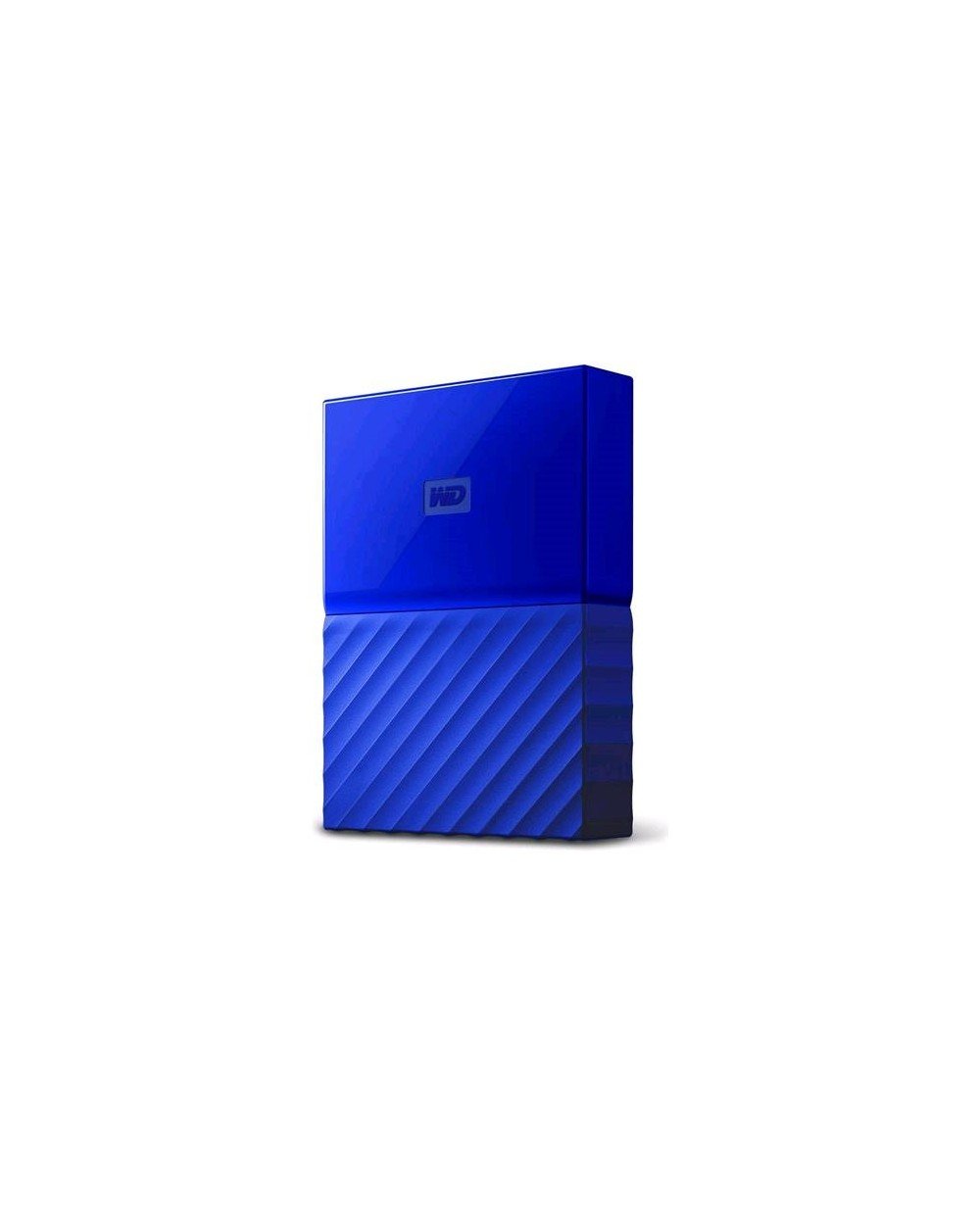
6. WD 3TB Blue My Passport Portable External Hard Drive – USB 3.0 – WDBYFT0030BBL-WESN
The true portable drive that slips into a laptop bag and runs on bus power alone.
This is the only 2.5-inch drive in our list that is genuinely designed for carrying around. It weighs less and draws all its power from the USB port, so you never need a separate power adapter. WD’s My Passport comes in a blue plastic housing and includes WD Backup software for automatic backups. It also features password protection with hardware encryption (a chip on the drive that scrambles your data), so if you lose the drive, your files stay private without having to install any extra software.
The drive is compatible with Windows 10, 8.1, and 7 from the start. If you use a Mac, you will need to reformat it — the standard trade-off for most portable drives. WD backs it with a 3-year manufacturer’s warranty, which is solid for a portable drive that might get bumped around in a bag. Shoppers say that the drive is quiet and runs cool during normal use.
The form factor difference is stark: the 2.5-inch My Passport is noticeably more compact than the 3.5-inch Avolusion drives. If you move between home and office or travel frequently, this portability is a big advantage. The cache size is not listed, so it may not match the file-transfer snappiness of the 64MB cache drives for large batch operations.
The On-the-Go Edge
- True portable 2.5-inch drive — no power adapter needed.
- Password protection with built-in hardware encryption.
- 3-year warranty from a trusted brand.
- Includes WD Backup software for automatic backups.
The Portable Cost
- Requires reformatting for Mac — not cross-platform from the start.
- Cache size not listed, may feel slower for large file transfers compared to 64MB cache drives.
- Plastic enclosure feels less rugged than the iStorage’s IP56-rated build.
Best for: Frequent travelers or commuters who need a lightweight, bus-powered drive for backup on the go.
Not ideal if: You work across Mac and PC or move massive files daily and want the fastest possible speed.
7. Toshiba Canvio Advance 3TB Portable External Hard Drive USB 3.0, White (HDTC930XW3CA)

A slim, colorful drive that adds a security lock without the sky-high price.
The Toshiba Canvio Advance is another 2.5-inch portable drive, meaning it is bus-powered and easy to carry. It comes in four color options including this white variant, so you can match it to your setup or bag. The drive supports a data transfer rate of 5000 Megabits Per Second over USB 3.0, which is a standard speed for portable drives. You can also download Toshiba’s Storage Security Software, which adds a password lock feature to keep your data safe from prying eyes if the drive is lost.
Toshiba also offers downloadable backup software that can schedule automatic backups, so you set it once and forget about it. The 2-year limited warranty gives you reasonable coverage. The drive is compatible with desktops, laptops, and even some televisions (if they have a USB port that supports external storage).
Buyers like the sleek, compact design and the quiet operation. The 3MB cache (the same as the Seagate Backup Plus) means this drive is best suited for files you do not move constantly. If you are a student or professional who needs a reliable, good-looking portable drive for documents, photos, and media, the Canvio Advance fits the bill without costing a premium.
The Stylish Carry
- Slim 2.5-inch design, bus-powered, easy to travel with.
- Password lock feature via downloadable security software.
- Four color options to personalize your drive.
- Compatible with laptops, desktops, and some TVs.
The Speed Reality
- 3MB cache is small — fine for documents but slower for large file batches.
- Downloadable software is required for password protection, not built into hardware.
- Only 64 ratings — less buyer track record than the WD My Passport.
Reach for this if: You want a portable drive that looks good, includes basic data security, and does not break the bank.
Consider the WD My Passport if: You prefer hardware-encrypted password protection and a longer 3-year warranty.
Understanding the Specs
Form Factor (2.5-inch vs 3.5-inch)
This is the biggest decision you will make. A 2.5-inch drive is smaller, lighter, and runs on USB power alone—perfect for laptops and travel. A 3.5-inch drive requires a wall outlet but usually offers faster speeds (7200RPM) and larger internal components, making it better for desktop backup or gaming consoles where you do not move the drive.
Cache Memory and Data Transfer Rate
Cache is a small amount of super-fast memory on the drive that holds data you access often. A bigger cache (like 64MB vs 3MB) makes the drive feel much faster when moving lots of small files or loading games. The data transfer rate (in Gigabits Per Second) tells you the maximum speed the connection supports — but the actual speed you get also depends on the drive’s internal speed and your computer’s USB port.
FAQ
Can I use a 3.5-inch external hard drive with a laptop?
What is the difference between a 3TB drive and a 2TB drive in real-world use?
Will a 3TB external hard drive work with my PlayStation 5?
How long does a 3TB external hard drive typically last?
What does “64MB cache” mean and why does it matter?
Is it safe to buy a “renewed” external hard drive?
Do I need a separate power adapter for a 2.5-inch external hard drive?
How do I keep my external hard drive data secure when traveling?
Final Thoughts: The Verdict
Across the board, the best 3tb external hard drive is the iStorage diskAshur PRO2 because it combines rock-solid hardware encryption with a portable, rugged design that works on any device. If you want a fast, console-ready drive for your PS5 or PS4, grab the Avolusion HDDGear Pro. And for a budget-friendly all-purpose desktop backup, the Avolusion PRO-H1 Series gives you a 7200RPM drive with a 64MB cache at a great value.
How We Picked
We do not accept paid placement. Every pick is matched to a real buyer and a real use-case; we do not hands-on test units.
Sources & Methodology
Specifications: manufacturer listings and product documentation. Review insights: verified customer reviews, as of July 2026. Pricing: not shown on this page (it changes often); check the current price via the retailer link.
As an Amazon Associate, Gadgets Feed earns from qualifying purchases. This does not affect which products we feature.
Related Guides
Product prices and availability are accurate as of the date/time indicated and are subject to change. Any price and availability information displayed on Amazon at the time of purchase will apply to the purchase of this product. As an Amazon Associate I earn from qualifying purchases.
CERTAIN CONTENT THAT APPEARS ON THIS SITE COMES FROM AMAZON. THIS CONTENT IS PROVIDED "AS IS" AND IS SUBJECT TO CHANGE OR REMOVAL AT ANY TIME.
Amazon and the Amazon logo are trademarks of Amazon.com, Inc. or its affiliates.