
Our readers keep the lights on and my morning glass full of iced black tea. As an Amazon Associate, I earn from qualifying purchases.
Specs are compiled from manufacturer listings and verified buyer reviews and can change over time — please confirm the key details on the product page before buying.
If you play games or edit video on a standard 16:9 screen, you are missing the sides. A 3440×1440 ultrawide monitor stretches your field of view by about a third, so you see more of the battlefield or a longer video timeline without scrolling. The real question is not whether to go ultrawide — it is which panel technology, refresh rate, and feature set actually match how you use your computer, because the wrong choice can leave you with washed-out blacks or a desk-cluttering base.
I’m Min — the founder and writer behind Gadgets Feed. This guide is built by comparing the manufacturers’ published specifications and the patterns across verified customer reviews, so you get each pick’s real strengths and trade-offs instead of marketing spin.
Below, you will find a curated lineup of the best 3440×1440 monitor options spanning fast OLED gaming panels, budget-friendly VA screens, and premium creator-focused displays, each chosen for a specific use case and budget tier.
Our Picks at a Glance


How To Choose The Best 3440×1440 Monitor
Picking the right ultrawide monitor depends on three main factors: the type of display panel, the refresh rate you need for your games or work, and the adaptive sync technology that keeps your picture tear-free. Understanding these will save you from paying for specs you do not need.
Panel Technology: OLED vs VA vs IPS
The panel determines your image quality more than any other spec. OLED panels (like QD-OLED) light each pixel individually, giving you an infinite contrast ratio — true blacks and no halo glow around bright objects. The trade-off is a risk of burn-in over years and a lower peak brightness (around 250 to 400 nits). VA panels, common in budget-friendly monitors, offer a high static contrast ratio (3000:1 to 4000:1) with decent black levels but have narrower viewing angles. OLED is generally the choice for gaming and HDR content, while VA works well for mixed office use and gaming on a budget.
Refresh Rate: 100Hz, 175Hz, or 240Hz
A monitor’s refresh rate tells you how many times per second the image updates. A 60Hz screen updates 60 times a second, which feels sluggish for fast-paced shooters. Most entry-level ultrawides sit at 100Hz, which is a big step up. High-refresh models hit 175Hz or even 240Hz, making motion significantly smoother in competitive games. If you play single-player or strategy games, 100Hz-175Hz is plenty. If you play Valoran or Counter-Strike competitively, aim for 240Hz to reduce motion blur.
Adaptive Sync: G-Sync vs FreeSync
Adaptive sync technology stops the screen from tearing when your graphics card’s frame rate does not match the monitor’s refresh rate. FreeSync works with AMD graphics cards and is standard on most monitors. G-Sync is NVIDIA’s proprietary system and often adds to the cost. You can use a FreeSync monitor with an NVIDIA card in many cases, but it will not have official G-Sync certification. For the smoothest experience, match the sync technology to your GPU brand.
Quick Comparison
| Model | Best For | Panel Type | Refresh Rate | Response Time | Amazon |
|---|---|---|---|---|---|
| Alienware AW3423DW★ Best Overall | G-Sync Ultimate | QD-OLED | 175Hz | 0.1ms | Amazon |
| Alienware AW3423DWFAlso Great | Premium color & gaming | QD-OLED | 165Hz | 0.1ms | Amazon |
| ASUS ROG Strix XG34WCDGBurn-In Shield | Burn-in protection & HDR | QD-OLED | 175Hz | 0.03ms | Amazon |
| MSI MAG 341CQP | Console & KVM switching | QD-OLED | 175Hz | 0.03ms | Amazon |
| LG 34GX900A-B | Steep 800R curve | OLED | 240Hz | 0.03ms | Amazon |
| LG 34GS95QE | High-refresh OLED | OLED | 240Hz | 0.03ms | Amazon |
| AOC Agon PRO AG346UCD | Value OLED | QD-OLED | 175Hz | 0.03ms | Amazon |
| LG 34G630A-B | Budget high-refresh | VA | 240Hz | 1ms | Amazon |
| ASUS TUF VG34VQ3B | Budget gaming | VA | 180Hz | 1ms | Amazon |
| Dell S3425DW | Productivity & comfort | VA | 120Hz | — | Amazon |
| Samsung ViewFinity S65UC | Multi-source work | VA | 100Hz | — | Amazon |
In‑Depth Reviews
1. Alienware AW3423DW Curved Gaming Monitor
Our pick — over 4★ from 700+ verified ratings; the strongest balance of quality and price.
The original QD-OLED classic with a dedicated NVIDIA G-Sync Ultimate module for guaranteed tear-free play.
The AW3423DW is the G-Sync-equipped sibling of the AW3423DWF. It uses a physical G-Sync Ultimate module that handles variable refresh rate (VRR) processing on the monitor side, which means it works perfectly with NVIDIA GPUs without any compatibility hiccups. The panel is the same 34-inch QD-OLED with a 175Hz refresh rate, 0.1ms GtG response time, and a 1M:1 contrast ratio that makes the Dell S3425DW’s 3000:1 ratio look flat. Its Creator Mode lets you switch between DCI-P3 and sRGB color spaces for color-critical work.
Buyers report that the 250-nit brightness is adequate for a dim or medium-lit room, and the 1800R curve is comfortable for both gaming and browsing. The Lunar Light (white) finish stands out from the crowd of black monitors. If you are not running an NVIDIA GPU, the DWF is a better value.
Why it commands a premium
- Native G-Sync Ultimate guarantees flawless VRR with NVIDIA cards
- Creator Mode for sRGB/DCI-P3 color space switching
- Iconic Alienware build quality with 360° ventilation
What to weigh
- Fan noise from the G-Sync module is audible in a quiet room
- Premium cost over the FreeSync DWF version
Buy this if: You have an NVIDIA RTX card and want the most trouble-free G-Sync experience without tweaking settings.
pass on it if: You use an AMD card or are price-sensitive — the DWF delivers 95% of the same experience for less.
2. Alienware AW3423DWF Curved QD-OLED Gaming Monitor
A premium QD-OLED that delivers infinite contrast and true blacks without the NVIDIA tax.
The AW3423DWF is the FreeSync version of Alienware’s celebrated QD-OLED, and it is the monitor you buy when you want per-pixel lighting (each pixel lights up or turns off independently) for a 1M:1 contrast ratio — meaning blacks look truly black, not gray. Its 165Hz refresh rate and 0.1ms gray-to-gray response time keep fast motion crisp, and the 99.3% DCI-P3 color gamut means you get a wider range of colors than many competing screens, including the Samsung ViewFinity S65UC which covers only 0.72.
Buyers report the factory calibration is excellent from the start, which saves you the hassle of tweaking settings. The height-adjustable stand includes height markers for easy repositioning, and the 1800R curve wraps gently around your field of view without distorting desktop icons. One catch: the peak brightness is 250 nits, which is lower than some VA panels — it gets the job done indoors but struggles in very bright rooms.
Color king: The 99.3% DCI-P3 gamut beats a lot of OLEDs on vibrancy, making game worlds and movies pop.
Buyer alert: The included USB-C to DP cable handles modern laptops, but there is no built-in HDMI 2.1 cable in the box.
Your move if: You want the smoothest all-around QD-OLED experience with a proven reliability track record.
Only skip if: You absolutely need the full NVIDIA G-Sync Ultimate module — that is the pricier AW3423DW.
3. ASUS ROG Strix 34″ Ultrawide QD-OLED HDR Gaming Monitor (XG34WCDG)
A QD-OLED with a built-in proximity sensor that protects against burn-in when you walk away.
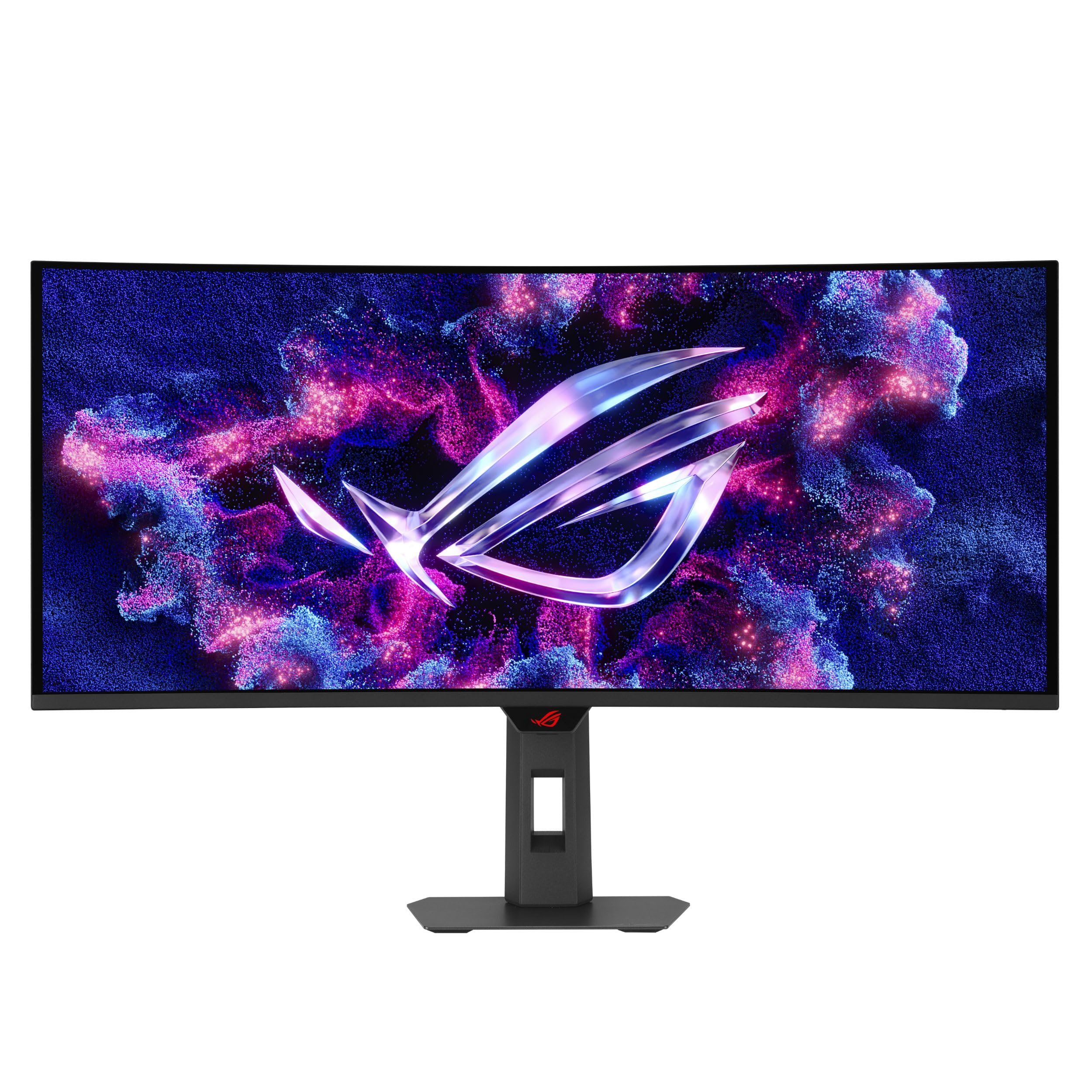
ASUS brings a unique weapon to the OLED war: a Neo Proximity Sensor that detects when you leave your desk and switches the screen to black, reducing the risk of permanent image burn-in. That is a practical feature if you regularly step away mid-game. The panel itself hits 175Hz and a 0.03ms response time, making it one of the fastest OLEDs here, and its true 10-bit color with Delta E < 2 ensures photo editors see accurate gradients without banding.
Owners mention the 5-year warranty (3 years plus 2 years with online registration) is the longest protection in this lineup, giving confidence for a premium purchase. Unlike the Alienware DWF, this model includes a broader connectivity set with USB Type-B and full HDMI support. The trade-off is brightness: like most QD-OLEDs, it is rated for HDR 400 True Black, which looks great in a dark room but does not compete with high-nit LED panels in sunlit spaces.
Why it stands out
- Neo Proximity Sensor auto-darkens to prevent burn-in
- True 10-bit color with Delta E < 2 calibration
- 5-year warranty (3+2 with registration)
A small compromise
- Lower peak brightness than VA panels
- Premium pricing above standard OLEDs
Reach for this if: You want the most comprehensive OLED burn-in protection and the longest warranty on the market.
Look elsewhere if: You need maximum brightness for a brightly lit office — a VA panel hits higher nits.
4. MSI MAG 341CQP QD-OLED

A well-rounded QD-OLED that brings HDMI 2.1 full bandwidth and a KVM switch for multi-device setups.
The MSI MAG 341CQP packs the same 0.03ms response time and 175Hz refresh rate as the ASUS Strix but adds an HDMI 2.1 port with the full 48 Gbps bandwidth, which means you can run modern consoles (PlayStation 5, Xbox Series X) at full speed without compression. It also includes a KVM switch, letting you control two connected devices (work laptop and gaming PC) with one keyboard and mouse — a feature the AOC Agon PRO and LG 34G630A-B lack.
MSI includes OLED Care 2.0 tools to reduce burn-in risk, and customers note the 1500000:1 contrast ratio delivers deep blacks that make the Samsung ViewFinity S65UC’s 3000:1 look flat in dim scenes. The 250-nit brightness is standard for OLED, so do not expect it to overpower direct sunlight. One reviewer noted the included stand is fully height-adjustable, but the cable management channel is a bit tight with thick HDMI cables.
Multi-tasker’s pick: The built-in KVM switch saves desk clutter if you switch between a work laptop and a gaming PC throughout the day.
Console bonus: The HDMI 2.1 port at full 48 Gbps ensures no chroma subsampling on next-gen consoles.
Grab this for: Mixed-use desks where you game on PC and console, and work on a separate laptop.
skip it if: You do not need the KVM or the HDMI 2.1 bandwidth — the AOC Agon PRO saves you money with similar core specs.
5. LG 34GX900A-B 34-Inch Ultragear OLED
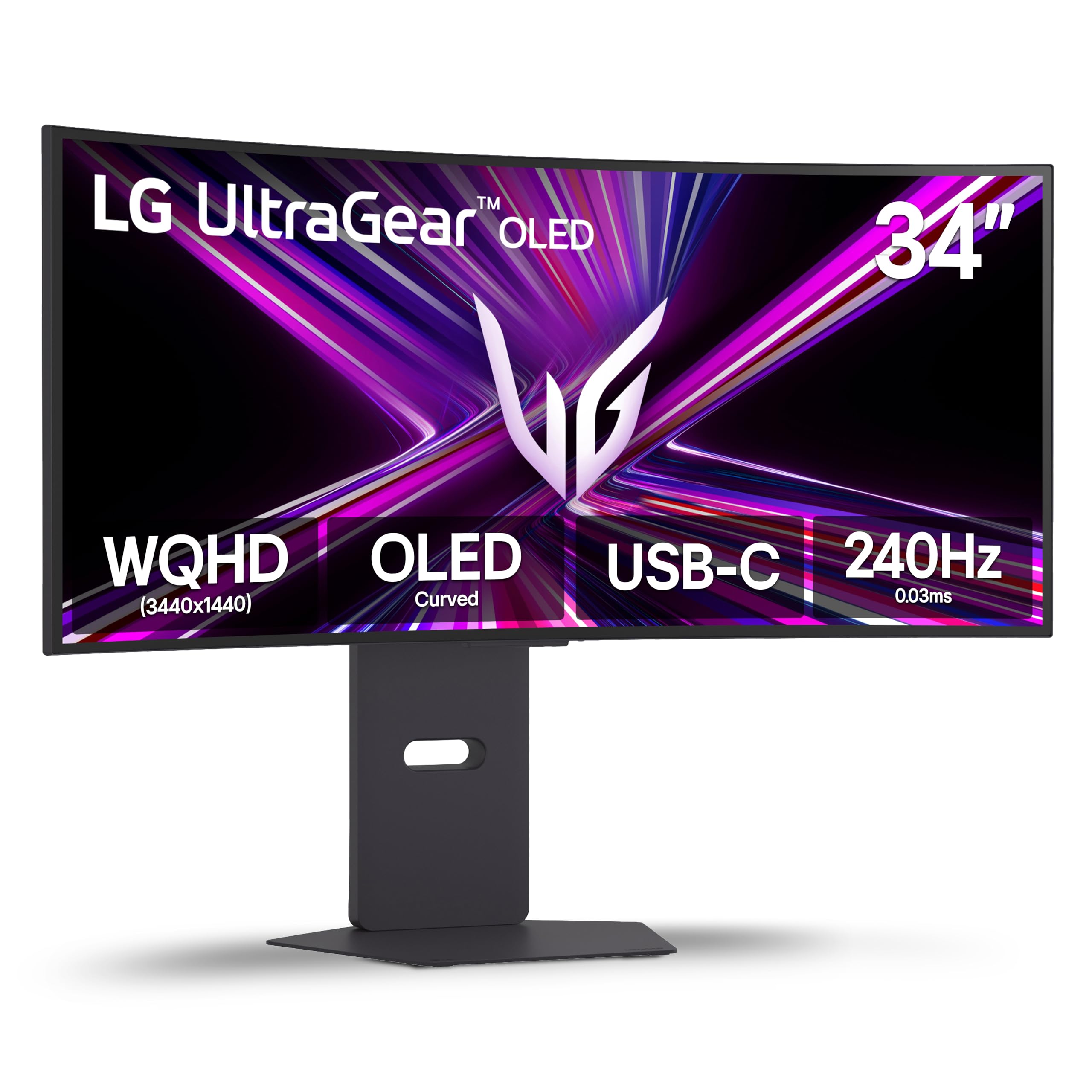
An OLED with an 800R curve so steep it wraps around your peripheral vision like a cockpit.
Most ultrawides use a gentle 1500R or 1800R curve, but the LG 34GX900A-B cranks it to 800R — a sharp bend that pulls the edges of the screen into your side vision, making fast-paced games feel more rich. It also runs at 240Hz with a 0.03ms response time, beating the 175Hz MSI and ASUS options for competitive play. The 98.5% DCI-P3 color coverage and 1.5M:1 contrast ratio mean HDR scenes look vivid with inky blacks.
Reviewers point out the UL-verified flicker-free and low-glare coating works well in bright rooms, and the USB-C port delivers up to 65W power delivery (PD) — enough to charge a laptop while sending video signal. The 2-year limited warranty covers the OLED panel, which is shorter than the ASUS 5-year plan but matches the LG 34GS95QE’s policy. The main trade-off: at 275 cd/m² standard brightness, it is slightly brighter than the 250-nit Alienware but still trails VA panels for daytime use.
What gives it an edge
- 800R curve — the steepest in this comparison for deep immersion
- 240Hz + 0.03ms for ultra-smooth motion
- USB-C PD 65W charges your laptop via one cable
The real cost
- 2-year warranty is shorter than the Strix’s 5-year plan
- Steep curve may feel odd for productivity tasks like spreadsheets
Choose this for: Racing games, flight sims, or any title where wrapping the screen around you heightens the thrill.
Not for you if: You do a lot of graphic design or coding — the steep curve distorts straight lines near the edges.
6. LG 34GS95QE 34-inch Ultragear OLED

An 800R-curved OLED that pairs a killer 240Hz refresh rate with FreeSync Premium Pro and G-Sync compatibility.
The 34GS95QE is essentially the same panel as the 34GX900A-B — same 800R curve, same 240Hz, same 0.03ms response time — but it is the slightly older model at a lower price point. It still delivers a 1.5M:1 contrast ratio and DisplayHDR True Black 400, so you get the same deep blacks and bright highlights for gaming. Unlike the GX900A, this one does not advertise USB-C power delivery, so you will need a separate charger for your laptop.
Buyers praise the anti-glare low-reflection coating, which keeps the screen readable even with a window behind you. The virtually borderless design and height/tilt/swivel stand make desk placement flexible. Shoppers say that the 800R curve takes about a day to adjust to for productivity work, but once you are used to it, the immersion in games like Cyberpunk 2077 is class-leading by any 1800R or 1500R screen.
Gamer’s speed pick: At 240Hz, it has twice the frame rate of the 120Hz Dell S3425DW, giving you a clear edge in competitive shooters.
Minor miss: No USB-C PD means one more cable on your desk compared to the GX900A.
Perfect if: You want the fastest OLED refresh rate available without paying the premium for the newer GX900A model.
Pass if: You need USB-C charging for a laptop — grab the GX900A instead for that single-cable convenience.
7. AOC Agon PRO AG346UCD

The entry point into 3440×1440 QD-OLED that undercuts the big brands without cutting corners on speed.
The AOC Agon PRO AG346UCD is the most affordable QD-OLED in this list, but it does not skimp on the core specs that matter for gaming: a 175Hz refresh rate, a 0.03ms response time (the same ultra-fast GtG as the MSI and ASUS), and a 1,500,000:1 contrast ratio. It is G-Sync compatible, so it works smoothly with NVIDIA cards without the premium of the Alienware AW3423DW’s dedicated module. The HDR 400 True Black certification ensures deep blacks and vibrant highlights in supported games.
Buyers mention the height-adjustable stand (up to 150mm) offers good ergonomics, and the frameless design looks clean on the desk. The connectivity is limited to DisplayPort and HDMI — no USB-C — which is a trade-off for the lower price. One buyer mentioned the on-screen display (OSD) menu is less intuitive than the LG or ASUS counterparts, but once set up, the image quality is indistinguishable from pricier QD-OLEDs.
Cost-savvy choice: You get the same 0.03ms response time as the ASUS ROG Strix at a noticeably lower price, making it the best deal for pure gaming performance.
Missing piece: No USB-C port means you cannot charge a laptop or connect a modern MacBook with a single cable.
Solid pick for: Gamers who want QD-OLED quality on a budget and do not need USB-C connectivity.
Not right if: You use a laptop as a primary device and want single-cable charging and video — step up to the MSI or LG 34GX900A.
8. LG 34G630A-B 34-Inch Ultragear WQHD
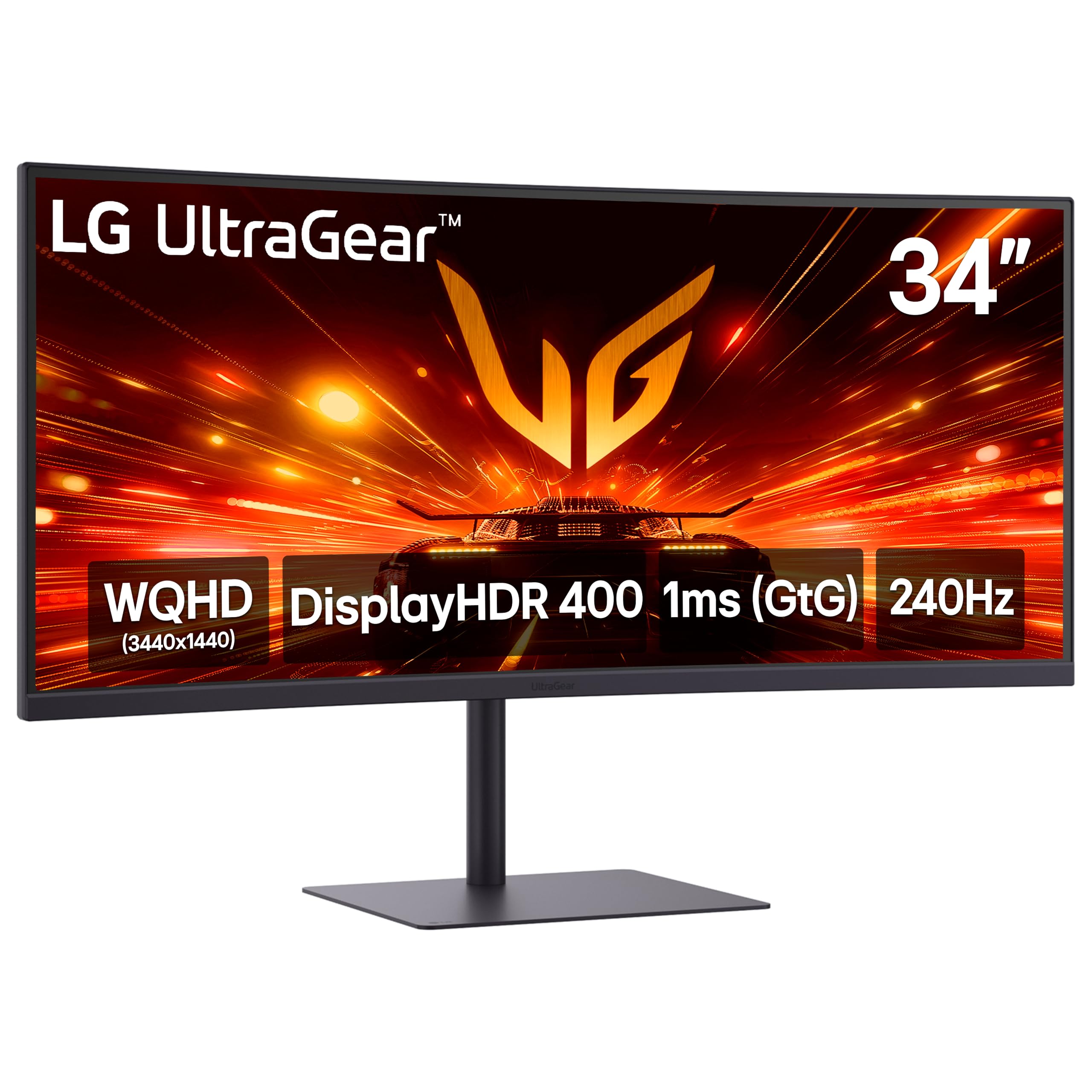
A VA panel that punches above its price with a 240Hz refresh rate usually reserved for OLEDs.
The LG 34G630A-B is the budget hero of this lineup. It uses a VA (Vertical Alignment) panel with a 300 cd/m² brightness and a 95% DCI-P3 color gamut, but its headline feature is a 240Hz refresh rate — the same speed as the premium LG 34GS95QE OLED. For competitive gamers on a tight budget, this gives you the motion clarity you need without paying for OLED. The 1ms response time (GtG) is standard for VA, not as fast as OLED’s 0.03ms, but still good for most games.
Buyers appreciate the USB-C port with 15W power delivery for charging a phone or a low-power device, though it will not charge a laptop. The stand includes height, tilt, and swivel adjustments — flexibility that the ASUS TUF VG34VQ3B lacks. The main trade-off is the VA panel’s black-level shift when viewed off-center; compared to the AOC Agon PRO’s OLED blacks, dark scenes will look slightly gray from an angle.
Why it over-delivers
- 240Hz at a budget-friendly price — best motion value in the list
- Full ergonomic stand (height, tilt, swivel) for desk comfort
- USB-C connectivity for clean desk setup
The VA trade-off
- 1ms response time, not OLED-fast 0.03ms
- VA viewing angles mean off-center viewing loses contrast
Your best bet if: You want high-refresh gaming on a budget and can tolerate the narrower viewing angles of a VA panel.
Pass if: You watch movies from a couch or need wide viewing angles — OLED is the better choice for shared viewing.
9. ASUS TUF Gaming 34″ Ultra-Wide Curved Monitor (VG34VQ3B)

A no-frills 180Hz VA monitor that gets you into ultrawide gaming while staying affordable.
The ASUS TUF VG34VQ3B is a solid entry-level gaming monitor built around a 1500R curved VA panel with a 3440×1440 resolution, a 180Hz refresh rate, and a 1ms MPRT response time. It supports FreeSync Premium (variable refresh rate for AMD GPUs) and includes ASUS’s Extreme Low Motion Blur (ELMB) Sync technology, which reduces ghosting in fast-paced games. The 4000:1 static contrast ratio is higher than many VA panels, giving you deeper blacks than the Dell S3425DW’s 3000:1.
Owners mention the monitor is easy to set up and the DisplayWidget Center software lets you tweak settings with a mouse instead of the OSD joystick. The biggest compromise is the stand: it offers tilt adjustment but no height or swivel, so you may need to place it on a riser or use a VESA arm. One owner reported the built-in speakers are weak, but that is true of most monitors in this price range.
Budget gaming gateway: At 180Hz, it is noticeably smoother than the 100Hz or 120Hz VA panels below it, making it a balance for price and performance.
Stand simplicity: No height adjustment means you will be stacking books or buying an arm to get the perfect eye level.
Good fit for: First-time ultrawide buyers who want a fast refresh rate and do not mind a basic stand.
Not for you if: You need ergonomic adjustability — the Dell S3425DW or LG 34G630A-B offer height adjustment at a similar cost.
10. Dell 34 Plus USB-C Curved Monitor (S3425DW)

A VA monitor built for all-day work comfort with a USB-C hub that charges your laptop.
The Dell S3425DW is designed for productivity first, gaming second. Its VA panel delivers a 3000:1 contrast ratio and 99% sRGB coverage, producing crisp text and accurate colors for spreadsheets, documents, and photo editing. The standout feature is the USB-C port with up to 65W power delivery, so you can connect your laptop and charge it with a single cable, keeping your desk tidy. The improved ComfortView Plus reduces blue light emissions to ≤35% without washing out colors, which helps during long work sessions.
Customers note that the built-in speakers are noticeably better than the previous Dell generation, with deeper frequency response and more volume, so you can skip desk speakers for casual video calls and music. The 120Hz refresh rate is smoother than a standard 60Hz office monitor but falls short of the 240Hz LG 34G630A-B for competitive gaming. One owner noted the stand supports height and tilt adjustment, making it easy to find a comfortable viewing angle.
Why it is a workhorse
- USB-C with 65W PD charges your laptop and sends video through one cable
- ComfortView Plus reduces eye strain without sacrificing color accuracy
- Improved speakers compared to prior Dell monitors
Where it lags
- 120Hz is fine for casual gaming but not for esports titles
- VA panel blacks are good but not OLED-level (3000:1 vs 1.5M:1)
Ideal for: Remote workers and creative professionals who need a spacious ultrawide with a single-cable laptop connection.
Not for: Hardcore gamers — the 240Hz LG 34G630A-B is a better match at a similar price for that use case.
11. Samsung 34” ViewFinity S65UC

A work-focused VA monitor with a built-in KVM switch for smooth dual-PC control.
The Samsung ViewFinity S65UC targets the productivity crowd with a 1000R curved VA panel, a 100Hz refresh rate, and a built-in KVM switch that lets you control two computers with one keyboard and mouse. You can split the screen, use Picture-in-Picture, or Picture-by-Picture to see both sources at once. The 3000:1 contrast ratio and HDR10 support deliver decent image quality for office tasks and streaming, though the 0.72 color gamut is far narrower than the 149 of the Alienware AW3423DW, so it is not suited for color-critical creative work.
Buyers highlight the USB-C port with LAN connectivity — you can plug a LAN-less laptop into the monitor via USB-C and get wired Ethernet through the monitor’s LAN port, which is a rare and useful feature for offices with spotty Wi-Fi. The built-in speakers free up desk space, and the stand is fully height-adjustable. The biggest downside is the 100Hz refresh rate: it is fine for browsing and office work, but the 180Hz ASUS TUF or 240Hz LG 34G630A-B are far better for gaming.
Dual-PC master: The built-in KVM switch and LAN-over-USB-C feature let you control a work PC and personal laptop from one desk setup.
Color reality: A 0.72 color gamut means it is not calibrated for photo or video editing — stick to the Dell S3425DW or an OLED for that.
Right for: IT professionals or power users juggling two computers who need Ethernet connectivity without a dongle.
Wrong for: Gamers or creative professionals — you will find the 100Hz refresh rate and limited color gamut restrictive.
Understanding the Specs
Refresh Rate and Response Time
A monitor’s refresh rate (measured in Hz) tells you how many times per second the image refreshes. A higher number means smoother motion — 240Hz looks noticeably more fluid than 100Hz in fast-paced games. Response time (measured in milliseconds, like 0.03ms or 1ms) is how quickly a pixel changes color. A lower number reduces ghosting (the blurry trail behind moving objects). OLED panels can achieve 0.03ms, while VA panels usually sit around 1ms. For competitive shooters, prioritize a high refresh rate and low response time.
Panel Technology: OLED vs VA
The panel type determines image quality. OLED (Organic Light Emitting Diode) lights each pixel individually, so it can turn pixels completely off for perfect blacks — a 1.5M:1 contrast ratio is common. VA (Vertical Alignment) uses a liquid crystal layer with a backlight; it achieves a 3000:1 to 4000:1 contrast ratio, which is better than IPS but not as deep as OLED. VA panels are cheaper and brighter, but they suffer from black-level shift when viewed from an angle. OLED costs more but delivers superior contrast and color vibrancy for gaming and HDR content.
FAQ
Can my graphics card run a 3440×1440 monitor?
Will a 3440×1440 monitor work with my gaming console?
What is the difference between 1800R, 1500R, and 800R curves?
Is FreeSync compatible with NVIDIA graphics cards?
How do I prevent burn-in on an OLED monitor?
What is the practical difference between 0.03ms and 1ms response time?
Do I need a DisplayPort or HDMI cable for 175Hz at 3440×1440?
What does VESA DisplayHDR 400 True Black mean?
Final Thoughts: The Verdict
For most buyers, the 3440×1440 monitor winner is the Alienware AW3423DWF because it combines QD-OLED contrast, a 165Hz refresh rate, and a reasonable price into a proven package with a strong warranty. If you want the fastest motion for competitive play, grab the LG 34GX900A-B for its 240Hz OLED and steep 800R curve. And for a budget-conscious productivity setup with single-cable laptop charging, the standout is the Dell S3425DW.
How We Picked
We do not accept paid placement. Every pick is matched to a real buyer and a real use-case; we do not hands-on test units.
Sources & Methodology
Specifications: manufacturer listings and product documentation. Review insights: verified customer reviews, as of July 2026. Pricing: not shown on this page (it changes often); check the current price via the retailer link.
As an Amazon Associate, Gadgets Feed earns from qualifying purchases. This does not affect which products we feature.