
Our readers keep the lights on and my morning glass full of iced black tea. As an Amazon Associate, I earn from qualifying purchases.
Specs are compiled from manufacturer listings and verified buyer reviews and can change over time — please confirm the key details on the product page before buying.
You want to speed up your PC without buying a whole new one. Adding a single 16GB stick is the most direct way to do it—whether your apps load slowly, your games stutter, or you freeze up with too many browser tabs. The confusion comes from terms like DDR4 versus DDR5, speeds of 3200MHz versus 6000MHz, and latency figures like CL16 versus CL40. This guide cuts through that noise to find the stick that actually fits your system.
I’m Min — the founder and writer behind Gadgets Feed. This guide is built by comparing the manufacturers’ published specifications and the patterns across verified customer reviews, so you get each pick’s real strengths and trade-offs instead of marketing spin.
Every recommendation here focuses on single-stick memory modules, so you can add exactly 16GB without needing a matched pair. If you are looking for a 16gb ram stick that balances price, speed, and reliability for your desktop or laptop, these are the picks worth your attention.
Our Picks at a Glance


How To Choose The Best 16GB RAM Stick
A RAM stick is not a one-size-fits-all component. The right choice starts with your motherboard and what generation of memory it supports. Here is what to watch for before you buy.
DDR Generation: DDR4 vs DDR5
DDR5 is the newer, faster standard, but it only works with recent motherboards (12th Gen Intel Core and newer, or AMD Ryzen 7000 and newer). DDR4 is still widely compatible with many modern and older PCs. Your motherboard’s memory slot shape is the same for both, but the key notch is in a different position, so a DDR5 stick will not physically fit in a DDR4 slot. Check your motherboard specs first.
Form Factor: DIMM for Desktop, SODIMM for Laptop
A desktop computer uses a full-size DIMM (288-pin) stick. A laptop, mini PC, or all-in-one uses a smaller SO-DIMM (260-pin). They are not cross-compatible. The product title usually says “UDIMM” (desktop) or “SODIMM” (laptop).
Speed and Latency: The Balancing Act
The speed is measured in MHz (like 3200MHz or 6000MHz), and the latency is measured by CL (Column Address Strobe latency, the clock-cycle delay before the RAM delivers data). A lower CL number with a high MHz speed is the balance for performance, especially in games. A high MHz with a very high CL number may not feel faster in some tasks.
Quick Comparison
| Model | Best For | Memory Speed | CAS Latency | Form Factor | Amazon |
|---|---|---|---|---|---|
| A-Tech 16GB DDR4★ Best Overall | Compatible desktop RAM | 2400 MHz | CL17 | DIMM (Desktop) | Amazon |
| Patriot Viper Venom RGBTop Performer | High-end gaming | 6000 MHz | CL30 | DIMM (Desktop) | Amazon |
| Crucial 16GB DDR5 (5600MHz) | Reliable DDR5 upgrade | 5600 MHz | CL46 | DIMM (Desktop) | Amazon |
| Crucial 16GB DDR5 (4800MHz) | Entry-level DDR5 | 4800 MHz | CL40 | DIMM (Desktop) | Amazon |
| G.SKILL RipjawsV | Desktop gaming (DDR4) | 3200 MT/s | CL16 | DIMM (Desktop) | Amazon |
| Samsung 16GB DDR4 | Laptop performance | 3200 MHz | CL22 | SO-DIMM (Laptop) | Amazon |
| Timetec 16GB DDR4 | Budget laptop upgrade | 3200 MHz | CL22 | SO-DIMM (Laptop) | Amazon |
In‑Depth Reviews
1. A-Tech 16GB DDR4 2400 MHz UDIMM PC4-19200 (PC4-2400T) CL17 DIMM 2Rx8 Non-ECC Desktop RAM Memory Module
Our pick — over 4.5★ from 850+ verified ratings; the strongest balance of quality and price.
A straightforward, budget-friendly 2400MHz stick for older desktops that need more memory.
This is the most cost-conscious option for desktop users whose systems do not support higher DDR4 speeds. It operates at 2400 MHz with a CL17 latency; a high-end DDR5 stick like the Crucial 5600MHz has CL46.
It is a 288-pin UDIMM stick, so it fits standard desktop slots. The memory speed is 2400 MHz; the Patriot Viper Venom runs at 6000 MHz. This means it will not be the fastest choice for modern gaming, but it is perfectly adequate for basic productivity, web browsing, and light multitasking. It is backed by A-Tech’s lifetime warranty.
Shoppers say it is easy to install and works well in older office PCs and workstations. One owner reported it was a great way to extend the life of their outdated computer without spending much money.
Solid Basics
- Very affordable DDR4 memory for older systems
- Easy installation with a lifetime warranty
- Dual-rank (2Rx8) configuration
Limitations
- 2400 MHz is slower than modern DDR4 and DDR5 options
- Not ideal for gaming or heavy multitasking
This one fits if: you just need to add memory to an older desktop for basic tasks. Not for anyone building a new PC or playing modern games.
2. Patriot Memory Viper Venom RGB DDR5 RAM 16GB (1X16GB) 6000MHz CL30 1.35v UDIMM Desktop Gaming Memory
Blazing-fast 6000MHz speed with tight CL30 timings for gamers who want every frame.
This stick is built for those who need maximum data throughput. Its 6000 MHz memory speed, compared to a standard 2400 MHz DDR4 stick, translates directly into faster load times and smoother gameplay in memory-intensive titles. The 30-40-40-76 timings give it a CL30 latency; a typical DDR4 stick has CL22.
Buyers also get the visual appeal of customizable RGB lighting and support for both Intel XMP 3.0 and AMD EXPO (Extreme Memory Profile, a one-click BIOS setting that runs the stick at rated speed). This means you enable a setting in your BIOS and the stick runs at its rated speed automatically on a compatible system. It is tested across the latest DDR5 platforms for reliable, high-performance operation.
Buyers report that the integrated heat spreader does a solid job keeping temperatures in check during long gaming sessions. It is a premium desktop DIMM stick that pairs best with a modern motherboard and a processor that can take advantage of the speed.
Speed Demon
- 6000 MHz speed is the highest in this list
- Low CL30 latency for snappy response
- XMP 3.0 and EXPO support for easy overclocking
Consider First
- Requires a DDR5-compatible motherboard
- Price is higher than DDR4 options
- RGB may be unnecessary for some users
Grab it if: you have a modern DDR5 gaming PC and want the fastest single-stick performance available.
Look elsewhere if: your motherboard only supports DDR4 or you are on a strict budget.
3. G.SKILL RipjawsV Series DDR4 RAM (XMP) 16GB (1x16GB) 3200MT/s CL16-18-18-38 1.35V Intel AMD Desktop Computer Memory U-DIMM – Black

The reigning champ of DDR4 desktop memory with a fast CL16 latency and rock-solid stability.
This stick is the go-to for anyone building or upgrading a DDR4 system. It runs at 3200 MT/s (megatransfers per second, the same as MHz) with a tight CL16-18-18-38 timing, which is notably faster than the CL22 latency found on many standard laptop sticks. It supports Intel XMP (Extreme Memory Profile), meaning you enable the profile in your BIOS, and it automatically runs at its advertised overclock speed on compatible hardware.
Owners mention that it works from the start on most modern Intel and AMD desktop platforms. The 1.35V operating voltage is standard for overclocked DDR4. It is a 288-pin UDIMM stick, so it will fit any standard desktop motherboard slot.
Reviewers frequently praise its reliability and compatibility. One owner mentioned it allowed their system to run memory-intensive applications without any crashes or instability. It is a solid, proven performer for gaming and productivity tasks on DDR4 platforms. Its CL16 latency is noticeably tighter than the Samsung laptop stick’s CL22, meaning snappier response in daily tasks.
Strong Points
- Fast CL16 latency for DDR4
- Intel XMP support for easy setup
- Highly compatible with many motherboards
Potential Downsides
- Requires enabling XMP to reach full speed
- Not compatible with DDR5 motherboards
Perfect for: DDR4 desktop builders who want a fast, reliable single stick that is easy to tune. skip it if you need laptop memory or are on a DDR5 platform.
4. Crucial 16GB DDR5 RAM, 5600MHz (or 5200MHz or 4800MHz) Desktop Memory, UDIMM 288-Pin, Compatible with Intel Core and AMD Ryzen – CT16G56C46U5
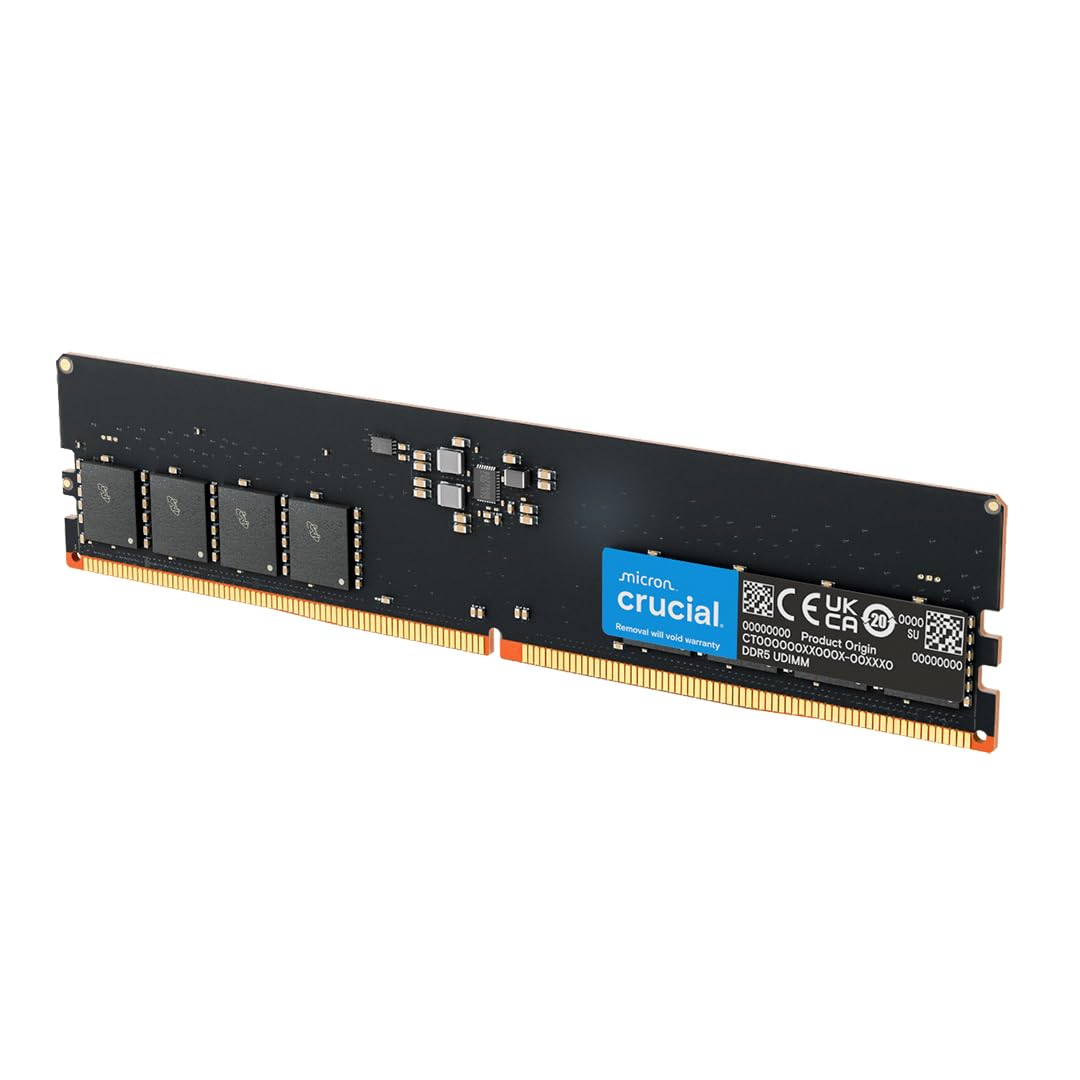
A rock-solid 5600MHz DDR5 stick from a brand trusted for reliable memory.
This stick delivers DDR5 performance at a very popular speed of 5600MHz. It is part of Crucial’s mainstream DDR5 lineup, backed by 42 years of memory expertise from Micron. It supports both Intel XMP 3.0 and AMD EXPO, so it is compatible with the latest platforms from both CPU makers without any guesswork.
While the CL46 latency is higher than the Viper Venom stick above, the 5600MHz speed is still a massive step up from DDR4 It also has a 288-pin count compared to a laptop stick’s 260 pins, ensuring it will not fit in a laptop. Its low 16.6-gram weight and standard 1.1V voltage make it an efficient upgrade.
Customers note that this stick is a straightforward plug-and-play upgrade for their 12th and 13th Gen Intel or AMD Ryzen 7000 series systems. It works immediately at its rated speed with the appropriate BIOS setting.
Steady Performer
- High 5600MHz DDR5 speed
- Compatible with Intel and AMD platforms
- Trusted Micron build quality
Room for Improvement
- CL46 latency is less aggressive than premium DDR5
- Price is higher than DDR4 options
Best suited for: users who want a reliable, fast DDR5 upgrade for a modern desktop without the absolute highest price tag. Not for those on older platforms.
5. Crucial 16GB DDR5 RAM, 4800MHz CL40 Desktop Memory, UDIMM 288-Pin, Compatible with 12th Gen Intel Core and AMD Ryzen 7000 – CT16G48C40U5
A cost-effective DDR5 entry point that still boots faster than most DDR4 sticks.
This stick is the baseline DDR5 option for those who want to move to the new standard without paying a premium for the highest speeds. It operates at 4800MHz, which is a significant step up from 3200MHz DDR4. The CL40 latency is standard for this speed tier, providing a balanced performance profile for multitasking and general productivity.
Like its faster sibling, it is built by Crucial with Micron technology and is tune for 12th Gen Intel Core and AMD Ryzen 7000 Series processors. It supports Intel XMP 3.0 and AMD EXPO. Its 1.1V voltage is lower than DDR4’s 1.2V, making it a more power-efficient choice.
Reviewers often mention it as a reliable upgrade for a new DDR5 build. One reviewer noted that it worked perfectly on their first boot with a Ryzen 7 7700X system.
Gateway to DDR5
- Reliable DDR5 performance at 4800MHz
- Low power consumption at 1.1V
- Backed by Crucial’s lifetime warranty
Trade-offs
- Slower than 5600MHz or 6000MHz DDR5 sticks
- CL40 latency is not ideal for high-end gaming
A smart pick for: a first DDR5 build on a budget where every dollar counts. Not for chasing max frame rates in competitive gaming.
6. Samsung 16GB DDR4 3200MHz SODIMM PC4-25600 CL22 2Rx8 1.2V 260-Pin SO-DIMM Laptop Notebook RAM Memory Module M471A2K43DB1-CWE

A genuine Samsung laptop RAM module built for rock-solid compatibility and everyday speed.
This is a premium choice for laptops, mini PCs, and all-in-one computers that require a 260-pin SO-DIMM (Small Outline Dual In-line Memory Module) stick. It runs at a fast 3200 MHz with a standard CL22 latency and operates at a low 1.2V. Its dual-rank (2Rx8) configuration means it has two independent memory banks on the module, which can help system performance in some workloads.
As a Samsung-branded module, it is factory-tested for quality. The data shows it has a 4.8 out of 5 rating from 413 reviews, which is the highest average rating in this comparison. Buyers consistently report that it is a perfect drop-in upgrade for many popular laptop models.
Reviewers often highlight how simple the installation is. One owner said it gave their older Dell laptop a new lease on life, making multitasking much smoother. Its 3200 MHz speed matches the Timetec stick, but the Samsung brand name and higher reliability rating from 413 reviews give it an edge for buyers who want zero guesswork.
Laptop Star
- Genuine Samsung quality and compatibility
- Fast 3200 MHz speed for laptops
- Dual-rank (2Rx8) for potential performance benefit
Laptop Only
- Will not fit desktop DIMM slots
- CL22 latency is not the lowest available
Reach for this if: you need a fast, reliable upgrade for a compatible laptop and want a brand you can trust. Not for desktop PCs.
7. Timetec 16GB DDR4 3200MHz (PC4-3200AA) PC4-25600 SODIMM Laptop RAM – 260-Pin 1.2V CL22 Non-ECC Unbuffered Memory Module for Laptop, Notebook, Mini PC, All-in-One
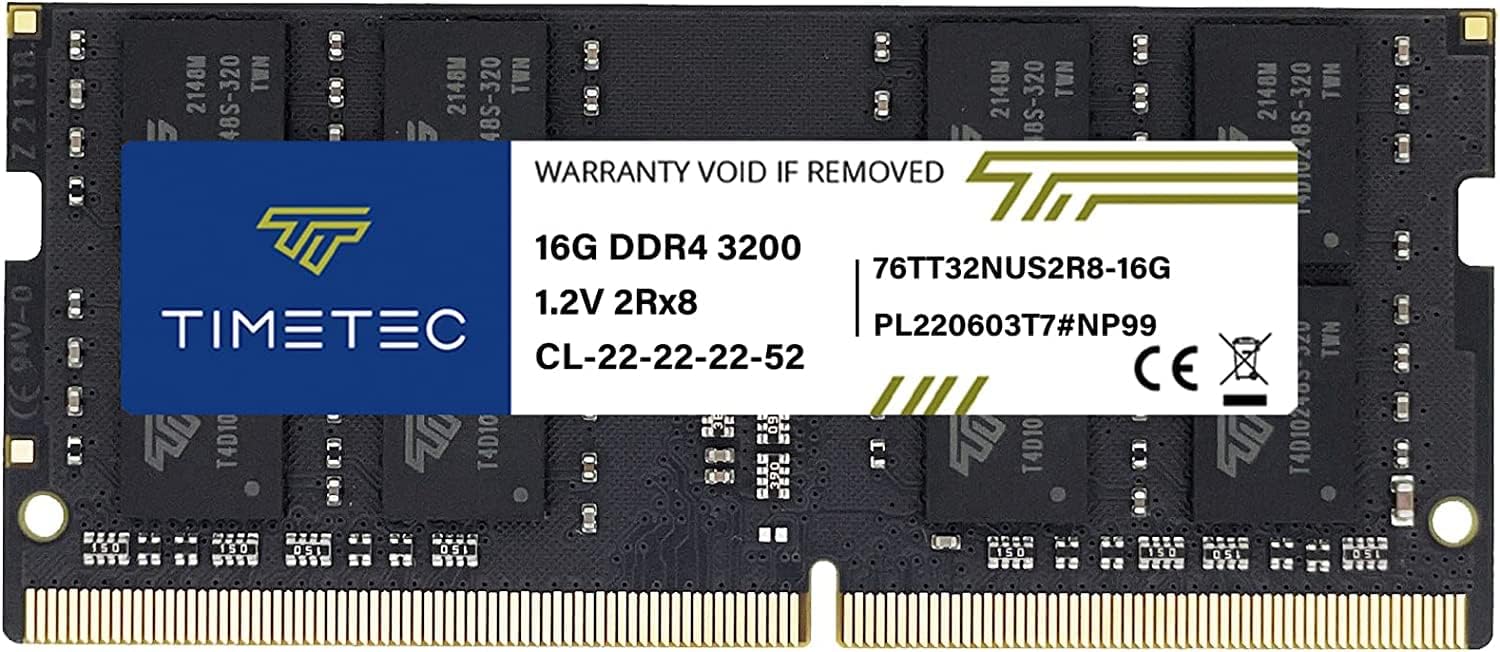
A wallet-friendly laptop memory upgrade that matches the speed of premium sticks at a lower price.
This Timetec stick offers the same 3200 MHz speed and CL22 latency as the Samsung module above, but at a more accessible price point. It is a 260-pin SO-DIMM designed for laptops and mini PCs. The maker states that the PCB color (green, black, or blue) and rank (1Rx8 or 2Rx8) may vary by production batch, but performance and quality remain consistent.
The stick is plug-and-play, meaning it automatically runs at its rated speed. The Timetec has the same CL22 latency as the Samsung, while the G.SKILL RipjawsV has CL16. It is backed by a limited lifetime warranty and US-based technical support.
Reviewers point out that it works perfectly in a variety of laptops. One buyer mentioned it was a perfect upgrade for their Lenovo ThinkPad, with zero compatibility issues.
Smart Value
- 3200 MHz speed matches premium laptop RAM
- Easy plug-and-play installation
- Limited lifetime warranty included
Important Note
- PCB color and rank may vary by batch
- Not for desktop DIMM slots
Ideal for: budget-conscious laptop users who do not need a brand-name module. pass on it if you prefer a guaranteed consistent appearance or rank.
Understanding the Specs
Memory Speed (MHz / MT/s)
This is the clock speed of the RAM, usually written in megahertz (MHz) or megatransfers per second (MT/s). A higher number means the memory can move more data per second. However, this number only tells part of the story. A stick running at 2400 MHz is slower than one at 3200 MHz or 6000 MHz. Laptop sticks often run at speeds like 3200 MHz, while newer DDR5 desktop sticks start at 4800 MHz and go up to 6000 MHz and beyond. This spec is only comparable between sticks of the same generation (DDR4 vs DDR5 speeds are not a direct comparison due to architectural differences).
CAS Latency (CL)
CAS (Column Address Strobe) latency is the delay between when the CPU requests data and when the RAM delivers it. It is written as a CL number, like CL16 or CL40. A lower CL number is faster and better for performance. For example, a CL16 stick is faster than a CL22 stick at the same MHz speed. the balance is a high MHz speed with a low CL number. The data in this guide shows that high-performance sticks like the G.SKILL RipjawsV have a CL16, while many standard laptop sticks have a CL22.
FAQ
Can I mix a 16GB stick with a different capacity stick in my PC?
Will a DDR5 16GB stick work in a DDR4 motherboard slot?
Is a 3200MHz DDR4 stick faster than a 4800MHz DDR5 stick?
Does a single 16GB stick offer better performance than two 8GB sticks?
How do I know if my laptop needs a SODIMM stick?
What does CAS Latency (CL) of 17 mean for a 2400MHz stick?
Will a 16GB RAM stick improve my gaming FPS?
Can I install a 16GB RAM stick myself?
What is the difference between UDIMM and DIMM memory?
Final Thoughts: The Verdict
Across the board, the 16gb ram stick winner is the A-Tech 16GB DDR4 2400 MHz because it offers the most cost-effective upgrade for the majority of desktop PCs. If you want the absolute fastest performance for a new DDR5 gaming rig, grab the Patriot Viper Venom RGB 6000MHz. And for a reliable laptop upgrade, the standout is the Samsung 16GB DDR4 SODIMM.
How We Picked
We do not accept paid placement. Every pick is matched to a real buyer and a real use-case; we do not hands-on test units.
Sources & Methodology
Specifications: manufacturer listings and product documentation. Review insights: verified customer reviews, as of July 2026. Pricing: not shown on this page (it changes often); check the current price via the retailer link.
As an Amazon Associate, Gadgets Feed earns from qualifying purchases. This does not affect which products we feature.