
Our readers keep the lights on and my morning glass full of iced black tea. As an Amazon Associate, I earn from qualifying purchases.
Specs are compiled from manufacturer listings and verified buyer reviews and can change over time — please confirm the key details on the product page before buying.
A budget 1080p monitor sounds straightforward — pick a screen, plug it in, move on. But the difference between staring at a blurry motion trail during a game and reading crisp text all day depends on refresh rate (how many times per second the screen updates), panel type (the technology behind the display), and color accuracy you cannot see on the spec sheet. This guide breaks down seven real options, from a 165Hz gaming sleeper to an office IPS (In-Plane Switching) that protects your eyes.
I’m Min — the founder and writer behind Gadgets Feed. This guide is built by comparing the manufacturers’ published specifications and the patterns across verified customer reviews, so you get each pick’s real strengths and trade-offs instead of marketing spin.
This roundup of the best budget 1080p monitor options helps you find the right match without overspending — if you need a fast gaming screen or a reliable daily driver for spreadsheets and streaming.
Our Picks at a Glance


How To Choose The Best Budget 1080P Monitor
The wrong budget monitor can leave you squinting at a washed-out screen or fighting motion blur during a fast game. A few core specs separate a genuinely useful 1080p panel from a frustrating one, and understanding them takes two minutes.
Refresh Rate — Does 60Hz Feel Slow?
Refresh rate is how many times per second the image redraws. A standard 60Hz monitor refreshes 60 times each second — fine for emails and YouTube but blurry in fast games or even during rapid mouse movements. Jump to 100Hz or 144Hz, and motion becomes noticeably smoother. The MSI PRO MP243L E14 hits 144Hz, while the Amazon Basics gaming model pushes 165Hz. The gain is real in first-person shooters and racing games, and it also makes everyday desktop scrolling feel more fluid. If you game at all, skip 60Hz.
Panel Type — IPS or Not?
Panel type decides how colors look when you are not sitting dead-center. IPS (In-Plane Switching) panels keep colors accurate and brightness consistent from wide angles — up to 178 degrees. Cheaper TN panels shift color the moment you lean left or right. Every monitor in this list uses IPS or a closely related technology, which means you get solid viewing angles and punchy colors without spending extra. Look for “IPS” in the specs; if it says “TN” or “VA,” colors and angles will be narrower.
Color Gamut — What Is sRGB and Do You Need 99%?
sRGB is a standard color space representing the range of colors a monitor can display. A monitor covering 99% sRGB shows richer reds, greens, and blues versus a panel at 72%. The Sceptre 24-inch Prime and the LG 24U411A-B both claim 99% sRGB, while the Dell SE2426H is at 72% — still fine for office work but noticeably less vibrant for photo editing or watching movies. If you edit images or just want your screen to look lively, aim for a model with 99% or higher.
Quick Comparison
| Model | Best For | Refresh Rate | Panel Type | Color Gamut | Amazon |
|---|---|---|---|---|---|
| Sceptre 24-inch Prime★ Best Overall | Entry-level all-rounder | 100Hz | LED | 99% sRGB | Amazon |
| MSI PRO MP243L E14Also Great | Competitive gaming & eye comfort | 144Hz | IPS | 102% sRGB | Amazon |
| Amazon Basics Monitor 100Hz | Office & productivity | 100Hz | LCD | — | Amazon |
| Amazon Basics Gaming Monitor 165Hz | Ultra-smooth esports | 165Hz | LCD | — | Amazon |
| LG 24U411A-B | Borderless design & HDR | 120Hz | IPS | 99% sRGB | Amazon |
| Dell SE2426H | Brand reliability & eye comfort | 144Hz | IPS | 72% | Amazon |
| Dell SE2725HM | Larger 27-inch workspace | 100Hz | IPS | 72% | Amazon |
In‑Depth Reviews
1. Sceptre 24-inch Prime Monitor E248W-19203R
The entry-level screen that packs 99% sRGB and built-in speakers at a rock-bottom price.
At the budget floor, the Sceptre is a surprising color performer. With 99% sRGB coverage, it delivers richer reds and greens than many monitors costing significantly more — including the Dell models at 72%. The 100Hz refresh rate is smoother than a basic 60Hz panel without the extra cost of 144Hz, and the built-in speakers save desk space by removing the need for external audio. You get two HDMI ports and one VGA port for connecting multiple devices, plus an audio-in and headphone jack for audio routing.
Gaming extras include FPS and RTS custom display settings — one for first-person shooters and another for real-time strategy games — plus Blue Light Shift to reduce eye strain during late sessions. The 250 cd/m² brightness is adequate for indoor use but can feel a bit dim in a very bright room. The VESA 100mm x 100mm mounting pattern gives you the option to wall-mount or use an arm.
Shoppers say that the monitor’s thin profile looks good on a desk, and the built-in speakers deliver “sturdy and smooth audio” according to the manufacturer, though reviews note they are fine for YouTube and calls but thin for music. One owner mentioned the 100Hz refresh rate worked well with their console games via HDMI. The trade-off: the panel is LED (Light Emitting Diode) rather than IPS, so viewing angles are narrower — colors shift if you sit off to the side.
What Makes It a Bargain
- 99% sRGB color gamut rivals monitors costing twice as much
- Built-in speakers eliminate the need for external audio
- 100Hz refresh rate is smoother than standard 60Hz for everyday use
The Compromise
- LED panel with narrower viewing angles versus IPS screens
Choose this for: A tight budget where color quality (99% sRGB) and built-in speakers matter more than viewing angle flexibility.
Pass if: You need wide-angle viewing from an IPS panel or a higher refresh rate for competitive gaming.
2. MSI PRO MP243L E14
The gaming monitor that also protects your eyes with TÜV Rheinland certification.
Motion smoothness is the headline here. The 144Hz refresh rate (that is 144 image redraws per second) makes fast-paced games feel drastically more responsive than a standard 60Hz screen. You also get a 1ms response time, so motion blur stays minimal during quick turns in shooters or racing games. The 102% sRGB color gamut is the widest of any pick here — colors look punchier and more accurate than the 99% you see on the Sceptre or LG models.
Eye comfort is not an afterthought. The monitor carries TÜV Rheinland certification for Flicker Free and Low Blue Light, meaning it eliminates the ~200Hz screen flicker common on standard monitors and reduces harmful blue light during long sessions. The built-in Eye-Q Check tool lets you tune display settings for healthier viewing. For connectivity, you get an HDMI 2.0 port with HDMI-CEC (control devices from one remote) and a VGA port for older computers — all in a 4-side slim bezel design that looks clean on any desk.
Buyers report that the tilt-adjustable stand (-5° to 20°) and VESA 100×100mm mount compatibility make desk setup flexible without needing an aftermarket arm. One reviewer noted the on-screen menu is intuitive and the FreeSync support eliminated screen tearing in their games without any tweaking. The catch: the monitor does not include built-in speakers, so you need external speakers or a headset for audio.
Where It Shines
- 144Hz refresh rate with 1ms response — noticeably smoother than 100Hz alternatives
- 102% sRGB color gamut delivers richer colors than 99% sRGB panels
- TÜV Rheinland certified reduces eye strain during long work or gaming sessions
- Supports FreeSync to eliminate screen tearing without stutter
One Thing to Note
- No built-in speakers, so plan for external audio
Reach for this if: You want fluid gaming motion (144Hz) and vibrant colors (102% sRGB) without spending on a premium brand, and you value eye comfort certifications.
Look elsewhere if: You need built-in speakers or prefer a larger screen — this is a 24-inch panel only.
3. Dell 24 Monitor SE2426H
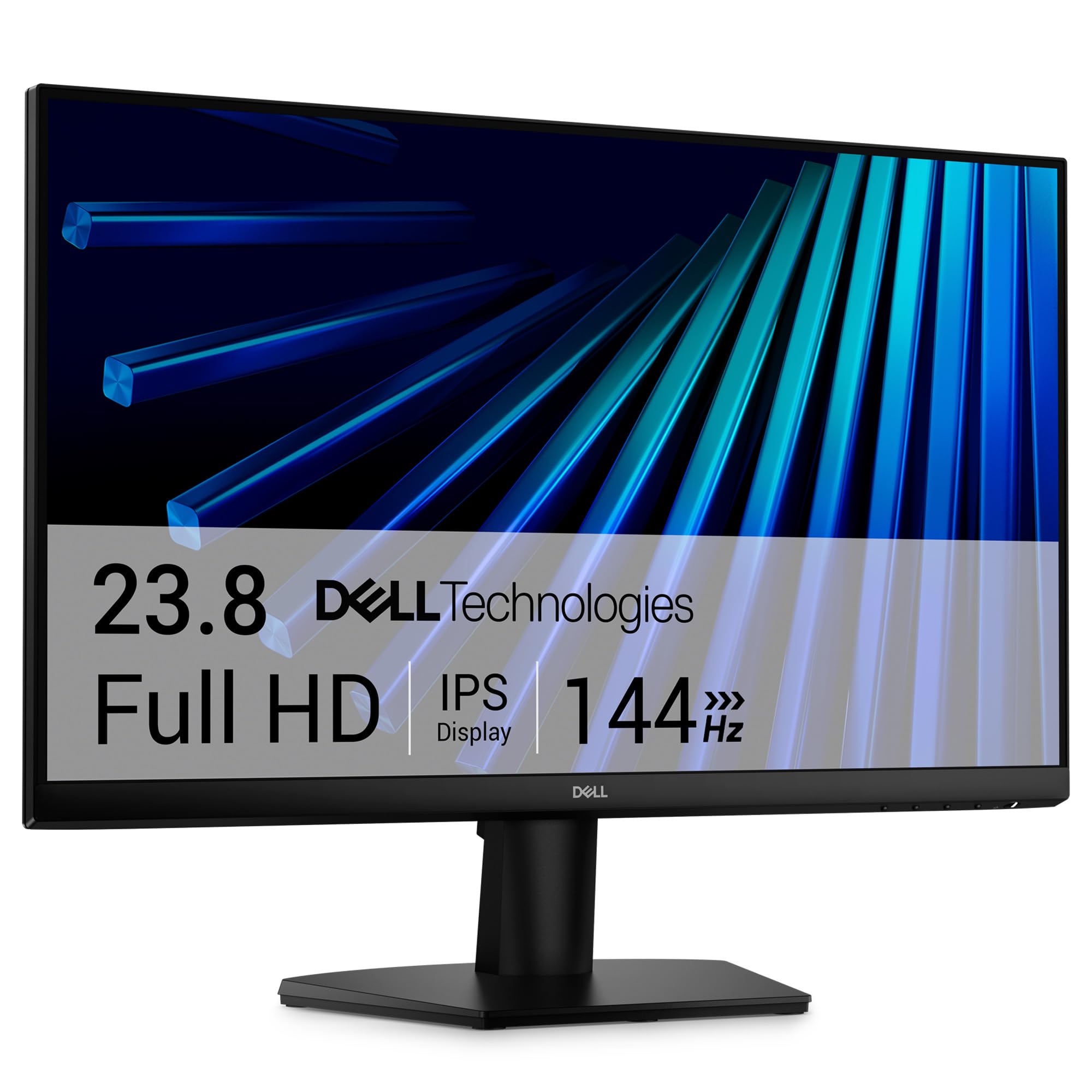
A trusted name with a 144Hz IPS panel and 3-star eye comfort certification.
Dell brings the same 144Hz refresh rate as the MSI above, but with a key difference: you get an IPS (In-Plane Switching) panel that delivers consistent color accuracy across a wide 178-degree viewing angle. That means colors stay true whether you sit directly in front or have someone watching over your shoulder. The 1ms MPRT (Motion Picture Response Time) keeps fast action crisp during gaming and streaming.
Eye comfort gets serious treatment here. The monitor carries a TÜV Rheinland 3-star certification, which reduces harmful blue light while preserving color quality — not washing the screen yellow like older blue-light filters. The anti-glare coating helps if you work near a window or bright overhead lights, cutting reflections that cause squinting. Connectivity is simple: two HDMI ports (cable included) and a power cable, with tilt adjustment for the stand.
Owners mention that the ultra-thin bezels make it easy to pair two of these side-by-side for a multi-monitor setup. One buyer mentioned the FreeSync support worked perfectly with their AMD graphics card, eliminating screen tearing in games like Valorant without any configuration hassle. The trade-off: color gamut is 72%, which is half the sRGB coverage of the Sceptre or LG — fine for office tasks and casual gaming, but not for photo editing where you need richer reds and greens.
What Stands Out
- 144Hz IPS panel for smooth gaming with wide viewing angles
- TÜV Rheinland 3-star certification reduces blue light without yellow tint
- Anti-glare screen cuts reflections in bright rooms
The Catch
- 72% sRGB color gamut — noticeably less vibrant for photo editing than 99% panels
Grab this one if: You want a 144Hz gaming monitor from a brand with reliable warranty support and strong anti-glare for bright rooms.
skip it if: Color accuracy matters for creative work — the 72% sRGB gamut will feel flat compared to 99% alternatives.
4. LG 24U411A-B
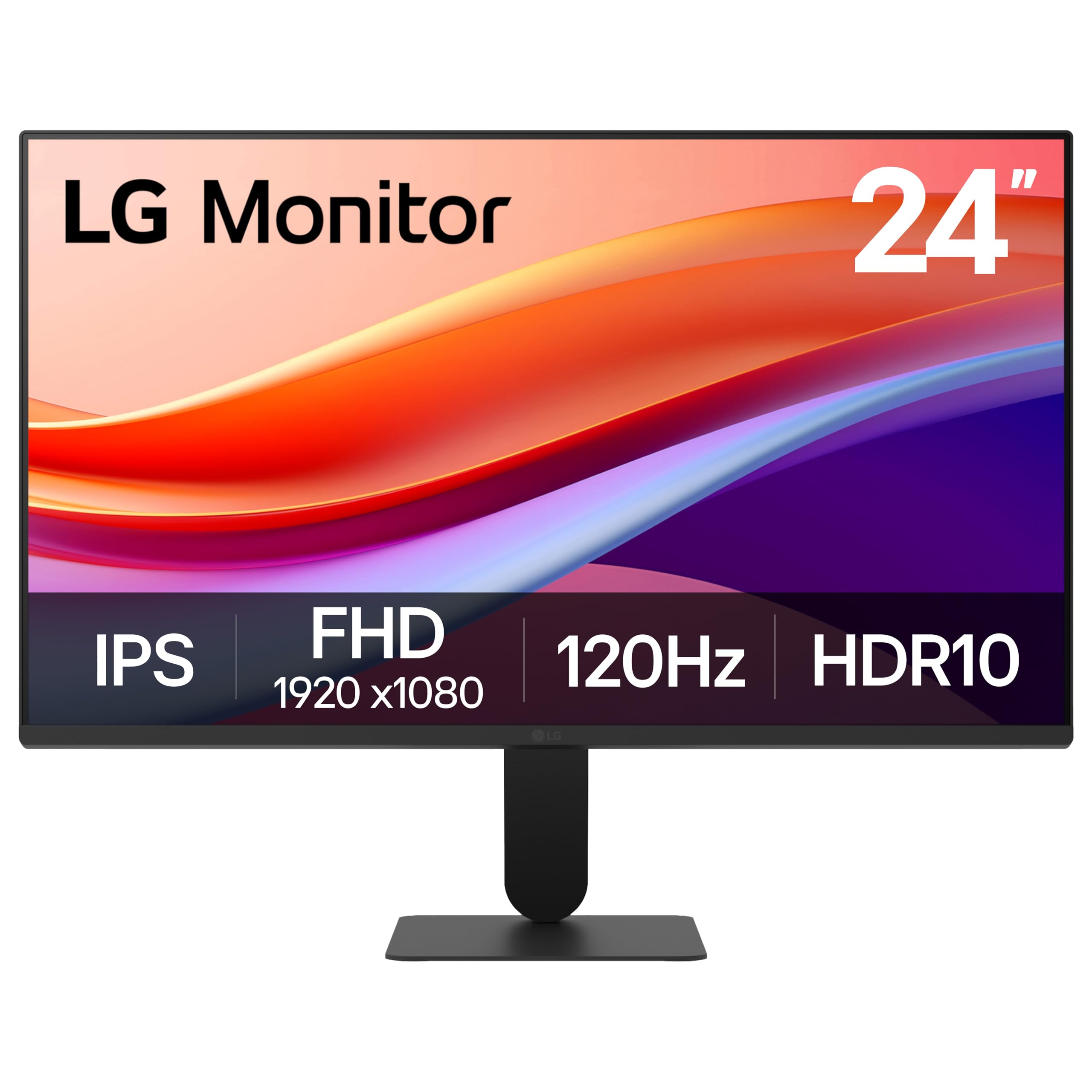
A near-borderless IPS that looks premium and moves smoothly at 120Hz.
The LG stands out visually before you even turn it on. The 3-side virtually borderless design with an ultra-slim bezel creates a clean, modern look that mimics premium monitors costing much more. The 120Hz refresh rate slots between the 100Hz and 144Hz options — smoother than a standard 60Hz display for gaming and scrolling, without the slight extra cost of a 144Hz panel. It also supports 1ms Motion Blur Reduction (MBR), which sharpens fast-moving objects by minimizing blur and ghosting.
Color performance punches up with HDR10 support and 99% sRGB coverage, delivering richer reds and greens than the Dell SE2426H (72% sRGB). The IPS panel keeps colors consistent from any angle, making it a strong choice if you share your screen or work next to a colleague. The Switch app lets you split the screen into up to six sections with a hotkey, which is useful for multitasking between a browser, document, and chat app on one 24-inch display.
Reviewers mention the Dynamic Action Sync feature (which reduces input lag for faster reactions) works well in games like Overwatch. One owner noted the Black Stabilizer brightens dark scenes without washing out the rest of the image, helping spot enemies in shadowy corners. The tilt stand adjusts from -5° to 20°. The catch: the monitor uses only a single HDMI port — no VGA or DisplayPort, so legacy devices need an adapter, and there is no USB hub.
Why It Works
- 120Hz refresh rate plus 1ms MBR for smooth gameplay without the 144Hz price
- HDR10 and 99% sRGB give vivid colors for movies and games
- Near-borderless design looks clean in dual-monitor setups
What Holds It Back
- Single HDMI input limits connections; no VGA or DisplayPort
Choose it for: A stylish desk setup with smooth 120Hz motion, vibrant colors (99% sRGB), and strong dark-scene visibility in games.
Pass if: You need multiple video inputs (HDMI + VGA + DisplayPort) or a USB hub built into the monitor.
5. Amazon Basics 24 Inch Gaming Monitor (165Hz)
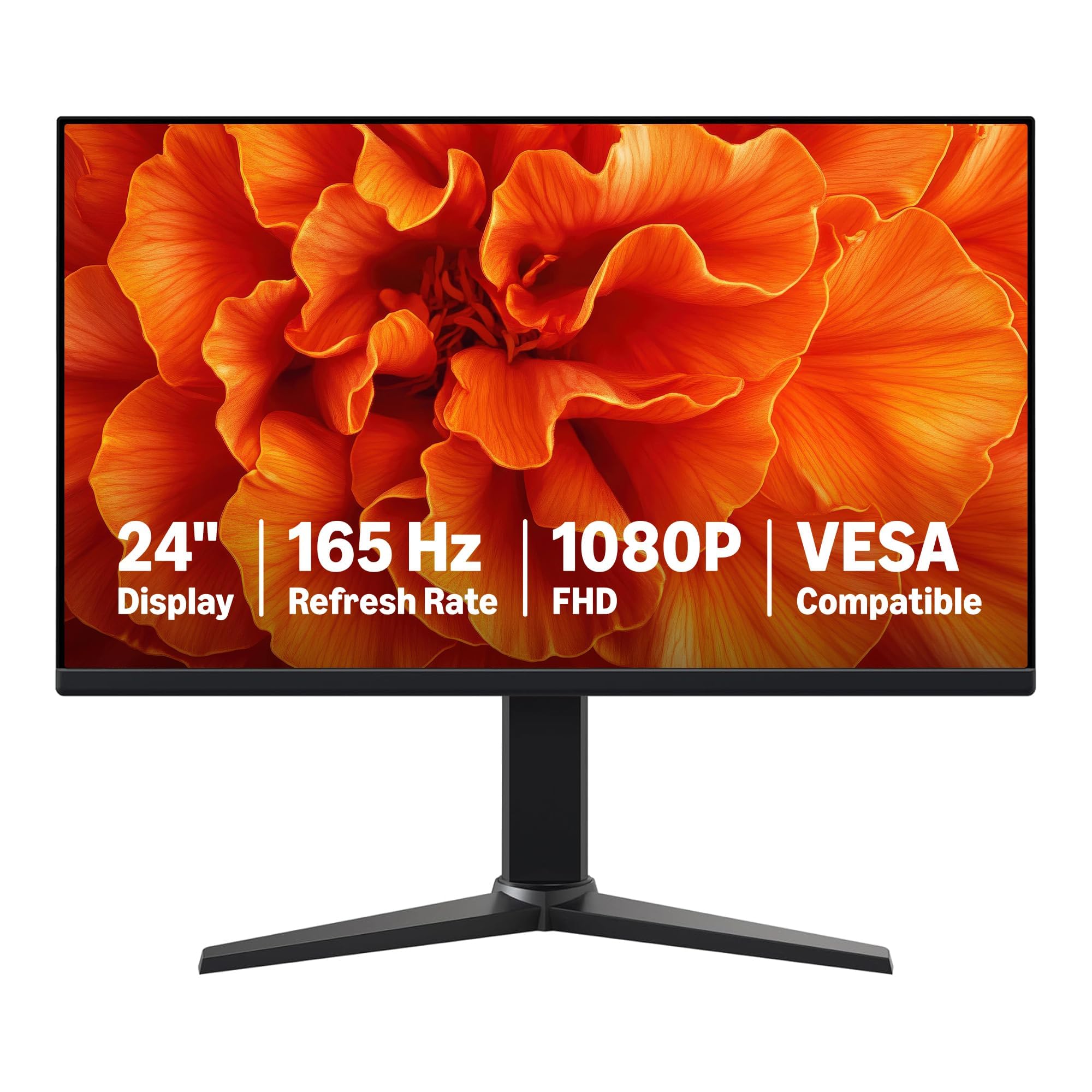
The fastest refresh rate in the lineup at 165Hz for a budget-friendly price.
If motion smoothness is your top priority, this Amazon Basics gaming monitor delivers the highest refresh rate in this roundup at 165Hz — that is 65% higher than the Sceptre 100Hz model, making fast-paced shooters feel visibly more fluid. The 1ms response time (the time it takes a pixel to change color) keeps motion blur to a minimum, so sharp movement in Call of Duty or Apex Legends stays crisp. It also supports adaptive sync, which matches the monitor’s refresh rate to your graphics card output to eliminate screen tearing (a horizontal split in the image) without stutter.
The 24-inch IPS panel delivers 1080p clarity with a 1000:1 contrast ratio (the difference between the brightest white and darkest black) — standard for this class, but fine for bright gaming setups. Connectivity runs through an HDMI 2.0 port and DisplayPort 1.4, with a note from the manufacturer: to reach the full 165Hz, your computer’s graphics card and cable must both support FHD (Full High Definition, 1920×1080) at 165Hz, and you need to select 165Hz in the advanced display settings. The monitor is VESA compatible (100x100mm) for arm mounting, and it is plug-and-play for easy setup.
Customers note that the protective film (marked with a date code) must be peeled off before use — one reviewer spotted ghosting initially because they left the film on. Another noted the 7.72-pound weight is 17% heavier than the Amazon Basics 100Hz model (6.61 pounds), so budget for a sturdy desk arm if you mount it. The trade-off: no built-in speakers or USB ports, and the contrast ratio (1000:1) is less deep than the MSI’s 100000000:1 dynamic contrast.
What You Get
- 165Hz refresh rate — highest in this guide, ideal for competitive esports
- 1ms response time for near-zero motion blur
- Adaptive sync eliminates screen tearing without added lag
Consider This
- Heavier than the 100Hz Amazon Basics model at 7.72 lbs — factor in stand or arm strength
- No built-in speakers or USB ports
Buy it if: You want the absolute smoothest motion (165Hz) available at a budget price for competitive gaming, and you already have external speakers or headphones.
pass on it if: You prefer a lighter monitor for frequent desk rearrangement or need built-in speakers for casual use.
6. Dell 27 Monitor SE2725HM
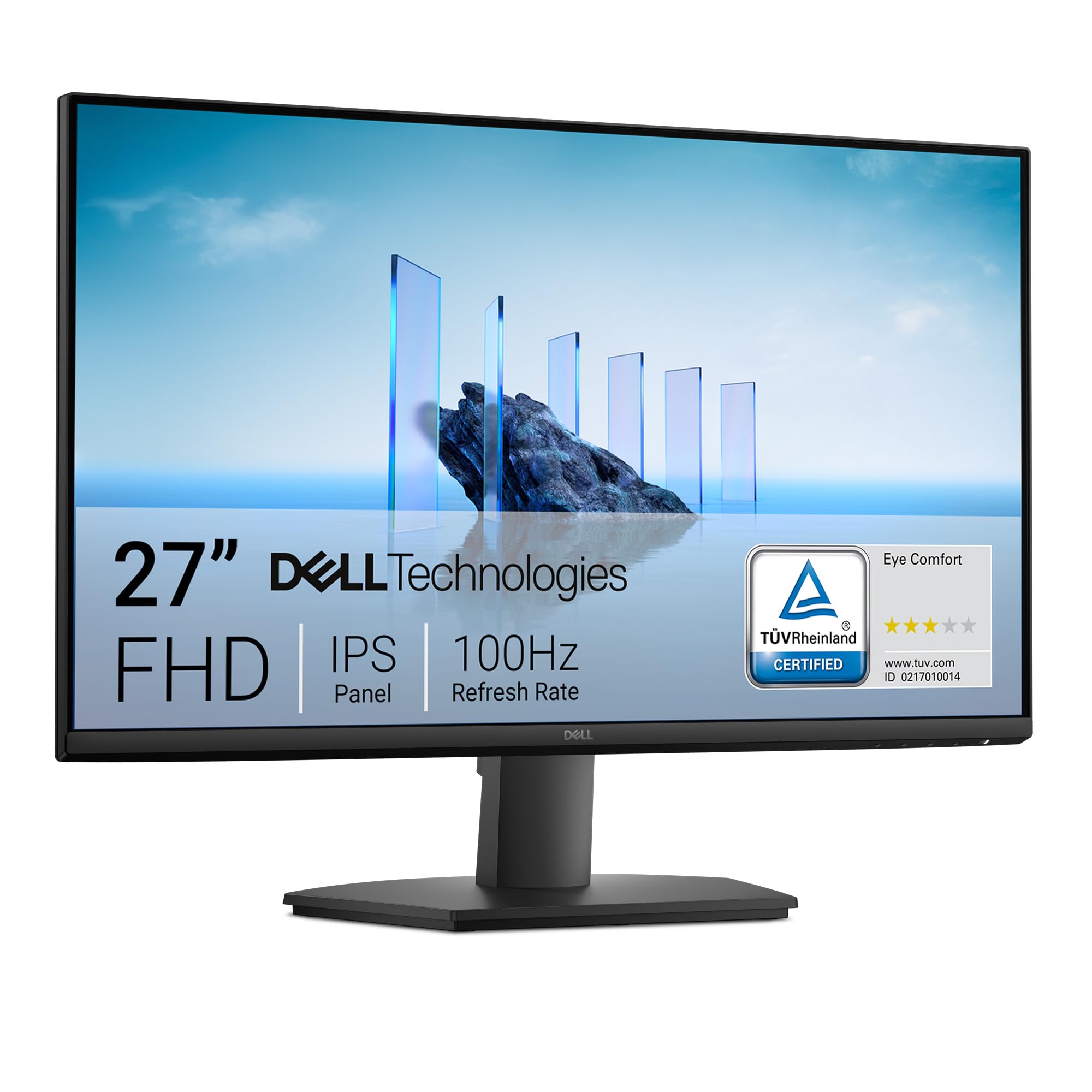
A larger 27-inch IPS canvas with factory-tuned blue light reduction.
At 27 inches, this Dell gives you significantly more screen real estate than the 24-inch panels in this roundup — useful for side-by-side document windows, timeline editing, or just less squinting at small text. The 100Hz refresh rate is a step up from basic 60Hz office monitors, making scrolling through long web pages and documents smoother without the gamer-stigma of 144Hz. The IPS panel delivers consistent colors from wide angles, and the anti-glare coating reduces reflections in bright rooms.
Eye comfort is a core feature here. Dell’s ComfortView Plus minimizes harmful blue light exposure without sacrificing color accuracy — it works always-on, so you do not need to toggle a mode every time you start work. The monitor carries a TÜV Rheinland 3-star certification, one of the highest ratings for blue light reduction. The built-in power supply unit and cable holder help keep the desk tidy, and the tilt stand adjusts to find a comfortable viewing angle without needing an aftermarket arm.
Reviewers point out that the 72% sRGB color gamut is fine for office tasks and web browsing but noticeably less vibrant than 99% panels if you watch movies or edit photos. One owner reported the 5ms GTG response time is adequate for productivity and light gaming but not ideal for fast competitive shooters. The monitor includes one HDMI port and one VGA port, plus an HDMI cable in the box — no DisplayPort, so plan your cable setup accordingly.
Where It Excels
- 27-inch screen provides more workspace than standard 24-inch monitors
- ComfortView Plus reduces blue light without washing out colors
- Built-in power supply and cable holder keep the desk clean
One Limitation
- 72% sRGB gamut — less color pop for movies and creative work
Pick this if: You want a larger 27-inch IPS monitor for office productivity, long reading sessions, and occasional light gaming with eye comfort as a priority.
Skip this if: Color vibrancy for media or photo editing matters — the 72% sRGB will feel dull next to 99% panels.
7. Amazon Basics 24 Inch Monitor (100Hz)

The 6.61-pound monitor that slips into any setup with VESA mount support.
Sometimes you just need a screen that works without fuss. This Amazon Basics monitor gives you a 23.8-inch IPS panel at 1080p with a 100Hz refresh rate — noticeably smoother than 60Hz for desktop navigation and document scrolling. The built-in speakers deliver clean audio for video calls and casual viewing, saving desk space. The 2000:1 contrast ratio is higher than the gaming model’s 1000:1, so blacks look deeper in movies and dark-mode apps.
Connectivity covers HDMI, VGA, and DisplayPort — enough for a work laptop, a desktop PC, and a console. The VESA 100x100mm mounting pattern gives you flexibility to attach the monitor to an arm or wall mount. At 6.61 pounds, it is 17% lighter than the Amazon Basics gaming monitor (7.72 pounds), making it easier to reposition or mount on budget arms. The plug-and-play setup means you just plug in the cable and turn it on, no driver installation needed.
Buyers report that the protective film (marked with a date code) must be peeled off before first use to avoid cloudy image quality. One customer observed the 100Hz refresh rate was immediately noticeable upgrading from an old 60Hz monitor for everyday tasks. The trade-off: color gamut is not listed, which typically means standard 72% sRGB or lower — fine for office documents but not for color-sensitive work. There is no USB hub or height adjustment on the stand.
What It Gets Right
- Lightweight at 6.61 pounds for easy desk placement or mounting
- 2000:1 contrast ratio delivers deeper blacks than typical 1000:1 panels
- VESA compatible with HDMI, VGA, and DisplayPort inputs
What You Give Up
- No specified color gamut — likely standard 72% sRGB, not for photo editing
Grab it for: A lightweight, no-nonsense 100Hz IPS monitor with built-in speakers for everyday office work, browsing, and media.
it’s not for you if: You need wide color coverage (99% sRGB) for creative work or a higher refresh rate for competitive gaming.
Understanding the Specs
Refresh Rate (Hz)
Refresh rate is how many times per second your monitor redraws the entire image. Measured in Hertz (Hz), a 60Hz monitor updates 60 times per second — enough for email and video but noticeably blurry during fast game movements or rapid mouse scrolling. At 100Hz you get smoother motion, and at 144Hz or 165Hz the difference becomes dramatic in shooters and racing games where you track moving targets. Higher refresh rates also make everyday desktop use feel more fluid when you scroll web pages or drag windows.
Color Gamut (sRGB)
sRGB is a standard color space that defines the range of colors a monitor can display, measured as a percentage. A monitor covering 99% sRGB shows richer, more saturated reds, greens, and blues than a panel at 72% sRGB — the difference is obvious when editing photos, watching movies, or playing colorful games. For office work and spreadsheets, 72% is adequate, but if you do any creative work or just want your screen to look vibrant, aim for 99% or higher. The MSI PRO MP243L E14 hits 102%, the highest in this roundup.
FAQ
What refresh rate do I need for gaming on a budget 1080p monitor?
Is an IPS panel worth it on a budget 1080p monitor?
Can I use a 144Hz or 165Hz monitor with a console?
What is adaptive sync and do I need FreeSync?
Does a budget 1080p monitor work for photo editing?
Will a 27-inch 1080p monitor look pixelated?
How do I mount a budget 1080p monitor to an arm?
What is the difference between 1ms response time and 1ms MBR?
Final Thoughts: The Verdict
If you want one dependable pick, the best budget 1080p monitor winner is the MSI PRO MP243L E14 because it delivers a 144Hz refresh rate, 102% sRGB color gamut (a measure of color range), and TÜV Rheinland eye comfort certification (a German standard for reduced blue light and flicker) without jumping above the budget threshold. If you want the absolute smoothest motion for competitive gaming, grab the Amazon Basics Gaming Monitor (165Hz). And for a larger 27-inch workspace with factory-tuned blue light reduction, the Dell SE2725HM is a strong alternative.
How We Picked
We do not accept paid placement. Every pick is matched to a real buyer and a real use-case; we do not hands-on test units.
Sources & Methodology
Specifications: manufacturer listings and product documentation. Review insights: verified customer reviews, as of July 2026. Pricing: not shown on this page (it changes often); check the current price via the retailer link.
As an Amazon Associate, Gadgets Feed earns from qualifying purchases. This does not affect which products we feature.