
Our readers keep the lights on and my morning glass full of iced black tea. As an Amazon Associate, I earn from qualifying purchases.
Specs are compiled from manufacturer listings and verified buyer reviews and can change over time — please confirm the key details on the product page before buying.
A $1000 desktop sits right at the sharpest decision point in the market — spend a little less and you get a machine that feels slow in a year, spend more and you are into diminishing returns. At this budget, the real question is which spec the maker chose to prioritize: raw processing cores, future-ready DDR5 memory, the convenience of an all-in-one display, or the compactness of a mini PC. This guide cuts through the model numbers and marketing claims to show you exactly what each of these ten desktops delivers for your money.
I’m Min — the founder and writer behind Gadgets Feed. This guide is built by comparing the manufacturers’ published specifications and the patterns across verified customer reviews, so you get each pick’s real strengths and trade-offs instead of marketing spin.
Whether you are outfitting a home office, managing a small business, or building a workstation for creative work, the right $1000 desktop depends on matching your daily tasks to the processor, memory, and storage combo that will keep you productive for years.
Our Picks at a Glance
How To Choose The Best $1000 Desktop
At this price point, you are looking at a trade-off between raw computing power and the form factor you prefer. A desktop under a grand can deliver serious performance, but only if you pick the right one for your specific workload.
Processor Generation and Core Count
The single biggest factor in how long your desktop stays fast is the processor generation and the number of cores it has. A 13th or 14th generation Intel Core i5 with 14 cores can handle heavy multitasking far better than a 12th-generation chip with six cores, even if the clock speed looks similar. For professional software compilation and virtualization, the core count matters most.
Memory Type and Capacity
DDR5 RAM is the new standard, and it offers faster data transfer speeds than DDR4. If you run multiple business applications or browse with many tabs open, 32GB of RAM makes a noticeable difference over 16GB. The memory type and amount directly affect how many applications you can run side by side without slowdowns.
Storage Configuration
A pure SSD configuration gives you the fastest boot times and application loading. Some desktops pair a smaller SSD with a larger HDD for extra storage on a budget. If you handle large video files or databases, a 1TB SSD is worth prioritizing over a smaller SSD plus a hard drive.
Quick Comparison
| Model | Best For | Processor | Memory | Storage | Amazon |
|---|---|---|---|---|---|
| HP ProDesk 600 Microtower★ Best Overall | Multi-Monitor Business Setup | Intel Core i5-10400F (6-core) | 16GB DDR4 | 512GB PCIe SSD | Amazon |
| ASUS V500 Tower DesktopAlso Great | Power Users & Creators | Intel Core i7-13620H (10-core) | 32GB DDR5 | 1TB SSD | Amazon |
| HP OmniDesk Desktop PCVersatile Pick | Integrated Graphics Performance | AMD Ryzen 7 8700G | 32GB DDR5 | 1TB NVMe SSD | Amazon |
| HP 2026 Pro Tower Desktop | Business & Home Office | Intel Core i5-12500 (6-core) | 32GB DDR4 | 1TB SSD | Amazon |
| Dell Business Tower Desktop | Enterprise & Developer Workloads | Intel Core i5-14500 vPro (14-core) | 16GB DDR5 | 512GB PCIe SSD | Amazon |
| HP 27″ All-in-One Desktop PC | Touchscreen & All-in-One | AMD Ryzen 5 7520U | 16GB LPDDR5 | 1TB SSD | Amazon |
| HP 24″ All-in-One Desktop PC | Compact All-in-One with Privacy | AMD Ryzen 7 7730U | 16GB RAM | 512GB SSD | Amazon |
| Dell Pro Tower Plus Desktop | AI-Enhanced Business Tasks | Intel Core Ultra 5 235 (14-core) | 16GB DDR5 | 512GB PCIe SSD | Amazon |
| Acer Aspire Business Desktop | Budget DDR5 & Storage Combo | Intel Core i3-13100 (4-core) | 16GB DDR5 | 1TB (512GB SSD + 500GB HDD) | Amazon |
| MINISFORUM UM760 Mini PC | Ultra-Compact Space Saving | AMD Ryzen 5 7640HS (6-core) | 16GB DDR5 | 1TB SSD | Amazon |
In‑Depth Reviews
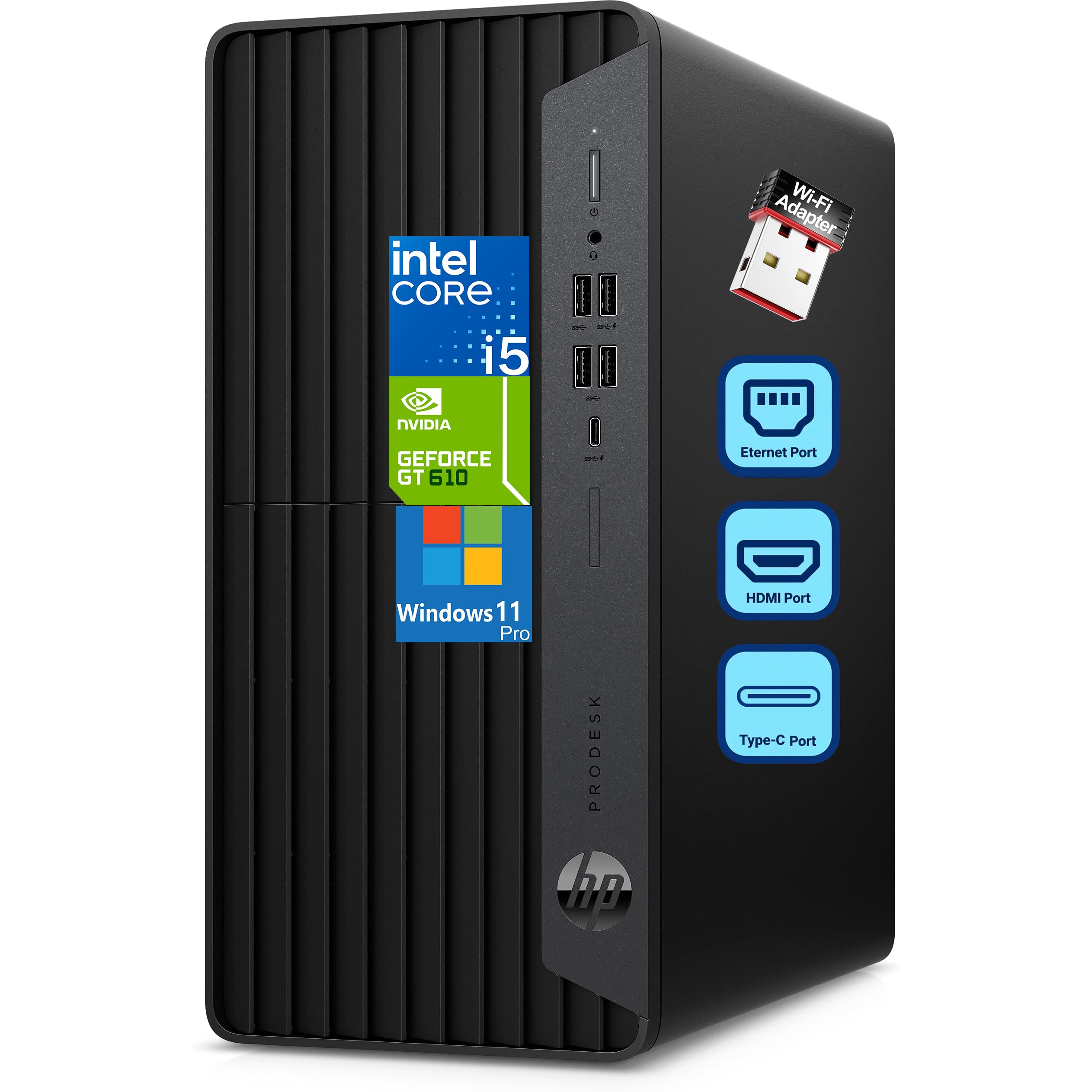
1. HP ProDesk 600 Microtower Business Desktop Computer
Our pick — 4.5★ from 300+ verified ratings; the strongest balance of quality and price.
A compact microtower with a dedicated graphics card for running multiple monitors in a business environment.
The HP ProDesk 600 uses a 10th-generation Intel Core i5-10400F processor with 6 cores that turbo up to 4.30 GHz. While this is an older processor generation than the 12th, 13th, and 14th-gen options in this guide, the key differentiator here is the dedicated GeForce GT 610 2GB graphics card. This gives you three physical video outputs — HDMI, DVI-I, and VGA — so you can connect legacy projectors and older monitors without adapters. The 16GB of DDR4 RAM and 512GB PCIe NVMe SSD provide a smooth experience for business applications and accounting software.
The microtower form factor measures just 5.98″ x 11.93″ x 13.27″, so it fits easily on a desk or in a small cabinet. Shoppers say the inclusion of a WiFi adapter and a wired keyboard and mouse makes this a true ready-to-use system. The front USB Type-C 10Gbps port is a welcome modern addition alongside the USB Type-A ports. This is a good option for offices that still have DVI or VGA monitors and want a compact, reliable workhorse.
Solid for
- Dedicated graphics enables three simultaneous monitor outputs via HDMI, DVI-I, and VGA
- Compact microtower chassis saves desk space
- Includes a WiFi adapter and wired keyboard and mouse
Keep in mind
- 10th-gen processor is several generations behind the competition
- GeForce GT 610 is a very basic card, not for modern gaming or GPU-accelerated tasks
Good match for: Companies with legacy VGA or DVI monitors who need a small, dependable desktop for standard office work.
Not ideal for: Anyone who needs the latest processor performance or who uses GPU-intensive applications.
2. ASUS V500 Home & Business Tower Desktop
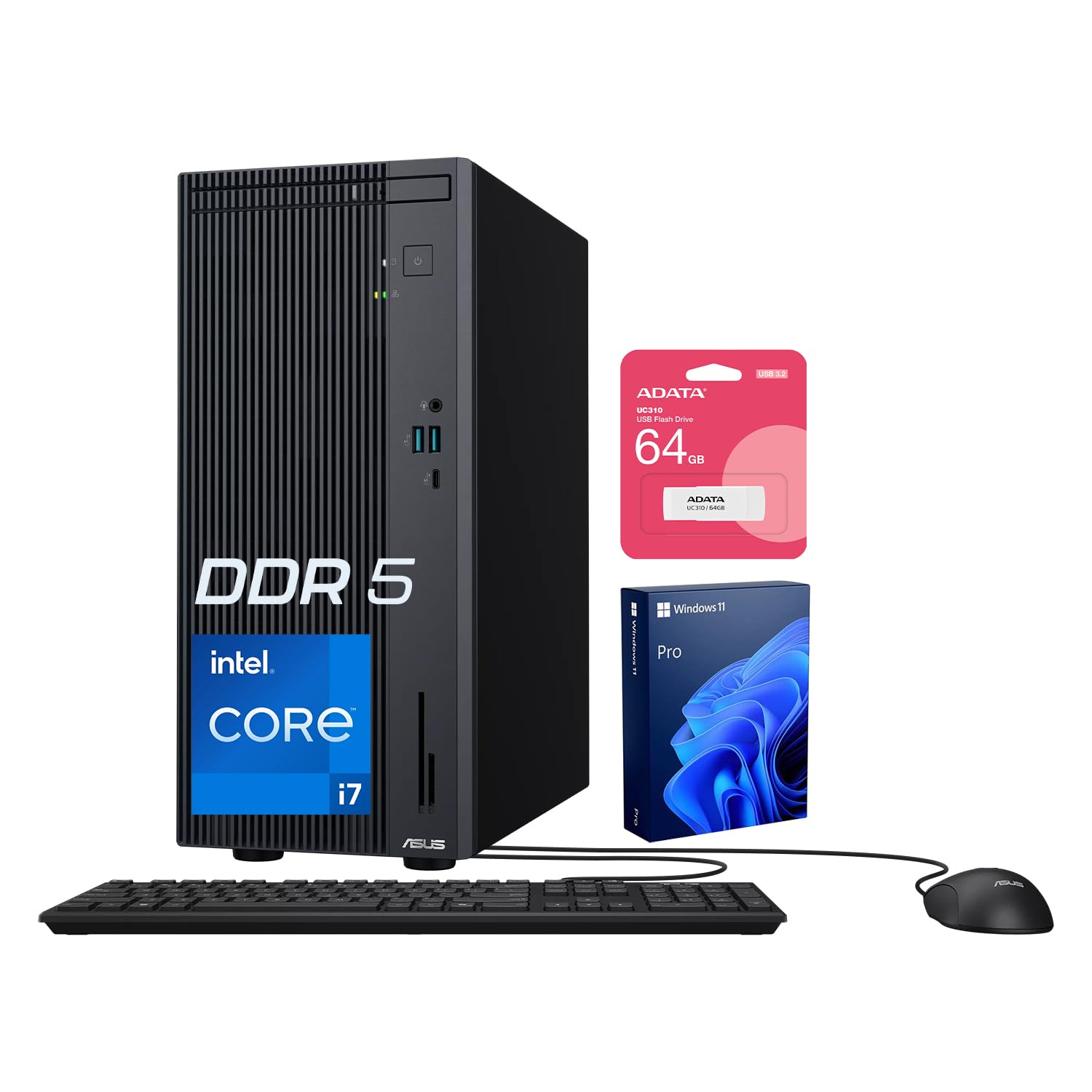
The best-rounded performer at this price with a 10-core processor and a massive 32GB of DDR5 memory.
You get a 10-core Intel Core i7-13620H processor that boosts up to 4.9 GHz, so compiling code or editing large photo files feels responsive even with many programs open. The 32GB DDR5 RAM means you can run multiple virtual machines or heavy spreadsheet models without hitting a wall, and the 1TB SSD gives you fast boot times and plenty of room for your project files. Buyers report the system feels snappy right from the start, and the included ADATA 64GB USB flash drive is a handy bonus for transferring files.
This desktop supports HDMI and DisplayPort outputs, so you can connect two monitors for a more organized workspace. The ASUS V500 comes with Windows 11 Pro pre-installed, which includes BitLocker encryption and remote desktop features for business use. Compared to the Dell Business Tower with only 16GB of RAM, the ASUS gives you double the memory for a similar price, which is a big advantage for memory-intensive work.
What you get
- 10-core Intel Core i7 processor handles demanding multi-tasking with ease
- 32GB DDR5 memory is double what most competitors offer at this price
- 1TB SSD provides fast storage and ample capacity
What to consider
- Uses an integrated graphics solution, so not ideal for modern 3D gaming
- The processor is a mobile-class chip, not a standard desktop socketed CPU
Who it fits: Power users, content creators, and anyone running memory-hungry applications who wants the best CPU and RAM combo available at this budget.
One limitation: Integrated graphics mean this is a workstation, not a gaming rig — budget for a dedicated GPU if you play modern games.
3. HP OmniDesk Desktop Computer PC
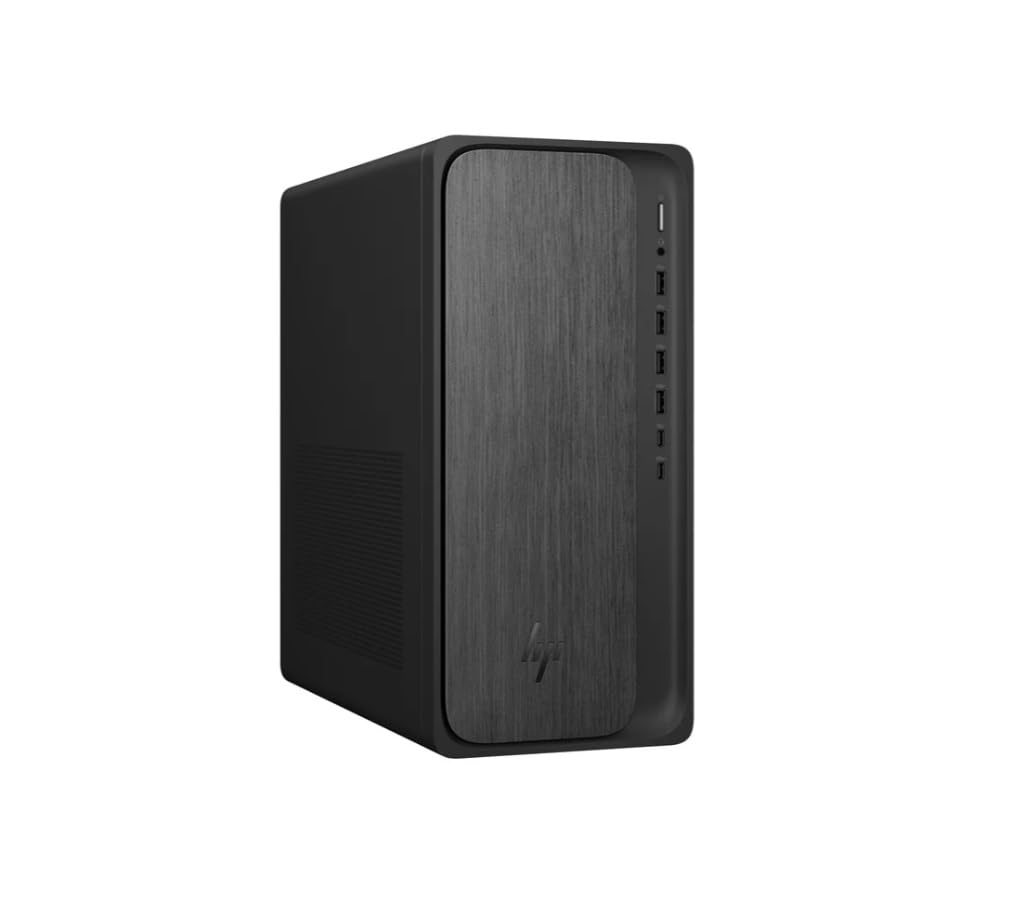
The strongest integrated graphics you will find in a $1000 desktop, powered by an AMD Ryzen 7 8700G.
The AMD Ryzen 7 8700G processor has a 40% performance gap over the Ryzen 5 7640HS found in the MINISFORUM UM760, and it pairs with a Radeon 780M graphics chip that delivers a 3% frequency edge over the Radeon 760M. In real terms, this means you can run lighter games and creative software at decent settings without needing a separate graphics card. The 32GB of DDR5-5200 MT/s memory and 1TB PCIe Gen4 NVMe SSD give you a fast, spacious system ready for heavy multitasking.
Buyers appreciate the included wireless keyboard and mouse, and the Wi-Fi 6 and Bluetooth 5.4 wireless card keep your setup clean without extra cables. The HP OmniDesk also includes AMD Ryzen AI with 16 NPU TOPS, which can accelerate certain creative and productivity tasks. The 12.40″ x 6.10″ x 13.27″ dimensions make it compact enough to sit on a desk without dominating the space.
Standout strengths
- Radeon 780M graphics are the most powerful integrated GPU in this lineup
- 32GB of fast DDR5-5200 memory for smooth multitasking
- Includes AI acceleration capabilities for compatible software
What to note
- Integrated graphics are still far behind a dedicated gaming GPU for demanding titles
- Owners mention the storage could be larger for media-heavy use
Your call if: You want the best possible integrated graphics performance for light gaming and creative apps without sacrificing CPU and RAM capacity.
skip it if: You play triple-A games at high settings — you will need a desktop with a dedicated graphics card.
4. HP 2026 Pro Tower Desktop Computer
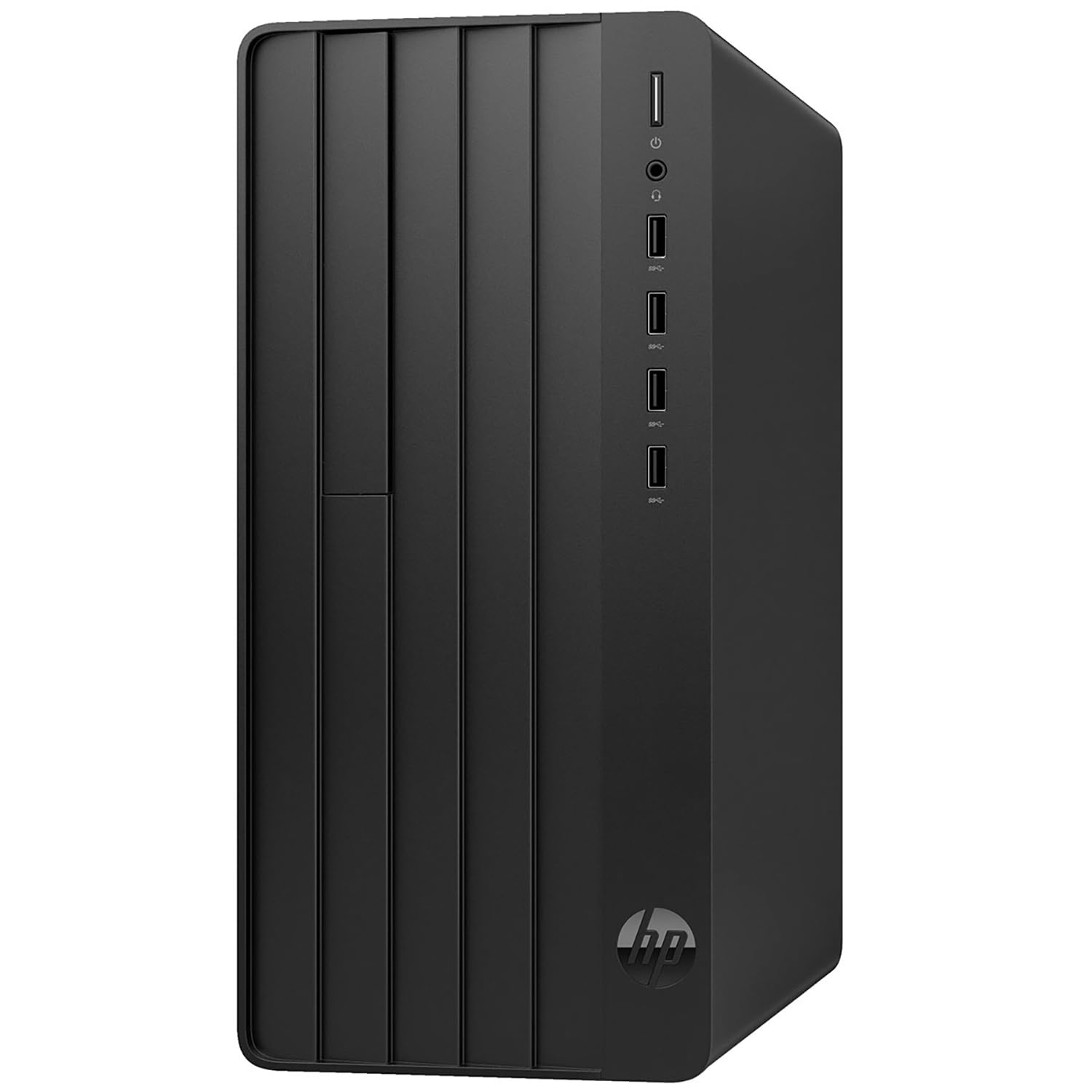
A budget-conscious workhorse with 32GB of RAM and lifetime Office 365 web access built in.
The HP Pro Tower runs on a 12th-generation Intel Core i5-12500 processor with six cores that boost up to 4.6 GHz. This is enough power for small business software, accounting, and home office tasks. The standout feature here is the 32GB of DDR4 RAM, which is twice what many similarly priced business desktops offer, letting you keep dozens of browser tabs and heavy spreadsheets open without slowdowns. The 1TB PCIe SSD provides fast boot times and ample file storage.
Customers note that the inclusion of lifetime Office 365 web access is a real money-saver for small business owners who rely on Word, Excel, and PowerPoint daily. The system comes with 8 total USB ports and HDMI plus VGA outputs, so you can connect older monitors alongside newer ones. Built-in Wi-Fi 6 keeps your connection fast without an Ethernet cable, and the Intel UHD Graphics 770 handles dual displays for multi-tasking.
What works well
- 32GB DDR4 RAM at this price is excellent value for multitasking
- Lifetime Office 365 web access included saves on subscription costs
- Variety of ports including HDMI, VGA, and 8 USB for legacy devices
What to keep in mind
- Older 12th-gen processor is less powerful than newer 13th or 14th gen options
- DDR4 memory is slower than the DDR5 found on other picks in this list
Reach for this if: You run a small business or home office and need big RAM at the lowest cost, plus free Office apps for the long haul.
Look elsewhere if: You need the absolute fastest processor or latest DDR5 memory for demanding professional software.
5. Dell Business Tower Desktop Computer
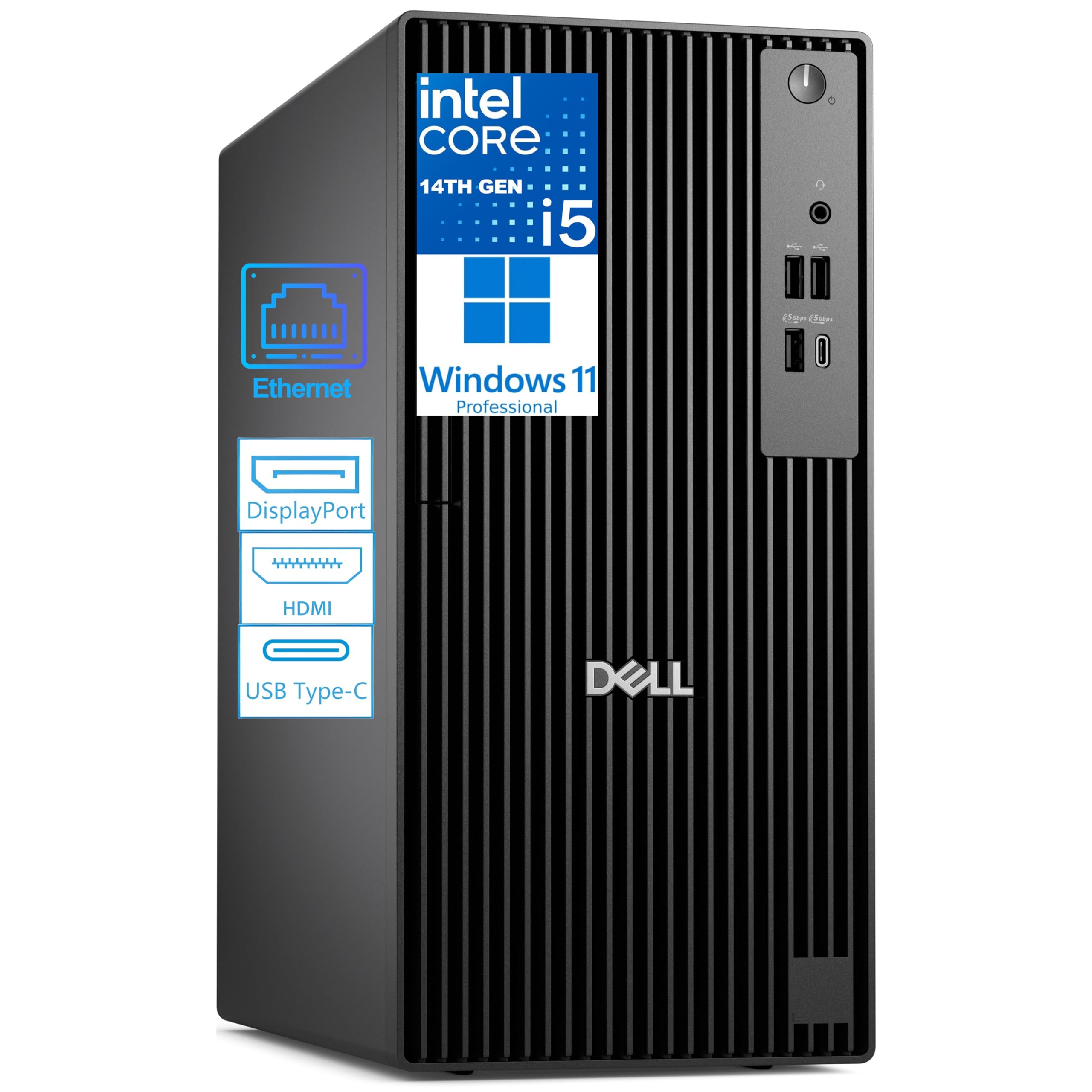
The most up-to-date processor core architecture in this guide, ready for enterprise IT environments.
The 14th-generation Intel Core i5-14500 vPro processor has 14 cores (6 Performance and 8 Efficient) that reach up to 5.0 GHz, with 24MB of cache memory. This processor is a significant step up from older i5 chips, and the vPro platform adds hardware-level security and remote manageability features that IT departments require. The 16GB of DDR5 RAM is fast but modest in capacity, which is fine for business applications but less ideal for heavy creative work. The 512GB PCIe NVMe SSD gives you quick boot times and reasonable local storage for documents and software.
The Dell supports dual 4K monitors at once via HDMI 2.1 and DisplayPort 1.4a, which is excellent for financial analysis, coding, or reviewing high-resolution content. Reviewers point out a 4.8 out of 5 rating and praise the system for its stability and performance in professional environments. It has USB-C 3.2 Gen 1 and multiple USB-A ports, though you will need a separate USB adapter for Wi-Fi since it does not include built-in wireless.
Top features
- 14-core 14th-gen i5 processor is the newest architecture available here
- Dual 4K display support via HDMI 2.1 and DisplayPort 1.4a
- vPro platform adds enterprise security and remote management
Trade-offs
- Only 16GB RAM, which is half of what some competitors offer at a similar price
- No built-in Wi-Fi, requiring a separate USB adapter
Right for: IT-managed environments and professionals who need the latest processor generation with enterprise security features.
Not for: Anyone who needs more than 16GB of RAM for multitasking or virtual machines — consider the ASUS V500 instead.
6. HP 27 inch All-in-One Desktop PC
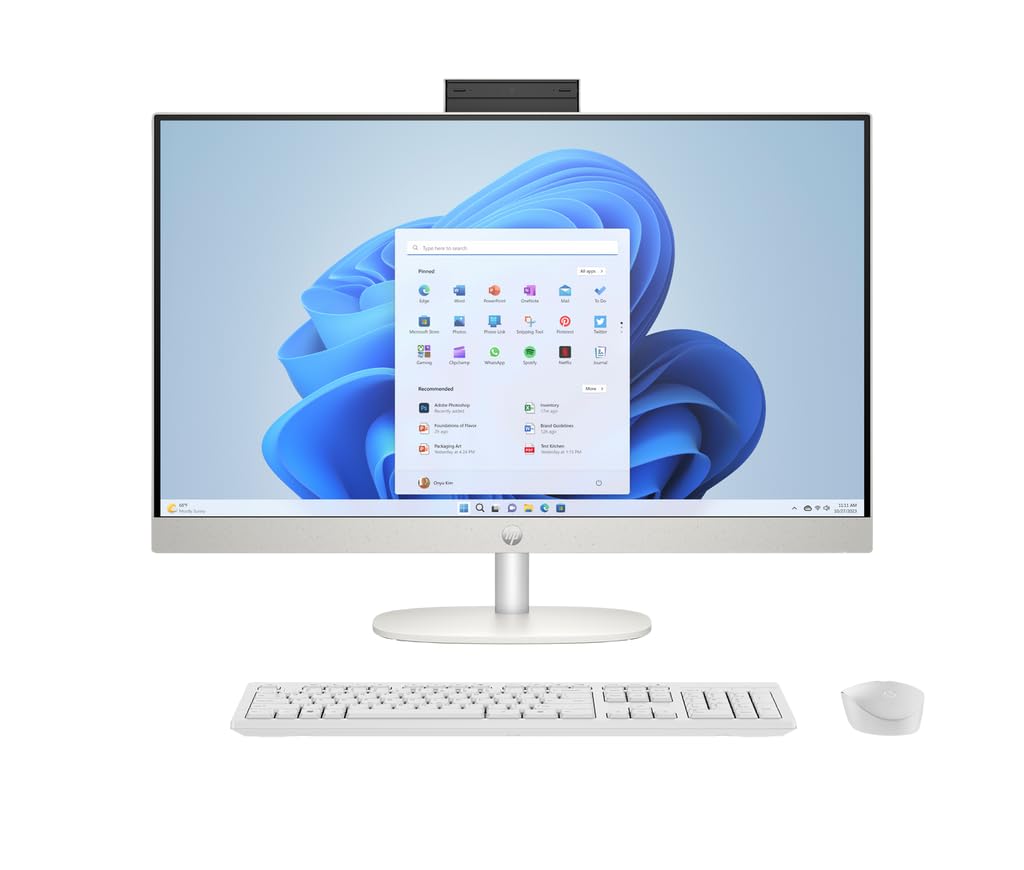
The only touchscreen desktop in this guide, packing a 27-inch FHD display into a single all-in-one unit.
The 27-inch IPS touchscreen display runs at 1920 x 1080 resolution with 250 nits brightness and covers 99% of the sRGB color spectrum, making it a good fit for retail kiosks, interactive displays, or anyone who prefers a touch interface. The AMD Ryzen 5 7520U processor and 16GB of LPDDR5-5500 MHz RAM handle everyday productivity and web applications smoothly, and the 1TB PCIe NVMe SSD provides generous fast storage. The all-in-one design means no tower cluttering your desk, with only the power cable needed once the wireless keyboard and mouse are paired.
This model includes a HP True Vision 1080p FHD IR tilt privacy camera with temporal noise reduction and dual array microphones, which is excellent for video calls. The fact that all of this comes in one package at roughly the $1000 mark is appealing for anyone who wants a clean, minimalist setup. Reviewers appreciate the anti-glare coating on the display, making it usable in bright office lighting conditions.
What stands out
- 27-inch touchscreen eliminates the need for a separate monitor purchase
- Integrated 1080p IR privacy camera with noise reduction for video conferencing
- 1TB SSD provides ample fast storage for documents and media
What to consider
- AMD Ryzen 5 7520U is a lower-tier processor compared to the i7 or Ryzen 7 options
- 16GB of onboard RAM cannot be upgraded later
Ideal for: Anyone who values desk-space economy and a touchscreen interface over raw processing power.
Be aware: The processor is less powerful than tower desktops in this price range, so heavy multi-tasking or video editing will feel slower.
7. HP 24 inch All-in-One Desktop PC

A Ryzen 7-powered all-in-one that keeps your desk clean and your video calls private.
This HP All-in-One runs on an AMD Ryzen 7 7730U processor with 16GB of RAM, which is a stronger processor than the Ryzen 5 found in the 27-inch model above. It handles everyday office tasks, video conferencing, and light creative work without struggle. The 23.8-inch display uses a three-sided micro-edge design with up to an 89% screen-to-body ratio, so the screen feels larger than its 24-inch measurement suggests. The pop-up privacy camera is a thoughtful touch — it only rises when you need it, which gives you physical privacy assurance.
The 512GB solid-state drive is 15x faster than a traditional hard drive, so you get quick boot and load times, though the storage capacity is half of what the 27-inch model offers. Buyers mention that the built-in dual-array microphones and advanced noise reduction technology make them sound clearer on Zoom calls without needing a separate headset. This model comes with Windows 11 Home, which includes the refreshed Start menu and widget panel.
Great points
- AMD Ryzen 7 processor is faster than many all-in-ones at this price
- Pop-up privacy camera adds physical security for video calls
- Ultra-slim bezels give a modern look and boost screen space
Small downsides
- 512GB SSD is half the storage of the 27-inch HP all-in-one in this list
- RAM is likely not upgradeable due to the all-in-one form factor
Grab this for: A balanced all-in-one with a good processor and a privacy-minded camera for remote work.
Pass if: You need a large screen or a touch interface — the 27-inch model is better for those needs.
8. Dell Pro Tower Plus QBT1250 Business Desktop

The first desktop in this guide with a dedicated AI engine built into the processor for accelerating modern workloads.
The Intel Core Ultra 5 235 processor uses a 14-core design (6 Performance and 8 Efficient cores) with up to 5.0 GHz turbo speed and 24MB of cache. The unique feature here is the integrated Intel AI Boost NPU, which provides up to 13 TOPS of processing power to accelerate AI-powered applications directly on your desktop. This means tasks like background blur in video calls or certain productivity enhancements happen faster without using your main processor cores. The 16GB of DDR5 RAM and 512GB PCIe SSD provide solid baseline performance for business applications.
The Dell Pro Tower supports three monitors through its triple DisplayPort 1.4a outputs, which is excellent for traders, customer service reps, or anyone who needs multiple full screens for their workflow. It also includes an 8x DVD+/-RW drive, an increasingly rare feature that is valuable for anyone who still relies on physical media for backups or software installations. The Windows 11 Pro pre-install adds BitLocker encryption and domain join for business networks.
Key advantages
- Intel AI Boost NPU with 13 TOPS enables faster AI-enhanced tasks
- Supports up to three monitors through DisplayPort outputs
- Includes a DVD-RW drive for legacy media compatibility
Possible concerns
- 16GB RAM is modest for users who run many apps simultaneously
- 512GB SSD may fill quickly if you store large media files locally
Pick this for: Businesses that rely on AI-accelerated applications and need Dell’s enterprise manageability and multi-monitor support.
Avoid if: You do not use AI productivity tools and prefer more RAM or storage over the NPU feature.
9. Acer Aspire Business Desktop
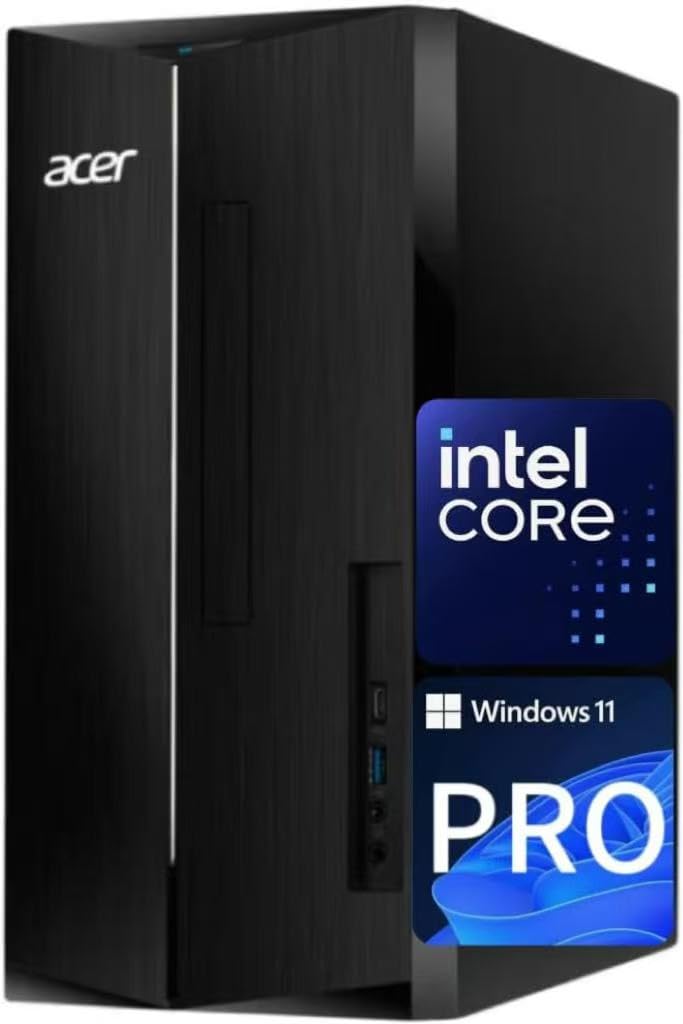
An entry-level mid-tower that brings DDR5 memory to a budget price point.
The Acer Aspire uses an Intel Core i3-13100 processor, which is a 4-core design with a 4.4GHz Turbo Boost. The maker claims this chip beats the higher-tier i5-12400T in certain benchmarks, but the raw 4-core count is still a limitation for heavy multitasking compared to the 6, 10, or 14-core processors elsewhere in this guide. The 16GB of DDR5 RAM is the real highlight here — it is the latest memory standard, providing faster data transfer than DDR4, and it is paired with a dual-storage system consisting of a 512GB SSD and a 500GB HDD for 1TB total space.
This desktop includes a USB 3.2 Type-C Gen 1 port on the front and both HDMI 1.4b and HDMI 2.0 ports on the rear, giving you flexibility for connecting modern monitors. The wired keyboard and mouse are included, so you can use it straight away. For basic computing, web browsing, and office applications, this machine offers good value with the benefit of modern DDR5 memory. The 4-core processor is the main bottleneck if you plan to run demanding software.
Value notes
- DDR5 memory at a budget-friendly price point
- Dual storage (SSD + HDD) gives you speed and capacity
- Includes USB Type-C on the front panel
Limits to expect
- 4-core processor is the weakest in this guide for multitasking
- Integrated graphics are not suitable for gaming or video editing
Choose this for: Basic office work and web browsing where DDR5 memory and dual storage matter more than core count.
Think twice if: You run multiple demanding applications or plan to keep this desktop for more than 3-4 years without upgrading.
10. MINISFORUM UM760 Slim Mini PC

The smallest and most portable desktop here, fitting in a backpack while still packing a modern Ryzen chip.
The MINISFORUM UM760 is powered by an AMD Ryzen 5 7640HS processor with 6 cores (12 threads) that boosts up to 5.0 GHz. The integrated Radeon 760M Graphics with a frequency of 2600 MHz supports triple display output via HDMI 2.1, DisplayPort, and a USB4 port, including an 8K@60Hz output. This is a compact machine that is suited for light gaming, programming, and media consumption. The 16GB of DDR5 RAM is upgradeable up to 96GB across the two SODIMM slots, and the 1TB PCIe 4.0 SSD can be expanded with a second slot, making this a surprisingly future-proof tiny PC.
The single 2.5Gbps LAN port is a notable upgrade over the older dual 1Gbps design, making this a capable machine for a fast wired network. Buyers mention it runs well for its size and handles everyday tasks smoothly. The package includes an HDMI cable and US power adapter, and the PC supports Auto Power On, Wake-on-LAN, and RTC Boot for unattended operation. If space is your absolute priority, this mini PC delivers a lot of performance in a very small footprint.
What impresses
- Extremely compact form factor saves maximum desk space
- Triple 8K display output via USB4, HDMI, and DisplayPort
- Upgradeable RAM and dual SSD slots
What to know
- Integrated Radeon 760M graphics cannot match a dedicated GPU
- Fewer USB ports than a standard tower, which may require a hub
Perfect for: Minimalists, travelers, or anyone who wants a powerful computer that fits in a small bag.
Not for: Users who need a DVD drive, multiple internal hard drives, or lots of rear USB ports.
Understanding the Specs
Processor Generation and Cores
The processor is the brain of your desktop. A newer generation (like 13th or 14th-gen Intel) delivers better performance per clock cycle than an older one (like 10th or 12th-gen), even if the clock speed in GHz looks similar. More cores let the processor handle more tasks at once — 14 cores are far better for multitasking than 4 cores, even if both chips have the same GHz rating. The step up from a 4-core i3 to an 6-core i5 or a 10-core i7 is among the most noticeable speed improvements you can feel.
Memory (RAM) Type and Speed
DDR5 memory is the current standard, and it transfers data roughly twice as fast as DDR4 memory. Within DDR5, the speed measured in MT/s matters — 5200 MT/s or 5500 MT/s is faster than the baseline 4800 MT/s. The amount of RAM is the biggest factor in how many applications you can run without slowdowns. 32GB lets you keep dozens of browser tabs, large spreadsheets, and communication apps open simultaneously, while 16GB is the minimum comfortable for standard office work.
FAQ
What processor is best for a $1000 desktop?
Is DDR5 RAM worth paying for over DDR4?
Can I play games on a $1000 business desktop?
What is the difference between a mini PC and a tower desktop?
How much storage do I need on a business desktop?
Should I buy an all-in-one or a tower desktop?
Does Windows 11 Pro matter for a home office?
What is vPro on the Dell Business Tower?
Final Thoughts: The Verdict
For the majority of shoppers, the $1000 desktop winner is the ASUS V500 Tower Desktop because it balances a powerful 10-core i7 processor with 32GB of DDR5 RAM and a 1TB SSD at a very competitive price. If you want the strongest integrated graphics for light gaming and creative work, grab the HP OmniDesk with Ryzen 7 8700G. And for the best value with 32GB RAM and lifetime Office access, the standout is the HP 2026 Pro Tower Desktop.
How We Picked
We do not accept paid placement. Every pick is matched to a real buyer and a real use-case; we do not hands-on test units.
Sources & Methodology
Specifications: manufacturer listings and product documentation. Review insights: verified customer reviews, as of July 2026. Pricing: not shown on this page (it changes often); check the current price via the retailer link.
As an Amazon Associate, Gadgets Feed earns from qualifying purchases. This does not affect which products we feature.