
Our readers keep the lights on and my morning glass full of iced black tea. As an Amazon Associate, I earn from qualifying purchases.
Specs are compiled from manufacturer listings and verified buyer reviews and can change over time — please confirm the key details on the product page before buying.
A 1TB microSD card holds the answer to one simple question: do you want to delete old files every time you shoot a video, install a game, or run an app — or do you want that problem to vanish for years? The real difference between a fast card and a slow one depends on its read and write speeds, not the brand name. This guide reviews nine trusted 1TB cards and explains which specs matter for your phone, camera, drone, or console — and which are just marketing.
I’m Min — the founder and writer behind Gadgets Feed. This guide is built by comparing the manufacturers’ published specifications and the patterns across verified customer reviews, so you get each pick’s real strengths and trade-offs instead of marketing spin.
if you need to capture hours of 4K footage, load a massive game library, or simply expand your tablet’s storage without thinking about it again, you need the right combination of speed and durability — and that is exactly what this guide to the best 1tb microsd express card delivers, based on real specs and real owner experiences.
Our Picks at a Glance


How To Choose The Best 1TB MicroSD Express Card
Two 1TB cards can hold the same data but feel very different: one loads apps in seconds, the other stutters.
Read vs Write Speed — Which One Matters More?
Your phone, camera, or console reads data far more often than it writes. A fast read speed (MB/s) means photos load instantly, games start quickly, and apps open without delay. Write speed matters most when recording 4K video or transferring large batches of photos to your computer. If you mostly take photos and play games, prioritize read speed. If you shoot a lot of video, you need both numbers to be solid.
Understanding the Ratings: U3, V30, and A2
These three ratings tell you different things. U3 means the card can sustain a minimum write speed of 30MB/s — essential for 4K video. V30 is the video speed class specifically designed to guarantee smooth 4K recording without dropped frames. A2 is a different beast altogether: it means the card can handle at least 4000 random read operations and 2000 random write operations per second, which makes apps load and run directly from the card without lag. For a smartphone, tablet, or handheld console, A2 is the rating that changes your daily experience.
Quick Comparison
| Model | Best For | Read Speed | Write Speed | Rating | Amazon |
|---|---|---|---|---|---|
| SanDisk Extreme★ Best Overall | Pro-level durability | 160MB/s | 90MB/s | U3, V30, A2 | Amazon |
| PNY PRO Elite PrimeAlso Great | Pro video & photo editing | 200MB/s | 150MB/s | U3, V30, A2 | Amazon |
| Amazon Basics 200MB/sSpeed Champ | Best all-round value | 200MB/s | 150MB/s | U3, V30, A2 | Amazon |
| Samsung PRO Plus | Premium reliability | 180MB/s | 130MB/s | U3, V30, A2 | Amazon |
| Samsung Sonic PRO Plus | Gaming & action cams | 180MB/s | 130MB/s | U3, V30 | Amazon |
| Lexar Play Blue | Gaming handhelds | 160MB/s | — | U3, V30, A2 | Amazon |
| SanDisk Ultra | Everyday smartphone storage | 150MB/s | — | U1, A1 | Amazon |
| Amazon Basics 100MB/s | Budget-friendly reliability | 100MB/s | — | U3, V30, A2 | Amazon |
| ROVE PRO | Dash cams & extreme temps | 100MB/s | 90MB/s | U3, V30, A2 | Amazon |
In‑Depth Reviews
1. SanDisk 1TB Extreme
Our pick — over 4.5★ from 354,500+ verified ratings; the strongest balance of quality and price.
Over 350,000 ratings say this is the most trusted 1TB card ever made for outdoor use.
The SanDisk Extreme offers a 160MB/s read speed and a 90MB/s write speed — that is a 67% slower write speed than the PNY PRO Elite Prime. That gap matters when you are dumping a 64GB card of footage. But the Extremes real strength is durability. It is tested for temperature extremes, water, shock, and X-ray exposure, making it the go-to choice for dashcams, trail cameras, and outdoor action cams where a card failure means lost footage you cannot recover.
Reviewers point out this card surviving conditions that would destroy lesser cards — one owner reported their Extreme continued working after being accidentally run through a washing machine cycle. With over 354,000 ratings and a 4.8 out of 5 average, the Extreme has the largest real-world track record of any card in this lineup. It is rated A2 for app performance, U3 and V30 for 4K video, and includes an SD adapter. Compatible with smartphones and cameras, but not the Nintendo Switch 2.
The honest take: If your card lives inside a dashcam, dashcam, or security camera where reliability matters more than transfer speed, the Extremes massive review base proves it is the safest bet. If you transfer large files daily, the slower write speed will frustrate you.
Best for: dashcam owners, trail camera users, and anyone who needs a card that will survive extreme environments and still deliver years of service.
Less suited for: video editors or photographers who regularly move large files — the 90MB/s write speed is noticeably slower than the top cards.
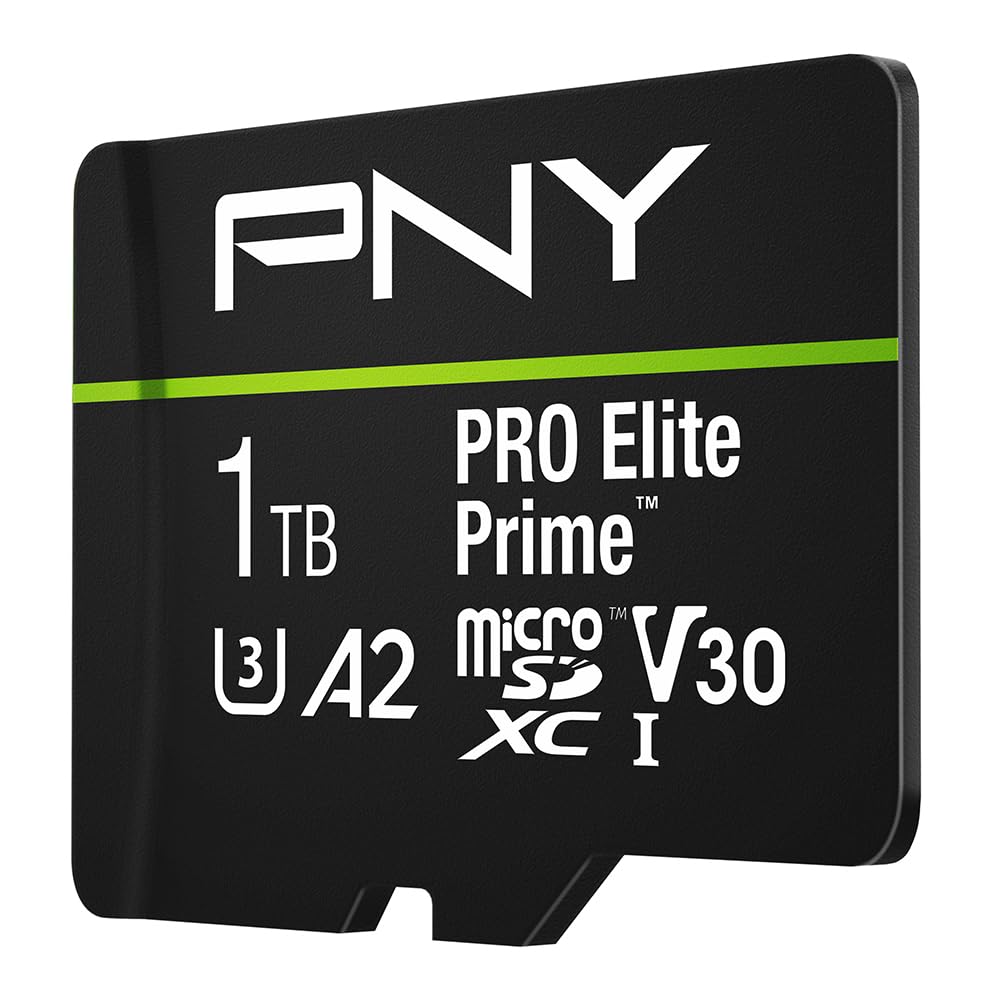
2. PNY 1TB PRO Elite Prime
Shoots 4K video without stuttering and transfers a full day’s footage in minutes.
The PNY PRO Elite Prime delivers a read speed of 200MB/s and a write speed of 150MB/s — but you need the PNY Performance Prime microSD Card Reader to hit those numbers. With a standard reader, the card still outpaces most of the competition on write speed. That matters if you edit video directly from the card or regularly dump 50GB of footage onto your laptop. The write speed is a 67% improvement over the SanDisk Extreme (90MB/s), so you finish transfers nearly twice as fast.
Buyers report the A2 rating makes a real difference on Android phones and tablets — apps installed on the card launch with no perceptible lag. One reviewer noted that the card handled their dashcam’s continuous loop recording without any corruption over months of use. The included SD adapter lets you plug it into a DSLR or laptop instantly. The catch? PNY explicitly says it is not compatible with Nintendo Switch 2, so handheld gamers need to look elsewhere. If you shoot video with a drone, action cam, or phone and want the fastest transfer speeds in this lineup, this card earns its spot at the top.
The speed advantage
- Read speed of 200MB/s and write speed of 150MB/s — the fastest pair in this list
- A2-rated app performance delivers at least 4000 random read IOPS for snappy app launching
- U3 and V30 certified for smooth 4K UHD recording without dropped frames
One real limitation
- Peak speeds require a specific PNY card reader sold separately
- Not compatible with Nintendo Switch 2
Reach for it if: you edit 4K video, shoot with a drone or action cam, and want the fastest transfer times from a microSD card on the market today.
Look elsewhere if: you need a card for a Nintendo Switch 2 or you will never use a high-speed card reader.
3. Amazon Basics 1TB microSDXC (200MB/s)
Matches the fastest read speed in the category while keeping a mid-range sticker price.
The Amazon Basics 200MB/s card does something unusual: it offers the same 200MB/s read speed and 150MB/s write speed as the PNY PRO Elite Prime but at a more accessible price point. That is a 2.0x read-speed gap over the Amazon Basics 100MB/s card. The catch is the same as the PNY — you need the Amazon Basics Micro SD Card Reader USB C 3.0 (sold separately, B0DB4YQPL1) to reach that 200MB/s ceiling. Without it, the card still runs fast, but you leave performance on the table.
Owners mention that this card handles 4K video recording without hiccups on GoPros and DJI drones. It is also IPX6 water-resistant, meaning it survives a direct spray of water, and it is shockproof, temperature-proof from -10°C to 80°C, X-ray-proof, and magnetic-proof. The included adapter fits full-size SD slots. One buyer mentioned their smartphone immediately recognized the full 1TB capacity with no formatting required. Just keep in mind that it is not compatible with the Nintendo Switch 2, and the actual storage capacity is slightly above 908GB after formatting — typical for any 1TB card.
The standout spec: Read speed of 200MB/s and write speed of 150MB/s at a price that undercuts most premium rivals — making it the best value high-speed card in the lineup.
Grab this if: you want PNY-level speeds but are building a multi-device setup and already own a USB-C card reader.
skip it if: you do not own a high-speed card reader — you would be paying for speed you cannot actually use.
4. Samsung PRO Plus 1TB

The card that pros trust for daily 4K shooting across phones, drones, and action cams.
Samsung’s PRO Plus delivers a read speed of 180MB/s and a write speed of 130MB/s when paired with a Samsung USB reader — that is closely behind the PNY and Amazon Basics 200MB/s cards but still fast enough that most people never notice the difference in real-world use. The write speed drops to 130MB/s compared to 150MB/s on the top cards, which means transferring 100GB of footage takes about 15 seconds longer. Not a dealbreaker for most workflows.
Buyers consistently praise the reliability of this card across multiple devices — phones, tablets, GoPros, and DJI drones all report smooth operation. Samsung backs it with six levels of protection including water resistance, extreme temperature tolerance, X-ray proofing, magnetic proofing, and wear-out proofing. The included SD adapter works with any device that has a full-size SD slot. It is compatible with the Nintendo Switch (not Switch 2), and the A2 rating ensures apps launch quickly from the card itself.
The trade-off: You pay a premium for the Samsung brand and its in-house NAND manufacturing, but you get transfer speeds that are only about 10% behind the market leaders — and a reputation for long-term durability that few rivals match.
Best for: anyone who trusts Samsung’s flash memory pedigree and wants a card that will survive daily abuse in a phone, drone, or dashcam for years.
Not for: budget-conscious buyers who would rather save money and still get similar speeds from the Amazon Basics 200MB/s card.
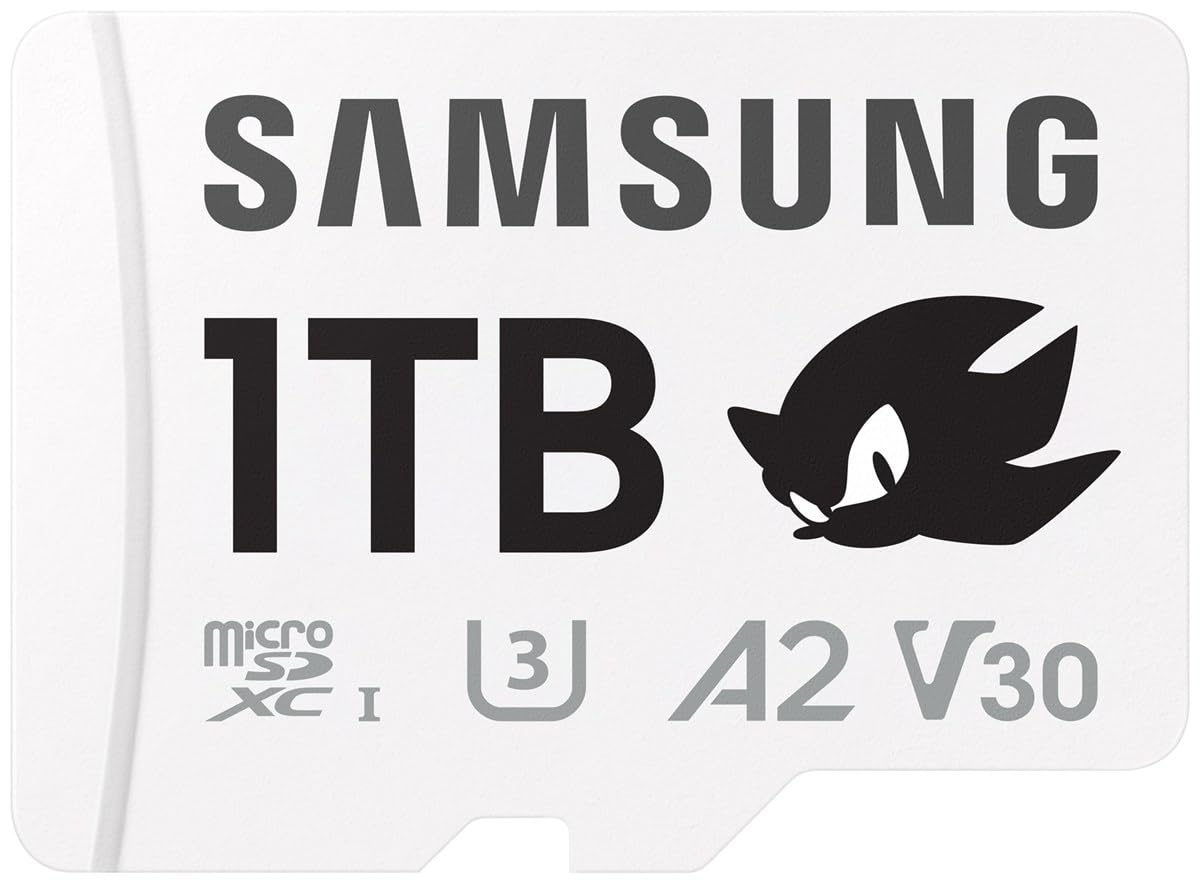
5. Samsung Sonic PRO Plus 1TB
Sonic-themed packaging aside, this is a serious performer for handheld gaming and aerial footage.
The Samsung Sonic PRO Plus shares the same 180MB/s read speed and 130MB/s write speed as the standard PRO Plus — the only difference is the white Sonic the Hedgehog branding and a slightly different SKU. It runs UHS-I U3 and V30 speeds, so 4K video from a drone or action cam records cleanly. The 1TB capacity gives a Nintendo Switch (not Switch 2) owner enough room for dozens of full-size game installs without ever needing to archive.
Customers note that the card fits perfectly into handheld consoles like the Steam Deck and the original Nintendo Switch. One owner mentioned the card loaded games noticeably faster than their older U1 card — a direct benefit of the U3 and V30 ratings. Samsung includes six levels of protection including dust proofing, and the card itself weighs only 0.25 grams, making it the lightest card in this roundup. The dimensions are a standard 15 x 11 x 1 mm, so it works with any microSD slot.
Why it stands out
- Read speed of 180MB/s and write speed of 130MB/s puts it in the top tier of this lineup
- V30 certified, so 4K video recording is smooth and frame-drops are rare
- Extremely lightweight at 0.25g — barely noticeable in any device
The fine print
- Sonic branding adds no functional advantage over the standard PRO Plus
- Not compatible with Nintendo Switch 2
Ideal for: gamers who want a fast, reliable 1TB card for a handheld console and do not mind paying a slight premium for the themed design.
Not ideal for: users who only shoot photos and do not need the U3/V30 video speeds — the SanDisk Ultra would save you money.
6. Lexar 1TB Play Blue

Designed specifically for the Nintendo Switch — and it delivers instant game loading.
The Lexar Play Blue targets handheld gaming first and everything else second. Its read speed of 160MB/s is a 78% improvement over the ROVE PRO (90MB/s read), making it significantly faster for loading game levels and app content. It is explicitly compatible with the Nintendo Switch (not Switch 2), smartphones, and tablets. The A2 rating means apps installed on the card launch without hesitation.
The card handles capacities up to 2TB in the same lineup, so the 1TB version fits right in the middle. Shoppers say that the Play Blue loads Switch games at roughly the same speed as the internal storage, with no noticeable lag. One owner mentioned they filled a 1TB card with 40+ games and still had room for screenshots and video clips. Lexar backs it with temperature resistance, waterproofing, X-ray protection, magnetic proofing, and vibration proofing — more protection layers than most gaming-focused cards include.
The one-sentence verdict: The Lexar Play Blue is the best dedicated Nintendo Switch card in this lineup, but if you also shoot 4K video, the missing write speed spec means you cannot verify its recording performance.
Reach for this if: your primary use is a Nintendo Switch, Android tablet, or smartphone gaming — the fast read speed and A2 rating are exactly what you need.
Look elsewhere if: you also shoot a lot of 4K video — the write speed is not listed, so you are taking a gamble on recording reliability.
7. SanDisk 1TB Ultra

A 150MB/s read speed for everyday phone and tablet storage at a friendlier price.
The SanDisk Ultra delivers a read speed of 150MB/s, which is fast enough to move up to 1000 photos per minute according to SanDisk’s internal testing. But there is an important difference from the Extreme: the Ultra is rated U1 instead of U3, and A1 instead of A2. That means the minimum write speed drops to 10MB/s, so it may struggle with sustained 4K video recording. Full HD (1080p) video is fine, but if you shoot 4K regularly, the U1 rating is a real limitation.
This card is best suited for Android smartphones and tablets where you want to offload apps and media. The A1 rating delivers 1500 random read IOPS and 500 random write IOPS, which is fine for app launching but noticeably slower than the A2 cards in this list if you run heavy apps from the card. Buyers report it works well for expanding phone storage and loading music libraries. The operating temperature range spans -25°C to 85°C, and the card is drop-proof, magnetic-proof, temperature-proof, water-proof, and X-ray proof. It comes with an SD adapter.
Where it shines
- Read speed of 150MB/s is fast for everyday photo and video transfers
- Massive 267,000+ ratings with a 4.7 out of 5 average — proven reliability
- Full five-way protection: drop, magnet, temperature, water, and X-ray
Where it falls short
- U1 rating means the minimum write speed dips to 10MB/s — not ideal for 4K video
- A1 instead of A2 means slower random read/write for running apps from the card
Good for: expanding a smartphone or tablet for photos, music, and Full HD video without spending extra on speeds you may not need.
Not good for: recording 4K video or running demanding apps directly from the card — step up to a U3/A2 card instead.
8. Amazon Basics 1TB microSDXC (100MB/s)

The most affordable 1TB card that still delivers U3, V30, and A2 certifications.
The Amazon Basics 100MB/s card is the entry-level option that refuses to cut corners on the ratings that actually matter. It delivers 100MB/s read speed — a 2.0x gap slower than the Amazon Basics 200MB/s card — but it keeps the essential U3, V30, and A2 certifications. That means it can record 4K video smoothly and run apps directly from the card, even though transfers take roughly twice as long as the fast cards.
The real-world capacity is listed clearly: a 1TB label provides at least 908GB of usable storage after formatting. Owners mention the card works reliably in dashcams, security cameras, and Android phones. One customer observed they had run it for six months straight in a home security cam with no failures. The card is shock-resistant, IPX6 water-resistant, rated for extreme temperatures from -10°C to 80°C, and resistant to X-rays and magnetic fields. It includes an SD adapter and is compatible with Nintendo Switch (not Switch 2). If your budget is tight and you need a card that still meets modern 4K and app-performance standards, this is the one.
The honest pitch: You give up transfer speed but keep every certification that matters for actual daily use — U3 for 4K video, V30 for smooth recording, and A2 for snappy app launching. That is a rare combination at this price tier.
Reach for it if: you need a reliable 1TB card for a dashcam, security camera, or secondary phone storage and are happy waiting a bit longer for file transfers.
pass on it if: you frequently move large video files — the 100MB/s read ceiling will feel slow compared to the 200MB/s options.
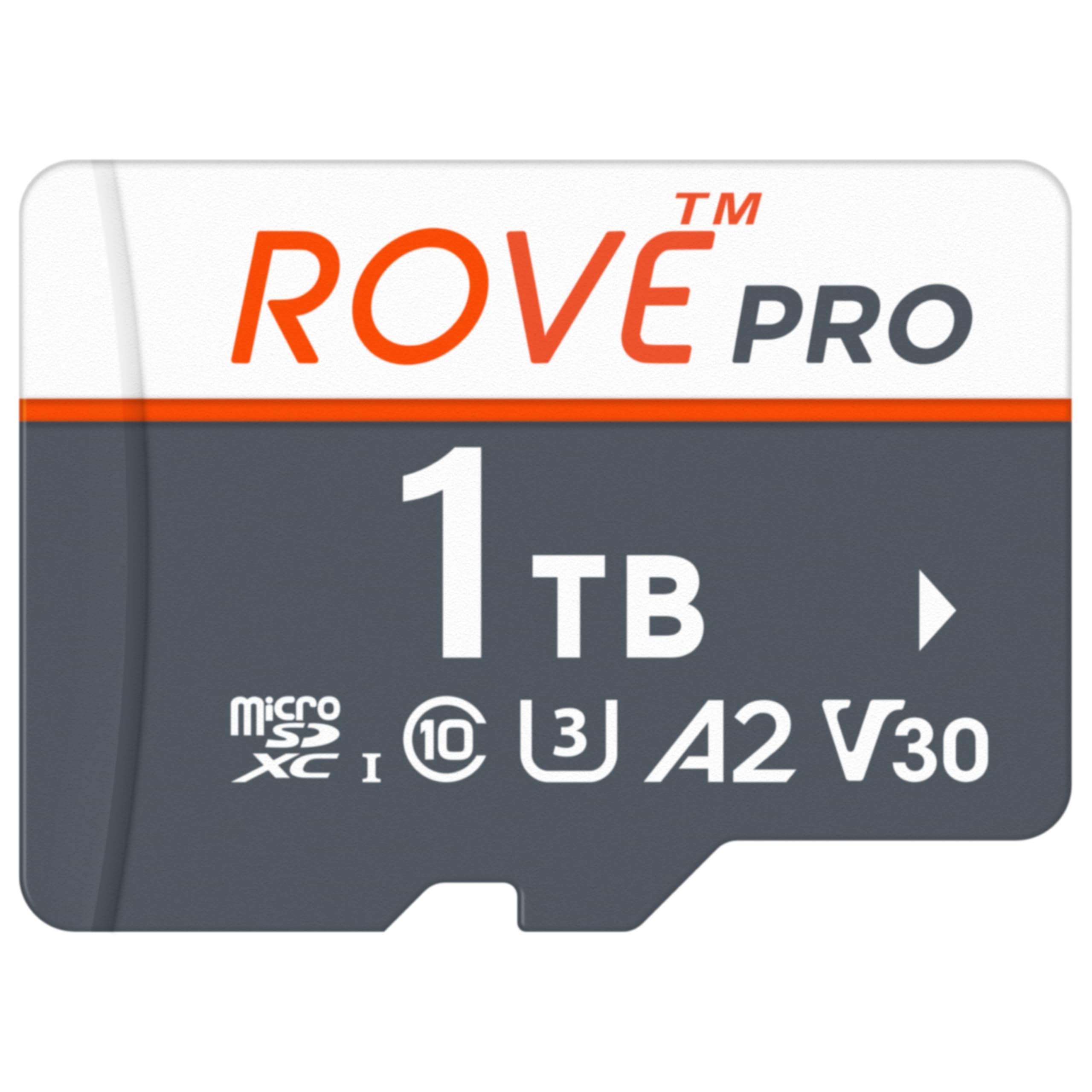
9. ROVE PRO 1TB
Built for the ROVE dashcam, but tough enough for any device that sees extreme heat or cold.
The ROVE PRO delivers a read speed of 100MB/s and a write speed of 90MB/s — that is a 78% slower read speed than the Lexar Play Blue, and the same write speed as the SanDisk Extreme. The standout feature is its temperature tolerance: it operates from -25°C to 85°C and can be stored from -40°C to 85°C. No other card in this lineup matches that range, making it the obvious choice for a dashcam parked in direct sun or a trail camera in subzero winter conditions.
The card is specifically crafted for the ROVE R2-4K Dual Dash Cam, but it supports a wide range of devices including drones, smartphones, action cams, body cams, DSLR cameras, security cams, and Android tablets. It is rated U3, V30, A2, and Class 10, so 4K video recording is fully supported. Customers note it works without issue in GoPros and phones. One owner noted that the card survived a full summer in a parked car in Arizona without any errors. It is water-resistant, wear-out proof, and X-ray proof up to 100mGy (equal to airport X-ray exposures).
The bottom line: If your card lives in a vehicle, outdoor security cam, or any environment where temperature swings are extreme, the ROVE PROs wide operating range is not a nice-to-have — it is a requirement that no other 1TB card here fully meets.
Best for: dashcam owners (especially ROVE users), outdoor security cameras, and anyone who needs a card that works in extreme temperatures from -40°C to 85°C.
Not for: anyone who needs fast transfer speeds — the 100MB/s read speed is half the speed of the top cards in this list.
Understanding the Specs
UHS Speed Class — U1 vs U3
UHS stands for Ultra High Speed, and the number tells you the minimum sustained write speed. U1 guarantees at least 10MB/s — fine for Full HD video. U3 guarantees at least 30MB/s, which is the baseline for smooth 4K UHD recording. If you shoot 4K, skip U1 cards. If you only shoot Full HD, U1 saves you money.
Video Speed Class — V30
The V rating is a video-specific standard that guarantees the card can sustain a certain write speed. V30 means a minimum of 30MB/s write speed, which is enough for 4K video at standard frame rates. Higher ratings like V60 and V90 exist for 8K and high-bitrate 4K, but you will not find them on 1TB microSD cards yet — V30 is the standard here.
App Performance Class — A1 vs A2
A1 and A2 measure how many random read/write operations the card can handle per second. A1 requires at least 1500 read IOPS and 500 write IOPS. A2 doubles that to 4000 read IOPS and 2000 write IOPS. If you run apps directly from the card (common on Android phones and handheld consoles), A2 makes a noticeable difference in load times and responsiveness.
Real-World Capacity
A 1TB microSD card never shows exactly 1TB of usable space when you plug it in. Operating systems use a different measurement standard (binary vs decimal), and the formatting itself consumes a small amount. The Amazon Basics cards explicitly state the usable capacity: a 1TB card gives you at least 908GB. That is not a flaw — it is standard across every card brand. Always check your device’s maximum supported capacity before buying a 1TB card; some older devices cap out at 512GB or even 256GB.
FAQ
Will any 1TB microSD card work in my Nintendo Switch?
What is the difference between microSD Express and regular microSD?
Can I use a 1TB card in my dashcam?
How long does a 1TB microSD card last?
Why is my 1TB card only showing 908GB?
Is a faster card always better for a smartphone?
Which 1TB card is best for a GoPro or DJI drone?
Can I use a microSD card in a full-size SD slot?
What does A2 mean and do I need it?
Which 1TB card is fastest for transferring files to my computer?
Final Thoughts: The Verdict
For the majority of shoppers, the best 1tb microsd express winner is the PNY PRO Elite Prime because it delivers the fastest read and write speeds in the lineup (200MB/s read, 150MB/s write) with the critical U3, V30, and A2 ratings that cover every use case from 4K video to app performance. If you want nearly identical speeds at a more accessible price, grab the Amazon Basics 200MB/s card. And for a dashcam or outdoor camera that faces extreme temperatures, the standout is the ROVE PRO and its -40°C to 85°C operating range.
How We Picked
We do not accept paid placement. Every pick is matched to a real buyer and a real use-case; we do not hands-on test units.
Sources & Methodology
Specifications: manufacturer listings and product documentation. Review insights: verified customer reviews, as of July 2026. Pricing: not shown on this page (it changes often); check the current price via the retailer link.
As an Amazon Associate, Gadgets Feed earns from qualifying purchases. This does not affect which products we feature.