
Our readers keep the lights on and my morning glass full of iced black tea. As an Amazon Associate, I earn from qualifying purchases.
Specs are compiled from manufacturer listings and verified buyer reviews and can change over time — please confirm the key details on the product page before buying.
When you switch from a regular 16:9 monitor to a 40-inch ultrawide, you are basically getting a double-wide view of your workspace or game world. But not all of these big screens handle motion, color, or connectivity the same way. What you actually want is a monitor that fits how you work — whether that means silky-smooth gaming at 180Hz or ultra-sharp 5K resolution for editing video.
I’m Min — the founder and writer behind Gadgets Feed. This guide is built by comparing the manufacturers’ published specifications and the patterns across verified customer reviews, so you get each pick’s real strengths and trade-offs instead of marketing spin.
This guide covers ten top contenders for a 40 inch ultrawide monitor, from the fastest gaming displays to the highest-resolution creative workstations, all using the same 21:9 widescreen format.
Our Picks at a Glance

How To Choose The Best 40 Inch Ultrawide Monitor
A 40-inch ultrawide is a big investment, and the wrong spec choice can leave you with motion blur during fast games or fuzzy text during design work. Three factors decide which monitor is right for you.
Resolution: 5K2K vs WQHD
The two main resolution tiers are WQHD (3440×1440) and 5K2K (5120×2160). WQHD is easier to drive for gaming at high frame rates and costs less. 5K2K gives you sharpness similar to a 4K screen but in a wider format — you see more timeline in video editing and more columns in spreadsheets without scrolling.
Panel Technology: IPS vs VA
IPS panels (like those from LG, INNOCN, and Deco Gear) offer the widest viewing angles and most accurate color — crucial for photo or video work. VA panels (like Samsung’s Odyssey G7 and ViewFinity models) deliver deeper blacks and a higher native contrast ratio, which helps dark game scenes and movie night. VA panels also tend to have better contrast in a bright room.
Connectivity: Thunderbolt vs USB-C
If you use a modern laptop with a single-cable desk setup, look for a monitor with Thunderbolt 4 or 5 (like the LG 40WP95C or the new 40U990A). These ports carry video, data, and can charge your laptop with up to 140W. Standard USB-C with power delivery (65W to 96W) also works for most laptops, but Thunderbolt can daisy-chain a second monitor.
Quick Comparison
| Model | Best For | Resolution | Refresh Rate | Contrast | Amazon |
|---|---|---|---|---|---|
| Samsung Odyssey G7 G75FAlso Great | Competitive Gaming | 5120 x 2160 | 180 Hz | 3000:1 | Amazon |
| Samsung ViewFinity S8 S85TH | Pro Creative + Productivity | 5120 x 2160 | 144 Hz | 3000:1 | Amazon |
| LG 40U990A-W | Creator Workstation | 5120 x 2160 | 120 Hz | 2000:1 | Amazon |
| LG 40WP95C-W | Video Editing / Mac Setup | 5120 x 2160 | 72 Hz | 1000:1 | Amazon |
| Dell UltraSharp U4025QW | Professional Office | 5120 x 2160 | 120 Hz | 2000:1 | Amazon |
| Deco Gear 40 Curved 5K2K | All-Day Work + Light Gaming | 5120 x 2160 | 120 Hz | 2000:1 | Amazon |
| Gawfolk 40″ 5K | Entry-Level 5K Gaming | 5120 x 2160 | 120 Hz | 2000:1 | Amazon |
| INNOCN 40C1R | High Brightness Work/Gaming | 3440 x 1440 | 144 Hz | 1200:1 | Amazon |
| INNOCN 40″ WQHD Pro | Value Ultrawide USB-C | 3440 x 1440 | 144 Hz | 1200:1 | Amazon |
In‑Depth Reviews
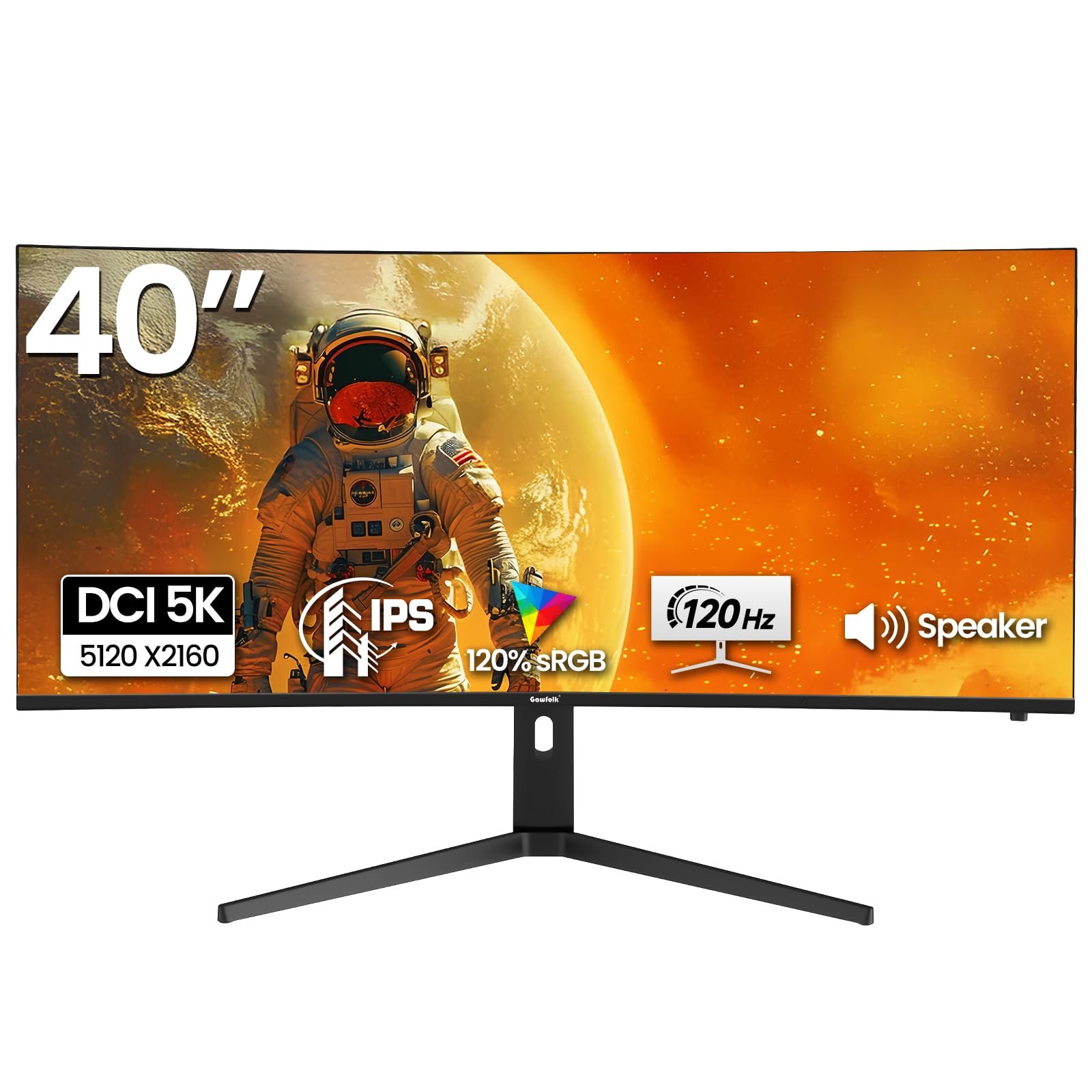
1. Gawfolk 40 Inch 5K Ultrawide Curved Gaming Monitor
Our pick — over 4★ from 1,500+ verified ratings; the strongest balance of quality and price.
A high-contrast 5K curved panel at 120Hz that won’t break the bank.
The Gawfolk 40-inch 5K monitor (5120×2160) hits a rare combination at its price — a 2000:1 contrast ratio and 120Hz refresh. The 2000:1 figure is notably better than the 1200:1 of the INNOCN 40C1U, making blacks look richer in dark game scenes. The 2500R curve and IPS panel deliver 120% sRGB color coverage, so games and movies look vibrant. The 120Hz refresh rate ensures smoother motion than a standard 60Hz display, though it is 33% slower than the 180Hz Samsung Odyssey G7.
Connectivity covers two HDMI 2.0 and two DisplayPort 1.4 ports. The build-in speakers are basic but helpful for getting started without external audio. The stand offers 130mm height adjustment, -5° to 20° tilt, and ±30° swivel — you can dial in a posture that fits your desk. Buyers (4.4 stars from 1,528 ratings) appreciate the package value, and the 350 nits brightness is fine for indoor use. One reviewer noted that the OSD menu needs getting used to.
The main trade-off is brightness: at 350 nits, it is fine for a dim room but not ideal near a sunny window. Color accuracy is solid but not factory-calibrated to the level of the INNOCN 40C1U’s DeltaE < 2 spec.
Great For
- 2000:1 contrast ratio provides better black levels than many IPS monitors
- 120Hz + FreeSync gives a smooth gaming experience at 5K
- Full ergonomic stand with height, tilt, and swivel adjustments
Not So Great
- 350 nits brightness is average — not for bright rooms
- HDMI 2.0 ports limit max refresh at this high resolution
Best for: budget-conscious gamers who want 5K resolution, a 2000:1 contrast ratio, and 120Hz motion without paying for a premium brand.
Look elsewhere if: you need factory-calibrated color accuracy or work in a bright office with lots of ambient light.
2. Samsung 40” Odyssey G7 (G75F)
The fastest 40-inch panel right now, wrapping 180Hz and a 3000:1 contrast into a tight 1000R curve.
If you prioritize smooth motion and deep blacks, this Odyssey G7 is the top contender. It runs at 180Hz with a near-instant 1ms response time (GtG) and VESA DisplayHDR 600 — so fast-moving targets stay crisp and highlights pop. The VA panel gives you a 3000:1 contrast ratio, which is a 2.5x gap over the INNOCN IPS models’ 1200:1, meaning you see true black levels in dark game scenes. The aggressive 1000R curvature (also a 2.5x gap compared to the 2500R curve on the Deco Gear) wraps the screen around your field of view, pulling you into racing or tactical shooters.
The 5120 x 2160 WUHD resolution gives you the sharpness of a 4K display, and FreeSync Premium Pro syncs with your graphics card to eliminate tearing. Buyers report that the 4.6-star rating from 124 buyers is backed by comments praising the speed and color vibrancy right from the start. Keep in mind that a 180Hz refresh rate means you need a powerful GPU to hit those frame rates — 80% more updates per second than the INNOCN 40C1U’s 100Hz.
Connectivity is straightforward with 1x HDMI, 1x DP, and 1x USB-A to B upstream. There are no built-in speakers, so you will need headphones or desktop speakers for audio.
Why It Wins
- 180Hz refresh rate + 1ms response time for ultra-smooth gameplay
- 3000:1 contrast ratio from VA panel delivers deeper blacks than any IPS here
- 1000R curve creates the most rich visual wrap
Know Before You Buy
- No built-in speakers — plan for external audio
- High refresh only beneficial with a strong graphics card
Pick this if: you are a serious gamer who wants the fastest speed, deepest black levels, and a fully rich curved view on a 40-inch screen.
Look elsewhere if: you need built-in speakers, Thunderbolt connectivity, or maximum color accuracy for professional photo work.
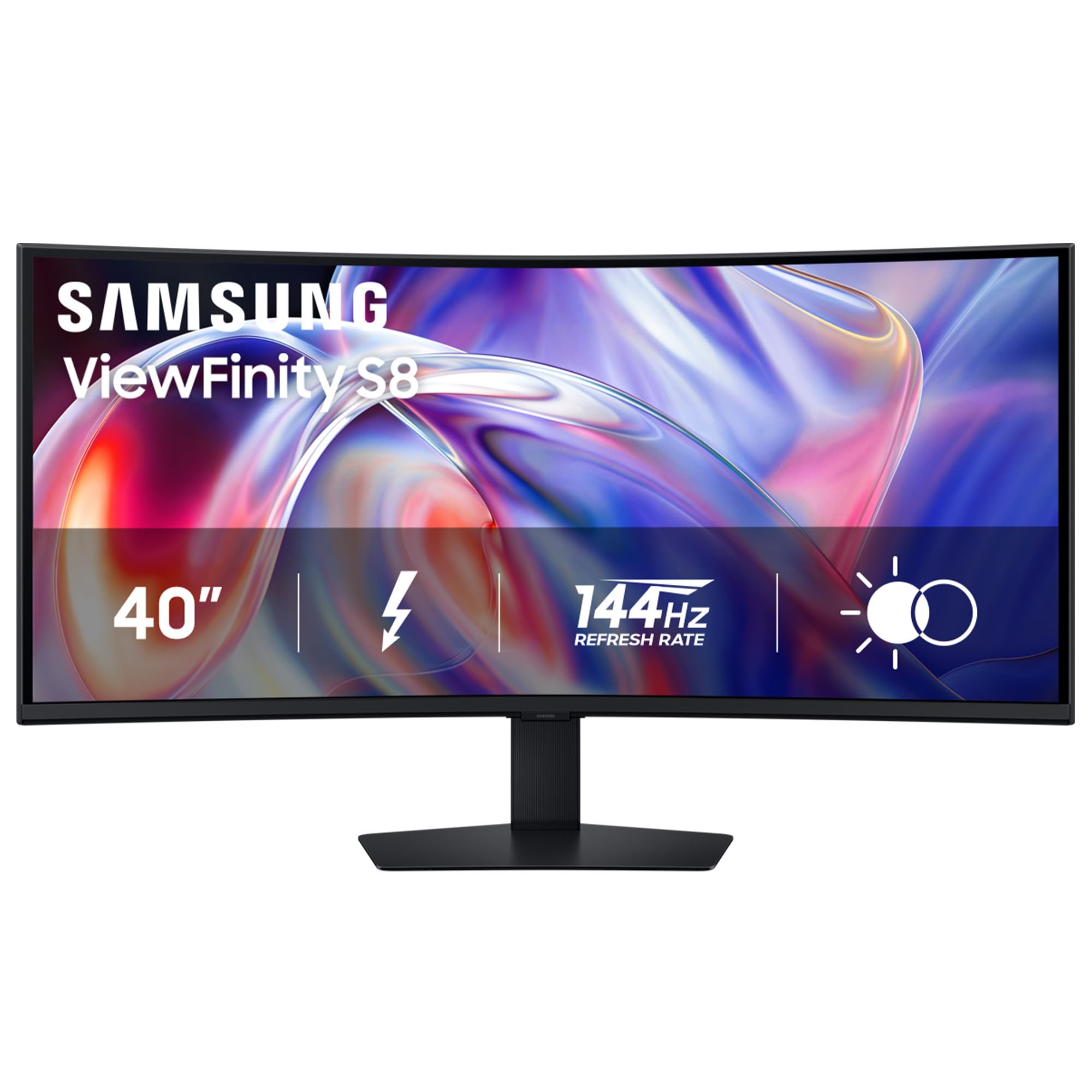
3. Samsung 40″ ViewFinity S8 (S85TH)
A premium 5K2K workstation with Thunderbolt 5 charging and a built-in KVM switch.
The ViewFinity S8 takes the same 5120×2160 VA panel as the Odyssey G7 but swaps speed for professional connectivity. You get Thunderbolt 5 with up to 140W charging — enough to power a 16-inch MacBook Pro at full speed. The built-in KVM switch lets you control two computers with a single keyboard and mouse, and Picture-in-Picture mode keeps both devices visible at once. The 144Hz refresh rate still qualifies as smooth motion while being 44% faster than the 100Hz INNOCN 40C1U.
HDR10+ handles brightness and contrast scene-by-scene, and the 3000:1 VA contrast ratio again gives black levels that IPS panels cannot match. The ergonomic stand fully adjusts — tilt, swivel, and height — so you can dial in your viewing angle for long work sessions. Owners mention in their reviews that the 4.2-star rating reflects how well the Thunderbolt 5 simplifies a multi-device desk, though some wish the monitor included a built-in camera.
On the flip side, this is a high-end investment. The Thunderbolt 5 port is future-ready but current Thunderbolt 4 or USB-C laptops work at lower speeds. Portrait-mode color work is excellent, but if you only game, the Odyssey G7 gives you a faster 180Hz for less.
Standout Strengths
- Thunderbolt 5 with 140W charging handles the most demanding laptops
- KVM switch controls two computers with one keyboard and mouse
- 144Hz + 3000:1 VA panel for smooth, high-contrast work
Trade-Offs
- Expensive — priced well above the gaming-focused G75F
- No webcam or microphone built-in
Designed for: creative professionals and power users who need single-cable Thunderbolt charging, multi-PC control, and a crisp 5K2K work canvas at a smooth 144Hz.
Not for: budget-focused buyers or pure gamers who do not use multiple computers.
4. LG 40U990A-W UltraFine evo
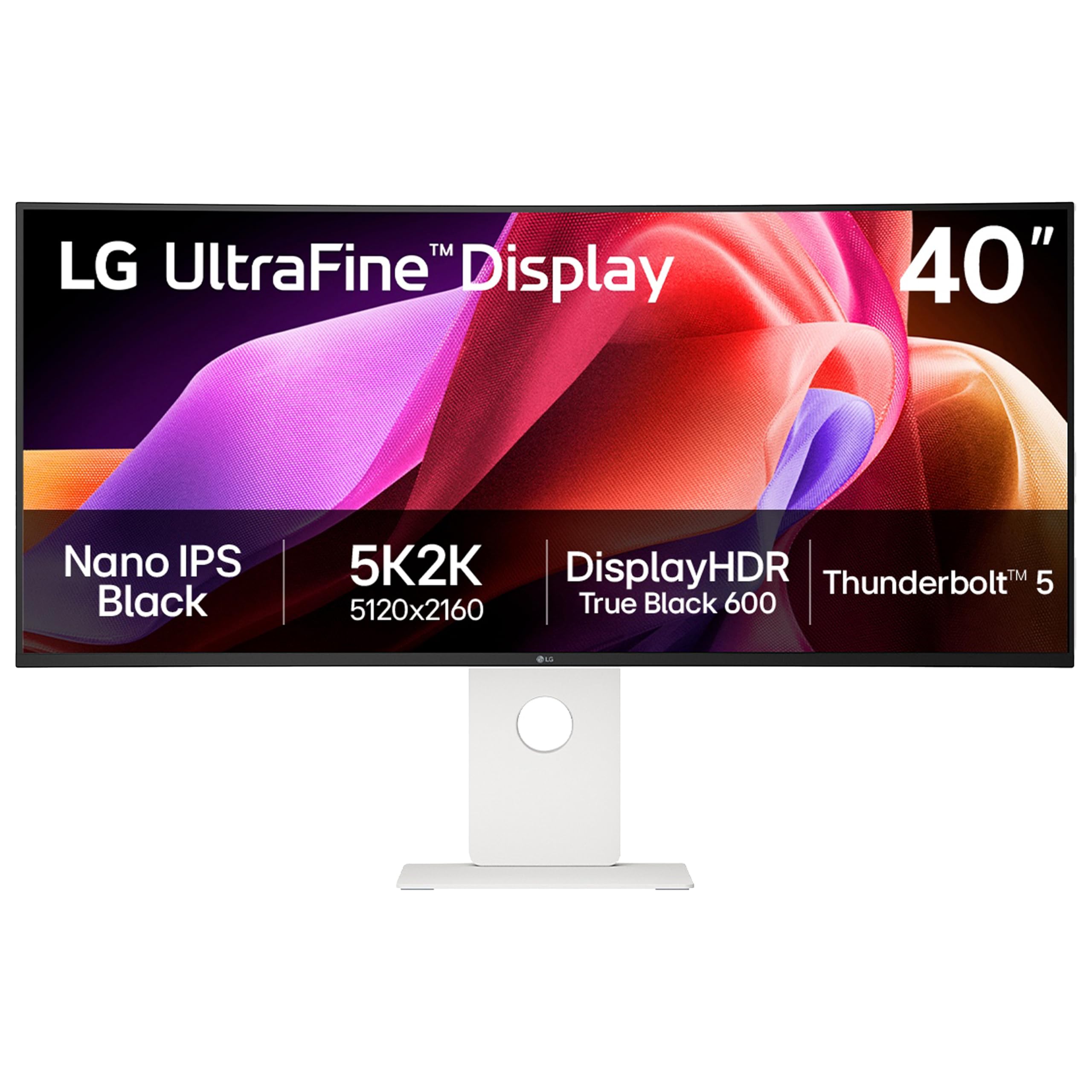
World-first 5K2K monitor with Thunderbolt 5 and Nano IPS Black panel for deep contrast.
LG’s UltraFine evo 40U990A packs a new Nano IPS Black panel that pushes contrast to 2000:1 — double the 1000:1 of the older LG 40WP95C. That means black bars in a video timeline or dark game scenes look rich rather than gray. The 5K2K (5120×2160) resolution gives you 99% DCI-P3 color coverage, making it a reference-grade display for color-critical editing. The 120Hz refresh rate is smooth enough for casual gaming, well ahead of the 100Hz on the 40C1U.
Connectivity is this monitor’s second headline. Thunderbolt 5 is the first on any 5K2K screen, delivering 96W charging, 40Gbps data, and the ability to daisy-chain a second monitor. You also get two HDMI 2.1 ports and DisplayPort 2.1 (UHBR 13.5), so modern GPUs and consoles connect without adapters. The 2500R curve is gentle enough for design work without distorting straight lines. Reviewers mention the clean white design and dual speakers with Rich Bass, though two customers note the OSD menu can be finicky.
At this level, the main question is if you need Thunderbolt 5 right now. Most current laptops use Thunderbolt 4, which still works but caps at lower speeds. The 450 nits brightness and VESA DisplayHDR 600 certification ensure bright highlights, but the white finish may not match a dark desk setup.
Highlights
- Nano IPS Black panel delivers 2000:1 contrast — best among IPS ultrawides
- Thunderbolt 5 + HDMI 2.1 + DP 2.1 for maximum future-proofing
- 99% DCI-P3 color gamut for precise creative work
Considerations
- Thunderbolt 5 benefits are limited today without compatible devices
- White color may be divisive in a professional dark-themed studio
Perfect for: video editors, photographers, and designers who want the highest color accuracy, deepest IPS black levels, and the latest connectivity standard in a 40-inch 5K2K format.
Skip if: you do not work with color-critical content or you already have a Thunderbolt 4 ecosystem with no need to upgrade.
5. LG 40WP95C-W

A mature 5K2K creative monitor with 98% DCI-P3 and a generous Thunderbolt 4 hub.
The 40WP95C-W is LG’s established 5K2K workhorse for creative professionals. Its Nano IPS panel covers 98% DCI-P3 with HDR10 support, so colors as seen in 4K film projects or product photography are vivid and consistent. The 5120×2160 resolution fits a full video timeline plus toolbars without scaling. The Thunderbolt 4 port delivers 96W of power delivery — enough to charge a MacBook Pro — and you can daisy-chain a second 4K display through it. The monitor also includes two internal 10W speakers with Rich Bass, which saves desk space from external speakers.
The key trade-off is the 72Hz refresh rate. For desktop work and movie watching, 72Hz is smooth, but it is not competitive for fast-paced gaming — the 180Hz Odyssey G7 pulls far ahead here. The 1000:1 contrast ratio is standard for IPS, meaning blacks are not as deep as the 2000:1 of the newer LG 40U990A or the 3000:1 of the Samsung VA panels. Reviewers on Amazon (4.2 stars from 407 ratings) consistently praise the build quality and the virtually borderless design but a few wish for a higher refresh rate for light gaming.
The 3-side borderless design looks clean on a desk, and the fully adjustable stand (tilt, height, swivel) makes it easy to find a comfortable position. If your primary use is video editing, photo retouching, or programming on a Mac, this monitor remains a strong, proven choice.
Pros
- 98% DCI-P3 color coverage is excellent for creative work
- Thunderbolt 4 with 96W PD simplifies a single-cable Mac setup
- Built-in 10W speakers with Rich Bass eliminate external audio
Cons
- 72Hz refresh rate is not for serious gaming
- 1000:1 contrast is standard — blacks are not as rich as VA panels
Reach for this if: you are a video editor, photographer, or developer working on a Mac and value Thunderbolt 4 simplicity and accurate color over gaming speed.
Look elsewhere if: you need high refresh for gaming or the deeper black levels of a newer Nano IPS Black panel.
6. Dell UltraSharp U4025QW

An ultra-bright 600-nit work monitor with Ethernet and a dedicated productivity feature set.
Dell’s UltraSharp line is built for office productivity, and the U4025QW does not cut corners. That makes it usable near a window or in a bright room without washing out. The 5120×2160 resolution and 2000:1 contrast ratio give you sharp text and clear detail for spreadsheets, documents, and coding. The built-in RJ45 Ethernet port lets you connect to a wired network directly from the monitor, which is a feature most ultrawides skip.
Dell ships the U4025QW with a USB-C connection that supports data and power (this model includes Thunderbolt via a separate port) and an adjustable stand with tilt, swivel, and height adjustment. The anti-glare screen reduces reflections during long workdays. Buyers on Amazon (4.5 stars from 231 reviews) praise the build quality and the clean, professional aesthetic. The 5ms response time is fine for office work and some light gaming, but competitive players will want the 1ms of the Odyssey G7.
The monitor also supports FreeSync for variable refresh, helping with smoothness during casual gaming. If you spend eight hours a day in productivity apps and need a bright, Ethernet-connected display that fits a corporate or home-office setup, this Dell is tough to top.
What Stands Out
- 600 nit brightness — the brightest 40-inch ultrawide we reviewed
- Integrated RJ45 Ethernet port for stable wired networking
- Anti-glare screen reduces eye strain in bright environments
Limitations
- 5ms response is not suited for competitive gaming
- Price is premium for a mainly productivity-focused monitor
Best for: office professionals, coders, and anyone who works in a bright room and needs Ethernet connectivity plus crisp 5K2K detail.
Not ideal for: gamers who want high refresh rates or low response times.
7. Deco Gear 40 Curved 5K2K Nano IPS
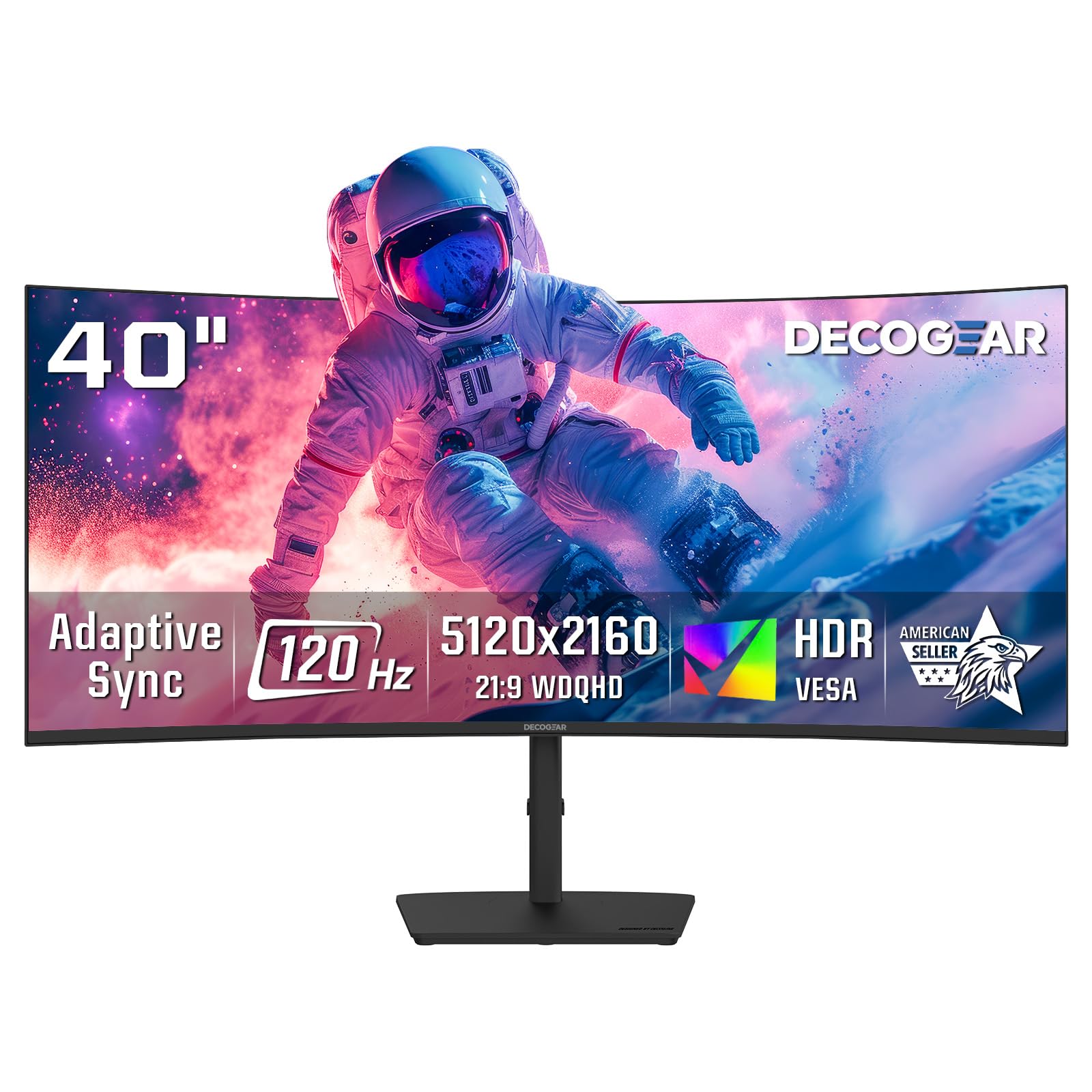
A well-rounded 5K2K daily driver with a 2500R curve and a generous four USB-A ports.
Deco Gear balances resolution, speed, and connectivity at a mid-range price. The 5120×2160 Nano IPS panel delivers 99% DCI-P3 color coverage and a 2000:1 contrast ratio — colors are punchy and blacks are deeper than the typical 1000:1 IPS panel. The 120Hz refresh rate pairs with Adaptive Sync and Overdrive, so you get smooth motion in games and desktop use. The gentle 2500R curvature (2.5x less aggressive than the 1000R on the Samsung Odyssey G7) is comfortable for productivity work where straight lines matter, like spreadsheets or CAD.
The standout connectivity feature is the 65W USB-C power delivery combined with four USB-A ports. That is enough to charge a mid-size laptop and plug in a keyboard, mouse, webcam, and a hard drive all from the monitor. Built-in speakers handle audio. The stand offers tilt and swivel adjustment, plus a Low Blue Light Mode for evening work. Reviewers (4.2 stars, 186 ratings) note that the 250 nits brightness is lower than some competitors — the Dell U4025QW is more than double at 600 nits — so it is best suited for a dimmer room.
If you want 5K2K resolution, 120Hz speed, and a comprehensive USB hub without paying the premium of Dell or LG, this Deco Gear monitor delivers on all three counts.
Key Features
- Nano IPS with 99% DCI-P3 delivers rich, accurate color
- 65W USB-C PD plus four USB-A ports for a clean desk setup
- 120Hz refresh with Adaptive Sync works for gaming and work
Drawbacks
- 250 nits brightness — dimmer than office-focused picks like the Dell
- 2500R curve is less rich than the 1000R found on Samsung monitors
Buy this for: a balanced mix of 5K2K resolution, 120Hz smoothness, and a multi-port hub at a price that undercuts premium office monitors.
Consider competitors if: you need higher brightness for a bright room or a tighter curve for gaming immersion.
8. INNOCN 40C1R Ultrawide Monitor (40″ WQHD)

A bright 500-nit WQHD workhorse that punches above its price for HDR content.
Combined with HDR400 certification and a 95% DCI-P3 color gamut, this screen is well-suited for watching HDR video and working in well-lit environments. The 144Hz refresh rate (delivered via DisplayPort; 100Hz over HDMI) gives you smoother motion than the 100Hz 40C1U, even though the resolution is the lower 3440×1440.
The ADS (Advanced Super Dimension Switch) panel, a type of IPS, maintains wide viewing angles and consistent color. The 1200:1 contrast ratio is standard for this panel type. Connectivity includes USB-C, DP, and dual HDMI ports, plus a 3.5mm audio jack. The stand is fully adjustable with tilt, swivel, and height. Buyers (4.2 stars from 791 ratings) like the TÜV Rheinland low blue light certification for long sessions. The 40C1R covers an 18% wider viewable area than a 34-inch ultrawide, giving you extra desktop real estate.
The key limitation is that 3440×1440 resolution is not as sharp as a 5K display for up-close text and fine detail. If you need pixel density for editing 4K video, a 5K monitor like the Dell U4025QW is sharper. But for bright-room productivity and 144Hz gaming at a lower price, the 40C1R is a strong option.
Why It Shines
- 500 nits brightness is high for easy viewing in well-lit rooms
- 144Hz refresh rate for smooth gaming at WQHD resolution
- 95% DCI-P3 color coverage and TÜV low blue light certification
Where It Falls Short
- 3440×1440 resolution is less sharp than 5K2K monitors
- 1200:1 contrast ratio is standard IPS — not ideal for dark rooms
Choose this if: you want high brightness and 144Hz speed without paying for 5K resolution, and you work in a bright or mixed-light environment.
skip it if: pixel density for detailed design work or 5K sharpness is your top priority.
9. INNOCN 40″ WQHD 3440 x 1440P 144Hz Ultrawide (40C1R Pro)

The most affordable 40-inch ultrawide here, packing a 90W USB-C port and FreeSync Premium.
This newer INNOCN model (40″ WQHD) undercuts the competition on price while retaining key features. The USB-C full-function port delivers 90W of power delivery — enough to charge a 15-inch laptop — along with video and data, so you connect a single cable from your laptop to the monitor and it works. The 3440×1440 resolution and 144Hz refresh rate (with FreeSync Premium) deliver smooth motion for gaming and desktop work. The IPS panel produces 95% DCI-P3 color at 500 nits brightness, matching the brightness of the 40C1R.
The picture quality includes HDR400 support and a 1200:1 contrast ratio. The 21:9 aspect ratio is wider than standard 16:9 screens, giving you cinematic black bars when watching movies and more spreadsheet columns. The stand adjusts for height and tilt, and the monitor is VESA mountable. Buyers (4.3 stars from 687 ratings) praise the smooth 144Hz experience and the fully functional USB-C hub. Some note that the 3440×1440 resolution, while good, is not as crisp as a 5K2K panel when looking at fine text up close.
If your main goal is a large, affordable ultrawide with a single-cable USB-C setup for a laptop, this INNOCN model offers the best value per dollar in the list. For sharper text or deeper contrast, you would move up to the 5K2K models.
Value Highlights
- 90W USB-C PD charges most laptops with one cable
- 144Hz + FreeSync Premium gives smooth tear-free gaming
- 500 nits brightness works well in bright rooms
Compromises
- 3440×1440 resolution is not as sharp as 5K2K for detailed design
- 1200:1 contrast ratio is standard for IPS panels
Go with this when: you want the most affordable 40-inch ultrawide with a 90W USB-C hub, 144Hz gaming smoothness, and solid brightness — especially for a laptop-based desk.
Upgrade if: you need 5K resolution for video editing or higher contrast for dark room use.
Understanding the Specs
Refresh Rate (Hz)
The refresh rate, measured in hertz (Hz), tells you how many times per second the screen updates the image. A 60Hz monitor updates 60 times per second, which is fine for office work. At 144Hz, motion looks noticeably smoother — scrolling is fluid, and fast game movements are clearer. At 180Hz (the Samsung Odyssey G7 is the fastest here), motion blur almost disappears in competitive shooters and racing games. Your graphics card needs to be powerful enough to output those high frame rates, or the higher refresh does not help.
Contrast Ratio
Contrast ratio compares the brightest white to the darkest black a monitor can show. A higher number means deeper, more realistic blacks. IPS panels typically run at 1000:1 or 1200:1. The Samsung VA panels reach 3000:1 — blacks look truly dark in game and movie scenes. The newer LG Nano IPS Black panels hit 2000:1, a meaningful improvement over standard IPS. For a media or gaming room where lighting is controlled, a higher contrast ratio improves the overall picture significantly.
FAQ
Will a 40-inch ultrawide monitor fit on my desk?
Can my laptop run a 5K2K ultrawide monitor?
What is the difference between WQHD and 5K2K resolution?
Does a 40-inch ultrawide monitor have built-in speakers?
Is a 1000R curve too aggressive for office work?
What is Thunderbolt 5 and do I need it?
Can I use a 40-inch ultrawide monitor with a PS5 or Xbox?
How long do 40-inch ultrawide monitors last?
Final Thoughts: The Verdict
For the majority of shoppers, the best 40 inch ultrawide monitor is the Samsung 40” Odyssey G7 (G75F) because it delivers the fastest 180Hz refresh rate combined with a deep 3000:1 contrast ratio and an rich 1000R curve — an unbeatable package for both gaming and media. If you need Thunderbolt 5 connectivity and a KVM switch for pro productivity, grab the Samsung ViewFinity S8 (S85TH). And for an affordable 5K2K creative canvas with accurate color, the standout is the INNOCN 40C1U.
How We Picked
We do not accept paid placement. Every pick is matched to a real buyer and a real use-case; we do not hands-on test units.
Sources & Methodology
Specifications: manufacturer listings and product documentation. Review insights: verified customer reviews, as of July 2026. Pricing: not shown on this page (it changes often); check the current price via the retailer link.
As an Amazon Associate, Gadgets Feed earns from qualifying purchases. This does not affect which products we feature.